Federico is the founder and Editor-in-Chief of MacStories, where he writes about Apple with a focus on apps, developers, iPad, and iOS productivity. He founded MacStories in April 2009 and has been writing about Apple since. Federico is also the co-host of AppStories, a weekly podcast exploring the world of apps, Unwind, a fun exploration of media and more, and NPC: Next Portable Console, a show about portable gaming and the handheld revolution.
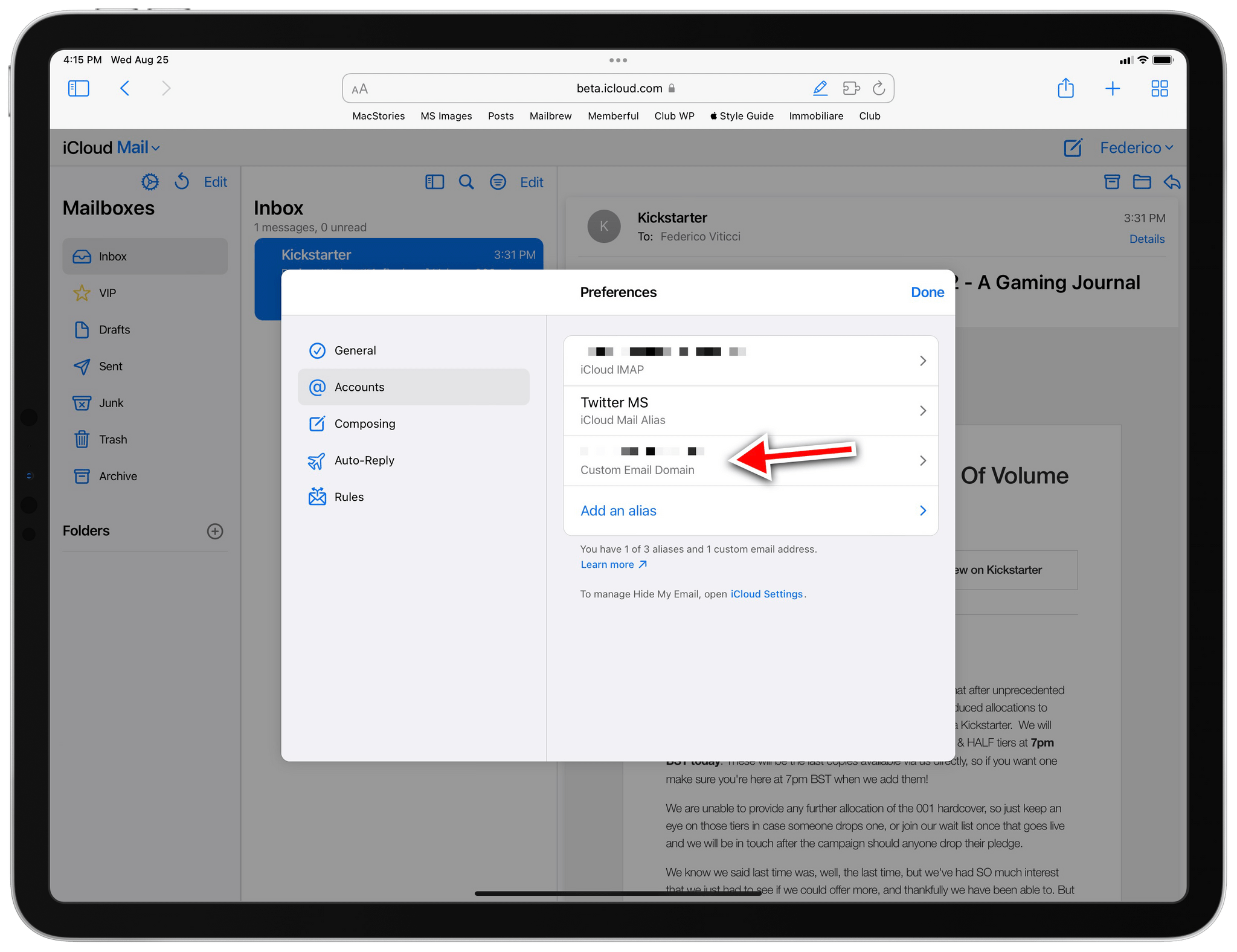
Following a tip by one of our members in the Club MacStories+ Discord server last night (if you haven’t joined yet, now’s a great time to do so), I came across the settings page on the beta.icloud.com website to configure a custom domain and email address with iCloud Mail. This is the direct link to the settings page; it was working last night, but it seems to be having some issues today.
Custom domains in iCloud Mail is a feature Apple announced for the “rebranded” iCloud+ service at WWDC, which I’ve been curious to try for two reasons: I have a personal domain laying around I can use to test this, and iCloud Mail – unlike Gmail – supports proper push notifications on iOS. Given the beta nature of this feature, I am not recommending you try this with your primary email address right now; I set it up with a secondary email address I barely used before.
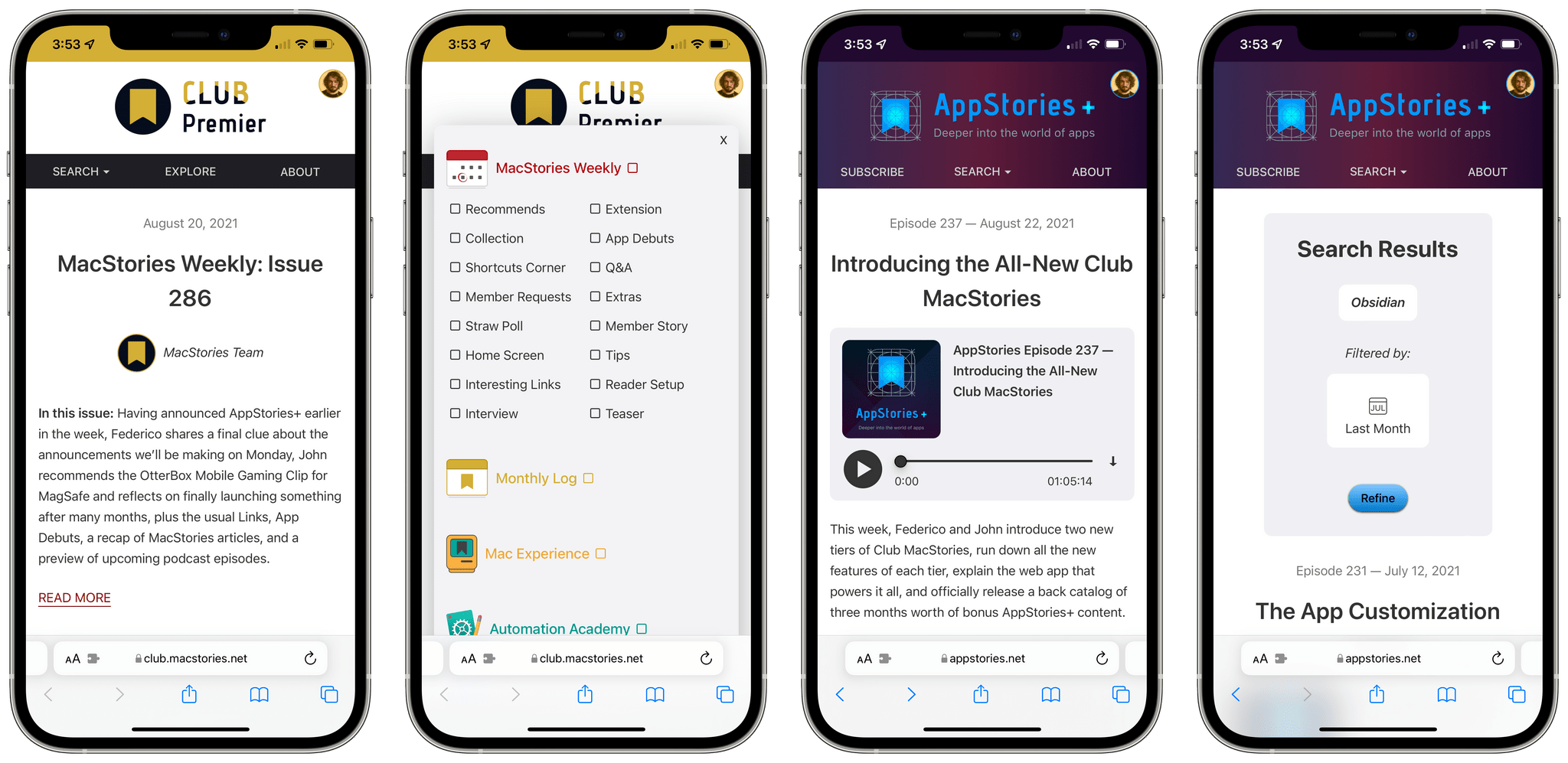
Our new web app for Club MacStories and AppStories, Calliope.
Yesterday, we unveiled the all-new Club MacStories, featuring the new Club MacStories+ and Club Premier tiers, a new web app, a Discord community, new original content for members, and more. You can read my announcement here, and sign up for (or upgrade to) the new Club MacStories plans here. We believe the best option is Club Premier, which bundles Club MacStories+ and AppStories+ in a single package at $12/month.
Today, I want to dive deeper into Calliope, our brand new web app that, for the first time, allows all Club members to read our content, including MacStories Weekly, on the web. As I highlighted in my article from yesterday, there’s a lot more Calliope can do, especially if you subscribe to Club MacStories+ or Club Premier; I want to take a closer look at its advanced features so members can properly take advantage of everything we built over the past year.
TL;DR: Today, we’re announcing the all-new Club MacStories featuring two additional tiers: Club MacStories+ and Club Premier. The new plans offer extra content, a brand new, powerful web app to read Club articles on the web with advanced search and RSS features, exclusive discounts, and a new Discord community.
Club Premier is the ultimate plan that includes all of Club MacStories, Club MacStories+, and the new extended, ad-free AppStories+ podcast in a single, $12/month package. It is the best value and the easiest way to get access to everything we do. It is, effectively, the MacStories all-access pass.
You can find out more on our new Plans page and sign up or upgrade there. Nothing is changing for the regular Club MacStories tier; in fact, we’re giving existing members access to our new web app at //www.macstories.net/club as well. Existing Club members can choose to upgrade their existing accounts to the new tiers.
Today, we’re launching the future of Club MacStories and MacStories itself. Read on for the full announcement below.
This week, Federico and John introduce two new tiers of Club MacStories, run down all the new features of each tier, explain the web app that powers it all, and officially release a back catalog of three months worth of bonus AppStories+ content.
As you may have seen on Twitter, we’ve been teasing a major new MacStories-related product for quite some time now. At long last, I can finally say that the long-anticipated launch day is (nearly) upon us. On Monday, August 23, we’ll unveil a series of major new initiatives we’ve been planning and building for...
This week, Federico and John explore the world of sideloaded apps and games on the iPhone and iPad, including AltStore and the kinds of apps and game emulators it makes possible.
On AppStories+, Federico and John chat about what the final week of preparations leading up to AppStories+ and new Club MacStories plans is like after months of planning and preparation.
This week’s pick is a little different than usual: Delta, developed by Riley Testut, isn’t an app you can find on the App Store, nor is it a web service that comes with an iOS companion utility or website. Instead, Delta is an excellent emulator for old Nintendo consoles you can only install on your...
This week, Federico and John continue the Summer OS Preview Series with special guest Malin Sundberg, the creator of time tracking app Orbit, for a chat about the development of Orbit, SwiftUI, Shortcuts for Mac, SharePlay, and more.
On AppStories+, John asks Federico what kinds of qualities he looks for in MacStories writers.
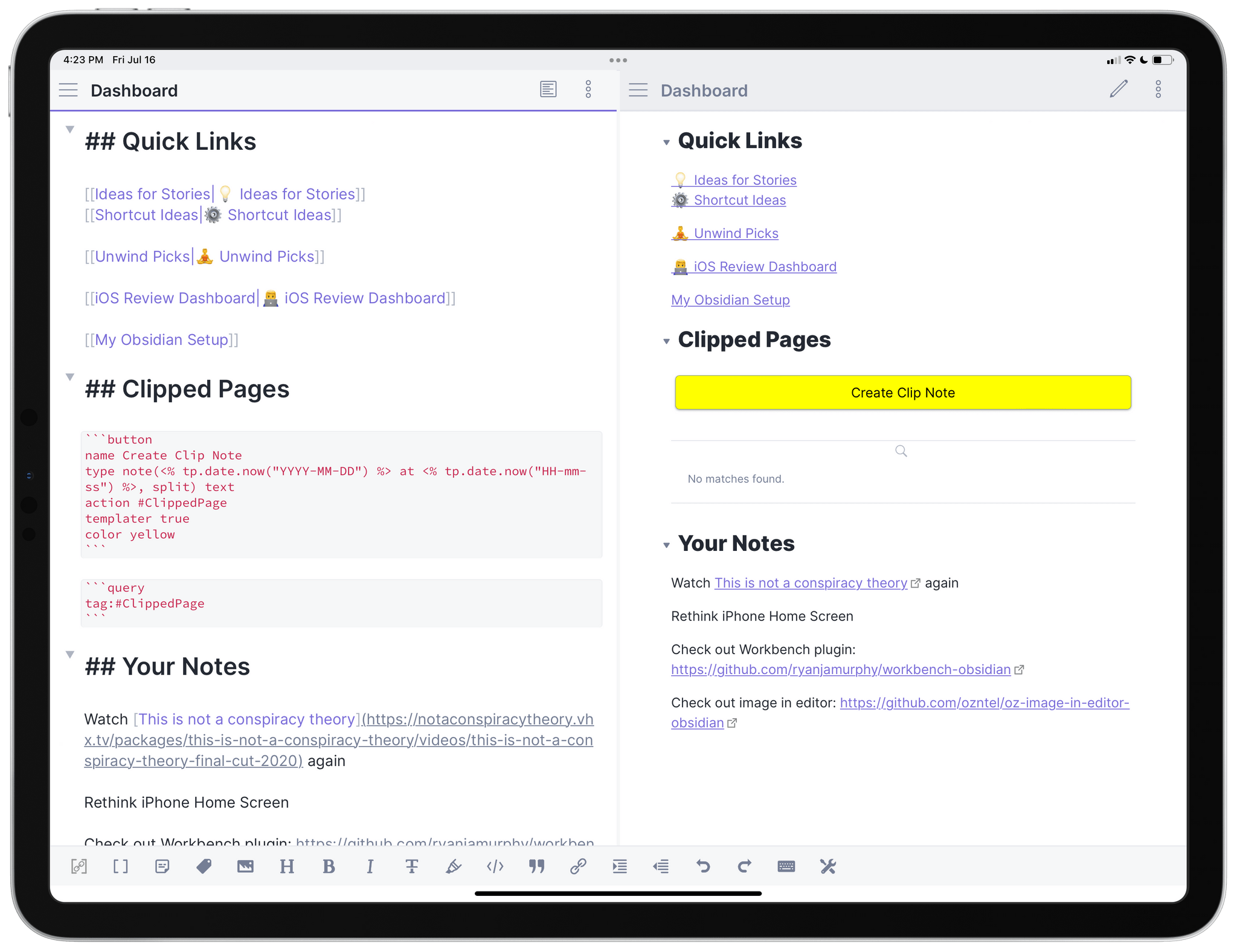
Last month, after a long beta period I’ve participated in for the past few months, the official Obsidian app for iPhone and iPad launched on the App Store. I’ve covered Obsidian and my approach to writing my annual iOS review in it on both AppStories and Connected; because I’m busy with that massive project and an upcoming major relaunch of the Club (hint hint), I don’t have time right now to work on a proper standalone, in-depth review of Obsidian for MacStories. So, given my time constraints, I thought it’d be fun to do a multi-part series for Club members on how I’ve set up and have been using Obsidian as my Markdown text editor and note-taking app of choice.




 John
John