Federico Viticci

10876 posts on MacStories since April 2009

Federico is the founder and Editor-in-Chief of MacStories, where he writes about Apple with a focus on apps, developers, iPad, and iOS productivity. He founded MacStories in April 2009 and has been writing about Apple since. Federico is also the co-host of AppStories, a weekly podcast exploring the world of apps, Unwind, a fun exploration of media and more, and NPC: Next Portable Console, a show about portable gaming and the handheld revolution.

This Week's Sponsor:

Inoreader

Build your own newsfeed and cut through the noise


Test Shows iPad 2 with iOS 4.3 Is Incredibly Faster Than iPad 1

Surprise: the iPad 2 running iOS 4.3 is faster than the original iPad running iOS 4.2. According to CNET UK, which had the chance to run a JavaScript SunSpider benchmark test on the iPad 2 during a brief demo at San Francisco, the iPad 2 will outperform the competition and even other Apple’s devices when it comes to web browsing experience and overall snappiness of the browser application. The SunSpider test is usually a good test of how a browser will perform with “heavy” webpages with lots of content and functionalities such as Facebook.

Indeed, Apple itself promotes the new Nitro JavaScript engine that powers Safari on iOS 4.3 as “twice as fast” than its predecessor on iOS 4.2. The original iPad, however, also comes with a slower and non-dual core processor (Apple A4), whilst the iPad 2 will get a dual-core A5 and likely more RAM. These hardware features, together with the iOS 4.3, should make the device a lot faster than iPad 1, iPhone 4 and several Android tablets out in the market or coming soon.

Back to the SunSpider JavaScript test, CNET writes:

Incidentally, when you compare the iPad to the other devices we tested, Android phones and tablets don’t come out particularly well. The Galaxy Tab is more than 3x slower than the iPad 2 in this test, and about 2x slower than the original iPad with the new software. The Google Nexus S smart phone doesn’t fare too well either, at nearly 3x slower than the iPad 2. There’s really good news for iPhone 4 owners out there: when it arrives, iOS 4.3 will deliver a 2.5x speed increase in this test.

The one device we’d like to test, but can’t, is the Motorola Xoom. This tablet has a dual-core processor and runs the latest version of Android, 3.0 Honeycomb.

We will get our iPad 2’s next week and we’ll make sure to run some tests as well to see how the new tablet is really faster than other devices with iOS 4.3 and the iPad 1.


Vodafone Issues Carrier Update and (Finally) Activates FaceTime in Egypt

Back in October of last year, it was reported that several countries in Africa and the Middle East were excluded from Apple’s list of supported countries for FaceTime on the iPhone, iPod touch and Mac. Not only did Apple mysteriously remove mentions of FaceTime from Saudi Arabia’s website, they later confirmed through an official document that carriers were blocking video calling on the iPhone and even went ahead to restrict FaceTime for Mac (which doesn’t rely on any mobile carrier – well, unless you tether your Mac to an iPhone) to specific countries in the application’s preferences. After months of discussions and hacks to enable FaceTime on African and Middle Eastern handsets, the takeaway was that carriers were definitely putting a lot of pressure on Apple for some reason.

The first step towards FaceTime availability in these countries has finally been taken by Vodafone, which has enabled FaceTime in Egypt with a carrier software update for iPhone. As noted by SaudiMac, the update simply adds a boolean string to the iPhone’s configuration file with video calling set to “yes”. This leads us to think that carriers can restrict and restore FaceTime at any time with software updates – something Apple can’t apparently control.

Egypt is still included in the countries with blocked FaceTime, but we guess it will updated soon with possibly more countries receiving carrier updates. [via SaudiMac]


Engadget Reviews The New MacBook Pro

Engadget Reviews The New MacBook Pro

Nilay Patel at Engadget on the new MacBook Pro:

Of course, there’s no getting around the fact that the MacBook Pro is still incredibly expensive and omits what should be no-brainer features – $2,199 for two USB ports and no Blu-ray drive? – but those are tradeoffs and prices professional Mac users have long become used to, just like this particular MacBook Pro design itself. Something tells us the next revision of the MacBook Pro will offer a more radical external redesign to go along with Lion, but that’s a long ways off – until then, this MacBook Pro represents the best blend of power, portability, and battery life we’ve come across to date.

I’ve never touched a Blu-ray in my life so that’s not really a problem for me, but I can see some Mac users willing to do whatever they want with those discs. Interesting tidbits: FaceTime does HD video calling but Photo Booth stills shoots at VGA resolution; no way to test Thunderbolt right now; it’s just a really powerful MacBook Pro.

In the meantime, AppleInsider reports Apple has enabled TRIM support for bundled SSDs in the 2011 MacBook Pros running Snow Leopard. Great news.

Permalink

Snap for Mac Assigns Keyboard Shortcuts to Apps In Your Dock

If you use the OS X Dock as much as I do, then it’s likely that you’ve always wondered why there’s no easy way to assign a keyboard shortcut for apps placed in the Dock. Snap, a $0.99 app available in the Mac App Store, solves this problem by providing an easy solution to cycle through Dock apps using the keyboard.

Once downloaded, Snap will let you assign numeric shortcuts to Dock apps starting from the Finder and the app right next to it. All you have to do is choose a modifier key that, together with the numbers, will enable you to switch between apps in seconds. The modifier key can be Command, Control, Shift or Option. Personally, I chose Option so I can switch between tabs in Chrome using CMD. If you don’t want to have shortcuts for Dock apps, however, you can also manually pick an app from the “Other” menu and virtually create shortcuts for any app on your Mac.

I like Snap because it’s simple and allows me to quickly open apps using easy to remember shortcuts – always faster than heading over an icon with your mouse cursor. Go download it here.


New µTorrent Beta for Mac Adds Remote Web Access, Scheduler

Popular BitTorrent client µTorrent was updated in its beta version for Mac last night adding support for a series of features that have made the app a must-have among Windows users. Namely, the latest beta for Mac adds the ability to control torrents remotely from any desktop or mobile browser, without having to mess with complicated network and firewall settings. It’s quite handy if you’re that kind of user who likes checking on his torrents on the go and wouldn’t mind adding new ones as well. Everything happens with a Web interface that’s completely accessible from anywhere. Together with the web UI, the application’s design has been improved as well.

Other important features in the 1.5 beta include feeds and the scheduler. While the second option is pretty obvious as it lets you schedule start and stop times for µTorrent (so your internet service provider will be happy), the RSS support is interesting. It allows you to subscribe to torrents’ feeds to automatically download them as new ones become available.

µTorrent is a free download for Mac, and the beta version is available here. [via Cult of Mac]


Personal Hotspot Limited To 3 Devices on AT&T?

AT&T has confirmed it will offer the Personal Hotspot functionality starting March 11 with the release of iOS 4.3, but it looks like the functionality will be modified to work only with connections up to 3 devices. By default, Apple’s Personal Hotspot allows up to 5 devices to connect to a single iPhone sharing its 3G connection. A picture of an internal AT&T document posted by Engadget in fact suggests the carrier is going to restrict the usage of Personal Hotspot to only 3 incoming connections.

While it’s highly unlikely that you’ll end up letting 5 people connect to your iPhone on a daily basis, it’s still interesting to study the possibility of AT&T limiting a feature so heavily promoted by Apple. Guess carriers do have some kind of control on the iPhone, after all. (Personally, I’m just happy 3 Italia is going to keep Personal Hotspot free to use for every iPhone owner)

Update: the image shared by Engadget doesn’t specify whether or not AT&T is simply following Apple’s implementation of Personal Hotspot, which allows 3 devices to connect using WiFi. It’s not clear from the leaked photo if AT&T didn’t mention the additional Bluetooth and USB connections, or is really enforcing Personal Hotspot on 3 devices simultaneously.

From Apple’s website:

You can share your connection with up to five devices at once over Wi-Fi, Bluetooth, and USB — with up to three of those connections using Wi-Fi.4 Every connection is password protected and secure. And it’s power friendly, too. iPhone detects when your Personal Hotspot is no longer in use and turns it off to save battery life.


iPad 2: Apple’s Smart Iteration

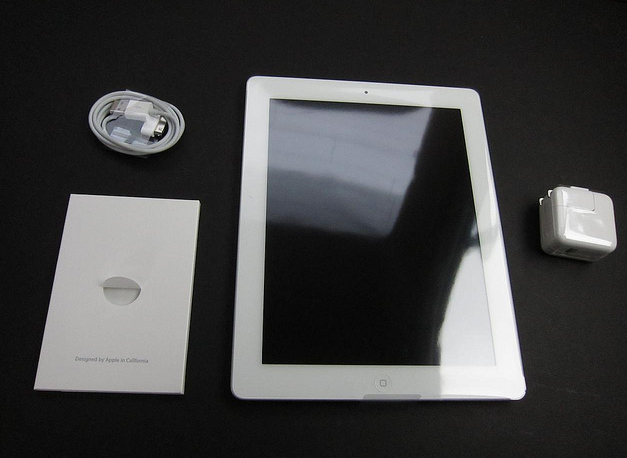
By now you’ve probably heard and read everything you need to know about the iPad 2. The second generation tablet that’s thinner, lighter (not so much, after all), has cameras and also happens to come with fancy (some people say revolutionary) Smart Covers to protect and clean your device without putting it entirely into a case. Pretty much as I wrote in November, this is the iPad upgrade I was expecting.

But is this the iPad 2 I was hoping for? Or rather, was March 2 the iPad 2 event I was looking forward to? I would say yes, and no.

I’m going to get an iPad 2 from the United States on March 11. 16 GB WiFi model with a $39 Smart Cover. I guess that’s what most consumers will end up with, and I’m happy to stick with my last year’s choice of “just” 16 GBs of storage considering how it’s possible that Apple will slowly move to cloud storage, always available at any time with a simple Internet connection. Which brings me to the second point: the geek in me was hoping for a brief mention of iOS 5 at the iPad 2 event which, you might have seen, didn’t happen. I can see, though, why Apple decided to keep iOS 5 for a dedicated event in Cupertino. Read more


Here, File File! Updated with Retina Graphics, Background Audio

Here, File File! is an iPhone app we reviewed a year ago that eventually disappeared from our radar. The app, mixing a beautiful interface design with a weird and funny name, allowed you to browse the contents of your Mac (read: file system) from a native iPhone UI. You only needed to install a desktop server app in order to connect from the iPhone both through WiFi and 3G. In Here, File File! you could browser and open folders, preview images and documents, play music and video and even search with Spotlight from the iPhone itself. It was a gem.

The iPhone 4 came out last summer and an update to Here, File File! to support iOS 4 and the new device was nowhere to be seen. Not to mention the iPad, which would be perfect for an app like HFF.

This silence has been interrupted today with the release of version 1.2 that brings Retina Display graphics for iPhone 4, bug fixes, background audio support and several enhancements. An iPad app is in the works too, and beta testing should start soon after today’s release of HFF for iPhone. So how’s the update? The app looks beautiful on the iPhone 4 display and much more responsive than before. I also tweaked the desktop application to work with a global DNS hostname so I can access my files from anywhere. Background audio works as expected and you get a nice HFF icon in the multitasking tray to send music across your room to AirPlay speakers. These music files are on your Mac.

Here, File File! is the same great app as before, only it looks beautiful on the iPhone 4. While waiting for the iPad app to come out, go check out the iPhone version here. More screenshots below. Read more


To-Do App Dropkick Gets Even Better with Lists Support - All In The Cloud

Dropkick is a simple, elegant iPhone app we covered a while ago that lets you manage to-dos and sync them back through the cloud to a free Mac companion application. Dropkick, in fact, is free if you want to enter up to 10 tasks, and it goes paid to unlock unlimited access to task management. The app is really minimal and focused on entering new tasks, and completing them. Cloud sync happens through a free Dropkick account, and it’s really fast. For many, Dropkick has become the best way to quickly capture and manage to-dos, keeping them always available thanks to the comfort and reliability of online sync. Read more