

It was a busy week on the Club MacStories+ Discord, and I’ve tried my best to collect highlights from the community below, including a shortcut contributed by a member as part of my most recent Automation Academy lesson on Reminders. We don’t get to see Lawyer John often, but when he appears, he never disappoints....
 Changing Default Apps for Specific File Types on macOS
I was recently editing a Markdown text file synced by the GitHub app for Mac when I noticed that every time I double-clicked the file in Finder, it kept launching Obsidian without actually opening the selected document. I didn’t want to use Obsidian to edit files synced by GitHub to a folder on my Mac;...
MacStories Shortcuts Icons and Perspective Icons: 40% Off from Black Friday to Cyber Monday

Black Friday and Cyber Monday are upon us, and we’ve prepared something truly special to celebrate the occasion at MacStories: starting today through Monday, November 29, MacStories Shortcuts Icons and Perspective Icons are available at 40% off their regular price.
To purchase MacStories Shortcuts Icons at $17.99 rather than the usual $29.99, click the ‘Buy’ button below:
To purchase our Perspective Icons at $14.99 rather than the usual $24.99, click the ‘Buy’ button below:
Exporting Links from Safari Reading List via Shortcuts for Mac
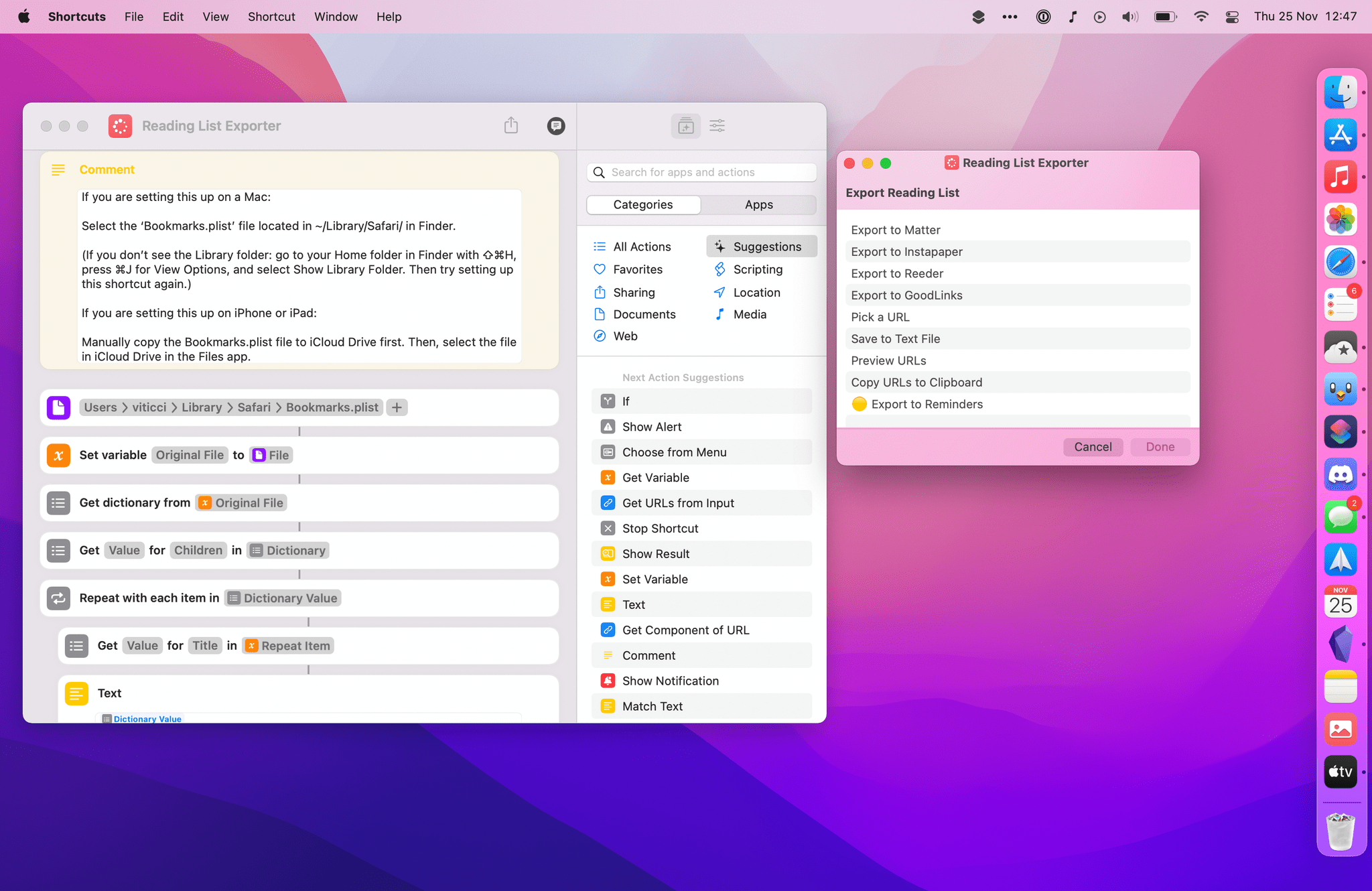
A few weeks ago in the second lesson of the Automation Academy for Club MacStories+ and Club Premier members, I wrote about how I’ve been using Reminders as a read-later app in addition to traditional task management. The full details are in the story, but to sum up: using a combination of shortcuts based on Apple’s native actions, I can use Reminders to choose between long and short stories whenever I’m in the mood to read something. I love this setup, and I’ve been using it for nearly three months now.
Earlier this week, however, I realized I still hadn’t re-imported old articles from Safari Reading List – my previous read-later tool – into Reminders. That immediately posed an interesting challenge. Sure, I could manually re-save each article from Safari Reading List to Reminders, but that sounded like a chore. Other read-later apps such as Reeder and GoodLinks have long offered Shortcuts actions to fetch links from their databases and process them in Shortcuts however you see fit; Reading List, like other Apple apps, doesn’t support any actions to get the URLs you previously saved. And that’s when I had an idea.
Now that it’s available on macOS, Shortcuts can get access to application support files that are kept private and hidden from users on iOS and iPadOS. More specifically, I remembered that Safari for Mac has long stored its bookmarks and Reading List items in a file called Bookmarks.plist, which folks have been able to read via AppleScript for years. Under the hood, a .plist file is nothing but a fancy dictionary, and we know that Shortcuts has excellent support for parsing dictionaries and extracting data from them.
The plan was simple, and I knew what to do.
The Curious Case of Apple’s Missing App Integrations for Shortcuts
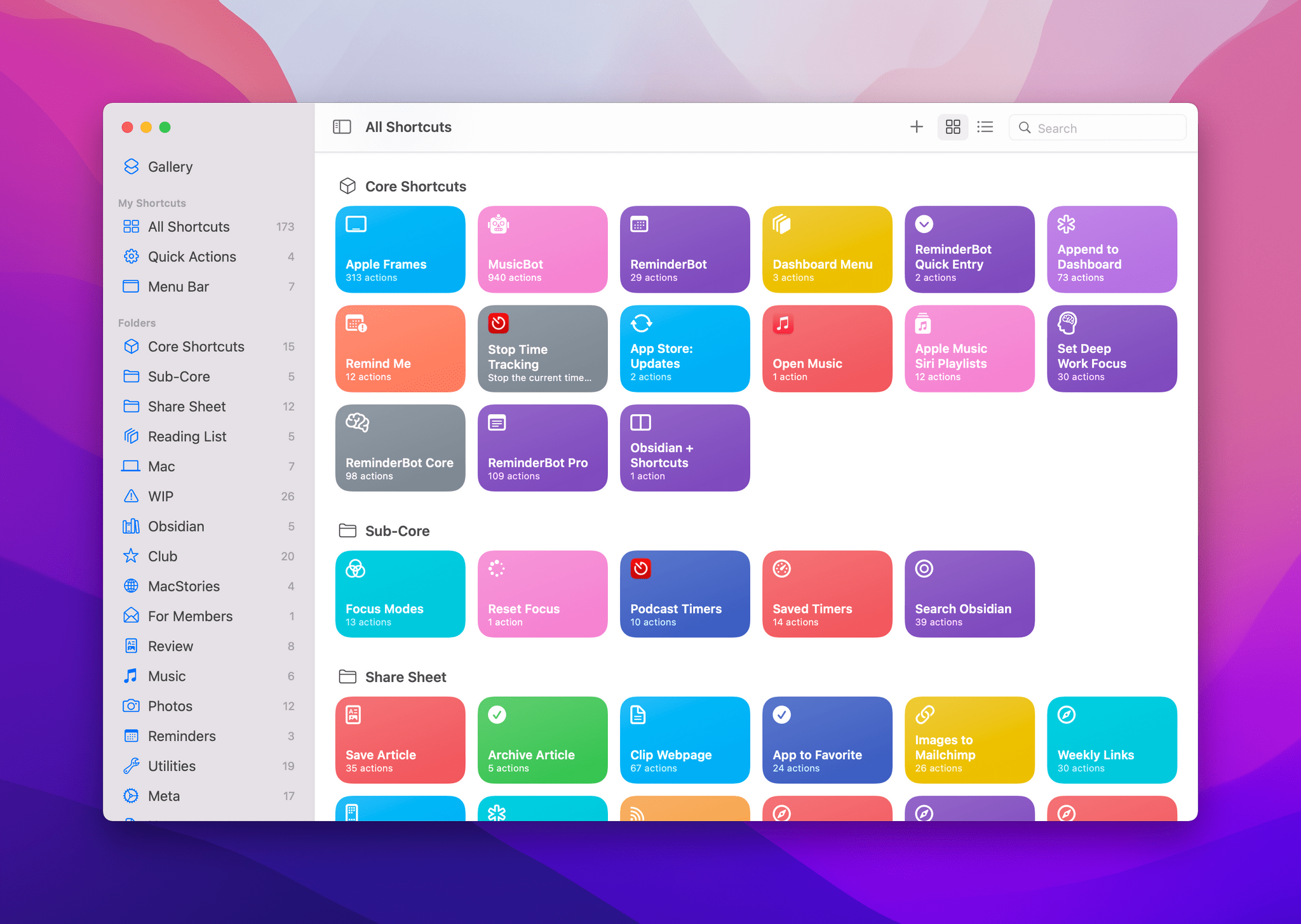
In researching topics for the Automation Academy over the past few months, I’ve been digging into all the details of Apple’s built-in actions and comparing them against older versions of the Shortcuts app as well as third-party options offered by developers. In doing this, I’ve realized something that has been bothering me for a while: there is a clear inconsistency between modern features in Apple apps and their associated Shortcuts actions. The gap between functionalities in apps and matching Shortcuts actions has expanded over the years, and I think it’s time Apple takes a serious look at its app actions to reverse this trend.
 Shortcuts for Mac Deep Dive
 John
John
AppStories Episode 250 - Shortcuts for Mac Deep Dive
0:00
48:09
48:09
This week, Federico and John explain how Shortcuts for Mac differs from other automation tools, cover some of the roadblocks they’ve hit, and discuss how they’re adapting existing shortcuts to the Mac and building all-new ones.
My Obsidian Setup, Part 5: Appending Text and Webpage Links to Specific Sections of My ‘Dashboard’ Note
In Part 4 of my Obsidian setup series, I described how I’ve been using a single ‘Dashboard’ note to quickly capture all kinds of links, ideas, and bits of text to process at a later stage – sort of like an inbox for my thoughts. In the story, I also detailed how I configured the...
Rethinking iPad Home Screens and Interesting Details About Twitter Blue
It was another busy week on the Club MacStories+ Discord, and here are the highlights from our amazing community of Plus and Premier members. One of our moderators, Burim, shared several examples of how he rethought his iPad Pro Home Screens with widgets, new apps, and shortcuts. David has been looking into how ad-free articles...
Tweetbot 6.6 Gets Support for Creating Polls, Limiting Who Can Reply to Tweets
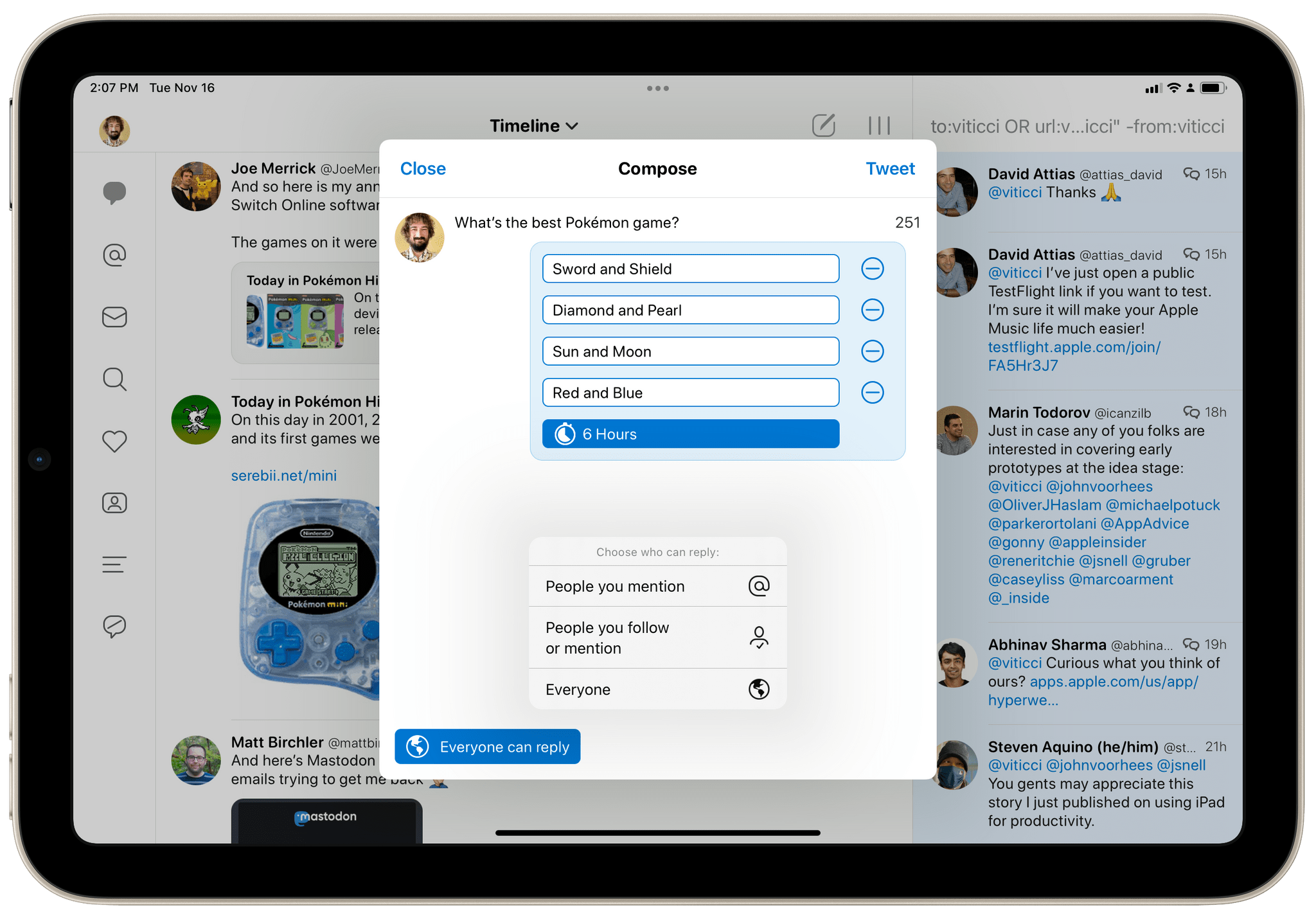
For the past two months, I’ve been using Tweetbot as my primary Twitter client again. This started off as an experiment to see whether switching to a third-party client with timeline sync would improve my daily use of Twitter, allowing me to miss fewer tweets and catch up on my timeline (I’ve always been a completionist) at my own pace. The experiment has been successful, but, curiously enough, it also made me appreciate the design and power-user features of Tweetbot all over again.