Federico Viticci

10637 posts on MacStories since April 2009

Federico is the founder and Editor-in-Chief of MacStories, where he writes about Apple with a focus on apps, developers, iPad, and iOS productivity. He founded MacStories in April 2009 and has been writing about Apple since. Federico is also the co-host of AppStories, a weekly podcast exploring the world of apps, Unwind, a fun exploration of media and more, and NPC: Next Portable Console, a show about portable gaming and the handheld revolution.

MacStories Starter Pack: Frame Nintendo Switch Screenshots with SwitchFrame

Breath of the Wild, framed with SwitchFrame in Shortcuts.

Breath of the Wild, framed with SwitchFrame in Shortcuts.

Editor’s Note: Frame Nintendo Switch Screenshots with SwitchFrame is part of the MacStories Starter Pack, a collection of ready-to-use shortcuts, apps, workflows, and more that we’ve created to help you get the most out of your Mac, iPhone, and iPad.

Following the release of version 11.0 of the Nintendo Switch firmware in December 2020, I released ShortSwitch, a shortcut that simplified the process of importing screenshots and videos from a Nintendo Switch console on the same Wi-Fi network as your iPhone or iPad. ShortSwitch continues to be one of my favorite utilities I’ve built in the Shortcuts app, and it’s become my default way of transferring media from the Switch to my iPhone before tweeting it. With ShortSwitch, you don’t need to scan the second QR code displayed on the console, and you can quickly preview or save multiple files at once. It still works reliably, and you can download it here.

That said, I’ve always wondered if I could improve another aspect of screenshots captured on the Nintendo Switch: framing them with a physical device template of a Switch console, just like I can frame iPhone, iPad, and Mac screenshots with Apple Frames. So a few months ago, Silvia and I got to work. After finding a Switch template we liked, Silvia modified it, and I was able to put together SwitchFrame – a shortcut that frames Switch screenshots with a classic Nintendo Switch console featuring red and blue Joy Cons.

Read more


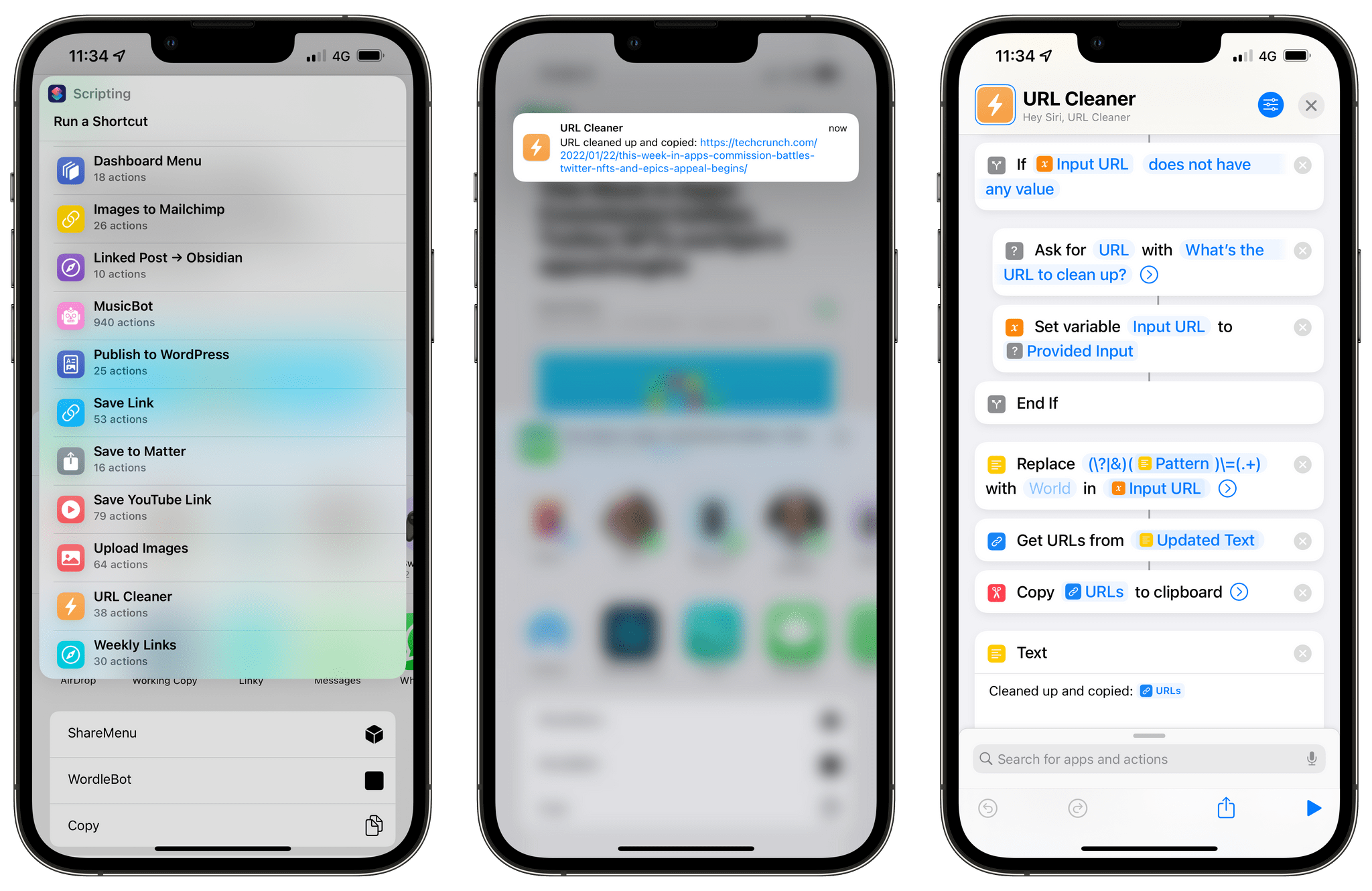
MacStories Starter Pack: Clean Up URLs and Remove Tracking Parameters with URL Cleaner

URL Cleaner for iOS.

URL Cleaner for iOS.

Editor’s Note: Clean Up URLs and Remove Tracking Parameters with URL Cleaner is part of the MacStories Starter Pack, a collection of ready-to-use shortcuts, apps, workflows, and more that we’ve created to help you get the most out of your Mac, iPhone, and iPad.

Picture this:

You’ve just come across an interesting article or product you want to share with someone, so you copy the URL and you’re ready to send it over iMessage, tweet it, link it on your site – you name it. Then, you notice that the URL has a bunch of ugly tracking parameters appended to the end of it. I’m sure you’ve seen them too: it’s those ?utm and soc_src1 and similar strings of text that some web publishers rely on to monitor where traffic is coming from and track other parameters about clicked URLs. For a publisher, those bits of data can actually be useful; for the end user, however, I’ve always wished there was an easy way for apps or extensions to “clean up” URLs and return the vanilla version of a link without any tracking parameter attached.

So, for the debut of our MacStories Pack event, I decided to fix the problem myself with a shortcut I appropriately called URL Cleaner. With this shortcut, which you can download for free at the end of the story and find in the MacStories Shortcuts Archive, you’ll be able to instantly remove popular tracking parameters from any URL and get a “cleaned up” version of it copied into the system clipboard. Best of all, URL Cleaner has been specifically optimized for iOS, iPadOS, and macOS, taking advantage of desktop-specific actions in macOS Monterey all while remaining integrated with the share sheet and Siri on iPhone and iPad.

Let’s take a look.

Read more


New Apps We Are Trying or Revisiting

AppStories+ Deeper into the world of apps

AppStories Episode 257 - New Apps We Are Trying or Revisiting

0:00
40:27

AppStories+ Deeper into the world of apps

This week, Federico and John share a collection of apps they are trying for the first time or revisiting, including email apps, a new Mac launcher, an Apple Music utility, a podcast player, and a read-it-later app.

Read more


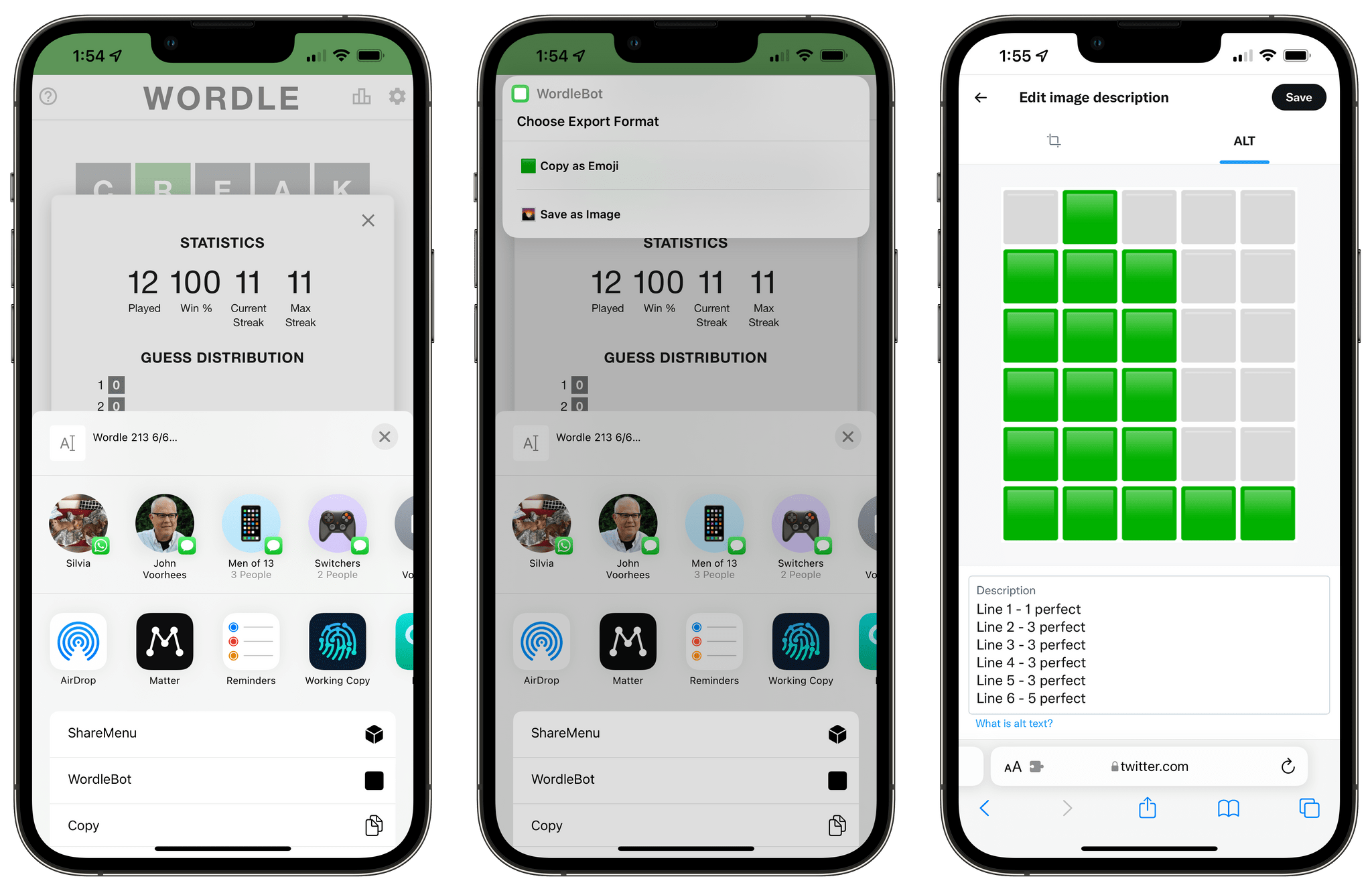
WordleBot 1.1, Now Fully Accessible with Native Emoji-to-Image Conversion

WordleBot 1.1.

WordleBot 1.1.

Following the release of my WordleBot shortcut last week, I’ve received a lot of useful and informative feedback from users in the accessibility community regarding the shortcut’s ability to annotate Wordle results with descriptions. Although well-intentioned, my original approach was misguided: even with line-based scores, the grid of emoji characters still performed horribly with screen-reading technologies such as Apple’s VoiceOver. WordleBot didn’t do much to make results more accessible for VoiceOver users since it was only reformatting the grid of emoji characters with additional text.

Read more


Obsidian In-Depth: More Third-Party Plugins (Part 4)

AppStories+ Deeper into the world of apps

AppStories Episode 256 - Obsidian In-Depth: More Third-Party Plugins (Part 4)

0:00
40:32

AppStories+ Deeper into the world of apps

Federico and John continue their coverage of third-party Obsidian plugins and how they use them to customize the app’s functionality.

:::if [appstories]
On AppStories+, John lays out the signs that change is afoot for Apple’s Music app for Federico and they consider what might be next for the app on the iPhone, iPad, and Mac.

Read more


Spotlight On Club MacStories+

Apple Arcade and Hide My Email Tips and Member Shortcuts for Meal and Calorie Tracking and Obsidian It was a busy few weeks on the Club MacStories+ Discord, and I’ve tried my best to collect highlights from the community below. There isn’t a Discord URL scheme to reopen these links in the Discord app directly;...