Federico Viticci

10759 posts on MacStories since April 2009

Federico is the founder and Editor-in-Chief of MacStories, where he writes about Apple with a focus on apps, developers, iPad, and iOS productivity. He founded MacStories in April 2009 and has been writing about Apple since. Federico is also the co-host of AppStories, a weekly podcast exploring the world of apps, Unwind, a fun exploration of media and more, and NPC: Next Portable Console, a show about portable gaming and the handheld revolution.

Apple Releases iOS 6.0.1 [Direct Links]

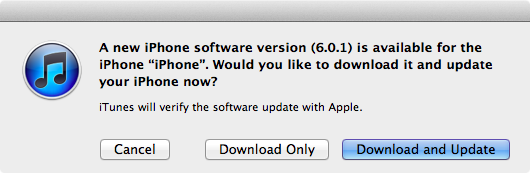
Apple just released iOS 6.0.1. The software update has hit Apple’s servers and is propagating now; iOS 6.0.1 is a bug fix release, which improves reliability of the iPhone 5 and iPod touch 5th gen on WiFi networks with WPA2 encryption, fixes the widely-reported issue of horizontal lines showing up on the software keyboard, and improves the behavior of the Camera flash.

iOS 6.0.1 changelog

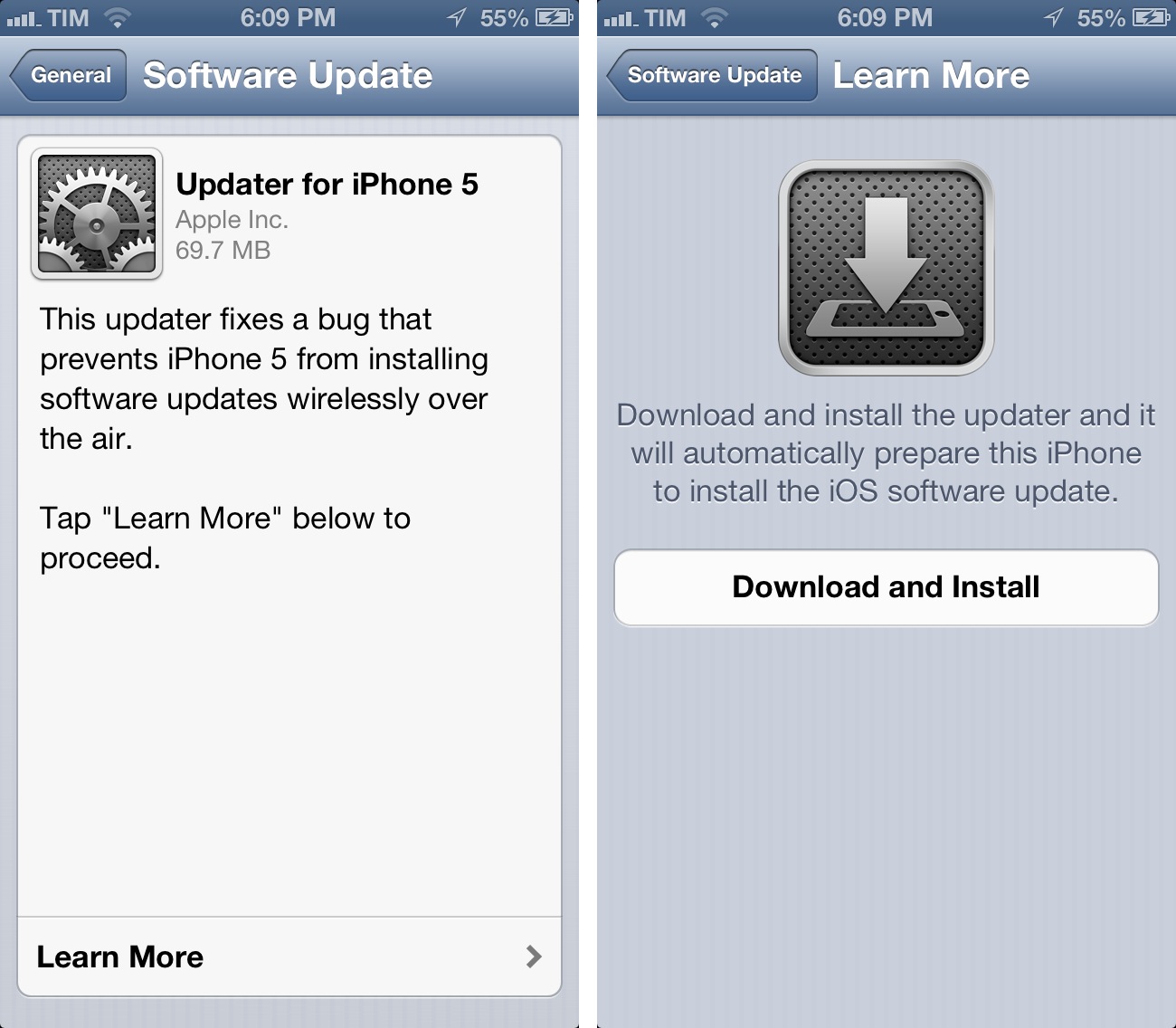
  • Fixes a bug that prevents iPhone 5 from installing software updates wirelessly over the air
  • Fixes a bug where horizontal lines may be displayed across the keyboard
  • Fixes an issue that could cause camera flash to not go off
  • Improves reliability of iPhone 5 and iPod touch (5th generation) when connected to encrypted WPA2 Wi-Fi networks
  • Resolves an issue that prevents iPhone from using the cellular network in some instances
  • Consolidated the Use Cellular Data switch for iTunes Match
  • Fixes a Passcode Lock bug which sometimes allowed access to Passbook pass details from lock screen
  • Fixes a bug affecting Exchange meetings

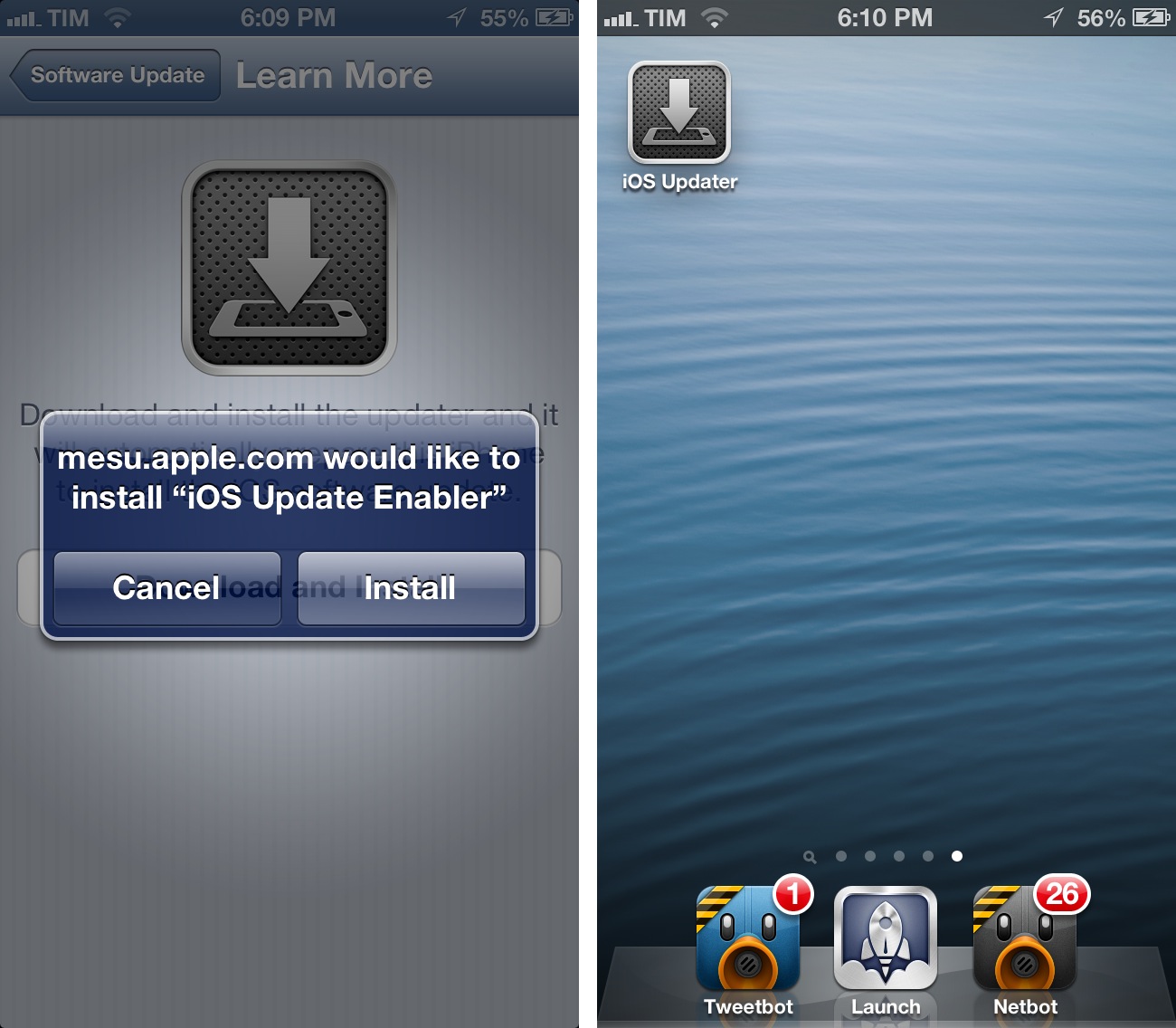
For over-the-air updates, iPhone 5 users will have to install an iOS Updater utility first, which requires a full reboot of the device before installing iOS 6.0.1. After the restart, the Software Update panel in settings will allow you to download iOS 6.0.1.

iOS 6.0.1 direct download links below (build number 9B206).


iStat 2 Review

I like Bjango. They make the kind of simple, polished, and useful software that defines OS X as a platform with equal attention to beautiful pixels and powerful features. I was already a big fan of Consume and Skala. Bjango’s latest release, iStat 2, falls exactly under this category of apps: great-looking and efficient at the same time.

Mac Servers

I own a 13-inch MacBook Air and a 21.5-inch iMac. My MBA is the “work machine”, whereas the iMac has always been the media center of the house, as it’s connected to a couple of external drives with my iTunes library on it. For the past few months, however, I’ve been increasingly switching every part of my “entertainment workflow” from local to cloud-based. It started with Rdio a year ago (now, I have a Family account and I’m not switching any time soon). For iTunes, it means I’ve slowly uploaded my library to a Mac mini hosted on Macminicolo. As documented elsewhere, I’m very happy with Macminicolo, their reliability, and the overall message of a Mac mini server always available in the cloud.

But I’m not a “server guy”. I don’t understand the teminology behind server management, and my limited skills go as far as restarting WebDAV and Apache. I use my Mac mini primarily for media streaming through Plex and as a server for Mail, OmniFocus, Dropbox, and other services or apps that allow me to automate my workflow in the cloud. All my Dropbox-based scripts for plain text and OmniFocus are created with the Mac mini in mind, because it’s always-on and lets me receive results in real time. Hazel is another invaluable utility when it comes to automating a remote Mac.

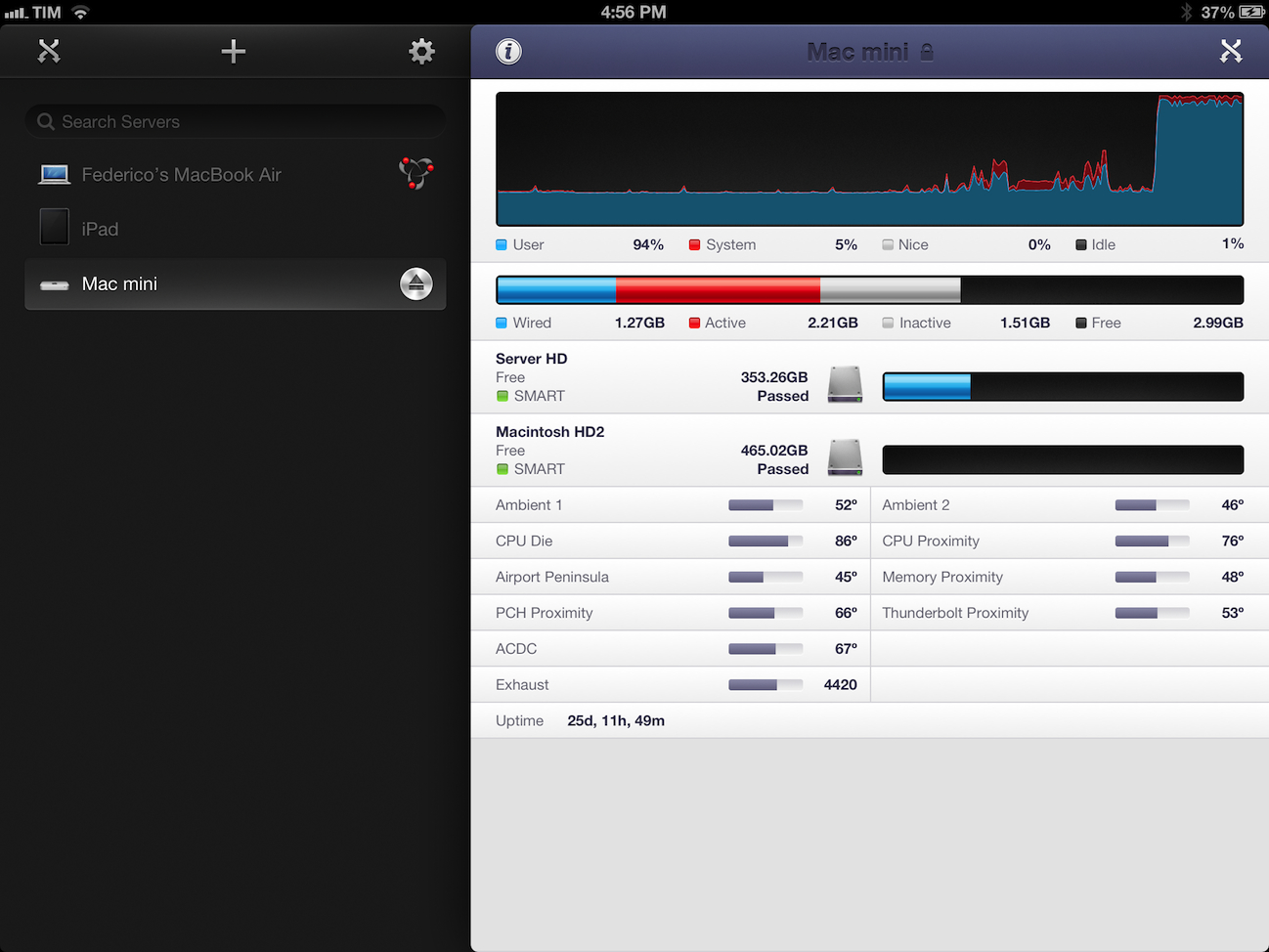
I do put my Mac mini through some more processor-intensive tasks every once in a while. Usually, it’s movie conversion through Handbrake or movie streaming through Plex Media Server. I recoginize this doesn’t compare to using a mini as an Xcode build server, but it’s still something that I want to keep an eye on. Read more


The Value Of In-App Purchases

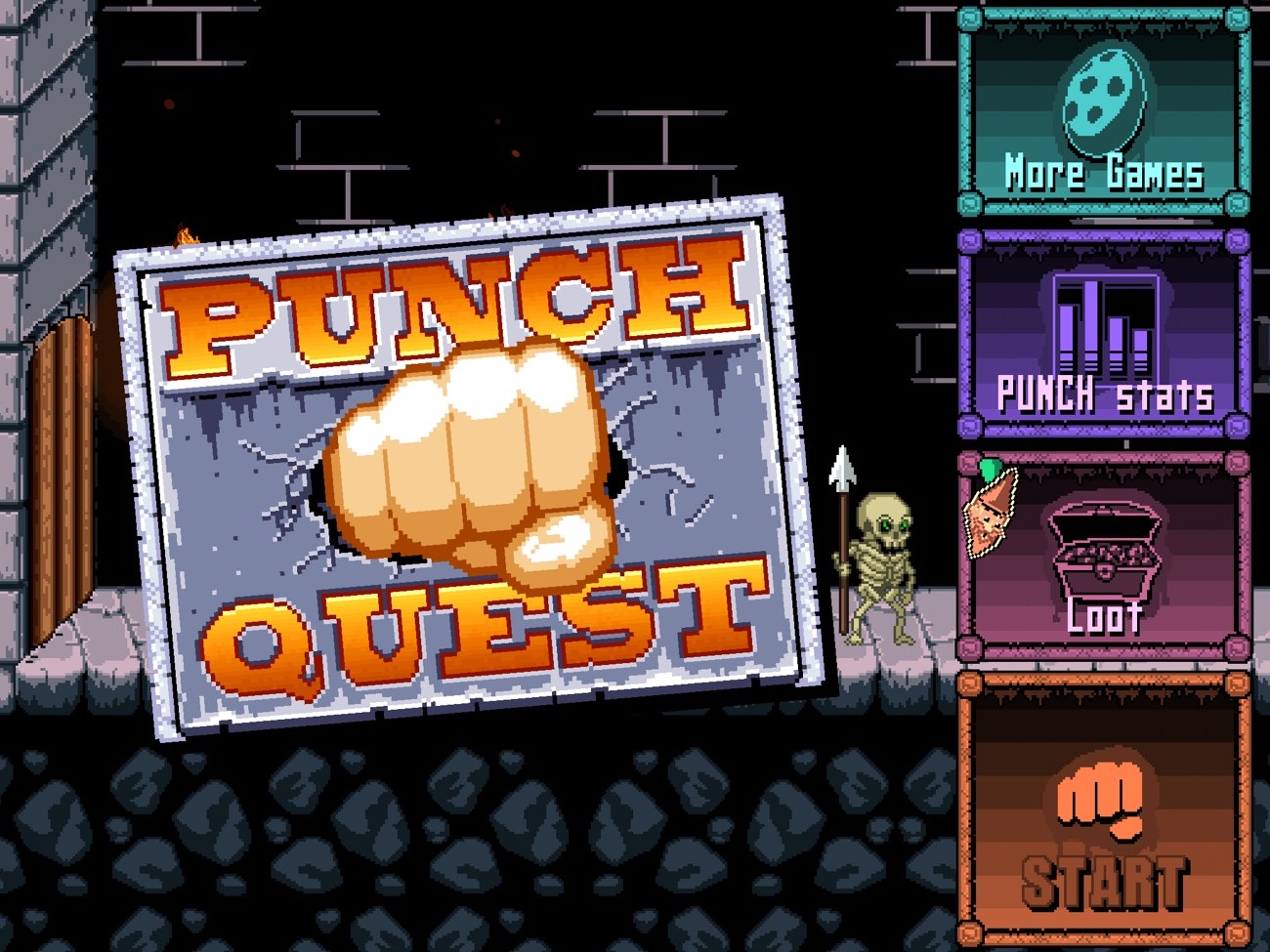
punch quest

punch quest

The Verge writes about to commercial failure of the first version of Punch Quest, a new game by Rocketcat Games:

But the reality was much different. Despite surpassing 600,000 downloads, Punch Quest only just crossed into the five figure range in terms of revenue. “The really scary thing is that profits tend to drop off sharply a week after an app’s out,” Auwae says. “I hear it’s a bit better for free apps, but a paid app often makes most of its money in the first week of being out.”

Figuring out where the problem lies is a difficult task. Punch Quest seems to have done many things right, with a game that has proved popular with a wide audience and was designed from the beginning with the concept of IAP in mind, but obviously something is missing. “There’s a lot of stuff that could be wrong,” says Auwae, “but we’re just not sure.

Earlier this year, our Graham Spencer wrote an extensive feature story on the state of game In-App Purchases, the best practices for developers, and reactions from users to various kinds of IAPs. He concluded:

On the other hand, people are much more appreciative of paying for something that is more tangible — like more levels or new game modes. They are more substantial than a new gun, or some in-game coins that can buy you a power-up. I think this feeling is amplified when a user moves on from a game and looks back at what they payed for. If they were just buying currency for power-ups, there really isn’t anything to show for that money that they once spent. On the other hand if they bought a new game mode, they can see that additional mode and if they decide to come back to the game at a later date, they’ll still have that and be able to take advantage of it.

As Andrew Webster wrote at The Verge, I think Punch Quest’s case is primarily an issue of perceived value. I don’t think Punch Quest’s virtual currency-like model for IAP is a sustainable model.

On the other hand, I don’t think it’s a problem of “small Buy button” (as suggested by The Verge): Loren Brichter’s Letterpress is a different genre, but some mechanics of revenue generation with IAP are comparable with Punch Quest. Loren said he didn’t make any “IAP optimization” to guide users towards spending money, yet Letterpress is a success. I believe it ultimately goes down to the fact that Letterpress’ IAP feels like a must-have, as I wrote in my review.

I think it’s a smart move, because Letterpress’ in-app purchase is a must-have so, essentially, you’ll be purchasing a $0.99 paid app. In this case, the “free” price tag is an illusion to draw more customers to download the app right away: think of it as a “trial” version of the real Letterpress. This is what the App Store dynamics have become, and Brichter is simply experimenting with something completely new for him while playing by the market’s rules. Because while I could go by without themes – I just use the default one – more simultaneous games and played words is what you’re really looking after.

Punch Quest doesn’t make me feel like I’m missing out. It doesn’t leverage the addictive nature of the game to draw me to the IAP options; at the contrary, the fact that it’s easy to collect currency in the game makes me feel like the IAP is unnecessary: I can play this because I like it and I’ll collect coins anyway.

Letterpress, on the flip side, doesn’t trade your time for options. You’re always going to miss themes and simultaneous games if you don’t pay. The IAP of Letterpress is an exclusive option that is based on the game’s essence: playing games against friends. You like this game so much you want to play more games? Then pay. Otherwise, you won’t have the feature. Simple and effective.

With In-App Purchases, I want to feel like I’m paying for something that I need. Even better, I want that to be more than a feeling: it’s got to be a fact.

Personally, I believe developers shouldn’t settle on “established” ways to implement IAPs. For instance, despite the completely different category, I like what iThoughts HD is doing with IAP: the regular app is $9.99 and already a sustainable business model, but if you want, you can pay more. Paying $3.99 for the IAP will unlock “Early Access” features, which include things like Search and Doodling on mind maps. These are features that will come to the main app eventually, but you can pay to get them now.

iThoughts’ IAP works from both technical and conceptual perspectives. By paying, you know you’re supporting the ongoing development of an app you like, and that is a powerful concept by itself. But, at the same time, you’re also getting new features before other people – you’re unlocking new exclusive stuff. Features that make the app better and that are cleverly targeted at people who use iThoughts on a regular basis. It feels like a must-have.

It’s marketed differently, but iThoughts’ IAP is actually very similar to Letterpress: it understands the app’s user base and allows customers to get more functionality by paying.

In-App Purchases are tricky. To get a complete overview of this phenomenon in games, I still recommend reading Graham’s story from June, which includes various surveys with developers and users. Overall, I believe IAPs can be a stable (and possibly more intelligent) business model, but developers should consider the value perceived by their customers before and after the purchase.


Clear For Mac Coming Next Week with iCloud Sync, Updated iPhone App

Todo app Clear, developed by Impending, Helftone, and Realmac Software, has been one of the most successful and discussed iOS releases of the year. With a simple and clever user interface design, Impending and Realmac made Clear distinctive in its looks and purpose: it’s a todo app, without the fiddling required to get a personalized setup and workflow in most todo apps. With its focus on simplicty, gestures, and delightful interaction, Clear was refreshingly honest.

In our original review, Cody mentioned how Clear, unlike other apps, took a different approach in regards to displaying tasks and navigation:

I mention color and sound as a replacement for time and due dates because there’s a distinct tradeoff in emotional impact. Setting duration and due dates can bring about feelings of anxiety. What I think Clear tries to do is reward its users for recognizing the need to successfully complete tasks. Colors play a distinct role in being both fun and tailored to the user’s personality (there are multiple themes to choose from). Sounds are rewarding and deliver a pleasant symphony of chimes when completing tasks. The combination of the two in addition to gestures make Clear engaging to use and solidifies the experience.

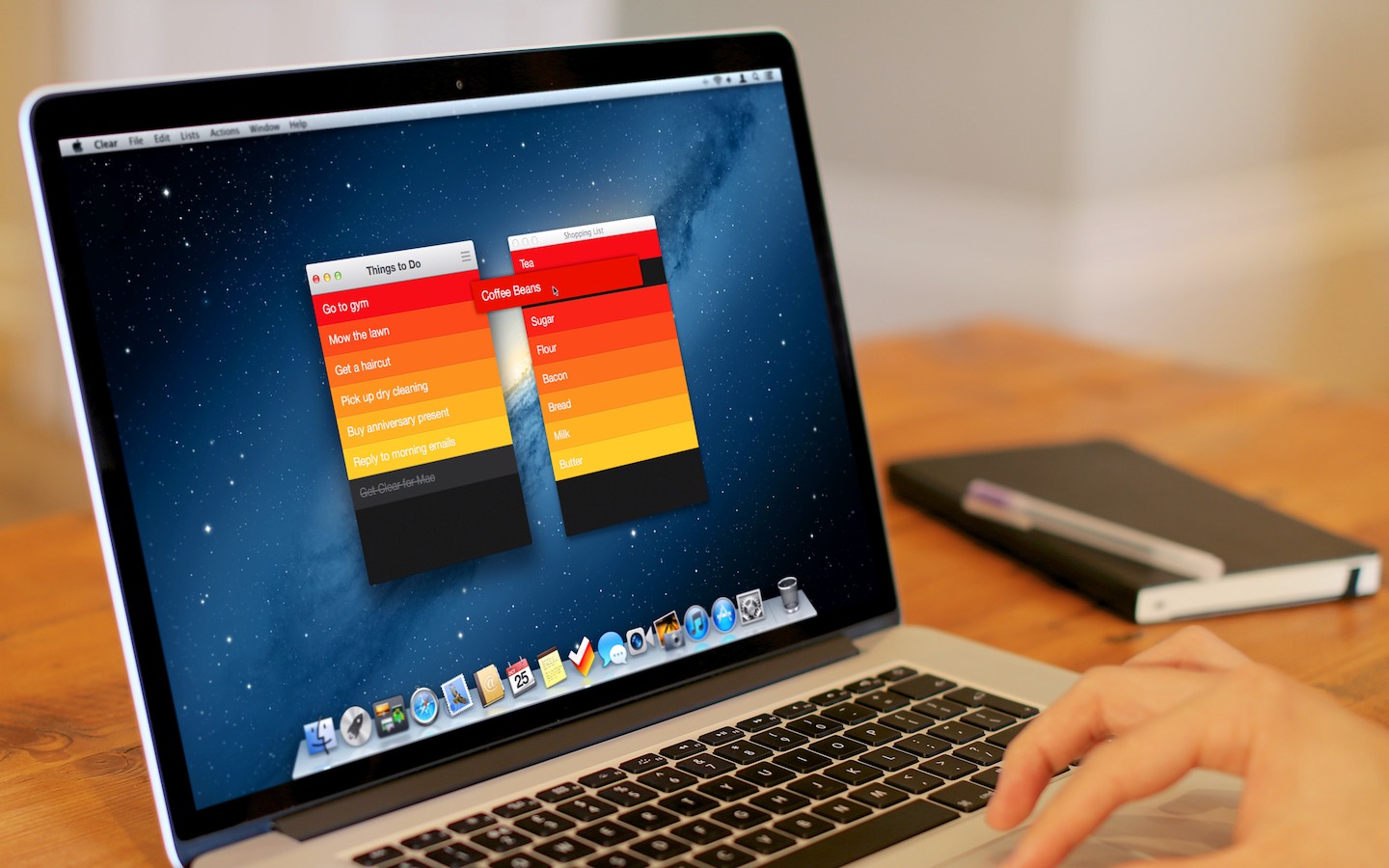
Today, Realmac and Impending are announcing Clear for Mac, an obvious next step for the app. While the new version isn’t available today, I’ve been able to test a beta of the app, and I can confirm that the essence of Clear’s experience has been ported to the Mac without making it feel extraneous to OS X. I’ll elaborate further on this thought in my future review.

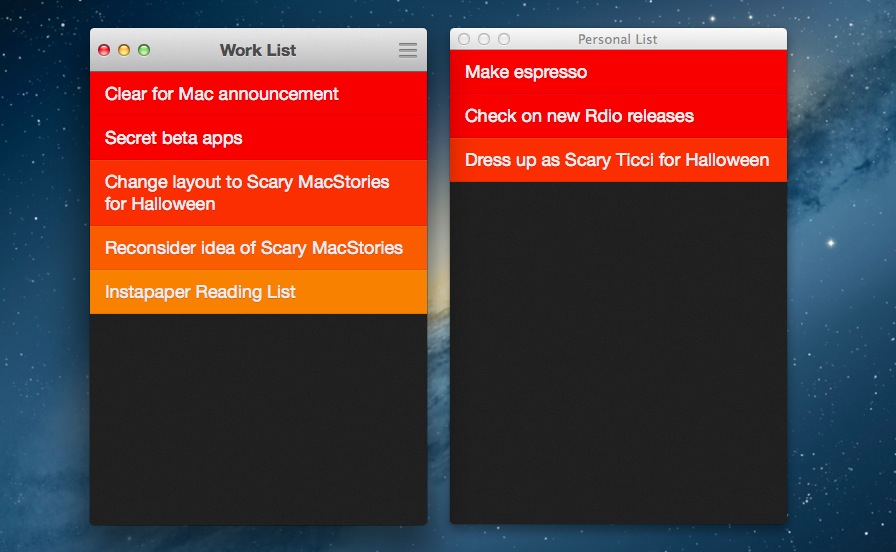
Clear for Mac works like Clear for iPhone: you can create lists, and tasks inside lists. Tasks are color-coded (according to the theme you’re using) to show a darker tone if they’re at the top of a list, and thus have higher priority. Gestures play an important role in Clear for Mac: you can swipe with two fingers to complete or delete a task, swipe up or down to move between “levels” of the interface, pinch to go back, and so forth. From what you can see in the first promo video (embedded below), almost everything that made Clear for iPhone simple and great has been ported to the Mac version, including sounds.

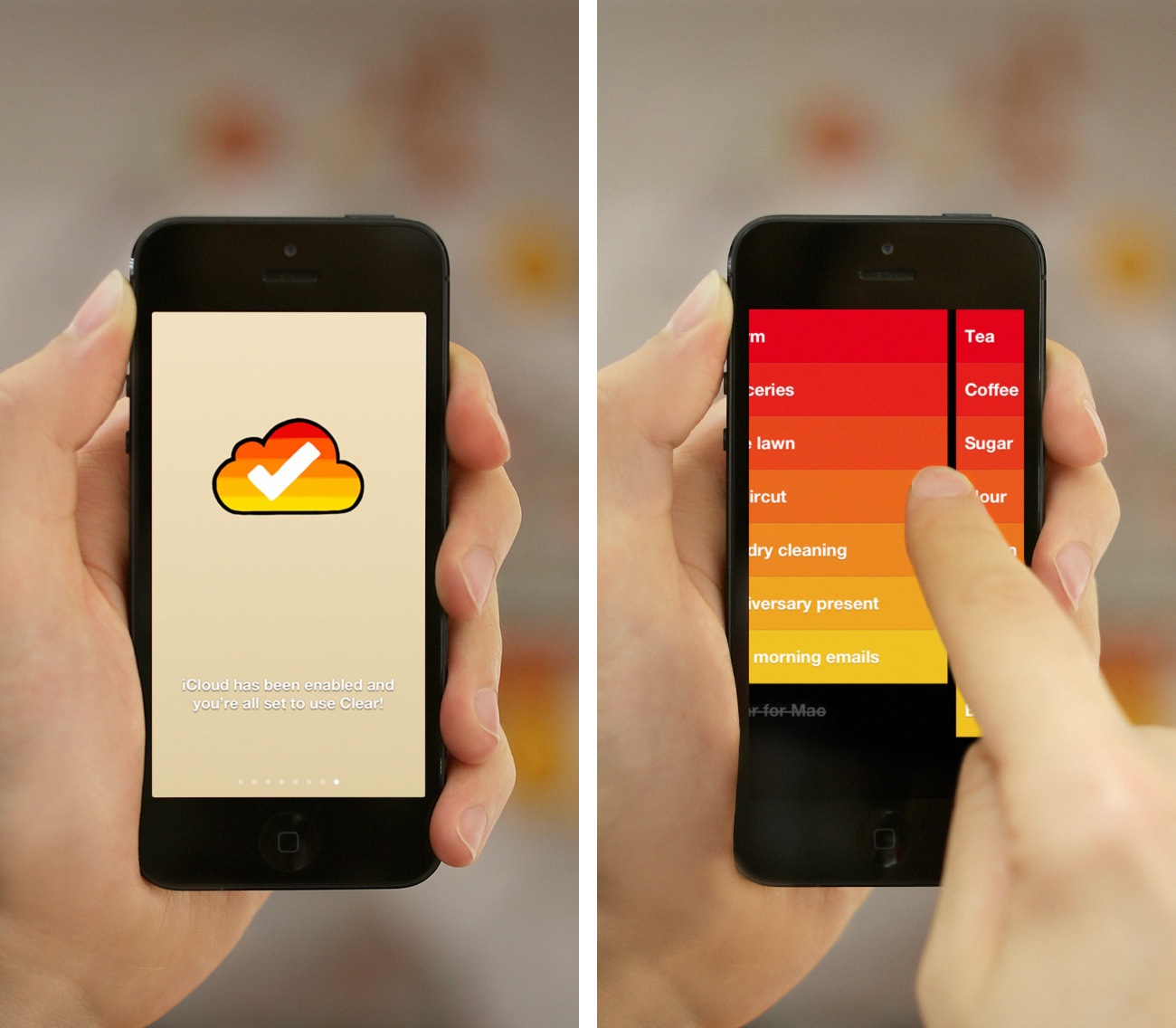
There’s some new stuff, too. There’s iCloud sync, for instance, which will make Clear Mountain Lion-only. iCloud sync will require the 1.2 version of Clear for iPhone, which isn’t out yet and will require iOS 6. For the Mac version, Realmac and Impending also worked on features that leverage the OS X platform, such as keyboard shortcuts; on the other hand, Clear for iPhone 1.2 is gaining a new gesture to quickly move between lists, and a new way to paste items from other apps into a list.

Overall, Clear feels at home as a Mac app, but I’ll save my thoughts for a proper review next week.

Clear for Mac will launch at $14.99 on November 8th alongside Clear for iPhone 1.2. Check out the official promo video after the break. Read more


The Future of iOS

The Future of iOS

Kyle Baxter writes about the future of iOS from a functionality standpoint. He uses his app Basil as an example for what better communication between installed apps could lead to:

For example, Basil could declare that it handles web URLs. Then, I could build the recipe saving feature of Basil as a mini application (stored in Basil) that users can use from any other application that deals with the web. If someone who uses Basil is browsing recipe websites in Safari, they could tap a “Basil” icon in the action sheet, and my mini application would pop up, save the recipe to Basil and get out of the way—all without the user ever leaving Safari. The same could be true for Reeder (save recipes from cooking websites you subscribe to while browsing your feeds), Twitter applications, or anything else—and those developers wouldn’t have to know that Basil even exists.

This is a shared sentiment among developers. In my interview with Loren Brichter, the man behind atebits said there will be an “explosion in innovation” when Apple will allow XPC (the technology Kyle refers to) to work with third-party apps – more specifically, he mentioned “faceless apps, doing neat things for you in the background without presenting any UI and using minimal hardware resources”.

This is a subject I’ve been writing about for the past two years as well. In using my iPad as my main “computer” regularly every week, I have come to the conclusion that what I’m missing from the Mac isn’t multiple windows – it’s the glue that allows apps to work together in harmony. Maybe it’s a service to send text from Safari to Evernote. Or perhaps a simple script that puts a Mail message into OmniFocus. This kind of trusted, efficient communication between apps is what I’m really looking forward to seeing on iOS. This is why we should be excited for the future: it feels like we’ve only scratched the surface with third-party software on iOS.

Read Kyle’s post here. See also: Ole Begemann’s series on Remote View Controllers.

Permalink

Google Voice Search for iOS: Not A Siri Competitor, Still A Solid App

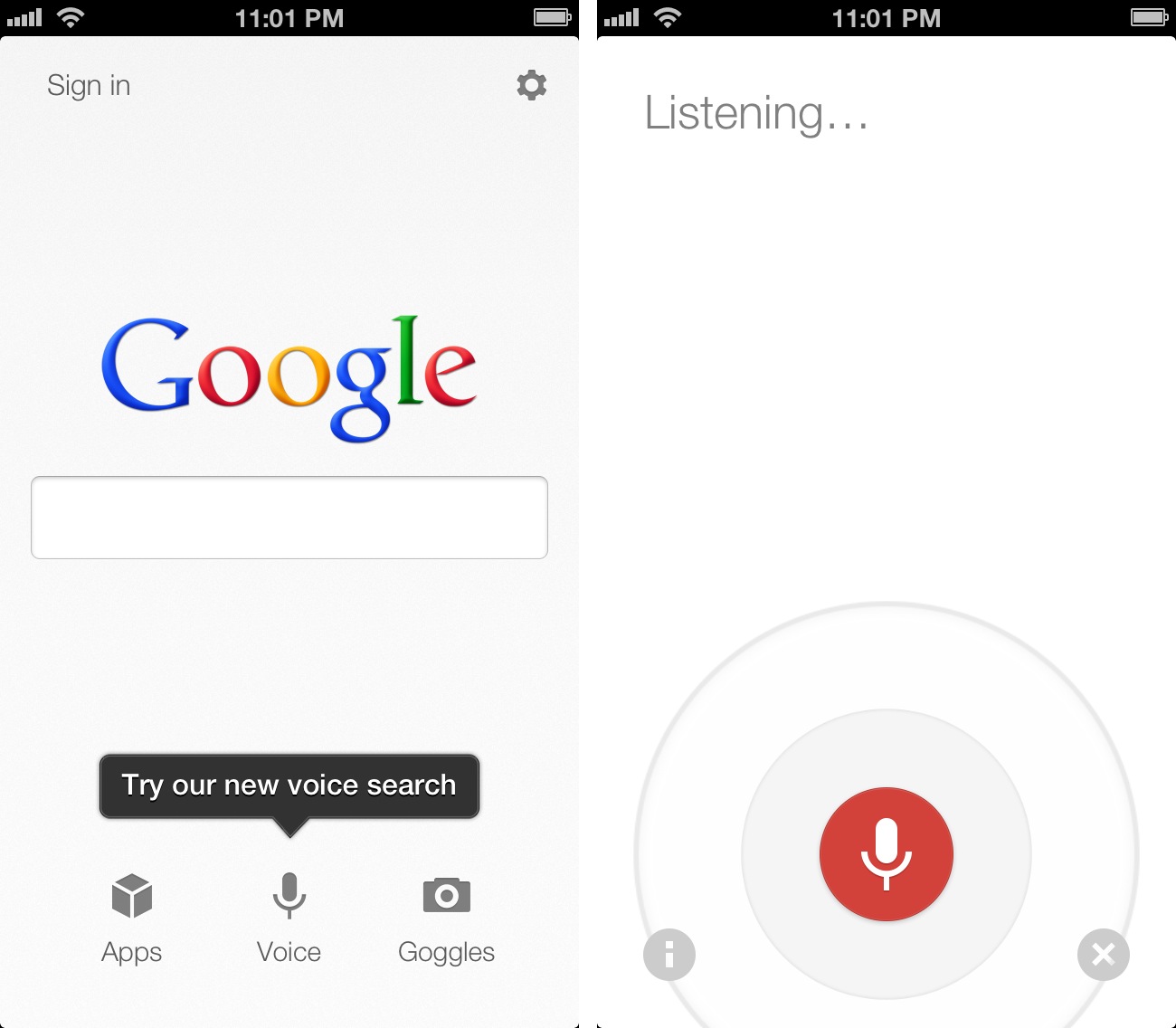
Earlier today, Google released an update to its Search app for iOS (a longtime favorite of mine both on the iPhone and iPad) to include an “Improved Voice Search” experience. Apparently, the app had been submitted a while ago, but Apple approved it this week.

The new Voice Search of the app may seem Siri-like in terms of overall concept. Essentially, it allows you to ask questions in natural language without typing, and get results back. I took some time to test the app, and, in actual usage, the scope is considerably different from Apple’s Siri, at least for now. And, at the same time, the technology behind it is much different. Read more


iTunes 11 Delayed To November

iTunes 11 Delayed To November


As reported by AllThingsD, an Apple spokesperson has confirmed iTunes 11, expected by the end of October, has been delayed until November.

The new iTunes is taking longer than expected and we wanted to take a little extra time to get it right. We look forward to releasing this new version of iTunes with its dramatically simpler and cleaner interface, and seamless integration with iCloud before the end of November.

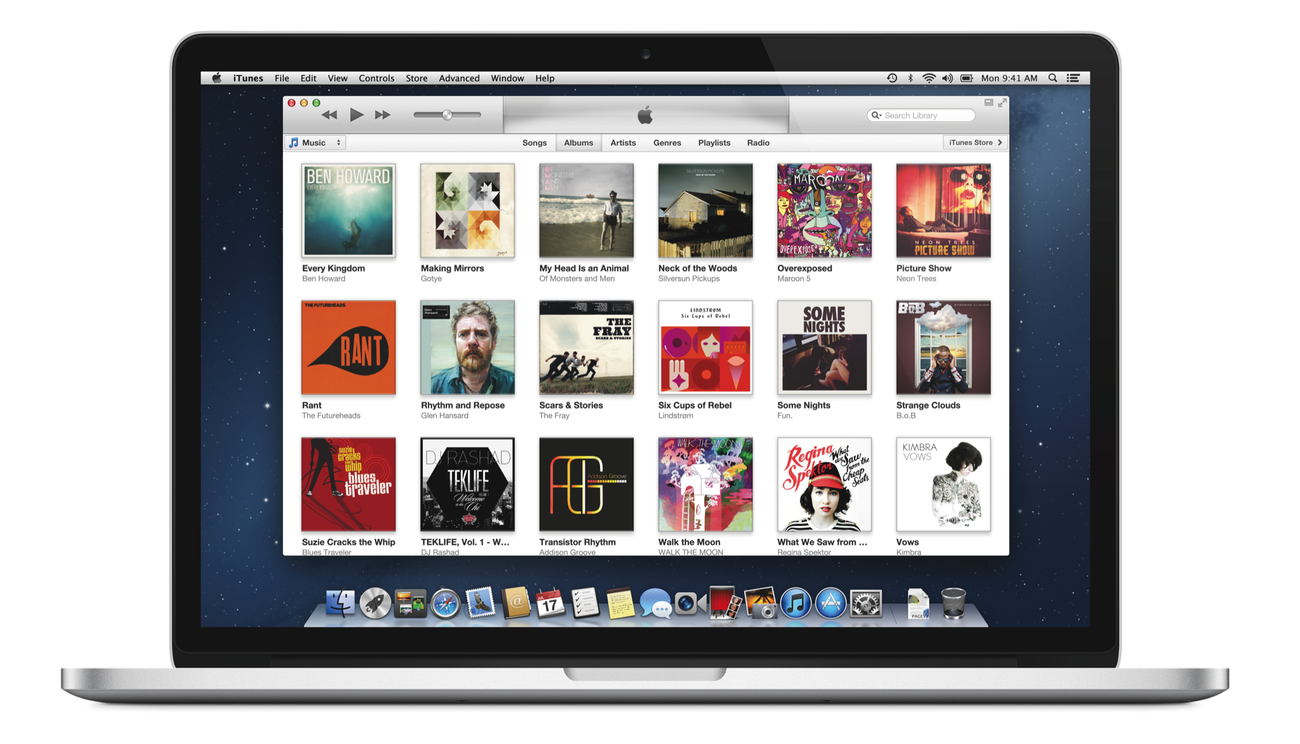
Originally announced at the iPhone 5 event on September 12, the new iTunes features a new edge-to-edge design that is reminiscent of the Music app for iPad. iTunes 11 also brings popovers that present a drop down of upcoming songs, and improved search results as you filter through music in your library. One of the big new features is expanded view, which lets users see all the songs of an album in place without opening a different view. The background of an album in expanded view is automatically generated by iTunes based on the item’s artwork.

iTunes 11 will also add iCloud integration, a new Up Next feature, a redesigned MiniPlayer, and more. In a preview available online, Apple is showcasing some of the new design choices and functionalities of iTunes 11, but it’s still unclear how the app will handle other media such as apps, books, or podcasts.

Check out Apple’s official preview of Tunes 11 here.

Permalink

Automatic Screenshot Uploading with Dropbox and Automator

Automatic Screenshot Uploading with Dropbox and Automator

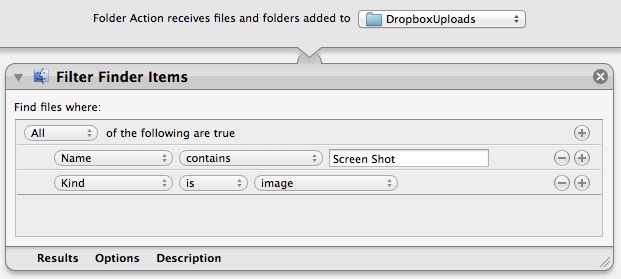
Matteo Agosti figured out a simple yet effective way to upload items to your Dropbox Public folder and automatically receive their URLs in the clipboard: Automator.

After long time using various utilities to automatically share my screen shots when I updated to Montain Lion I had to find another solution as many of them stopped working. It came to my mind that OS X is bundled with Automator, an extremely powerful utility that I always relegated to thumbnails generation. So I decided to give it a try and I eventually made it. That’s how I did.

His folder action is extremely simple: it monitors a folder, filters items that begin with “Screen Shot” and that are images, then moves them to your Dropbox Public folder. By using your unique Dropbox ID, it places a link in the clipboard guessing what the final URL will look like; the URL is made of the standard initial “dropbox.com/u/” portion combined with a URL-encoded version of the file’s name.

The obvious downside is that this workflow isn’t directly communicating (i.e. uploading) with Dropbox: it’s simply moving files and composing the link that you will get once the upload is finished. In my tests, for instance, the URL received by the workflow became available after 10-20 seconds – when the Dropbox app actually finished uploading the file. After that, the URL was indeed correct.

Still, if you’re looking for a simple way to upload public Dropbox files and get a link back, you should check out Matteo’s post.

Permalink

Brief Thoughts and Questions On Apple’s Changes

It’s unclear whether today’s news of a major shake-up at Apple will reveal its actual effects a few months from now, many months from now, or at next year’s new product announcements in the Fall. I’d say WWDC would be a good stage to introduce “the new Apple”.

Rumors of internal struggles between the “political” Scott Forstall have been floating around for quite some time, and we just don’t know whether today’s press release was just that – a press release – or the result of more internal fights. We don’t know for how long this move has been in the works. But I’ll point out the precise timing of the announcement: it comes after the release of iOS 6, the iPhone 5, new iPod products, new Macs, the iPad mini, and an earnings call. It allows Apple to formally mention the efforts of a new executive line-up at a record-setting (per the company’s own guidance) holiday quarter. Coincidentally, as the US market is closing tomorrow due to Sandy, it gives Apple (and analysts and investors) an extra day to properly digest the news. I also guess this explains why Forstall didn’t give a demo at the iPad mini event. He’s being pushed out; I’m curious about timing.

That said, I have some questions. Think of the following list as a collection of thoughts following Apple PR’s announcement; I believe this is, for many reasons, one of the biggest changes to happen at Apple since the release of the original iPhone. It’s a major milestone for where the company is going from here. Read more