An excellent piece by Fraser Speirs on improvements Apple could (and should) make in iOS 7. Just go read it.
I am working on my annual “iOS wish list” article (here’s the iOS 6 one from last year), and I agree with several of Fraser’s points.


An update to the official Gmail app for iOS released today brings a series of welcome improvements that users had been requesting since the (re)launch of the client last year.
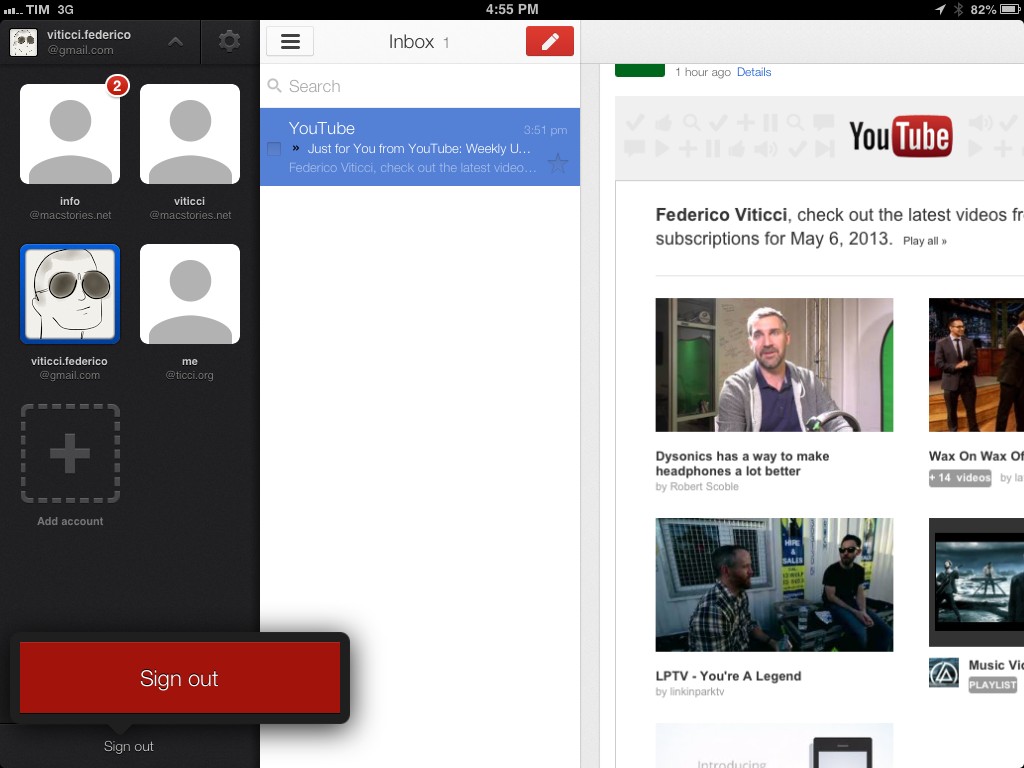
The first notable addition is support for signing out of individual accounts. In older versions of the app, users were forced to sign out of all accounts at once, a tedious process that didn’t make much sense considering the app had a dedicated section for accounts that could use better sign out options. In today’s update, you can tap & hold an account’s avatar in the sidebar to bring up a Sign Out button in a popover at the bottom.
The new version of Gmail also works nicely with Google’s other apps for iOS: from the Settings, you can now specify whether YouTube, Google Maps, and web links should directly open in Google’s native app replacements or a mobile web view. These options are available in the Settings screen for each account, but they will be enabled for the entire app, not single accounts.
The last new feature, also shown in the app’s updated walkthrough, are search suggestions as you type. While Gmail has always been able to search across all your mail, today’s version brings suggestions that (based on initial tests) should match addresses and subject lines found in your account.
You can find Gmail for iOS on the App Store.
A useful collection of tips for Messages for Mac by Amit Jain. I’ve always thought there wasn’t a way to add new lines or switch between conversations, so I’m glad Amit put together this post.
Unfortunately, these tips don’t fix Messages’ problems with memory usage and out-of-sync conversations – which I have been experiencing since the app’s first release.
A great episode by David and Katie on a topic that I cover frequently here at MacStories. I especially liked the focus on Drafts, which has become an essential part of my workflow thanks to the addition of Evernote actions.
Goalie is a $9.99 app that developers can use to manage their HockeyApp accounts on the iPhone.
I’m not a developer, but I use HockeyApp on a daily basis to install betas of apps I’m trying, and I know how the service works. So I asked for a test account, and played around with Goalie. The feature set is solid: you can view all your apps, get stats on versions (such as installs and crashes), view crash groups and full crash logs, manage team members, and even access the feedback area where you can delete or reply to threads. If you’ve been looking for a way to manage HockeyApp on the go, I think Goalie deserves a look. Make sure to check out the app’s website for screenshots and details.
Goalie is $9.99 on the App Store.
Nice update to one of my most-used iOS apps.
The new version adds compatibility with the new Twitter API, changes the calendar viewer to a thin bar that runs across the top of the timeline, and brings performance improvements alongside a clearer design.
I use Tweet Library on a daily basis to search my entire Twitter archive. The new calendar makes it easier to move between months/years, and the app is much faster when loading tweets.
Fascinating look at the widgets and hardware Panic is using for their own Status Board setup.
This bit caught my attention:
Units have been especially interesting since they reveal so much about the economics of (our) iOS software, as this Graph panel shows. Although (our) iOS apps sell a respectable number of units, the revenue they bring in barely charts compared to our Mac stalwarts. So far! We’re working hard on improving our iOS apps, and trying new ideas, in order to crack the iOS market a little bit more.
Diet Coda, priced at $19.99, is a fantastic piece of iPad software, and yet it doesn’t bring in much revenue compared to Panic’s Mac apps.
Just yesterday, I was thinking that it’s strange how Apple still hasn’t brought the Developer Tools category of the Mac App Store over to the iOS App Store. There are excellent examples of developer-oriented software, especially on the iPad: Textastic, xScope Mirror, Codea, Pythonista, and the aforementioned Diet Coda come to mind – plus many more. Two years ago, I asked whether the iPad needed programming apps.
Times have changed. Today, I wonder: would a Developer Tools category in the App Store help apps like Diet Coda get more exposure? Wouldn’t it make sense to give these tools another category, more specific and focused than the crowded Productivity one?
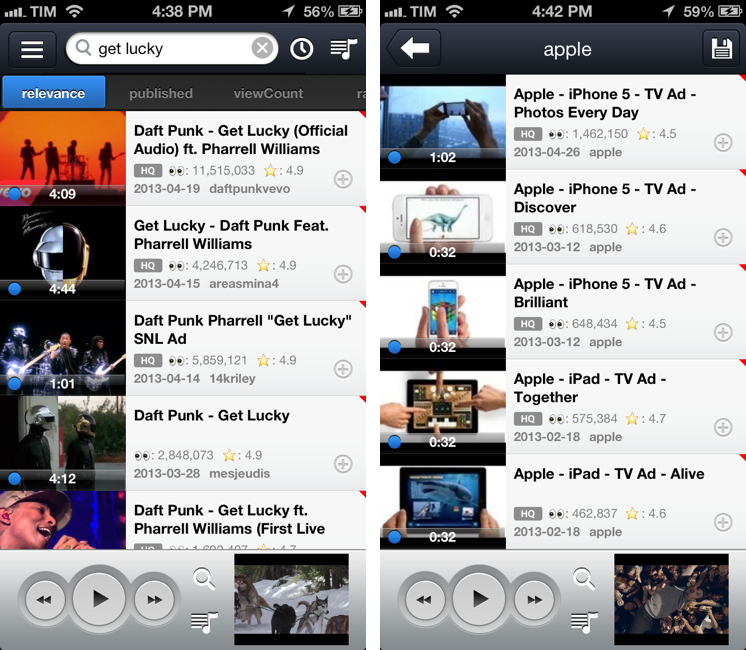
After Cody linked to FoxTube for Mac two days ago, I figured I haven’t mentioned why, after nearly a year and a major update, I’m still using FoxTube for iOS alongside the official YouTube app.
FoxTube isn’t the best looking app ever made for iOS; while the 2.0 version improved the overall design, there’s still a lot going on in terms of interface and everything feels a bit cramped, especially on the iPhone. The icon is a literal representation of the app’s name; sometimes, icons in toolbars overlap with navigation buttons. I wish the FoxTube developer could find a way to slim down the interface and make some parts more cohesive, but I understand how that can be difficult when FoxTube does so many things.
FoxTube is a supercharged YouTube client for iOS. I know what you’re thinking: you don’t need another YouTube app after the release of the (free) official client. And that is probably true – as MacStories readers know, I’m a big fan of the new YouTube app (App Store users seem to agree, too). FoxTube, however, is a great complement to the YouTube app that I recommend if you’re looking for more flexibility and customization in certain aspects of the YouTube experience. Read more
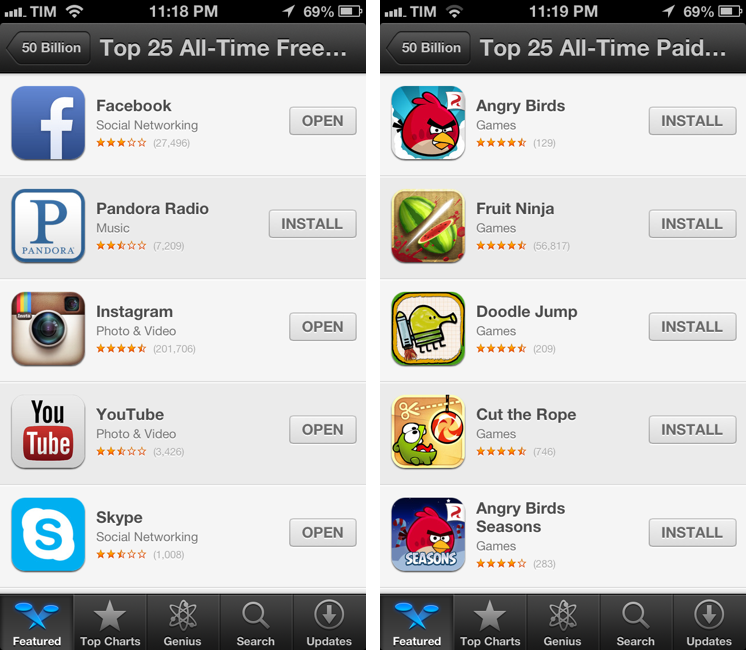
Alongside the countdown to 50 billion app downloads posted earlier today, Apple has also published a series of updated charts for the top downloaded apps of all time. Apple posted the same charts last year, after the App Store hit 25 billion downloads, and had done the same in January 2011 ahead of 10 billion downloads.
Apple’s charts of the Top 25 apps of all time provide a precious insight into the trends of the App Store for free and paid apps downloaded by iOS users on their iPhones and iPads. While the charts from 2012 and 2013 are largely similar in terms of presence of games and brands like Angry Birds and Facebook, there are some interesting differences worth noting.
Below, we have compiled the complete list of updated “all-time top apps”, alongside some notes about the differences from last year’s charts. Read more