
Federico Viticci

10759 posts on MacStories since April 2009

Federico is the founder and Editor-in-Chief of MacStories, where he writes about Apple with a focus on apps, developers, iPad, and iOS productivity. He founded MacStories in April 2009 and has been writing about Apple since. Federico is also the co-host of AppStories, a weekly podcast exploring the world of apps, Unwind, a fun exploration of media and more, and NPC: Next Portable Console, a show about portable gaming and the handheld revolution.

Instacast For Mac

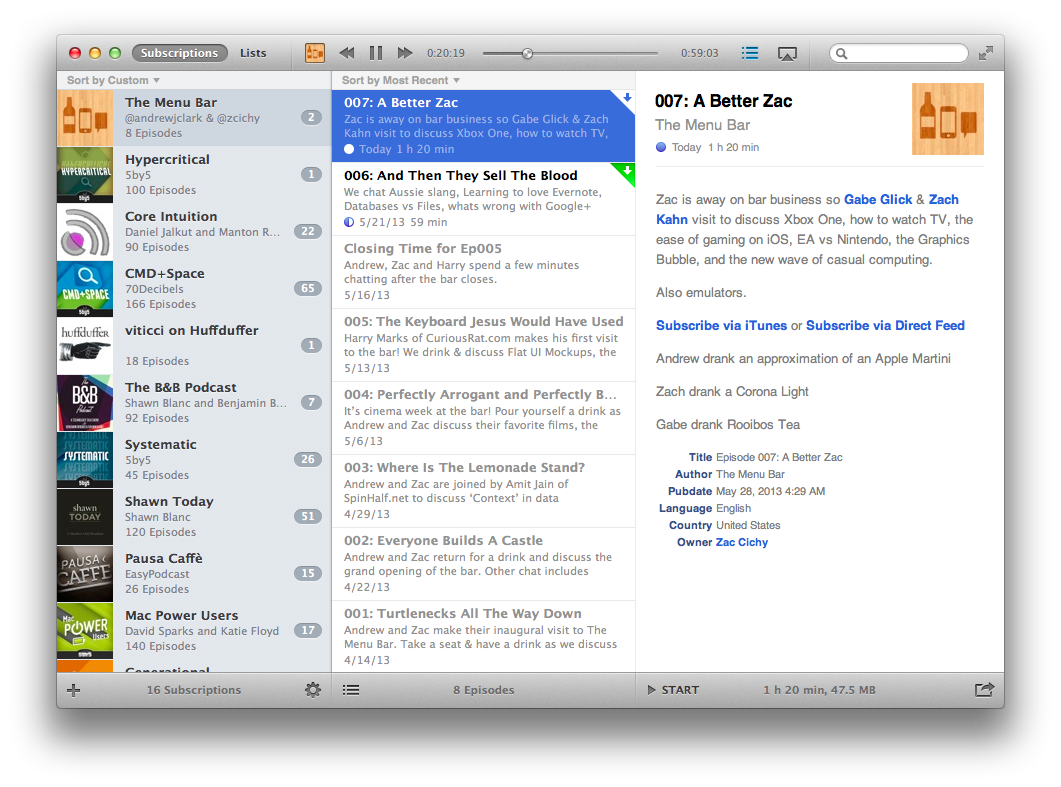
Back in early May, Vemedio released a first beta of Instacast for Mac. Instacast is my podcast client of choice on the iPhone and iPad, and I was eager to see whether Instacast could fulfill my long-standing wish of a proper podcast app for OS X. Instacast is officially out of beta today, and it’s my new favorite podcast app for Mac.

There isn’t much to say about Instacast for Mac that hasn’t already been explained in our review of Instacast 3.0 for iOS. The Mac version retains the same interface and episode management principles of its iOS counterpart: you can subscribe to podcasts and organize them in lists, sort them by parameters such as Title or Date, or delve deeper into subscription-specific settings for refresh times and automatic download/deletion options. Literally everything that you know about Instacast 3.0 for iOS – including the app’s design style – has been ported to OS X with this first release.

There’s some stuff that has been built exclusively for the Mac. I am particularly fond of Instacast’s rich selection of keyboard shortcuts, which fit well with the Mac’s nature and will help you save time if you’re looking for a specific command or option (there are many of them, so remembering each one of them may require special mnemonic skills).

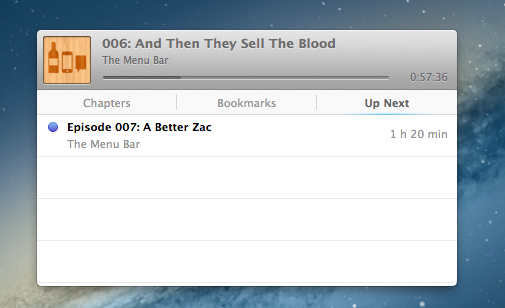
I like when developers porting popular iOS apps to the Mac don’t simply convert their projects for a desktop window: that was the case with Tweetbot (another app that took advantage of OS X features like keyboard shortcuts and larger displays), and, fortunately, it’s happening with Instacast as well through the aforementioned shortcuts and an iTunes-like MiniPlayer. Available through the Window menu (with the keyboard, it’s ⌥⌘2), the MiniPlayer allows you to check on either the episode you’re listening to (with a widget that’s got a minimal footprint on your desktop) or to the ones that you have queued up for later thanks to – another Mac-only feature – Up Next support. Again, similarly to iTunes 11, Instacast lets you send specific episodes to a list that you can consult and modify while you’re already listening to something else.
Another feature that’s currently exclusive to Instacast for Mac is local text search: if you remember an episode that had a particular keyword in its title or description, you can look for it. This is especially useful for names of apps or services that are mentioned in podcasts, but I wish it was possible to save recurring searches.

Instacast for Mac is Instacast 3.0, responsibly and intelligently ported to OS X. It’s not a simple conversion of the iOS app as it takes advantage of the Mac in obvious, but still welcome ways. Sync with Instacast Cloud, initially spotty in the beta, has been reliable and fast for me in the last builds, making the process of switching between devices and continuing to listening to podcasts seamless.

If you’ve been looking for a solid podcast app for Mac that syncs with iOS, Instacast gets my recommendation. Until May 31, Instacast for Mac will be available at $14.99 instead of $19.99.

Apple Airs New iPhone 5 Commercial: “Music Every Day”

Following the “Photos Every Day” commercial first aired last month, Apple today posted a new iPhone 5 ad called “Music Every Day”. As the name suggests, it is a follow-up to the previous commercial, this time with a focus on music.

Music Every Day doesn’t show music apps – instead it puts the spotlight on people enjoying music with their iPhones and Apple’s distinctive white earbuds. The commercial includes a variety of everyday situations – from exercising and waiting in line to a DJ set and a group of friends listening to music in their car. It’s not about the playback feature itself, it’s about music as a life companion.

Apple only briefly shows the iOS Music app in the commercial. The spotlight, unlike the Photos commercial, isn’t strictly on the iPhone’s display itself – rather, it emphasizes how music can seamlessly fit in our lives thanks to a device that’s often carried in a pocket, put on a table or outside of the shower, or shared with friends. The protagonist of the ad isn’t the iPhone per se: it’s people relying on it to enjoy their music.

The iPhone qualities that Apple subtly implies (intuitiveness of the interface, sound quality, portability) are important, but secondary. The voiceover sums it up at the end: “Every day, more people enjoy their music on the iPhone than any other phone”. With an elegant juxtaposition, the ad fades to black.

Apple hasn’t uploaded the new commercial to its website yet, but you can watch the official YouTube version below.

Read more


Using Tweetbot Searches to Replace RSS

Sean Korzdorfer shares a Tweetbot tip that I didn’t know about: you can construct complex searches with boolean operators and filters and launch them with a URL scheme, both on OS X and iOS. And not just regular searches – you can apply a query to look for specific keywords inside a Tweetbot search.

Basically, Sean is using Tweetbot searches to replace RSS feeds. By saving searches that filter out RTs, mentions, and tweets in foreign languages, he receives a stream of tweets containing links from a specific set of users. Sean has turned his searches into Alfred workflows for Tweetbot on the Mac, and I thought I could do the same on iOS.

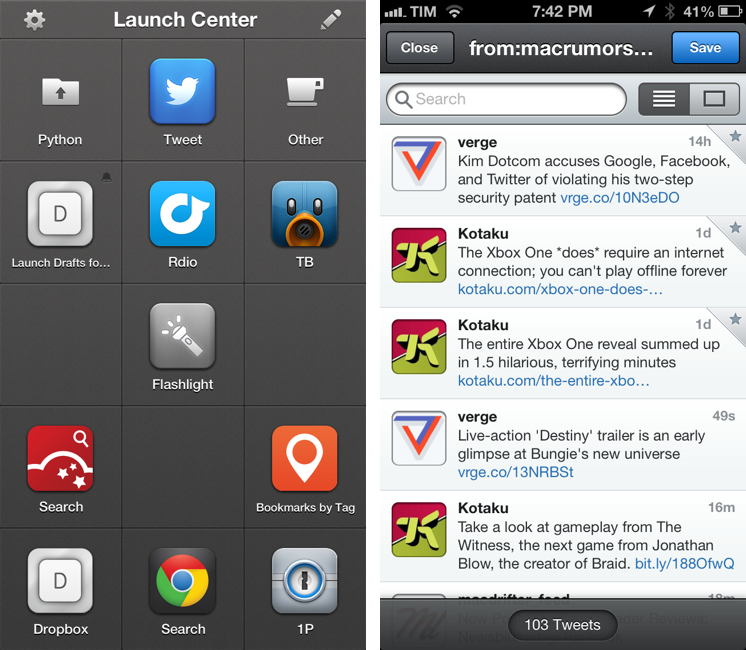
Sure enough, here’s a Launch Center Pro action to launch a Tweetbot search for links (no RTs, no mentions) from users I care about:

tweetbot:///search?query=from%3Amacrumors%20OR%20from%3Averge%20OR%20from%3Adaringfireball%20OR%20from%3Apolygonall%20OR%20from%3Akotaku%20OR%20from%3Amacdrifter_feed%20OR%20from%3Areneritchie%20OR%20from%3Amattalexand%20OR%20from%3Anateboateng%20OR%20from%3Adujkan%20OR%20from%3Amarkgurman%20OR%20from%3Apanzer%20filter%3Alinks%20-filter%3Amentions%20-filter%3Aretweets%20lang%3Aen%20[prompt]

And here it is decoded for reading purposes:

tweetbot:///search?query=from:macrumors OR from:verge OR from:daringfireball OR from:polygonall OR from:kotaku OR from:macdrifter_feed OR from:reneritchie OR from:mattalexand OR from:nateboateng OR from:dujkan OR from:markgurman OR from:panzer filter:links -filter:mentions -filter:retweets lang:en [prompt]

The URL action ends with a [prompt] for Launch Center Pro, but that can also be a [[draft]] for Drafts. You’re not forced to launch the search URL with a keyword – if you don’t enter anything in the prompt, Tweetbot will display all links from the search (which is why you probably don’t want to use Drafts for this, as it can’t launch an action from an empty draft). Also, you can see that the first portion of the URL isn’t percent-encoded, but the one after the query parameter is. For this, Launch Center Pro’s encode/decode actions can come in handy.

I am subscribed to a series of Twitter lists to discover interesting links on a daily basis, but these complex searches have the advantage of filtering out RTs and mentions, providing a cleaner, links-only experience.

Permalink

Apple Confirms WWDC Keynote on June 10

As first reported by John Paczkowski at AllThingsD, Apple has confirmed its WWDC ‘13 keynote for June 10 in San Francisco. Speakers haven’t been revealed yet, but it wouldn’t be a surprise to see CEO Tim Cook kicking off the keynote, with other executives following up on news and announcements during the event.

WWDC ‘13 was announced on April 24. Running through June 14, the conference will allow Apple to show developers “the latest advances in software technologies and developer tools to help them create innovative new apps”; Apple has also confirmed new versions of iOS and OS X will be seeded to developers. WWDC will feature more than 100 technical sessions presented by over 1,000 Apple employees. As usual, there will be hands-on labs where developers will be able to seek advice from Apple engineers for “code-level assistance, insight into optimal development techniques and guidance”.

Tickets for WWDC ‘13 went on sale on April 25 and sold out in two minutes in a new record for the company. Full-time or part-time students over the age of 13 had the chance of winning one of 150 scholarships to attend this year’s WWDC. As in previous years, Apple will reward outstanding achievement and excellence for well designed and innovative apps with the Apple Design Awards.

We’ll update this post with more information about WWDC schedule and keynote as the story develops.


Evernote Launches Reminders

Evernote Reminders

Evernote Reminders

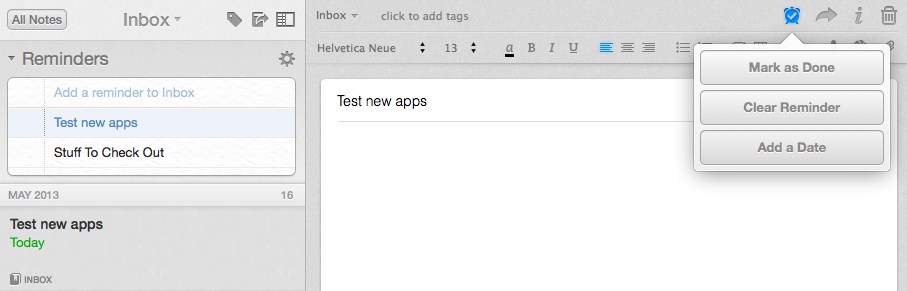
In the years I’ve spent using and recommending Evernote, I’ve always noticed a chasm between people who rely on the service to store reference material and notes, and those who want to also use Evernote as a “getting things done” system to keep track of their todos. The topic has been widely discussed on the Internet, with smart folks such as Sven Fechner and Fraser Speirs delving deeper into the subject of Evernote as a GTD system. Tutorials and eBooks have been published with tips on how to use tags and saved searches to turn Evernote into an app capable of equally handling documents, notes, and todos under a single, searchable archive. Clearly, there was a demand for a task management feature built right into Evernote.

Today, Evernote is releasing updates to its Mac and iOS clients to introduce a major new feature: native reminders. I have been testing the new versions of the app, and I believe reminders are a good addition that fit well with Evernote’s focus on remembering everything through a unified, polished interface. Read more


Rdio 2.2 Includes URL Scheme for Search

Rdio 2.2, released earlier today, includes – besides an improved interface and label search – a new URL scheme for launching searches from other apps (thanks, Adam). The URL scheme is fairly simple:

rdio://search/[search term]

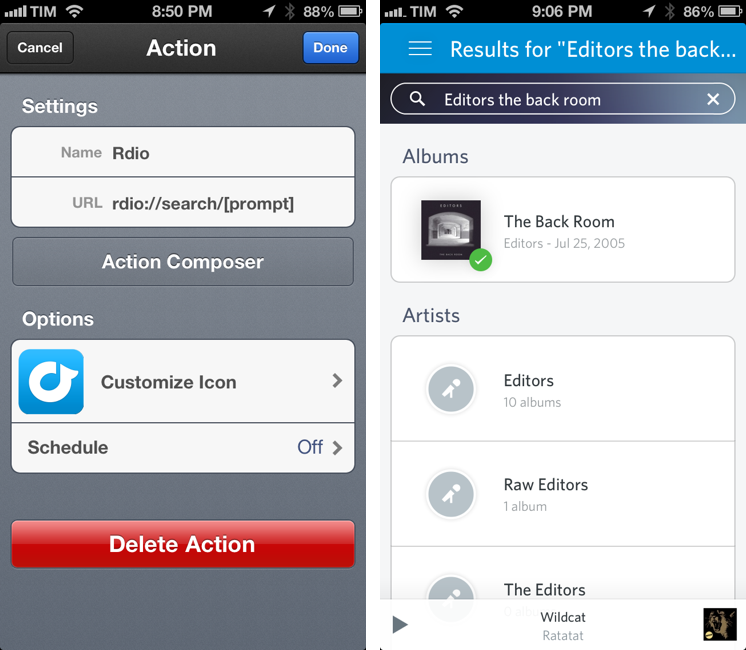
In the past, I relied on a hack made possible by Bang On to redirect Rdio web URLs to the Rdio app. The problem with that solution was that it was a finicky process that couldn’t launch full, native searches directly in the Rdio app. The new version enables just that: you can now use the URL scheme to create search actions that will display pre-populated results in Rdio for iOS.

The new URL scheme means it’s easy to set up actions that trigger Rdio searches in apps like Launch Center Pro or Drafts. For this kind of quick search, my pick is Launch Center Pro, which I already use to launch Chrome and Pinbrowser searches. Until the Launch Center Pro team adds support for Rdio search in the Action Composer (they’re aware of it), you can create a custom action with the following URL:

rdio://search/[prompt]

Then, every time you want to search for something on Rdio, instead of opening the Rdio app and manually heading to the search field you can just open Launch Center Pro, type your search terms in a keyboard prompt, and tap a button to be redirected to a search inside the Rdio app.

I’ve been looking forward to a Rdio URL scheme for search for a long time. If you don’t want to use Launch Center Pro, you can build a custom action for Drafts, Mr. Reader, or any app that supports launching other apps via URL scheme.