Federico Viticci

10758 posts on MacStories since April 2009

Federico is the founder and Editor-in-Chief of MacStories, where he writes about Apple with a focus on apps, developers, iPad, and iOS productivity. He founded MacStories in April 2009 and has been writing about Apple since. Federico is also the co-host of AppStories, a weekly podcast exploring the world of apps, Unwind, a fun exploration of media and more, and NPC: Next Portable Console, a show about portable gaming and the handheld revolution.

Apple Updates AirPort Utility and Apple Store Apps with iOS 7 Support

Ahead of iOS 7’s public launch, expected later today, Apple has started updating their App Store apps (the ones that don’t come pre-installed on iOS) with support for the new operating system. The first two apps released this morning to get the iOS 7 treatment are AirPort Utility and the Apple Store app.

Both apps have been updated to include the new default iOS 7 UI; based on initial tests, it doesn’t seem like Apple added new major functionality to the apps. AirPort Utility, used to manage and configure AirPort stations directly on iOS, has received an integrated status/bar navigation bar that keeps the app’s existing color scheme. There still is a main screen listing all your active AirPort devices, which you can tap on to enter another view for hardware information and more.
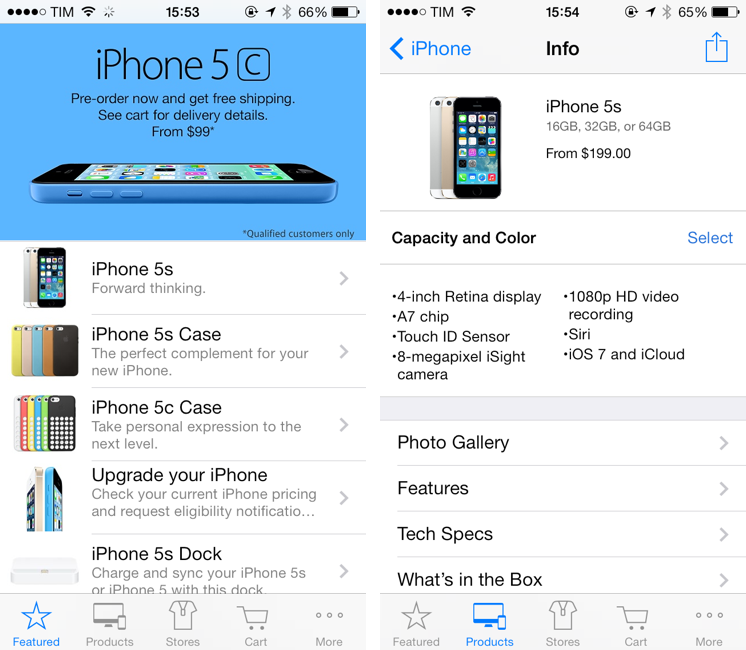
The Apple Store’s update is more substantial from a design standpoint, with Apple including a new app icon and redesigned graphics throughout the app. Apple Store now comes with edge-to-edge sections, translucencies, and thinner tab bar icons that are consistent with Apple’s other iOS 7 apps.

You can find updates to AirPort Utility and Apple Store on the App Store.

Pocket Casts for iOS 7 Review

Pocket Casts 4

Pocket Casts 4

Over the years, I’ve moved my podcast subscriptions to different apps to see which one would fit my listening habits and needs better. I have tried Instacast, Downcast, even Apple’s free Podcasts client with iTunes sync for a while, but never settled on a specific solution for more than six months. The possibility to export a set of subscriptions as OPML to other apps makes it easy to switch, just like it is simple to move RSS feeds from one client to another. But while I have remained loyal to Reeder and Mr. Reader for years now, I’ve never been able to stick with a podcast client for too long. Every time I tried a new app I would say that it was going to be the one for me, but then I encountered an issue, or perhaps a feature was added to a competitor – and I was back exporting my OPML subscription list and relocating to another home.

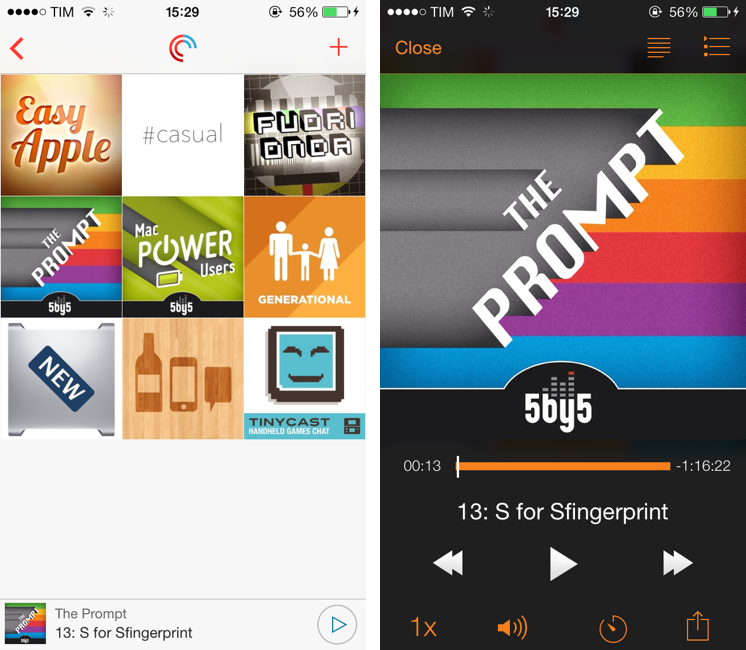
For the past month, I’ve been testing Pocket Casts 4, developed by the Australian team of Shifty Jelly. Pocket Casts 4 has been approved by Apple, and it will be released on the App Store as soon as Apple will flip the switch for iOS 7 apps on iTunes. Pocket Casts 4 is a Universal app sold at $3.99, and it’s a free upgrade for existing owners of Pocket Casts 3.

While I recognize that I tend to be some kind of an app nomad when it comes to podcast clients, Pocket Casts 4 has some excellent features that work for the way I like to listen to podcasts and organize them. Read more


Amount, A Simple Unit Converter Ready for iOS 7

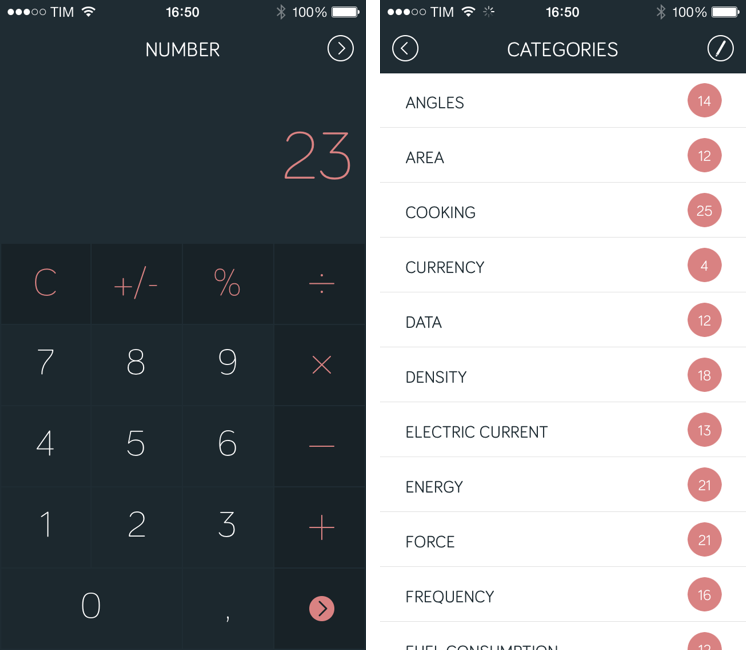
Amount (developed by Marco Torretta) is a unit converter app for iPhone that takes a unique approach in how it lets you enter numbers and pick a unit to convert. The app was updated yesterday to offer a new layout, and it’s ready for iOS 7 with a status bar that blends with the calculator’s dark display (it’s also still compatible with iOS 6 devices, but without the new status bar design).

The main screen of the app is called Number and it’s a standard calculator that lets you enter an amount to convert. Because it’s a calculator, you can use it to do simple operations, and I like how numbers and clearly separated from other keys through color. My only complaint is that there are no sound effects when pressing keys, which can be confusing if you’re not looking directly at the display but still would like to hear feedback from the app. Read more


AroundMe Gets Redesign For iOS 7

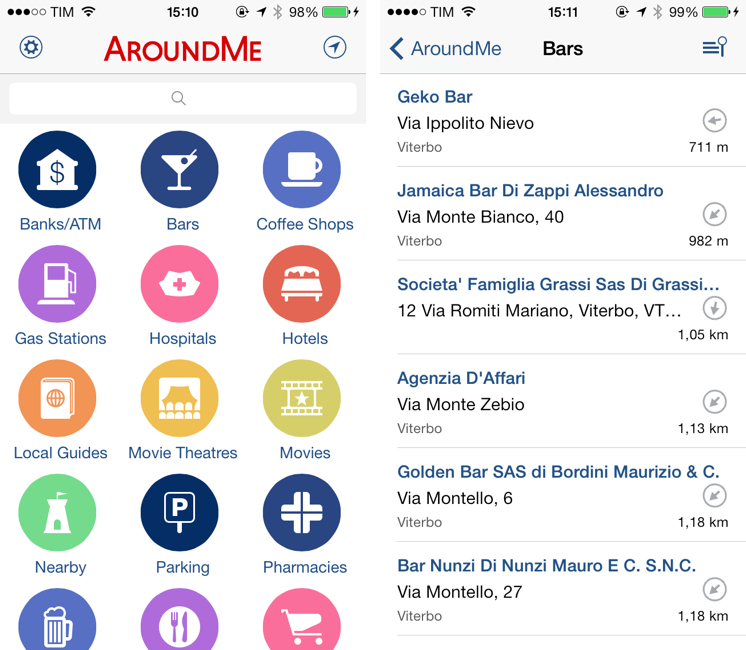
Created by Italian developer Marco Pifferi, AroundMe has long been one of my favorite location-based apps for the iPhone and iPad. In fact, AroundMe is one of the oldest iOS apps I own, as Pifferi always supported the app through the years with free updates and additions that took advantage of Apple’s new OSes and features. With a simple interface and feature set, AroundMe allowed you to easily find nearby places (bars, restaurants, hospitals, hotels, etc) with a rich database and built-in directions for Maps and Google Maps.

AroundMe’s version 7.0, released this week, brings a completely redesigned UI and animations that make the app ready for iOS 7, which is officially coming out on Wednesday. Read more


Apple Releases OS X 10.8.5

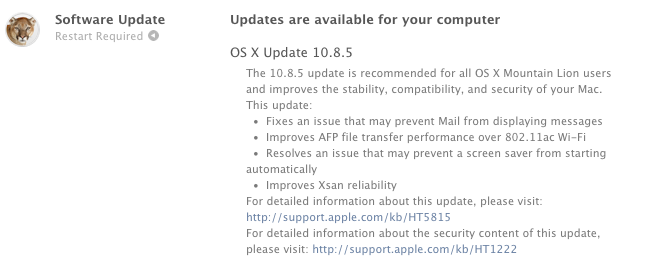
Apple has released OS X Mountain Lion 10.8.5, an update that brings improvements for file transfers, WiFi, Mail, and more. The last update to Mountain Lion, version 10.8.4, was released in June, ahead of WWDC. It appears that this new version fixes a CoreText bug that caused strings of text containing Arabic characters to crash certain Mac apps.

Full changelog below:

  • Fixes an issue that may prevent Mail from displaying messages
  • Improves AFP file transfer performance over 802.11ac Wi-Fi
  • Resolves an issue that may prevent a screen saver from starting automatically
  • Improves Xsan reliability
  • Improves reliability when transferring large files over Ethernet
  • Improves performance when authenticating to an Open Directory server
  • Addresses an issue that prevented a smart card from unlocking preference panes in System Preferences
  • Contains the improvements included in MacBook Air (Mid 2013) Software Update 1.0

OS X 10.8.5 is currently available through Software Update on the Mac App Store. We’ll post links to standalone downloads as soon as they’re available.

Update: Download links from Apple.


Chrome For iOS Update Brings New Icon, Improved Voice Search and Navigation

Released earlier today on the App Store, Chrome for iOS version 29.0.1547.11 (according to Google’s release notes) brings various search and navigation improvements, as well as a new white-themed icon that seems to be aimed at making Chrome fit more with the upcoming aesthetic of iOS 7.

The first improvement is better handling of single sign on with other Google apps for iOS, something that the company has been focusing on lately to provide an even tighter integration between its apps for iPhones and iPads.

Alongside bug fixes and stability improvements, Google has added a way to more easily swipe back from a webpage to search results: when you search on Google and choose a result, when you go back to your search query you’ll see a new animation and, more importantly, your previous results instantly appear on screen. Switching back and forth between results was cumbersome in the old Chrome, as it wasn’t fast and often led to problems with the Google Search page reloading again.

Last, Google says that Voice Search has been enhanced with pronoun support for chaining queries like “Who is Barack Obama?” followed by “Who is his wife?”. in my tests, the feature worked as advertised with US English Voice Search, correctly displaying results for the aforementioned person/wife combination, as well as “What is the capital of Italy?” and “What is its population?”. However, improved pronoun support doesn’t seem to be working with Italian yet, which wouldn’t be surprising considering that Google rolled out international versions of Voice Search months after the US launch.

You can get the latest Chrome for iOS update on the App Store.


Calendars 5 Review

Calendars 5 for iOS

Calendars 5 for iOS

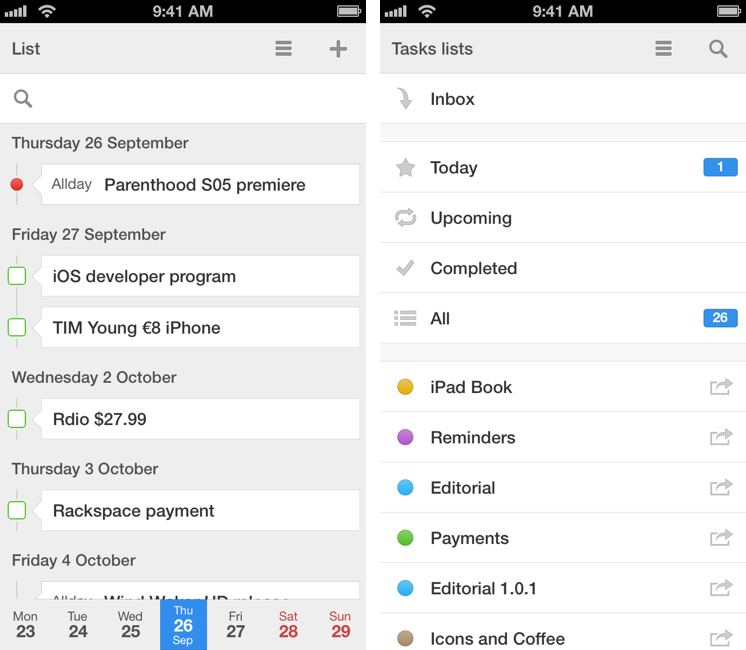
Of all the apps that I try and evaluate every week, there is one category that I can’t stop testing: calendar and reminder clients. I’m always looking for the perfect blend of events and todos in a logical presentation that makes sense for how I organize my day, with support for features like natural language input and custom repeats as well as more advanced functionalities such as URL schemes and app integrations. For this reason, I couldn’t say no to Readdle when they asked me to test Calendars 5, their new Universal app available today on the App Store. Calendars 5 is the successor to Readdle’s popular Calendars+, and it’s sold as a new app at $4.99. Read more


Reeder 2 Review

Reeder 2

Reeder 2

Reeder had a rough transition to the post-Google Reader world. Following the shutdown of Google’s RSS reading service on July 1 (something that Google had announced in March), Reeder – one of the most popular, if not the most popular Google Reader client for iOS – received an update to add support for Feedly and Feed Wrangler on July 2, but developer Silvio Rizzi couldn’t ship updates to the iPad and Mac counterparts in time. For this reason, after making Reeder for iPad and Mac free downloads, Rizzi was forced to remove them from the App Store, promising that they would come back, eventually, with support for new RSS reading services.

A household name of the iOS third-party scene, I first reviewed Reeder 1.0 back in 2009 and followed the app’s evolution as Rizzi found himself developing a client used by hundreds of thousands of Google Reader users. Rizzi, an indepedent developer from Chur, Switzerland, has always maintained a fairly slow pace of updates and releases, taking his time to bring Reeder to the iPad (the app wasn’t ready on April 3, 2010) and to the Mac. After a lack of updates that endured seven months, Reeder for iPhone made a comeback last year with Reeder 3.0, which started moving away from Google Reader – possibly prescient of disruptive changes coming to the service – with support for Shaun Inman’s Fever. And yet, after version 3.0 hit the App Store, Reeder went silent again, leaving many wondering as to whether it would ever see substantial updates again.

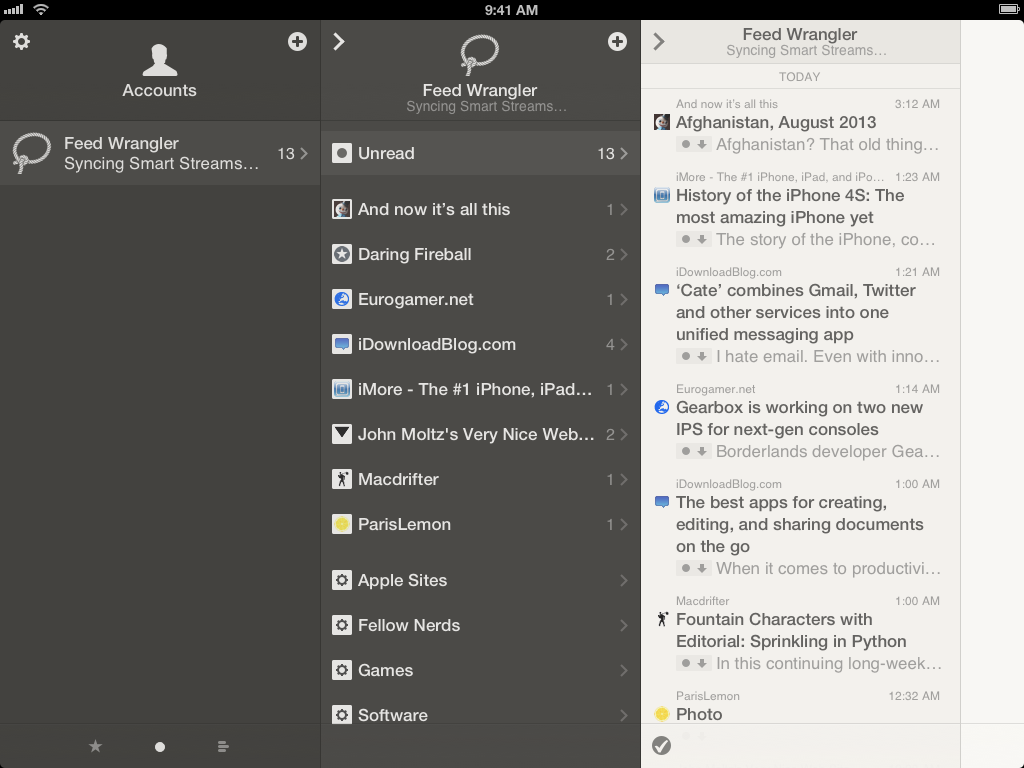
Reeder 2, released today at $4.99 on the App Store, is a new app that aims at making Reeder ready for the new era of RSS readers but that, at the same time, keeps one foot in the past with familiar interface choices and functionalities. Read more


Apple Discontinues Cards App for iOS

Apple:

As of September 10, 2013, the Cards iOS app service is no longer available.

Cards ordered before 1 PM Pacific time on September 10, 2013, will be delivered, and push notifications will continue to work.

I’ve always seen Cards as something that Scott Forstall personally wanted (he announced it in October 2011) and that eventually got into the App Store. I guess that, in spite of iWork apps not getting a visual update for iOS 7’s launch, Cards really had to go.

It was a cool service. I’m glad iPhoto for Mac still has it.

Permalink