


Matthew Panzarino talked to several developers of third-party iOS apps about the importance of iOS 7 and what it means for the developer community. The background on the deeply-reimagined Evernote app (by CEO Phil Libin himself) is fascinating.
iOS 7 and VoiceOver→
A great overview of Apple’s improvements to VoiceOver (and Accessibility in general) in iOS 7 by Josh de Lioncourt. I am not an Accessibility expert, but I keep hearing from smart people like Josh and Steven that Apple is far ahead than its competitors in this area.
Just by reading through the overview linked above, I was impressed by this tidbit about the Handwriting feature and how it integrates with Safari:
When in web content, such as in Safari, Handwriting mode has yet another use. Write a letter corresponding to a rotor option, and VoiceOver switches to that form of navigation. For example, writing “H” switches to Headings, and two-finger swipes up and down will move you through the headings on the page. Draw an “L”, and now you are navigating links. This will be particularly nice for users who keep a lot of items in their rotor and want a faster way to move through various HTML element types.
The accuracy of the recognition of this mode is superb, and with just a little practice, many users are likely to find they enjoy this form of text entry. Hats off to Apple for incorporating this in such a fluid and intuitive way.
For more on Accessibility, check out Apple’s main webpage, VoiceOver section, and developer page.
Fraser Speirs On iOS 7’s Web Filtering→
iOS 7 comes with solid additions for education and business users, and Fraser Speirs offers a good explanation of one of them, Web Filtering:
This feature impacts schools at a number of levels. While I don’t think it will allow schools to ditch the filtering on the school network, I think it will allow some relaxation of policy.
For schools that have disabled Safari in favour of some janky third-party filtered browser, it’s now feasible to allow Safari again. Similarly, schools which have implemented policies banning apps with embedded web views, that policy too can be relaxed since the filtering applies there too.
Apple Posts New “Designed Together” Commercial for iPhone 5c and iOS 7
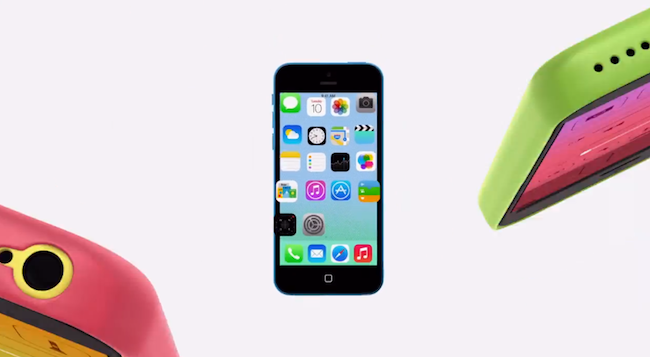
Alongside the release of iOS 7 and a refresh of the App Store for newly updated iOS 7 apps, Apple has today posted a new commercial for the iPhone 5c and the new OS.
Called “Designed Together”, the commercial focuses on how the design of the iPhone 5c and iOS 7 complement each other in various ways. Apple’s message is that, with the iPhone 5c and iOS 7, the difference between hardware and software has been blurred, much like many aspects of its new operating system. There are playful animations that see iOS 7 features morphing into iPhone 5c hardware, and parts of the iPhone 5c’s colored shell becoming pieces of the iOS 7 interface.
The interplay between hardware and software is something that Apple has been remarking for the past week since the announcement of the iPhone 5c and iPhone 5s, and it’s no surprise that the company is now promoting the idea to the general public through a fun, delightful ad.
You can watch the embedded video below. Read more
Apple Launches “Designed for iOS 7” App Store Section
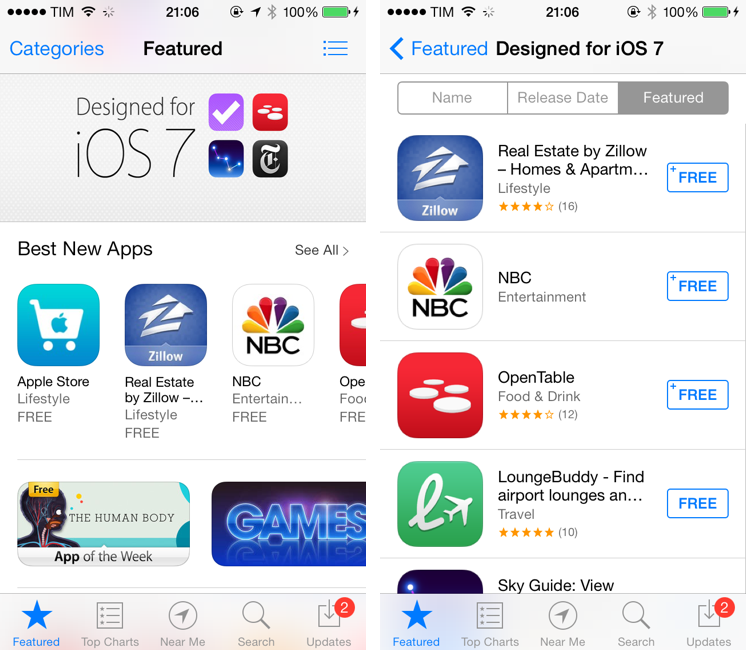
Following the public launch of iOS 7 earlier today, Apple has now launched a new section on the App Store aimed at showcasing apps that have been redesigned and updated to take advantage of iOS 7.
The section, called “Designed for iOS 7” can be accessed by opening the front page of the App Store on any iOS device. At the moment of writing this, the section collects 45 iPhone and iPad apps that have been updated for iOS 7, including big names like Evernote, TED, and OpenTable, as well as apps from independent developers like Twitterrific, Reeder 2, Pocket Casts 4, and Perfect Weather.
Today, Apple is also promoting individual iOS 7 apps on the front page of the App Store with custom banners and links to other iOS 7-related sections, such as Newsstand apps.
Back in July, I wondered how Apple would promote apps made for iOS 7:
Apple isn’t new to custom sections and features for apps that have been enhanced for new system features, OS releases, or new devices. iOS 7, however, will effectively split the App Store in two: apps that were built before iOS 7, and those from developers who care about supporting this major change. This wouldn’t be a problem if every app on the App Store was updated regularly; unfortunately, cleaning the App Store’s back catalogue isn’t a new topic of discussion – today, there are apps on the Store that haven’t been updated in 2 or 3 years (I found apps last updated in 2008) and that will likely remain unchanged with iOS 7. Does Apple want to treat those “classic” apps in the same way that modern iOS 7 apps should be treated?
Apple isn’t new to custom, curated sections on the App Store, and it’ll be interesting to see how they will continue to promote iOS 7 apps over time and organize search results to highlight apps that have been updated in recent months.
You can view the “Designed for iOS 7” section here. Our coverage of iOS 7-ready apps can be found here. Read more
Instapaper 5.0: Sorting and Filtering Options, Tweaked Interface for iOS 7
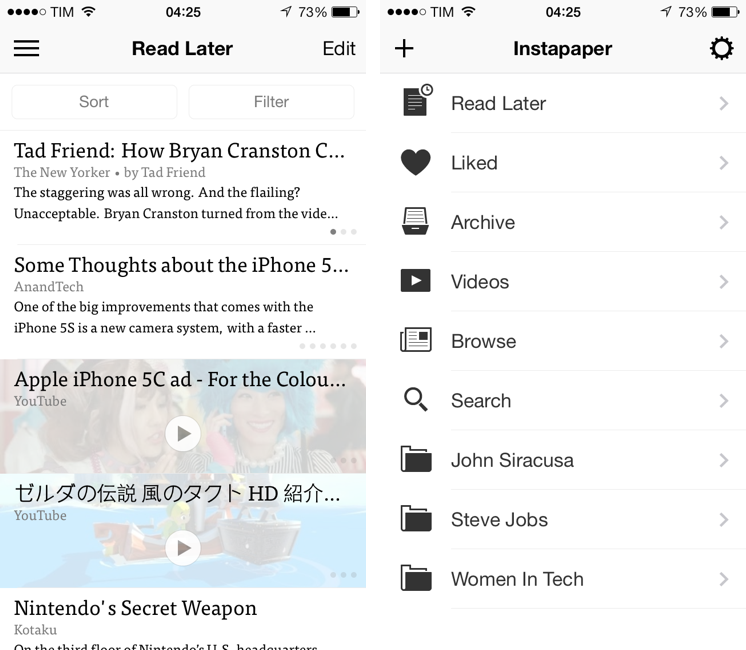
The first major update since the app was sold by original founder and developer Marco Arment to Betaworks earlier this year, Instapaper 5.0 has been released today on the App Store as a free update for existing owners of the app. Instapaper 5.0 doesn’t add any new major functionality to the app, which is still largely similar to the version 4.0 that was first released two years ago. Betaworks made the app ready for iOS 7, polished the interface, and added some new minor functionalities that, however, nicely complement the reading experience. I’ve been testing Instapaper for the past week on my iPhone 5 and iPad mini running the iOS 7 GM seed. Read more
Pocket Adds Instant Sync, Improved Reading Experience with iOS 7 Update
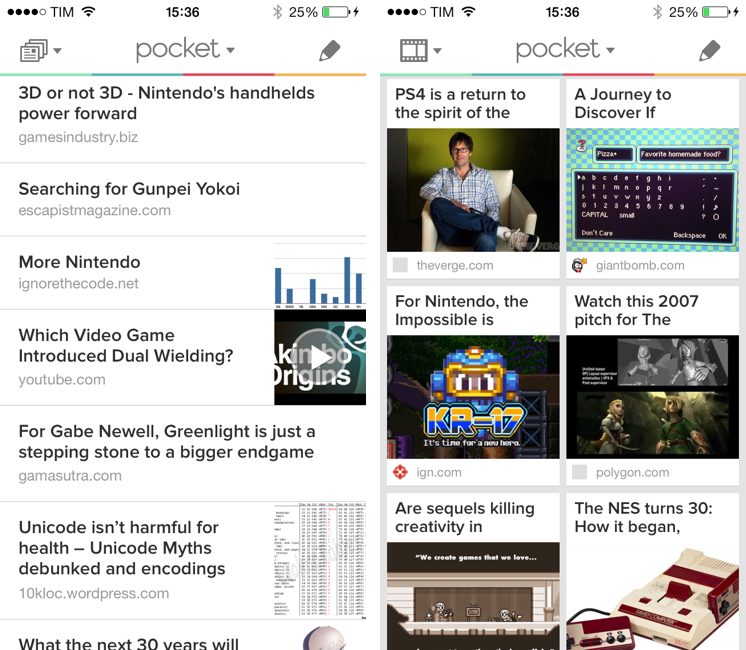
When Read It Later relaunched as Pocket last year, I was intrigued by the service’s focus on allowing users to “save everything for later”. In the months that followed, Pocket received a native Mac app, better browser extensions, deeper integration with iOS apps thanks to a new SDK, and started expanding to more devices and OSes, following Nate Weiner’s original strategy to bring Pocket to as many platforms as possible. Today, Pocket is updating its iOS app to take advantage of iOS 7 and ensuring that content is always available on an iPhone or iPad, even if the app isn’t running. The new Pocket is a good example of developers using the new iOS 7 APIs to enhance existing apps. Read more
Living with iOS 7
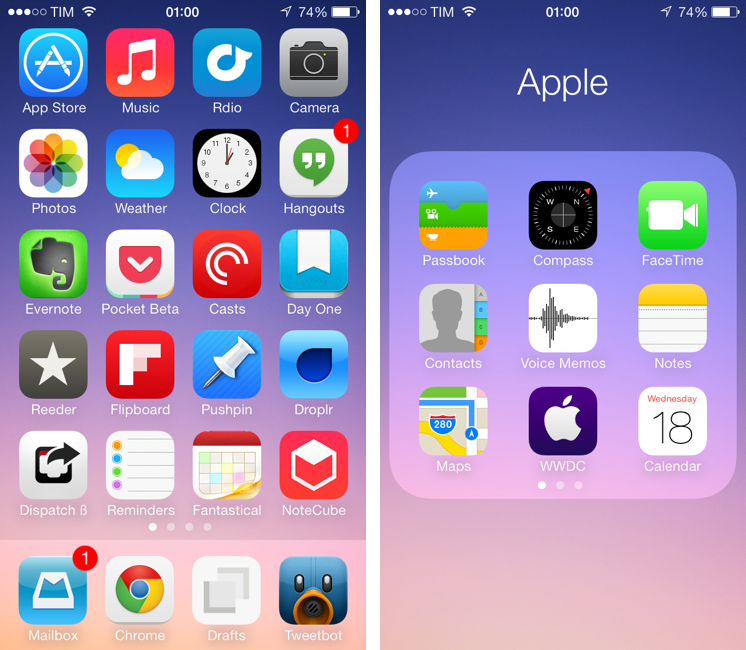
iOS 7, released today, is a deep reimagination of Apple’s mobile platform: using familiarity and the need for a reset as catalysts, iOS 7 represents Apple’s attempt to make iOS ready for the future. iOS 7 is, effectively, the epitome of a large company that knows it’s time to get rid of cruft and inconsistencies to bring a new order to a platform that has grown exponentially in the past five years. For developers, iOS 7 brings powerful new tools that will allow for a new generation of more flexible, intelligent, and versatile apps. iOS 7 is not perfect: there are rough spots and some wrong assumptions, but it’s not flawed or, as many will argue in the next few weeks, a “mistake”. It would be extremely silly and shortsighted to judge iOS 7 by the look of its application icons or the gradients Apple has decided to use on some graphics. More than any other Apple product, iOS 7 isn’t just defined but how it looks: iOS 7’s new look is devoted to functionality – to how things work.
It’s difficult for me to offer a comprehensive review of iOS 7 today, because I have only been able to test a fraction of the third-party apps I will use on a daily basis with my iPhone and iPad mini. Mirroring the concept of “design is how it works”, I would say that, for me, iOS isn’t just how Apple’s apps work on it – it’s increasingly become about how apps from third-party developers can take advantage of it.
I have been running iOS 7 on my iPhone 5 since Apple released the first beta in June. I later installed the OS on my iPad mini, and have been working with an iOS 7-only setup ever since. As MacStories readers know, I primarily work from my iOS devices, which helped me get a good idea of how iOS 7 will change the way I write, take photos, respond to emails, listen to music and podcasts, and all the other things that I use iOS for.[1] Fortunately, I had the chance to test a good amount of third-party apps that solidified my thoughts on iOS 7 and the way it impacts my digital life and workflow.
It was also hard to get ahold of fellow iOS 7 users in my town. While I imagine that it would be easier to come across a nerd running an iOS 7 beta at a bar in San Francisco, I didn’t have much luck in Viterbo, Italy. I tested new features like AirDrop – which allows you to share files and information locally with other iOS 7 devices – with my iPhone and iPad, and, in the past week, managed to convince my girlfriend to install iOS 7 on her iPhone.
I needed to provide this context: my livelihood directly depends on iOS and how I can work from my iPhone and iPad without having to use my Mac. Therefore, if you’re looking for a list of new features and smaller details of iOS 7 (and there are many), bookmark this article. My “review” of iOS 7 will focus on my thoughts on the update, how it made my iPhone and iPad better devices, and what I believe iOS’ future will be going forward.
Read more
Drafts 3.5 Brings Refined Interface for iOS 7, Action Improvements
Drafts for iOS has singlehandedly reinvented, alongside Editorial, my iOS workflow. With a combination of URL schemes and custom actions, direct Dropbox and Evernote integration for saving text, callbacks, and a fervent community of passionate users pushing the app to its limits, Drafts has become an extremely powerful iOS notepad without losing its basic simplicity. Drafts is the perfect example of an app that is easy to use and approachable but that power users can tweak and enhance if they know where to look.
With the release of iOS 7, developer Greg Pierce has decided to make Drafts 3.5 an iOS 7-only app that includes an updated design and some new features for power users. This will likely be a controversial decision among users who won’t update to iOS 7 right away, but I certainly understand the motivation of wanting to move forward as fast as possible by promptly embracing our iOS 7 future.
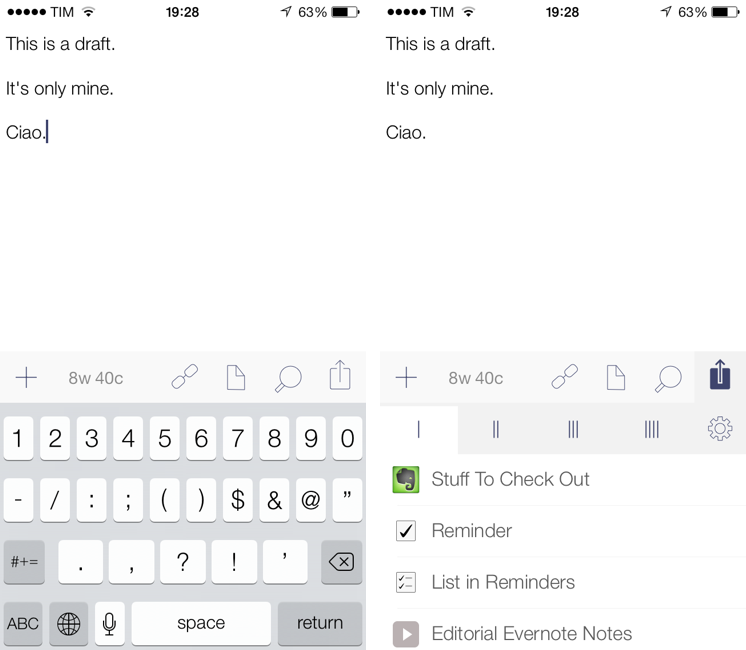
Drafts didn’t have much custom UI to begin with, so this new version’s most visible changes are the keyboard, which defaults to the iOS 7 one, and the revised icons and menus that match iOS 7’s new design trends and guidelines. Icons are thinner, the Settings’ cells run from edge to edge, the On/Off switches are new, the status bar blends with the writing area, and there’s a lot more whitespace. After having used Drafts 3.5 for a few months, I would say that, in the transition to iOS 7, it has lost less than Pierce’s other app, Terminology, in terms of identity and personality. Drafts was already spare and clean-looking – iOS 7 just makes it official and takes the app’s whitespace up a notch. Overall, it’s still the same Drafts, now with new icons and an updated keyboard.
The additions to Drafts 3.5 should please power users and those who rely on Drafts as an application launcher more than a note-taking app. Read more