John
John
AppStories Episode 360 - Nerding Out for the Holidays (Part 1)
0:00
34:00
34:00
This week, Federico and John share their geeky holiday season tech projects.


 Nerding Out for the Holidays (Part 1)
  The Search for the Best iPad Pro USB-C Adapter Ends with a Surprising Discovery
 A few weeks ago, I gave myself a challenge: find a compact USB-C hub/dongle for the iPad Pro that supports both fast charging and USB-C video out. As is often the case with my stories of this kind, it ended with me discovering a relatively unknown piece of gear from a similarly not-so-popular company, which...
Those who have been reading MacStories for a while know that I have a peculiar obsession for portable setups free of the constraints typically involved with working at a desk or playing games in front of a TV.
It’s not that I don’t want to have a desk or dislike my 65” OLED TV: it’s that I don’t want those contexts to be my only options when it comes to getting work done or playing videogames. This is why I’ve spent the better part of my career fine-tuning my iPad-first lifestyle and why I’m so excited at the prospect of a giant screen that can always be with me. Modularity, portability, and freedom from a desk or TV are the driving factors in everything I use or buy these days.
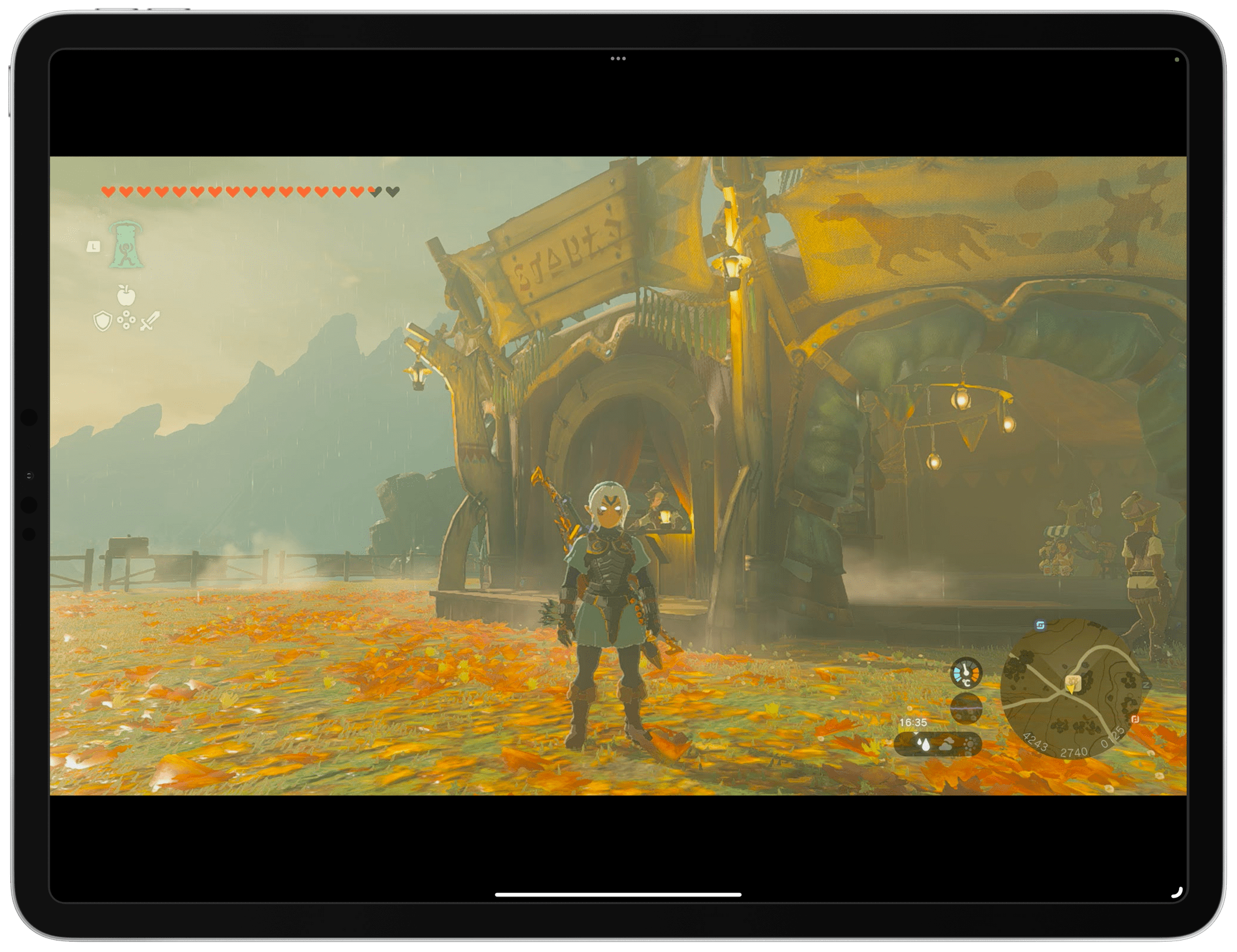
For these reasons, it shouldn’t come as a surprise that I embraced the ability to use the iPad Pro as a portable monitor for videogame consoles thanks to UVC support. As I covered in my iPadOS 17 review, this feature was primarily conceived to let iPad users connect external webcams to their computers, but that hasn’t stopped developers from re-using the same underlying technology to create apps that allow you to display a video feed from any accessory connected via USB.
It’s a very intriguing proposition: the 12.9” iPad Pro has a gorgeous mini-LED display; what if you could use that to give yourself a little extra screen real estate when playing Super Mario Bros. Wonder or Tears of the Kingdom without having to pack a separate portable monitor with you?
In my review, I mentioned the Genki Studio app, which I used to play games with my Nintendo Switch and ROG Ally and output their video feeds to the iPad Pro’s display. Today, I want to explain how I took my setup a step further by enhancing the picture quality of the Nintendo Switch when viewed on the iPad Pro and, most importantly, how I created a fully-portable setup that allows me to play Switch games on the iPad Pro anywhere I am.
Getting Your Digital Life in Order
The Trouble with Task Management
Using USB Overdrive for Mac to Bring an Old Keyboard Back to Life Stop me if you’ve heard this tale before: I recently went down a rabbit hole about a specific tech accessory that ended up with me trusting an idea shared by a random dude on Reddit, which resulted in an expensive purchase for a piece of equipment sold by a private eBay seller from the UK....
Federico’s Home Screen The Home Screen on my iPhone 15 Pro Max is largely a product of refinement over the past few months as well as acceptance of certain habits of mine that dictate how I like to use my iPhone. I tried different approaches over the years, and as much as I want to keep an open...
Apple’s Scary Fast Event with Stephen Hackett
This week, John is joined by Relay FM’s Stephen Hackett for a recap and thoughts on Apple’s Scary Fast event, which was recorded live in the Club MacStories+ Discord.
At this evening’s ‘Scary Fast’ Apple event, the company announced the new generation of M3 chips – M3, M3 Pro, and M3 Max – that will power three new models of MacBook Pro and the updated iMac, which is getting a refresh for the first time since its redesign featuring the M1 chip was introduced in 2021.
We’ll have more detailed overviews of the new computers up on MacStories soon, but in the meantime, here’s a breakdown of when you can expect to be able to get your hands on these new machines: