


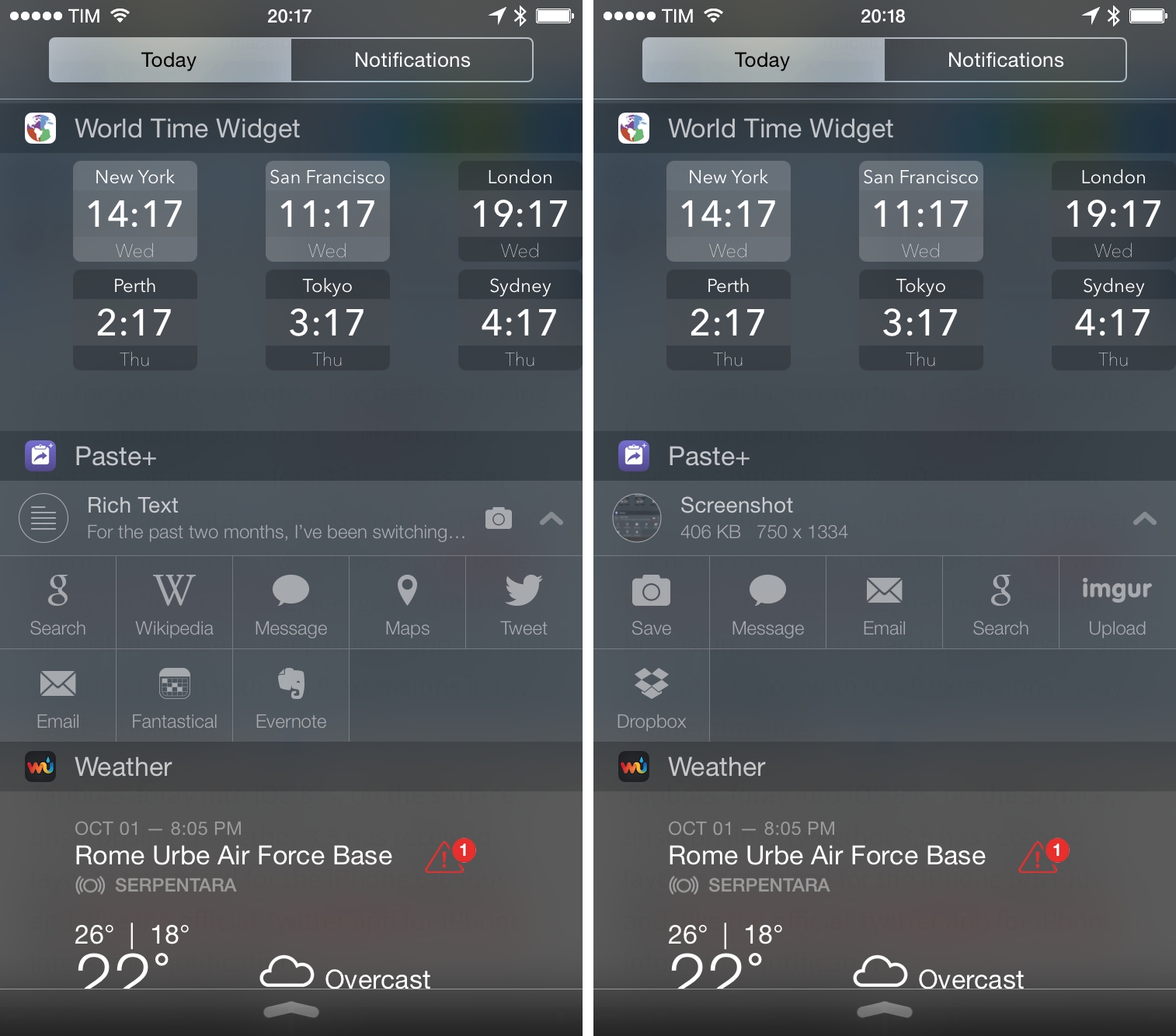
When iOS 8 launched three weeks ago, I came across a company called Avanio Labs that had launched a set of three apps on the App Store: Paste+, Agenda+, and Forecast+. The apps were presented as Notification Center widgets, and I found that interesting as I assumed that Apple would reject apps that only offered widgets with no primary functionality. Of Avanio’s three apps, I’ve been using Paste+ on a daily basis. I think it’s a nice little utility to save taps and launch specific iOS features faster with Notification Center.
Tweetbot 3.5: iPhone 6 Support, Interactive Notifications, and iOS 8 Extensions
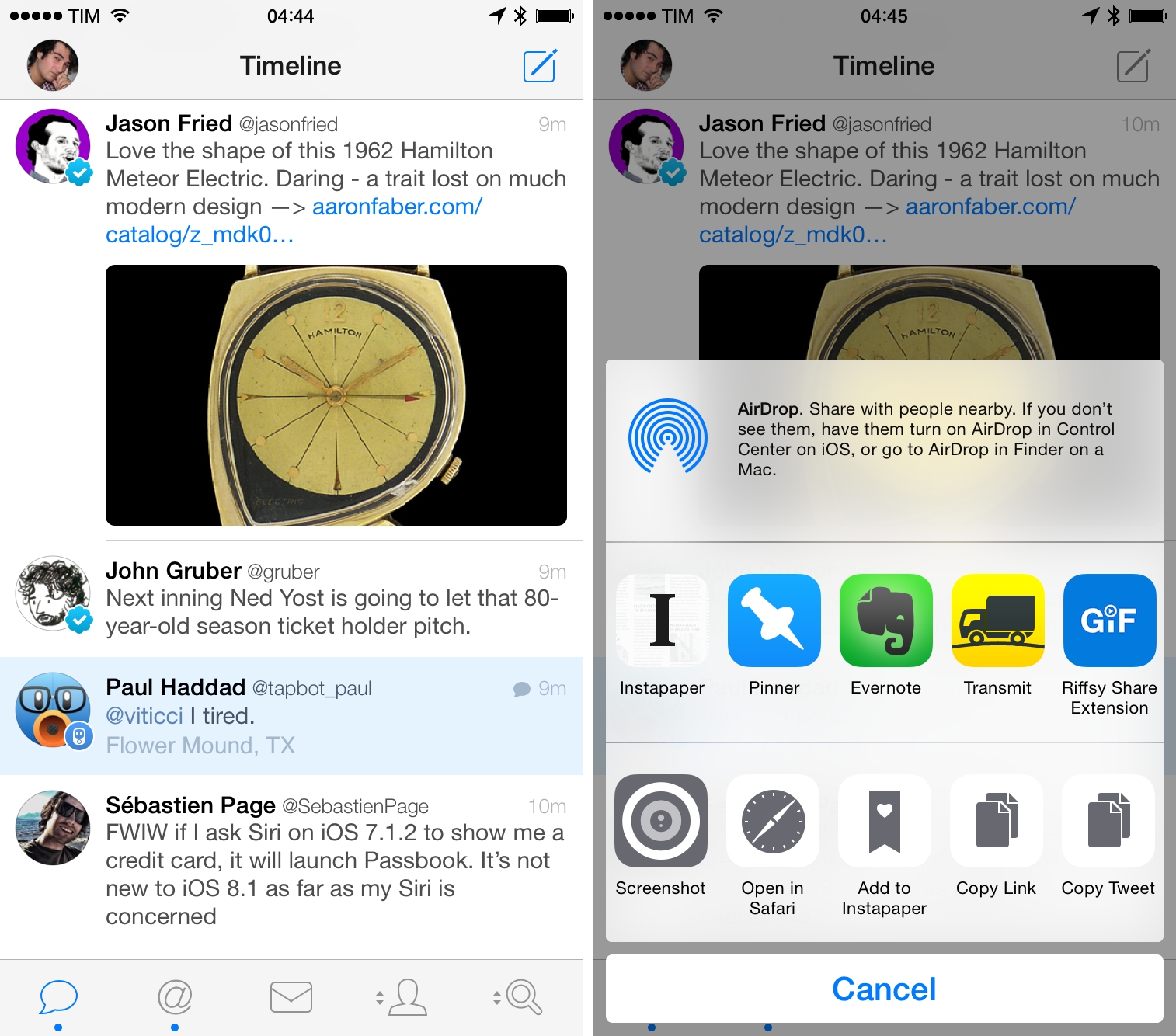
For the past two months, I’ve been switching back and forth between Tweetbot and Twitter’s official app for iOS in a personal quest to understand what’s the best Twitter client for me today. Tweetbot 3.5, available today on the App Store, has given me the biggest incentive to keep using Tapbots’ app yet: integration with iOS 8 extensions in my Twitter timeline.
The Future of Apple and Google→
A thoughtful article by Steve Cheney. This point was particularly interesting:
New frameworks for devices to interact with the physical world have arrived and will further Apple’s lead. These are important to the growth of the platforms. These include BLE, iBeacon, NFC and other areas adjacent to discovery and the purchase funnel. These short range technologies (when made developer-friendly through APIs) allow phones to connect with the nearby world (the ‘edge’ or last 50 feet), much like GPS allowed phones to connect with the outdoor sky 10 years ago. This short range RF stack is maturing rapidly, but it’s still a little bit like GPS was 5-10 years ago. Back then the apps sucked—remember the first Garmin device you had to plug in to your cigarette lighter, which had no real apps or expansion capability? Or the first time you used maps on a Nokia series 40 phone? The applications were bad, the devices sucked, and the developer tools were non-existent. Now every single app you download uses location and you can get a car delivered to your house in 5 minutes, all enabled by GPS.
It took years for GPS to become widespread, but it has changed how we live. Seems clear that near-field discovery and communication will do the same.
The Man Behind the Apple Watch→
Vogue has published an in-depth profile of Jony Ive today, revealing details of Ive’s friendship with Marc Newson, his passion for handcrafted objects, and the design process of the Apple Watch.
From the article:
Five years later, a disenchanted Ive was about to leave when Jobs returned to reboot the then-floundering Apple, which happened, by most analyses, when Jobs enabled Ive. By Ive’s account, the two hit it off immediately. “It was literally the meeting showing him what we’d worked on,” Ive says, “and we just clicked.” Ive talks about feeling a little apart, like Jobs. “When you feel that the way you interpret the world is fairly idiosyncratic, you can feel somewhat ostracized and lonely”—big laugh here—“and I think that we both perceived the world in the same way.”
And U2’s Bono on Ive and Newson:
“They’re a bit like non-identical twins separated at birth,” jokes Bono. They finish each other’s sentences. “They finish each other’s food,” adds Bono. “The kind of emotional and physical attraction people develop with Apple products shouldn’t really be possible, but take a look around you.” Friends marvel as Ive shifts from the guy cracking jokes to the solemn Sir Jonathan Ive. “Jony is deadly serious,” says Bono, who first met Ive when Jobs dispatched him to an Irish pub to salvage a U2–Apple iPod promotion. “He is also serious fun to be around. When you go out for a pint with Jony, it’s kind of like going for a pint with the future, which is cool except you know he’s not telling you what they’ve really got planned.”
According to the article, Vogue was given a private demo of the Apple Watch weeks ahead of the product’s announcement. Yesterday, Apple organized a special event at the Colette boutique in Paris that marked the public debut of the Apple Watch.
Apple Announces Q4 2014 Conference Call for October 20

In an update to the Investor Relations website, Apple today announced their Q4 2014 earnings call, which will be held on Monday, October 20. As usual, Apple will provide a live webcast of the conference call.
Apple plans to conduct a conference call to discuss financial results of its fourth fiscal quarter on Monday, October 20, 2014 at 2:00 p.m. PT / 5:00 p.m. ET.
Apple’s Q4 2014 earnings call will likely provide another insight into the launch of the iPhone 6 and iPhone 6 Plus. Released in 10 countries on September 19 and subsequently rolled out in 22 additional countries on September 26, the iPhone 6 line set a new record for Apple by topping 4 million pre-orders in 24 hours and over 10 million units sold in the opening weekend. It’s also possible that the company may share details about iOS 8 adoption numbers (currently at 41%) and the launch of Yosemite, the next version of OS X that graduated to Golden Master status for registered developers today.
In the third quarter, Apple posted revenue of $37.4 billion. The company sold 13.3 million iPads, 35.2 million iPhones, and 4.4 million Macs, earning a quarterly net profit of $6.9 billion. In the year-ago quarter (Q4 2013), Apple posted revenue of $37.5 billion and sold 14.1 million iPads, 33.8 million iPhones, and 4.6 million Macs. For the fourth quarter of 2014, Apple has set its guidance to “between $37 billion and $40 billion” of revenue.
We will provide live updates from the conference call on our site’s homepage on October 20 starting at 2 PM PT.
Built for iOS 8, DateStamper Lets You Apply Date Stamps to Photos

When I was a kid, my parents used to take a lot of pictures. Family gatherings, vacations, Sunday road trips, our dog growing up. They weren’t photographers by any means – they just wanted to document our lives and create memories. They useddisposable Kodak cameras most of the time – lots of them. Before smartphones and when “cellphones” meant this, those thousands of pictures collected in dozens of photo albums are the ones that stuck around to this day. They haven’t been lost in a cloud backup. They’re in my closet.
Saving Recipes with the AnyList Extension
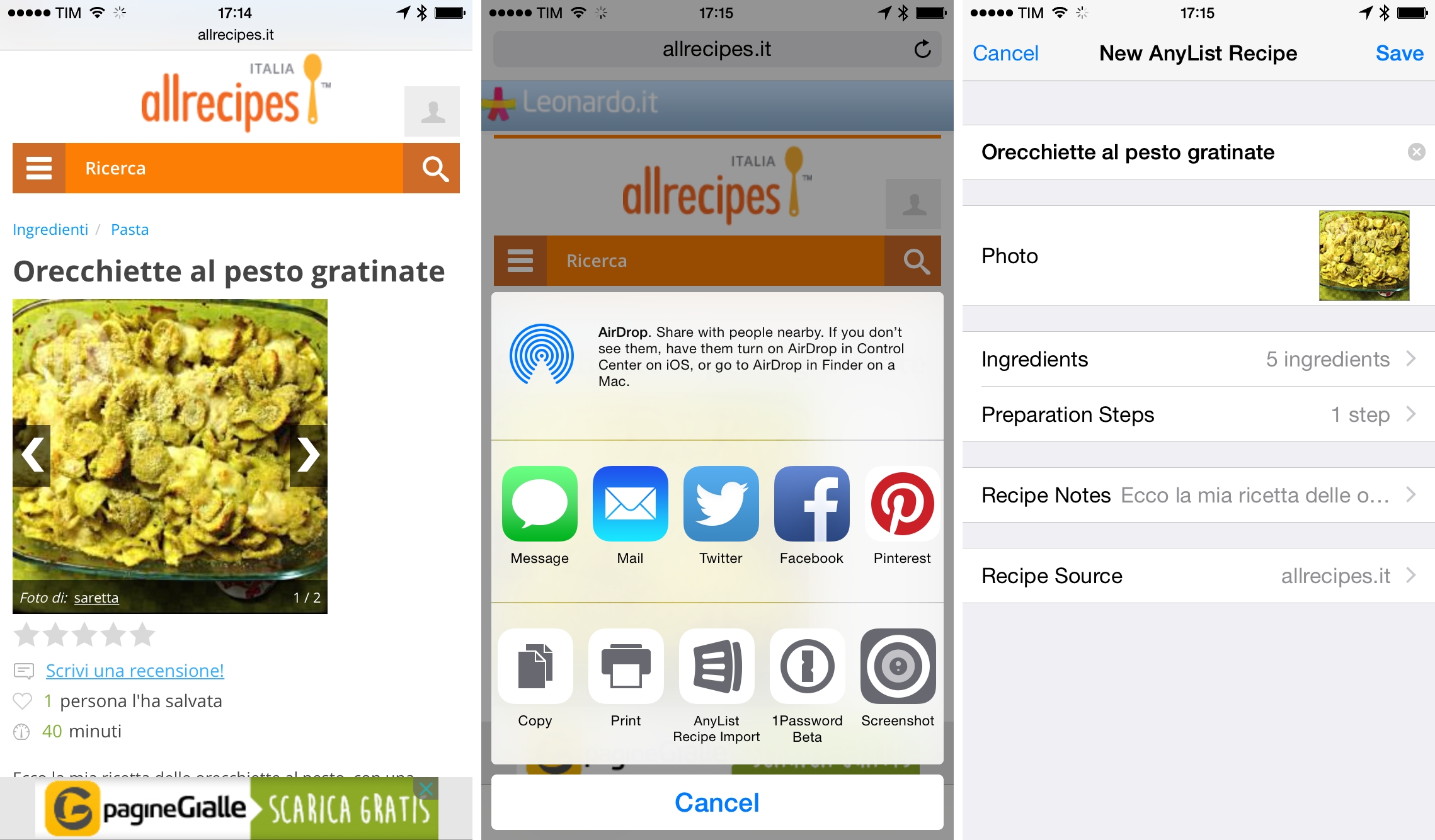
My girlfriend and I are moving into a new apartment next month, and to justify the expense of a new kitchen I promised myself (and my friends) that I would learn new recipes to go beyond my repertoire of a couple of dozen pizza types and pasta sauces. Cooking is a passion of mine, but I feel like I need to extend my knowledge to a wider catalogue of recipes and ingredients. Therefore, I’m in the process of reading and bookmarking several recipe websites (primarily Italian ones) and I thought it’d be interesting to combine that with recipe apps for iOS 8.
PCalc and the Everything Calculator for iOS 8
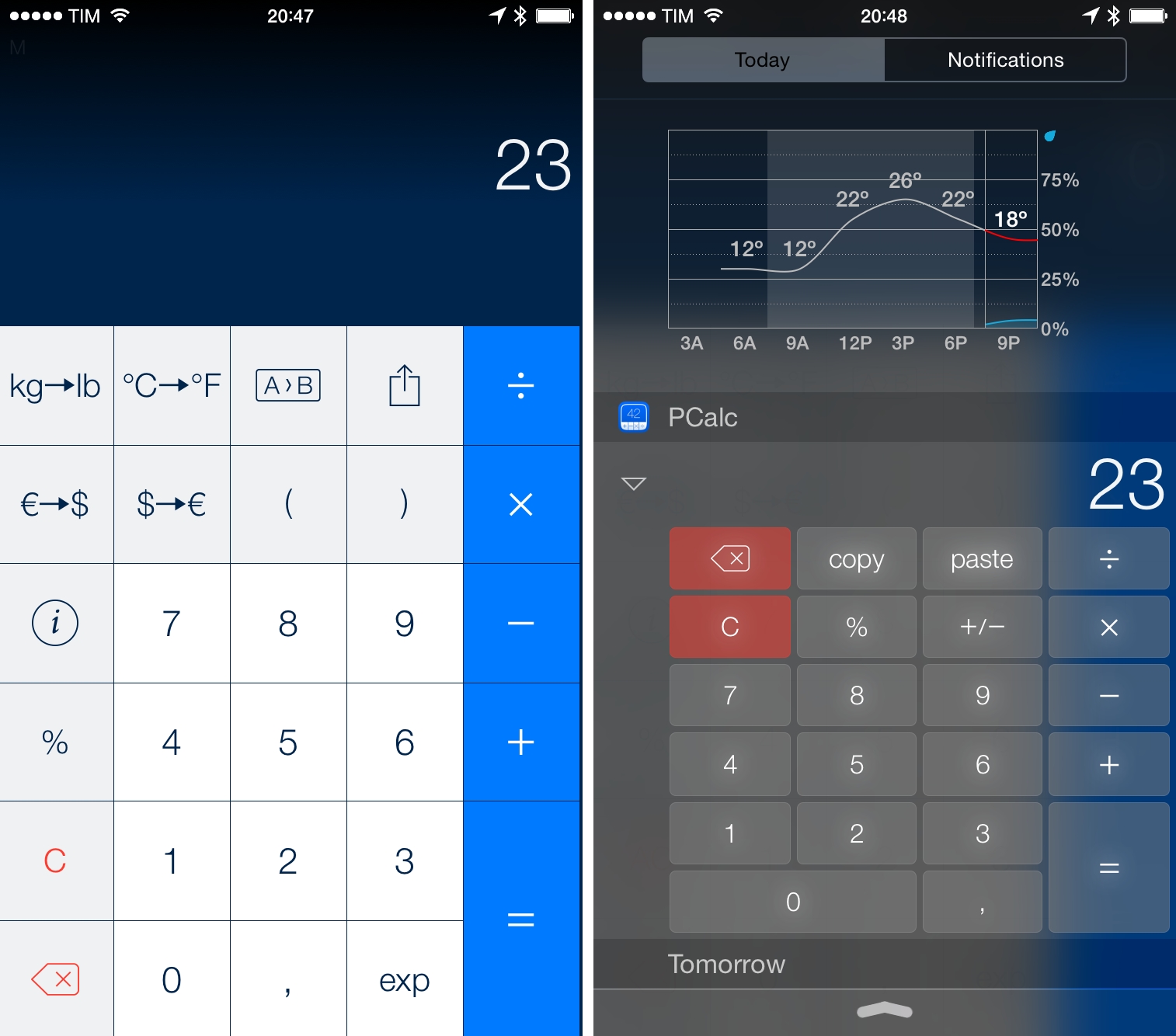
I never thought I’d use a complex calculator app such as PCalc, but, following an iOS 8 update and praise from Dr. Drang and Jason Snell, I reconsidered. PCalc is now on my Home screen and I’m using it on a daily basis for all kinds of calculations and conversions.
iOS 8 Document Management Updates
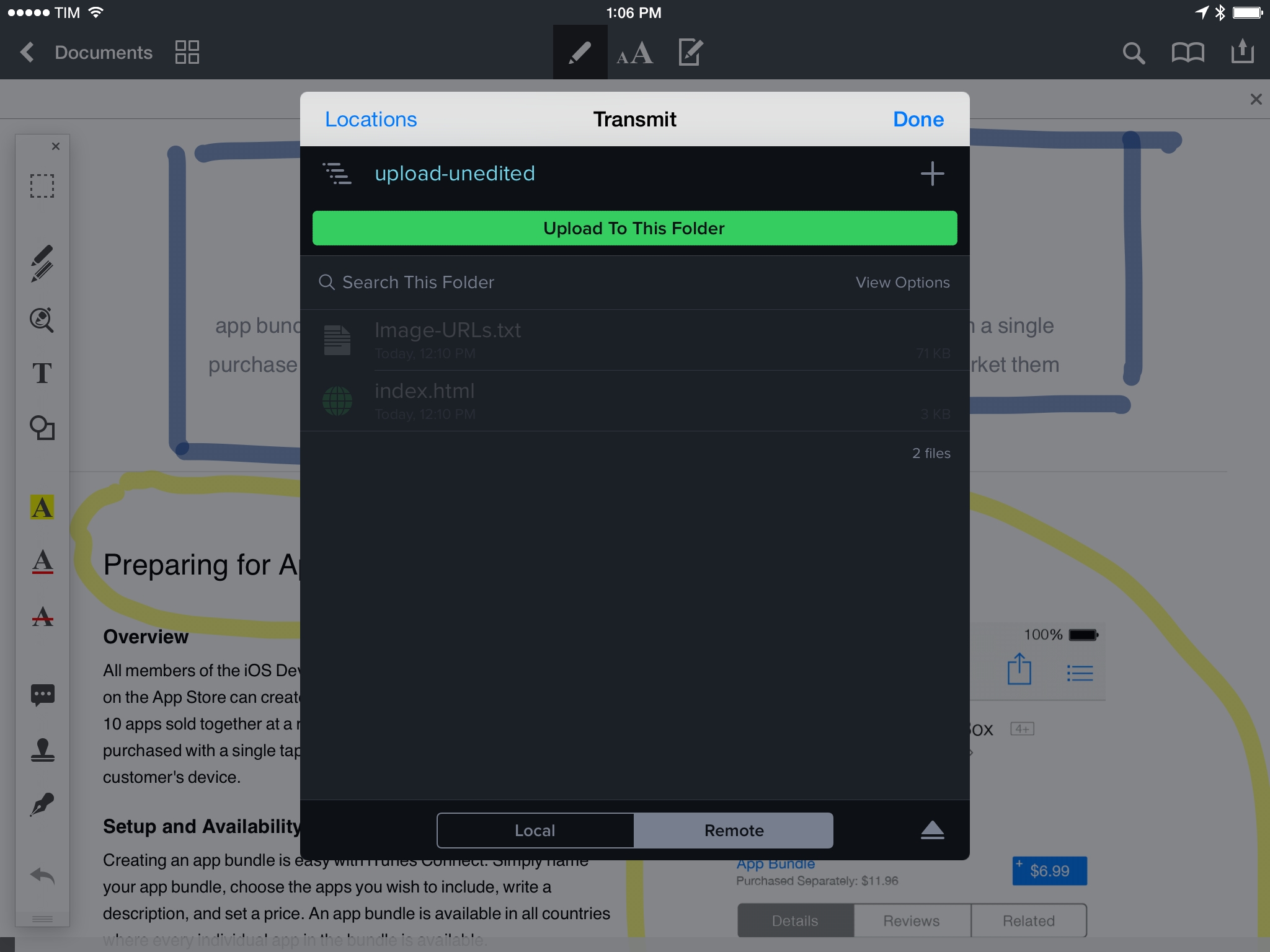
After updating PDF Converter and Scanner Pro with support for iOS 8 extensions last week, Readdle released updates to Documents and PDF Expert yesterday, bringing full integration with iCloud Drive and document pickers.
Similarly, Panic’s Transmit was updated with various enhancements including an Import/Export feature for iCloud Drive. These options let you save and copy files to and from Transmit (either in local or remote locations) using the native iOS 8 document picker.
I’ve been playing with both since yesterday and I noticed some good ideas and inconsistencies that I think are worth pointing out.