

For this special issue of MacStories Weekly, I thought it’d be fun – and appropriate – to ring in the new year with a handful of shortcuts that can help you form new habits or gain a better understanding of your time. While I often write about using Shortcuts for productivity purposes (and sometimes...
 Member Requests
Question: I am trying to make a Shortcut to add a Trello card to Reminders with the link to the card in the URL field of the reminder. I managed to create it in iOS 12, but since iOS 13 with the new parameters framework I cannot manage to get the card’s name and the...
Adapt, Episode 16: Having Fun with the iPad→
On this week’s episode of Adapt:
Federico and Ryan ease into the new year by taking a break from iPad productivity and explaining how they use the device for fun. Plus a challenge recap, #AskAdapt, and more.
You can listen below (and find the show notes here), and don’t forget to send us questions using #AskAdapt and by tagging our Twitter account.




Sponsored by:
- TextExpander, from Smile: Unlock your productivity with TextExpander. Get 20% off with your first year.
Connected, Episode 276: Symbiosis, Osmosis, Whatever→
On this week’s episode of Connected:
The boys kick of 2020 with a lot of follow-up including clarifying what being a Chairman means, a challenge for the Upgradies and a debate about the iPad Air, then conversations about LaunchCuts and Twitter’s iPad app.
You can listen below (and find the show notes here).
Sponsored by:
- Pingdom: Start monitoring your website performance and availability today, and get instant alerts when an outage occurs or a site transaction fails. Use offer code CONNECTED to get 30% off. Offer expires on January 31 2021.
- Squarespace: Make your next move. Enter offer code CONNECTED at checkout to get 10% off your first purchase.
- Booz Allen: Integrate. Innovate. Get it done with Booz Allen.
LaunchCuts Review: A Better Way to Organize Your Shortcuts with Folders, Advanced Search, and Custom Views
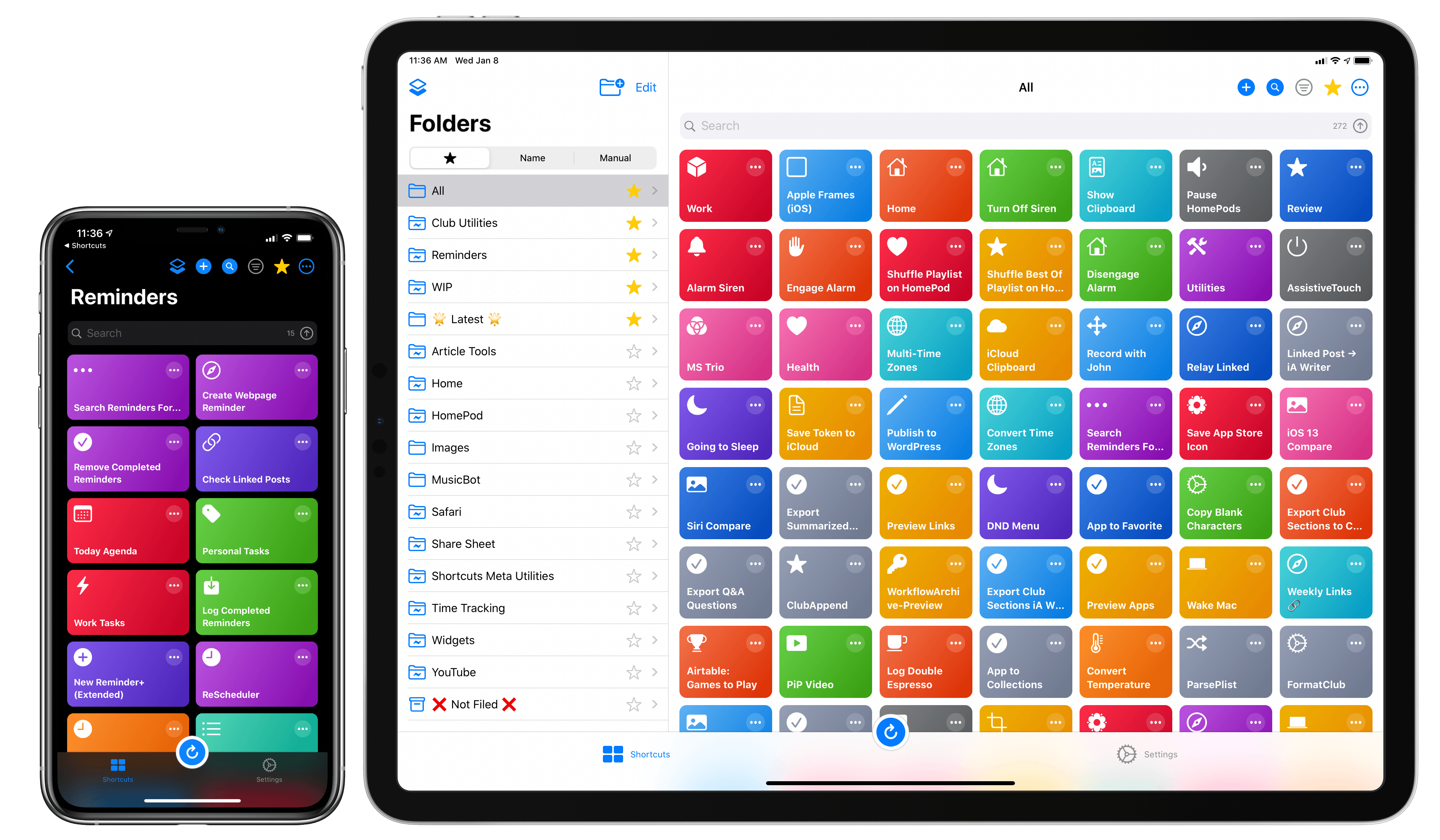
Developed by Adam Tow, LaunchCuts is the latest entry in a series of meta-utilities designed to extend Apple’s Shortcuts app with new functionalities. Unlike Toolbox Pro and Pushcut, however, LaunchCuts is the most peculiar and niche I’ve tested insofar as it doesn’t provide Shortcuts with exclusive actions nor does it come with its own web service to deliver rich push notifications; instead, LaunchCuts’ sole purpose is to offer an alternative view for your shortcut library with folders and powerful search filters. If you have less than 20 shortcuts installed on your iPhone or iPad, you’re likely not going to get much benefit out of LaunchCuts’ advanced organizational tools; but if you’re like me and use hundreds of different shortcuts on a regular basis, and especially if your library has grown out of control over the past few years, you’re going to need the assistance of LaunchCuts to make sense of it all.
Like the aforementioned Shortcuts utilities, LaunchCuts was born of its developer’s frustration with the lack of folders in Shortcuts – a basic feature that is still bafflingly absent from the app in 2020. As I keep pointing out in my iOS reviews, I find Apple’s continuing reliance on a crude, one-level-deep grid for shortcuts perplexing at best – particularly when the app is so very clearly employed by professional users who want to accomplish more on their iPhones and iPads.
LaunchCuts was originally created by Tow as an advanced shortcut that let you tag and organize your shortcuts from within the Shortcuts app itself. I remember playing around with the original version of LaunchCuts and, although technically remarkable, I didn’t find much utility in it since it was limited by the UI constraints of Shortcuts; LaunchCuts was begging to become a fully-fledged app with a custom interface to take advantage of Tow’s original concept. Now that it’s a native app, LaunchCuts can fulfill Tow’s vision for taming cluttered and disorganized Shortcuts libraries in a way that wouldn’t have been possible as a shortcut – all while taking advantage of new features in iOS and iPadOS 13.
 Getting More Out of Safari for iPadOS
 John
John
AppStories Episode 144 - Getting More Out of Safari for iPadOS
0:00
53:17
53:17
This week, Federico and John discuss the sort of sophisticated web apps that can be used with Safari on iPadOS 13 and share a bunch of tips and tricks based on Apple’s latest updates to Safari.
How I Modded the Silicone Tips of AirPods Pro with a Memory Foam Layer
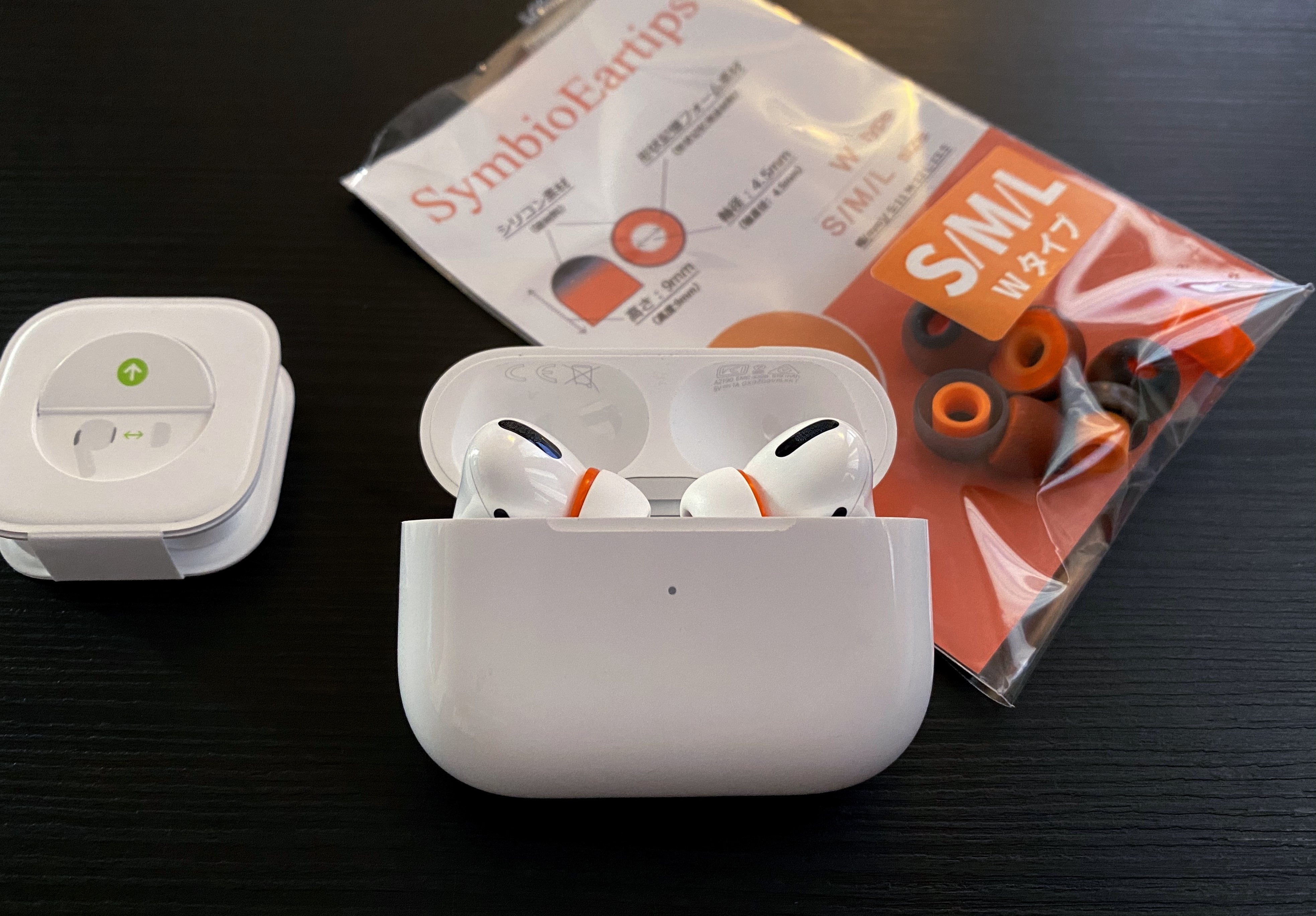
I love my AirPods Pro and, ever since I bought them last October, I’ve been taking advantage of their noise cancellation technology to use them in more contexts than the original AirPods.1 They sound better than any other wireless earbuds I’ve tested (obviously, they sound much worse than my Sony IER-Z1R, but that’s to be expected) and they cancel almost as much noise as my Sony WH-1000XM3, which is pretty remarkable for such tiny earbuds. AirPods Pro retain all the magic of the non-Pro line, but they bring the additional freedom granted by noise cancellation and transparency mode. There’s one thing I don’t particularly like about them, though: the default silicone tips.
Unlike others (e.g. my girlfriend), I can use in-ear silicone tips without getting a headache after 20 minutes. It’s not my favorite method of listening to music, however, because I know that memory foam tips are a better fit for my ears since they can better adapt to the shape of my ear canal and, as a result, provide better isolation and a more bass-y response. Over the years, I’ve developed an appreciation for Comply’s popular foam tips (right now, I’m testing their Audio Pro and Comfort tips with my IER-Z1R) and was hoping they’d release AirPods Pro-compatible tip replacements made of memory foam.
Much to my disappointment, the only foam tips designed for AirPods Pro I’ve found so far are these no-brand tips from Amazon US that I can’t purchase from Italy (and which do not inspire a lot of confidence). I’m assuming that since AirPods Pro require tips to have a special clip attachment that secures them onto the earbuds themselves, it’s taking a while for third-party manufacturers to come up with a compatible design. I really wanted to figure out a way to use foam tips with my AirPods Pro though, so I kept looking for ideas or recommendations on how to make it happen.
The solution I’ve adopted isn’t ideal since I still haven’t found complete foam replacements made specifically for AirPods Pro, but, at least for me, what I’m using today is better than using Apple’s default silicone tips. As I shared on Twitter a few days ago, I’ve modded the AirPods Pro’s silicone tips with an extra memory foam layer, which helps the tips fit better in my ears, resulting in a warmer sound and overall more comfortable feel. The best part: I didn’t have to cut the memory foam layer myself – I simply took the foam layer from a pair of Symbio W eartips and fitted it inside the AirPods Pro’s tips. The final result looks like this:
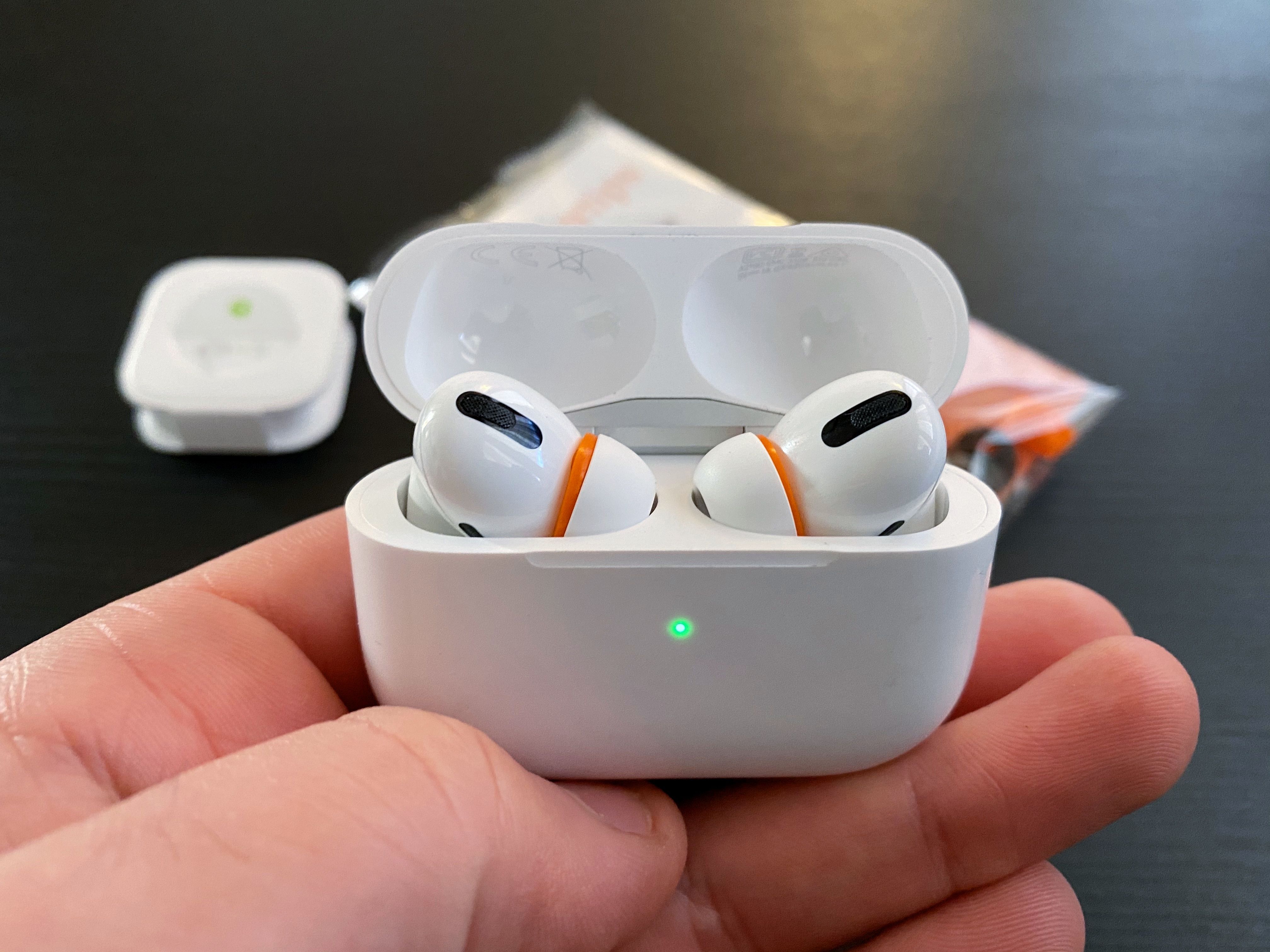
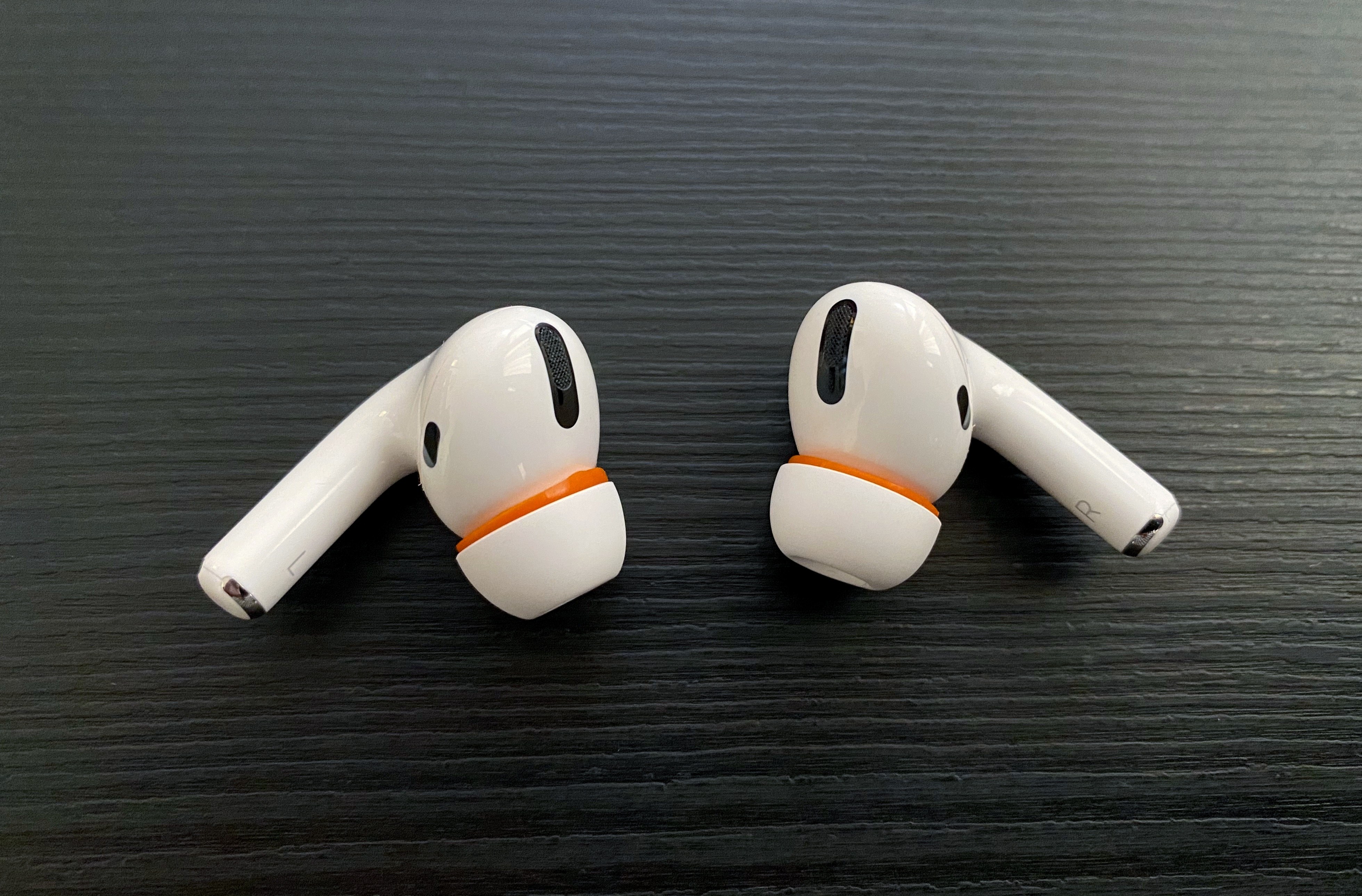
Allow me to offer some context around how I discovered this method and how you can perform this mod yourself with relative ease. I was looking around for discussions related to AirPods Pro and memory foam tips a few weeks back, and I came across this discussion thread on the MacRumors forums where a few users reached the following consensus: until third-party manufacturers come up with a compatible clip that attaches to AirPods Pro and lets you use alternative tips, for now the best DIY mod involves taking a memory foam insert and sliding Apple’s silicone tips inside it so that the foam layer ends up sitting between the central plastic “stem” of the tip and its outer layer. This is what I mean:
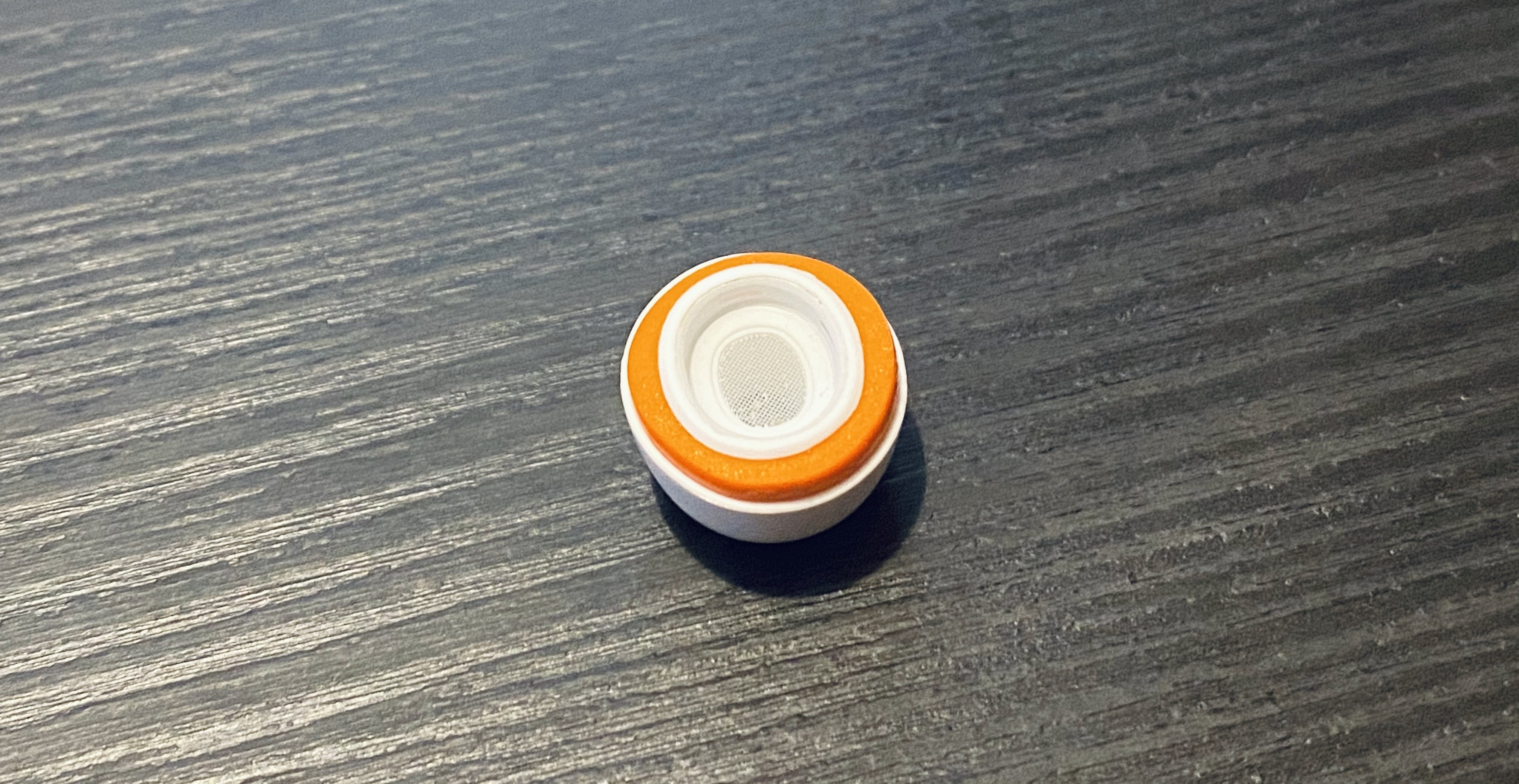
Based on the aforementioned MacRumors thread, I purchased a set of Symbio W eartips from Amazon Japan2 (Symbio also has an official website with worldwide shipping, but I haven’t tried it myself). Symbio’s in-ear tips are well suited for this kind of mod for a couple reasons. First, they’re hybrid tips that feature a silicone membrane with an inner memory foam layer; if you pull out the silicone part, you can access the memory foam “ring” contained inside it and remove it so you can use it elsewhere. And second, the Symbio W’s foam layer is thin and short enough that it can fit in the gap between the plastic stem and silicone layer in Apple’s tips, while matching their height in all three sizes as well (just like AirPods Pro, the Symbio W eartips come in small, medium, and large sizes). This means that, unlike other mods, applying the Symbio W’s foam parts to AirPods Pro’s silicone tips will let the AirPods Pro case close just fine.
Now, if you want to replicate this setup yourself, here’s how you can do it in less than a minute for each AirPod. Grab one of the Symbio eartips (if you’re using the medium tips for your AirPods Pro, use the medium Symbio tip too) and pull out the silicone exterior so that the memory foam portion is clearly visible:
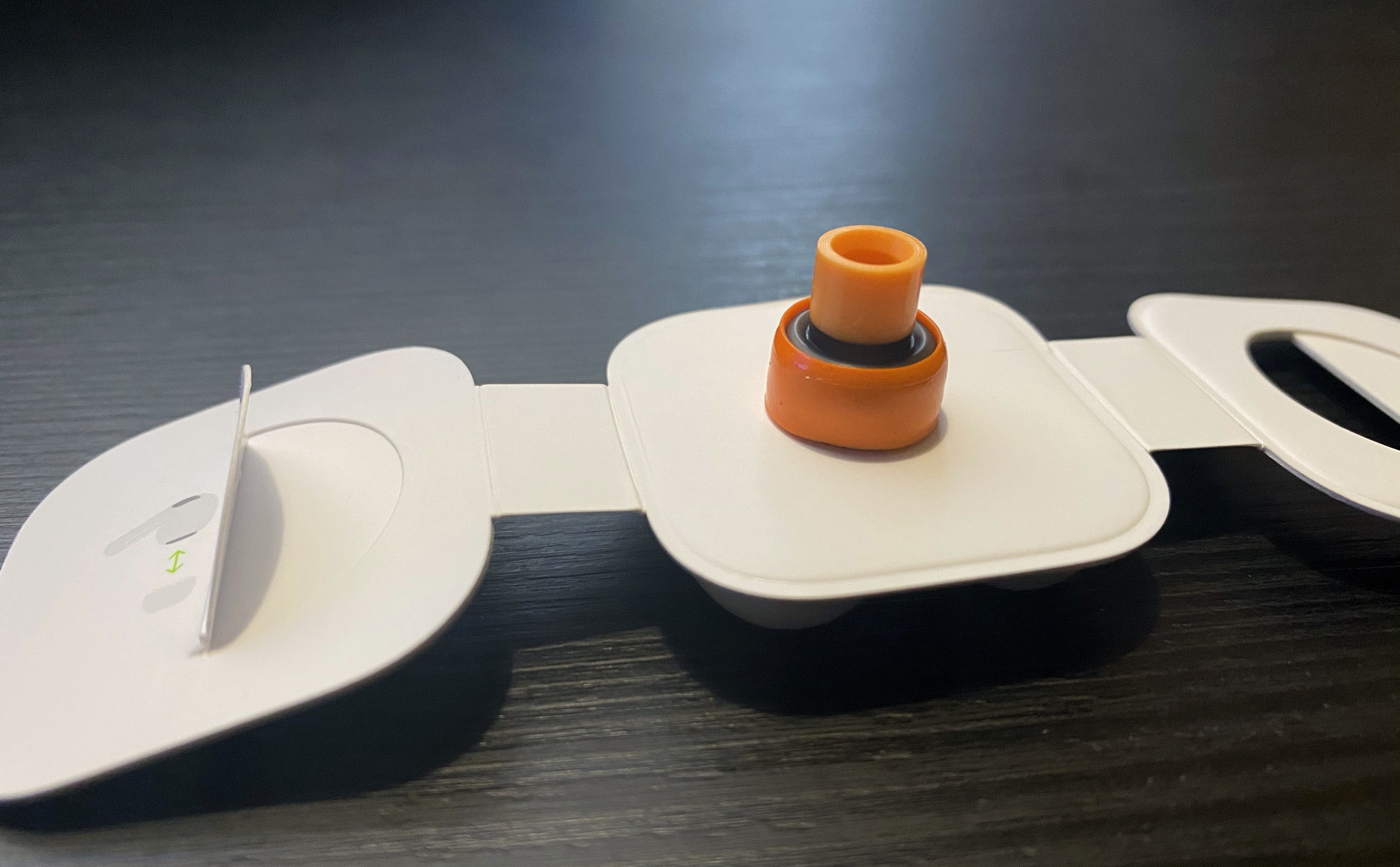
Next, gently remove the memory foam ring from the eartip:
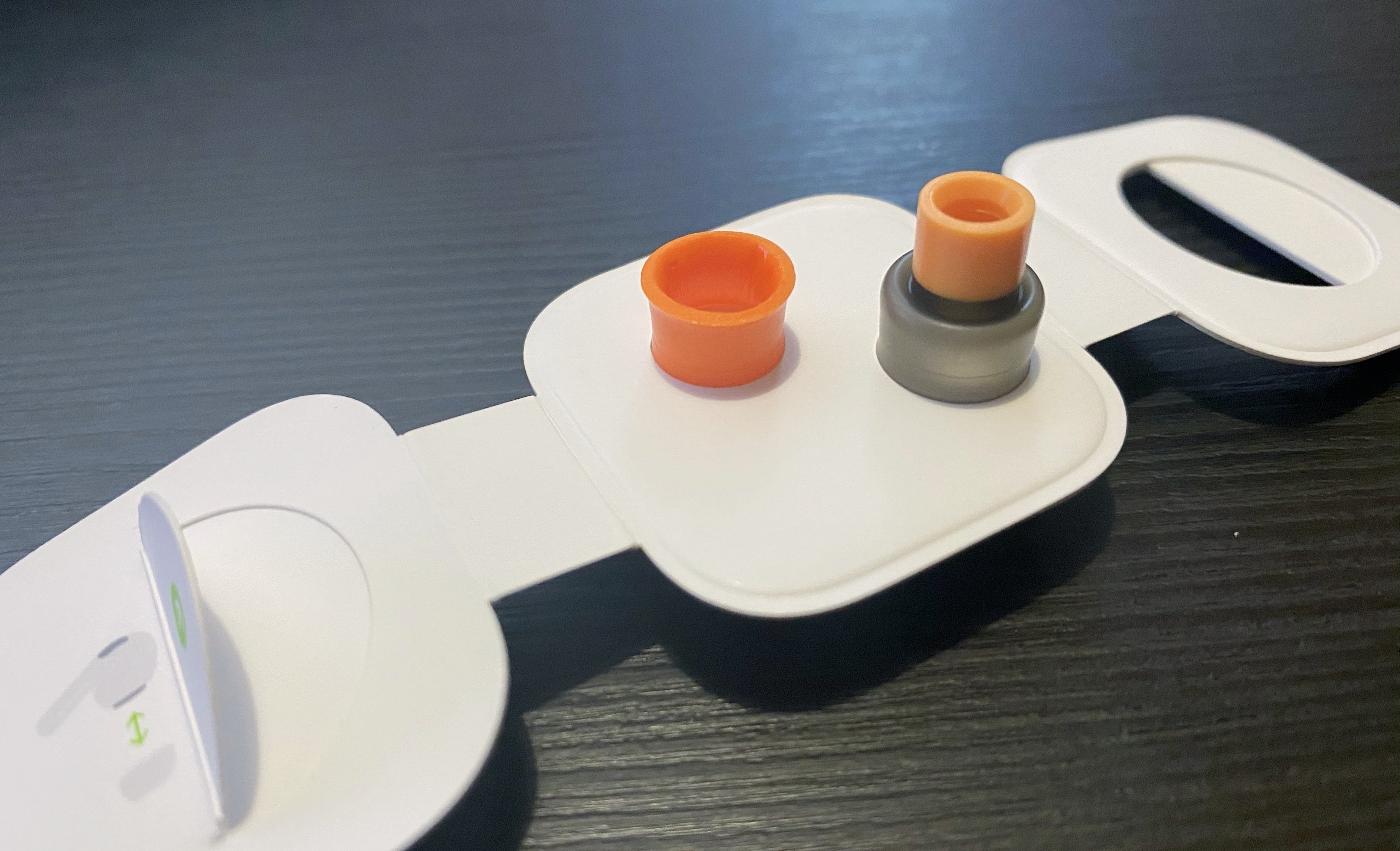
Grab the tip of your AirPods Pro and pull out the soft silicone part – again, don’t apply too much pressure because you don’t want to break it – so that it looks like this:
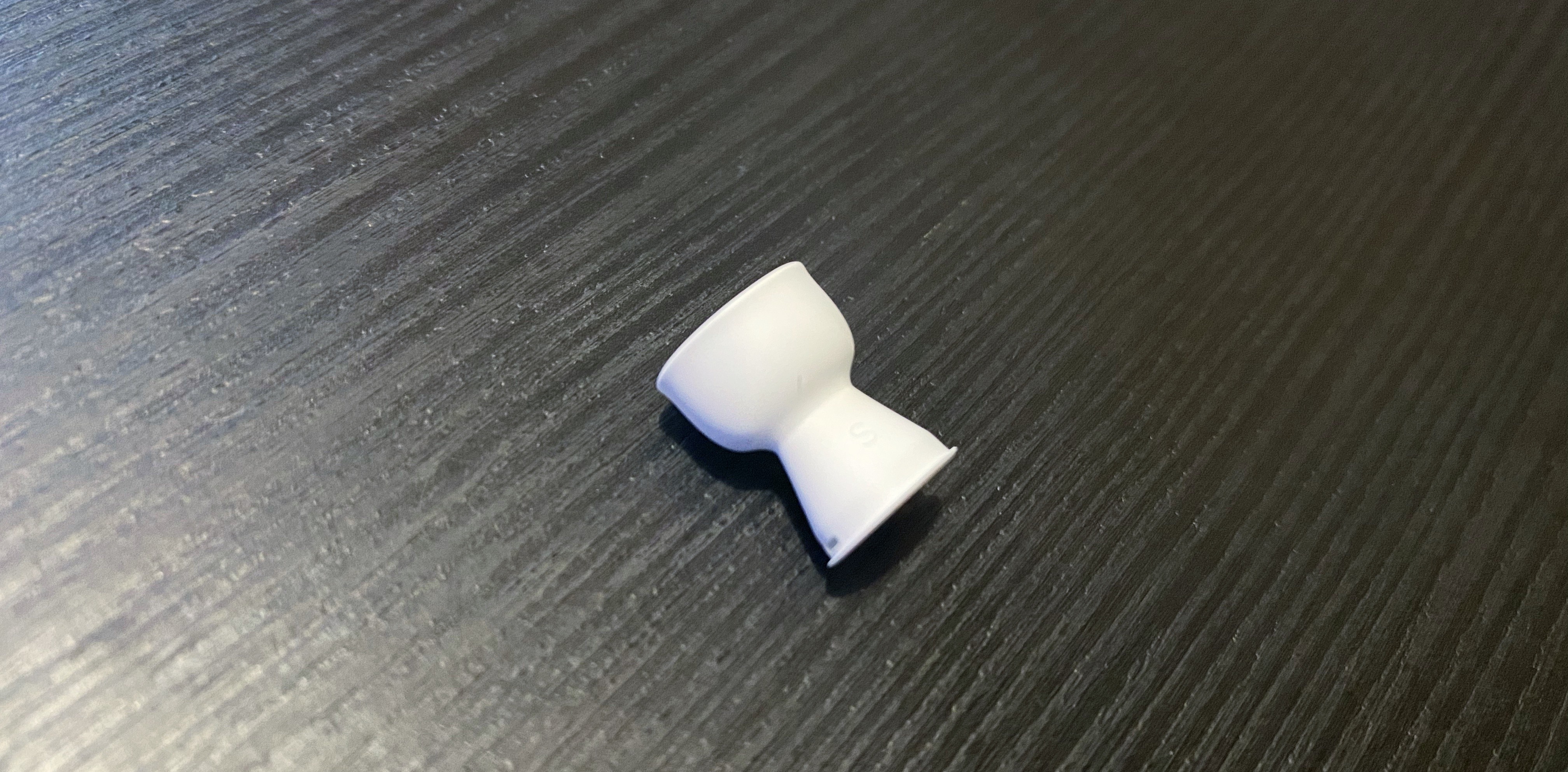
Slide the plastic base of the AirPods’ tip into the foam ring, then carefully adjust it so that it doesn’t cover the vents (which help relieve pressure in your inner ear), as pictured below:
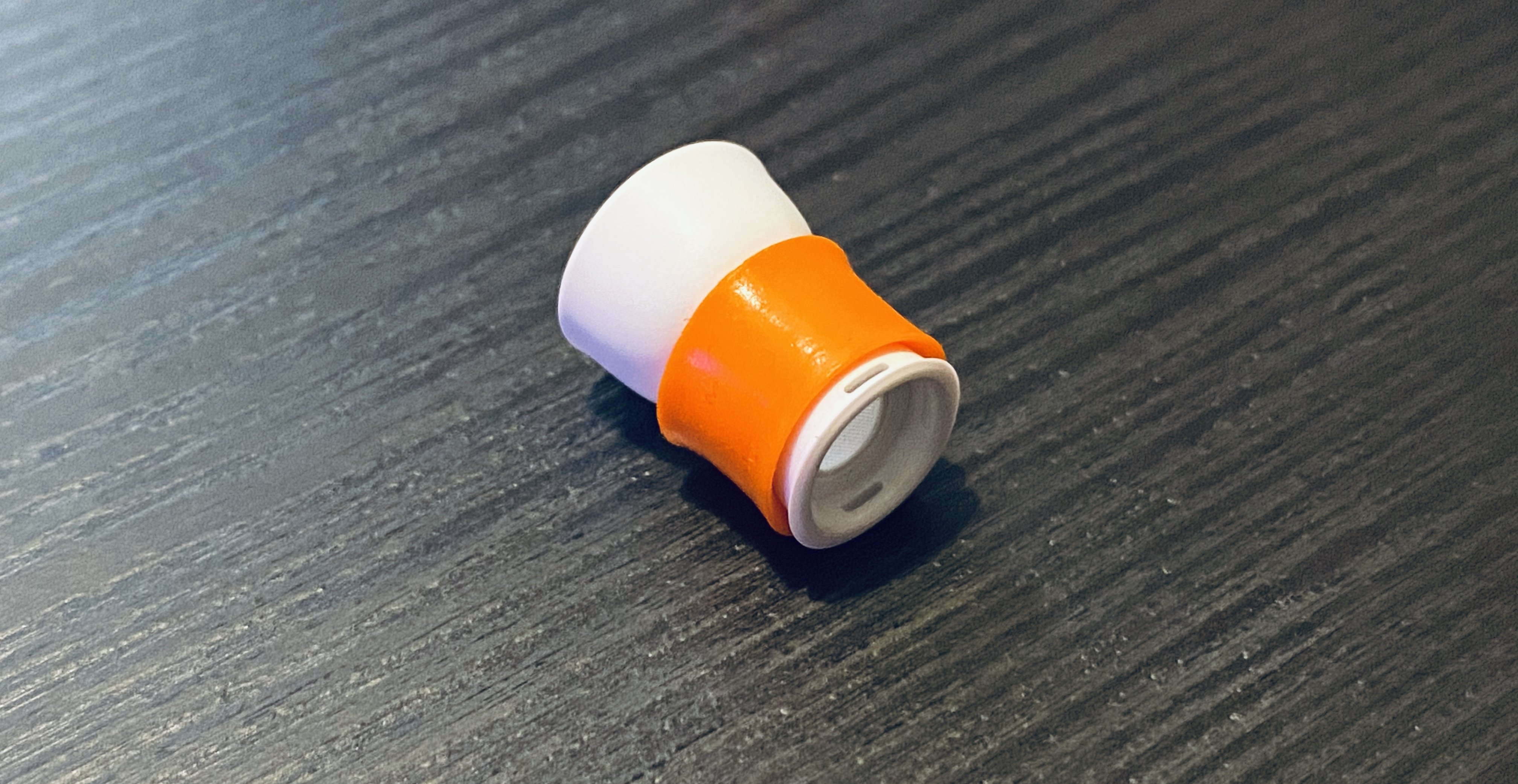
Lastly, pull down the outer silicone layer of the AirPods’ tip so it covers the newly inserted foam part, adjust the foam again so it doesn’t cover the vents, and voila:
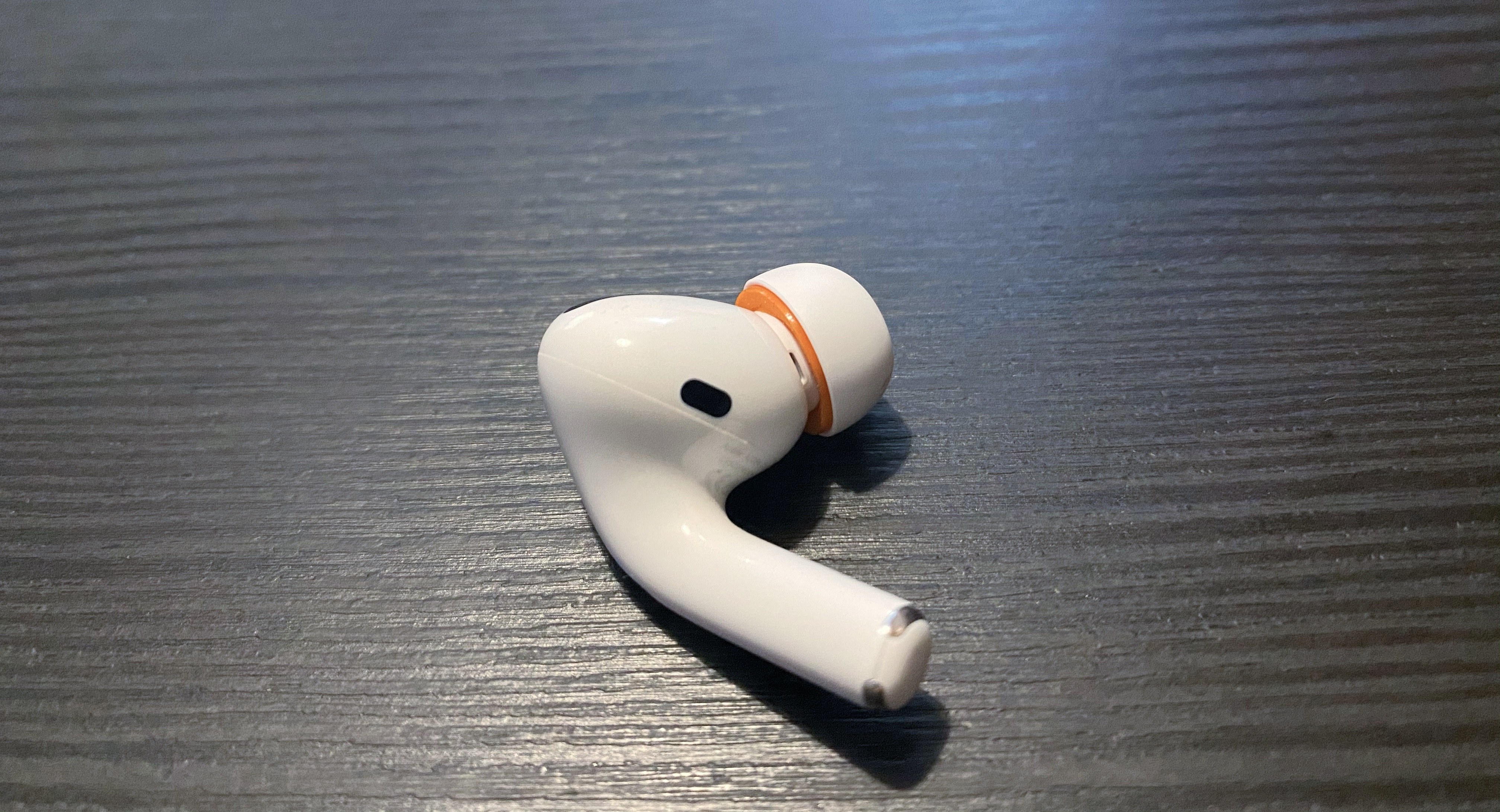
Now, obviously this is a DIY modification and it’s by no means an absolutely perfect match for Apple’s design – but it’s a close approximation that has helped me enjoy some of the benefits of memory foam tips despite the fact that I still have to use Apple’s official tips.
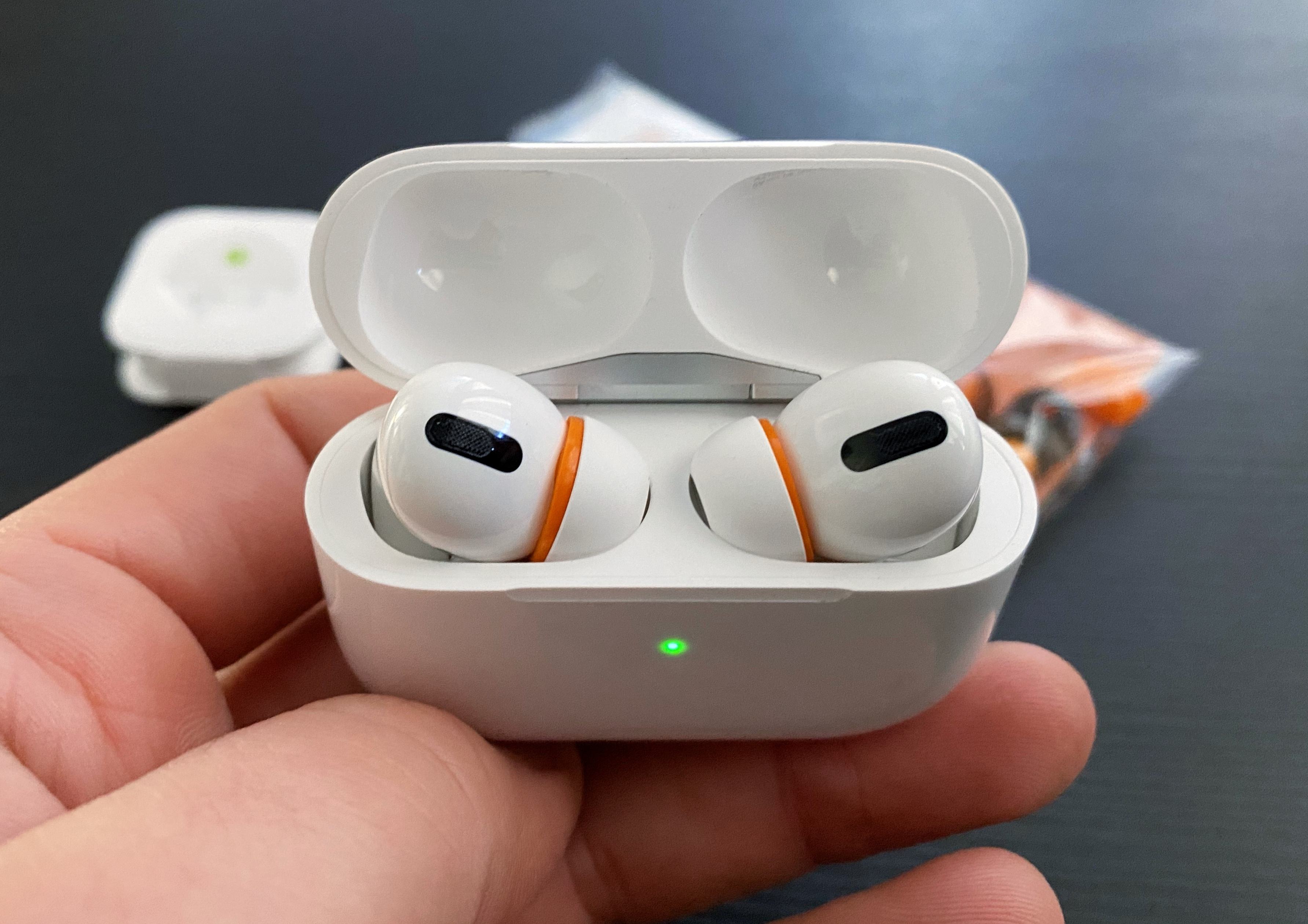
I’ve been rocking this setup for the past week, and not only do I find my AirPods Pro more comfortable to wear for prolonged listening sessions because the tips fit better in my ears and don’t wobble as much as before, but sound isolation is also better (as confirmed by Apple’s fit test in Settings). Thanks to the extra foam layer, the modded tips “fill” my ears, creating a better seal and ensuring the AirPods stay in place. As a result of the superior fit, I’ve also noticed a slightly warmer sound with a bit more bass than before, which I believe is a pleasant addition. Best of all, my right AirPod always stays in place now (which wasn’t the case before the mod) and the additional foam layer hasn’t been an issue for the case, which still closes perfectly.
I recognize that after spending $249 on AirPods Pro, I shouldn’t have to invest roughly $18 (plus shipping) on a mod that only sort-of lets me use foam tips with them. Apple should provide users with more choice in terms of the materials used in the default tips: ideally, for $249 the company should offer a selection of silicone and memory foam tips in the box. But I also like my AirPods Pro a lot, and I use them for several hours every day, and I wanted to make them fit my ears better today. I’m pretty happy with this temporary mod; until a better solution comes along3, Symbio’s W eartips have proven to be good companions to Apple’s silicone tips, and I recommend them.
- Train trips, riding the subway in Rome, or writing without hearing surrounding noises. ↩
- A tip I picked up from Cabel Sasser years ago: you can register for an Amazon Japan account even if you don’t live in Japan, use the website in English, and take advantage of fast worldwide shipping. I’ve spent more money on Japanese videogame and manga imports than I’m willing to admit. ↩
- For real, Comply: please make memory foam replacement tips for AirPods Pro that match the size and plastic attachment of Apple’s default ones. Thank you. ↩
MusicBot Pro: Even More Music Controls and Deeper Apple Music Integration
Earlier this week on MacStories, I published MusicBot, the all-in-one Apple Music assistant powered by Shortcuts. MusicBot is the result of several months of work on a shortcut that was designed to speed up and simplify interactions with the Music app for iOS and iPadOS, which I often find cumbersome to use. At the...
Twitter Rolling Out Redesigned iPad Interface→
Chance Miller, writing for 9to5Mac:
Twitter is rolling out an update to the official Twitter for iPad app that brings a much-needed interface redesign. With today’s update, Twitter for iPad now better takes advantage of the added screen real estate available on the iPad.
As first noted by _Applesfera_, Twitter for iPad now features a multi-column view that allows you to see quite a bit more information. Up until now, Twitter for iPad featured a single timeline of content, surrounded by white space on either side. This led to a lot of wasted space, particularly in landscape mode.
With this redesign, Twitter for iPad now looks and behaves more like the Twitter web app. The menu bar has moved from the bottom to the side of your timeline. On the other side of the timeline, you’ll now find trending topics and other dynamic content.
I’m intrigued by this redesign because, for the past several years, the Twitter app for iPad has offered one of the worst designs on the platform, with an oversized iPhone layout that took no advantage of the extra screen real estate provided by the iPad Pro.
Looking at these early screenshots, I don’t love that Twitter is using the additional column for trends and search options – I’d rather have a customizable column (à la Tweetdeck) to display any kind of Twitter content. It would be great if the extra column could also show tweets from search results: for the past several months, I’ve been using a saved search to check out a complete timeline of my mentions; in theory, I should be be able to view my timeline and mentions at the same time by virtue of having two columns on iPad. Unfortunately, I think Twitter is just going to replicate the web app’s layout and use the additional column for search filters and trends (example) – tweets will always be displayed in the main timeline. If you compare the current Twitter web app running in Safari for iPadOS to the screenshots of the iPad app’s redesign, you’ll notice that they’re essentially using the same layout.
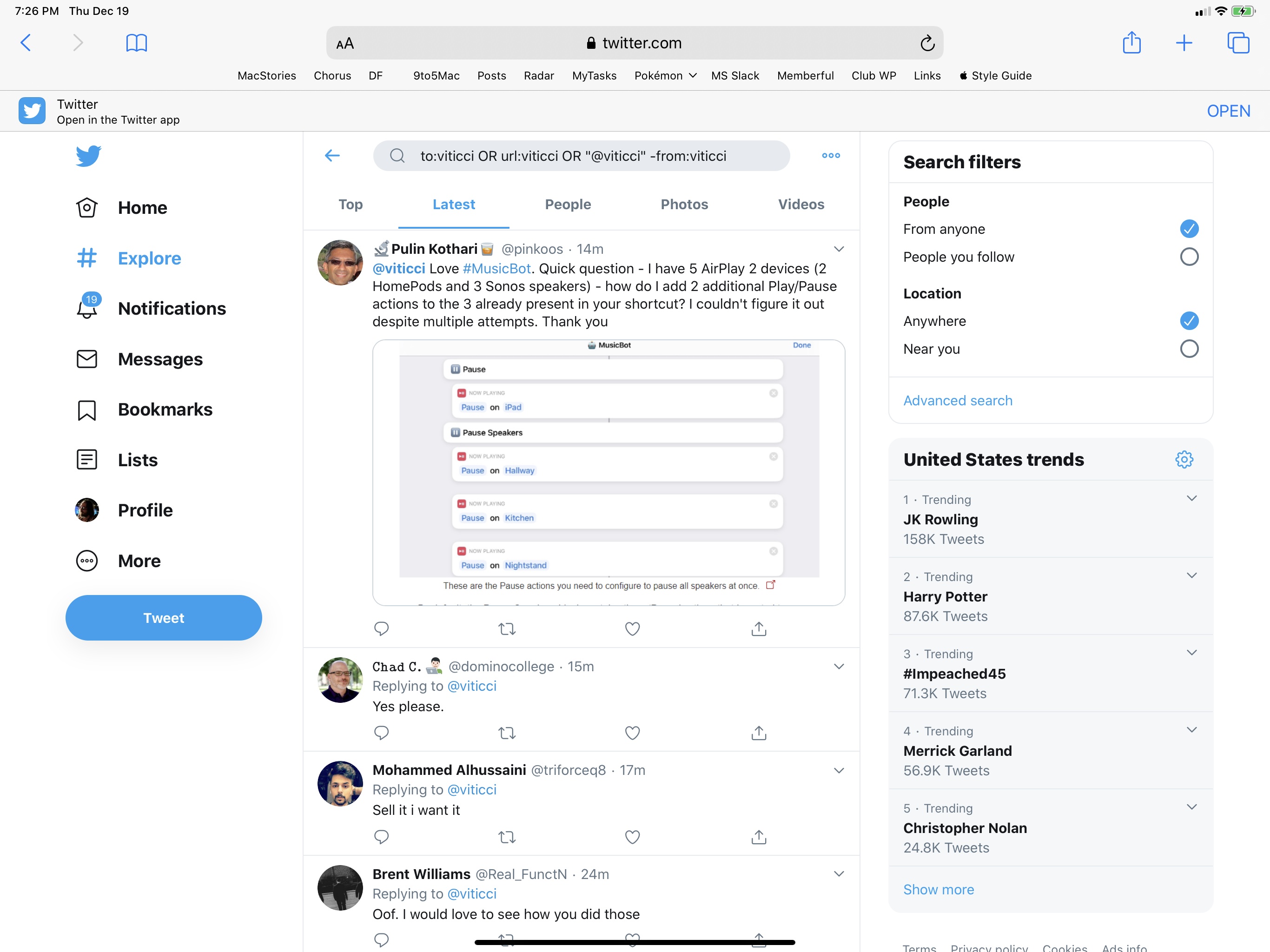
It looks like Twitter is A/B testing this redesign for now, and I don’t have it yet. I’m going to reserve judgement until I can actually play around with it, but if my interpretation is correct, this won’t bring true multi-column support to Twitter for iPad. Sadly, the original, groundbreaking, Loren Brichter-designed Twitter for iPad is still a distant memory.