John is MacStories' Managing Editor, has been writing about Apple and apps since joining the team in 2015, and today, runs the site alongside Federico.
John also co-hosts four MacStories podcasts: AppStories, which covers the world of apps, MacStories Unwind, which explores the fun differences between American and Italian culture and recommends media to listeners, Ruminate, a show about the weird web and unusual snacks, and NPC: Next Portable Console, a show about the games we take with us.
Enjoy the latest episodes from MacStories’ family of podcasts:
This week, Federico and John cover the highlights of macOS Sequoia, a good update that feels unfinished.
In the latest episode, we share our thoughts on the Nintendo Switch 2 rumors, Sony’s PS5 nostalgia-fest, and more handheld news. Plus, Federico explains how Astro Bot makes sense of the PS Portal, I share a look at the Anbernic RG40XXV retro handled, and we reach peak Joy-Con with Mobapad’s M6 HD.
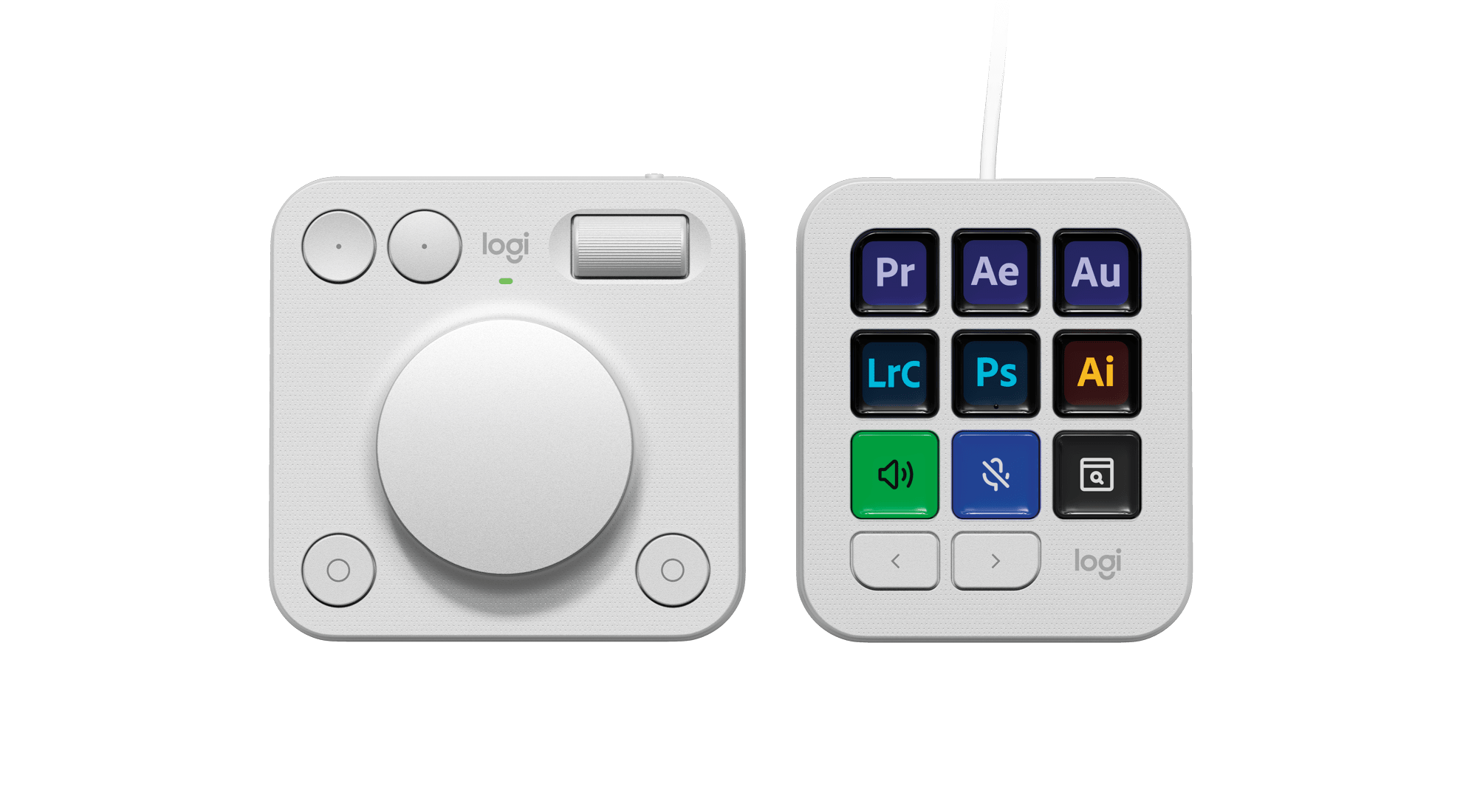
Today, Logitech revealed the MX Creative Console, the company’s first product that takes advantage technology from Loupedeck, a company it acquired in July 2023.
I’ve been a user of Loupedeck products since 2019. When I heard about the acquisition last summer, I was intrigued. Loupedeck positioned itself as a premium accessory for creatives. The company’s early products were dedicated keyboard-like accessories for apps like Adobe Lightroom Classic. With the Loupedeck Live and later, the Live S, Loupedeck’s focus expanded to encompass the needs of streamers and automation more generally.
Suddenly, Loupedeck was competing head-to-head with Elgato and its line of Stream Deck peripherals. I’ve always preferred Loupedeck’s more premium hardware to the Stream Deck, but that came at a higher cost, which I expect made it hard to compete.
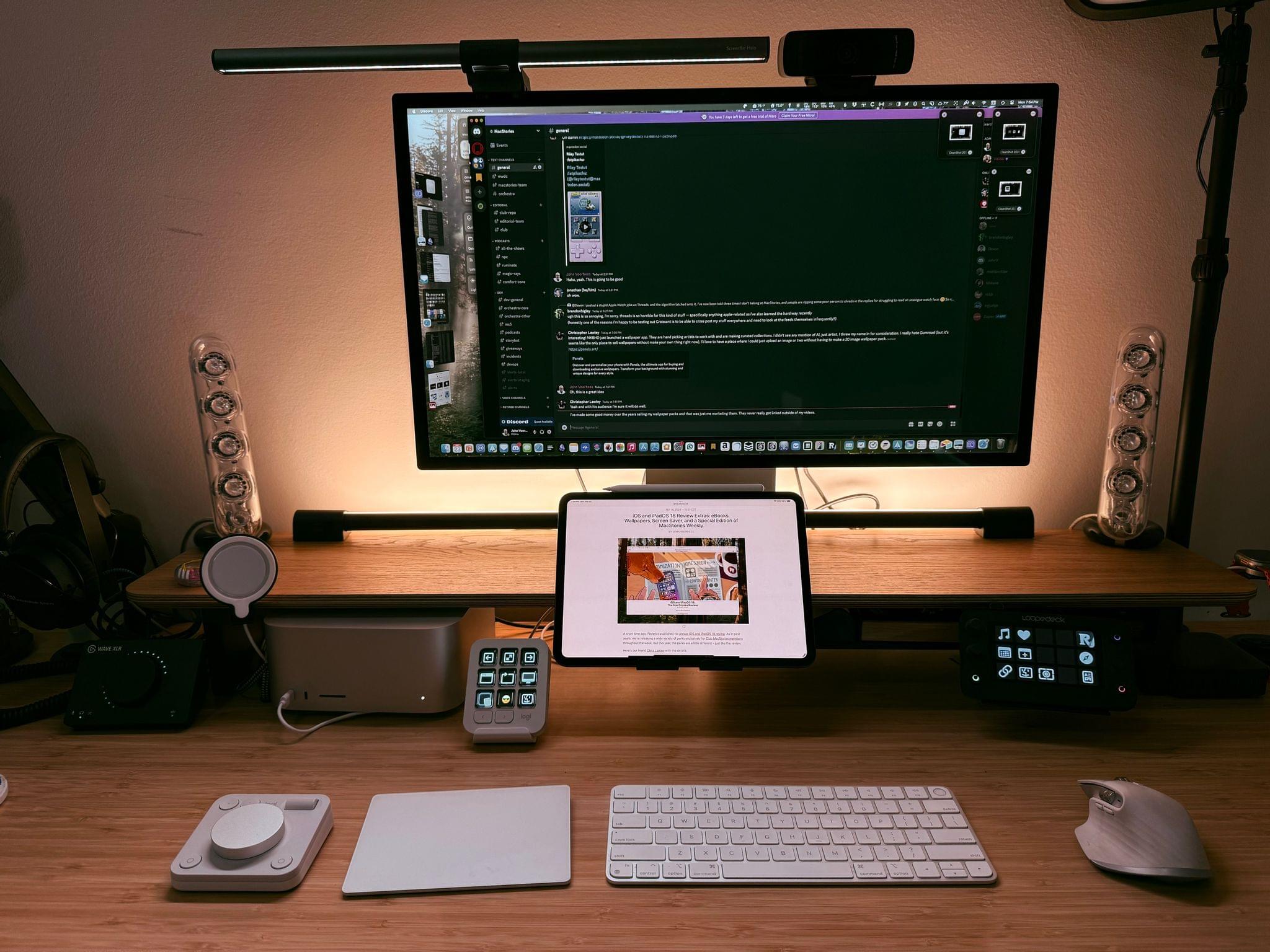
The Logitech MX Creative Console slots nicely into my existing setup.
Fast forward to today, and the first Logitech product featuring Loupedeck’s know-how has been announced: the MX Creative Console. It’s a new direction for the hardware, coupled with familiar software. I’ve had Logitech’s new device for a couple of weeks, and I like it a lot.
The MX Creative Console is first and foremost built for Adobe users. That’s clear from the three-month free trial to Creative Cloud that comes with the $199.99 device. Logitech has not only partnered with Adobe for the free trial, but it has worked with Adobe to create a series of plugins specifically for Adobe’s most popular apps, although plugins for other apps are available, too.
Unlike most reviewers who were given an iPhone to test, Austin Mann didn’t head home, he headed to Kenya. Mann, whose iPhonecamerareviews we’ve covered many times in the past, took the new iPhone 16 Pro on safari (not the browser), photographing a variety of wildlife, landscapes, and people. The video Mann shot of the trip is stunning:
Both the video and Mann’s accompanying article and photographs do more than just showcase the kind of shots that are possible with the iPhone 16 Pro. They both go in-depth about the new features and what each means to photographers:
The iPhone 15 Pro had the same 13mm (.5x) ultra-wide lens, but the sensor was only 12 megapixels—just 25% of the resolution of the 24mm (1x) lens. Over the past year, especially while working with the iPhone 15 Pro, I often found myself torn. Sometimes I wanted the wider perspective, but I didn’t want to sacrifice resolution. I was thrilled when the new Ultra Wide was announced with 48 megapixels, and it certainly doesn’t disappoint.
An added bonus is that the iPhone’s Macro mode also uses the Ultra Wide camera, meaning Macro shots are now 48 megapixels as well. The detail is remarkable, and the iPhone 16 Pro might just be my new favorite camera for macro photography.
Mann likes the Camera Control button for quick access to the Camera app, too, but found that in circumstances like shooting from a helicopter, it could be hard to operate.
The video and post are both worth spending time with. You’ll learn what the new cameras in the Pro iPhones can do and perhaps be inspired to go out and try the new features yourself.
iFixit has released the results of its teardowns of the iPhone 16 lineup. I love these posts because not only do they provide insights into the repairability of the new iPhones, but they also answer interesting questions like:
Is the Cameral Control button a physical button?
How has Apple changed the way it is managing the heat generated by the Neural Engine?
How do the batteries differ between iPhone models?
However, this year, perhaps the most interesting discovery in all models of the iPhone 16 and iPhone 16 Pro lines is the use of a new battery adhesive:
The adhesive that secures the battery, in the vanilla and Plus models, is this fancy new sticky stuff that can debond when you pass an electrical current through it. That means no more reliance on finicky, brittle adhesive strips, just a consistent, easily repeatable process.
The post goes in-depth on just how simple it is to remove the battery using tools as simple as a 9-volt battery and alligator clips.
The ease with which the battery can be replaced in the iPhone 16 line went a long way in the repairability score iFixit bestowed on the devices this year. Whereas the iPhone 15 received a score of four out of ten, the iPhone 16 received a seven, a significant year-over-year increase.
[[John]] The anxiety of mailing in your U.S. passport for renewal and hoping it doesn’t get lost is becoming a thing of the past with a new online renewal process, according to Jay Peters at The Verge. (Link) Kyle Orland at Ars Technica has the whole sad backstory of the announcement that Flappy Bird will...
To wrap up our OS coverage this week we have a special issue of Weekly and a final perk. In today’s issue Federico shares his annual Making Of story about the role that Apple Notes played in this year’s iOS and iPadOS review. Also, I share a handful of my favorite macOS Sequoia tips, and...
After diving into the major updates to macOS Sequoia in my review this week, I thought I’d share a handful of smaller tips, too. These will help you make sure you’re getting every bit out of the latest version of macOS. 1. iPhone Mirroring + AirDrop iPhone Mirroring is one of my favorite macOS Sequoia...
[[John]] Glint Glint is a new iPhone and iPad app from Hidde van der Ploeg for capturing memories. It’s a little like Apple’s Journal app, but with a unique design and simple UI for capturing text, images, locations, links, and more. It’s also more than a journaling app because you can track goals over time...











 Federico