

Workouts++ by David Smith has won a permanent spot on my primary Apple Watch face. There are two aspects of the app that made me switch to it from Apple’s Workout app. The first is the degree to which it can be customized. From the iOS app, you can choose from 11 different workout...
 Q&A
Q&A
Question: Is there an app, similar to GoodNotes, that ties well into API automation so that Trello, Toggl, and other input apps can add data to specific pages? (Snowflake)
 Federico
The mix of note-taking and automation for individual pages is actually something I’ve been dreaming about as well – to be able to handwrite and...
Ulysses 2.8 Adds Touch ID Security and More
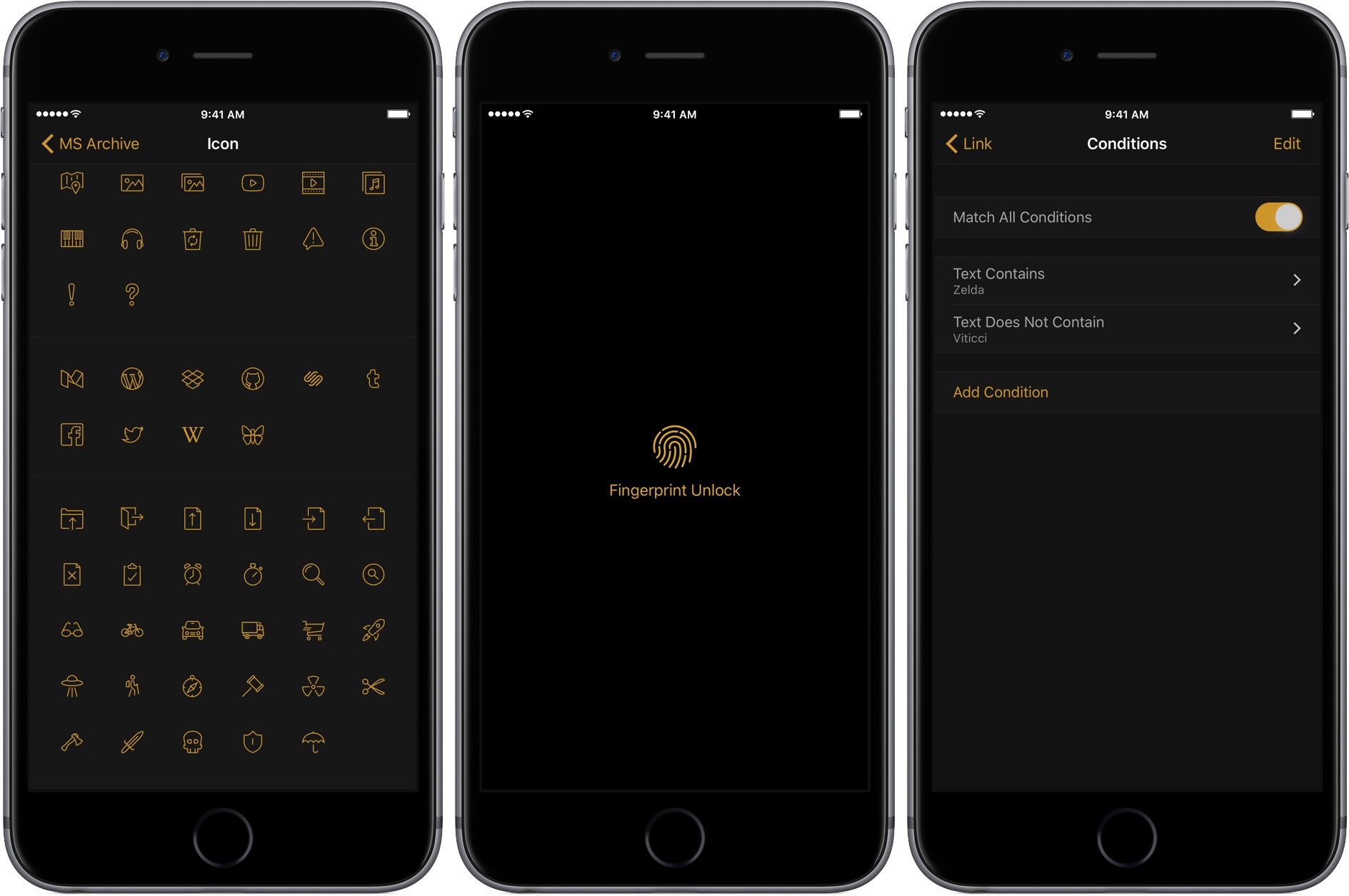
The Soulmen released version 2.8 of Ulysses on iOS and macOS today. The headline feature of the update is Touch ID support, which gives users the option to lock Ulysses automatically as soon as it is closed or after one, three, or five minutes. If your iOS device or Mac doesn’t support Touch ID, you can require Ulysses to use a password instead. I don’t have any particularly secret documents in Ulysses, but there are some documents I would prefer to keep private. With Touch ID, it’s so easy to unlock Ulysses that turning it on was a no-brainer.
Apple Reveals its Mac Pro, Display Plans and More
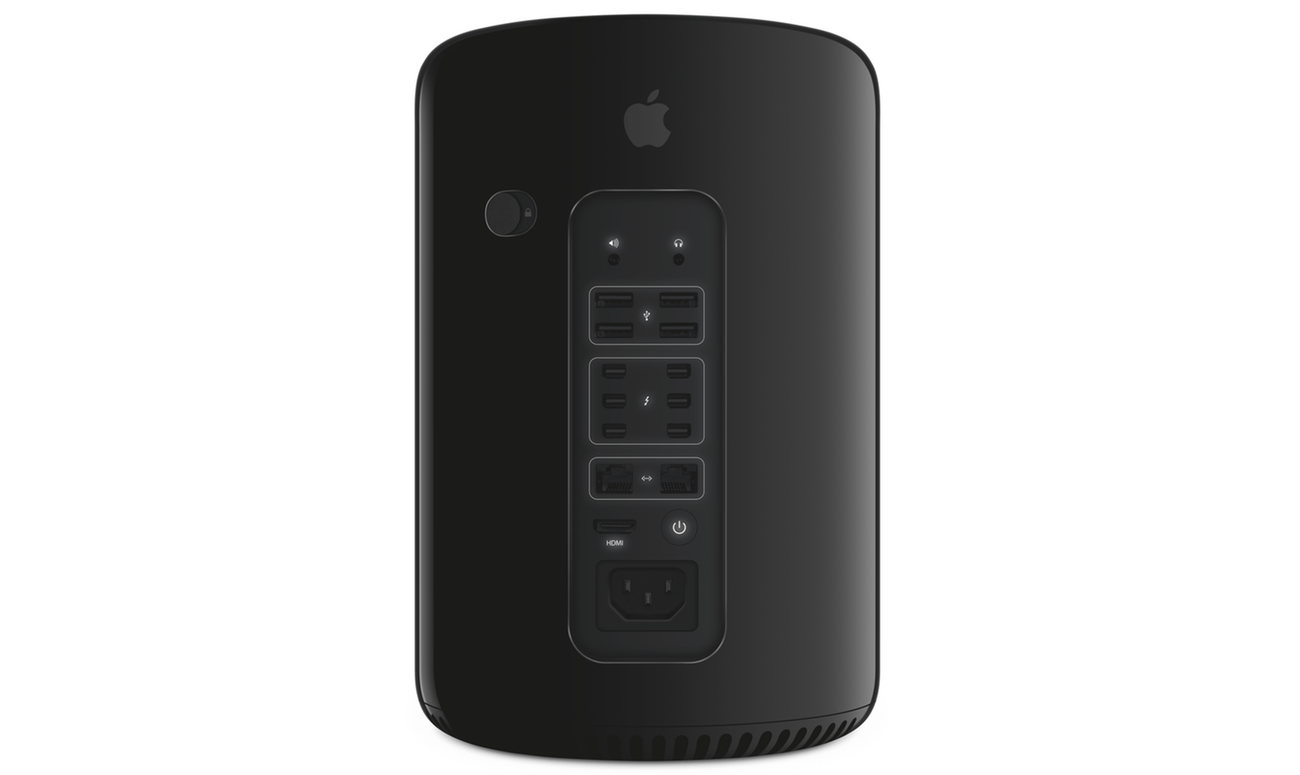
I recall staring at the then-new Mac Pro at WWDC, which was displayed in a clear tube, not unlike the original iPhone. The design was unlike anything on the market then or since. That was 2013. The Mac Pro shipped just before Christmas 2013, but it hasn’t been updated since.
As the years wore on, pro users fell out of love with the Mac Pro. It was less upgradeable than other pro PC systems, and its internals quickly began to show their age. Disillusionment with the Mac Pro evolved into open speculation about whether Apple cared about the pro user market anymore.
Apple answered that question today. A new modular, more upgradeable Mac Pro is in the works. As John Gruber describes it on Daring Fireball Apple is working on:
a “completely rethought” Mac Pro, with a modular design that can accommodate high-end CPUs and big honking hot-running GPUs, and which should make it easier for Apple to update with new components on a regular basis.
To go along with the new Mac Pro, Apple is developing a new pro-level display. Unfortunately, the new Mac Pros and display won’t ship in 2017, and no firm launch date has been announced. In the meantime, Apple has bumped the speeds of existing Mac Pros:
The $2999 model goes from 4 Xeon CPU cores to 6, and from dual AMD G300 GPUs to dual G500 GPUs. The $3999 model goes from 6 CPU cores to 8, and from dual D500 GPUs to dual D800 GPUs.
In addition to the Mac Pro, Apple told Daring Fireball and a group of four other writers that it has a new iMac that will ship this year that is designed with pro users in mind.
So what went wrong? Why hasn’t the Mac Pro seen an update for so long? Senior Vice President of Software Engineering Craig Federighi told Matthew Panzarino of TechCrunch and the other writers in the room:
I think it’s fair to say, part of why we’re talking today, is that the Mac Pro — the current vintage that we introduced — we wanted to do something bold and different,” says Federighi. “In retrospect, it didn’t well suit some of the people we were trying to reach. It’s good for some; it’s an amazingly quiet machine, it’s a beautiful machine. But it does not address the full range of customers we wanna reach with Mac Pro.
Apple’s discussion with five writers covered a lot of ground. In addition to the new Macs discussed, Federighi said Apple is committed to the Mac mini and that scripting and automation on macOS remain ‘super important’ to Apple. It was also revealed that notebooks make up 80% of the Mac market and the pro market makes up roughly 30% of the Mac user base.
With the increasing drumbeat of discontent from pro Mac users over the past months, it is refreshing to see Apple address the pro market head-on and explain what happened with the Mac Pro. It’s disappointing that new Mac Pros are still many months off, but the breadth and depth of Apple’s candor with the writers it spoke to should provide comfort to pro users who can hold off on buying new hardware for a while longer. The key now will be whether Apple can execute its plans for the pro market.
CloudBerry Backup - macOS Cloud Backup to AWS, Azure, Google Cloud, and More [Sponsor]

Backing up your data is critical. CloudBerry Backup is a cross-platform backup solution for saving files and folders to the cloud storage service or your choice. With CloudBerry, you can backup to a wide array of cloud services, including Amazon S3 and Glacier, Microsoft Azure, Google Cloud, Rackspace, and many more.
However, CloudBerry Backup isn’t just about choice among cloud storage providers. The app includes sophisticated backup tools too. You can create flexible backup schedules, reduce storage overhead and speed up backups with compression, and limit backups to new and modified files after your initial backup. Data is sent securely to cloud storage providers using SSL security protocols and backups can be encrypted at their source with strong 256-bit keys. Retention policies are also available to ensure that you are preserving only the files you want to back up. You can even use CloudBerry Backup for backups to local or network attached storage.
Just last month, CloudBerry released version 2.0 of Backup for macOS, which adds multi-threaded upload support for faster file uploads. The update also added advanced file filtering, which provides greater flexibility in specifying which files get backed up.
Cloudberry Backup is available in freeware and Pro versions with a 15-day trial. The Pro version includes data encryption and compression for just $29.99.
Our thanks to CloudBerry Lab for sponsoring MacStories this week.
Game Day: Trilogic
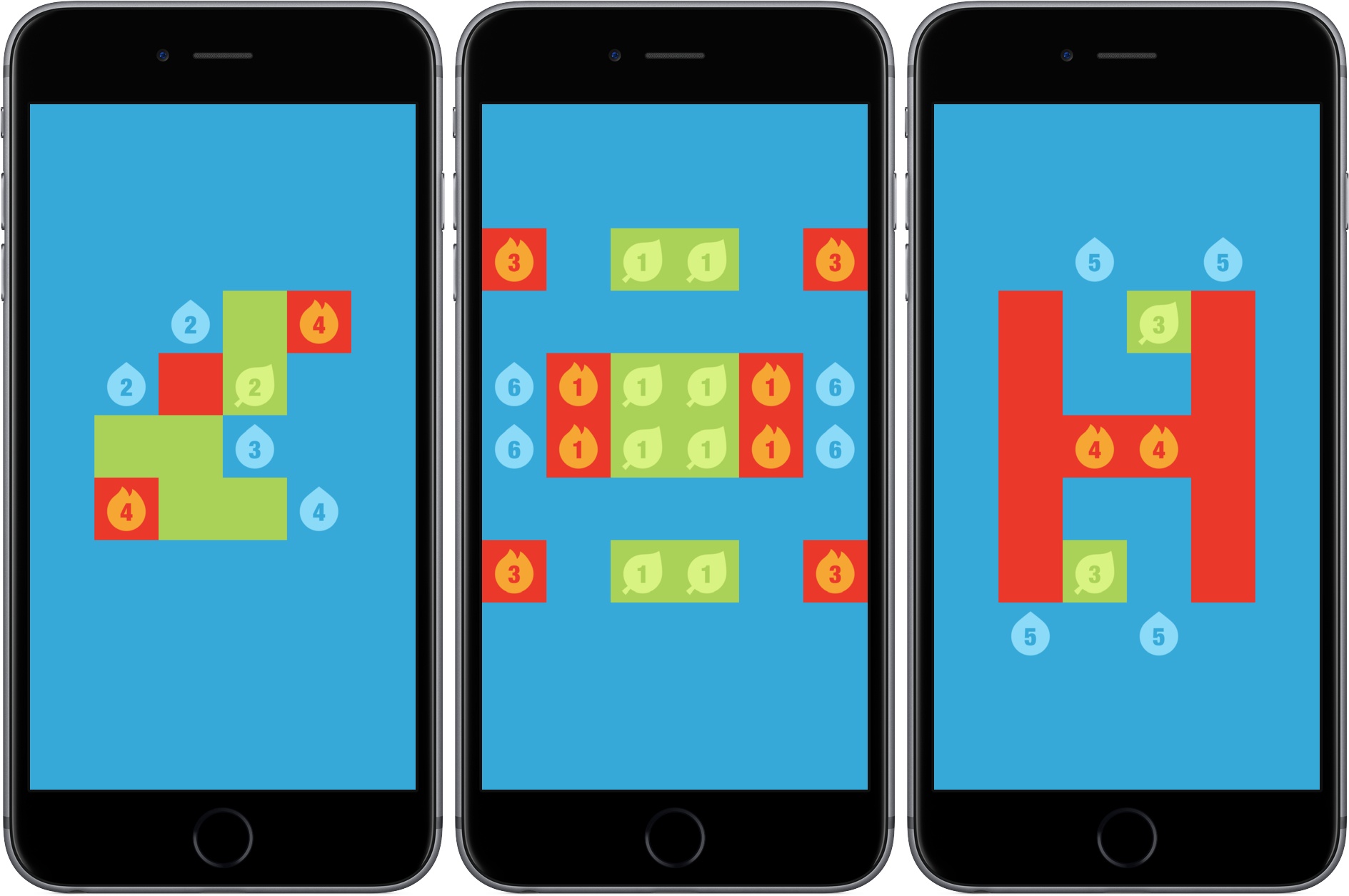
Simple puzzles that make you think are a great way to unwind. Getting the hang of playing them is easy, which eliminates any up-front frustration. The challenge is all in the puzzle itself, which is an excellent distraction from whatever might be on your mind. There is virtually no friction to getting started with Trilogic, the follow-up to developer 1Button’s game called Bicolor. That makes Trilogic’s progressively tricky puzzles a perfect escape for brief moments throughout the day.
Family-Style Traveling with Tech
International travel with a family of five requires some planning and flexibility. The last time we all flew internationally was in 2007 the week the iPhone was released. That trip was challenging because my kids were much younger and we went all the way to Australia. Having survived that trip, I’m not too worried...
Apple Releases watchOS 3.2 and macOS 10.12.4
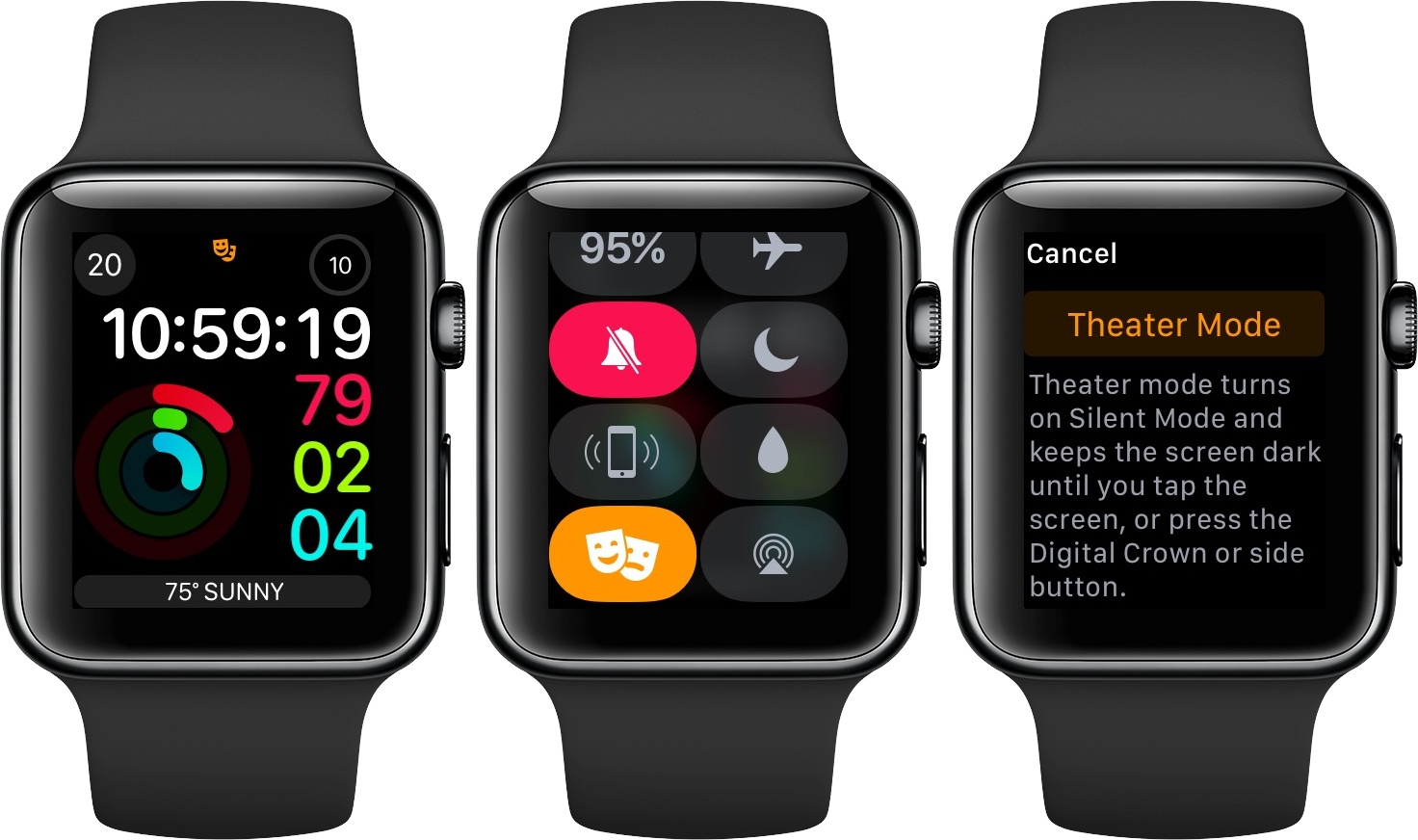
Today, Apple released updates to watchOS and macOS Sierra. The two updates are predominantly maintenance releases, but there are a handful of user-facing highlights between the two.
watchOS 3.2 adds Theater Mode. According to the beta release notes published on Apple’s developer site, Theater Mode lets users mute their Watch and disable raise-to-wake. Theater Mode is accessible by swiping up from the bottom of the Apple Watch’s screen. While the feature is engaged, notifications are silent, but you still receive haptic feedback when a notification is received and can view a notification by pressing the Digital Crown.
The watchOS update also adds SiriKit support for the following types of activities:
- Messaging
- Payments
- Ride booking
- Workouts
- Calling
- Searching photos
SiriKit was originally rolled out as part of iOS 10 last fall.
The primary user-facing change to macOS Sierra 10.12.4 is the addition of Night Shift. As with iOS, Night Shift on the Mac changes the color of your display to reduce blue light, giving your screen a warmer, slightly orange cast.
There are a couple ways to turn on Night Shift on a Mac. One way is to use Siri to toggle the feature on and off. If you want more control over Night Shift though, the feature is available in System Preferences under Displays. Night Shift occupies its own tab in the Displays preference pane, from which you can turn it on and off manually or set a schedule to activate Night Shift automatically. Schedules include the ability to create a custom schedule or turn it on at sunset and off at sunrise. You can also dial in the exact color temperature that Night Shift uses with a slider.

In addition to Night Shift, Siri on the Mac now knows about cricket, including data from the Indian Premier League and International Cricket Council. macOS 10.12.4 also adds supports dictation for Shanghainese, updated PDFKit, which was a source of bugs for third-party PDF apps, and added Touch Bar support to the Mac App Store.
Game Day: Typeshift
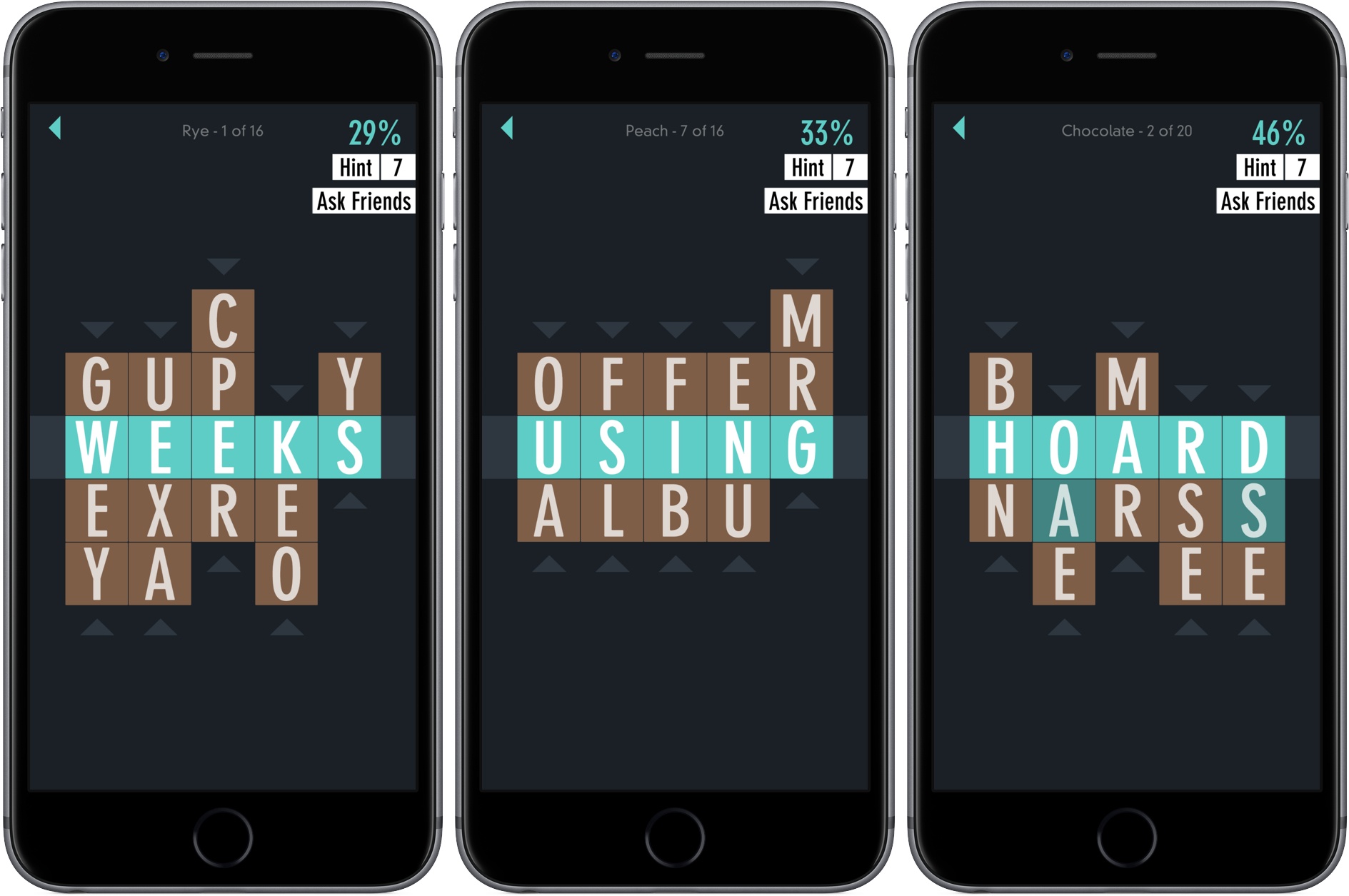
Developer Zach Gage describes Typeshift as ‘Anagrams meets Word Search, with a sprinkle of Crosswords,’ which fits well. Gage is the creator of SpellTower and other excellent iOS games. It’s a clever mashup of the familiar in an unconventional way. With an extensive library of free puzzles, new daily puzzles, and puzzle packs that are available as In-App Purchases, TypeShift is a thoroughly addicting, seemingly bottomless pit of word game fun.