John Voorhees

5812 posts on MacStories since November 2015

John is MacStories' Managing Editor, has been writing about Apple and apps since joining the team in 2015, and today, runs the site alongside Federico. John also co-hosts four MacStories podcasts: AppStories, which covers the world of apps, MacStories Unwind, which explores the fun differences between American and Italian culture and recommends media to listeners, Ruminate, a show about the weird web and unusual snacks, and NPC: Next Portable Console, a show about the games we take with us.

This Week's Sponsor:

Crickets

The first alarm app for families.


The Internet Archive Brings Back HyperCard→

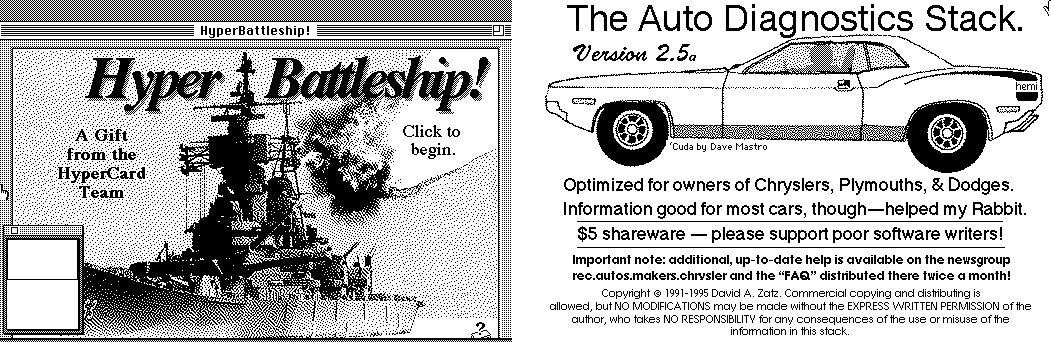
Today is the 30th anniversary of the introduction of HyperCard, a system for building interactive media. HyperCard featured database features, form-based layouts, and a programming language called HyperTalk, which made it a powerful and flexible tool that had a loyal following. To mark the occasion, the Internet Archive has built on its previous Macintosh emulation project to bring HyperCard back through emulation.

As Jason Scott describes it on the Internet Archive Blog:

HyperCard brought into one sharp package the ability for a Macintosh to do interactive documents with calculation, sound, music and graphics. It was a popular package, and thousands of HyperCard “stacks” were created using the software.

Additionally, commercial products with HyperCard at their heart came to great prominence, including the original Myst program.

The Internet Archive already has a collection of HyperCard stacks that you can try using its browser-based emulator, and if you have stacks you created, you can upload them to add to the collection. HyperCard played a big role in exposing a generation to programming and influenced the architecture of the web we use today, so it’s fantastic to have the opportunity to take it for a spin again.

Permalink

Streets Adds User-Generated Panoramas and Extends Its URL Scheme

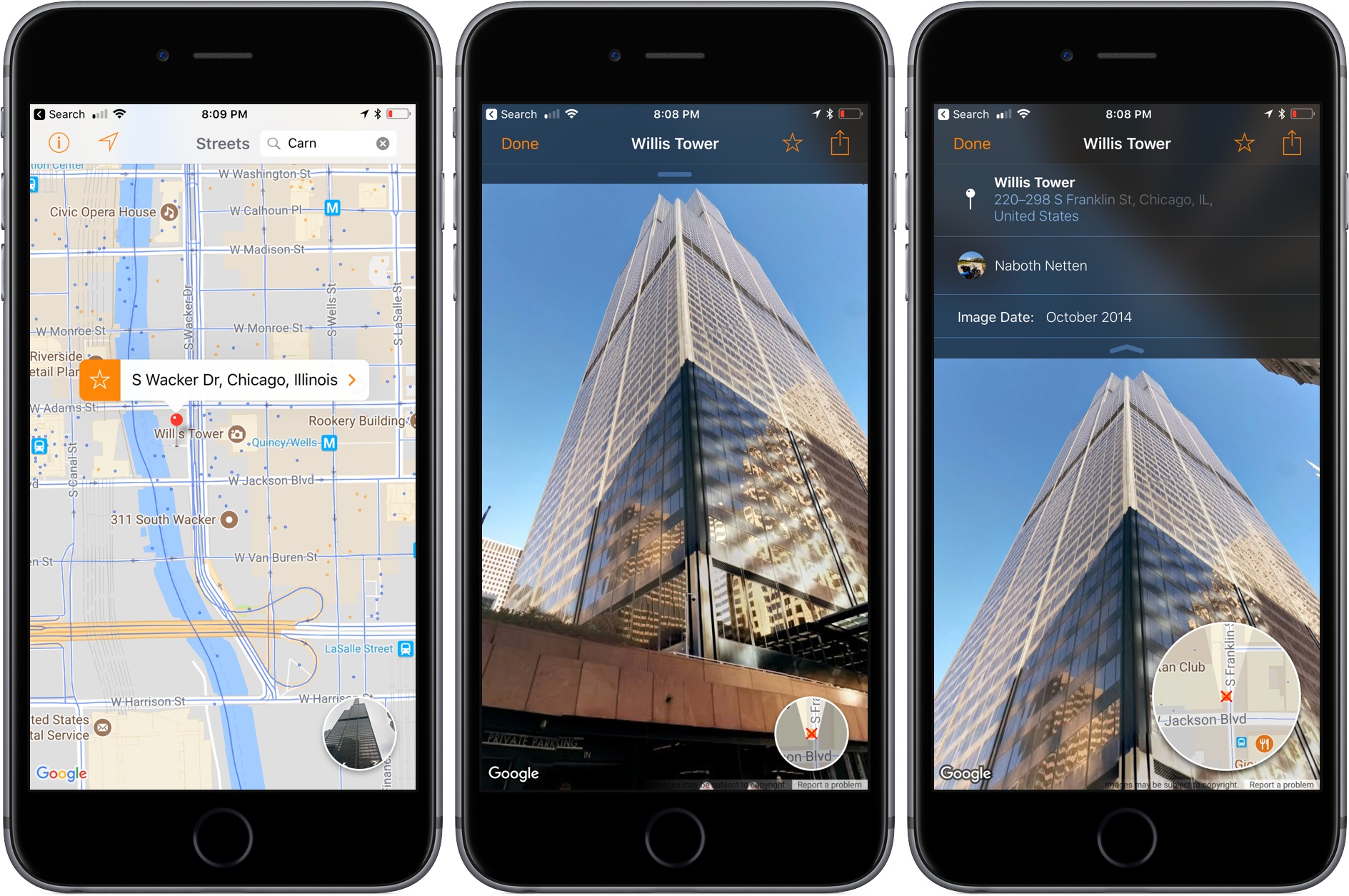
When I first reviewed Streets by FutureTap over a year ago, I was impressed with the beautiful Google Street View panoramas that it allows users to browse. Whether you want to armchair travel around the globe or just see what a coffee shop looks like before you leave home to meet a friend, Streets makes it effortless to navigate between map and panorama views. In addition to browsing Streets’ gallery of famous locales, it keeps a list of recent searches, favorites, and allows you to search addresses and your contacts for places.

With the update today, Streets expands its photographic content with user-generated panoramas. When you zoom into the map view, you will see little blue dots, some of which represent panoramas from users. When you switch to the panorama view, those images are now part of what you’ll see. Pull down on the drawer that extends from the top of the panorama view and, among other things, you’ll see information about the photographer that took the shot. If you also have FutureTap’s app Where To? installed, some panoramas allow you to open that app for more details about the location you are viewing.

Also, Streets has extended its URL scheme to allow the app to put images on the clipboard. When Apple acquired the Workflow app last spring, the app lost the ability to use Google’s Street View imagery as part of workflows. Streets’ URL scheme extension is a clever work-around that allows Workflow users who have Streets installed to get Street View images once again.

Whether I’m planning a trip or meeting a friend for lunch, Streets has become my go-to method of checking out a location in advance. The simple navigation makes it a great choice when you’re mobile and using your iPhone or sitting back and enjoying Streets’ panoramas on an iPad. With its latest update, Streets has upped its imagery game and added an excellent solution users with Street View workflows.

Streets is available on the App Store.


Swarm Shifts Focus to Become a Personal Travel Timeline

Swarm received an update this week that takes the app in a new direction. The latest version of the app deemphasizes location sharing with friends, mayorships, and sticker and coin collecting. Those elements are still there, mostly tucked away behind the ‘Friends’ tab, but the focus has shifted. Now, the app centers around the creation of a personal timeline as a sort of journal of places you’ve visited.

Read more


Ulysses Announces Move to Subscription Pricing

Ulysses, the popular text editor and 2016 Apple Design Award winner, announced today that it has adopted a new subscription pricing model. A post on the Ulysses blog by Ulysses co-founder, Marcus Fehn, covers the details:

  • Users can try Ulysses for free for 14 days before deciding whether to subscribe. After 14 days, Ulysses works in a read-only mode, but documents can still be exported.
  • Ulysses subscriptions are $4.99/month or $39.99/year.1
  • Subscribing unlocks both the iOS and macOS versions of Ulysses.
  • Students can subscribe for $10.99 for six-month periods.
  • Existing users can take advantage of a limited-time lifetime discount equal to 50% off the monthly subscription price.
  • Users who recently purchased Ulysses on macOS will be given a free-use period of up to 12 months depending on when they purchased the app. Users who bought Ulysses on iOS can receive up to an additional 6 months of free use.

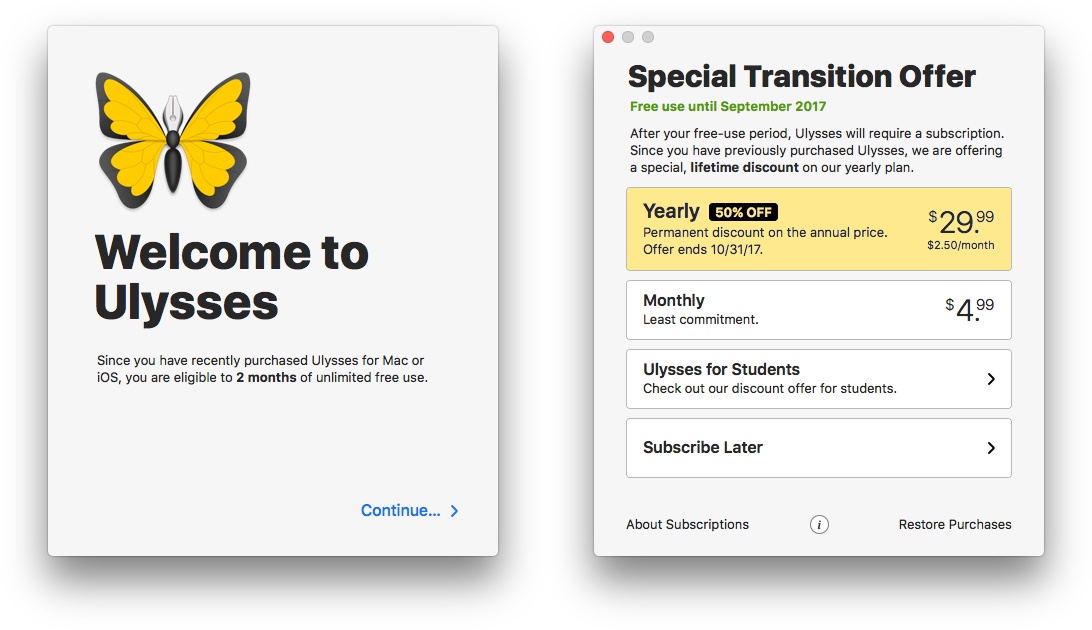
Existing versions of Ulysses for iOS and macOS have been removed from the App Store and Mac App Store, but have been updated for iOS 11 and High Sierra, so they will continue to work for now if you decide to not subscribe. However, new features will be limited to the new versions of Ulysses that were released on the app stores today. I downloaded both versions and was impressed by the seamless transition, which explained the move to subscription pricing, the limited-time discount offer, and automatically gave me two free months of use even though I bought the apps nearly two years ago.

My personalized onboarding for the macOS version of Ulysses.

My personalized onboarding for the macOS version of Ulysses.

In addition to the announcement on the Ulysses blog, Max Seelemann, one of Ulysses’ founders, wrote a post on Medium explaining the company’s thinking behind moving to a subscription model that is worth reading. It’s a backstory that has become familiar. Pay-once pricing is not sufficient to sustain ongoing development of professional productivity apps like Ulysses. While Ulysses has enjoyed success, funding the kind of development that pro users expect through growing the app’s user base is not sustainable in the long-term. As Seelemann explains, several options were considered over a long period, but ultimately it’s subscription pricing that gives Ulysses the security and flexibility needed to maintain the app.

I’m glad to see Ulysses adopt subscription pricing. I can’t say that would be the case for every app I use, but I use Ulysses every day. I want it to be actively developed and available for a long time. The tricky part about subscriptions, as we’ve discussed in the past on AppStories, is that the value proposition for each person is different. One person’s mission-critical app might be another’s nice-to-have app and the success of a subscription model depends on picking price points that appeal to a sustainable segment of users. However, the flexibility that Ulysses has adopted with different monthly, yearly, and student pricing tiers in comparison to its pre-subscription pricing strikes me as an approach that is well-positioned to succeed.

Ulysses is available as a free download with a 14-day free trial on the App Store and the Mac App Store.


  1. A full rundown of pricing for each country where Ulysses is sold is available on its pricing page. ↩

IKEA Smart Lighting System Adds HomeKit Support→

MacRumors reports that IKEA has updated its Trådfri smart lighting system to support Apple’s HomeKit API. The product includes a gateway that requires an Ethernet network connection, remote controls, and LED lightbulbs that can be mixed and matched in different configurations at prices that are lower than many competing systems. Each gateway can control up to 10 lightbulbs with one of IKEA’s remotes or a free app available on the App Store.

In May, IKEA promised HomeKit support would be added to Trådfri later in the year. In a response to a customer inquiry on Facebook, IKEA confirmed that HomeKit support has been added to the latest version of the Trådfri gateway firmware. HomeKit support is also now listed on the  Trådfri product page along with Amazon Echo and Google Home support. Existing Trådfri owners can take advantage of HomeKit support by upgrading their gateways to the latest firmware version.

According to MacRumors, Trådfri also works with Philips’ Hue system, though that support is not currently listed on IKEA’s product page.

Update: According to MacRumors, which has updated its post, IKEA has issued a clarification on its Swedish Facebook page that the Trådfri lighting system does not yet support HomeKit, the Amazon Echo, or Google Home.

There has been information going out today about the compatibility of TRÅDFRI. We can now inform you that TRÅDFRI is not yet compatible with Apple, Amazon and Google. The plan is that everything will work as we’d like this fall. We are very sorry for the confusion!

Permalink


Our iPad Home Screens

AppStories+ Deeper into the world of apps

AppStories Episode 17 - Our iPad Home Screens

0:00
40:06

↓

AppStories+ Deeper into the world of apps

Federico and John talk about the way their iPad Home screens reflect their use of the device and how that has changed since they’ve been running the iOS 11 beta.

Read more


Album

Cool Travel Emojis I’m taking off for a family vacation soon, which means a lot of messages back and forth with my family planning what we want to do while we’re away. Cool Travel Emojis have been a nice way to decorate those conversations and get everyone excited about the trip. BunnyFace BunnyFace as...


Q&A

Question: I have iMessage enabled on my iPad with the same account as on my iPhone. When there’s a video playing on my iPad (but I’m not necessarily focused on it), my Apple Watch doesn’t notify me when new messages are received (notifications are silently displayed on my iPhone lock screen). Is there a way...