My HomeKit setup started out simple enough with a few Hue bulbs, but over time, it has grown to include security cameras, door sensors, electrical outlets, and more. As the number of accessories connected to my network grew, so did the hassle of managing them.
The initial setup of a device is rarely the problem. Instead, the trouble starts when you need to set up an accessory again later. In that case, you may have discarded or lost the documentation containing the HomeKit accessory code, or it may be in a hard to reach location. That’s where HomePass by Aaron Pearce comes in handy. It stores and manages your HomeKit accessory codes and other relevant information in one place.
Digital spring cleaning is something that’s been on my mind as I’ve been stuck at home and had some extra free time. We discussed the topic on AppStories this week in the context of apps, but HomePass provides the opportunity to extend digital spring cleaning to your HomeKit devices too.
We’ve covered HomePass before, so I won’t go into all the details of its core functionality. Instead, I’ll focus on what’s new and the features that make HomePass one of my favorite HomeKit utilities.
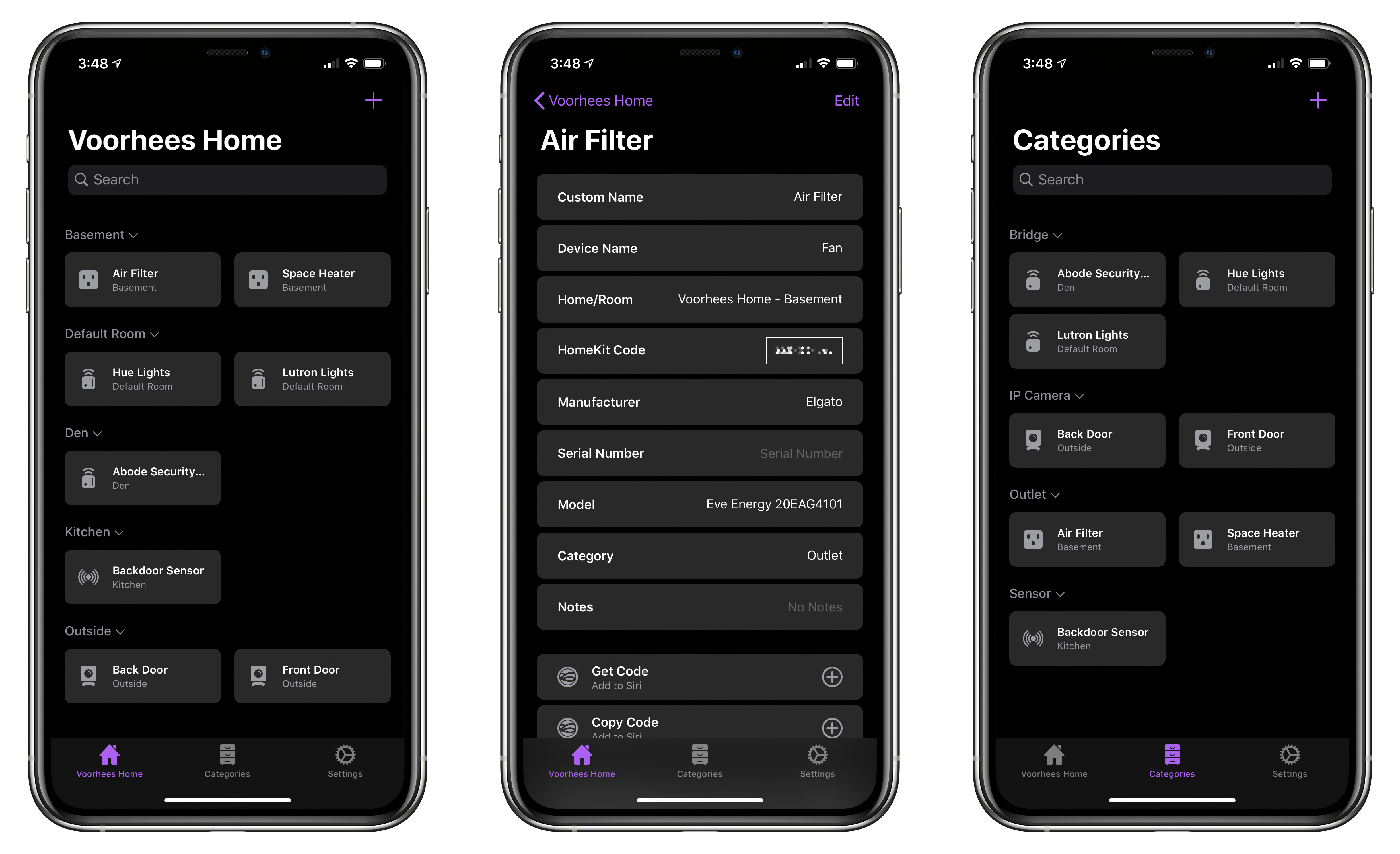
As with prior versions, HomePass remains incredibly easy to use because it pulls information about your HomeKit accessories from the Home app’s database. Add to that the fact that accessory codes can be added by scanning the stickers that you find on most devices or entering them manually, and you’re starting with a lot of information with virtually no effort.
With the latest update, HomePass has added greater flexibility and a more compact UI that works better with larger collections of HomeKit devices. For instance, sometimes you want to add more information about an accessory than is available in the Home app. With version 1.7 of HomePass, you can now add custom fields to a device’s entry to collect additional details. I’ve been satisfied with the existing fields that are auto-filled from the Home app, plus HomePass’s notes section, but it’s also something I’m glad will be available if the need arises for me in the future.
On the iPhone, devices stored in HomePass are now organized in a two-column grid of rounded rectangles a little like the tiles found in the Home app. Like Home+ 4 by Matthias Hochgatterer, HomePass does something Home can’t, though, which is collapse rooms by tapping on their names to hide away devices you don’t want to see. Combined with the new layout on the iPhone, which is similar to the existing layout on the iPad, it’s easier to manage a large collection of devices from a single screen.
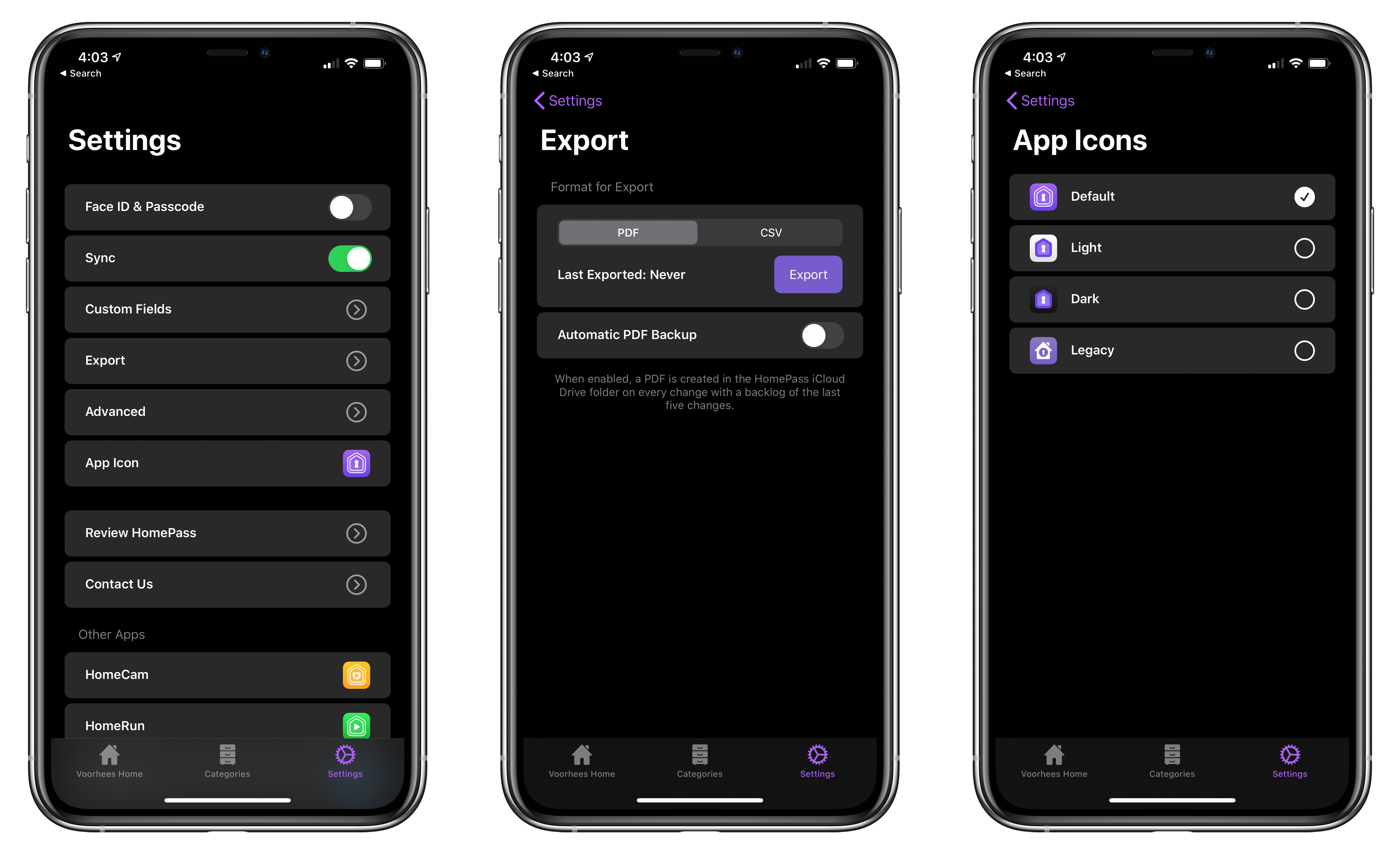
From HomePass’s Settings tab you can manage custom fields, export your data, and pick from four different icons.
HomePass is organized into tabs now too. The first tab organizes devices by your home’s rooms. The second tab organizes the same accessories by category like ‘Bridge,’ ‘Camera,’ ‘Outlet,’ and ‘Sensor.’ Like rooms, devices are laid out in a grid, and sections can be collapsed. Categories is an excellent alternative way to break down your HomeKit devices functionally.
Device tiles support context menus now too. Long-pressing on a tile offers options to edit or delete the device or copy its code. It’s a terrific way to quickly grab a code when that’s all you need.
Tapping on an item opens up a view with the details about each device. Long-pressing on the HomeKit accessory code allows you to copy it. Also, at the bottom are buttons to set up ‘Get Code’ and ‘Copy Code’ actions using Add to Siri. Once set up, the actions can be triggered using Siri voice commands or included in custom shortcuts you build.
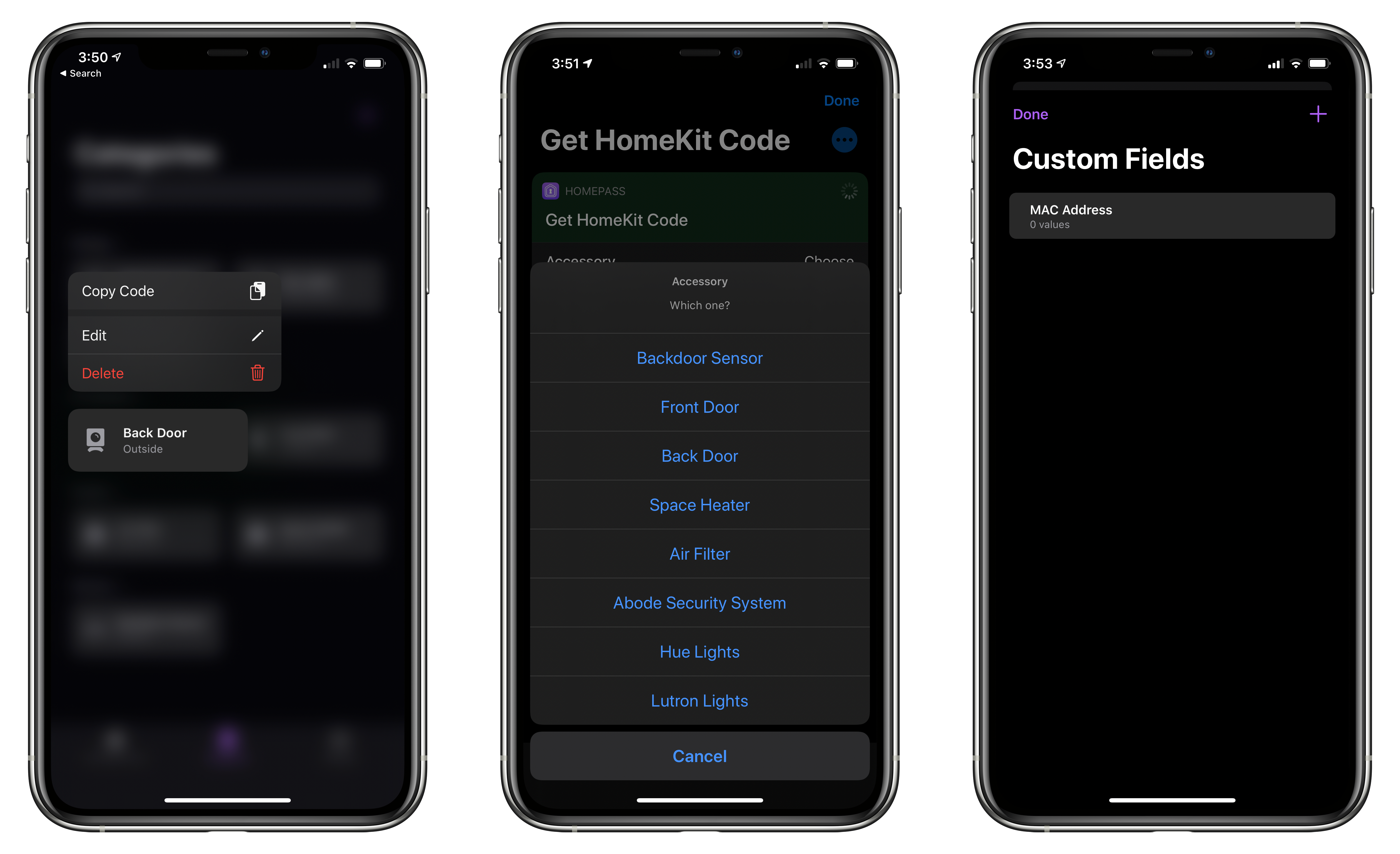
In addition to device-specific actions, the app comes with the following built-in Shortcuts actions that have been improved by the addition of parameters:
- ‘Copy HomeKit Code,’ which presents a list of your devices by default, and copies the code for the one you pick to the clipboard. The action can also be used to grab the code of a specified device and pass it to the next action.
- ‘Get HomeKit Code’ also retrieves a device’s code, but passes it to the next action without copying it.
- ‘Get Accessory,’ which the app’s description seems to suggest retrieves all of the information about a device, though it only returns the name of a specified accessory when I’ve used it.
- ‘Get All Accessories,’ which retrieves a list of all your HomeKit devices.
The app includes an x-callback-url scheme that developers can use to automatically add devices to HomePass from their apps too.
The app’s final tab is Settings, where you can manage the new custom fields, pick from among four Home screen icons, and export your device data as a PDF or CSV file for safekeeping.
I don’t use HomePass often, but it’s one of those utilities I’m glad is on my iPhone because it eliminates frustration when I need it. Too often in the past, I’ve had to dismantle gear to find a HomeKit code. Now that I’m in the habit of adding codes to HomePass when I get a new device, troubleshooting issues with my setup is far easier. Moreover, with a larger collection of devices than I had when I started using HomePass, version 1.7 has substantially improved their management.
HomePass is available on the App Store for $2.99.

 Federico