John is MacStories' Managing Editor, has been writing about Apple and apps since joining the team in 2015, and today, runs the site alongside Federico.
John also co-hosts four MacStories podcasts: AppStories, which covers the world of apps, MacStories Unwind, which explores the fun differences between American and Italian culture and recommends media to listeners, Ruminate, a show about the weird web and unusual snacks, and NPC: Next Portable Console, a show about the games we take with us.
This week, Federico and John continue the MacStories Summer OS Preview Series by interviewing Marcos Tanaka, the creator of MusicHarbor and MusicSmart about the latest changes to Apple’s music-related frameworks, his apps, and more.
On AppStories+, Federico and John go behind the scenes about their OS preview stories, discuss Shortcuts for Mac, and Federico is searching for his Wii U.
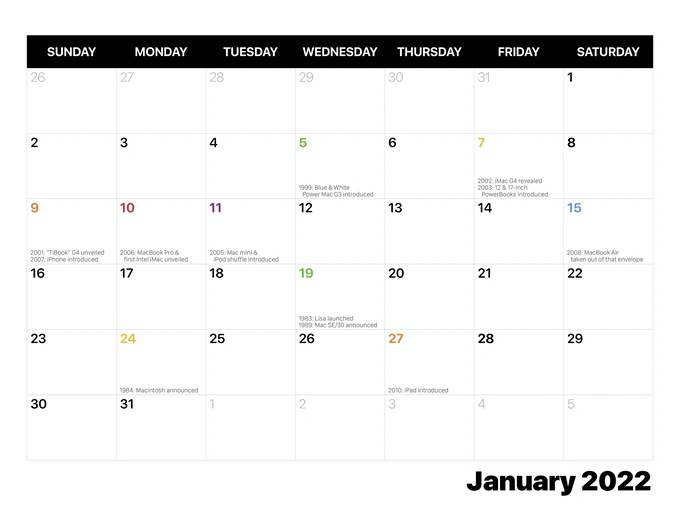
The 20”x13” 2022 calendar features product photography shot using hardware from Stephen’s extensive collection and marks important milestones in Apple hardware history alongside the usual holidays. Backers who pledge $30 will receive the calendar, but there are also options for a set of digital wallpapers featuring the photography used in the calendar for $5 or more and the wallpapers plus 4”x6” prints of the photos for $16 or more. You can pledge $42 or more to get everything too.
It’s been fun to watch Stephen put this project together over the past few weeks, and it’s a fantastic way to show off his collection of vintage hardware and the photography he’s done over the years. Digital calendars are great, but they can’t brighten up your room like these wonderful photos will.
Today Apple released the first public beta of macOS Monterey after just over three weeks of developer testing. The public beta is a chance for anyone who doesn’t have a developer account to preview the new features coming to the Mac’s OS this fall.
I’ve been using Monterey since the first developer beta was released during WWDC and switched to it full-time about a week ago when developer beta 2 was released. I’ll have a lot more to say about Monterey this fall when it’s officially released. However, having already spent a substantial amount of time using the OS for my everyday work, I wanted to share my first impressions with readers who are thinking about trying it too.
I’m sure there are a lot of MacStories readers eager to install the Monterey beta. It’s a good year to do that too. I haven’t run into any show-stopping bugs, and this year’s beta is far more approachable than the Catalina or Big Sur betas were. Those updates included fundamental shifts in the way the OS worked that made the update uncomfortable for some users. There’s some of that in Monterey, but less than in the past couple of years. Instead, Monterey introduces a collection of enhancements to existing system apps and new cross-system feature integrations that make the update useful immediately. Coupled with the debut of Shortcuts on the Mac, there’s a lot in this year’s beta that I’m sure MacStories readers will enjoy testing.
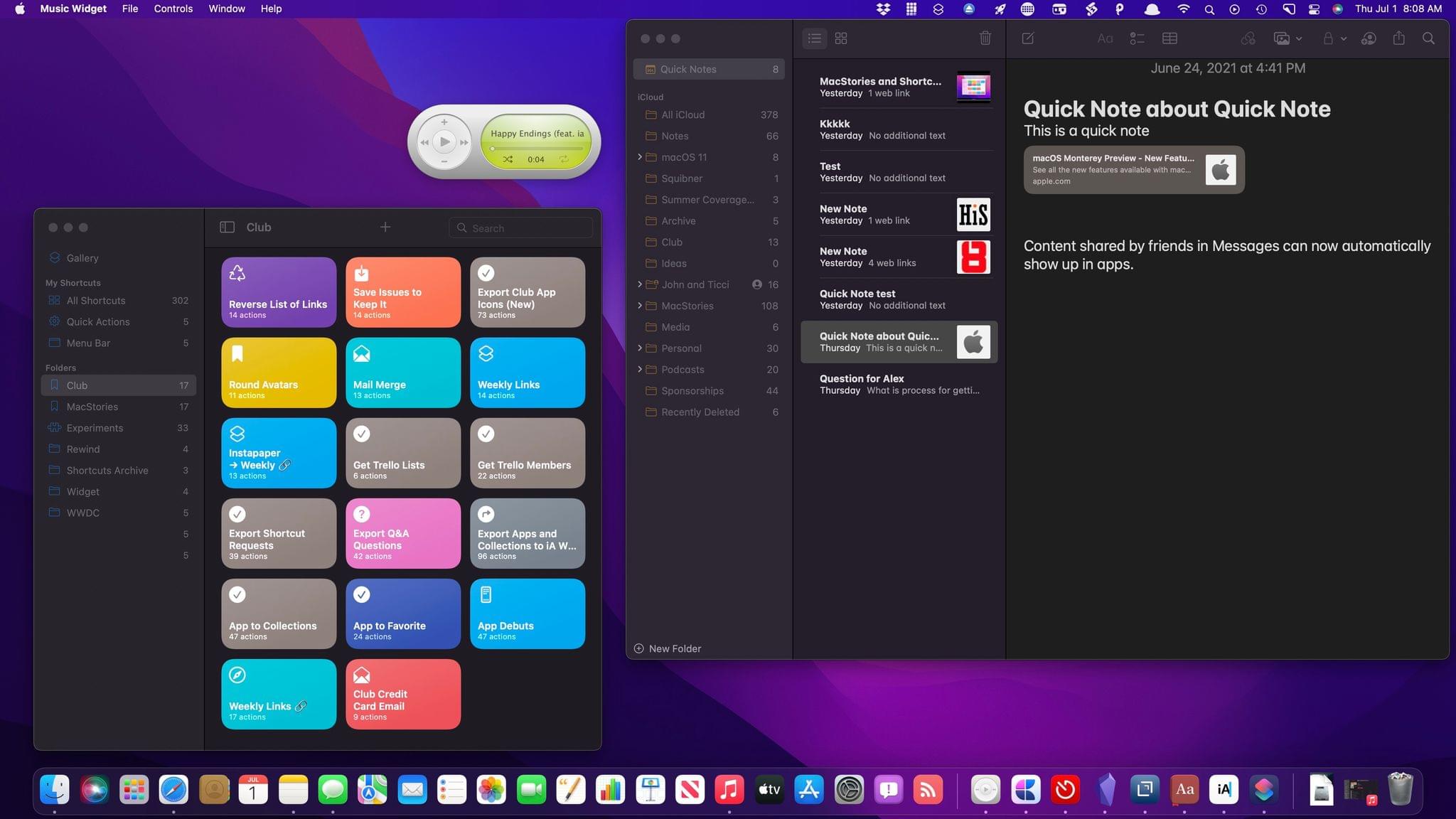
To Apple’s credit, much of Monterey feels like a natural extension of the OS’s existing features and system apps, even in the early betas. Focus, Quick Note, Live Text, and AirPlay to Mac all fit into that category, feeling right at home with the rest of the OS. However, that’s not universally true. I think Apple has overshot its target with Safari in some respects, which is disappointing in no small measure because there are also meaningful innovations coming to the browser this fall that have already been useful in my daily web browsing.
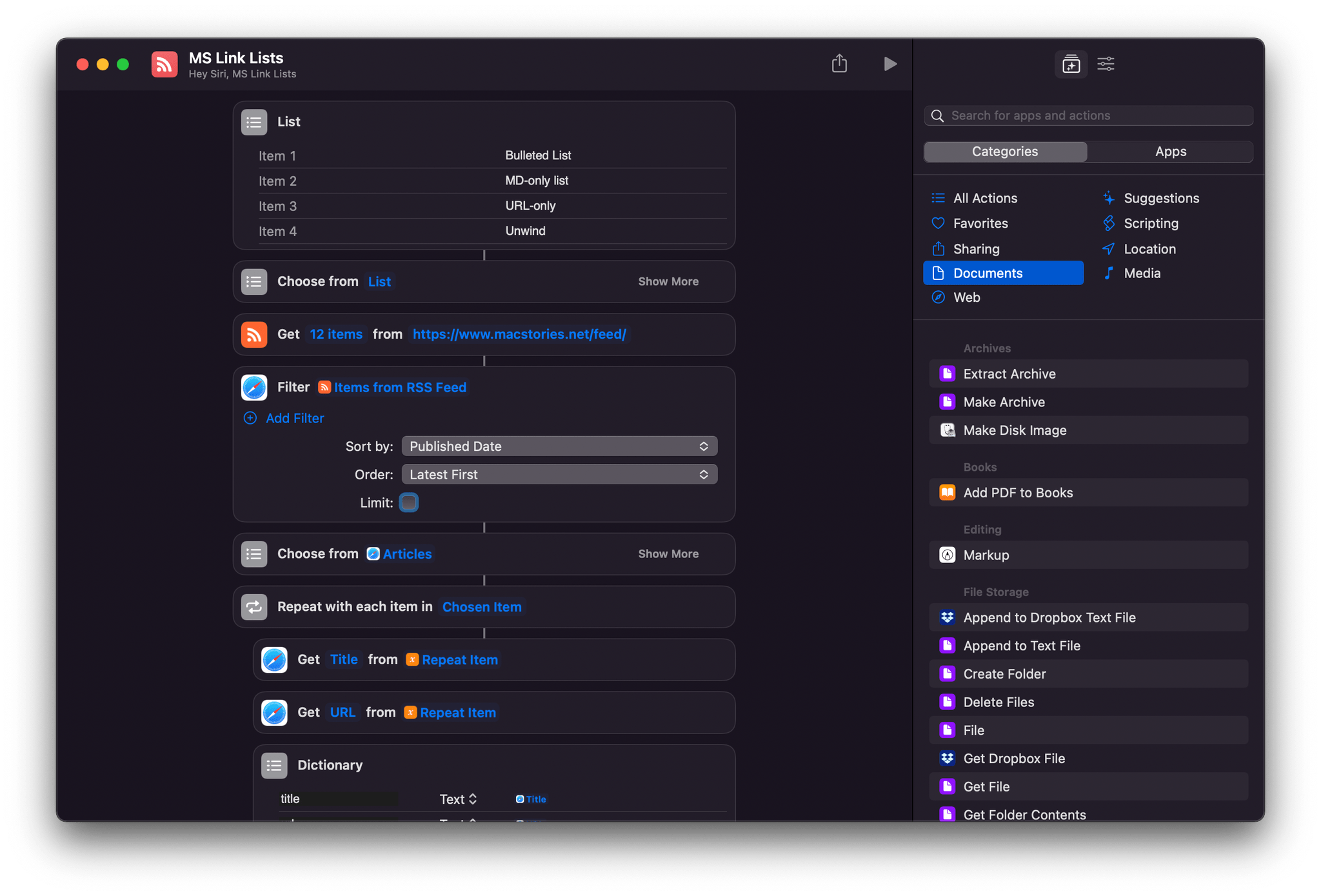
Of course, I’m also very excited about Shortcuts for Mac. If you’ve used the automation app on the iPhone or iPad and have a Mac, I don’t know how you couldn’t be eager to try the app. If you rely on Shortcuts as I do, Monterey is a very big deal that, even early in the beta cycle, delivers on the promise of a unified vision of automation across Apple platforms.
Many of my existing shortcuts worked immediately on the Mac.
The Shortcuts team has done a remarkable job of ensuring that many of my everyday shortcuts already work without needing me to do anything. Combined with deep integration of existing scripting systems, Monterey backs up the statement made onstage at WWDC that Shortcuts is the future of automation on the Mac. There’s still work to be done before Shortcuts is as powerful as other Mac automation solutions, but the app is off to an excellent start.
Before diving into what it’s been like to work full-time with Monterey, it’s worth stepping back and considering where macOS has come from over the past few years. In many ways, Monterey feels like the third act of a story that’s played out since the introduction of Catalina. That update was a little unsettling. It was clear macOS was heading in a new direction, but the destination was unclear.
With the introduction of M1 Macs, improvements to Mac Catalyst, and Big Sur’s design changes, macOS’s destination began to come into focus. The OS was being aligned more closely with Apple’s other OSes through a combination of design and underlying technologies to create a continuum that respects device differences but unifies user experience across the entire lineup.
I don’t think I’d go so far as to declare Monterey the conclusion of macOS’s three-act drama. There are elements of tying up the loose ends left over from the prior two releases of the OS. However, we’re also seeing the first tangible examples of where the Apple silicon era will take the Mac even as the company continues to migrate the machines to its own SoCs.
One thing’s for certain, though: the sometimes awkward evolution of macOS over these past few years and the adjustments required to move the Mac and iPad into closer alignment are bearing fruit. For the first time in memory, Apple is releasing features across all of its platforms at once. The days of waiting for features that start on one platform to make their way to others seem to be coming to an end. That’s terrific news for users who will be able to move more freely between platforms without a steep learning curve, eliminating a lot of the frustration of the past.
With that, let’s dig into some of the details that I think will have an immediate impact on readers who download the macOS Monterey public beta.
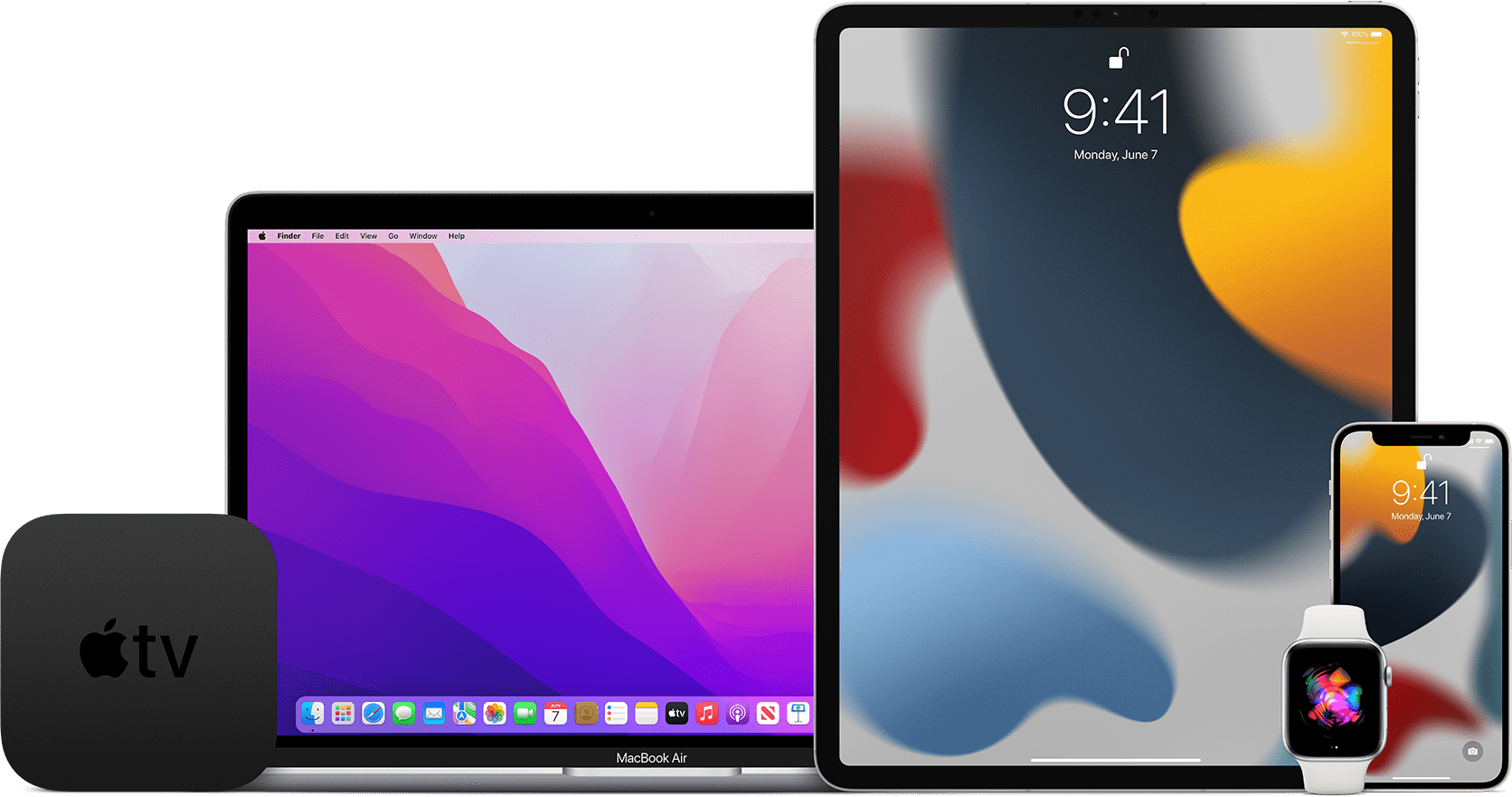
Apple has opened its public beta program for iOS 15, iPadOS 15, watchOS 8 and tvOS 15 on the Apple Beta Software Program website. macOS Monterey is not yet publicly available, but Apple’s beta site says it is ‘coming soon.’
Developers, who can access betas of Apple’s OS releases before the general public, received the first developer builds a few weeks ago during WWDC. If past practice is a guide, the public betas released today should be identical to the second developer beta released last week.
If you would like to sign up but haven’t, visit beta.apple.com and log in using your Apple ID. It should go without saying that you should only install betas on your devices after you’ve taken appropriate steps to protect your data and are willing to endure potentially buggy software.
Stay tuned for more over the summer too. The MacStories team is working on special preview stories that cover a wide range of features in the public betas as we approach the publication of our annual OS reviews this fall. Federico and I will also be doing special interview episodes of AppStories this summer to dig deeper into what the new OSes will mean to MacStories readers and the apps they love.
This week on AppStories, we walk through all the changes coming to Shortcuts this fall, including changes to the Shortcuts editor and the new actions you’ll find in Shortcuts on the iPhone, iPad, and Mac.




 Federico