John Voorhees

5432 posts on MacStories since November 2015

John is MacStories' Managing Editor, has been writing about Apple and apps since joining the team in 2015, and today, runs the site alongside Federico. John also co-hosts four MacStories podcasts: AppStories, which covers the world of apps, MacStories Unwind, which explores the fun differences between American and Italian culture and recommends media to listeners, Ruminate, a show about the weird web and unusual snacks, and NPC: Next Portable Console, a show about the games we take with us.

Apple’s Fall OS Updates Promise Deeper HomeKit and Entertainment Integration

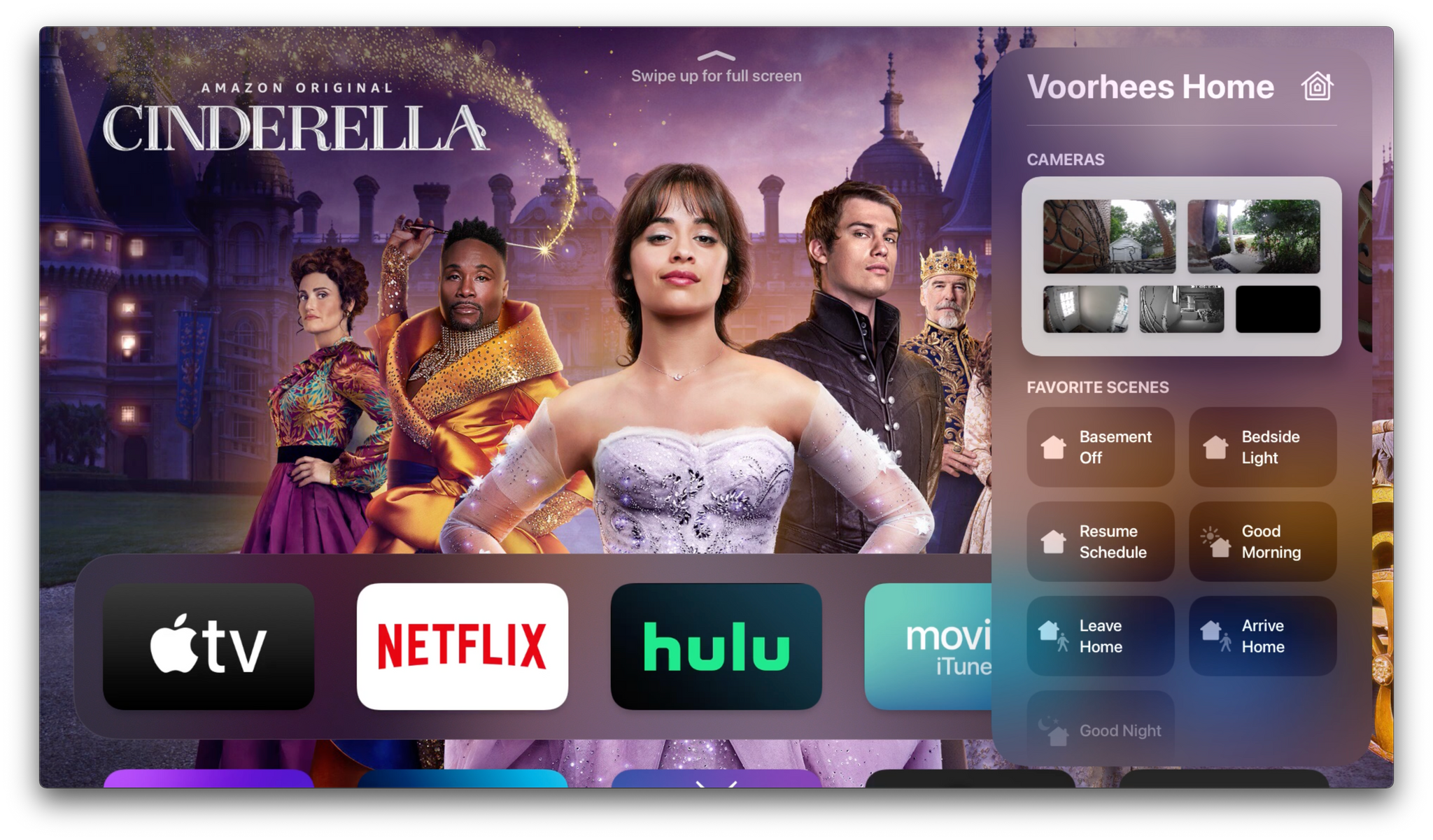
Apple’s fall OS updates will include a variety of HomeKit and home entertainment features. Unsurprisingly, some of those changes can be found in the company’s Home and TV apps, but this year, those apps only tell part of the overall story. To get the full picture, you need to zoom out from the apps, where you’ll find an interesting mix of new smart home device and entertainment features sprinkled throughout each platform.

Let’s start with HomeKit devices. This year, many of the changes coming to Apple’s OSes relate to two important categories: video cameras and door locks. Controlling both types of devices will become easier this fall, thanks to deeper integration with the upcoming OS releases.

Read more


Reminders, Notes, and App Customization

AppStories+ Deeper into the world of apps

AppStories Episode 239 - Reminders, Notes, and App Customization

0:00
34:28

AppStories+ Deeper into the world of apps

This week, Federico and John examine the growing trend of app customization in the context of Apple’s system apps focusing on Reminders’ Tag Browser and Smart Lists and Notes’ Tag Browser and Smart Folders.

Read more


MacStories Unwind: Reminders Smart Lists, Building Calliope, and ‘Reader’ Apps Get Web Links

AppStories+ Deeper into the world of apps
0:00
20:11

AppStories+ Deeper into the world of apps


Sponsored by: Tinderbox 9 – The Tool For Notes. Visualize, Analyze, and Share Your Ideas

This week on MacStories Unwind:

MacStories

Club MacStories

  • MacStories Weekly
    • A PDF shortcut from Federico
    • John reviews The Clock
    • Rod Christiansen’s desk setup
    • A Tempo giveaway

AppStories

Unwind


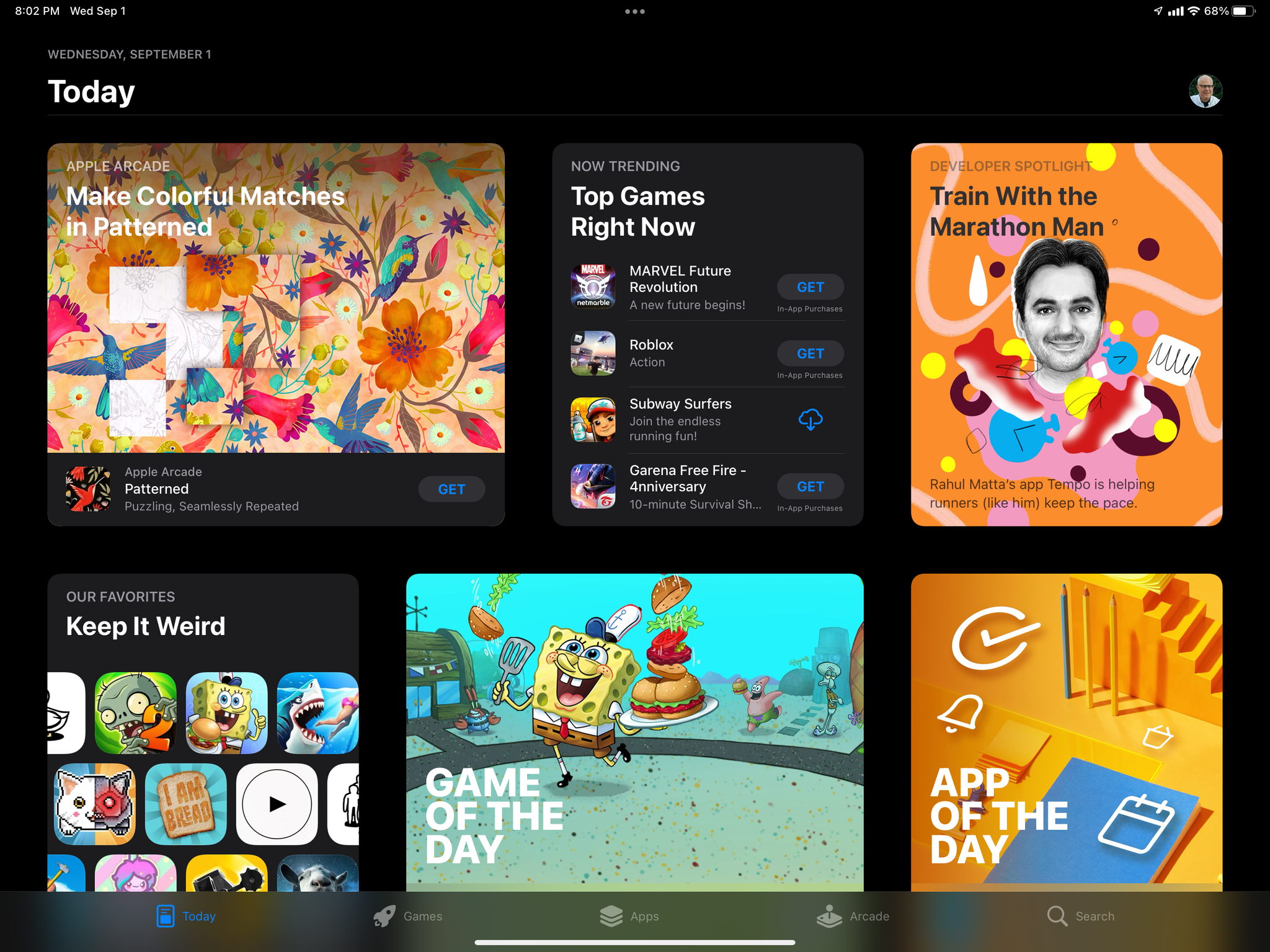
Apple to Allow Reader Apps to Link to Account Management Pages on the Web in Early 2022

Apple has resolved an investigation by the Japan Fair Trade Commission by agreeing to allow ‘reader’ apps to link to websites to set up and manage an account with the app’s provider beginning in early 2022. The agreement reflects a loosening of existing App Store Guidelines and will be applied worldwide, but it’s also narrow.

First, the agreement is limited to what Apple refers to as ‘reader‘ apps. In App Review parlance, these are apps like the Netflix or Spotify apps, which “provide previously purchased content or content subscriptions for digital magazines, newspapers, books, audio, music, and video.’

Second, the developers of ‘reader’ apps can only share ‘a single link to their website to help users set up and manage their account.’ That language suggests, for example, that users could follow a link in the Kindle app to manage their Amazon account and perhaps initiate Kindle book transfers to an Apple device, but it seems to preclude the Kindle app from offering a catalog of books with links to a product page in a web browser. However, the press release does suggest a link could be used to set up a subscription to digital content like Netflix or Comixology Unlimited.

Third, the agreement doesn’t address videogame streaming services, which Apple does not consider to be ‘reader’ apps. Streaming games fall under a separate section of the App Review Guidelines, which require each game to be submitted to App Review.

The changes announced to end the Japan Fair Trade Commission investigation only affect a narrow category of apps and will only provide a single link out to the web. However, the agreement is a sign that the legal and regulatory scrutiny around the world is beginning to force Apple to change how it runs the App Store. With the number of pending lawsuits and investigations that remain outstanding worldwide, I expect we’ll see more of this sort of adjustment to App Store practices in the upcoming months.


Reminders’ Smart Lists Put Unprecedented Control in the Hands of Users

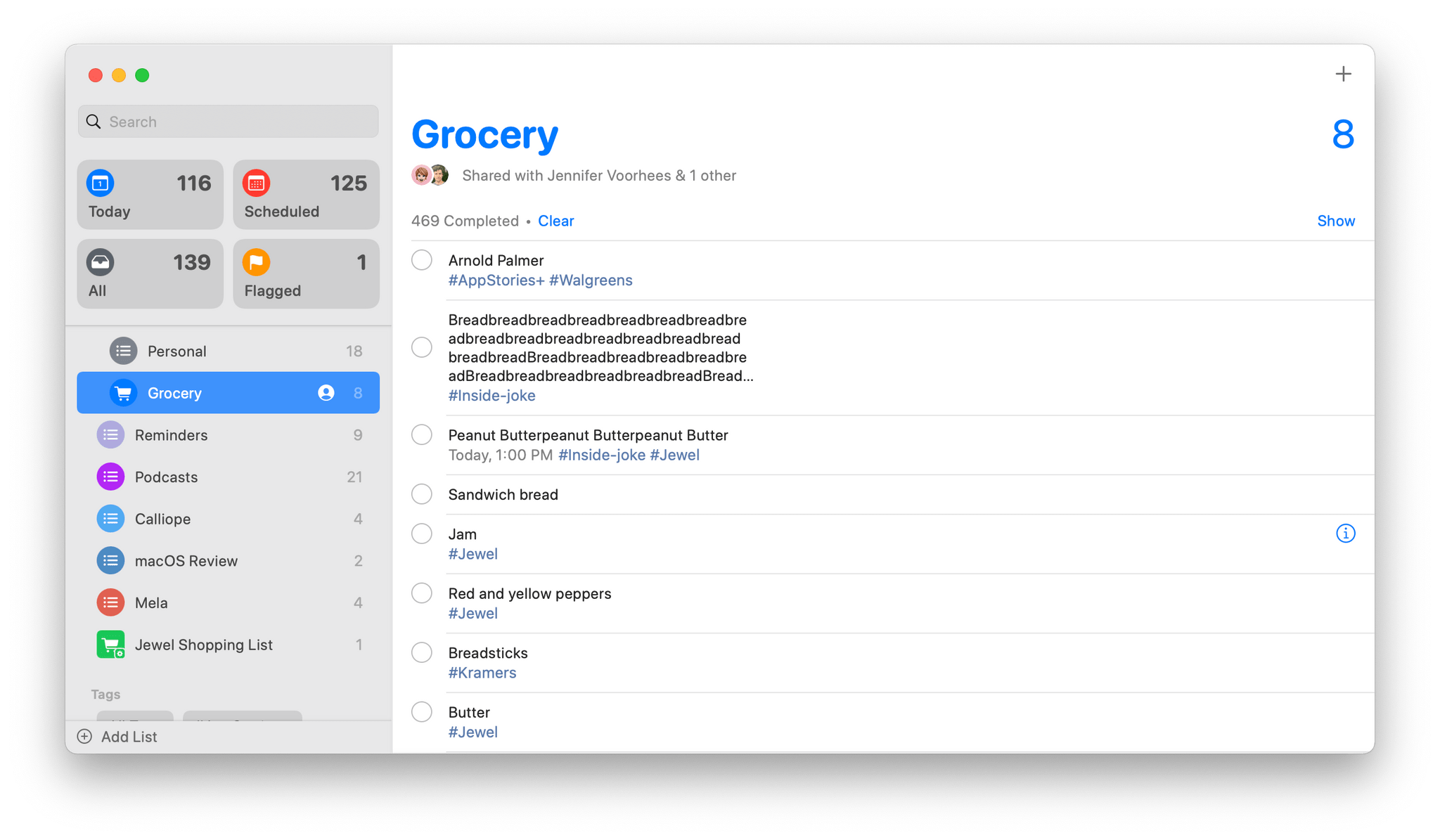
A couple of years ago, Apple transformed Reminders from a simple checklist-style task manager into something far more robust. It was a surprising but welcome update that made the app a good choice as the sole task manager for many users. Reminders is back with more surprises this year, including tagging and Smart Lists features, which I didn’t expect. Both new features work together to make it easier than ever to manage your tasks in Reminders, which by itself makes this year’s update to Reminders worth checking out. However, the update may indicate something broader too: that Apple is more receptive to providing users with greater control over how they use the iPhone and iPad’s stock apps, an exciting possibility that I hope comes to pass.

Tags are brand new to Reminders and probably the most surprising addition to the iOS and iPadOS 15 versions of the app. Tags aren’t anything new to task management apps in general, but user-defined tags haven’t historically been available in Apple’s iPhone and iPad apps.

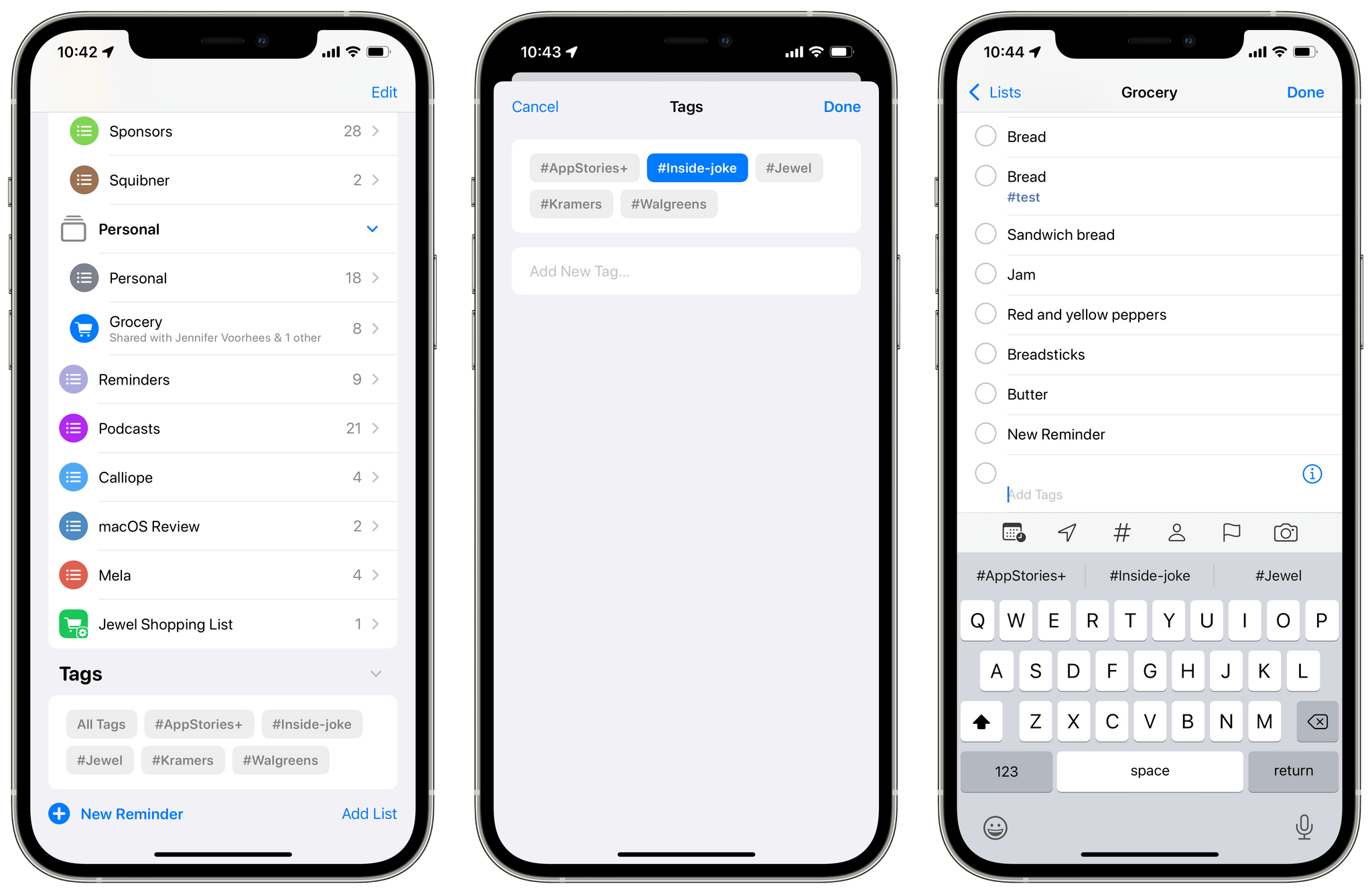
There's a new Tag Browser in Reminders and multiple ways to add new tags.

There’s a new Tag Browser in Reminders and multiple ways to add new tags.

The design of Reminders’ tagging system makes it easy to get started. When you add a new task, there’s a field just below Notes for adding tags. Just start typing a name for your tag, and when you tap the Space bar, hit return, or type a comma, a hashtag is added to the beginning of the tag, and it changes to Reminders’ purplish accent color. Sorry, no spaces are allowed in your tags.

Read more