John Voorhees

5432 posts on MacStories since November 2015

John is MacStories' Managing Editor, has been writing about Apple and apps since joining the team in 2015, and today, runs the site alongside Federico. John also co-hosts four MacStories podcasts: AppStories, which covers the world of apps, MacStories Unwind, which explores the fun differences between American and Italian culture and recommends media to listeners, Ruminate, a show about the weird web and unusual snacks, and NPC: Next Portable Console, a show about the games we take with us.

CES 2022 Roundup: TVs, Home Automation, Health and Fitness Devices, and More

The Consumer Electronics Show was back this week as an in-person event in Las Vegas for 2022 despite the current COVID surge, which caused many large companies to pull out of the show or scale back their plans. Still, that hasn’t stopped companies from announcing a wide variety of products planned for the next year and beyond. New TV technology and home automation are big again this year, as are new takes on existing tech.

After sifting through the headlines and press releases, I’ve compiled a roundup of some of this week’s most intriguing announcements. Feel free to skip around to the categories that you find most interesting using the table of contents after the break.

Read more


Shortcuts By SENTINELITE: A Fantastic New Stream Deck Plugin


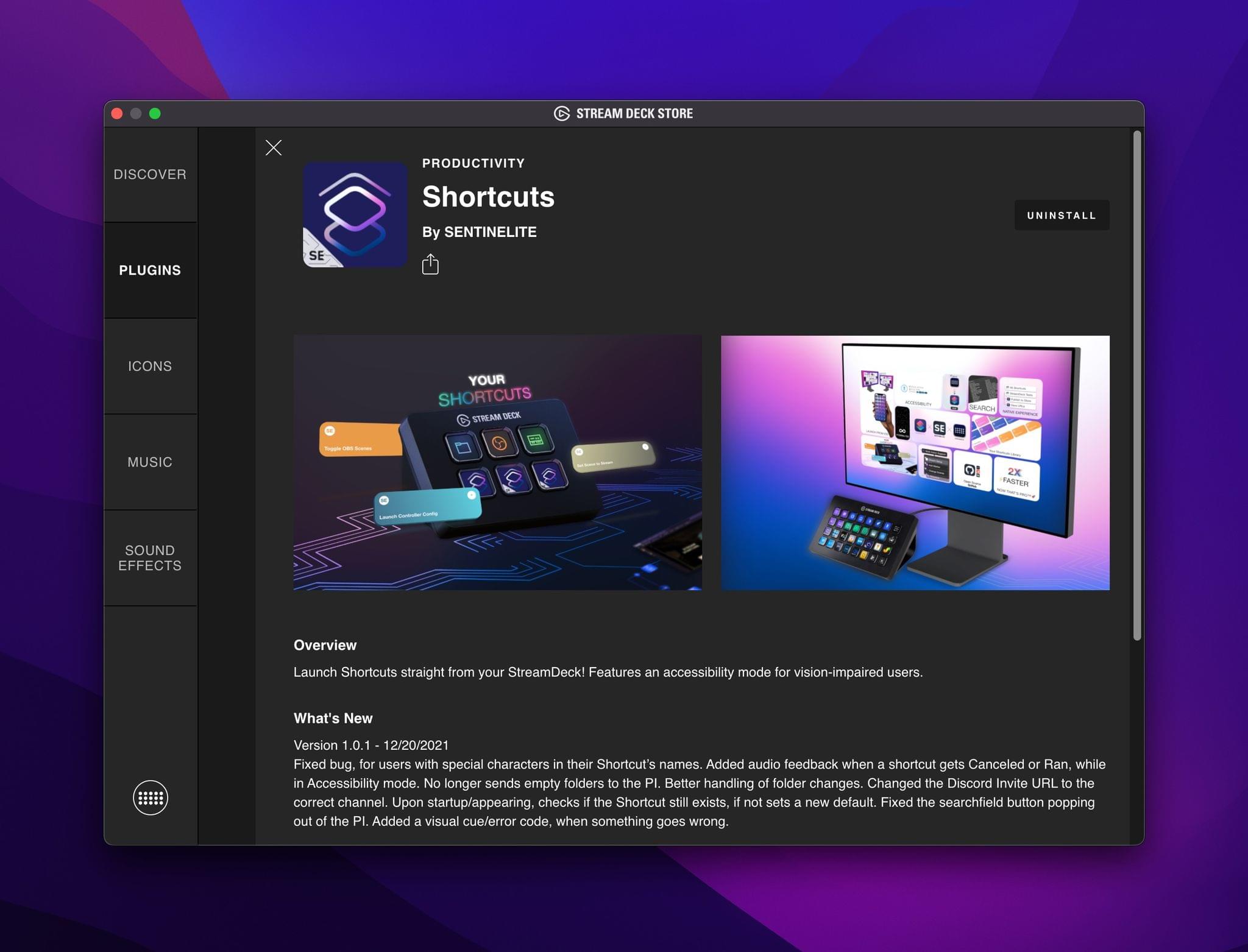
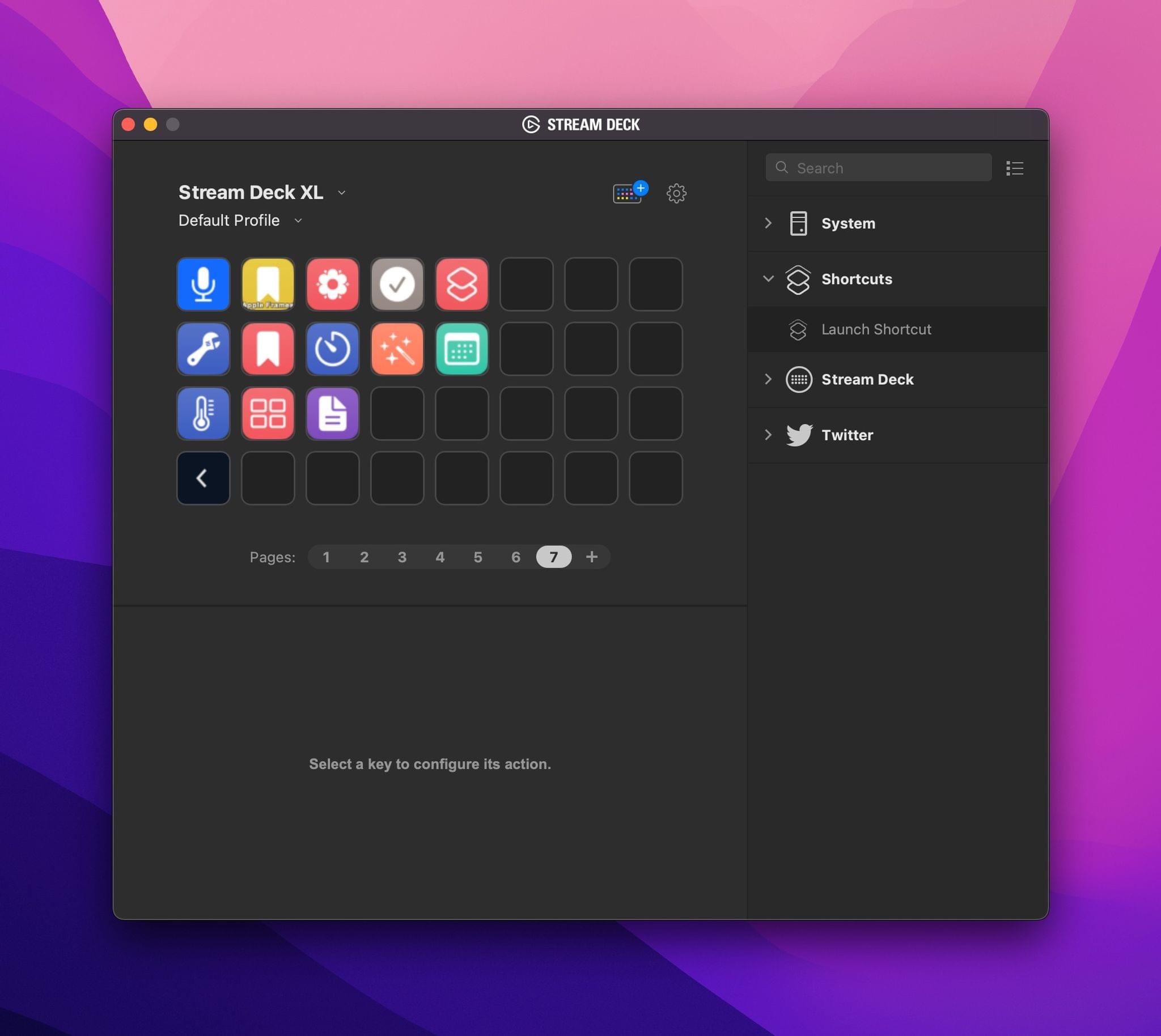
If you own a Stream Deck and want a better way for adding your shortcuts to it, give Shortcuts by SENTINELITE a try. I’ve only been playing with the plugin for a short time, but this is hands down the best way I’ve found for adding push-button convenience to Shortcuts on the Mac.

I covered the Stream Deck and how I’ve been using it late last year. I’ve also built a variety of utility shortcuts for packaging shortcuts as scripts and applets that make it easier to add multiple shortcuts to your Stream Deck setup. Shortcuts by SENTINELITE significantly improves the process by making it as simple to add a shortcut to the device as it is to add an app.

One of the things that I appreciate about Shortcuts by SENTINELITE is that the plugin preserves the folder structure you use in Shortcuts and sorts shortcuts alphabetically. It’s a small thing, but one that makes the experience of wading through large collections of shortcuts much better, giving the plugin a leg up on many other Shortcuts utilities I’ve tried.

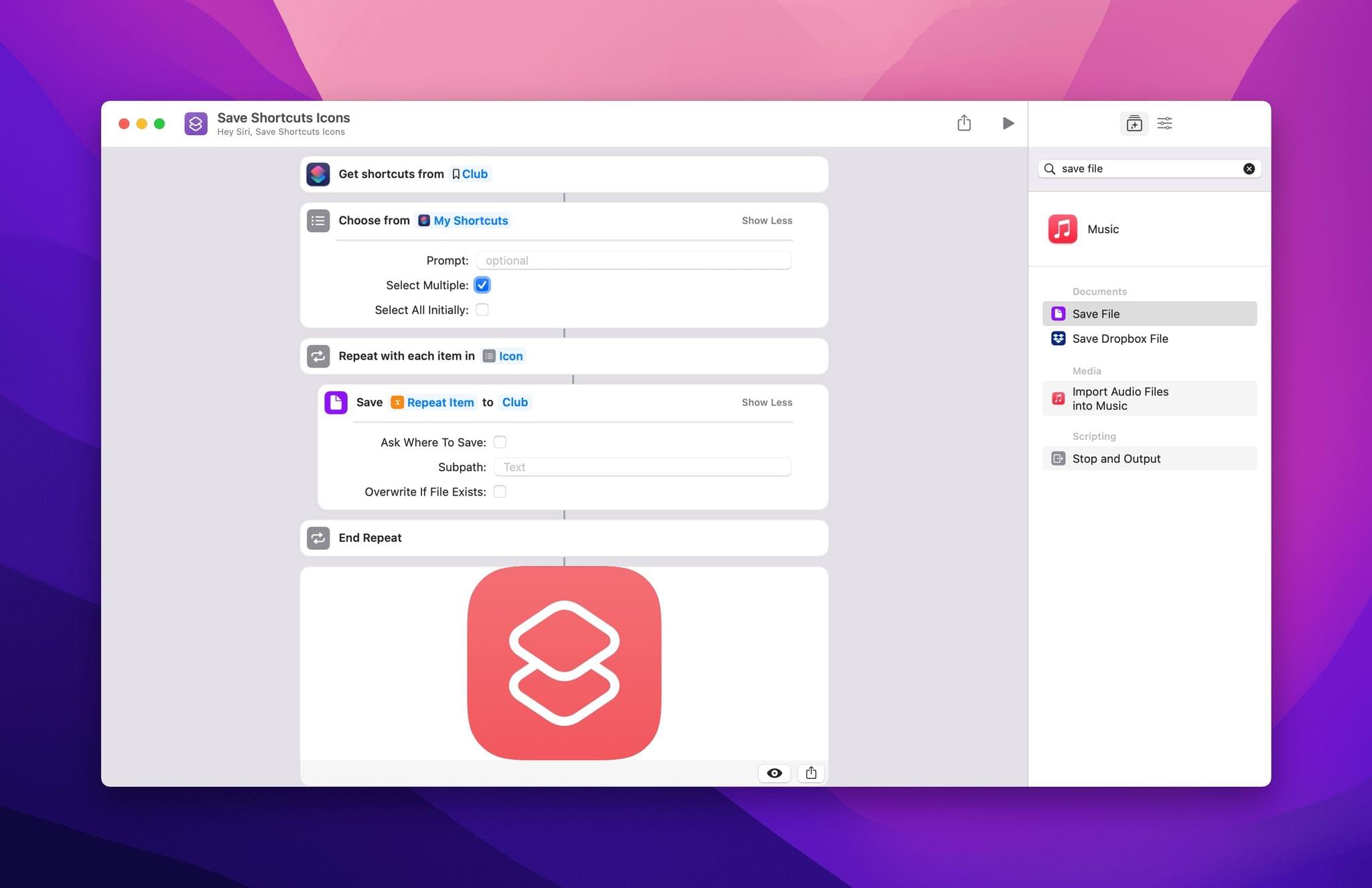
Here's a simple shortcut for grabbing the icons for the shortcuts you want to add to your Stream Deck.

Here’s a simple shortcut for grabbing the icons for the shortcuts you want to add to your Stream Deck.

Just like adding an app to a Stream Deck button, you can add a custom icon and title to the button you create. There’s also a toggle for turning on an Accessibility mode that adds audible cues to the plugin’s interactions for the visually impaired.

If you’ve put off adding shortcuts to your Stream Deck, your procrastination has paid off because Shortcuts by SENTINELITE is the easiest solution that I’ve found so far. That said, I have run into a known bug that occasionally requires the Stream Deck Mac app to be restarted, which is annoying, but on balance, it’s a small price to pay compared to the plugin’s utility.

You can download the Shortcuts for Stream Deck plugin, which also happens to be open-source and free from Stream Deck’s Mac app or on Elgato’s website.




Managing Music From Your Mac’s Menu Bar

As Club MacStories members know, I use my Mac’s menu bar sparingly. With Bartender, our MacStories Selects Mac app of the year, I limit my menu bar to a handful of frequently-used apps and system controls that take up as little space as possible. That cuts down on clutter and means everything will fit when I’m using my MacBook Air in laptop mode.

However, every rule is meant to be broken, and for me, I break my menu bar rule by tracking and controlling my music from the menu bar, which takes up a lot of space but is worth it. You see, I listen to a lot of playlists as a way to discover new music, but that also means I find myself flipping to the Music app frequently to see artist and album information and perform simple tasks like adding a song to my music library or liking it. The constant context switching was a distraction I didn’t need, which led me to look for a better way.

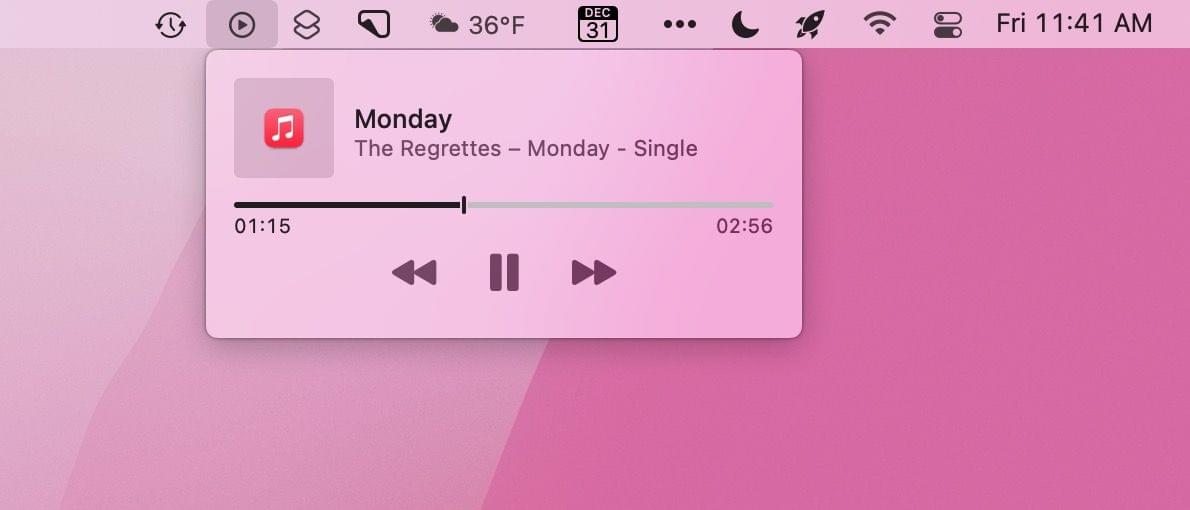
Apple's Control Center widget takes up limited space, but also doesn't do much.

Apple’s Control Center widget takes up limited space, but also doesn’t do much.

Fortunately, there are a lot of options depending on your needs. The simplest solution is to drag the Now Playing widget out of Control Center on your Mac and use it as a standalone menu bar item. That works well if you want simple playback controls and song information, but the functionality of Apple’s control is limited and requires a click to do anything.

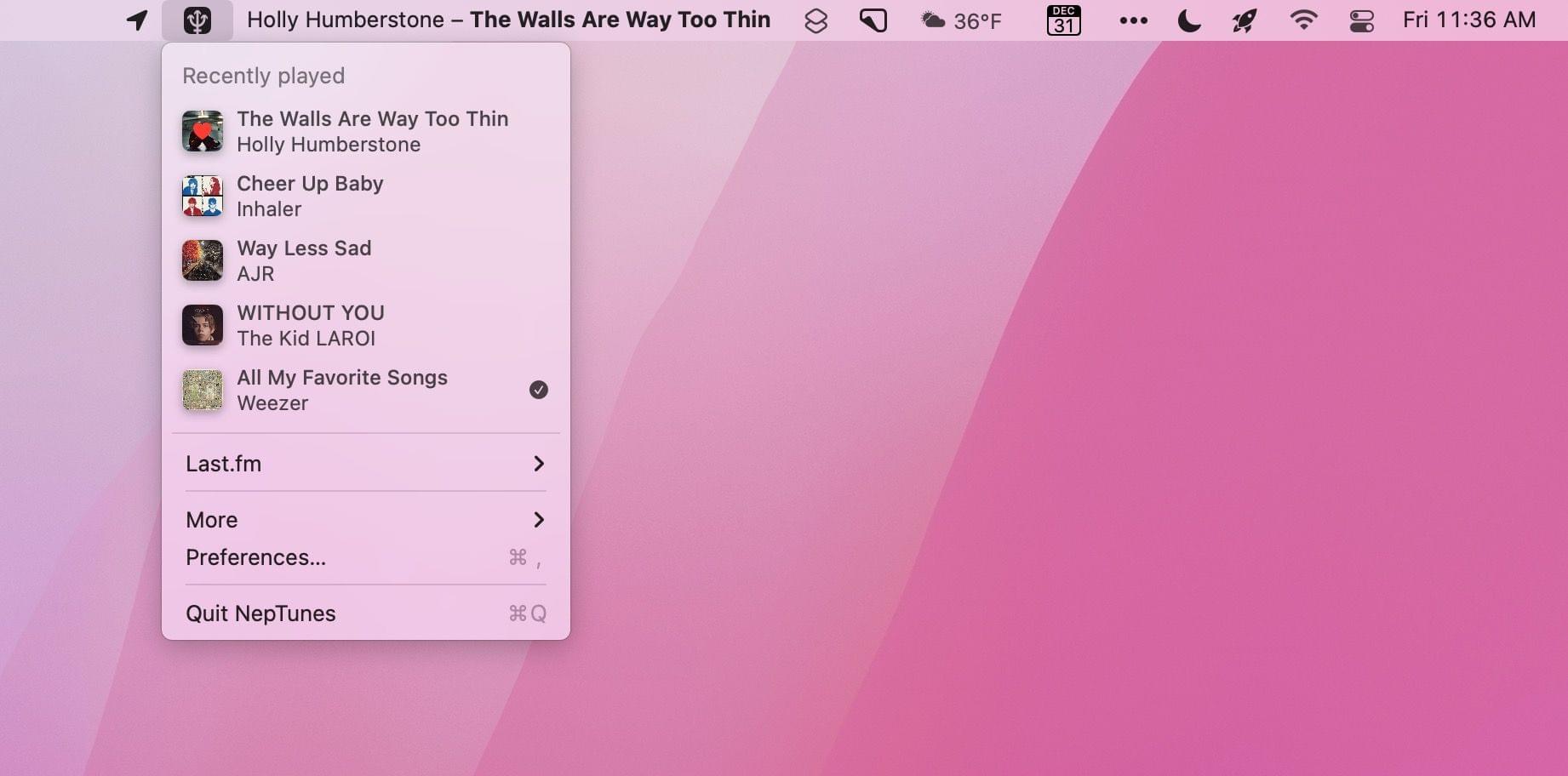
The two third-party solutions I prefer are NepTunes and the recently-released Looking Glass music remote. Both apps live in your menu bar and offer different sets of features that will play a big part in which app will suit your needs best.

Read more


CNN Interviews Apple Maps’ Product and Design Leads

Jacob Krol, writing for CNN, interviewed Apple Maps’ David Dorn, its product lead, and Meg Frost, its design lead, about the app’s steady improvements since its introduction in 2012. The story covers many of the features added in the fall with the release of Apple’s latest OS updates, which we’ve covered before, but adds the context of what Dorn and Frost’s teams were trying to accomplish with the changes. For example, with respect to complex roadways the updates have meant that:

“At a glance, drivers can understand a complex intersection more quickly than ever before,” said Frost. “And that detail helps with that split-second decision of which turn they’re going to make. So we want it to be both safer and visually satisfying to navigate.”

It was also interesting to learn that each of the 3D elements added to a handful of cities, and have begun to expand to new locales, are handmade by Apple’s designers:

“We pick the amount of detail we find appropriate and create a 3D mesh of the building landmark itself. And we apply it to the base map,” explained Frost.

In the past couple of years, Apple Maps has really hit its stride, at least in the places that I’ve used it. Maps are more detailed, I’ve encountered far fewer errors than in the past, and the experience of using the app with CarPlay is excellent. Although it’s nearly 10 years old now, Apple Maps still feels new to me because of the relentless iteration on the original app. By its nature, Maps demands constant attention, but it also shows how a competitive app category goes a long way toward keeping an app fresh and innovative.

Permalink

AppStories, Episode 254 – App Trends for 2022

This week on AppStories, we look at the app trends we expect to see in 2022, including trends that will continue from 2021 and new trends we think will emerge in the new year.

Sponsored by:

  • Memberful – Monetize your passion with membership
  • Linode – Simplify your cloud infrastructure


On AppStories+, we chat about our holiday plans, John waits by the window for his Analogue Pocket to arrive, and Federico cracks Matter’s read later API.

We deliver AppStories+ to subscribers with bonus content, ad-free, and at a high bitrate early every week.

To learn more about the benefits included with an AppStories+ subscription, visit our Plans page, or read the AppStories+ FAQ.


App Trends for 2022

AppStories+ Deeper into the world of apps
0:00
29:43

AppStories+ Deeper into the world of apps

This week, Federico and John look at the trends they expect to see in 2022, including trends that will continue from 2021 and new trends they think will emerge in the new year.

Read more