John Voorhees

5431 posts on MacStories since November 2015

John is MacStories' Managing Editor, has been writing about Apple and apps since joining the team in 2015, and today, runs the site alongside Federico. John also co-hosts four MacStories podcasts: AppStories, which covers the world of apps, MacStories Unwind, which explores the fun differences between American and Italian culture and recommends media to listeners, Ruminate, a show about the weird web and unusual snacks, and NPC: Next Portable Console, a show about the games we take with us.

ComicTrack: A Beautifully-Designed, Flexible Way to Organize Your Comic Book Reading

ComicTrack is a new app from Joe Kimberlin for tracking and organizing the comic books you’ve read, are currently reading, and want to read. The idea is similar to his excellent videogame tracking app, GameTrack, but applied to comics. I’ve been using ComicTrack for a couple of weeks now, and it’s excellent. Of course, you’ll also need a separate app to read your comics, but having a dedicated app to organize what I’m reading and plan to read has single-handedly gotten me back into reading comics more regularly.
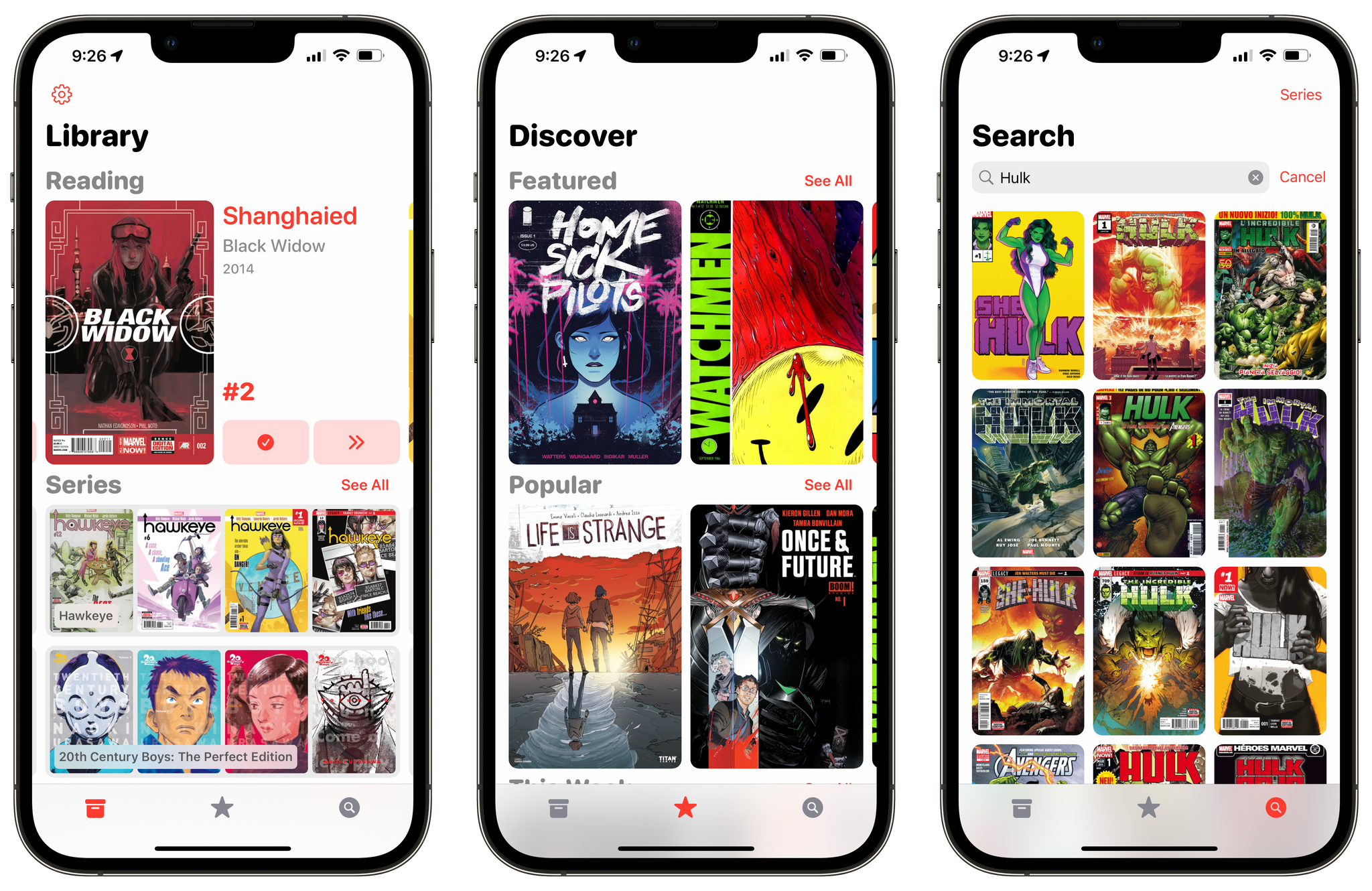
ComicTrack on the iPhone.

ComicTrack on the iPhone.

For context, I’ve always been a very casual comic book fan. I have Comixology and Shonen Jump installed on my iPad mini, but I often go weeks or months without touching either. It’s not a lack of interest, so much as a combination of not knowing where to start and having limited free time. ComicTrack hasn’t magically granted me more free time, but it has made getting started much easier by reducing the friction of picking something to read.
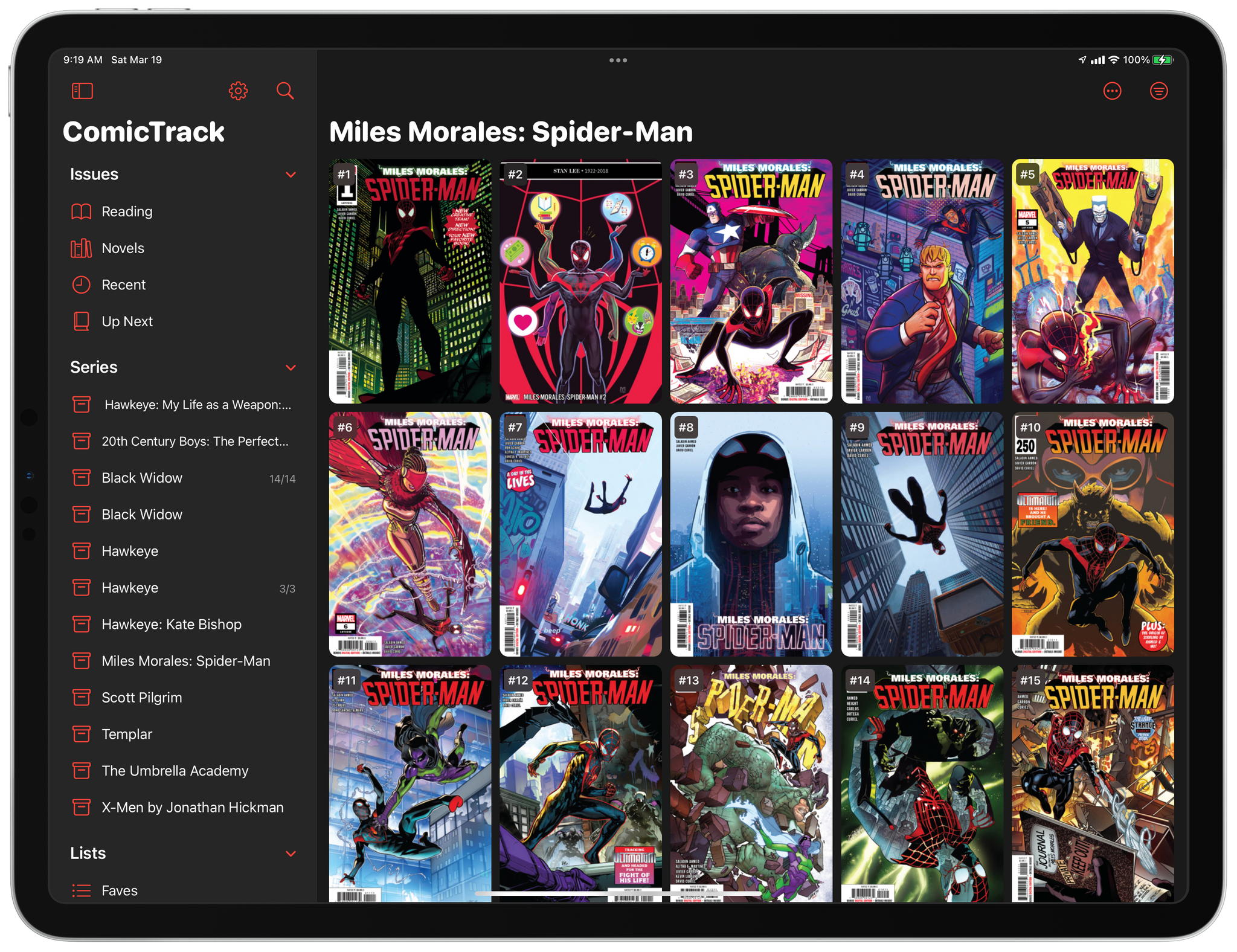
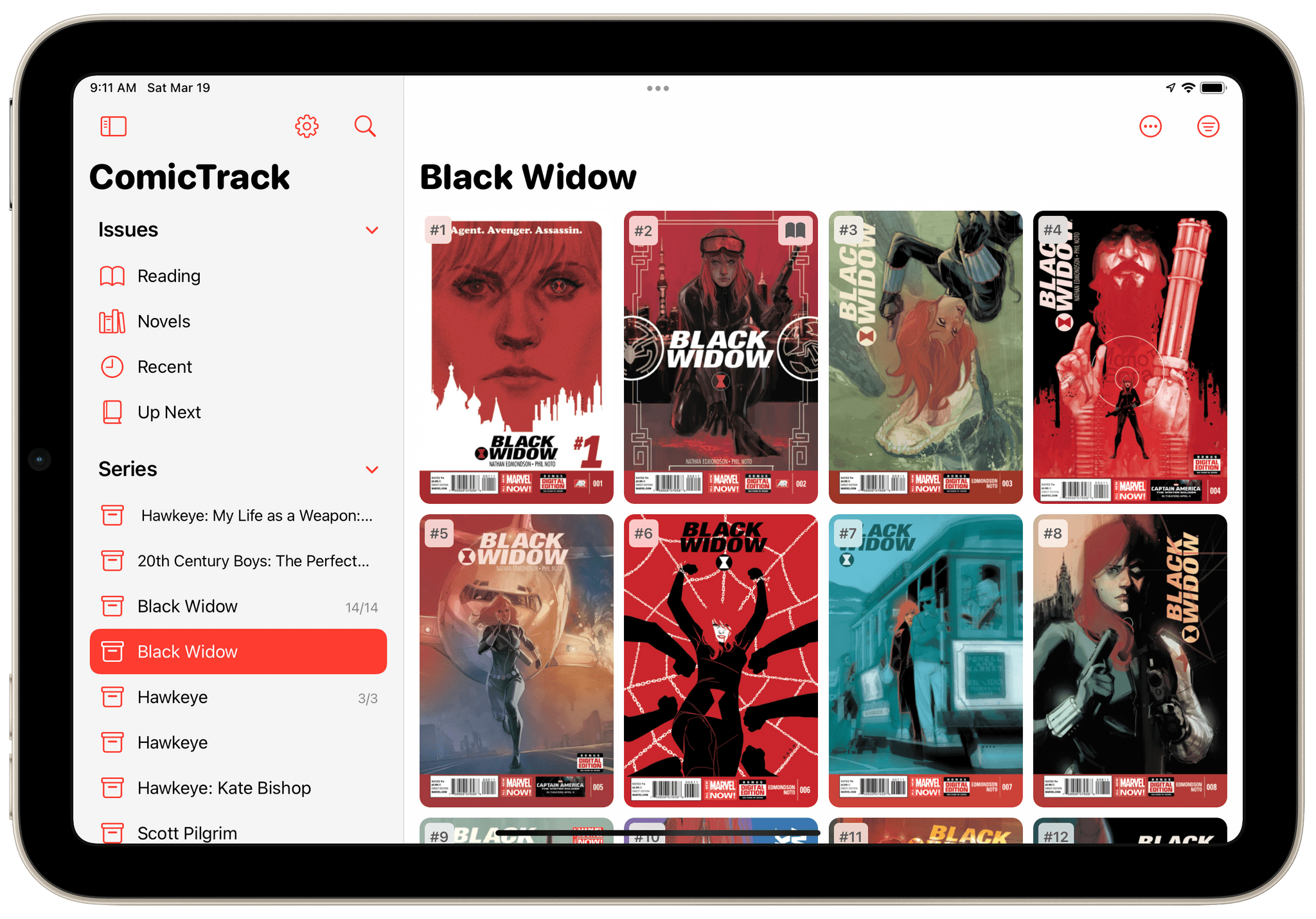
ComicTrack on the 12.9" iPad Pro in dark mode

ComicTrack on the 12.9” iPad Pro in dark mode

I’m going to focus on the iPad version of ComicTrack because that’s where I read most of my comics, but the app also works and looks great on the iPhone and Mac, as you’ll see in the screenshots below. Everything syncs over iCloud too. Also, although I spend most of my time using the iPad version of ComicTrack, I find the iPhone and Mac apps indispensable for collecting new ideas of things to read. I run across comic books all the time via RSS, Twitter, podcasts, and friends’ recommendations. That doesn’t just happen when I’m using my iPad, but with ComicTrack on all the platforms I use, it’s easy to add something that catches my eye.

Read more


iOS, iPadOS, and macOS Updates In-Depth

AppStories+ Deeper into the world of apps

AppStories Episode 266 - iOS, iPadOS, and macOS Updates In-Depth

0:00
51:22

AppStories+ Deeper into the world of apps

This week, Federico and John dig into the details of the iOS and iPadOS 15.4 and macOS 12.3 updates that were released by Apple last week.

Read more


Mac Studio and Studio Display Review Roundup

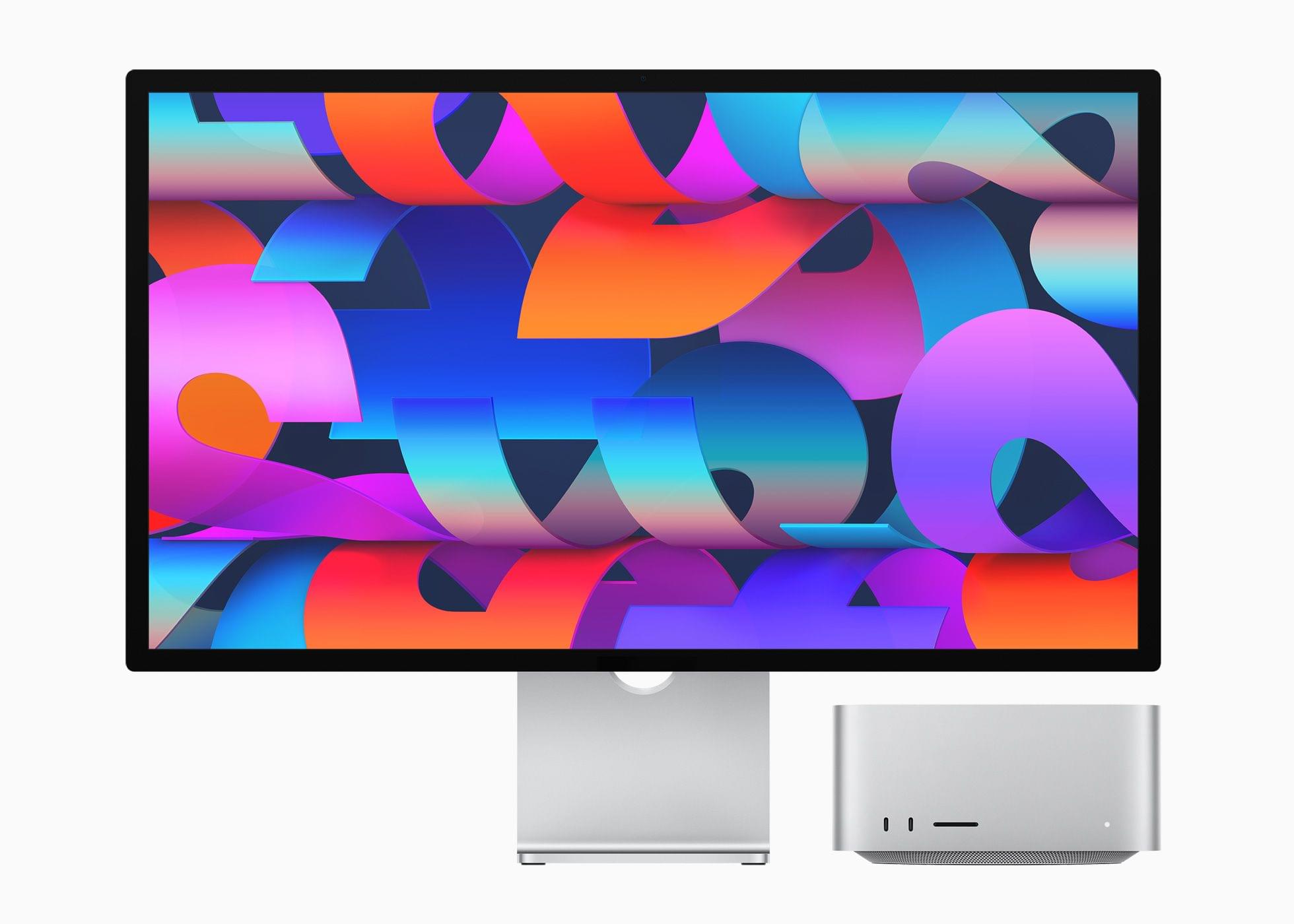
The reviews are out for the Mac Studio and Studio Display and a lot has been written about both. I’ve pulled some of the most interesting tidbits from the reviews, but if you’re considering buying a Mac Studio or Studio Display, be sure to read all of these reviews because they offer a wide range of perspectives on the kind of uses for which Apple’s new hardware is best.

Read more


iPad Air 2022 Review: Refined Balance

AppStories+ Deeper into the world of apps

AppStories Episode 265 - iPad Air 2022 Review: Refined Balance

0:00
43:53

AppStories+ Deeper into the world of apps

In this special bonus episode of AppStories, Federico and John dive into Federico’s review of Apple’s 5th generation iPad Air, which will be available Friday, March 18th.

Read more


WaterMinder 5.1 Delivers a Ground-Up Redesign of Its Apple Watch App and More

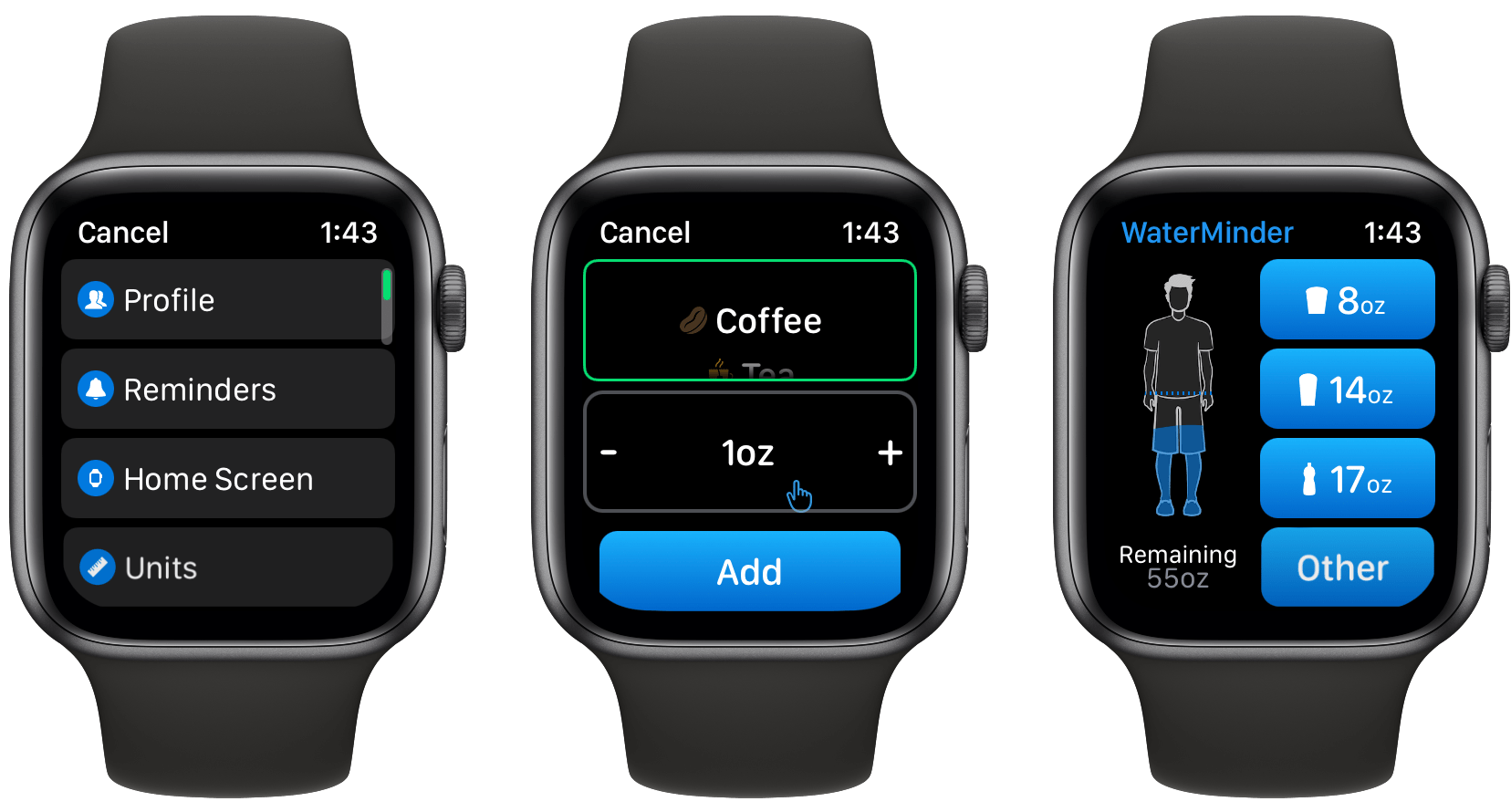
Today, there are a lot of apps that track hydration, but for me, the standard-bearer for the category has always been and remains WaterMinder by Funn Media. The app has evolved a lot since we first covered it in 2016, but what hasn’t changed is its emphasis on fast data entry, a clear, easy-to-use interface, and the adoption of the latest Apple technologies. With version 5.1, the WaterMinder watchOS app has been rebuilt from the ground up using SwiftUI. A handful of other nice additions have found their way into the iPhone and iPad apps too.

Read more