

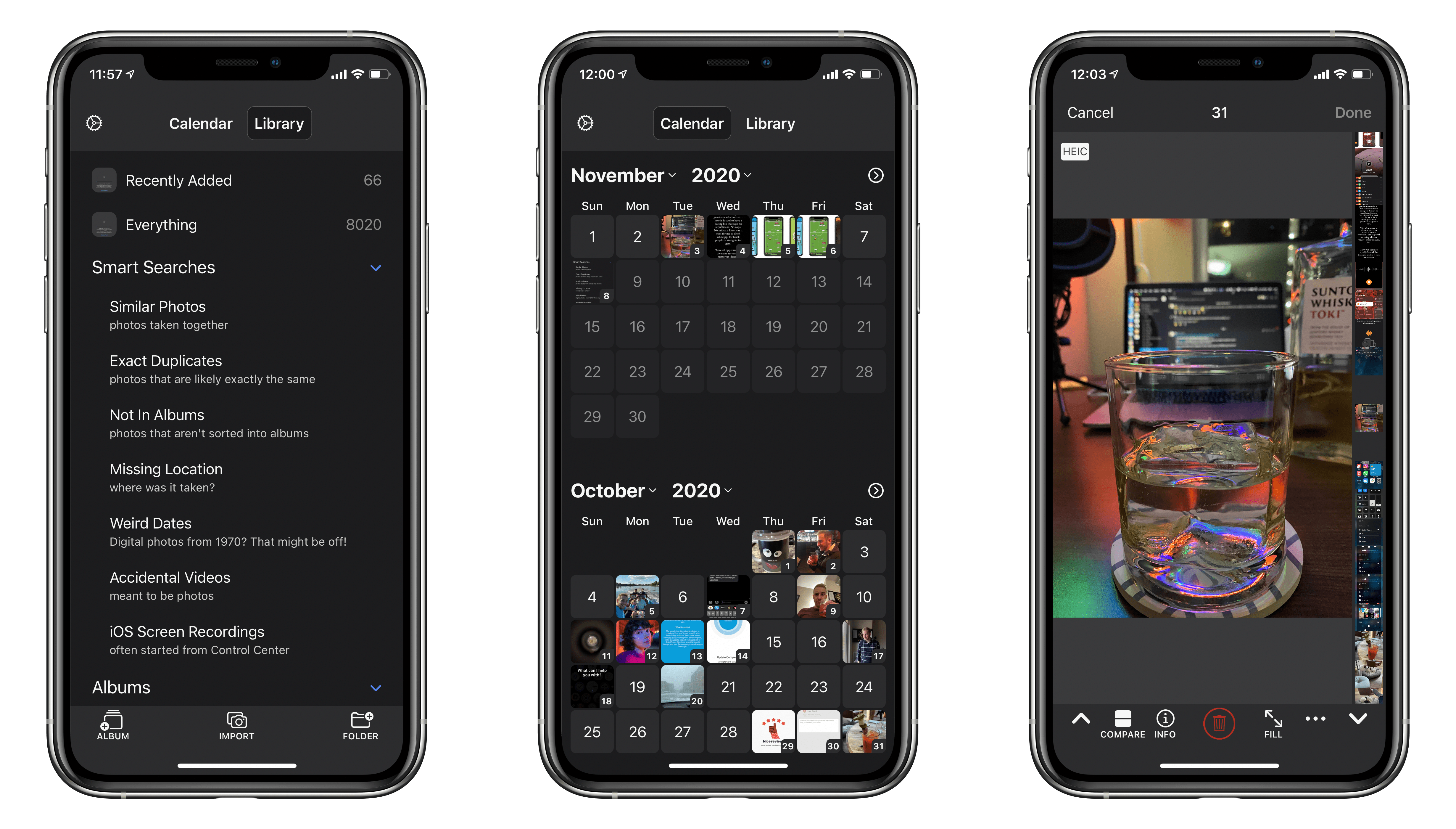
BestPhotos is a streamlined photo management app for iOS and iPadOS, which we last covered a couple years ago. The app seeks to help users clean up their photo libraries using smart searches, photo comparisons, and metadata edits. Today marks the release of BestPhotos 3.0, a major update in which developer Eric Welander has added a variety of useful new features and improvements.
 Doodle Jump
...
Apple Releases iOS and iPadOS 14.2 with New Emoji, Wallpapers, AirPlay 2 Interface, AR Face Detection, and Shazam Toggle for Control Center
Today Apple released the second major revision to iOS and iPadOS 14 since their introduction in September. The previous major update, 14.1, was largely just for iPhone 12 support and bug fixes. iOS and iPadOS 14.2 are packed with quite a few nice new additions to the operating system, and are available to the public as of this morning.
New Emoji and Wallpapers
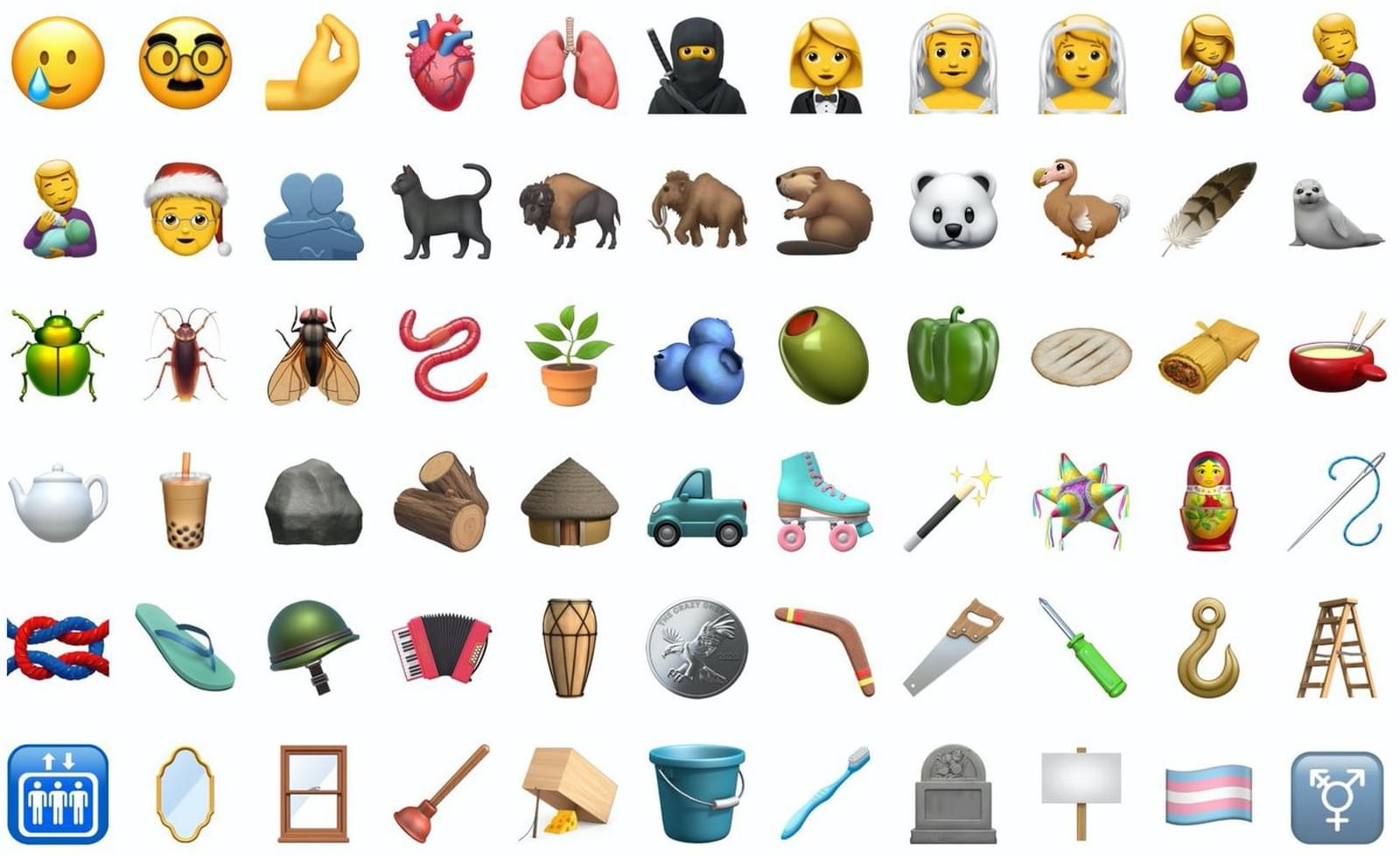
iOS 14.2 packs over 100 new emoji, including a smiling face with a tear1, a ninja, a toothbrush, and a pickup truck. Emojipedia covered the new emoji earlier in the beta cycle, and of course Federico attempted to guess all of their official names on an episode of Connected. My personal favorite is the new mousetrap emoji, which reminds me of the leprechaun traps that my sister and I used to set up the night before St. Patrick’s Day when we were growing up.
Eight new still wallpapers have also been released in today’s update. Some are photos of mountainous regions while others are scenic illustrations. Each new wallpaper includes a variation for light and dark mode.
MagSafe’s Return and Apple’s New iPhone Accessory Lineup
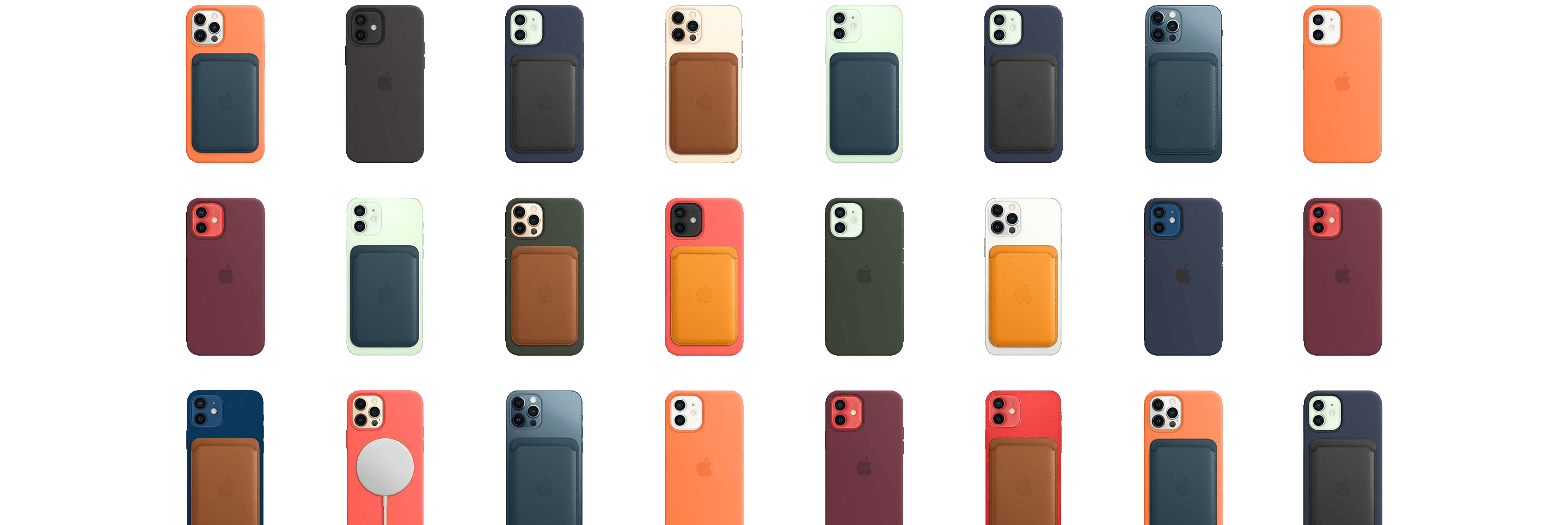
At this morning’s virtual event Apple announced the return of one of its long-lost technologies: MagSafe. Instead of the old magnetic laptop charging method, the new MagSafe is a magnetic ring built into Apple’s iPhone 12 lineup. This ring magnetically attaches a variety of brand new accessories from both Apple and third-parties.
watchOS 7: The MacStories Review
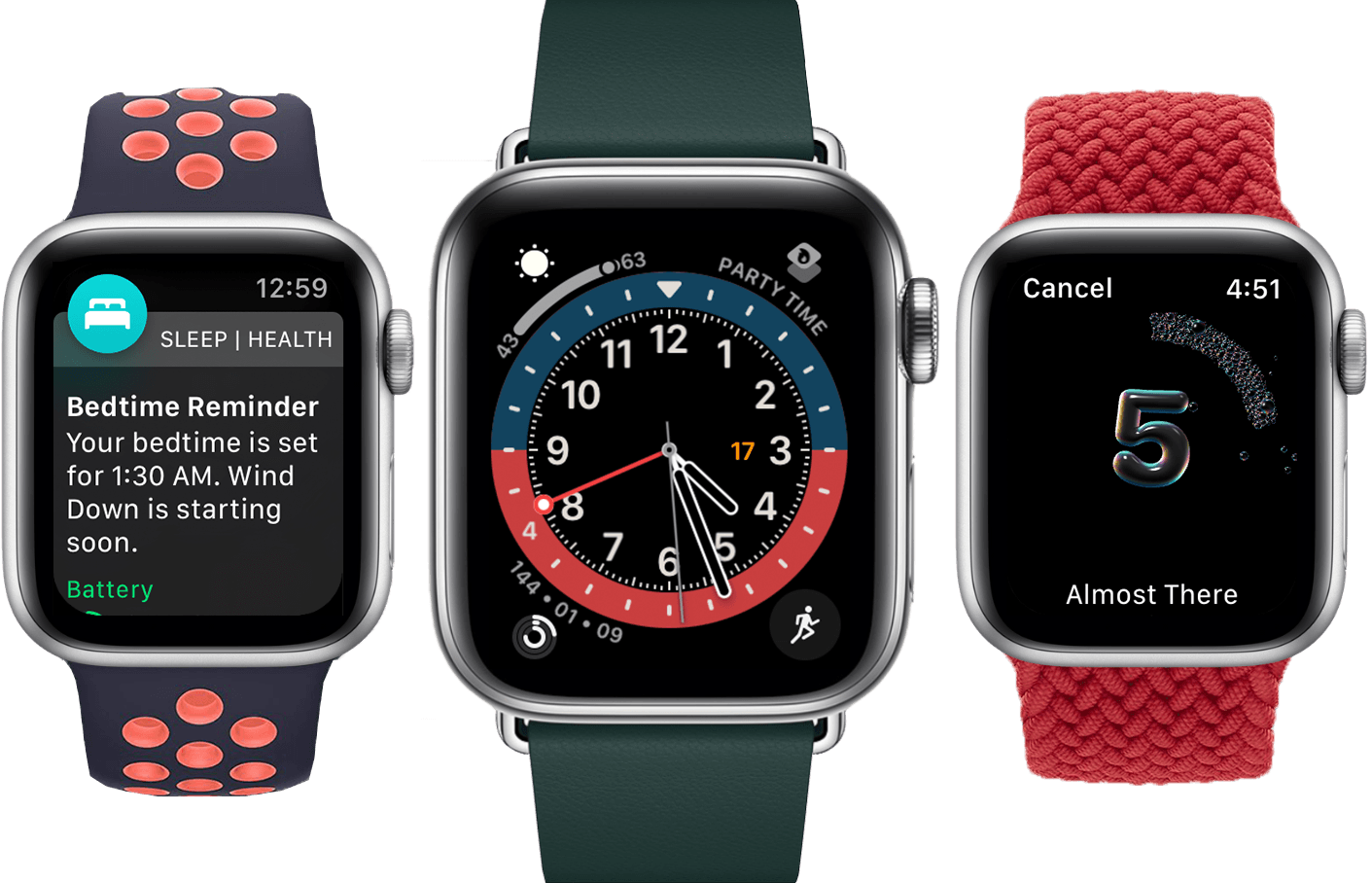
While a tumultuous software release would have been fitting in a year like 2020, watchOS 7 will find no such infamy. Stoically iterative, this year’s update to the Apple Watch operating system is lacking in surprises. But is that such a bad thing?
We spent years on the wild frontier of watchOS design and experience. As fun as it was to deconstruct each year’s crazy changes, the results were a product that didn’t yet know its purpose. These days that’s no longer the case. The Apple Watch exists primarily as a health and fitness device, and secondarily as a lightweight interface for many of the tasks you do on your iPhone each day. Also, it’s a watch.
watchOS 7 is all about health and fitness, plus some love for the Apple Watch’s watch-ness with a big supply of new faces and face-related features. A few more reasons to use your Watch instead of pulling out your iPhone are also sprinkled in, such as the new Shortcuts app and cycling directions in Maps.
While it may not be the most exciting annual update, there’s not much to complain about with the overall direction of watchOS 7. As always though, we can still dive deep into the implementation of the new features. Let’s break them each down and see how Apple did with watchOS 7.
The New Fitness App in iOS 14
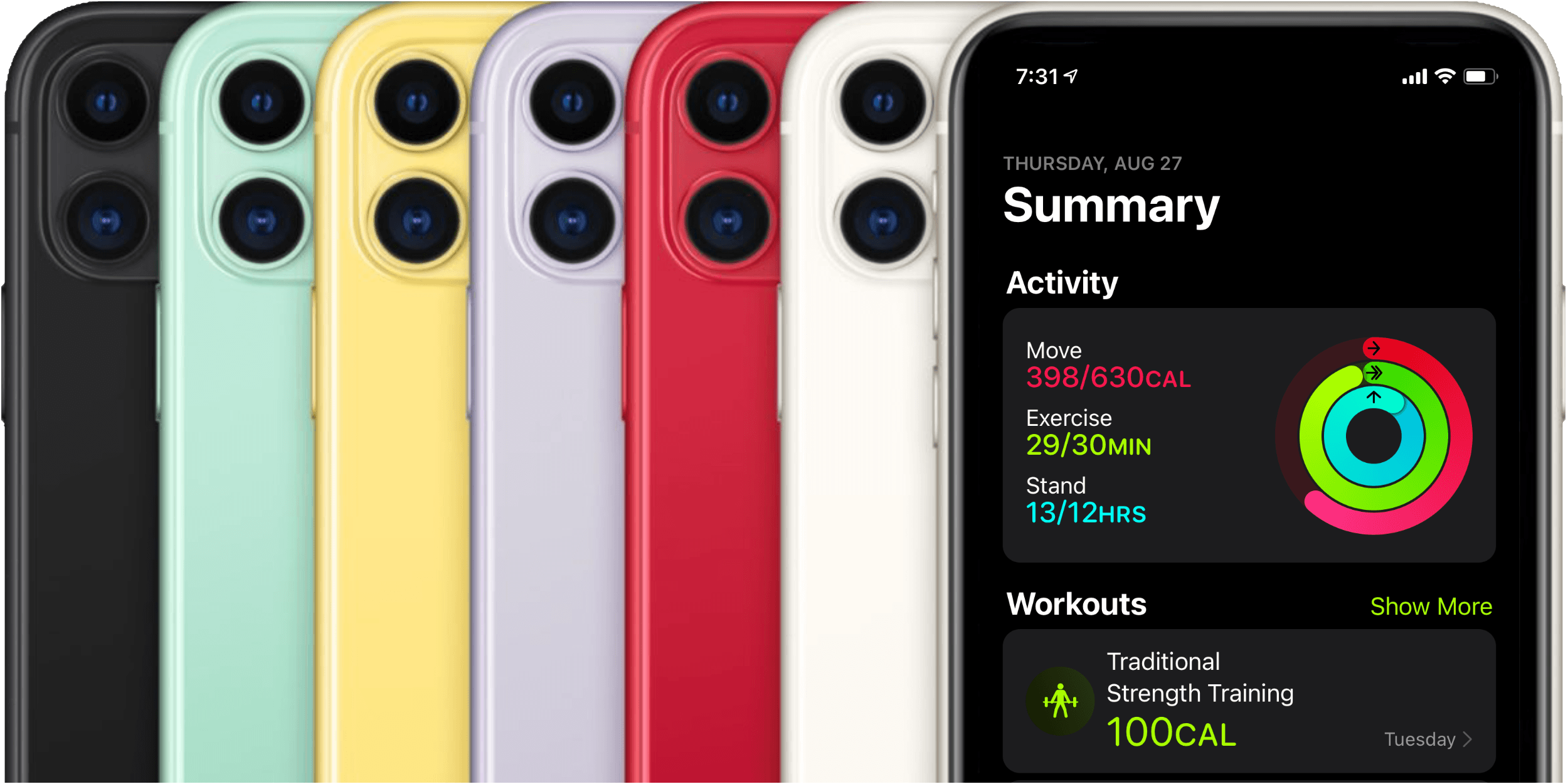
Last year Apple introduced Activity Trends, a new feature for tracking your fitness over time. Trends complemented the Apple Watch’s classic Activity rings feature, and found its home alongside the rings in the iOS Activity app.
Activity rings are binary metrics: did you or did you not meet your goal for moving, exercising, or standing today? Trends, on the other hand, track your past year of activity through rolling 90-day windows, and inform you as to whether you’re improving or declining. If necessary, Trends then suggest improvements such as walking a little more than usual each day or standing for a bit longer each hour. Together, Activity Trends and the classic Activity rings seek to help you develop and maintain an overall healthy lifestyle across a handful of monitored metrics.
Last year, Trends got their own tab in the Activity app alongside the four tabs that had existed previously: History, Workouts, Awards, and Sharing. These tabs always felt a bit sparsely populated for my tastes, and it seems that Apple agreed. In iOS 14, Apple has redesigned the Activity app, consolidating its tab structure, and renamed the app ‘Fitness.’
watchOS 7: The MacStories Overview
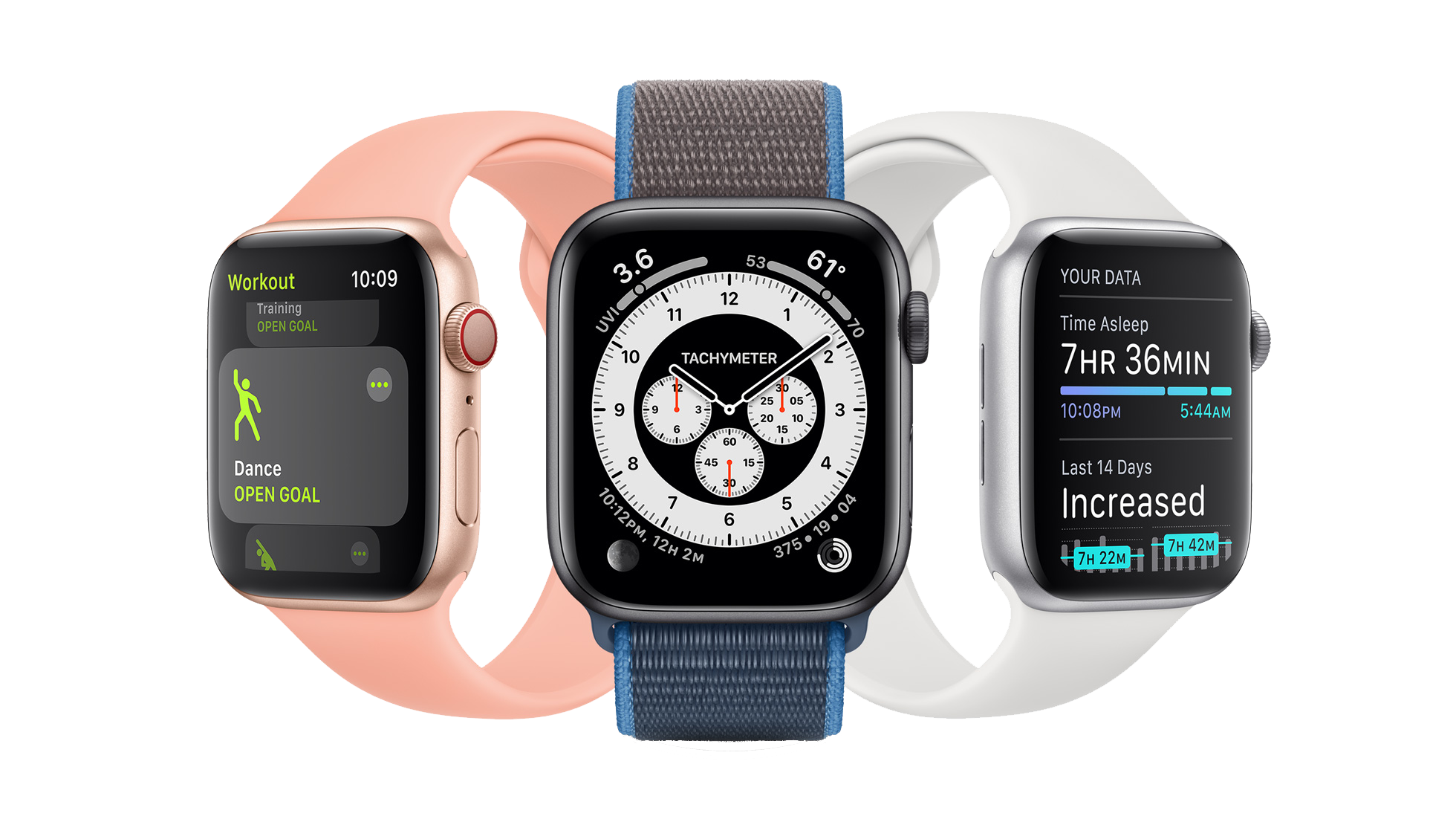
It’s WWDC week, and while we’ve been deprived the pleasure of meeting up in person this year, Apple’s OS updates are rolling forward like always. In this morning’s keynote address, Apple VP of Technology Kevin Lynch announced the latest version of the Apple Watch operating system. watchOS 7 isn’t as dramatic as some past releases have been, but it does introduce some excellent new features including sleep tracking, multiple distinct complications from the same app, a Shortcuts app, and new workout types. We’ll dive into all the features in depth below.
watchOS 6: The MacStories Review
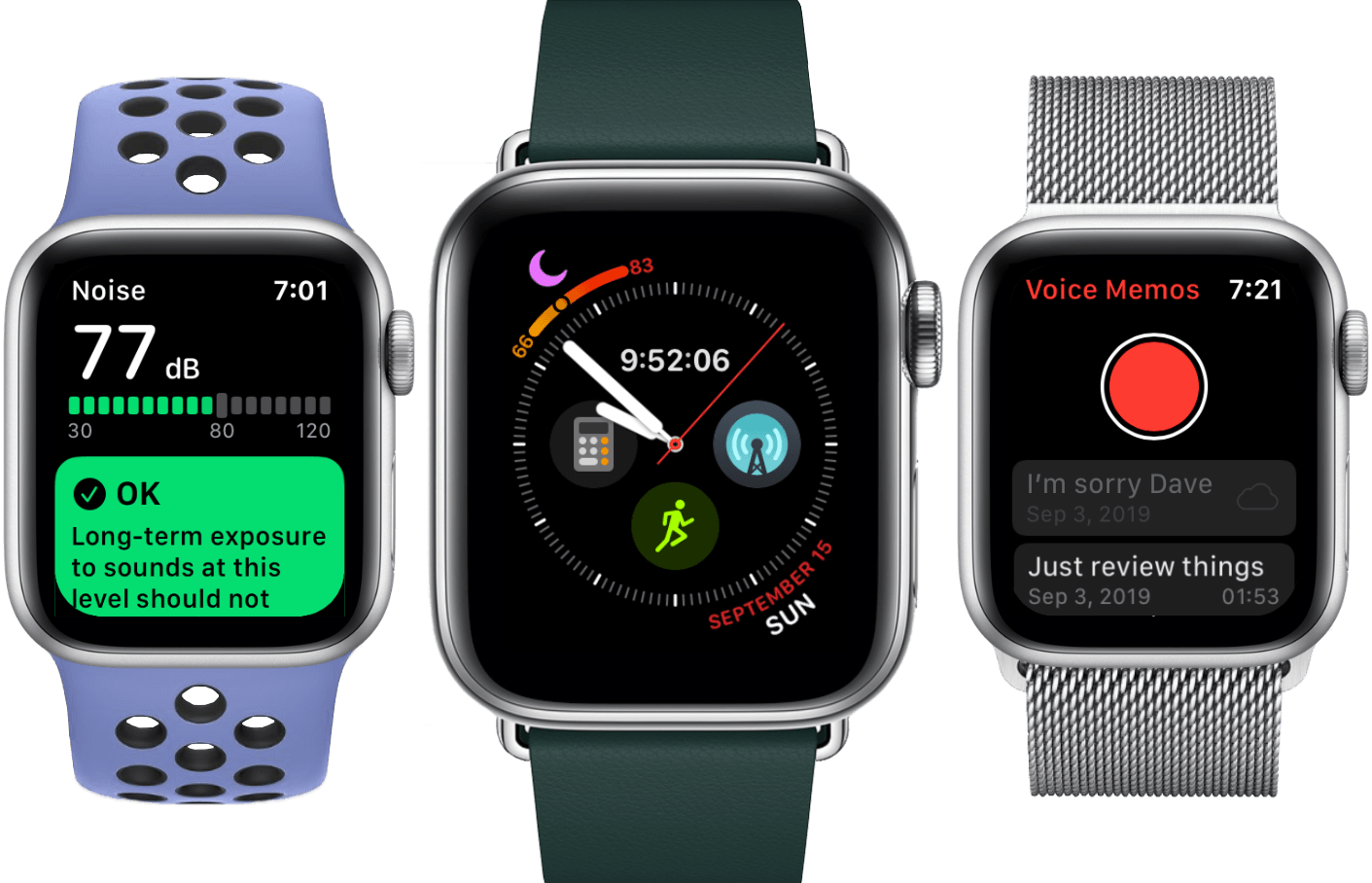
With last year’s release of the Apple Watch Series 4, it felt as though Apple had finally reached a point of equilibrium on the hardware side of the device. The Series 4 brought the first physical redesign, thinning the Watch out and stretching its slightly larger screen to the corners. It packed a processor that finally felt overpowered rather than underpowered, and it kept the Apple Watch’s all-day battery life going strong. The update rounded out with added health sensors for ECGs, background heart monitoring, Bluetooth 5 support, and a new speaker system. Those advancements joined the cellular capabilities from the Series 3, and have now been joined by the always-on display of the Series 5. I’m running out of feature requests for the Apple Watch.
The hardware may now be in place, but as we all know hardware is only part of the story. On the software side, the Apple Watch found its footing two years ago, but had a lot of catching up to do to reach the level of maturity of its hardware. Iteration is Apple’s specialty, and their increasingly strong understanding of the Apple Watch’s purpose has made the software path clear. Last year’s watchOS 5 brought significant fitness and audio improvements, the addition of web content and more interactive notifications. This year’s update brings us even more.
watchOS 6 flew under the radar at the packed and exciting WWDC keynote this June. It isn’t the most flashy update, but the Apple Watch had enough flashy updates in its early years to last a while longer. This is a year for iteration, and Apple has been iterating on all cylinders. watchOS 6 is a quiet giant, adding or redesigning more first-party apps at once than we’ve seen in years, dropping the largest batch of new watch faces since watchOS 1, providing a new way to track fitness over time, and kicking off a nascent foray into Apple Watch independence. Let’s see how Apple did.
Apple Watch Series 5: The MacStories Overview
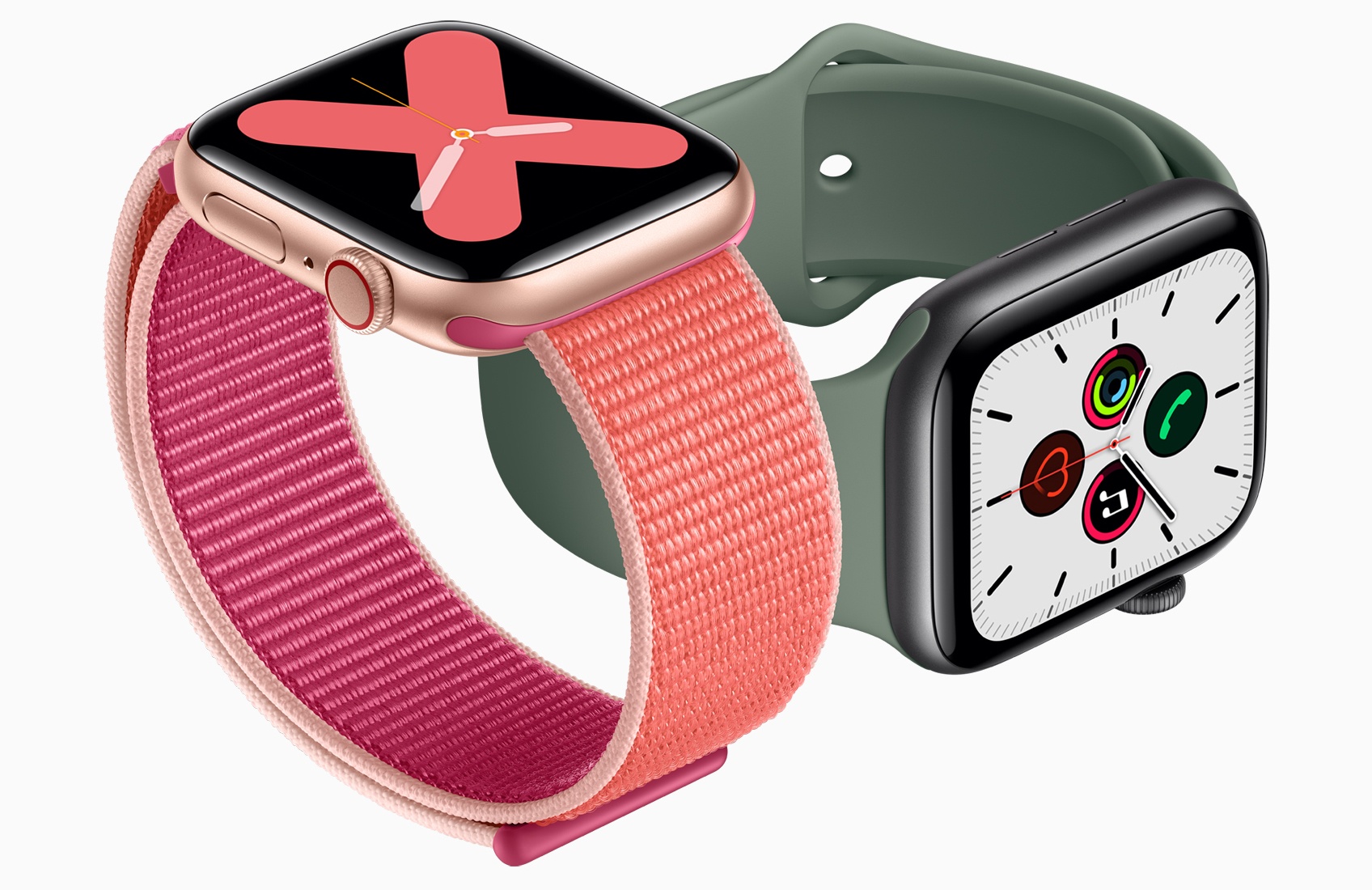
This morning at Apple’s special event at the Steve Jobs theater in Cupertino, Stan Ng took the stage to announce the Apple Watch Series 5. The new device features an always-on display for the first time ever, the same 18-hour battery life that every Apple Watch has had, and a built-in compass. The Series 5 is also the first Apple Watch to be available in titanium (alongside the standard aluminum, stainless steel, and ceramic).