Posts tagged with "WWDC26"

iOS and iPadOS 27: The MacStories Overview

Source: Apple.

Source: Apple.

During today’s WWDC keynote, Apple unveiled updates across its family of OSes. The keynote itself was very different in structure from previous years, with a lot of the focus on Siri and Apple Intelligence, which, for the most part, are fully cross-platform. (For more on those announcements, check out Devon’s coverage.)

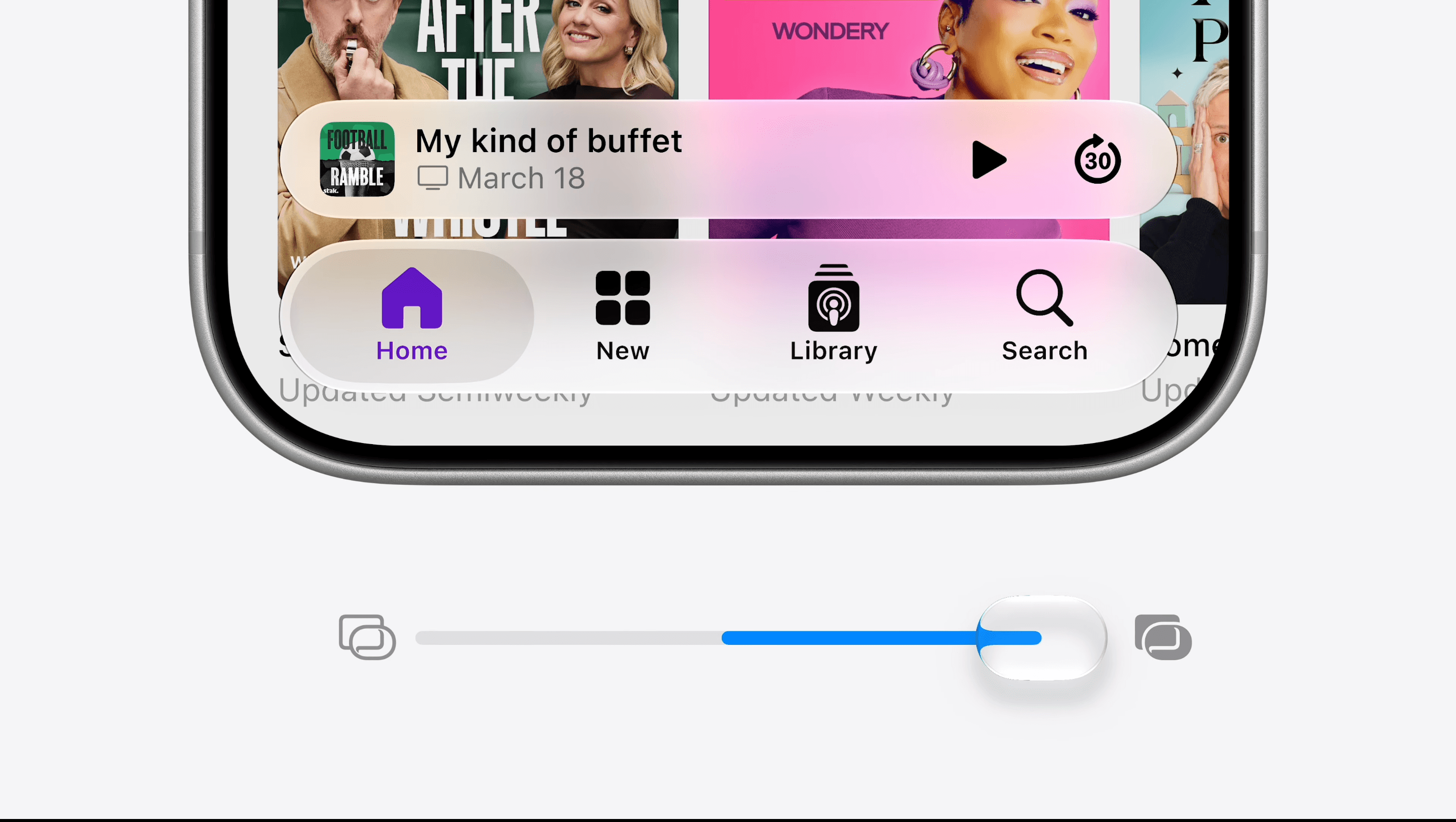
Nevertheless, there were plenty of new features announced for iOS and iPadOS, along with a slew of child safety tools. Let’s take a look.

Read more


Siri AI and the Latest in Apple Intelligence: The MacStories Overview

Source: Apple.

Source: Apple.

The big question coming into today’s WWDC keynote was what Apple would have to offer in terms of AI – or, as the company refers to it, Apple Intelligence. Given Apple’s behind-the-scenes struggles, delayed features, and partnership with Google to re-architect its Foundation Models based on Gemini, expectations were high, and the company delivered with the announcement of a whole new Siri and a slew of Apple Intelligence features baked into its upcoming operating systems.

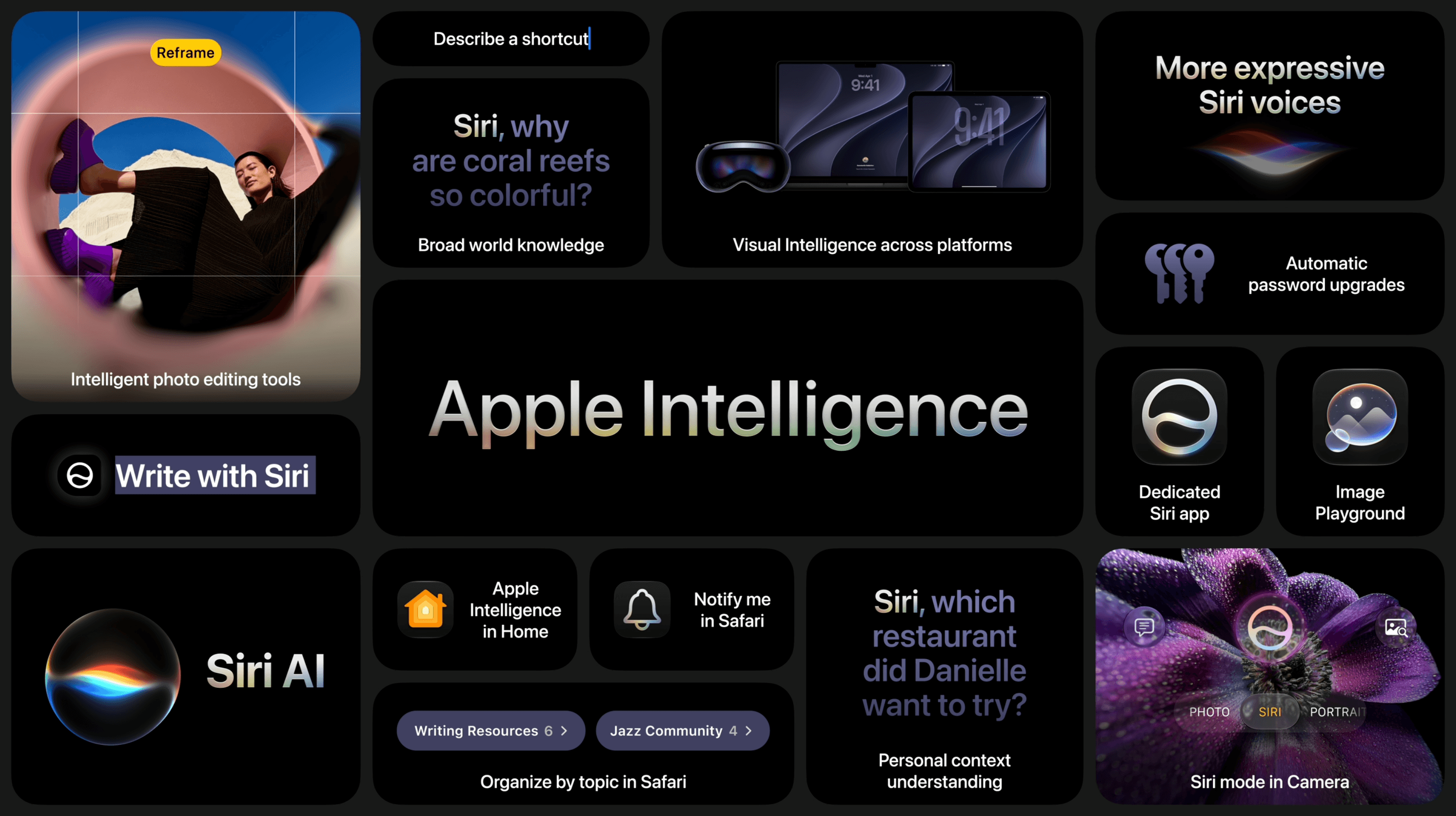
Siri AI, the all-new version of Apple’s virtual assistant, was the star of the show and got plenty of time in the spotlight, including several real-time demos on the iPhone and Mac. But the company also announced updates to Visual Intelligence, new photo editing tools, a Shortcuts builder, and additional Apple Intelligence features.

Source: Apple.

Source: Apple.

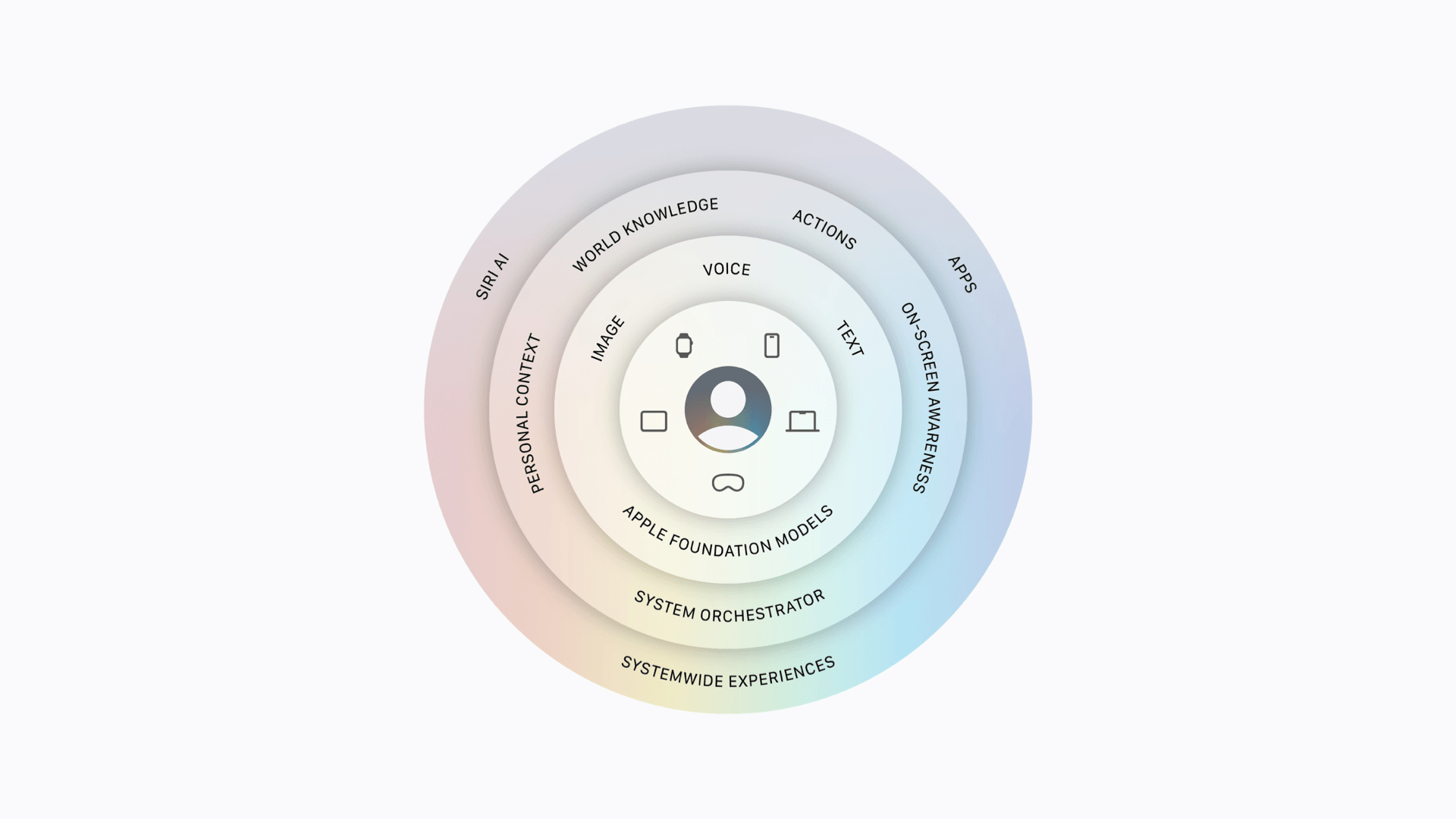
It all starts with the latest Foundation Models based on a new architecture developed by Apple in collaboration with Google’s Gemini models. Coming in both local and Private Cloud Compute variations, these models work across Apple devices using a combination of user input (via text, voice, or images), personal context, on-screen awareness, app actions, and world knowledge in conjunction with the new system orchestrator to power conversations and actions taken by Siri AI as well as Apple Intelligence features baked into each OS. Of course, Apple touts that these features are secure and protect user privacy whether they are run on-device or in Private Cloud Compute.

Read more


WWDC 2026: Small Details and Compatibility Lists

Source: Apple.

Source: Apple.

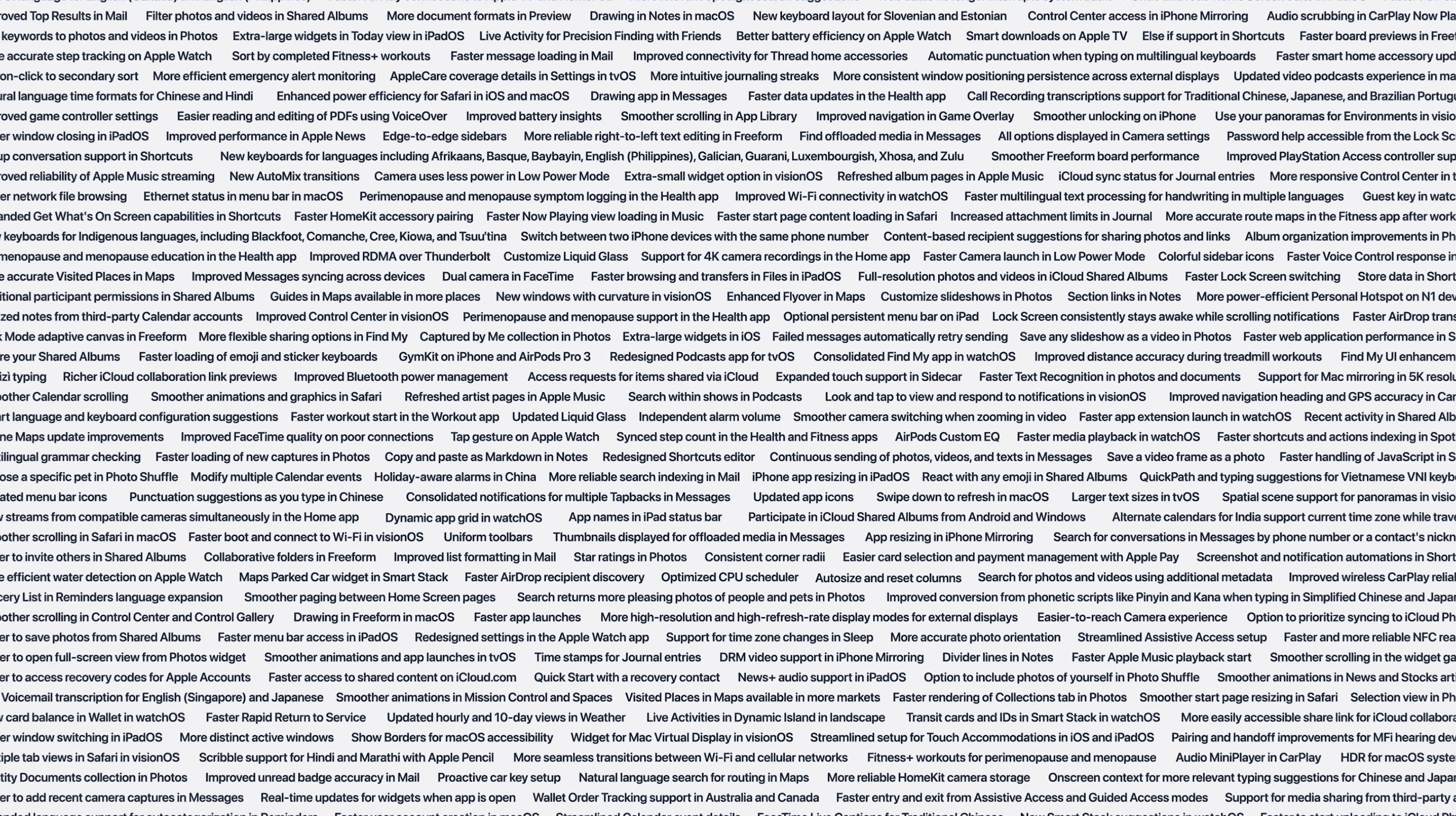
Today’s WWDC 2026 keynote had an unusual structure, in that it didn’t explicitly section off each operating system to discuss its new features. Instead, with the focus on Siri and Apple Intelligence, Apple talked about a select few improvements before flashing a huge word cloud of others.

Luckily, we managed to capture it and have the full list for you to peruse, grouped appropriately. Buckle in, because it’s a long one! And stick around until the end for device compatibility details for the latest OS versions as well.

Read more


WWDC 2026: Apple Publishes Keynote Video

Source: Apple.

Source: Apple.

As usual, this year’s WWDC was a packed event. Apple introduced Siri AI, Apple Intelligence features powered by a new architecture, quality-of-life platform improvements, safety features for children, and numerous other changes across its OSes.

If you missed the event or want to revisit any of the announcements, you can now do so on Apple’s Events site (where it is also available in ASL) or on YouTube. We’ll be posting coverage of all the new features and more in the coming hours and days, so stay tuned to MacStories.

Read more


Clic for Sonos: The Native App Sonos Should’ve Made, Now Up to 50% Off [Sponsor]

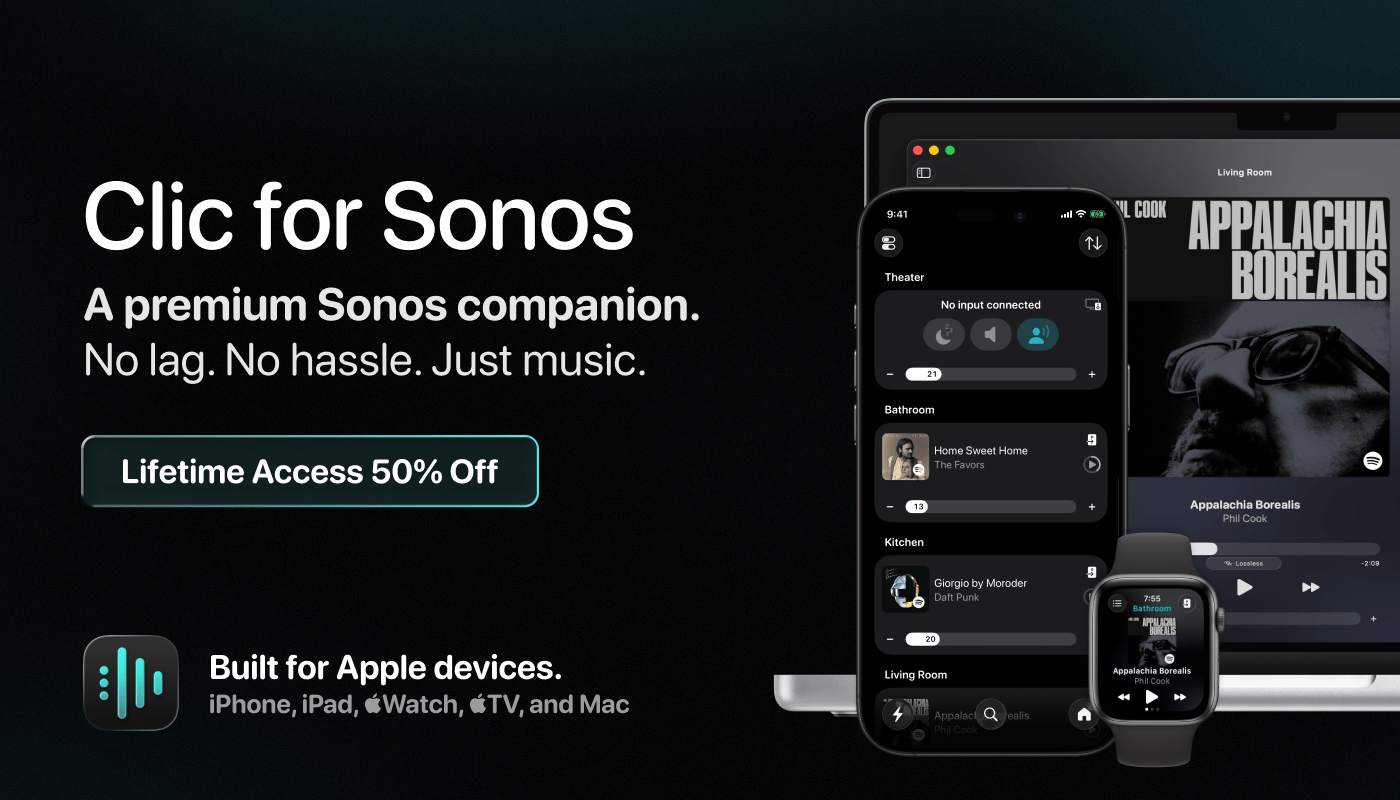
I make Clic because Sonos speakers sound incredible, and the app you use to control them should feel just as good. It’s a premium Sonos companion built natively for Apple devices, including iPhone, iPad, Mac, Apple Watch, and Apple TV. Unlike AirPlay, Clic tells your speakers to stream directly, so the music keeps playing when you walk out the door, it never drains your battery, and it never ties up your phone. Setup takes seconds, and whether you’re playing to one speaker or grouping the whole house, every tap is instant. No lag, no hassle, just music.

Clic is loaded with native features. Widgets, Live Activities, Lock Screen controls, Control Center widgets, and Shortcuts for automation are all there. On the Mac you get a full app plus a menu bar companion with speaker grouping and hot keys. Scenes group your rooms, set the volume, and start the music in a single tap, and the Share Sheet sends any Apple Music or Spotify link, a song, album, artist, or station, straight to the speaker you choose.

Clic works with Apple Music, Spotify, Tidal, Plex, SoundCloud, TuneIn, and your Sonos library, with full support for lossless audio and Dolby Atmos. And because Clic is built natively for Apple, I’m always adding new features and bringing in the latest Apple technologies.

I think you’ll see why so many Apple fans use Clic every day. Try it yourself, and MacStories readers can get the first year for just $10 (33% off) or lifetime updates for $40 (50% off). Head to clic.dance/macstories for all the details.

Our thanks to Clic for Sonos for sponsoring MacStories’ WWDC coverage.


2026 Apple Design Awards Winners Announced

With WWDC right around the corner, Apple has revealed the winners of the annual Apple Design Awards. The Awards are given to an app and game from a pool of 36 finalists in the following categories:

  • Delight and Fun
  • Inclusivity
  • Innovation
  • Interaction
  • Social Impact
  • Visuals and Graphics

The pool of finalists was especially strong this year, but just one app and game is chosen for each category, and here’s what Apple picked:

Delight and Fun

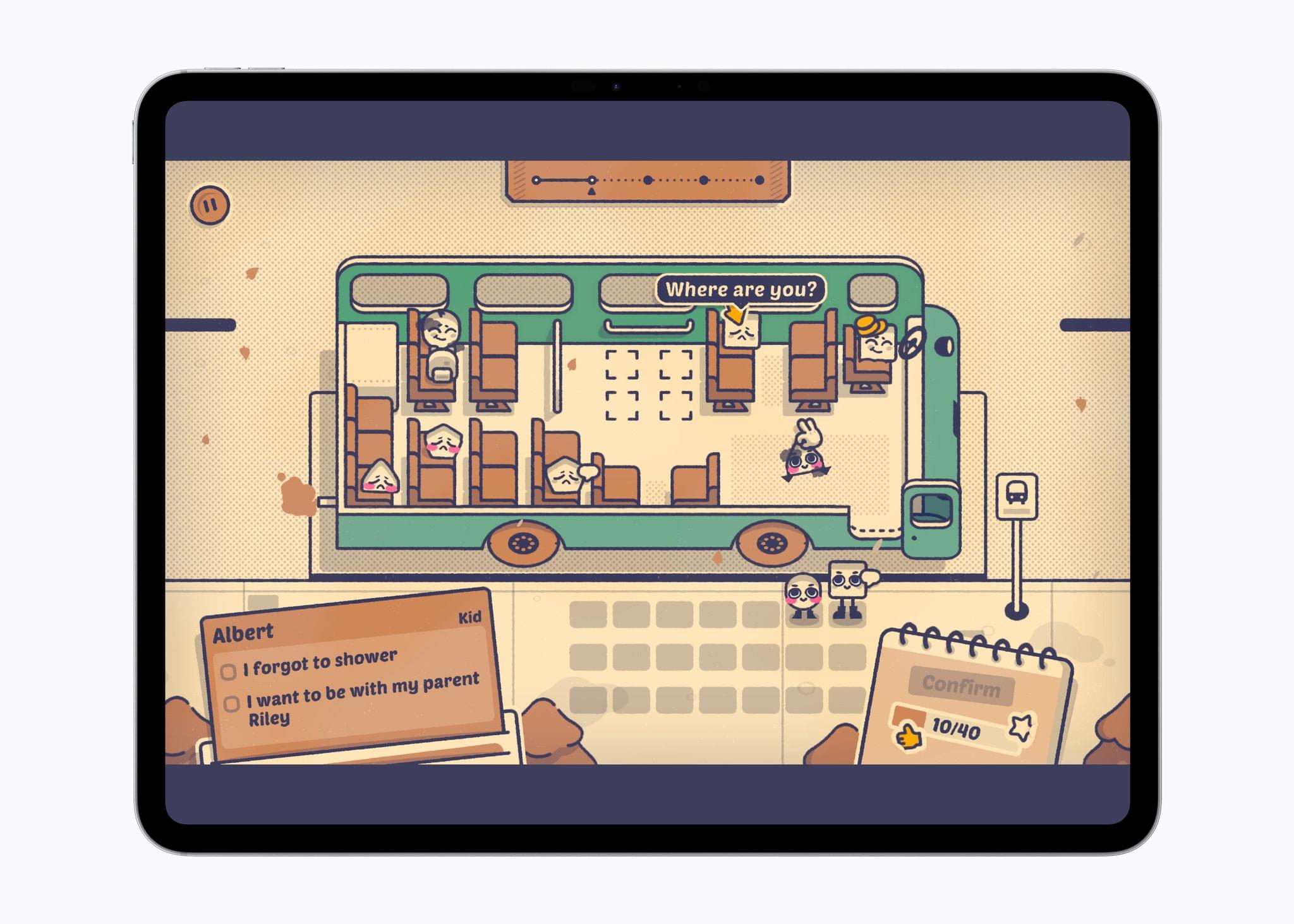
Is This Seat Taken?

Is This Seat Taken?

Appgrug
Developer: Ocho (Netherlands)

grug is a playful way to discover and embrace daily wisdom. The affirmation app provides a delightful way to read daily neolithic grunts. With just a simple idea, each prompt is thoughtfully delivered to offer users a small but meaningful moment of reflection.

GameIs This Seat Taken?
Developer: Poti Poti Studio (Spain)

Is This Seat Taken? is a fun way to experience and solve tricky logic puzzles. The cartoon-style game provides entertaining scenarios, helping players navigate the quirkiness of public transit. Playful interactive elements within the game create a sense of charm to support users in enjoying an unhurried ride, one seat at a time.

Read more


A Look at Apple’s 2026 Swift Student Challenge Winners

Source: Apple.

Source: Apple.

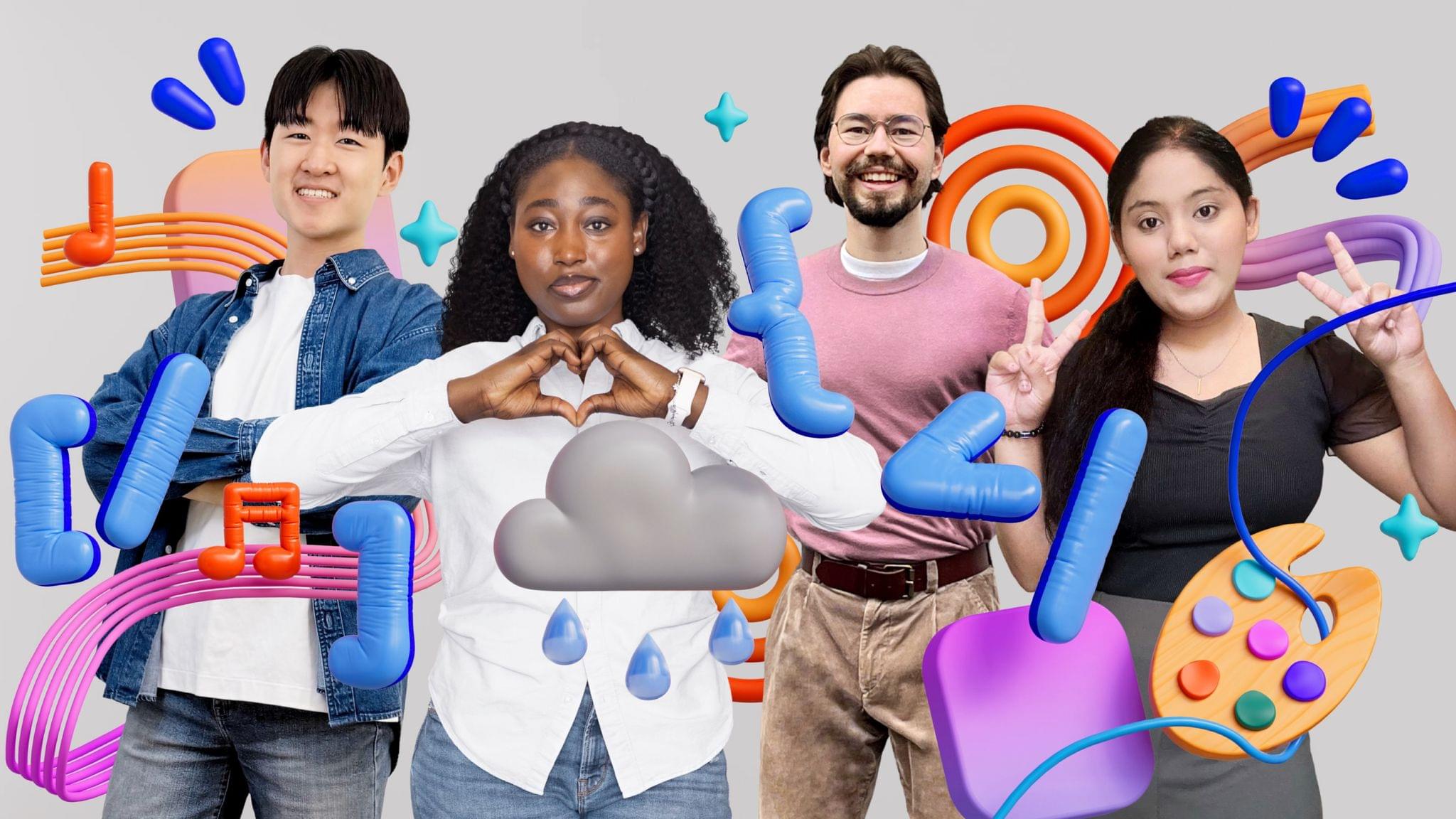
Earlier today, Apple profiled the accomplishments of Swift Student Challenge winners. The 350 students who built the winning app playgrounds come from 37 countries and were chosen from the largest pool of participants ever. Susan Prescott, Apple’s vice president of Worldwide Developer Relations said of the competition’s entries:

The breadth of creativity we see in the Swift Student Challenge never ceases to amaze us. This year’s winners found remarkable ways to harness the power of Apple platforms, Swift, and AI tools to build app playgrounds that are as technically impressive as they are meaningful. We’re incredibly proud to support their journey and can’t wait to see what they create next.

Of the 350 winners, 50 have been invited to attend WWDC, which kicks off next month.

Apple’s press release spotlights four winners who built app playgrounds. Among those profiled is Gayatri Goundadkar, who built an app called Steady Hands that uses the Apple Pencil’s stabilization technology so people with hand tremors can draw more easily. As Goundadkar says:

When a person draws, my app uses Apple’s PencilKit and Accelerate frameworks to analyze stroke data and recognize tremors. It detects what is intentional and what is not, and removes the tremor component. Every drawing is then displayed in a personal 3D museum, because I wanted them to feel like artists, not patients. When users saw the stabilization working, they felt more confident.

Another winner, Karen-Happuch Peprah Henneh, was inspired by floods in her home country of Ghana to build a real-time pathfinding app called Asuo to help people in flood-prone areas to stay out of harm’s way.

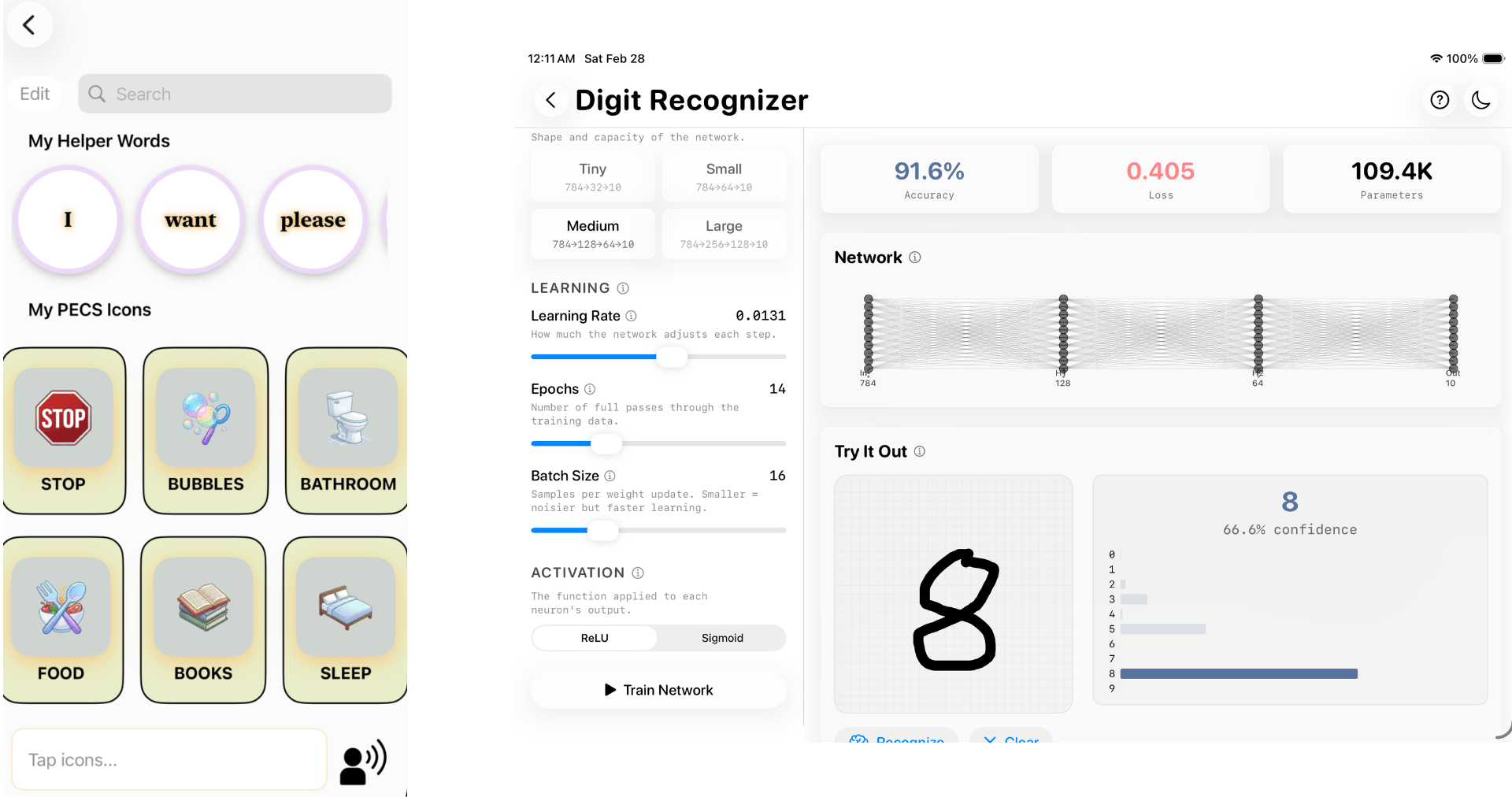
Sign & Say by Courey Jimenez (left) and NodeLab by Aayush Mehrotra (right).

Sign & Say by Courey Jimenez (left) and NodeLab by Aayush Mehrotra (right).

Earlier today, I had a chance to talk to Susan Prescott and two student winners: Courey Jimenez and Aayush Mehrotra. Jimenez drew on her experience working with nonverbal children as a behavioral technician to create an app that combines American Sign Language and Picture Exchange Communication Systems. As Jimenez explained to me:

When you can’t speak your needs, it’s a frustrating thing. So I knew I wanted to build something that was very user friendly and appealing to help mitigate that stress.

Mehrotra, who is just 14, built an app that allows students to explore the complexities of neural networks in a visual and interactive way. He was driven to build something friendly and approachable for students like himself who are interested in machine learning, too.

Every year I’m struck by the creativity of the students who participate in the Swift Student Challenge. Their inspiration is drawn from personal, family, and community experiences and their own passions. And, while their projects vary widely, they all have one thing in common: the excitement of building something and sharing it with others. It’s the same infectious enthusiasm we see over and over in the developers whose apps we cover, which propels the app world forward. Like the students I spoke to today, I can’t wait for WWDC.

Apple Schedules WWDC 2026 for June 8–12 Along with a Special Event at Apple Park

WWDC26 will be held from June 8–12 this year and include both an online and in-person event that will provide a limited number of developers the opportunity to watch the keynote at Apple Park, meet with Apple engineers, and take part in other activities. Details on eligibility and how to apply to attend WWDC can be found on the Apple Developer site and app.

In a press release issued by Apple today, Susan Prescott, the company’s Vice President of Worldwide Developer Relations and Enterprise and Education Marketing, said:

“WWDC is one of the most exciting times for us at Apple because it’s a chance for our incredible global developer community to come together for an electrifying week that celebrates technology, innovation, and collaboration,” said Susan Prescott, Apple’s vice president of Worldwide Developer Relations. “We can’t wait to see many of you online and in person for what is sure to be one of our best WWDC events yet.”

Although Apple hasn’t said so specifically, those not attending in person will undoubtedly be able to stream the WWDC keynote and Platforms State of the Union, watch dozens of videos explaining the new technologies being introduced later in the year, and meet with Apple engineers for online Q&A sessions.

As always, I’m excited for WWDC. I haven’t missed one since I first started attending in 2013, and I’m not going to start this year. It’s a time to catch up with family in the area, get together with developers and media people I rarely see in person, and meet new people, too. Despite the event being smaller than when it was held in San Francisco and San Jose, it’s still energizing to get together with others who are as excited as I am for what Apple has in store for its OSes in the fall.

Of course, MacStories readers can expect the same kind of comprehensive WWDC coverage we deliver every year. We’ll have extensive coverage on MacStories, AppStories, and MacStories Unwind that will extend to Club MacStories too.


Submissions Open for the 2026 Swift Student Challenge

Today, Apple opened up applications for the Swift Student Challenge. Students have until the end of February to submit an app playground built with Xcode or Swift Playground. According to Apple’s developer website:

  • No prior experience is needed. The Challenge is open to students of all levels who meet the eligibility requirements.
  • The Challenge is free to enter — all you need is access to a Mac or iPad with Xcode or Swift Playground.
  • Your app playground can be on any topic of your choice. The best app ideas come from subjects or experiences that you’re passionate about. 
  • Your app playground should be experienced within 3 minutes or less.
  • The Swift Student Challenge is a great opportunity for students to build their skills and create something great.

Apple also released a video explaining the Challenge, and additional resources are available for both students and educators.

After the submission period closes, Apple will pick 350 winners, who will receive a one-year membership in the Apple Developer Program and a gift. Of those winners, 50 will be selected as Distinguished Winners who will be invited to visit Apple Park in Cupertino for a three-day visit, which in past years was held during WWDC.

for me, the kickoff of the Swift Student Challenge is the beginning of the build-up to WWDC, which is likely just four months away. It’s a great program that I know has inspired a lot of students to become the developers whose apps we cover at MacStories. Federico and I have also had the pleasure of interviewing many of the winners in the past and have always come away impressed and inspired what they create as part of the Challenge. I’m sure this year will be no different.