Posts tagged with "podcasts"

Castro Adds iCloud Drive Sideloading and Chapter Playback Pre-Selection

Supertop has released another solid update to its podcast player, Castro. In today’s update, Castro adds file sideloading for Plus subscribers, significantly adding to the app’s utility as general purpose audio player. Subscribers can also pre-select the chapters of a podcast they want to play too.

For plus subscribers, the update adds a ‘Castro’ folder in iCloud Drive. Add an MP3 or AAC file into the ‘Sideloads’ folder, and it shows up in your Castro inbox (or wherever else you designate in settings) ready for playback.

Adding audio to Castro is equally simple on a Mac or iOS device. On a Mac, open the Finder and drag in the audio files you want to add. On iOS, use the Files app to add files to your Sideloads folder from any file provider like Dropbox, Box, or Google Drive.

Once added, audio files show up in your Castro Inbox by default where they can be added to your listening queue like any podcast to which you subscribe. Instead of your Inbox, you can also add sideloaded audio to the front or back of your Queue or Castro’s Archive from the app’s settings.

Sideloading opens up exciting possibilities, especially when combined with other apps. For example, you can add DRM-free audiobooks, audio from lectures or conferences recorded from YouTube or other sources using an app like Audio Hijack, or add downloaded bonus podcast episodes like the AppStories Unplugged episodes that we’ve created for Club MacStories members. Podcasters can also use sideloading as a way to listen to draft episodes before publishing them. With one straightforward feature, Castro has become a far more flexible, general-purpose audio player.

Overcast has a similar feature for subscribers, but it’s web-based and limited to 2 GB of storage. Overall, I prefer Castro’s implementation, which doesn’t require navigating to a website. Though Overcast’s 2 GB limit hasn’t been an issue for me, the lack of a cap in Castro is a definite advantage for anyone who wants access to lots of sideloaded audio.
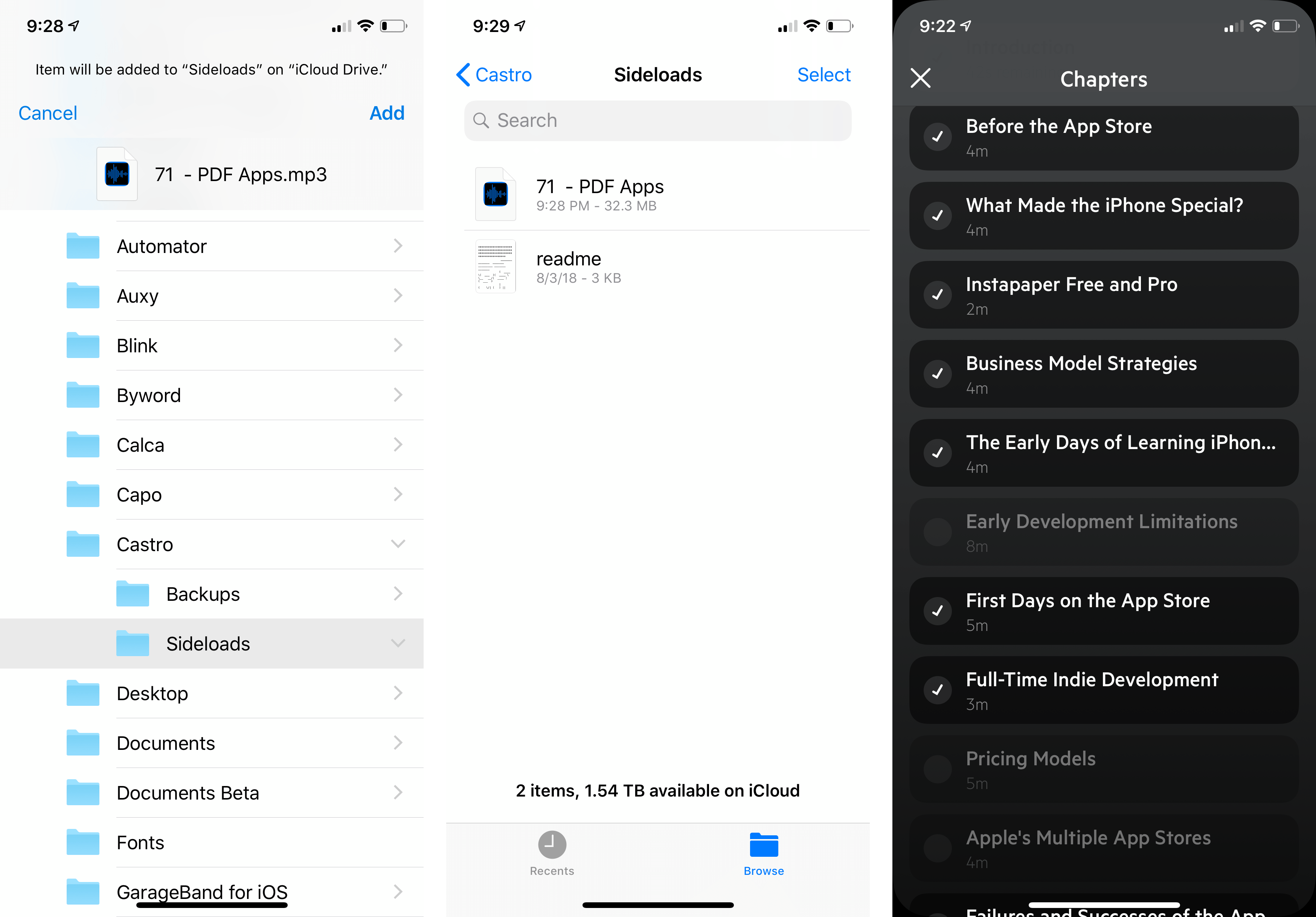
Sideloading a draft episode of AppStories and deselecting chapters for playback.

Sideloading a draft episode of AppStories and deselecting chapters for playback.

The second feature added to Castro is what Supertop calls Chapter Pre-Selection. In Castro, if you tap on the current chapter in a podcast episode, it displays a list of all the chapters so you can skip around inside the episode. With today’s update, Castro adds checkboxes to each chapter. By default, all of the chapters are selected. If there are chapters in the list to which you don’t want to listen, tap the checkmark icon to deselect the chapter, and only the selected chapters will play.

The convenience of selecting chapters in advance is greater than I had imagined. By pre-selecting chapters, I can, for example, head out for a run or walk without having to fiddle with skipping chapters on the go, which means fewer distractions and opportunities to drop my iPhone.

Supertop continues to regularly update Castro with interesting features. If you haven’t tried Castro in a while, it’s worth another look. The app is free to download on the App Store and you can try the Plus features, including sideloading, free for one week, after which they are $2.99 every three months or $8.99 per year.
Access Extra Content and Perks

Founded in 2015, Club MacStories has delivered exclusive content every week for nearly a decade.

What started with weekly and monthly email newsletters has blossomed into a family of memberships designed for every MacStories fan.

Learn more here and from our Club FAQs.

Club MacStories: Weekly and monthly newsletters via email and the web that are brimming with apps, tips, automation workflows, longform writing, early access to the MacStories Unwind podcast, periodic giveaways, and more;

Club MacStories+: Everything that Club MacStories offers, plus an active Discord community, advanced search and custom RSS features for exploring the Club’s entire back catalog, bonus columns, and dozens of app discounts;

Club Premier: All of the above and AppStories+, an extended version of our flagship podcast that’s delivered early, ad-free, and in high-bitrate audio.

Learn more here and from our Club FAQs.


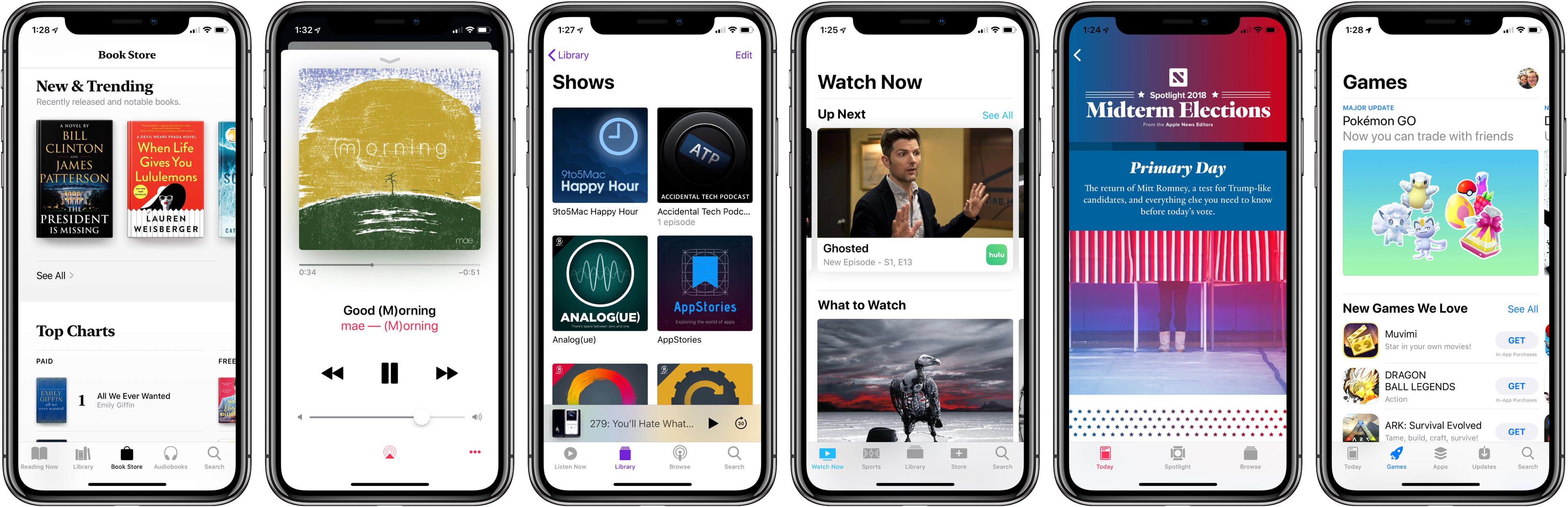
Apple Is Building a Media Platform Like Never Before

Have you ever watched the construction of a new building while knowing nothing about what the finished product would be? You track its progress a piece at a time, clueless about the end goal until finally there comes a point when, in a single moment, suddenly it all makes sense.

Apple’s media ambitions have been like that for me.

In recent years, Apple has taken a variety of actions in the media space that seemed mostly disconnected, but over time they’ve added up to something that can’t be ignored.

  • 2015: Apple Music and Apple News launched.
  • 2016: Apple Music redesigned; TV app debuted.
  • 2017: App Store revamped with dedicated games section; Apple Podcasts redesigned; TV app adds sports and news.
  • 2018: Apple acquires Texture; iBooks redesigned and rebranded Apple Books.
  • 2019: Apple’s video streaming service launches?

Apple already has control of the hardware that media is consumed on, with its ever-expanding iPhone business and suite of complementary products. It has invested significant effort into building the apps media is consumed in, as evidenced above. And finally, it’s also building the paid services media is consumed through.

And the company is doing these things at a scale that is unprecedented. Once not long ago, Apple’s primary media platform was iTunes. Now, hundreds of millions of users consume media every day through Apple’s suite of spiritual successors to iTunes:

  • Apple Music
  • Apple TV (the app)
  • Apple Podcasts
  • Apple Books
  • Apple News
  • And the App Store

Apple has one unified goal, I believe, driving all its media efforts: it aspires to utilize hardware, software, and services to provide the entirety of a user’s media experience. If you consume media, Apple wants to provide the full stack of that consumption, from media delivery to media discovery. My aim in this story is to share an overview of how that goal is being fulfilled today.

Read more

Access Extra Content and Perks

Founded in 2015, Club MacStories has delivered exclusive content every week for nearly a decade.

What started with weekly and monthly email newsletters has blossomed into a family of memberships designed for every MacStories fan.

Learn more here and from our Club FAQs.

Club MacStories: Weekly and monthly newsletters via email and the web that are brimming with apps, tips, automation workflows, longform writing, early access to the MacStories Unwind podcast, periodic giveaways, and more;

Club MacStories+: Everything that Club MacStories offers, plus an active Discord community, advanced search and custom RSS features for exploring the Club’s entire back catalog, bonus columns, and dozens of app discounts;

Club Premier: All of the above and AppStories+, an extended version of our flagship podcast that’s delivered early, ad-free, and in high-bitrate audio.

Learn more here and from our Club FAQs.


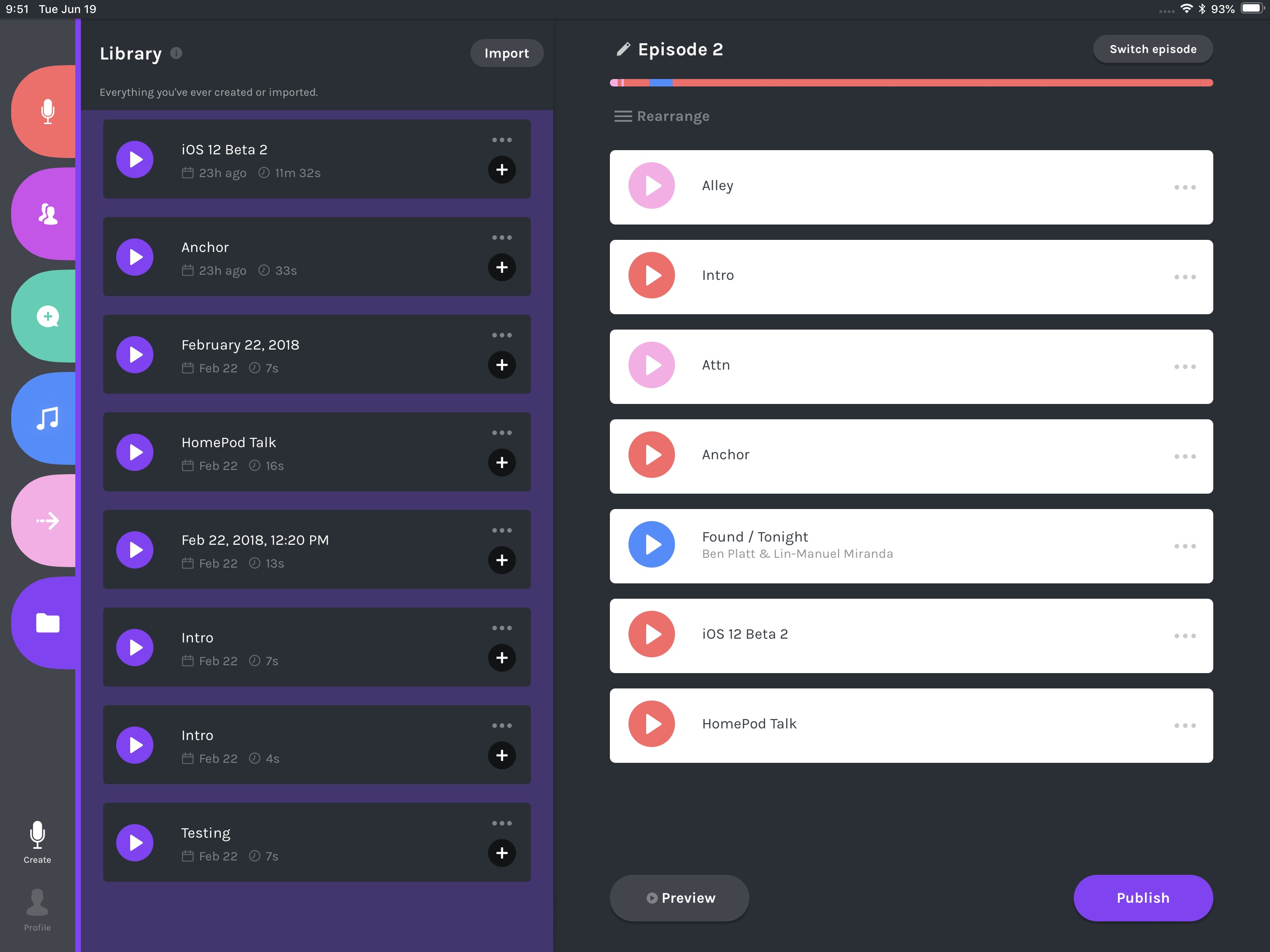
Anchor Brings User-Friendly Podcasting to the iPad, Complete with Editing Tools

If you’ve ever used Anchor to make a podcast, you know just how easy it is. That ease of use, however, has historically meant sacrificing any access to editing tools that most podcasters need. Today that changes, however, as Anchor is introducing basic editing tools as part of the debut of its iPad app.

Read more

Access Extra Content and Perks

Founded in 2015, Club MacStories has delivered exclusive content every week for nearly a decade.

What started with weekly and monthly email newsletters has blossomed into a family of memberships designed for every MacStories fan.

Learn more here and from our Club FAQs.

Club MacStories: Weekly and monthly newsletters via email and the web that are brimming with apps, tips, automation workflows, longform writing, early access to the MacStories Unwind podcast, periodic giveaways, and more;

Club MacStories+: Everything that Club MacStories offers, plus an active Discord community, advanced search and custom RSS features for exploring the Club’s entire back catalog, bonus columns, and dozens of app discounts;

Club Premier: All of the above and AppStories+, an extended version of our flagship podcast that’s delivered early, ad-free, and in high-bitrate audio.

Learn more here and from our Club FAQs.


Castro 3 Review: The Castro You’ve Always Wanted

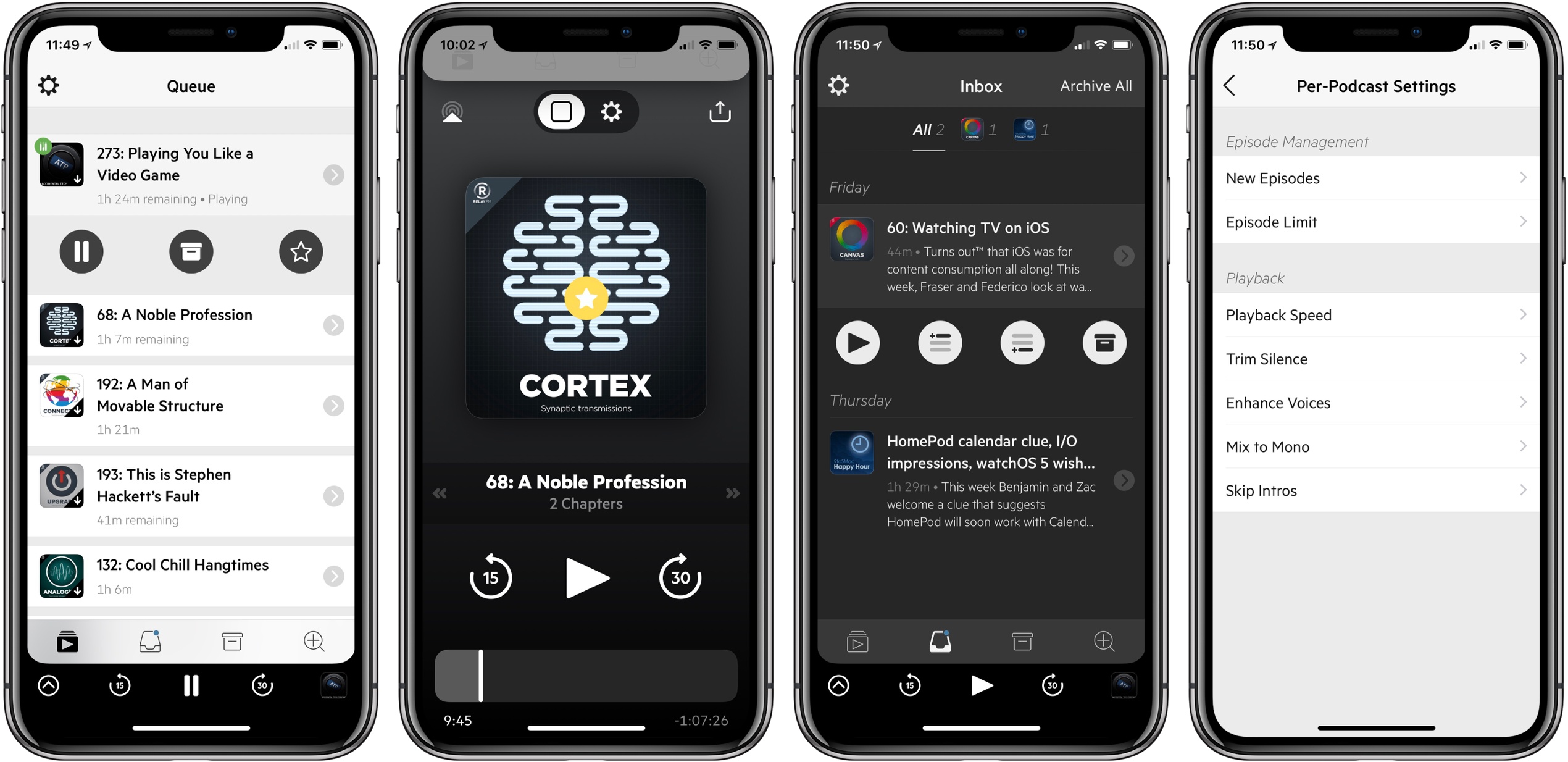
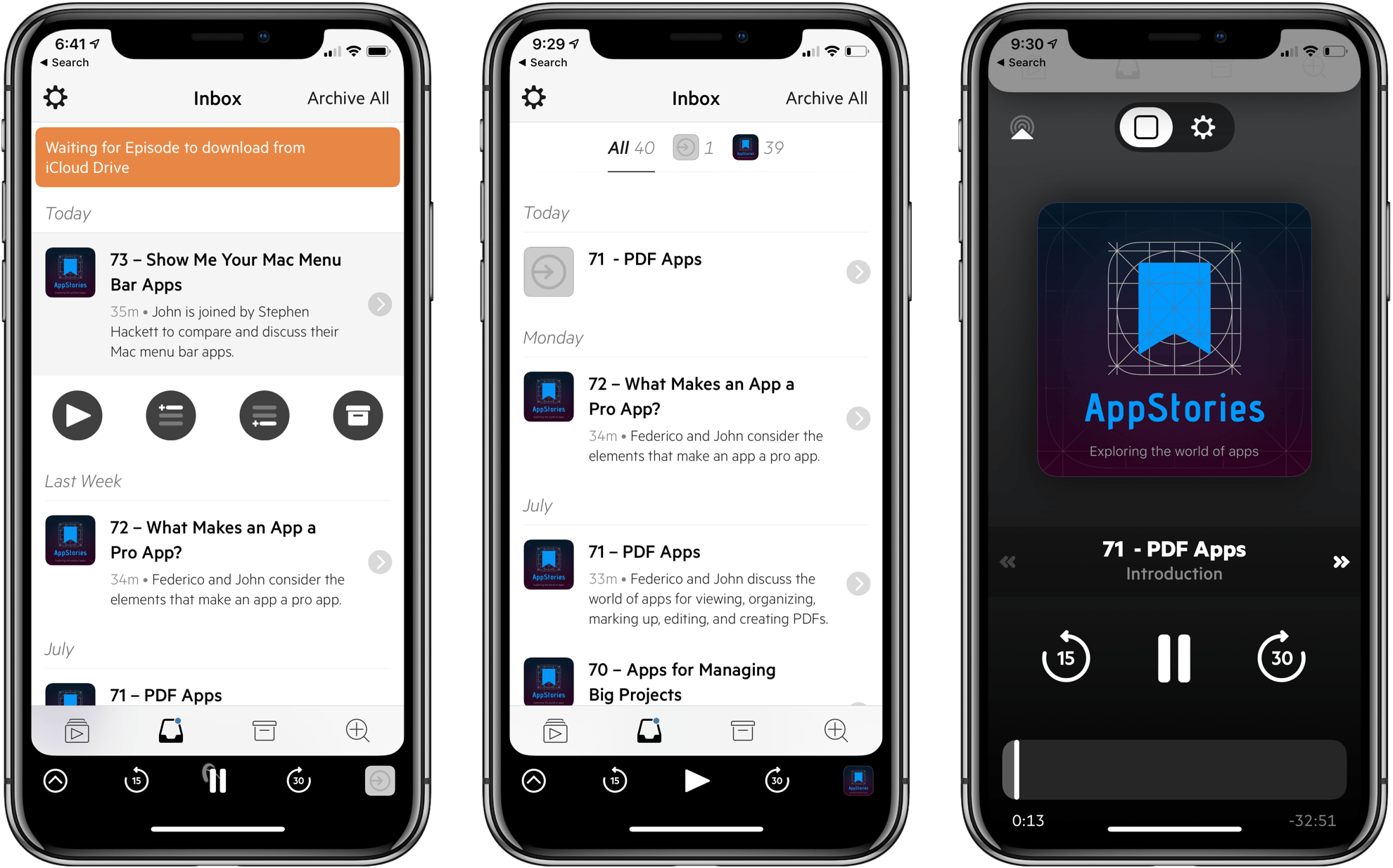
Castro has long been one of the premier podcast clients on iOS, and its excellent version 2 – with an innovative triage system and delight-inducing design touches – helped solidify it as such. Those strengths in 2.0, however, were mitigated in part by the absence of a few key features that competing podcast apps tout. That changes with Castro 3.

If you’re unfamiliar with the app, Castro’s centerpiece feature is a triage system involving an inbox and queue. The premise is that, with the rising popularity of podcasting, there are more great podcasts available than ever before. If you subscribe to lots of shows, the standard episode management tools found in competing apps likely aren’t sufficient. With Castro, by default new episodes of shows land in your inbox, and can then be sorted to the top or bottom of your queue and downloaded, or archived if they’re not of interest to you. It’s an elegant solution to the problem of podcast overload, and, thanks to customization options that allow you to make certain shows populate the top or bottom of the queue automatically, it’s a system that works for you, tailored to your listening preferences.

Castro’s triage system clicked with me the first time I tried it, and I used the app daily for nearly a year. Eventually though, I became more selective about the portions of podcasts I listened to, and Castro’s lack of chapter support sent me elsewhere. I’ve seen comments from other prospective Castro users who were similarly turned off from the app due to one missing feature – and often, this feature was different for different people.

If an absent feature ever kept you from sticking with Castro 2, that almost certainly won’t be a problem anymore. Castro 3 addresses nearly all of those “one missing feature” requests in a single release. Trim Silence is Castro’s take on Overcast’s Smart Speed; full chapter support is now present, as is a new Apple Watch app; the player screen has been fully redesigned; Mix to Mono improves stereo mixes that are hard to hear; and finally, there are excellent new per-podcast controls in a variety of areas. Perhaps the only thing still missing is an iPad app.

Castro 3 is everything Castro already was, but better. It’s the app that Castro fans have always wanted.

Read more

Access Extra Content and Perks

Founded in 2015, Club MacStories has delivered exclusive content every week for nearly a decade.

What started with weekly and monthly email newsletters has blossomed into a family of memberships designed for every MacStories fan.

Learn more here and from our Club FAQs.

Club MacStories: Weekly and monthly newsletters via email and the web that are brimming with apps, tips, automation workflows, longform writing, early access to the MacStories Unwind podcast, periodic giveaways, and more;

Club MacStories+: Everything that Club MacStories offers, plus an active Discord community, advanced search and custom RSS features for exploring the Club’s entire back catalog, bonus columns, and dozens of app discounts;

Club Premier: All of the above and AppStories+, an extended version of our flagship podcast that’s delivered early, ad-free, and in high-bitrate audio.

Learn more here and from our Club FAQs.


Pocket Casts Acquired

Pocket Casts, one of the most popular cross-platform podcast clients (and among the top ones listeners use to download episodes of AppStories), has been acquired by a consortium of public radio stations and podcast companies. Here’s Shifty Jelly’s Russel Ivanovic, writing on the company’s blog:

Today we’re excited to announce a partnership with some of the biggest producers of podcasts in the world to take Pocket Casts to the next level. We’ve had a lot of companies in the past contact us about acquiring us and or Pocket Casts and we’ve always had one simple answer for them: thanks, but no thanks. In talking to each of them it was obvious that they didn’t have the best interests of our customers or us at heart and as much as cashing out and walking off into the sunset is a nice ideal, it’s a crummy outcome for all of you and in turn for us. You see we care so damn deeply about what we’ve built and our relationship with each and every one of you that we know deep down inside that would just eat away at us. That’s why when a combined group comprised of WNYC, NPR, WBEZ and This American Life approached us with the goal of partnering for the good of the entire podcast industry, we knew that this opportunity was something else entirely. Everything from their not for profit mission focus, to their unwavering belief that open and collaborative wins over closed walled gardens resonated deeply with us. Together we have the passion, scale and laser focus needed to achieve some truly great things. We’re not ready to talk about what those are just yet but we do want to quickly cover some questions you might have.

According to Ivanovic, Pocket Casts will remain a standalone, open, and premium podcast client in the short term. I’m curious to see how Pocket Casts will change over the next several months though. Large radio stations and podcast companies seem to have a certain affinity for locked-in ecosystems and proprietary listening features at the expense of the open nature of podcasting. I won’t be surprised if Pocket Casts eventually prioritizes programming by the companies that own the app. However, I also hope that the folks at Shifty Jelly will be able to continue making the open, elegant, and powerful podcast app I’ve used over the years.

See also: Chris Welch’s story at The Verge.

Permalink

Microcasting on Micro.blog with Wavelength

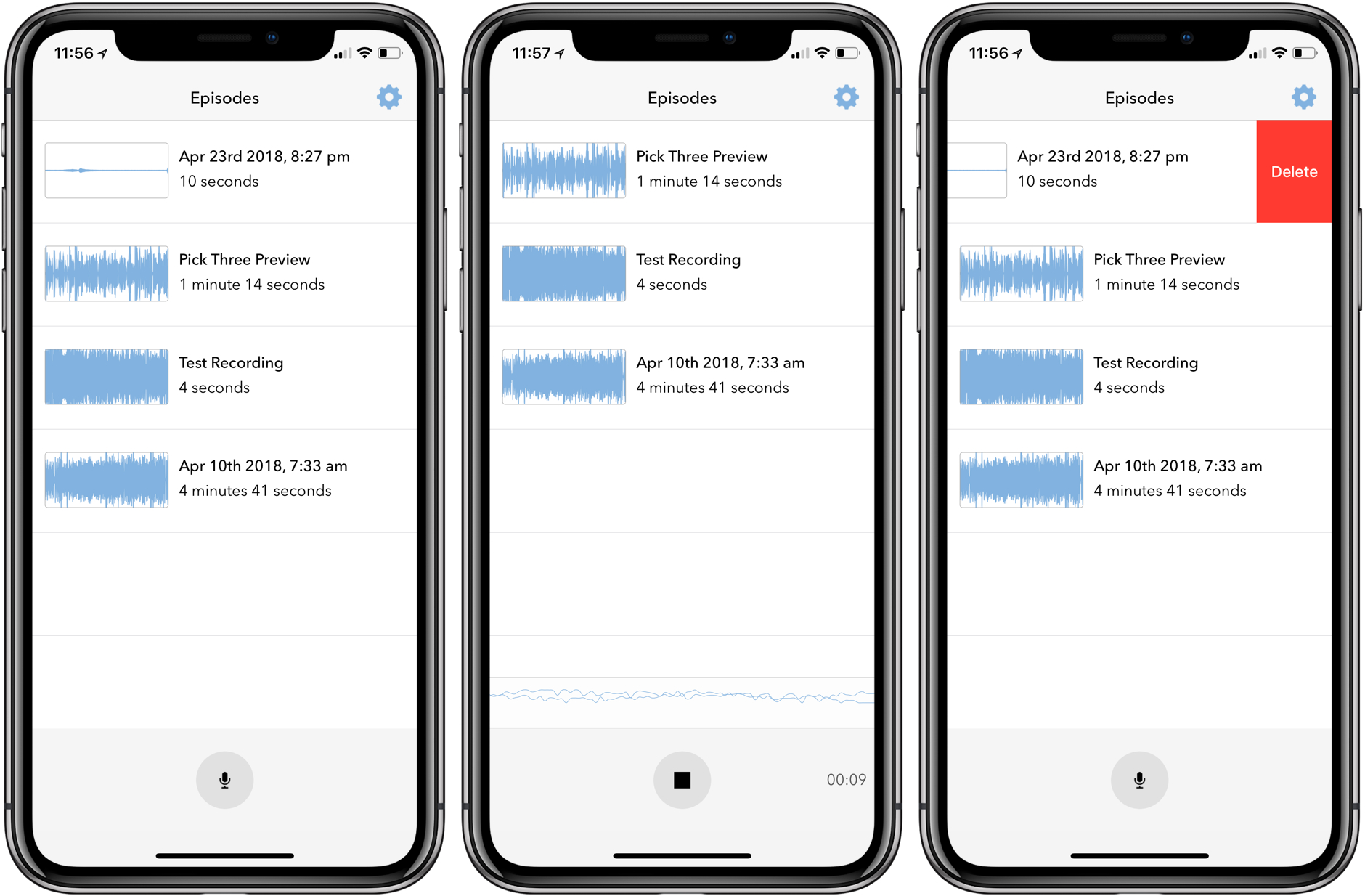
Last month I covered the return of Sunlit, the iOS photo blogging app from Manton Reece that works with Micro.blog and blogging platforms like WordPress. Reece is back with another iOS app that’s aimed at bringing microcasting, which is short-form podcasting, to Micro.blog. Wavelength is an end-to-end solution for recording, editing, and publishing audio using nothing but an iPhone. It’s an interesting approach to podcasting designed to lower the barriers to entry by simplifying the workflow, while also creating new uses for Micro.blog.

Read more

Access Extra Content and Perks

Founded in 2015, Club MacStories has delivered exclusive content every week for nearly a decade.

What started with weekly and monthly email newsletters has blossomed into a family of memberships designed for every MacStories fan.

Learn more here and from our Club FAQs.

Club MacStories: Weekly and monthly newsletters via email and the web that are brimming with apps, tips, automation workflows, longform writing, early access to the MacStories Unwind podcast, periodic giveaways, and more;

Club MacStories+: Everything that Club MacStories offers, plus an active Discord community, advanced search and custom RSS features for exploring the Club’s entire back catalog, bonus columns, and dozens of app discounts;

Club Premier: All of the above and AppStories+, an extended version of our flagship podcast that’s delivered early, ad-free, and in high-bitrate audio.

Learn more here and from our Club FAQs.


Overcast Adds Smart Resume, New Auto-Deletion Option, and Support for Password-Protected Podcasts

Overcast 4.1 is out with a handful of new, notable features and bug fixes.

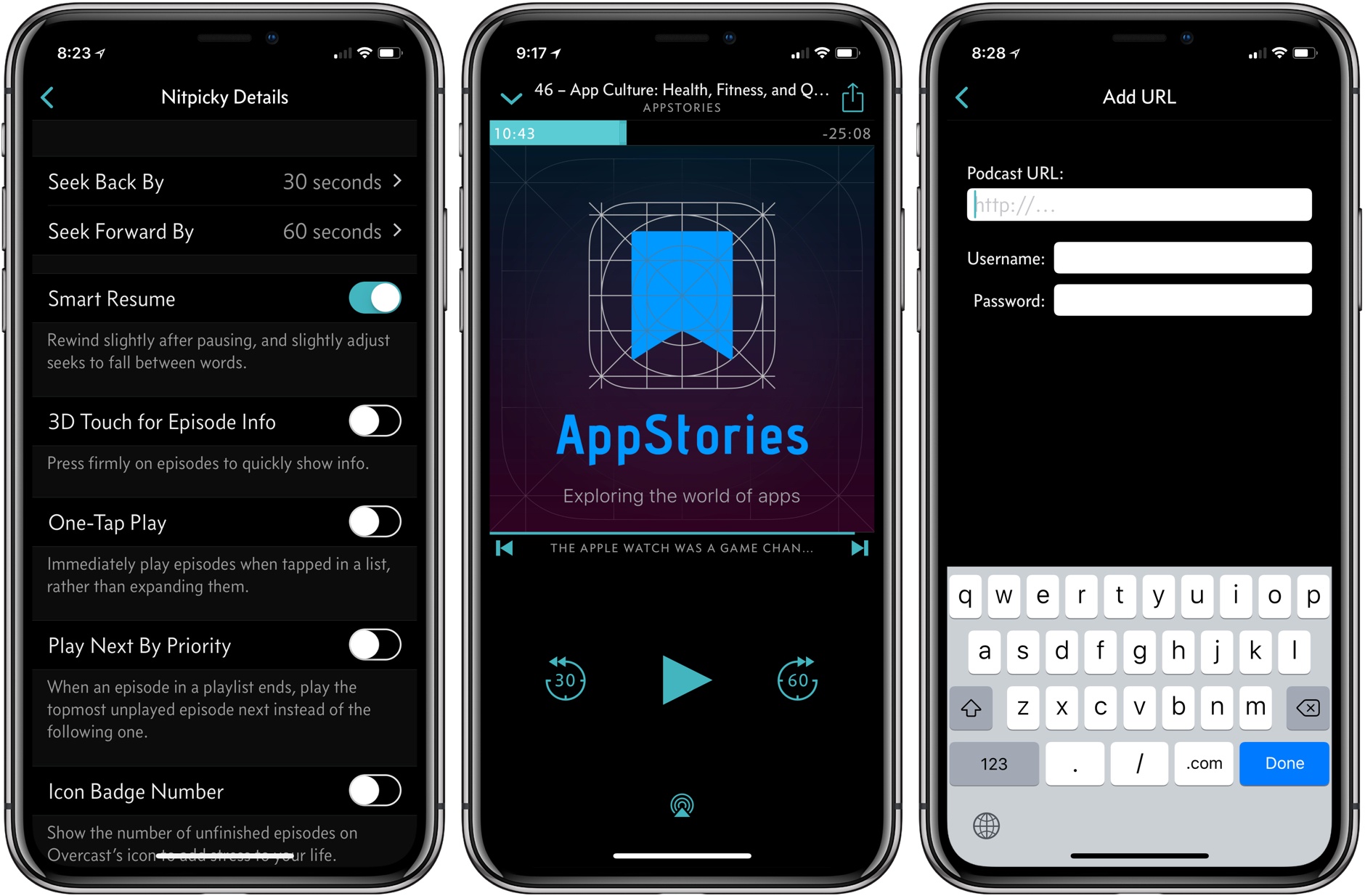
My favorite addition is what Marco Arment calls Smart Resume, which does two things. First, when resuming playback, Overcast skips back a few seconds to remind you of where you left off in a paused episode. Second, Overcast resumes playback in the dead space between words where possible.

The effect is understated but perceptible. During the beta of 4.1, I had a sense that something more than simple skipping back was going on with Smart Resume, but I couldn’t put my finger on it until I dug into Arment’s release notes. Smart Resume reminds me of what happens when an in-person conversation is interrupted. If you’re sitting at a table in a restaurant with a friend and the waiter interrupts one of you mid-sentence, you don’t pick up where you left off mid-word. You back up and start over.

Smart Resume is similar. I hadn’t realized it, but when resuming a podcast, I’d gotten into the habit of skipping back 30 seconds when I lost track of where I was in an episode. That was more time than necessary to recall where I had left off, but it worked. With Smart Resume, I’ve found I rarely do that anymore. Instead of the extra fiddling with the app’s buttons, Overcast skips back just far enough to jog my memory but not so far that I feel like I’m re-listening to too much of an episode. Moreover, dropping the seek point in between words makes the feature feel natural. Smart Resume can be turned off in Settings, but I wouldn’t recommend doing so.

Overcast 4.1 also adds a new auto-deletion setting. Previously, you could choose between auto-deleting episodes immediately after finishing them or leave them on your iOS device for manual deletion. Overcast now has a third choice, which is automatic deletion after 24 hours. Premium members’ uploads to Overcast are no longer subject to auto-deletion either.

Password-protected podcasts are now officially supported in Overcast too. In the Add URL screen, there is an option to ‘Use Password,’ which reveals username and password fields when tapped. Podcasts that require a password do not show up in Overcast’s search results or show recommendations.

Smart Resume is an excellent example of what I like most about Overcast. The feature highlights the app’s overall attention to detail when it comes to the listening experience, which makes it a pleasure to use.

Overcast is available on the App Store.

Access Extra Content and Perks

Founded in 2015, Club MacStories has delivered exclusive content every week for nearly a decade.

What started with weekly and monthly email newsletters has blossomed into a family of memberships designed for every MacStories fan.

Learn more here and from our Club FAQs.

Club MacStories: Weekly and monthly newsletters via email and the web that are brimming with apps, tips, automation workflows, longform writing, early access to the MacStories Unwind podcast, periodic giveaways, and more;

Club MacStories+: Everything that Club MacStories offers, plus an active Discord community, advanced search and custom RSS features for exploring the Club’s entire back catalog, bonus columns, and dozens of app discounts;

Club Premier: All of the above and AppStories+, an extended version of our flagship podcast that’s delivered early, ad-free, and in high-bitrate audio.

Learn more here and from our Club FAQs.


Anchor 3.0 Exhibits a New Level of Maturity for the Podcasting Service

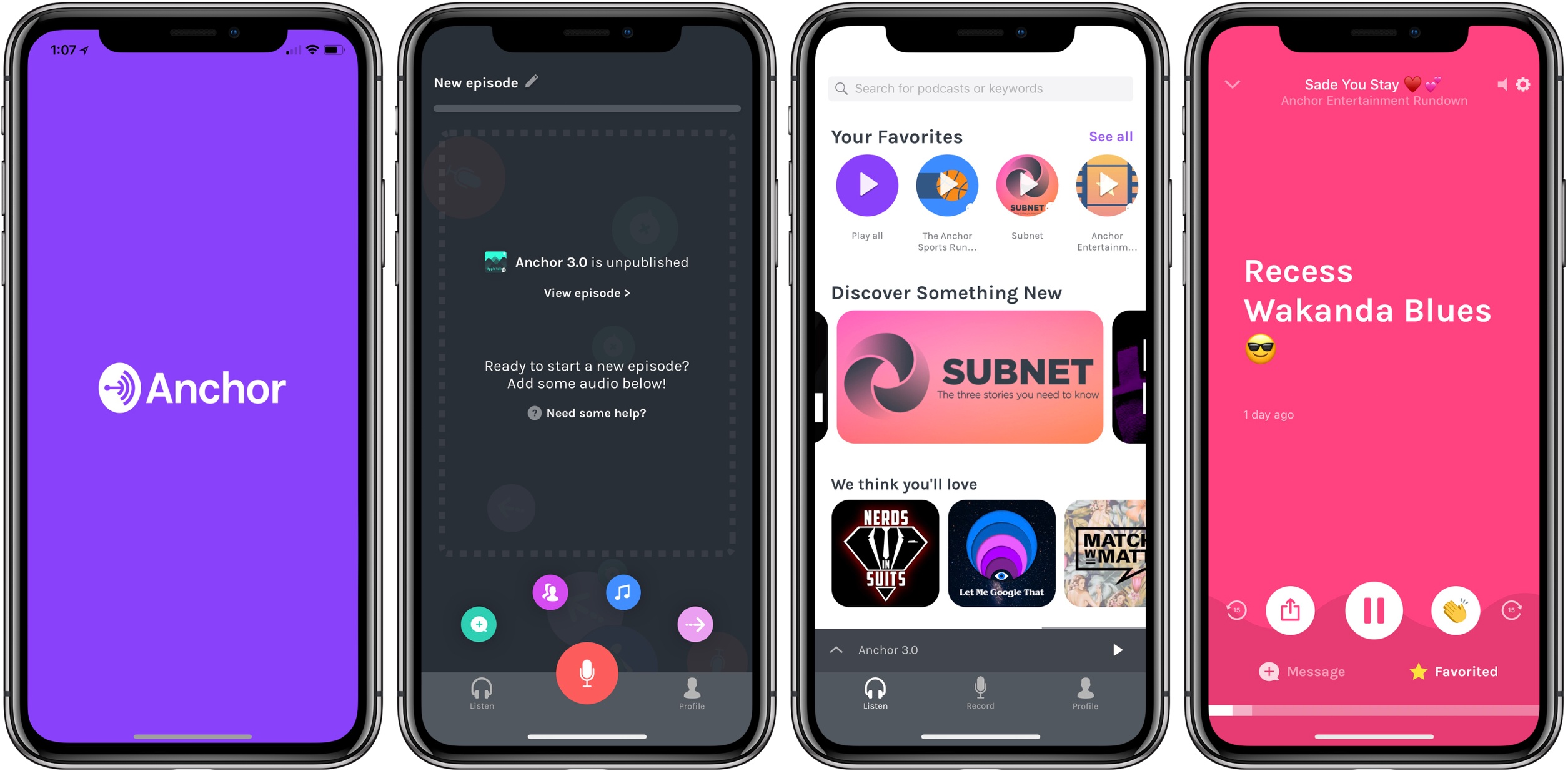
Anchor today launched a major new version of its iPhone app, alongside a new web experience for creators. Anchor 3.0 is a ground-up redesign that takes lessons learned in past versions and applies them for the purpose of making podcasting as effortless and accessible as possible.

My prior experience with Anchor has been limited, but every time I’ve given it a try, I came away impressed. The latest update to Anchor isn’t so much about flashy new features, but more about demonstrating a new level of maturity: the interface is now cleaner and easier to navigate, the task of recording and publishing podcasts has never been simpler, and there are new built-in tools available to creators to help make recordings professional-grade.

In preparing this story, I wanted to approach the app as a new user might, documenting the experience of getting set up and creating a new show. Anchor has always done fairly well at being user-friendly, but I think that’s more true now than ever before.

Read more

Access Extra Content and Perks

Founded in 2015, Club MacStories has delivered exclusive content every week for nearly a decade.

What started with weekly and monthly email newsletters has blossomed into a family of memberships designed for every MacStories fan.

Learn more here and from our Club FAQs.

Club MacStories: Weekly and monthly newsletters via email and the web that are brimming with apps, tips, automation workflows, longform writing, early access to the MacStories Unwind podcast, periodic giveaways, and more;

Club MacStories+: Everything that Club MacStories offers, plus an active Discord community, advanced search and custom RSS features for exploring the Club’s entire back catalog, bonus columns, and dozens of app discounts;

Club Premier: All of the above and AppStories+, an extended version of our flagship podcast that’s delivered early, ad-free, and in high-bitrate audio.

Learn more here and from our Club FAQs.


‘sodes Embodies Beauty and Minimalism in a Podcast Player

Jared Sinclair launched a new iPhone app today, ‘sodes. Short for ‘episodes,’ the app offers a simple, no-frills podcast listening experience.

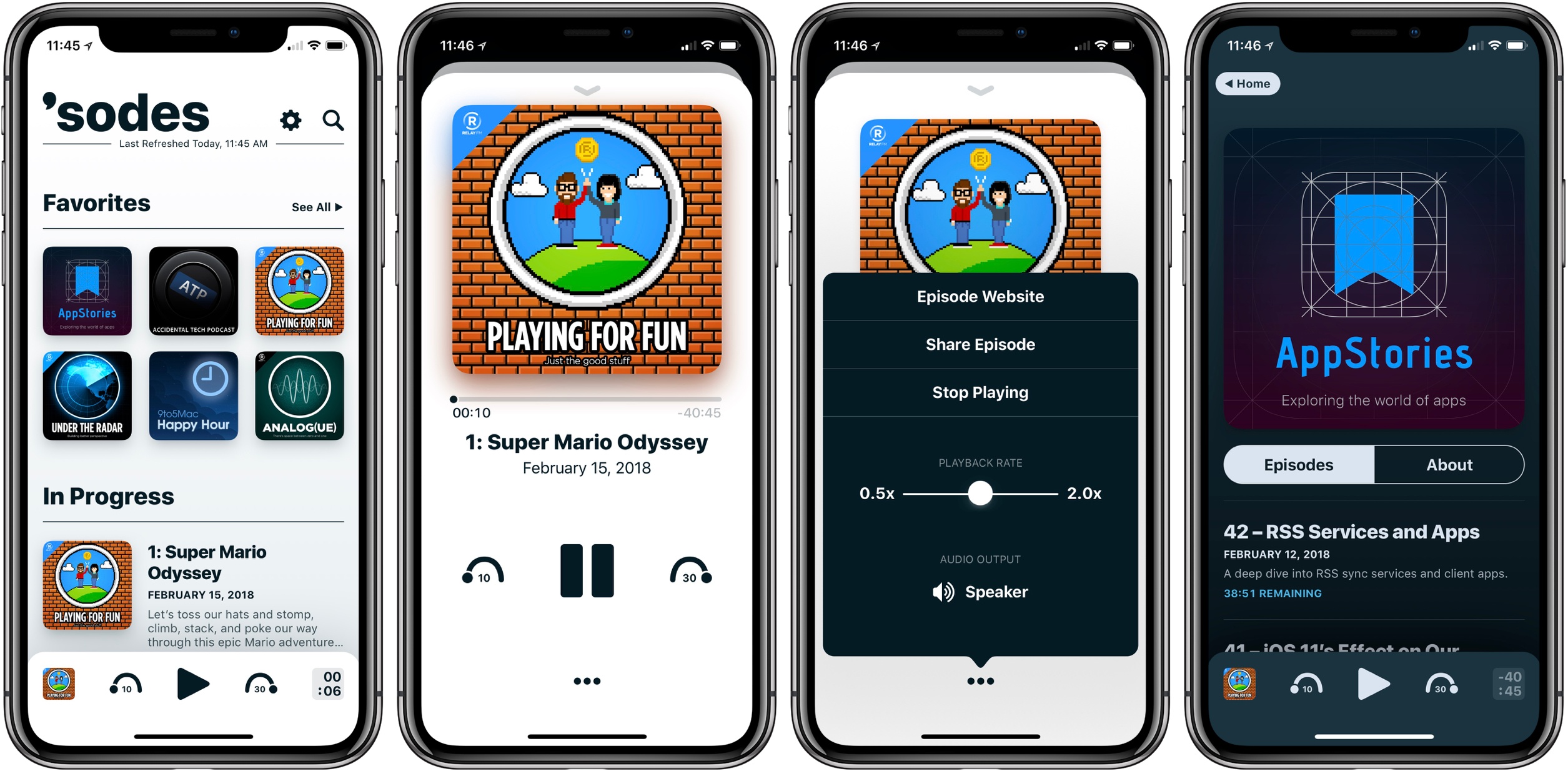
Unsurprisingly considering Sinclair’s previous work, ‘sodes is a beautiful app. Perhaps my favorite designed area is the Now Playing view; after I first tried it, going back to another app’s Now Playing screen was painful. The app especially shines on the iPhone X’s full-width display. As was highlighted in Federico and John’s discussion on AppStories last year, an indie app’s little human touches can elicit such delight – and ‘sodes is a great example of that.

‘sodes was designed to be nearly feature-absent (at least to the user’s eye), so you won’t find things like chapter support, Smart Speed, playlists, or any such extras. You can adjust the duration of skips forward and back, there are multiple color themes, and playback speed can be set anywhere from 0.5x to 2x – but that’s about it. Mainly, the app gives you podcasts in a clean, minimal, delightful wrapper. If that’s enough for you, you might just love it.

‘sodes is available on the App Store.

Permalink