Posts tagged with "music"

What Is This Psychedelic Macintosh Helmet?

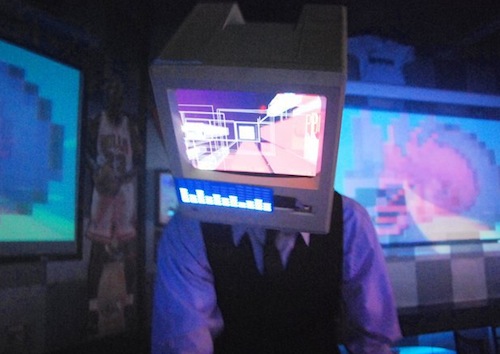
Matt “Kid Chameleon” Loniero is an audio engineer / graphic designer / DJ who creates visual experiences for live performances of other DJs and bands. He also likes to experiment with stuff. A lot. And his latest experiment, a Macintosh Plus helmet with an embedded iPad connected to a Bluetooth keyboard, is one of the coolest things we’ve seen in a while.

The visualizer helmet is made of a Macintosh Plus bought on eBay, which had its inner parts removed. A bicycle helmet was then placed inside the case together with an iPad. In the live performance you can watch below, this was the setup:

For this specific performance, we used an iMac connected to several projectors and televisions around the room and above the bar. The iMac was running Resolume Avenue and the video was triggered using a MIDI keyboard and a Wiimote. The iPad was connected to a bluetooth keyboard which allowed me to press play on the iPad video and press the B button on the Wiimote at the same time Kid Chameleon started his set.

If you missed the first DJ set in Phoenix, you can get the chance to see Kid Chameleon perform live again tonight at the LA Art Mix at the Gallery Godo in Glendale, CA. Check out the video below, and more photos here.
Read more


Apple Announces iTunes Festival London 2011

Just like every year, Apple has announced the dates for the iTunes Festival 2011, which will take place at the Roundhouse in London. For entire month of July, more than 60 artists will perform 31 consecutive live performances – among these artists, Linkin Park, Duran Duran and Rumer.

Tickets for the iTunes Festival are free, and can be obtained by entering a series of competitions from Apple. You can apply to win the first free tickets here. Entrants must be UK residents and over 14 years of age – sorry US folks, but you can’t enter the contest.

Regular updates about new confirmed artists will be sent out through the website’s newsletter, but you can also follow iTunes Festival on Twitter, Ping and Facebook. In 2010, Apple reported that more than 2 million people applied for tickets.


CoverSutra: A Fistful of Dollars


Developer Sophia Teutschler is having a hard time trying to deal with her most popular application for the Mac, CoverSutra, becoming a Mac App Store exclusive. As we discussed here, the latest CoverSutra 2.5 version is only available in the Mac App Store at $4.99, instead of the $20 it used to be on Sophia’s website. The problem is, years ago Sophia promised to customers who bought a license for CoverSutra 2.0 that they would get the 3.0 upgrade for free; CoverSutra’s development slowed down, Sophia got involved in more projects and won an Apple Design Award in the meantime, Apple introduced the Mac App Store. CoverSutra 3.0 isn’t out yet, but the 2.5 version is a paid app in the Mac App Store. Clearly, that is not the free upgrade until 3.0 Sophia once promised.

This is a very serious issue that doesn’t originate specifically from Sophia, but provides a good example when looking at CoverSutra because of the way Sophia decided to handle things. As you may be aware of, Apple is not offering trials, upgrade policies and existing customer migration on the Mac App Store. You can release apps, for a price or for free. That’s it. You have been selling apps on your website all this time? Good for you. But there’s no way to migrate people who already bought a license to the new Store. Read more


CoverSutra 2.5 Released, Exclusive to Mac App Store

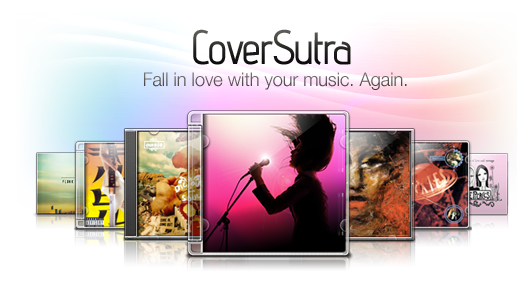
A major new version of popular music controller CoverSutra by Sophiestication was released today, and it’s available exclusively on the Mac App Store at $4.99. For those who are not familiar with the app (which we last reviewed here in January 2009), CoverSutra is a desktop controller for music coming from iTunes. Unlike Ecoute, which is more like a lightweight music player, CoverSutra only display songs information by plugging directly into Apple’s software.

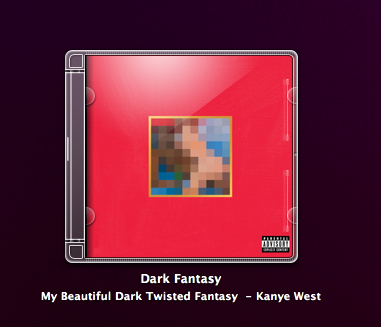
CoverSutra, however, doesn’t only come with a neat desktop widget that displays the artwork for the album that’s playing. Although that option got even bigger with the latest 2.5 update (it now supports artworks up to 256px on the desktop), what’s cool about the app is that you can assign keyboard shortcuts to almost any function supported by CoverSutra. You can choose to invoke a heads-up display window with music control through a hotkey, or assign multiple shortcuts to dozens of commands like volume up and down, next track, search and so forth. Search, for instance, happens in a popup coming down from CoverSutra’s menubar icon; you can search for any song, album or artist you want and navigate with the keyboard through the results to start playing.

The Mac App Store 2.5 also includes a new keyboard bezel display style, and an option to let the app automatically start and quit with iTunes. Now this is nice, as it’s an iTunes controller and it depends on it. CoverSutra 2.5 is available as Mac App Store-only here.


Roots Rock Boombox Is For The Bob Marley Fan In You

At first glance I couldn’t quite figure out what the Roots Rock Boombox was supposed to be. Sold under the House of Marley, this boombox appears to be part cargo pant - part cargo bag - and part smoke machine all in one. This iPhone boombox is clearly designed to bring a little of Bob Marley’s heart and soul to life in over-the-top fashion, and I could see myself having this on my tailgate at party or something - just please don’t get caught in the cargo straps. Proceeds go to the 1Love charitable foundation, so if you’re thinking about a killer post-Christmas gift, you might be able to make up for your belated gift giving by purchasing this or another of the House of Marley’s products through their website.

[House of Marley via Gizmodo]


Music Mashup with iPhone, iPad and iMovie [Video]

In 2010 we saw some amazing videos of songs played and, at best, created using only iOS devices. Does the new Gorillaz album sound familiar to you? That’s because it was entirely created with an iPad and some apps. iOS devices, also thanks to full-featured MIDI support introduced in iOS 4.2, now provide a feasible alternative to portable, digital music making and mixing.

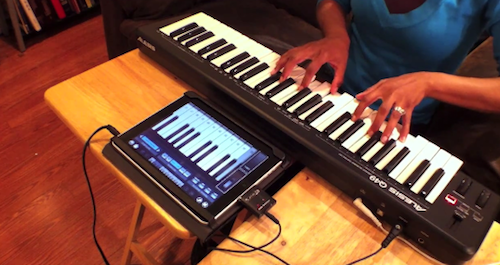
Ellen Hilton wanted to show her friends and family that it was possible to do music with an iPad and a MIDI external device. So she took two of her favorite songs – “Hey Soul Sister” and “New Soul” – mashed them up and played along with her iPad. She filmed the performance using Pro Camera on the iPhone, edited the video using iMovie ‘11. The session was recorded by running everything into Cubase. The result is fun and definitely worth a look.

The apps used in the video include Pianist Pro, NanoStudio, Percussions and BeBot. If there’s anything Steve Jobs should feature on stage at the next iPad keynote, that should be about people using the iPad to make music. Read more


Ecoute 2.0 - Small, Powerful Alternative to iTunes

Just like any other alternative to iTunes on the Mac, Ecoute has been around for a while. Since Apple shipped its very own music player and digital hub years ago, many developers have tried to come up with original solutions for all those who couldn’t stand iTunes. And as iTunes grew bigger to accommodate apps, books, podcasts and just about anything you can put on an iPhone or iPod, thousands of users and even more developers started feeling the need of a minimal music player, again. What began as a hobby for a limited number of users (“let’s not use iTunes for music”) evolved into a real segment of a market willing to keep iTunes closed to listen to music libraries. And I understand the position of the users and developers that first thought about jumping out of iTunes: why would one need to stare at iTunes and all its features and options all the time, when you just need to listen to some music?

In spite of iTunes becoming many people’s less used music player over time, the apps that have surfaced in the past years that allow us to just play music are, in most cases, nothing but standalone iTunes controllers that strip away the clutter and focus on albums, artists and songs. They fetch a user’s library, take the music out of it and display it into a minimal, sometimes non-existent, user interface. Coversutra, Bowtie: they are two popular iTunes controllers for OS X that have gained support for other features such as last.fm scrobbling and iOS remote streaming. But in the end, they rely on iTunes.

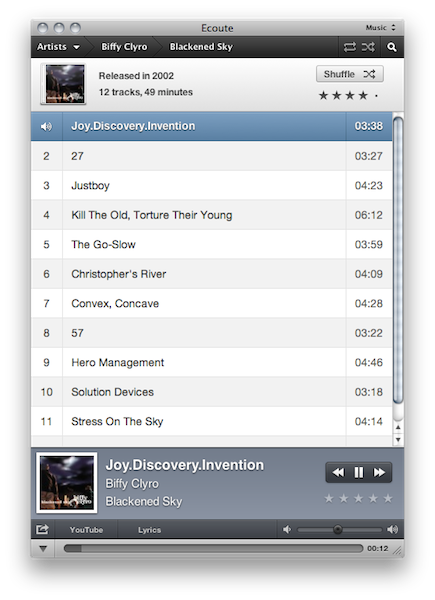
So did Ecoute 1.0, and so does the just-released Ecoute 2.0. Ecoute is a well-known music player for OS X that plays music from iTunes, but doesn’t require you to keep iTunes running in the background. It automatically finds a user’s iTunes library file and takes content from there. It comes with a neat desktop widget for quick play / pause actions, but it’s also got its dedicated interface. Ecoute 2.0 depends on iTunes, but it adds great value while giving you a reason to stay out of Apple’s software at the same time. Read more


Apple Selling Beatles Gift Cards So You’ll Never Forget

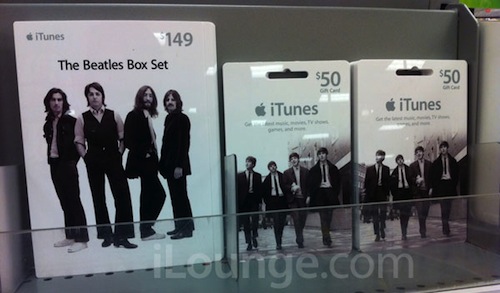
They may be gone from Apple’s homepage, but they hold a strong presence in every international Apple Store. The Beatles are such a big deal for Apple they decided to produce dedicated iTunes gift cards for them, as noted by iLounge. After the iPad gift cards and the iBooks ones, the Beatles-themed iTunes cards come in two different flavors: a $149 one that features the band on a white background and should give you access to “The Beatles Box Set” and a standard $50 one which appears to be a regular iTunes card to buy anything you want.

By the way, I almost forgot “the day I would never forget” was more than a month ago. You know, it’s hard to keep track of everything.


Traktor, X1 Controller and iPad Make A Decent DJ Setup [Video]

We know the iPad makes for an interesting DJ accessory, there are hundreds of music apps available and Rana June Sobhany proved it is possible to set up great live performances using only Apple’s tablet. Perhaps it doesn’t provide the tactile feeling of vinyl and the powerful feature set of the most complicated turntable, still a touchscreen is an interesting addition to the usual DJ setup.

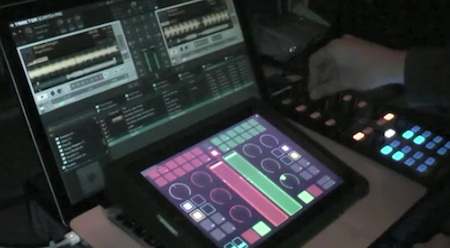
In the following video, Youtube user djkutski demoes a Traktor Pro controlled by the X1 controller and an iPad running TouchOSC, an app that can display sound interfaces on screen. While the non-DJ folks won’t probably understand what’s going on with all those buttons, sliders and colors, it’s still an impressive demo of what passionate and skilled users can achieve with a bit of creativity, cash and hacking.

Check out the video below. [TUAW via Youtube] Read more