This Week's Sponsor:

Crickets

The first alarm app for families.


Posts tagged with "music"

Last.fm Radio for Mobile Apps To Become Subscription-based Service

Earlier today music streaming service Last.fm announced that, starting February 15th, the radio functionality built into mobile apps (for iPhone and Android) and home entertainment systems will become a subscription-based service with a $3 monthly fee. The service is currently free in various countries but ad-supported; next week, Last.fm Radio for mobile will become ad-free and offer users the possibility to create personalized stations basing on their music preferences.

The service will, however, remain free in some countries and platforms:

Last.fm Radio will remain free on the Last.fm website in the US, UK and Germany and for the US and UK users of Xbox Live and Windows Mobile 7 phones. We’ll also continue to offer radio for free via the Last.fm desktop app.

The mobile music streaming landscape has become very competitive over the past months thanks to services like Spotify and MOG that provide access to large music libraries either for free or through a Premium subscription, like Spotify – which is still struggling to find its way in the U.S. market. And always in the United States, Rdio has recently revamped its website with lots of different features and social functionalities, many of them accessible from the companion iPhone app.

Last.fm Radio won’t provide users a choice to pick tracks on demand, but the offer is attractive if you’re a heavy Last.fm user who has built a music library over the years worth connecting to the Radio service.



Spotify’s Head Of Business On iTunes and Music Labels→

Spotify’s Head Of Business On iTunes and Music Labels

Spotify, the European-based music streaming service, is having a hard time trying to launch its product in the United States. Once expected to become available in a self-imposed December 2010 deadline, the service failed to launch due to the lack of deals with major music labels that, as you can guess, have to guarantee Spotify access to their music libraries.  Two weeks ago, All Things Digital reported Spotify managed to close a deal with Sony, as a first step to bring the service to the United States. In the past months, rumors surfaced detailing how Apple was subtly playing against Spotify to convince labels that the service wouldn’t be a good source of revenue like iTunes.

Spotify’s head of business Faisal Galaria told Strategy Eye:

Q: But aren’t the labels eager to break iTunes’ monopoly?

A: If you’re the digital team [at a label] and 80% of your revenue was coming from one place, how much are you going to p*ss them off until someone else can guarantee all that revenue from a new source?

Put yourself into their shoes for a moment – you’re a nice, fat big executive at label X, Y, Z. You’re getting half a million dollars a year as long as you hit your bonus. Your bonus means that 80% of your revenues comes from iTunes. Are you going to tell iTunes where to go? Because your half a million dollar bonus has now gone.

According to various reports, Apple may be blocking Spotify from launching in the States because of a similar music streaming service they are building on top of iTunes, based on the data center in North Carolina. [via Cult of Mac]

Permalink

MacStories Product Review: Jawbone JAMBOX Portable Speaker

In my review of the Sonos S5 wireless music system, I made the bold statement that I can’t live without music. It’s true, and apps for the iPhone and iPad are only making the need of music anywhere, anytime more ubiquitous than ever. With music accessible at any time, from any device, the need of high-quality portable gear becomes real.

The Sonos S5 is a top-notch music system that’s deeply integrated with iOS and Internet services, but you can’t carry it around. You can’t have it with you at your friend’s house (well, unless you plan on configuring it on his router and computers), you can’t have it at the beach, at the bar, wherever. The Sonos S5 is great, but it’s a “desktop system”. The Jawbone JAMBOX wireless speaker, which I was provided a review unit a few weeks ago, is a different story, and an original one: it’s a tiny, ultra-portable, hi-fi audio speaker and speakerphone that you can carry in you hand or throw in your bag / backpack. It’s really, really small yet it delivers impressive audio quality throughout small to medium rooms. It’s completely integrated with the iOS platform and can double as a speakerphone that’s, again, integrated with Apple’s Phone app.

After the break, you’ll find my review of the Jawbone JAMBOX after three weeks of testing in lots of different rooms and situations with different people and music genres. I really tried to make the JAMBOX fit with any possible scenario I could think of. But I can already say this small and user-friendly speaker is the best thing that ever happened to my mobile music. Read more


OnCue Brings Great Queue Features To iPod App

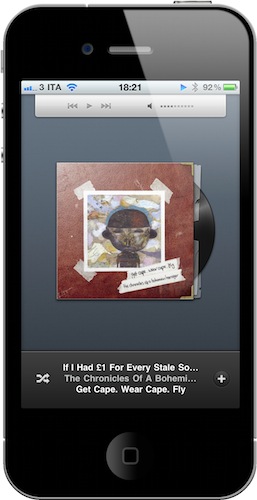
OnCue is one of those iPhone apps you don’t know you need until you start playing with it. The concept is simple: Apple’s default iPod app allows you to import playlists from iTunes and customize the way you listen to music by combining different songs and artists in a single list, it lets you shuffle your music, but it’s doesn’t come with any queue functionality.

While you’re listening to music on your iPhone or iPod touch and you’re on the go, it’d be nice to be able to select the songs you want to listen to without having to pull out the device from your pockets every time. Use a playlist, you might suggest. But what if I don’t want to create a playlist for each day? I just want to say “hey, today I want to listen to these songs in this specific order”.  You can’t create a new playlist every day, yet you know what songs you want. You need a queue function. OnCue does just that, and it works with both songs and podcasts. Read more


MacStories Product Review: Sonos S5 Wireless Music System

I can’t live without my music. Every day, I need to get my “fix” either through iTunes, Youtube (it’s good for rare live performances) or Spotify. I also scrobble the songs I listen to towards last.fm, although I’m no huge fan of the service as a social platform. I just keep an archive of my musical tastes in there. Still, as far as music is concerned, most of the times it’s not the system or the platform that really matters. It’s the quality. And for quality, you need good gear.

Over the years, I’ve always tried to save money and purchase great-quality earbuds to ensure high-fidelity playback while on the go. I’m still happy with my Sennheiser CX 300 bought years ago, but home stereo systems have been a dilemma for me, in spite of my obsession for top-notch hardware. I’ve changed setups too many times, jumped from speakers to stereos and all-in-one solutions without really sticking to one for more than 6 months. When music becomes an obsession, good gear is a necessity. Recently, the audio technologies implemented by Apple in iOS forced me to reconsider everything once again.

See, wireless streaming spoiled all the fun I had accomplished. First came audio via Bluetooth, then Airport Express stations and AirPlay. I changed devices: I went from a classic iPod to an iPod touch to iPhone + iPad. I subscribed to Spotify Premium to use the mobile app (with streaming and offline access), I became addicted to Apple’s own iPod app and third party replacements like My Artists, or external controllers like Coversutra, Bowtie and SongSwiper. Put simply: music became deeply integrated with iOS, and iOS grew at the same time to accomodate features like AirPlay. Music became connected.

So when I was offered the chance to review the Sonos S5, I immediately said “yes” and eagerly started waiting for the two review units to show up at my doorstep. The Sonos S5, for those unaware of this mythical gadget, is a wireless speaker internally powered by a series of amps that a) provides great sound quality and b) is truly connected with iOS, OS X and the Internet. The S5 offers the best of both worlds: local playback backed up by high-quality manufacturing and remote functionalities that allow users to “log into” the speaker and customize the entire experience. After the break, you’ll find my impressions of two months with two Sonos S5 units and a Sonos ZoneBridge connector. Read more


Lyrica 2: Redesigned, And Still The Best App To Tag Songs

A few days ahead of the opening of the Mac App Store, we previewed a nifty little app for the Mac called “Lyrica” which helped you display lyrics from songs playing in iTunes through a translucent black, HUD interface. The Mac App Store launched, the app was priced at .99 cents, it was one of the few useful apps in the Music category – it snowballed. It quickly jumped the charts to get in the first spots of Top Paid, and two weeks after the grand opening it’s still firmly positioned in the top 30 apps.

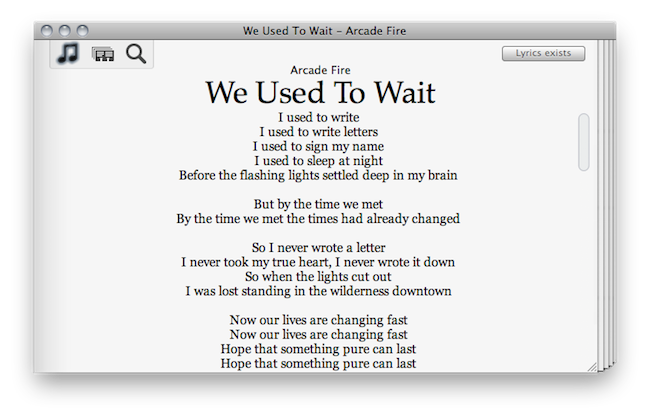
It turns out, though, that many users didn’t like the HUD style of the app, which may or may not make it difficult to read lyrics on a translucent background. So developer Florian Zand redesigned the entire application and added some new features during the process. Lyrica now comes with a white, cleaner look with a stacked style that kind of reminds me of a newspaper. I also like the fact that I can choose between different fonts – personally, I sticked with Georgia.

Graphics changes aside, the app now searches through seven lyrics databases, including AZLyrics and MetroLyrics. Several preferences have been added (Lyrica can still automatically tag any song playing in iTunes, even if it already has lyrics on its own) and the developer also implemented a new functionality to replace and remove broken lyrics. Useful for those (like me) who tried to tag their music library in the past with some shady Mac app that didn’t work at all.

Lyrica is available at $0.99 in the Mac App Store. It’s getting better on every release, and even though it’s not perfect yet (and design-obsessed folks will still have something to say about it) it just works, better than many other apps sold at a higher price by well-known developers. Give it a try.


This Free App Lets You Control Music with Gestures

The app is called SongSwiper, it’s available for free in the App Store and it was updated yesterday to include Retina-ready graphics for the iPhone 4 and iPod touch 4th gen. SongSwiper is basically a controller for music playing from the standard Apple iPod app, but it allows you to control songs with swipes and taps instead of buttons, as in the iPod application.

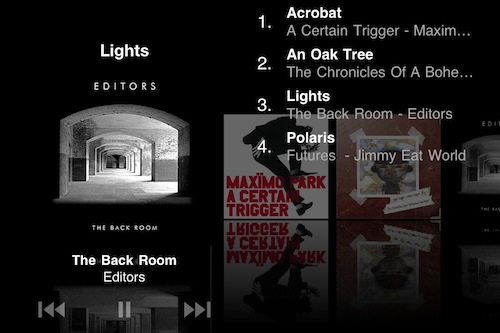
The app looks a lot like Bowtie or Coversutra for OS X in the way it displays the artwork for a song currently playing. Unlike the aforementioned Mac apps, though, SongSwiper can’t live on top of your desktop – you’ll have to open the app every time if you want to enjoy its feature set. You can change between songs with a single swipe left or right, or adjust volume with a swipe up / down. To play and pause, double tap on the artwork. You can shuffle, manually pick songs from your Library.

SongSwiper might be the perfect app for those who use the iPhone in their car a lot and find it easier to swipe on the screen rather than having to point to a specific little button. The app’s free, so you should give it a try.


New Music Notifications with Nomis

We cover lots of music apps on MacStories, we even had a Roundup at the end of 2010. What can we say, we’re all big audiophiles here at MSHQ. Today we’re showing you another music app, but this one is unique and a first to the app store. It’s called Nomis, by Taprockets - an independent company in Germany - and it reminds you of new releases for all your favorite music artists. It’s very easy and simple to use. Read more