Posts tagged with "music"

OnCue Brings Great Queue Features To iPod App

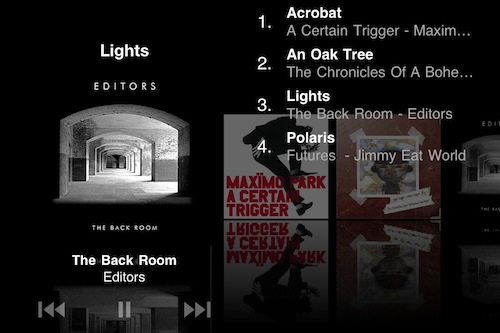
OnCue is one of those iPhone apps you don’t know you need until you start playing with it. The concept is simple: Apple’s default iPod app allows you to import playlists from iTunes and customize the way you listen to music by combining different songs and artists in a single list, it lets you shuffle your music, but it’s doesn’t come with any queue functionality.

While you’re listening to music on your iPhone or iPod touch and you’re on the go, it’d be nice to be able to select the songs you want to listen to without having to pull out the device from your pockets every time. Use a playlist, you might suggest. But what if I don’t want to create a playlist for each day? I just want to say “hey, today I want to listen to these songs in this specific order”.  You can’t create a new playlist every day, yet you know what songs you want. You need a queue function. OnCue does just that, and it works with both songs and podcasts. Read more


MacStories Product Review: Sonos S5 Wireless Music System

I can’t live without my music. Every day, I need to get my “fix” either through iTunes, Youtube (it’s good for rare live performances) or Spotify. I also scrobble the songs I listen to towards last.fm, although I’m no huge fan of the service as a social platform. I just keep an archive of my musical tastes in there. Still, as far as music is concerned, most of the times it’s not the system or the platform that really matters. It’s the quality. And for quality, you need good gear.

Over the years, I’ve always tried to save money and purchase great-quality earbuds to ensure high-fidelity playback while on the go. I’m still happy with my Sennheiser CX 300 bought years ago, but home stereo systems have been a dilemma for me, in spite of my obsession for top-notch hardware. I’ve changed setups too many times, jumped from speakers to stereos and all-in-one solutions without really sticking to one for more than 6 months. When music becomes an obsession, good gear is a necessity. Recently, the audio technologies implemented by Apple in iOS forced me to reconsider everything once again.

See, wireless streaming spoiled all the fun I had accomplished. First came audio via Bluetooth, then Airport Express stations and AirPlay. I changed devices: I went from a classic iPod to an iPod touch to iPhone + iPad. I subscribed to Spotify Premium to use the mobile app (with streaming and offline access), I became addicted to Apple’s own iPod app and third party replacements like My Artists, or external controllers like Coversutra, Bowtie and SongSwiper. Put simply: music became deeply integrated with iOS, and iOS grew at the same time to accomodate features like AirPlay. Music became connected.

So when I was offered the chance to review the Sonos S5, I immediately said “yes” and eagerly started waiting for the two review units to show up at my doorstep. The Sonos S5, for those unaware of this mythical gadget, is a wireless speaker internally powered by a series of amps that a) provides great sound quality and b) is truly connected with iOS, OS X and the Internet. The S5 offers the best of both worlds: local playback backed up by high-quality manufacturing and remote functionalities that allow users to “log into” the speaker and customize the entire experience. After the break, you’ll find my impressions of two months with two Sonos S5 units and a Sonos ZoneBridge connector. Read more


Lyrica 2: Redesigned, And Still The Best App To Tag Songs

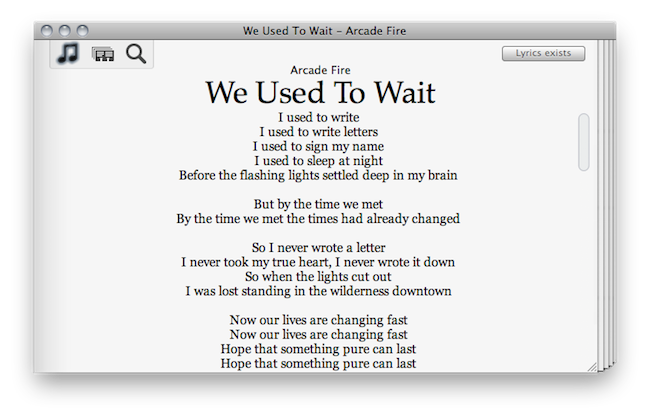
A few days ahead of the opening of the Mac App Store, we previewed a nifty little app for the Mac called “Lyrica” which helped you display lyrics from songs playing in iTunes through a translucent black, HUD interface. The Mac App Store launched, the app was priced at .99 cents, it was one of the few useful apps in the Music category – it snowballed. It quickly jumped the charts to get in the first spots of Top Paid, and two weeks after the grand opening it’s still firmly positioned in the top 30 apps.

It turns out, though, that many users didn’t like the HUD style of the app, which may or may not make it difficult to read lyrics on a translucent background. So developer Florian Zand redesigned the entire application and added some new features during the process. Lyrica now comes with a white, cleaner look with a stacked style that kind of reminds me of a newspaper. I also like the fact that I can choose between different fonts – personally, I sticked with Georgia.

Graphics changes aside, the app now searches through seven lyrics databases, including AZLyrics and MetroLyrics. Several preferences have been added (Lyrica can still automatically tag any song playing in iTunes, even if it already has lyrics on its own) and the developer also implemented a new functionality to replace and remove broken lyrics. Useful for those (like me) who tried to tag their music library in the past with some shady Mac app that didn’t work at all.

Lyrica is available at $0.99 in the Mac App Store. It’s getting better on every release, and even though it’s not perfect yet (and design-obsessed folks will still have something to say about it) it just works, better than many other apps sold at a higher price by well-known developers. Give it a try.


This Free App Lets You Control Music with Gestures

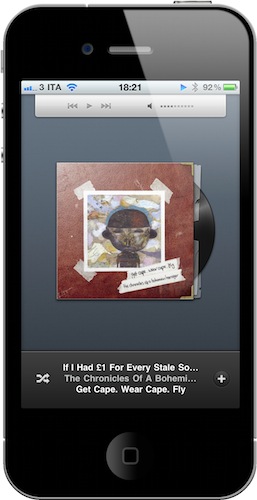
The app is called SongSwiper, it’s available for free in the App Store and it was updated yesterday to include Retina-ready graphics for the iPhone 4 and iPod touch 4th gen. SongSwiper is basically a controller for music playing from the standard Apple iPod app, but it allows you to control songs with swipes and taps instead of buttons, as in the iPod application.

The app looks a lot like Bowtie or Coversutra for OS X in the way it displays the artwork for a song currently playing. Unlike the aforementioned Mac apps, though, SongSwiper can’t live on top of your desktop – you’ll have to open the app every time if you want to enjoy its feature set. You can change between songs with a single swipe left or right, or adjust volume with a swipe up / down. To play and pause, double tap on the artwork. You can shuffle, manually pick songs from your Library.

SongSwiper might be the perfect app for those who use the iPhone in their car a lot and find it easier to swipe on the screen rather than having to point to a specific little button. The app’s free, so you should give it a try.


New Music Notifications with Nomis

We cover lots of music apps on MacStories, we even had a Roundup at the end of 2010. What can we say, we’re all big audiophiles here at MSHQ. Today we’re showing you another music app, but this one is unique and a first to the app store. It’s called Nomis, by Taprockets - an independent company in Germany - and it reminds you of new releases for all your favorite music artists. It’s very easy and simple to use. Read more


StudioDock: The Reason for Musicians To Buy An iPad

In the past few years, we have seen an “explosion” of iOS devices used for music creations, live performances and gear experimentation. From the most curious app to the complex setups DJs and musicians have found themselves playing with, iOS devices – and especially the iPad – have become the most desired gadgets by geeks obsessed with music. Most of the times because, well, thanks to apps and hardware compatibility they turned out to be pretty great instruments.

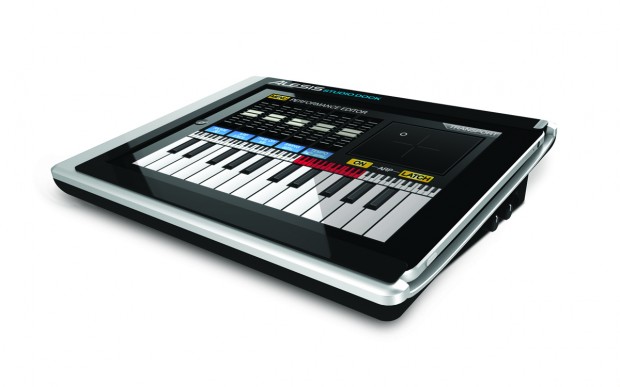
The Alesis StudioDock for iPad aims at taking this whole music experimentation thing to a new level. The StudioDock is both a dock station for the iPad and a protective case that covers the device’s bezel. But most of all, it’s a full-feature music stations with MIDI in/out ports, stereo outs, gain controls and XLR combo ins. The Alesis guys write on their official website:

The StudioDock is the first device that enables anyone with an iPad to create, produce, and perform music with virtually any pro audio gear or instruments. The StudioDock is a universal docking station specifically designed for the iPad, and it gives musicians, recording engineers, and music producers the connectivity they need to create and perform with iPad. Connect all your pro audio gear to virtually any app in the App Store with the StudioDock.

Connecting professional gear to the tablet does indeed sound like a great idea and something that, beyond music, podcasters might want to tinker with as well. Check out StudioDock’s website here; specs embedded after the break, courtesy of CrunchGear. Read more


OMGuitar for iPad Was Meant for Auditions [Video]

We don’t know whether Steve Jobs knew the iPad would turn out to be a popular music instrument or not, but it’s undeniable that more and more artists every week are coming out with videos showing their live performances entirely based on the tablet. Even the Gorillaz created an album using only iPad apps. In the video embedded after the break, you can take a look at the functionalities offered by a new music app for the iPad called “OMGuitar” that, according to the Amidio developers, is the most innovative and realistic “guitar synth” for iOS.

The app lets strum away on your iPad’s screen and captures the speed and “emotion” of your strumming. You can choose between 6 different guitar models (from the most classic one to the electric Les Paul) and play through an interface that’s divided in two parts: one for the notes and chords, one for the actual strumming. The developers write:

The strings themselves respond to the speed of strumming and the distance between themselves and the initial screen tap. The player is supposed to strum with one finger and place the second finger on the guitar at any time for muting all the strings. With such approach, many common guitar playing techniques can be easily accomplished.

OMGuitar employs an absolutely new way of choosing chords called CH#RD. More than 300 chords are basically at the fingertips. Only one finger is needed to play all the common chords, such as Minor, 7th, Major 7th, power chords, 6th chords, diminished or suspended. For more special chords, one more finger is needed. In total, there is access to 23 chord variations per every root note, which is more than enough for any song.

OMGuitar is available at $14.99 in the App Store. While we think you shouldn’t really try to go to an audition with an iPad as your main instrument, we’re still hoping in the future that won’t look weird. Perhaps in a few years. [Youtube via TUAW]
Read more


The Beatles On iTunes: 5 Million Songs Sold In 2 Months

On November 16, 2010 The Beatles came to iTunes. The ever-popular Liverpool band was one of the big holes in Apple’s digital music offering, and an option long pursued by Apple CEO Steve Jobs, who also happens to be a huge fan of the Fab Four. In two months, 5 million songs and 1 million albums of The Beatles have been sold through iTunes, Apple told The Loop.

Two weeks after the initial release, Apple announced 2 million songs had been sold. Clearly sales have slowed down a bit, but it’s an impressive figure nonetheless. And just like when 2 million songs were already out of iTunes, the most popular album is “Abbey Road”. Most popular song in the U.S. is “Here Comes The Sun”.

November 16 might not be a day we’ll never forget, but it sure marked the beginning of a lucrative relationship between Apple and The Beatles.


Discovr for iPad: An Interactive Map of Music

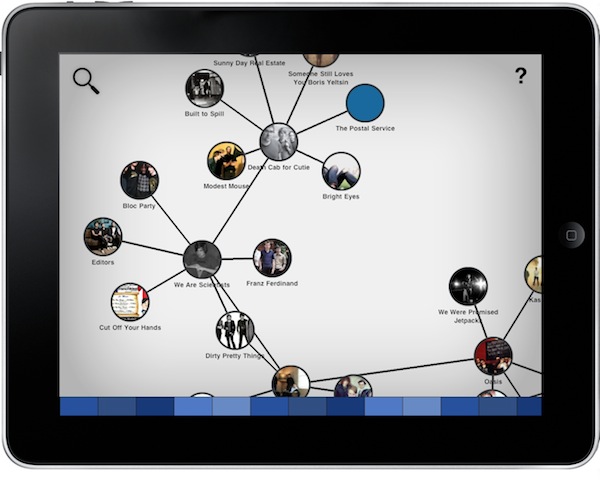
Months after its original release, I’m still using Aweditorium as my primary “music discovery tool” on the iPad. The app is nothing but a grid containing interesting independent artists and bands the Aweditorium developers think you should check out. You can listen to songs directly from the app, send them to an external speaker with AirPlay, run the app in the background or stay in there and check out bios, interviews and lyrics while you’re listening. It makes for a great way to discover new music when you have some free time to dedicate to music. But in Aweditorium, you won’t see your favorite artists coming up every once in a while, as the app is entirely based on music you’ve likely never heard of before. That’s where (I think) Australian music start-up Jammbox got inspired to develop Discovr for iPad. Read more