Posts tagged with "browser"

First Screenshots Of Opera for iPad [Update: Video]

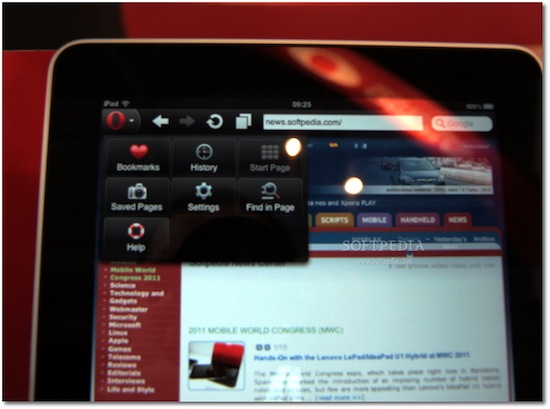
At Mobile World Congress 2011 the folks over at Softpedia managed to get their hands on preliminary version of Opera for iPad, and apparently they were impressed by the speed of the browser. Released on the iPhone last year, Opera for iOS raised some doubts over the quality of the app, mainly due to scrolling smoothness and font rendering on pinching and zooming – clearly inferior to Apple’s Mobile Safari. Opera for iPad is set to provide a much better experience on the tablet screen, with an interface that reminds of the desktop version (visual tabs on top) and menus accessible from a huge Opera button in the upper left corner. The developers also confirm the iPad app has been built on the same engine the powers Opera desktop.

The app runs very smooth, and allows for some rapid movement between visual tabs (open pages). Visual tabs allow users to have several web pages open concurrently and quickly switch between them using tabs. Each tab allows users to preview a thumbnail, as well as the page title and icon for each web page they have open.

Where the default touchscreen keyboard provides a less-than-optimal user experience, users can take advantage of Opera’s virtual keyboard to type and edit information without having to leave the page they are viewing.

I’m curious to see this Opera virtual keyboard and see how it compares to the iPad’s default one. No release date was provided by Opera at MWC, but Softpedia speculates we might see the app in the Store as early as next week. It will likely be free, and quickly jump the charts of free software like the iPhone counterpart did.

Check out more screenshots of Opera for iPad below. Read more

Tapu: iPad Browser That Looks Like Chrome, Plugs Into Facebook

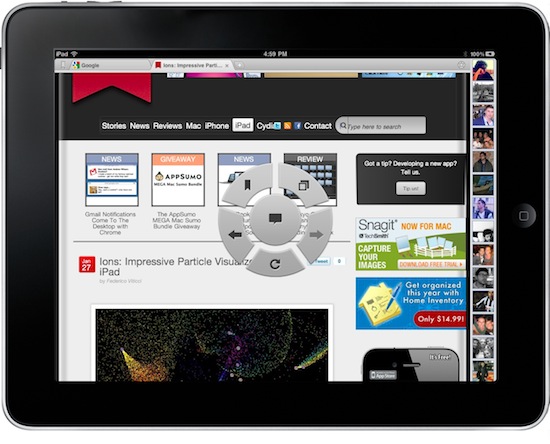
Looking for great alternatives to Mobile Safari, I have stumbled upon a lot browsers for the iPad. Some of them are really nice, like Grazing and Browser+; some them are the result of strange experiments gone terribly wrong, like Super Prober. Overall, the trend amongst developers seem to be that of trying to reinvent Safari by adding features over features that, without good software engineering and quality control, may end up cluttering an app, making everything barely usable. It happened with many browsers I have tested so far. Read more


Browser+ for iPad Aims To Reinvent Safari

I have been trying a lot of alternative browsers for the iPad over the past months. Since my good friend @kenyarmosh suggested me to give a spin to iCab Mobile (for iPhone and iPad), my interest for well-crafted, feature rich and innovative third-party browsers reached a new level. And while I’m still digging into all the features offered by iCab (which is, without a doubt, the most powerful alternative to Apple’s default browser), I have also been testing other simpler, minimal browsers that aim at offering a different take on browsing the Internet on the tablet.

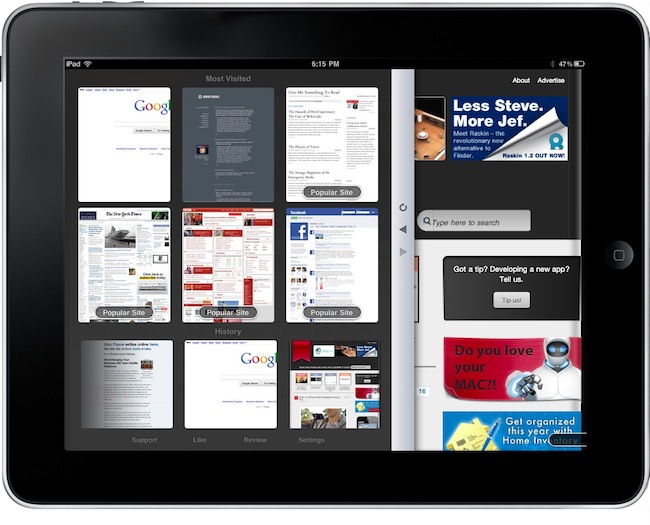
Browser+ HD for iPad, in spite of its not-so-appealing name, is the freshest and simplest browser I have found in the App Store so far. What Browser+ does is simple: it takes standard elements of web browsing such as tabs, address bar and history and completely re-imagines them as if they were built from scratch for the iPad. Pretty much like Flipboard did for web content that has to be consumed on a tablet’s screen. Browser+, sold at $0.99 in the App Store, doesn’t come with all the functionalities found in Apple’s Safari or iCab Mobile, but what’s there has been recreated to fit better on the iPad. Read more


Skyfire for iPad Now Available

As noted by 9to5mac, Skyfire for iPad is now available. As previously reported, Skyfire takes advantage of the iPad’s larger screen to integrate more social features in the app and allow users to constantly share items on Twitter, Facebook and Google Reader (or send over to Pinboard, Instapaper and Read It Later) with the app of a button. Most notably, Skyfire for iPad comes with a series of buttons in the bottom toolbar that let you check on your Reader feeds, Twitter timeline and Facebook wall, together with the possibility to like every page with a universal Like button and see only updates from friends who shared links.

Social features aside, Skyfire for iPad has the same on-the-fly Flash video conversion technology seen on the iPhone version. If the iPhone app is to be trusted, Skyfire Flash-to-HTML5 conversion tool is pretty awesome, and it converts video to an iOS-compatible format in seconds. One could ask why Flash videos are needed on iOS when most of web video has iOS-optimized fallbacks now, but still. Skyfire for iPad also comes with additional functionalities such as a new tab design, desktop option to avoid loading websites in mobile versions, private browsing a.k.a. “porn mode”. Also, guess what kind of websites still doesn’t provide iOS-compatible video. I think I know why Skyfire is selling all those copies.

Skyfire for iPhone made $1 million in its weekend in the App Store. With the App Store charts freezing tomorrow until the 28th, I wouldn’t be surprised to see the app having a tremendous success on the tablet as well. Go download it here at $4.99, and check out the demo video and feature list below. Read more


iLunascape iPad Browser Adds Firefox Sync

iLunascape is a third-party browser for the iPad which is available for free in the App Store and we mentioned several times in the past. It’s not exactly a “full-featured” alternative browser like the excellent iCab or Atomic, yet it comes with a neat tabbed interface that makes it simple to switch between multiple websites open at once.

iLunascape doesn’t overwhelm you with functionalities, but it’s OK for most people looking for a sweet alternative to Safari.

The latest 1.3 version, released last week, adds the possibility to sync bookmarks back to the desktop thanks to Firefox Sync, which apparently opened up its API to allow other browsers to access a user’s sync settings. The new version also lets you save images and use bookmarklets. Firefox Sync is one of the best ways to keep tabs synchronized and accessible between computers and devices.

iLunascape for iPad is free and available here.


Skyfire Coming To The iPad, Integrates Facebook & Twitter In The Browser

Remember Skyfire? The Flash browser for iPhone? Yes, the one that lets you watch Flash videos on the iPhone by quickly converting them to HTML5. In our review, we wrote that the app, besides Flash converting capabilities, also had a lot of neat features to bring an innovative browsing experience to the iPhone. Even if I’m sure many users bought it and quickly came back to Safari, Skyfire managed to gain quite a few followers. Skyfire is now coming to the iPad.

The iPad app, which according to Wired should be released “before Christmas” at $4.99, will come with even more functionalities than its mobile counterpart. Skyfire for iPad, thanks to the tablet’s larger screen, will integrate lots of social features such as the possibility to access your Facebook wall at any time, Twitter, Google Reader and a bunch of other websites all within popovers on screen. Skyfire for iPad will allow yo to quickly access your social profiles and check on links shared by your friends and people you follow, tap on them and open everything inside the browser, in additional tabs. The tab interface looks cool and well-animated, but I wonder why the developers went for an iPhone-like approach instead of mimicking the tabs seen in Mobile Safari for iPad.

Also, I don’t know why would I want to see my Facebook wall at any time in the browser. I can understand the Google Reader integration, but all these other social features sound like a useless overlay to me. Oh, and Skyfire for iPad will also have a universal Facebook Like button that will let you like any page without opening Facebook. This, admittedly, sounds pretty cool.

I’m not sure about all this social stuff in browsers (remember RockMelt?), but I’ll be keeping an eye on this new version of Skyfire. With Apple’s devices dominating encoded web video, clearly there’s not this huge need of a browser capable of converting Flash anymore. Perhaps all we need is a social browser for the tablet. [via MobileCrunch] Read more


Webout Enables AirPlay Video Streaming From The Browser

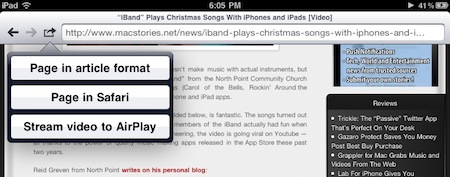
We don’t know what’s the secret behind webout, a universal app for iPhone and iPad, and we don’t know if Apple is going to remove this soon from the App Store – but it works. As you may know, you can’t stream video using AirPlay to the Apple TV with Mobile Safari. Only native Apple apps have the video functionality enabled, and if you try to open Youtube.com in the browser you’ll notice that the AirPlay icon doesn’t show up. Read more


RIM Posts BlackBerry Playbook and iPad Comparison Video

RIM believes in its upcoming Playbook tablet as a feasible alternative to Apple’s iPad. With the new video comparison they posted on their official Youtube channel, it looks like RIM is betting a lot on the web surfing capabilities of the device.

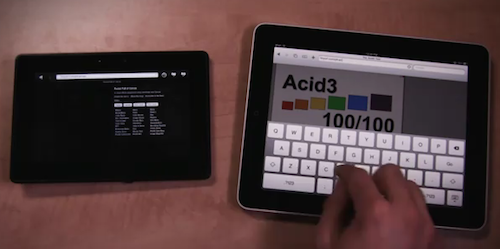
The video shows that the Playbook is faster at loading web pages than the iPad, although the selection of websites is limited and a test is focused on loading a website that feature “rich Flash content”. The iPad can’t load that, and the Playbook seems pretty fast at rendering it, but the video doesn’t show how scrolling speed is affected by Flash. The Playbook’s browser looks fast anyway, scoring a 100/100 on Acid3 test and loading a Javascript / HTML5 Canvas based webpage faster than the iPad. It looks fluid.

Check out the video below. Read more


Grazing for iPad Reaches 1.1: Sharing Menu, Smoother Browsing

Grazing is, in my opinion, the best alternative web browser for iPad which I reviewed here back in September. By combining a fast engine with a polished UI and a minimal (yet powerful) feature set, the developers of Grazing managed to release the finest example of what it’s possible to do with a 3rd party web browser on the tablet.

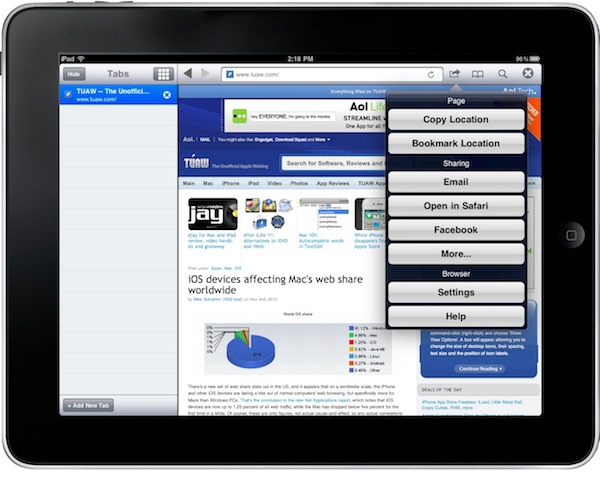
Today Grazing for iPad gets even better with a 1.1 updated aimed at improving overall performances and introducing a couple of new features highly requested by early adopters of the app. In the Settings, you can now turn on Ad-blocking, which works on domain basis and you can enable or disable at any given time. Also in the Settings, a TV Out option that allows you automatically output web pages when the iPad is attached to an external monitor or TV. Read more