This Week's Sponsor:

Copilot Money

Copilot Money, The Best Money Tracker, Launches on the Web – Limited-Time: Get 26% Off + 2 Months Free


Posts tagged with "headphones"

Just the Best: MacStories’ Black Friday 2025 Picks

Black Friday deals started very early this year, and we’ve covered a lot of ground on the MacStories Deals Mastodon and Bluesky accounts since publishing our Early Black Friday Picks. A lot of those deals are ongoing, so it’s worth revisiting that story as you start your holiday shopping in earnest.

However, today, I wanted to hit the highlights of what we’ve covered over the past week on MacStories Deals and add some new deals to the mix that you probably haven’t seen yet, so buckle up, it’s time to go shopping.

MacStories Pixel Icons

All three MacStories Pixel Icon sets are 40% off until Monday, December 1.

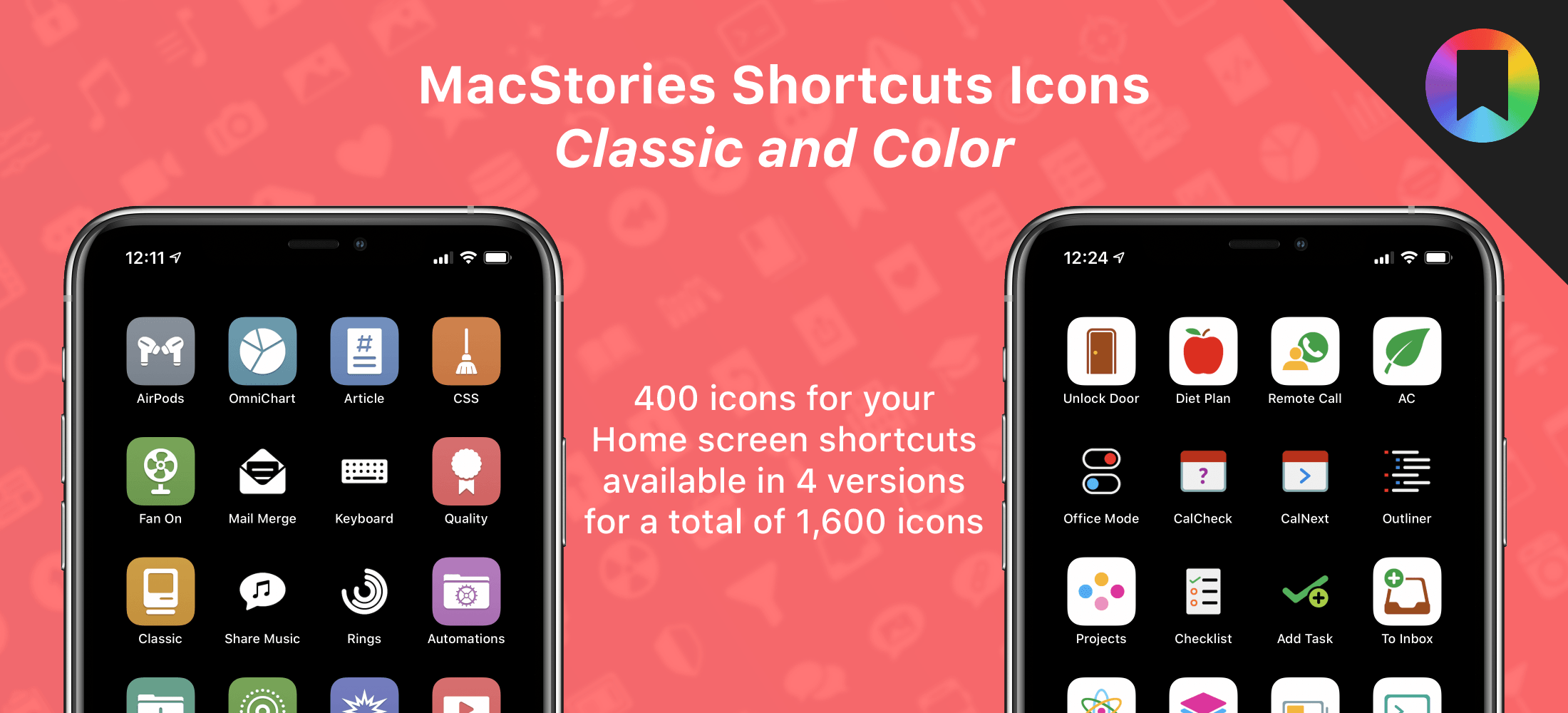
Two of the icon sets are specially-designed for Shortcuts. We’ve all been there. You work hard on a shortcut and want to give it the perfect icon, only to realize that Apple doesn’t offer what you want in the Shortcuts app. The MacStories Pixel Icons fill that gap with an extensive set of painstakingly hand-crafted icons with multiple color options created by MacStories’ long-time designer, Silvia Gatta. We also offer a set of Perspective icons that are perfect for OmniFocus Pro and other uses.

Visit our dedicated MacStories Pixel page today to preview all three icon sets and purchase them for 40% off until Monday, December 1.

Apple Hardware

There are a lot of Black Friday deals on Apple hardware, but most of them are good, not great. I’m picky, so I’m only going to focus on just the great deals.

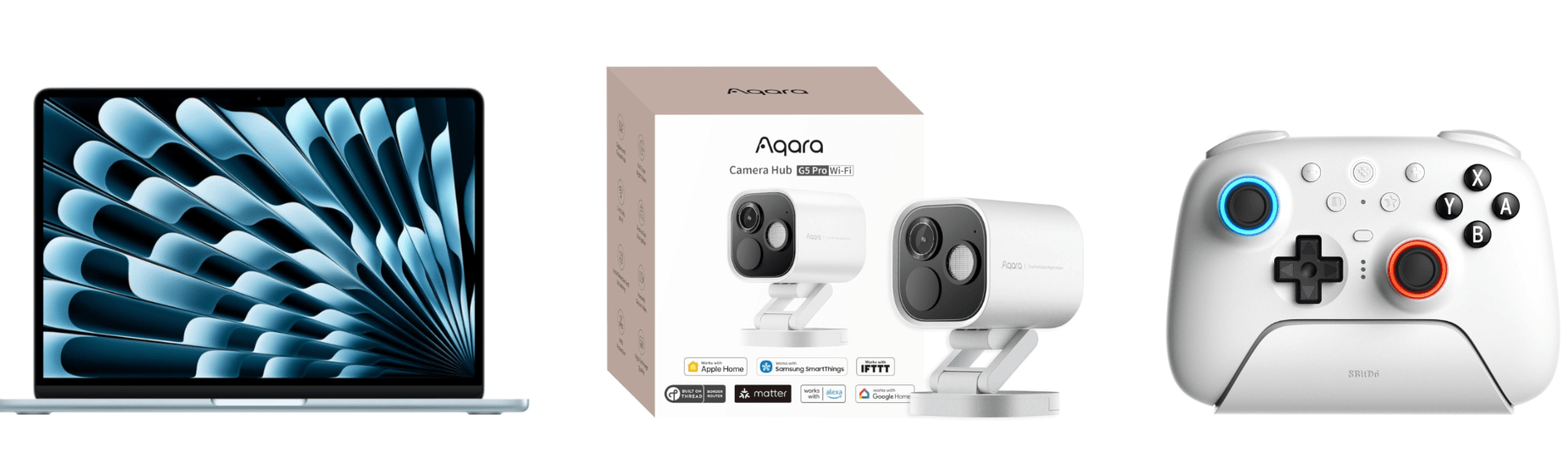
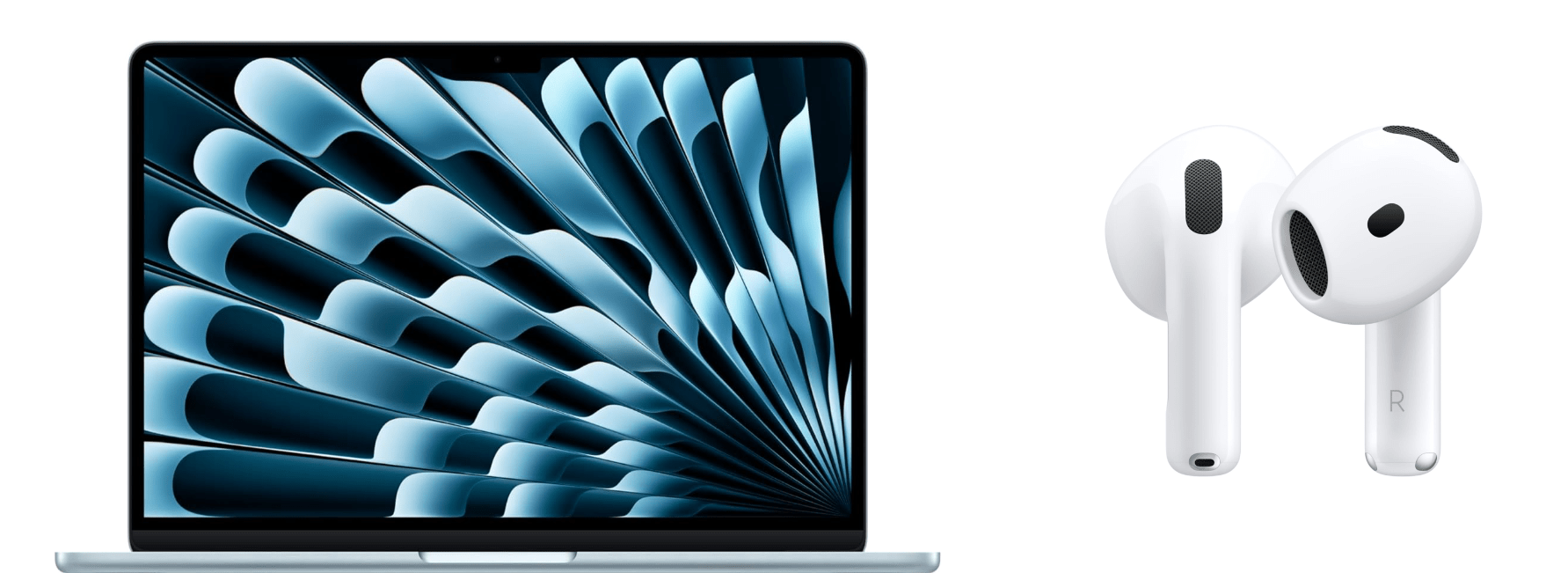
One of the best deals on Apple hardware during Black Friday is the M4 13” MacBook Air with 16GB of memory and 256GB of storage. If you want more memory or storage than that, you’ll have to settle for a smaller percentage discount, but even with more memory and more storage, you’re still doing better than any other deal this year. The 15” M4 MacBook Air with 16GB of memory and a 256GB SSD is a good deal, too.

Among the many iPad deals, the best is on the 128GB iPad mini with an A17 Pro chip. I’ve had a mini since they were released and love it. The size makes it an excellent reading and video-watching device.

AirPods 4 are also heavily discounted for Black Friday. Apple’s most affordable wireless earbuds come with active noise cancellation and without. The model with no active noise cancellation slightly edges out the model with ANC as far as the discounts are concerned, but both models are a bargain.

However, the very best deals available from Apple in terms of the percentage discount are a 4-pack of AirTags and the Apple Pencil Pro. If you need either, now is the perfect time to buy them.

Smart Home

The holiday season is a great time to catch up on projects and start new ones. For me, that’s often tuning up my smart home setup and setting up some new devices thanks to Black Friday sales. Here are the best ones I’ve seen:

Aqara already makes some of the most affordable smart home devices out there, so you really can’t go wrong with their Black Friday deals. One of my favorites is the FP2 Presence Sensor. It’s far more sophisticated than a simple motion sensor. To start with, it can tell when you’ve left a room, which motion sensors can’t do. I’ve used an FP2 Sensor in my office to control lighting for a couple of years, wrote about it for Club members, and have been really happy with it.

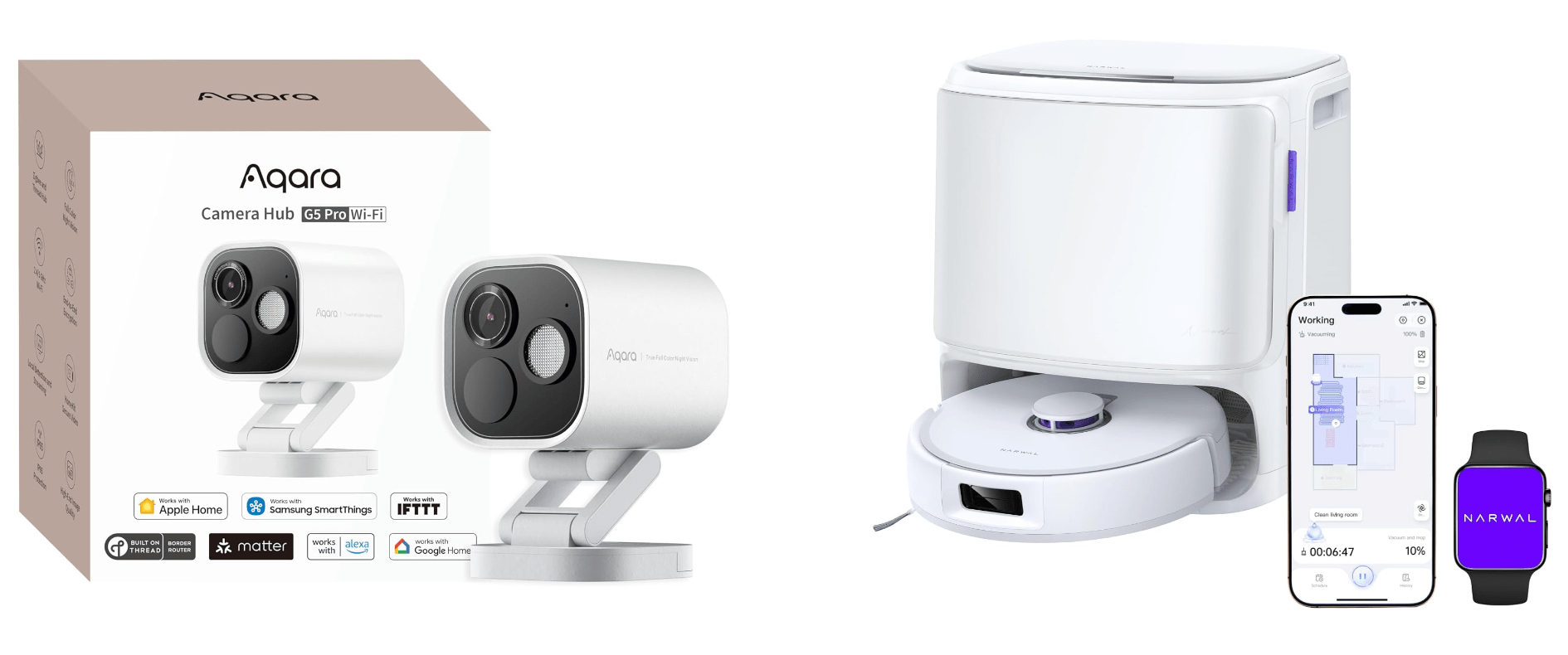
Other great deals from Aqara include its U100 Smart Lock that works with Apple Home Key and HomeKit, the Aqara M3 Home Hub that I recently set up at home and love, and 4MP Camera Hub G5 Pro, an outdoor HomeKit camera that I reviewed earlier this year.

My Aqara 4MP Camera Hub G5 Pro is paired with an Ecobee Smart Video Doorbell, which is also on sale for Black Friday. I’ve used various Ecobee smart home products for years and have never been disappointed. The same goes for its smart doorbell. I’ve had it installed for over a year, and it’s been reliable despite facing the sun on some very hot summer days.

Black Friday is also a great time to buy a robot vacuum and mop. There are lots of deals, but the model I’ve tested for the past couple of months and love is the Narwal Freo X10 Pro. It handles vacuuming and mopping, navigating via LiDAR and does an excellent job compared to other robot vacuums I’ve tried. I’ll be reviewing the Freo X10 Pro about it soon, but now’s the time to get it at a steep discount.

Read more


Beats Releases the Powerbeats Pro 2 with H2 Chip and Heart Rate Monitoring

Source: Beats.

Source: Beats.

It’s been six years since the original Powerbeats Pro debuted, so it’s no surprise that Beats has finally updated them. The new wireless headphones, which are great for running and other activities because they hook over your ears, have a slimmer, more vertical design and other new features.

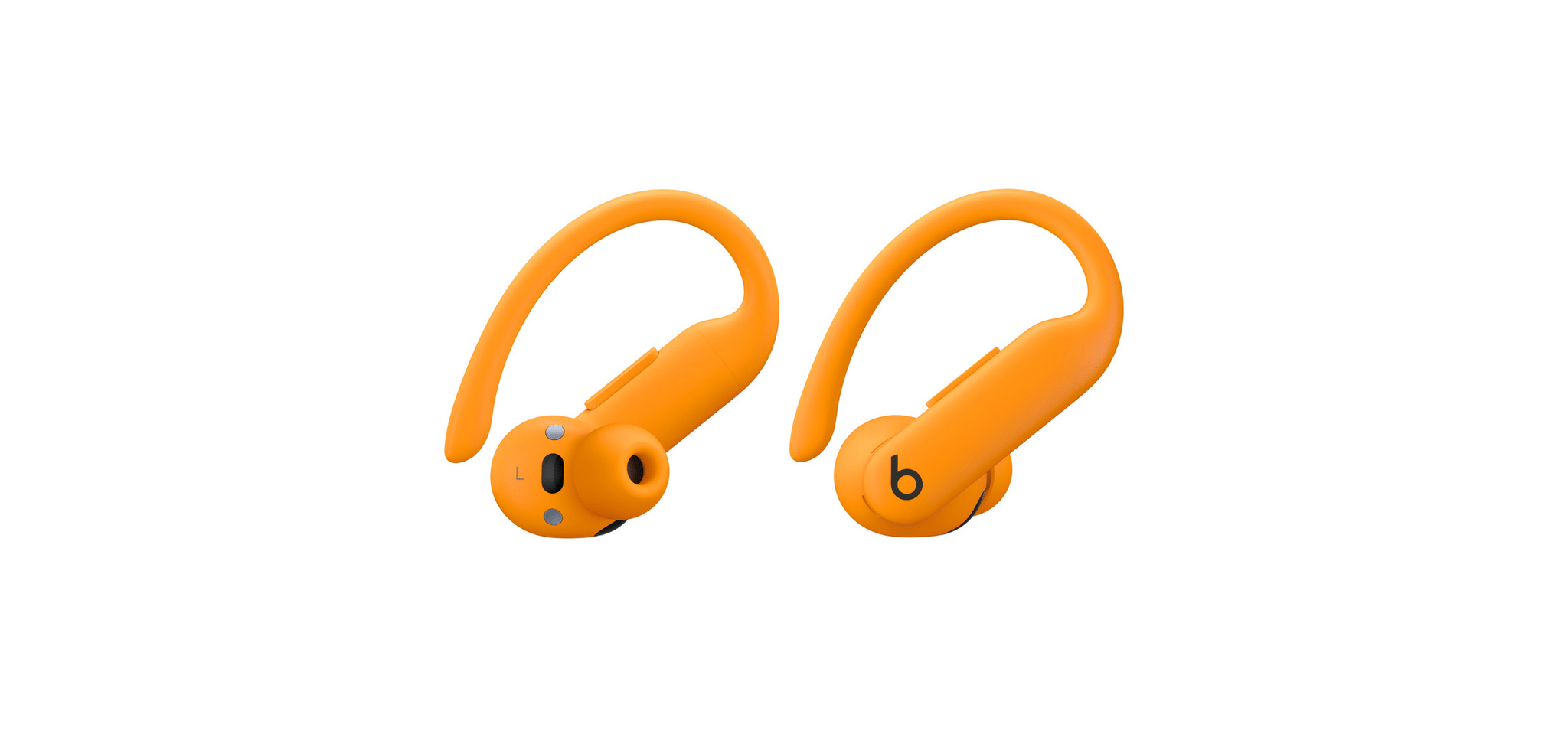
Powerbeats Pro 2 include Apple’s H2 chip from the AirPods Pro 2 and AirPods 4. That means the new model supports active noise cancelation, transparency mode, Personalized Spatial Audio, longer battery life (up to 45 hours with the case), and improved sound quality. The new headphones are Beats’ first to feature heart rate monitoring, too. Colors include Jet Black, Quick Sand, Hyper Purple, and Electric Orange. The Powerbeats Pro 2 are also IPX4 sweat and water resistant. The headphones’ case is 33% smaller and supports Qi charging.

Source: Beats.

Source: Beats.

Over on 9to5Mac, Chance Miller has a hands-on review of the Powerbeats Pro 2. Regarding the heart rate monitoring, Chance explains that:

Each Powerbeats Pro 2 earbud has a built-in heart rate monitor comprised of four components. First, there’s an LED sensor that emits green LED light at a rate of over 100 pulses per second. This light is emitted through the skin and hits your red blood cells. The photodiode then receives the reflected light from the red blood cells that is modulated by the red blood flow. There’s an optical lens that helps direct and separate the transmitted and received light, along with an accelerometer to ensure accuracy and consistency in data collection.

If you’re a Powerbeats Pro fan and in need of replacing an aging pair, Beats’ latest version looks like a nice update. I used to use Powerbeats, but I switched to the Beats Fit Pro to take advantage of the more capable H1 chip. However, I could see myself giving Powerbeats Pro 2 a try when my headphones need replacing.

The Powerbeats Pro 2 are available to order now for $249.99 on Beats and Apple’s websites. Deliveries and in-store availability will begin on February 13th.


A Single Apple EarPod Has Become My Favorite Wired Earbud for Gaming

Nintendo Switch with [Hori's Split Pad Compact](https://amzn.to/3zlDpZD) controllers, Steam Deck OLED, and Ayn Odin 2. Also, [you should play UFO 50](https://wavelengths.online/posts/ufo-50-a-review).

Nintendo Switch with Hori’s Split Pad Compact controllers, Steam Deck OLED, and Ayn Odin 2. Also, you should play UFO 50.

Picture this problem:

Because of my podcast about portable gaming NPC with John and Brendon, I test a lot of gaming handhelds. And when I say a lot, I mean I currently have a Steam Deck, modded Legion Go, PlayStation Portal, Switch, and Ayn Odin 2 in my nightstand’s drawer. I love checking out different form factors (especially since I’m currently trying to find the most ergonomic one while dealing with some pesky RSI issues), but you know what I don’t love? Having to deal with multi-point Bluetooth earbuds that can only connect to a couple of devices at the same time, which often leads to unpairing and re-pairing those earbuds over and over and over.

Read more


New Projects, New Setup

The past few months have been busy at MacStories. The release of new iPads was followed by our launch of new podcasts and then WWDC. Along the way, my gear setup has changed a little, too.

Portable Setup Changes

11” iPad Pro and Accessories

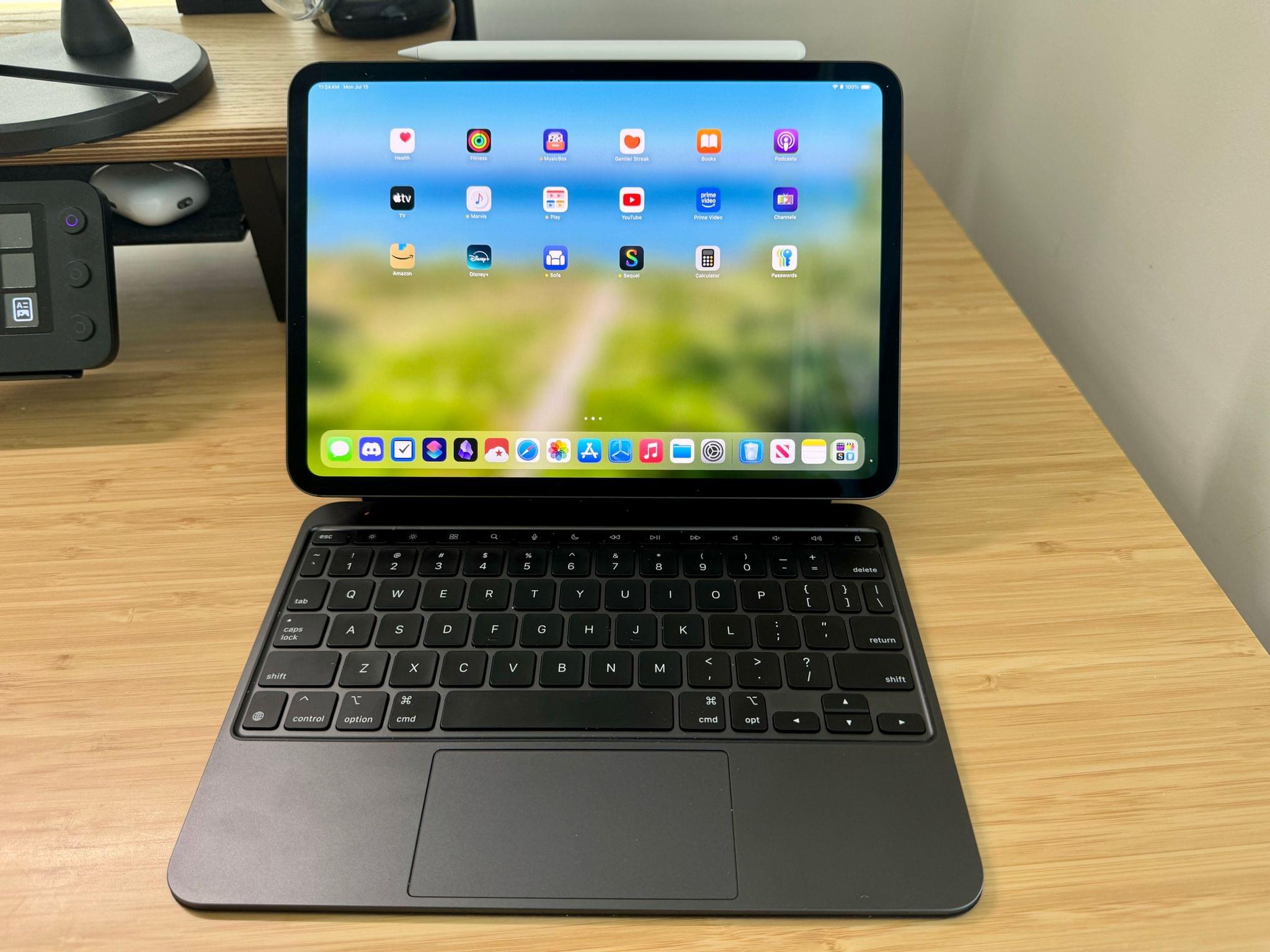
Leading up to Apple’s spring event and knowing that it would feature new iPads, I was on the fence about buying one. The Pencil Pro and the Tandem OLED display tipped the balance, though, and I ended up getting the 11” Wi-Fi-only model with a Magic Keyboard Case, a Smart Folio cover, and Apple Pencil Pro.

I was tempted by the nano-texture display but ultimately passed on it as well as cellular connectivity. I expect there’s a nano-texture device of some sort in my future, but even without it, the iPad Pro’s Tandem OLED display works better in sunlight than previous displays. I don’t use an Apple Pencil often, but with the new Pro model, I plan to play around with it more to see if I can find a place for it in my day-to-day computing. The lack of meaningful iPadOS 18 updates coming this fall is a letdown, but I’m still pleased with my purchase because the smaller form factor and fantastic display have led me to use my iPad Pro more.

Desk Setup Changes

Balolo's tablet holder accessory.

Balolo’s tablet holder accessory.

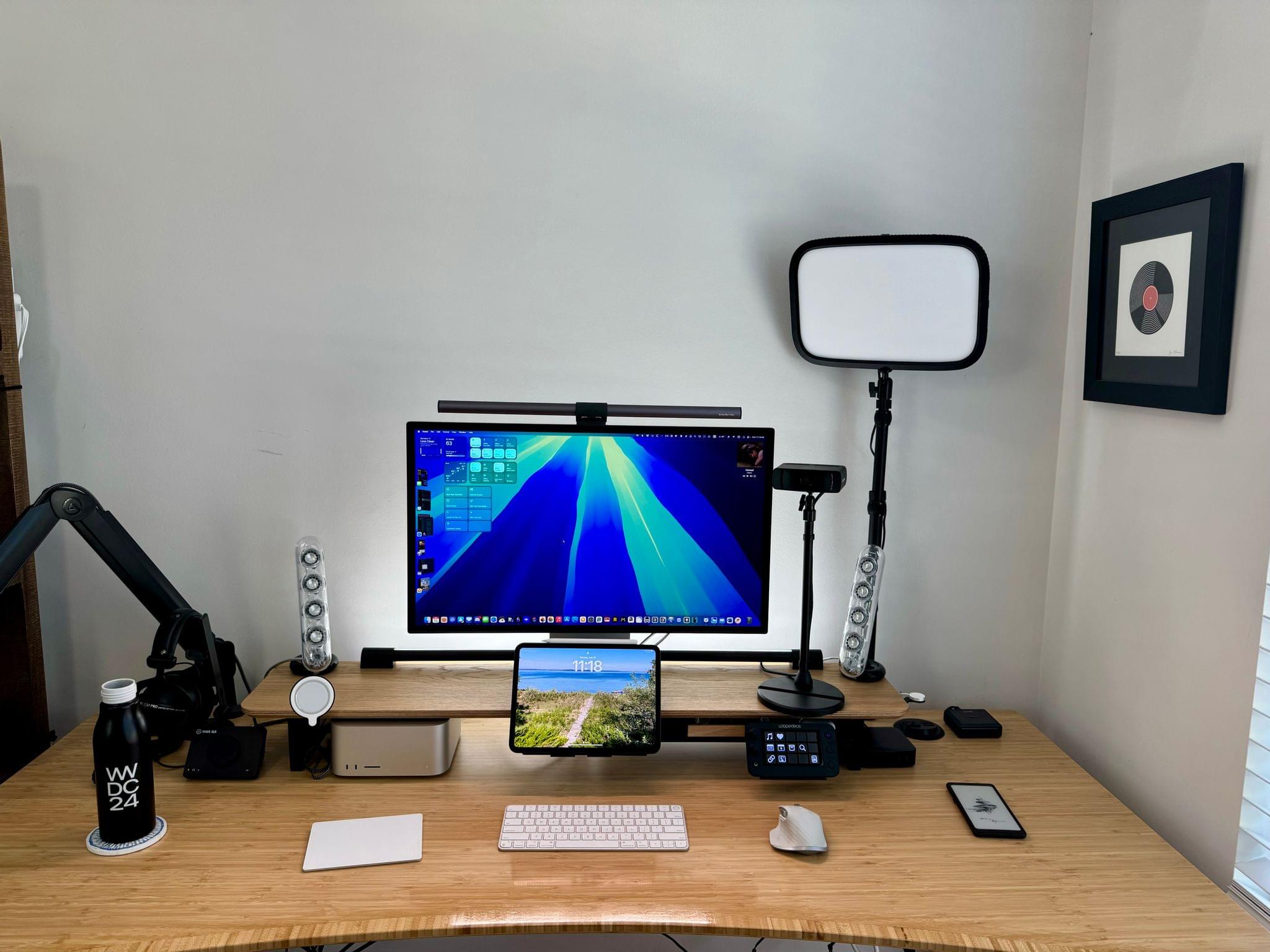
With the change in iPad sizes, the articulating arm I used for the 12.9” iPad Pro no longer worked for me. Instead, I’ve transitioned to another Balolo accessory, the Tablet Holder. It sits neatly in the center of my Desk Cockpit shelf, where I can set my iPad for use with Sidecar or Universal Control. If you’re a Club member and interested in Balolo’s Desk Cockpit setup, which I covered in detail this past February, there’s a coupon code for 10% off on the Club Discounts page.

My new video gear from Elgato.

My new video gear from Elgato.

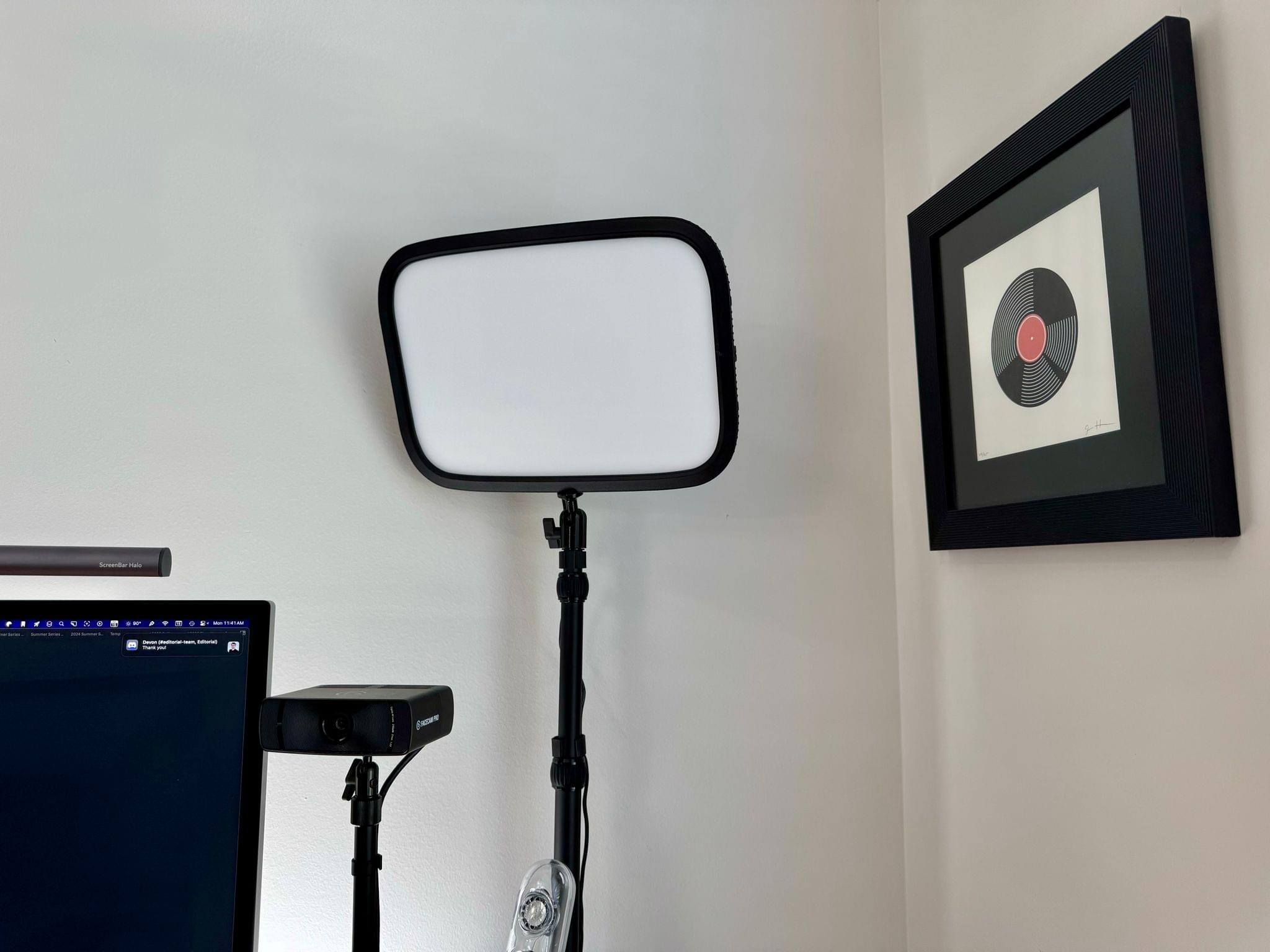
I have been experimenting more with video in recent weeks, too. That led to the addition of an Elgato Facecam Pro and Key Light to my desk, along with an Elgato Mini Mount stand for the camera.

Read more


Tucked Away Nearby: A Refinement of my Desk Setup

When Federico and I published our setups last November, I was happy with mine, but there was still something that bothered me. Every day, I wound up with too much stuff strewn across my desk. At the same time, some of the things I use most days felt annoyingly out of reach. These weren’t monumental annoyances, but they were daily distractions that led me to leave things on my desk for long stretches of time where they were in the way. So, I started thinking about ways to improve my setup again.

What I realized is that I had nowhere to put any of the little things I use each day, so they’d end up all over my desk, which then snowballed into a bigger mess. The solution was to bring those little things closer but create places for them that are out of the way. At the same time, I made a greater effort to tuck cables and wires out of the way where I can’t see them, which has also helped cut down on clutter.

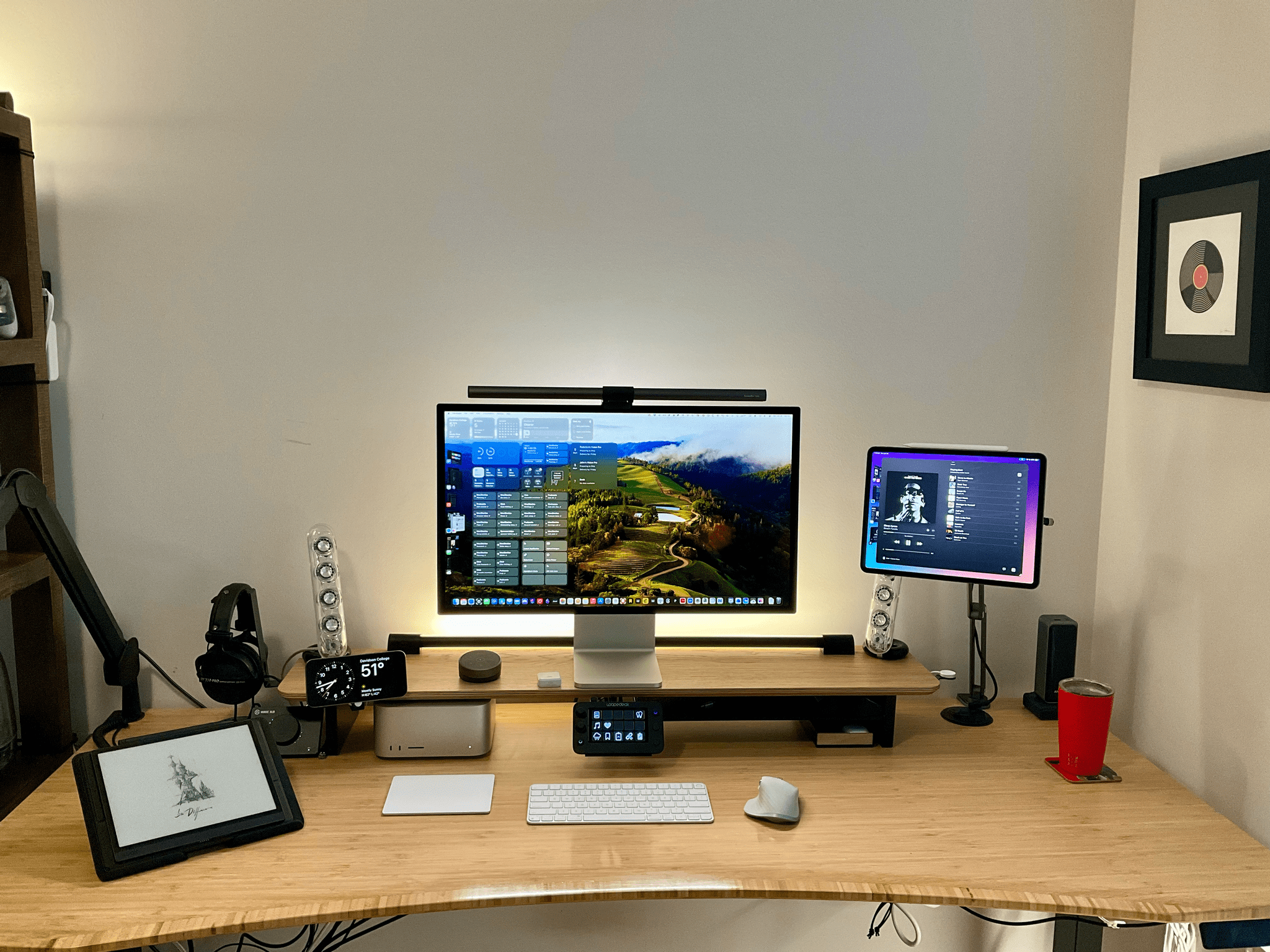
The centerpiece of this revised setup is a Balolo Setup Cockpit. There are a lot of companies that make desk shelves, but they never appealed to me because I’ve always been able to adjust my Studio Display to a comfortable height without one. I could tuck things under the shelf, but I needed more than that.

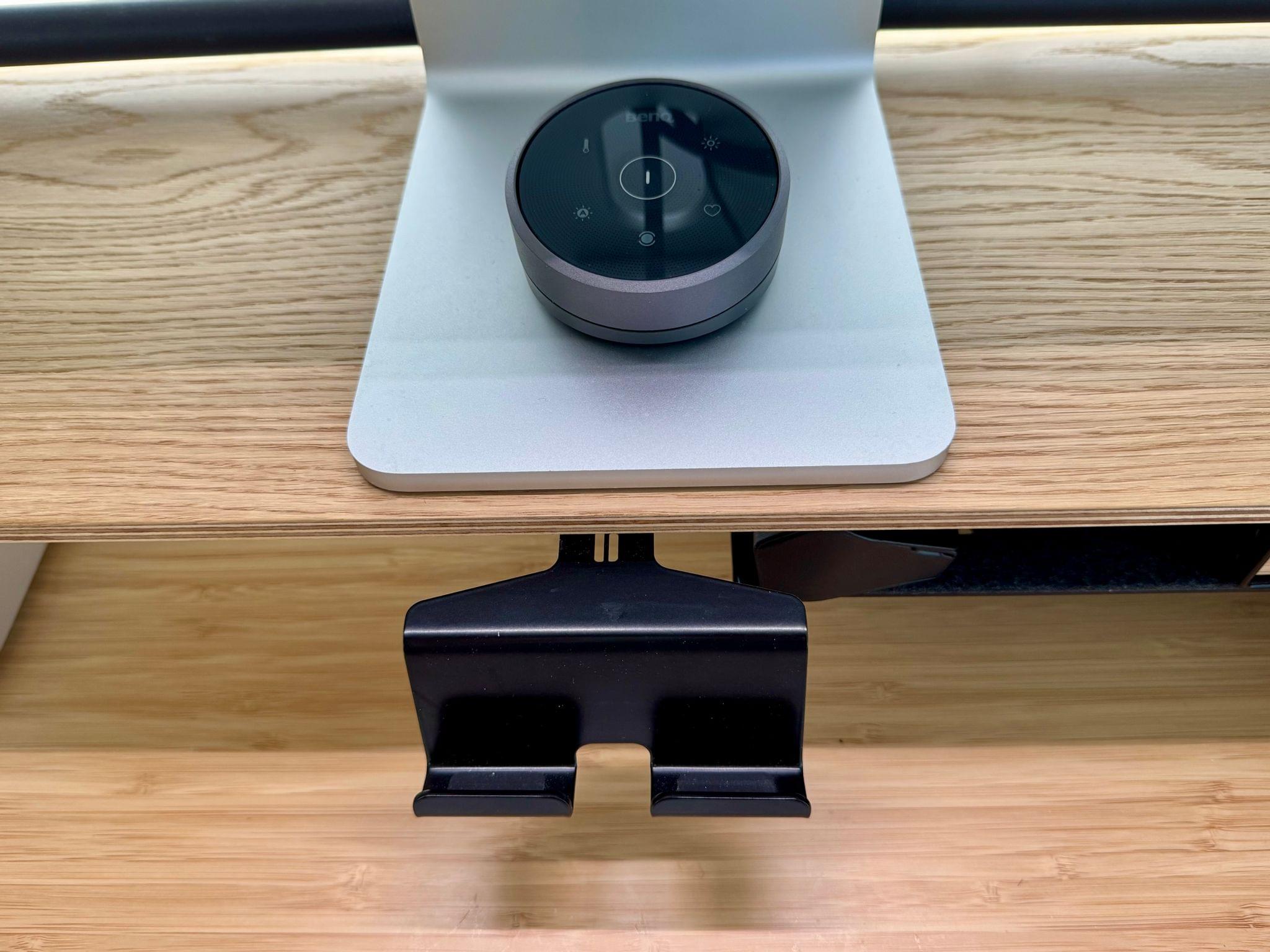
What I like about the Balolo shelf is that it has a system of attachment points on the underside of the shelf for adding accessories that have allowed me to get more off my desk and out of the way. It’s turned out to be the perfect floating, modular extension of my old setup that makes a long list of small adjustments that add up to a big difference overall.

Read more


CES 2024: ASUS Rules CES, A Grab Bag of Other Announcements, Plus More Weird and Wonderful Gadget Finds

Source: CES.

Source: CES.

We’re only two days into CES 2024, and something occurred to me in the aftermath of ASUS’s packed presentation. We’re in a new golden age of gadgets, the likes of which we haven’t seen in many years. The world seems ready for something new after spending more than a decade cramming everything imaginable into our phones. An awful lot of companies seem to think the next big thing will be powered by artificial intelligence. Perhaps it will be, but even if it isn’t, we’re seeing a breadth and depth of gadget innovation at CES that’s exciting.

Yesterday, the gadget that stuck with me the most was the Lenovo ThinkBook Plus Gen 5 Hybrid. I love the flexibility and modularity it promises. ASUS’s ROG Phone 8 line of mobile phones was a close second with its beefy, game-friendly specs. But neither captured my imagination quite like one of the accessories ASUS saved for yesterday’s presentation.

Read more


Introducing the New MacStories Setups Page

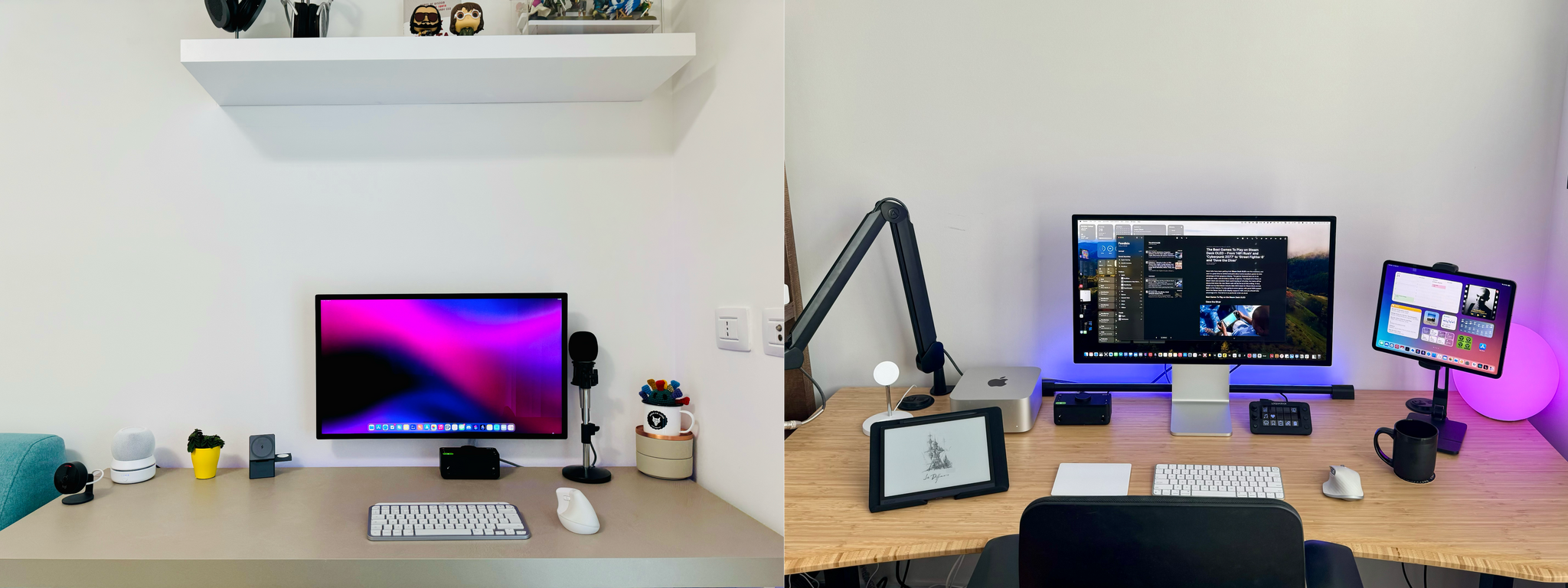
Federico's setup (left) and John's (right).

Federico’s setup (left) and John’s (right).

Setup optimization is a never-ending journey at MacStories. We’re always looking for the fastest, most efficient, and often, most portable way to do everything in our lives. The result is constant change. Hardware and apps are swapped in and out of our systems and workflows frequently.

We write or talk about our setups in a bunch of different places, which we realize can make it hard to keep up with the most current version of what we’re using. That’s why we’ve dedicated macstories.net/setups/ to our setups. That way, the next time you wonder, what was that pair of headphones Federico mentioned on AppStories or that giant battery pack John wrote about for Club MacStories, you’ll have a place where you can quickly find the answer. You’ll find a link to the new Setups page in the navigation bar at the top of the MacStories homepage, too.

Our new Setups page is what Apple might call ‘a living document.’ We’ll update it periodically throughout the year with changes we make with links to everything that’s still being sold somewhere.

Speaking of links, many of the ones you’ll find on the Setups page are affiliate links. If you buy something using those links, MacStories, Inc. will receive a small commission. You can learn more about how MacStories uses affiliate links in our privacy policy.

Also, if you have any questions about the gear and apps listed on the Setups page, feel free to reach out on Mastodon using @viticci or @johnvoorhees, or ping us on Discord.


AirBuddy 2 Review: Fine-Grained, Customizable Control of the Wireless Headphones and Devices Connected to Your Mac

AirBuddy is one of those handy Mac utilities that you don’t know how you’ve lived without until after you’ve tried it. The initial release that I reviewed in early 2019 was primarily designed to manage Bluetooth headphones connected to your Mac and report the status of your headphones’ batteries; something iOS and iPadOS does better than macOS. With AirBuddy 2, developer Guilherme Rambo has added a bunch of new features, including new ways to customize the app and interact with Bluetooth devices other than headphones.

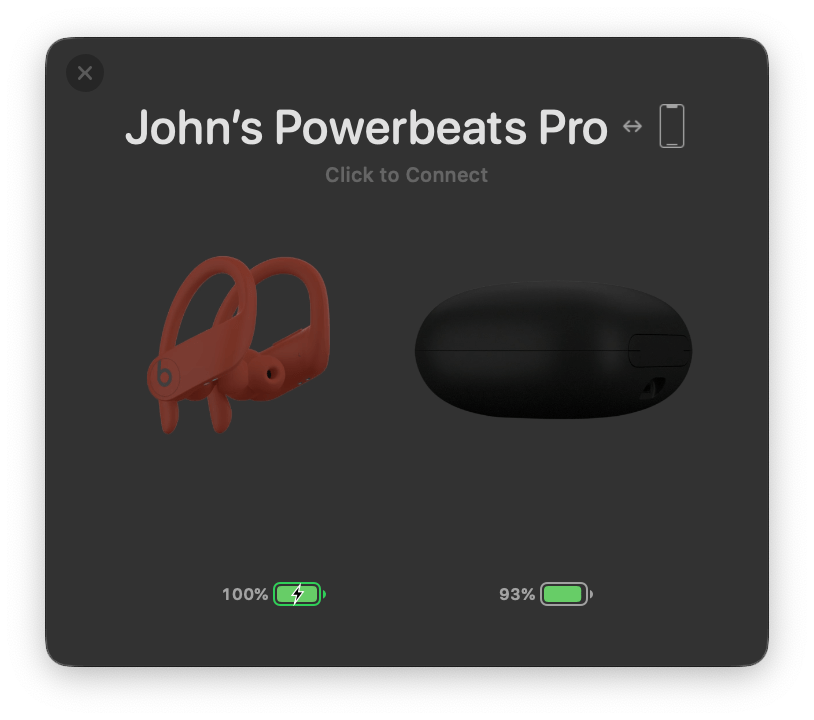
AirBuddy 2 can manage a variety of wireless headphones.

AirBuddy 2 can manage a variety of wireless headphones.

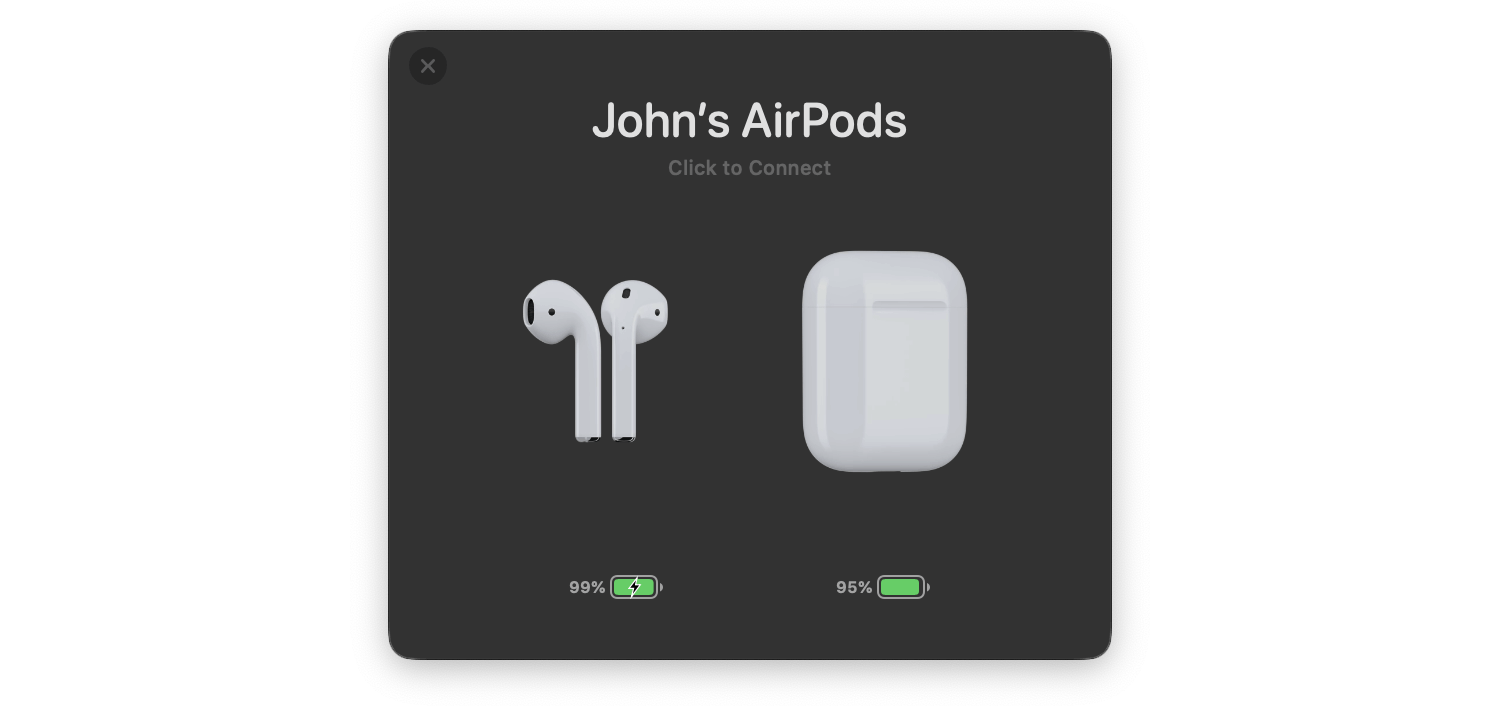
As with the original version of AirBuddy, when you open your AirPods or Beats headphone case near your Mac, a window opens, showing you the status of their batteries and connection. The app also works with Bluetooth headphones that rely on an on/off switch like the Beats Solo line. From AirBuddy’s status window, you can click to connect the headphones to your Mac or swipe to connect and set their listening mode in one gesture.

AirBuddy 2’s listening modes allow you to adjust multiple headphone settings all at once when the app connects your headphones to your Mac. For example, you can turn your headphones’ microphone on for meetings or off for listening to music and set the volume and whether AirPods Pro play audio in Normal, Transparency, or Noise Cancelling modes. The combinations you pick for your listening modes are saved as profiles in the app’s settings.

AirBuddy 2's menu bar app.

AirBuddy 2’s menu bar app.

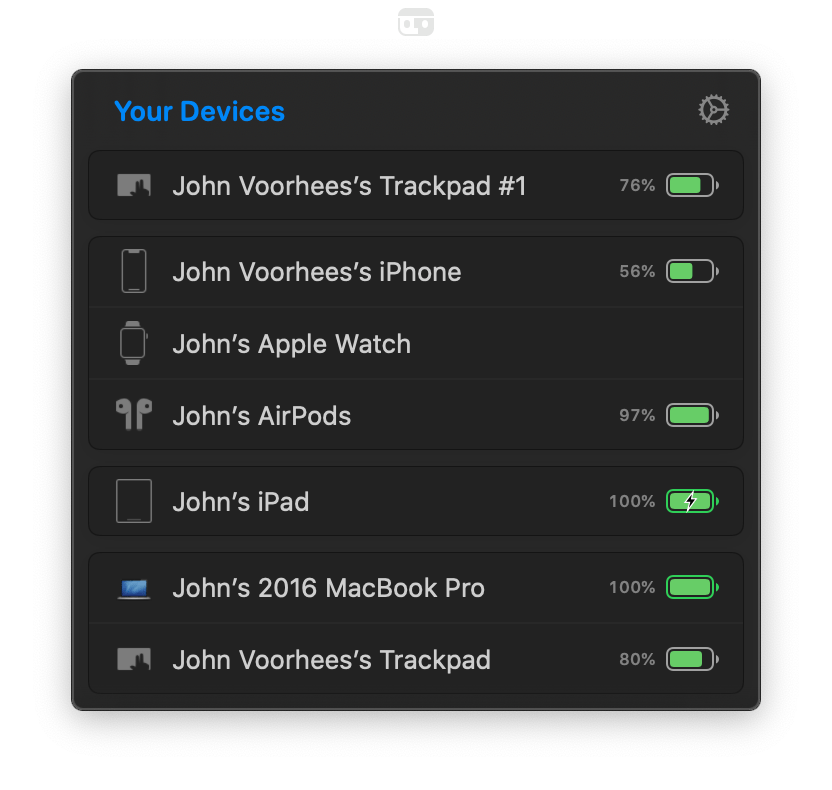
AirBuddy 2 is also a menu bar app. Clicking its menu bar icon opens a window that shows all your connected devices and their battery status, including Macs, iPhones, and iPads. The devices are grouped, so, for example, your Apple Watch shows up as connected to your iPhone as would any AirPods you’re currently using with your iPhone. If you run AirBuddy 2 on a second Mac, that Mac will show up here, too, along with any Bluetooth peripherals connected to it.

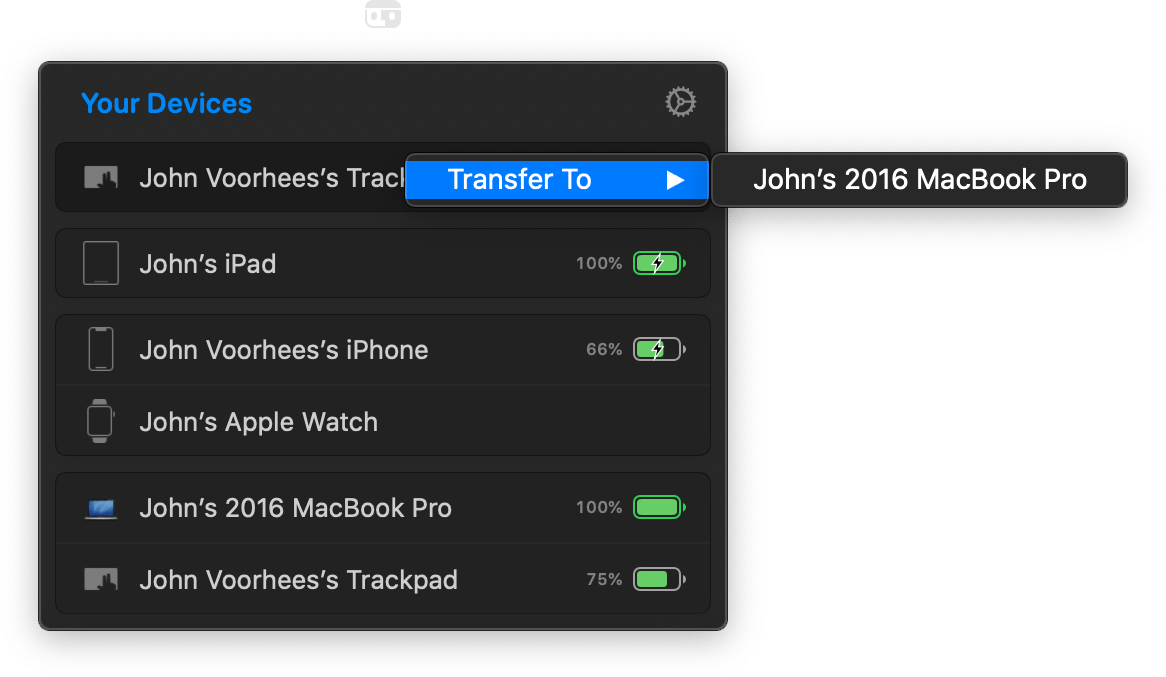
Transferring a connected Magic Trackpad from my Mac mini to my MacBook Pro.

Transferring a connected Magic Trackpad from my Mac mini to my MacBook Pro.

My favorite part of having AirBuddy 2 running on multiple Macs is the ability to transfer Bluetooth connections from one Mac to the other using the app’s Magic Handoff feature. I spent a lot of the summer with separate trackpads connected to two Macs as I switched back and forth, testing Big Sur. AirBuddy 2 provides an alternate desk-clearing option by letting you right-click the AirBuddy entry for a trackpad, mouse, or keyboard connected to the Mac you’re currently using and switch it to the other Mac. For anyone who runs multiple Macs, especially connected to the same display, this is a terrific feature.

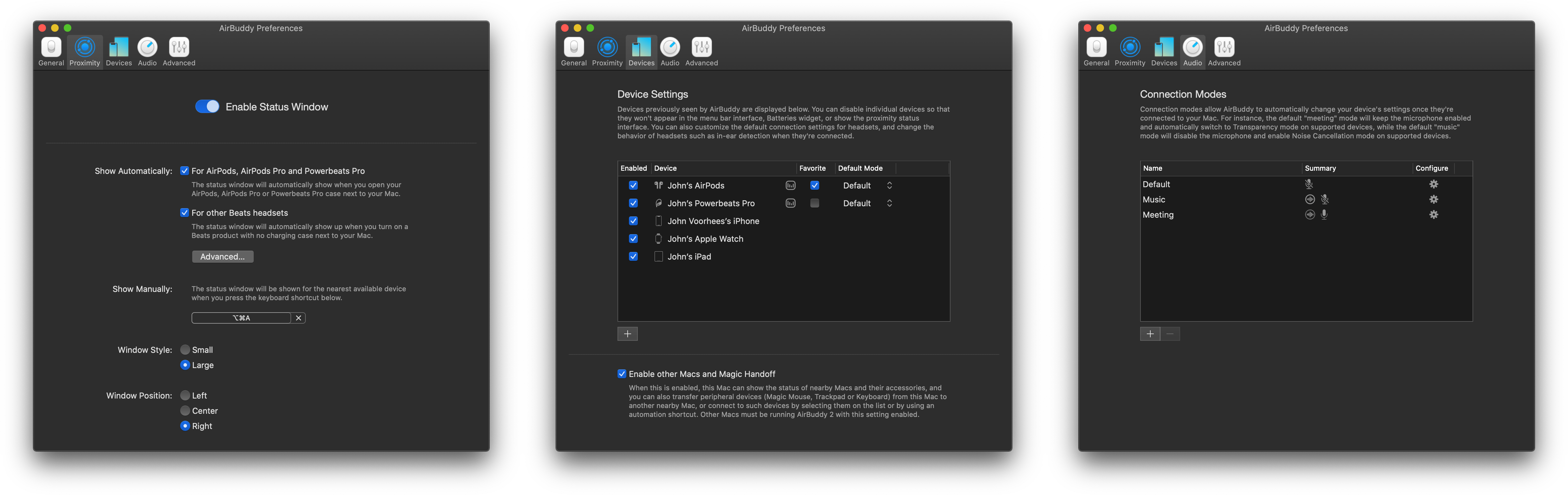
AirBuddy 2 includes extensive settings to customize its behavior to suit your tastes.

AirBuddy 2 includes extensive settings to customize its behavior to suit your tastes.

AirBuddy 2 is highly customizable too. In addition to setting up custom listening modes, which I covered above, you can open the app’s settings from the menu bar and assign keyboard shortcuts to display the headphone status window and to quickly connect to a favorite device, switch listening modes, toggle your microphone on or off, and take other actions. Settings also lets you specify the devices that are shown in the menu bar app, your favorite headphones for quick connection purposes, the status window’s size, and where it appears onscreen, among other things. You can even view historical battery and usage data from the Devices section of the app’s settings.

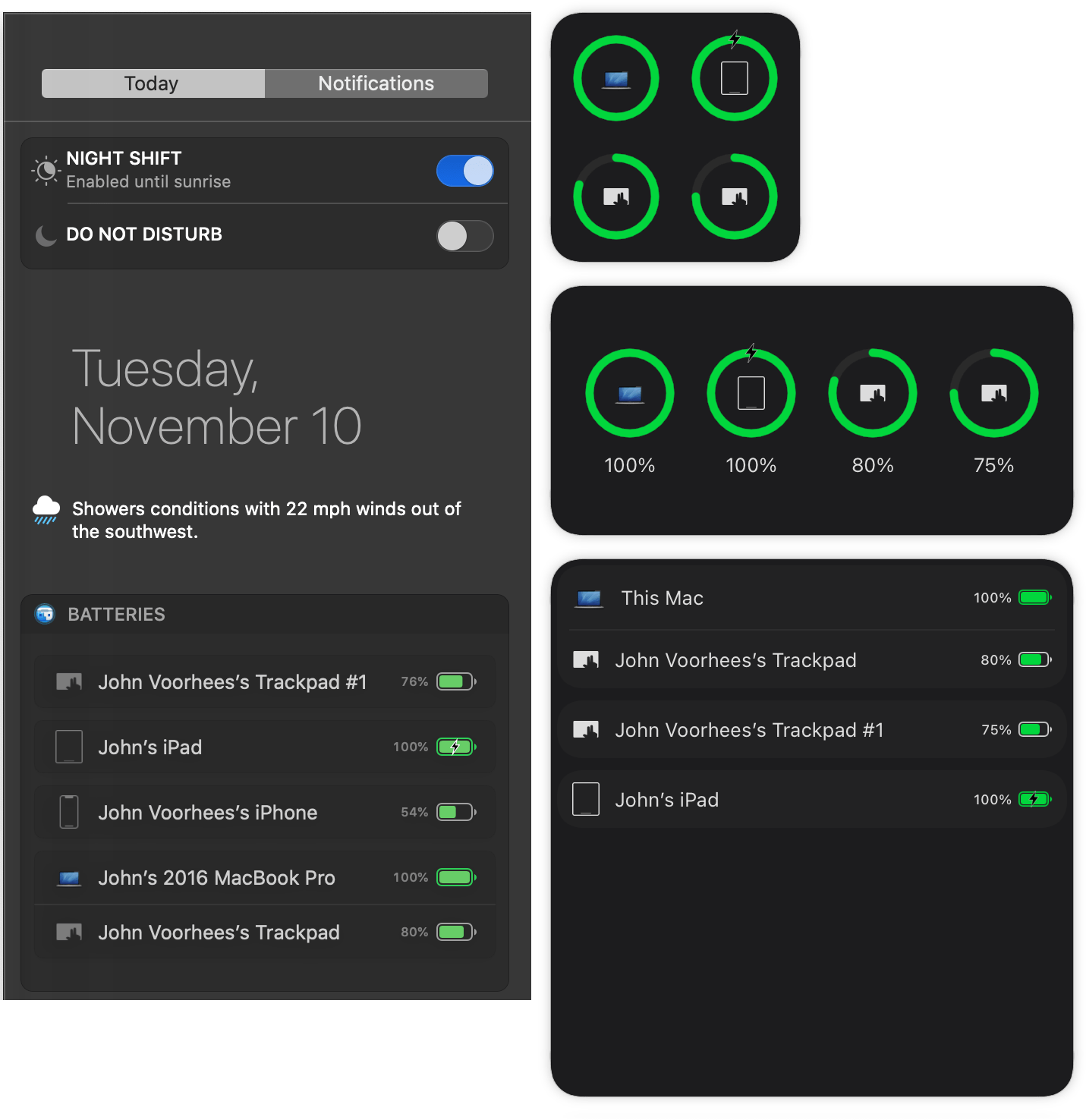
AirBuddy 2's Catalina widget (left) and Big Sur three sizes of widgets (right).

AirBuddy 2’s Catalina widget (left) and Big Sur three sizes of widgets (right).

It’s also worth noting that AirBuddy 2 also includes a widget that works with both Catalina and Big Sur to display the battery status of each of the devices it tracks.

AirBuddy started as an app that brought an iOS feature for headphones to the Mac. With AirBuddy 2, the app’s functionality has been greatly expanded beyond anything Apple offers, making it indispensable for anyone who connects multiple wireless devices to their Macs. Not only can you quickly connect headphones, so they’re immediately ready for a meeting or for listening to music, but the app helps keep you on top of the battery status of every connected device.

AirBuddy has been available for pre-order since last month, but today is its official release date. You can purchase the app directly from the AirBuddy website for $9.99 for new users, $4.99 as an upgrade from the first version of AirBuddy if you bought it in 2019, and for free if you purchased the app in 2020.


Updated Powerbeats Earphones Coming Wednesday for $149

Over the past few days a new version of Powerbeats began showing up in retail locations and online. Today, Apple subsidiary Beats made the update official on its website with additional details.

The new Powerbeats, which replace the Powerbeats3, feature 15 hours of battery life (a 3-hour increase) and the latest H1 chip used in the AirPods Pro. With the addition of the H1 chip, the new Powerbeats support hands-free Siri, fast Bluetooth pairing, extended range, and audio sharing. The Powerbeats charge via a Lightning connector and include a ‘Fast Fuel’ feature that provides up to 1.5 hours of battery life from a 5-minute charge.

The design of the Powerbeats has been changed too. The new model resembles the Powerbeats Pro, and unlike the Powerbeats3, the cord connecting the two earphones emerges from the ear hook that sits behind your ear instead of from the front of the earphones. As with the previous model, this update is sweat resistant too. The Powerbeats are available in red, black, and white at launch.

Beats has reduced the retail price of the new Powerbeats to $149, which is $50 less than the previous model. Although they are not yet listed on apple.com or available for purchase on Beats’ website, The Verge says the new Powerbeats will be available this Wednesday, March 18th from Apple, Best Buy, and other Beats retailers.