Posts tagged with "google"

Gmail for iOS URL Scheme

Gmail for iOS URL Scheme

Tom Scogland figured out the complete URL scheme for Gmail 2.0, Google’s official Gmail app for the iPhone and iPad. As documented on his blog, the Gmail app allows you to compose an entire message using the following template:

googlegmail:///co?subject=<subject text>&body=<body text>

As I’ve also found out, you can add a to= parameter to pass a URL-encoded email address to which an email will be sent to. Unfortunately, my tests also confirmed that a similar from= parameter isn’t supported, and that this undocumented URL scheme doesn’t support x-callback-url, unlike Chrome. So, it’s not possible to return to a “calling” app after an email has been sent or the compose screen dismissed. I’ve also noticed how this URL scheme isn’t particularly reliable at bringing up the compose screen if the app wasn’t paused in the background (such as in a cold start); this is probably the reason Google isn’t publicizing this URL scheme – it’s not ready yet.

I’ve still made some stuff for it, though. Here’s a JavaScript bookmarklet that will open Gmail using a webpage’s title as Subject and URL as body:

javascript:window.location='googlegmail:///co?subject='+encodeURIComponent(document.title)+'&body='+encodeURIComponent(location.href);

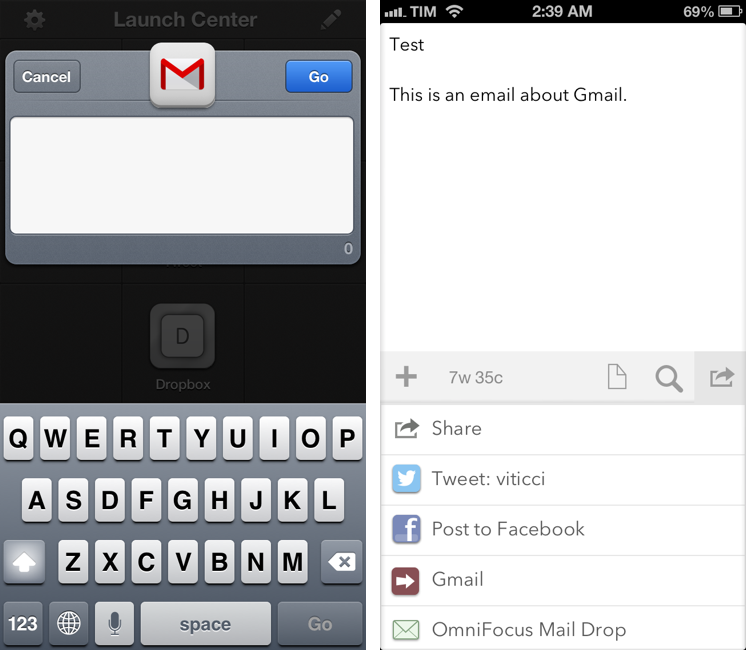
Here’s an action for Launch Center Pro:

googlegmail:///co?subject=[prompt]&body=[prompt]

And an action for Drafts:

googlegmail:///co?subject=[[title]]&body=[[body]]

Keep in mind that the URL scheme may fail if Gmail wasn’t paused in the background (it’ll show a splash screen when loading again). I’m looking forward to improvements to the URL scheme, as Google has been doing a great job with these lately.

Permalink

The Verge: Redesigning Google

The Verge: Redesigning Google

Excellent story by Dieter Bohn and Ellis Hamburger at The Verge on Google’s efforts to find a new design consistency across its apps, services, and platforms. Make sure to watch the video (as usual with The Verge, their video material is top-notch).

The central design metaphor that Duarte and the team eventually landed on was one he’d used before in webOS: cards. The cards in Google Now also show up in Google search, when it displays “Knowledge Graph” results on the web. In both cases, cards seem to represent the information Google gives you directly instead of through a list of blue links. Cards are like a digital equivalent to the traditional architectural concept of marrying form and function — so that the way a thing looks is inseparable from what the thing is. “These are objects,” Duarte says, “They feel, not necessarily real, but they feel virtual. They’re not trying to be fake things, not … fake leather, fake wood, fake brushed aluminum.”

Right now, I can count three Google apps on my Home screen: Chrome, Gmail, and Google Maps. I’ve always been a fan of Google’s Search app – the one that was actually well designed and intuitive before Google started redesigning its other apps – but I keep that on my second screen.

I like the design choices Google made in the past months, but I primarily use Google’s new apps for another reason: they work better than Apple’s apps for me. It takes seconds for Google Chrome to sync a bookmark or an open tab; I wish I could say the same for Safari and iCloud. Google Maps works better than Apple Maps in my area. The Gmail app isn’t perfect, but it makes going through Gmail faster than dealing with Apple’s Mail app.

It used to be that if you liked Google’s apps more than Apple’s ones and if you relied heavily on Google services, then you should have considered switching to Android. But I don’t want to switch to Android: I use some Google web services, but I like Apple devices and iOS for everything else. The iOS third-party ecosystem is thriving and a source of continuous inspiration and workflow improvements. iOS is my platform of choice, but Google is behind many of the services that I prefer.

For this reason, I’m glad Google found its design voice on iOS.

Permalink

Open Google Maps Directions With Siri or Launch Center Pro

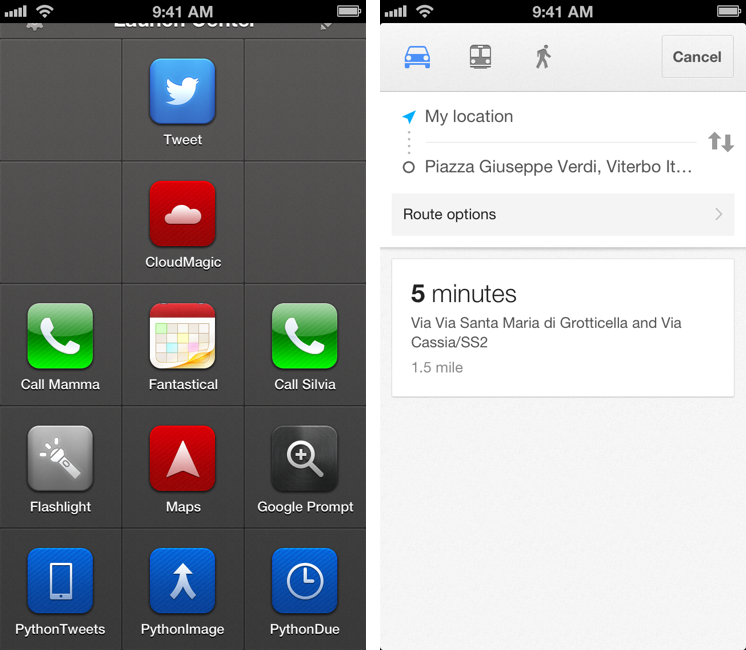
Here’s a fun experiment to launch the Google Maps app via URL scheme directly into a new Directions view.

As I detailed this morning, the new Google Maps app for iPhone lets you launch specific views and modes using a URL scheme. You don’t need to be a developer to use the URL scheme; this means you’ll be able to launch the Google Maps app from Safari, Launch Center Pro, or any other launcher using the base comgooglemaps:// URL.

Google’s URL has a scheme for directions with addresses and transportation parameters. It lets you specific a starting address with the saddr parameter, and a destination address with daddr.

Further, you can instruct the URL to open a specific directionsmode, such as driving or transit.

With these parameters, it becomes possible to set up a nice automated workflow to launch directions using Siri or Launch Center Pro. Read more


Google Maps SDK For iOS And URL Scheme

Google Maps SDK For iOS And URL Scheme

Alongside the launch of its official Maps app for iPhone, Google has also released a developer SDK to let third-party apps embed Google Maps directly. As detailed by Andrew Foster at the Google Geo Developers blog, the SDK – which requires signing up for API access – will allow developers to integrate Google Maps with their own apps, displaying embedded 2D or 3D Maps views with markers and info windows. The blog post also confirms that the SDK will work on the iPad; Google has confirmed to The New York Times that a native iPad version of Maps is indeed coming.

The SDK features vector-based maps that load quickly, allowing users to easily navigate 2D and 3D views, rotating and tilting the map with simple gestures inside your app. Developers can also change the Google maps view to include information such as traffic conditions, and control camera positions in 3D.

In the SDK documentation, Google says that the appearance of Maps embedded through the SDK is the same of the Google Maps apps, and that the SDK “exposes many of the same features”.

However, the SDK isn’t the only way for developers to integrate with Google Maps. Using a URL scheme, developers can point to the Google Maps app and launch it from their app into a specific view or map object. Documentation for the URL scheme is available here. Developers can link to Google Maps with specific views, modes (standard or Street View), set zoom levels, and pass directions with the URL scheme.

It’ll be interesting to see how and when Google Maps-compatible apps such as AroundMe or WhereTo will support the new Google Maps SDK. The addition of a URL scheme shouldn’t be underestimated either, as it’ll enable regular users to launch the app using tools like Launch Center Pro.

Permalink

Google Releases Maps App For iPhone

In spite of “sources at Google” claiming that Apple wouldn’t accept a Google Maps app in the App Store, Google has today released its official Maps application for iPhone. The app just went live on the App Store, and it’s available as a free download here.

Following Apple’s debacle with their Maps software for iOS 6, Google was rumored to be preparing a third-party version of Google Maps for iOS devices. We haven’t been able to test this yet, and we’ll post our impressions of the software on MacStories once we’re able to properly use the app. Read more


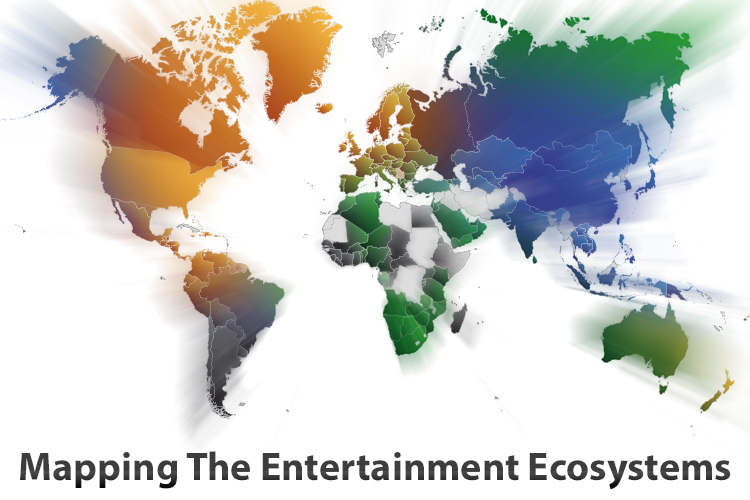
Mapping The Entertainment Ecosystems: A Brief Revisit

In mid-October, we published a story on the entertainment ecosystems of Apple, Microsoft, Google and Amazon - looking at to what degree their music, movie, TV, eBook and app stores were available in international markets. Apple on the whole seemed to have the best average availability - slightly losing to Microsoft for the app stores and Amazon dominating everyone in the eBook store.

I’ve decided to briefly revisit the topic today because the original post garnered quite a lot of discussion and feedback and because of two “events” that have since happened. Firstly, Apple yesterday announced an expansion of the iTunes Music Store into dozens of new countries (and Movie store in a few additional countries). Secondly, I have since found two pieces of data on which countries Xbox Music is available in (for some odd reason I cannot find any official Microsoft document detailing the countries it is available in). So below is an update to the Music and Movie diagrams and graphs.


Note: Read the original ‘Mapping the Entertainment Ecosystems’ post which includes diagrams for eBooks, TV and App Stores.
Read more


YouTube for iOS Gets iPhone 5 and AirPlay Support, iPad Version

Following a major update to Gmail for iOS, Google has today also released a new version of its YouTube app, which includes AirPlay and iPhone 5 support, as well as an iPad version that makes the app Universal.

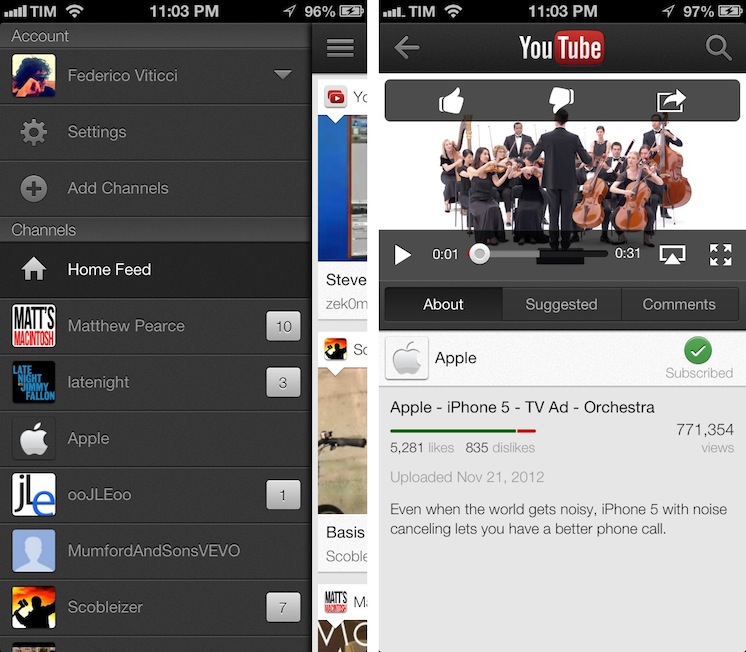
One of the new features is the Guide of channels that you can access by tapping on the YouTube logo in the title bar; tap it, and you’ll go back to the app’s main sidebar, listing your account’s options and Channels. On the iPhone 5, YouTube is now optimized for the taller screen – a glaring omission that has annoyed several iPhone 5 users since the device’s release. Among other improvements – including clickable links in video descriptions and ability to add or remove a video from your playlists – a notable addition is AirPlay support: you can now natively stream videos to any AirPlay-compatible device such as the Apple TV or a Mac running Reflection (which is what I tested).

The iPad version of the app is rather obvious, but still welcome: it packs a sidebar on the left side, and main content on the right side of the screen. When you tap on a video, the right portion becomes the main view hiding the sidebar and displaying suggested videos on the right. Interestingly, you can’t browse and watch videos at the same time, as the sidebar will always be hidden after you click a video’s thumbnail.

For everything else, both the updated iPhone app and iPad version share the same features that I covered in my original review of the app, and today’s changes are definitely improvements worth checking out – it’s especially good to see Google supporting AirPlay right after the 1.0 release. Both on the iPhone and iPad, Google offers a feature in the Settings to open links in Chrome, also available for both platforms on the App Store.

The updated YouTube app is available on the App Store. More screenshots of the iPad app are available below. Read more


Siri Vs. Google Voice Search

Clark Goble has posted an excellent review of Siri and Google Voice Search, taking into account the improvements Apple and Google made to their services in the past few weeks. His experience largely reflects mine: Siri is more useful to do stuff, Google is faster at transcribing dictated input and displaying search results.

That said Siri still has places it needs to improve. It really should speak far more results. For certain classes of queries Siri should display a large simple result and speak it rather than the stylized Wolfram result it now provides. Given that Siri already has started speaking more results, I suspect we’ll see that added over the next month. Siri also has a problem of not letting you speak over it. I’d like it to be able to let me answer before I have to listen to every part of the question she’s asking. Finally I think there are several types of queries Siri needs to be optimized for. Temperature conversions, forthcoming movie releases, television schedules, and time series sporting event statistics really are all things Siri needs to do better.

In October, I wrote:

Google Search for iOS doesn’t want to be Siri: after all, it can’t. It has some similar features (“Do I need a raincoat today?”), but it’s not an assistant. It couldn’t be per Apple’s restrictions, and Google isn’t even trying to posit it as a Siri replacement. It’s Voice Search.

I also agree with Clark in regards to the tests many people conduct to compare Siri to Google. I’m not interested in the funny and witty responses – for as much as they’re an entertaining demo – because, after all, I want to know how voice works in real life. I’m always around a computer or iOS device, and the only times when I can’t directly manipulate a UI with my hands is when I’m driving or cooking. I want to know how Siri compares to Google in letting me complete tasks such as converting pounds to grams and texting my girlfriend, not showing me pictures of the Eiffel Tower.

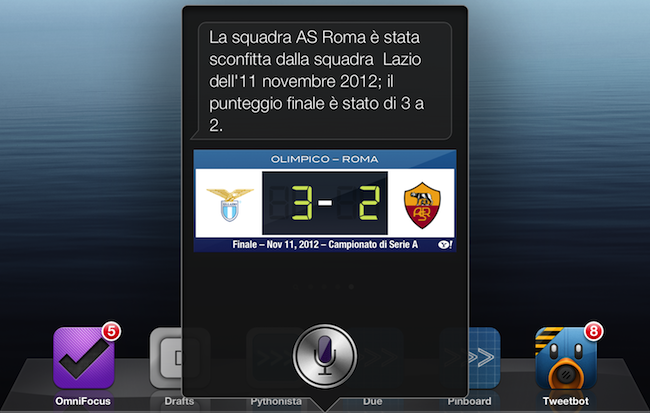
As an Italian user, I have to say Siri has still a long way to go with a language that’s full of variables such as conjugations and pronouns. Some Italian responses are poorly worded (see screenshot above), and sentences containing a “that” are still plainly transcribed. Sports results for Serie A lack player pictures and coach information, and results for the last match are displayed instead of rankings. Siri asks me if I mean “November 19th” or “November 20th” when I ask for “tomorrow” minutes after the midnight of November 19th, but simply replying “the 19th” doesn’t work.

Italian Siri has also been getting better, though. It presents more results for businesses open at night in my area if I ask after 11 PM, and it appears to accept a more variegate vocabulary for Reminders and Calendar integration. I can also attest reliability has improved recently, but it’s still far from perfect.

If you want a balanced and detailed take on the differences between Siri and Google, read Clark’s review here.

Permalink

Google Voice Search for iOS: Not A Siri Competitor, Still A Solid App

Earlier today, Google released an update to its Search app for iOS (a longtime favorite of mine both on the iPhone and iPad) to include an “Improved Voice Search” experience. Apparently, the app had been submitted a while ago, but Apple approved it this week.

The new Voice Search of the app may seem Siri-like in terms of overall concept. Essentially, it allows you to ask questions in natural language without typing, and get results back. I took some time to test the app, and, in actual usage, the scope is considerably different from Apple’s Siri, at least for now. And, at the same time, the technology behind it is much different. Read more