Posts tagged with "browser"

Well, I Guess I Like Safari’s Compact Tab Bar in iPadOS 26.4 (Also: Using Vertical Tabs in Safari for iPad)

We're so back.

We’re so back.

Yours truly, back in September 2021:

In case I haven’t been clear enough above, I’ll be blunt: I don’t understand why the compact tab bar exists on iPad, and I think this design shouldn’t have shipped to customers.

My understanding is that Apple thought the benefit of removing a separate address bar, therefore saving a few vertical pixels on the page, would have made all the compromises we’ve seen so far worth the trade-offs in usability. I think that’s a wrong and mismanaged decision driven by an unmotivated pursuit of an iPhone-like design that has no place on iPad. If slightly increasing vertical space on webpages is Apple’s only argument here in favor of the compact tab bar, you tell me if it’s worth the trouble by judging from the screenshots below.

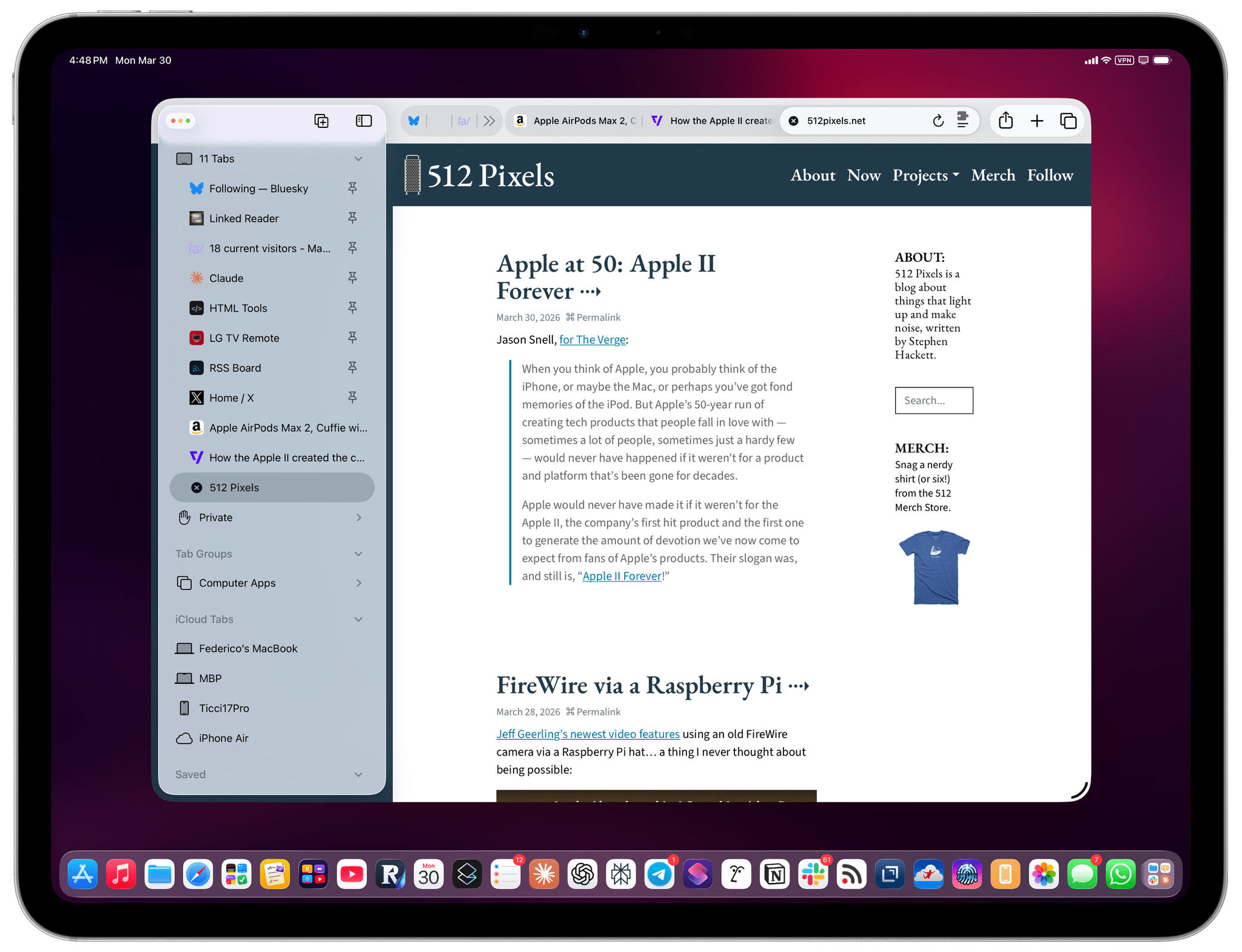
If, like me, you missed this in the release notes for the recently released iPadOS 26.4, the compact tab bar has returned to Safari for iPad after mysteriously disappearing in iPadOS 26.0. And I’m here to tell you that not only do I not despise it like I did five years ago, but I actually like this mode and have been working with Safari on my 13” iPad Pro like this for the past two weeks.

Read more


Comet Is the First Agentic Browser for iOS Worth Trying

Comet for iOS.

Comet for iOS.

[Update: Perplexity has released an iPad version of Comet alongside the iPhone version, which you can install using the same App Store links below. However, because it wasn’t part of the TestFlight version of the app that we tested, we were unaware that it was launching with the iPhone version.]

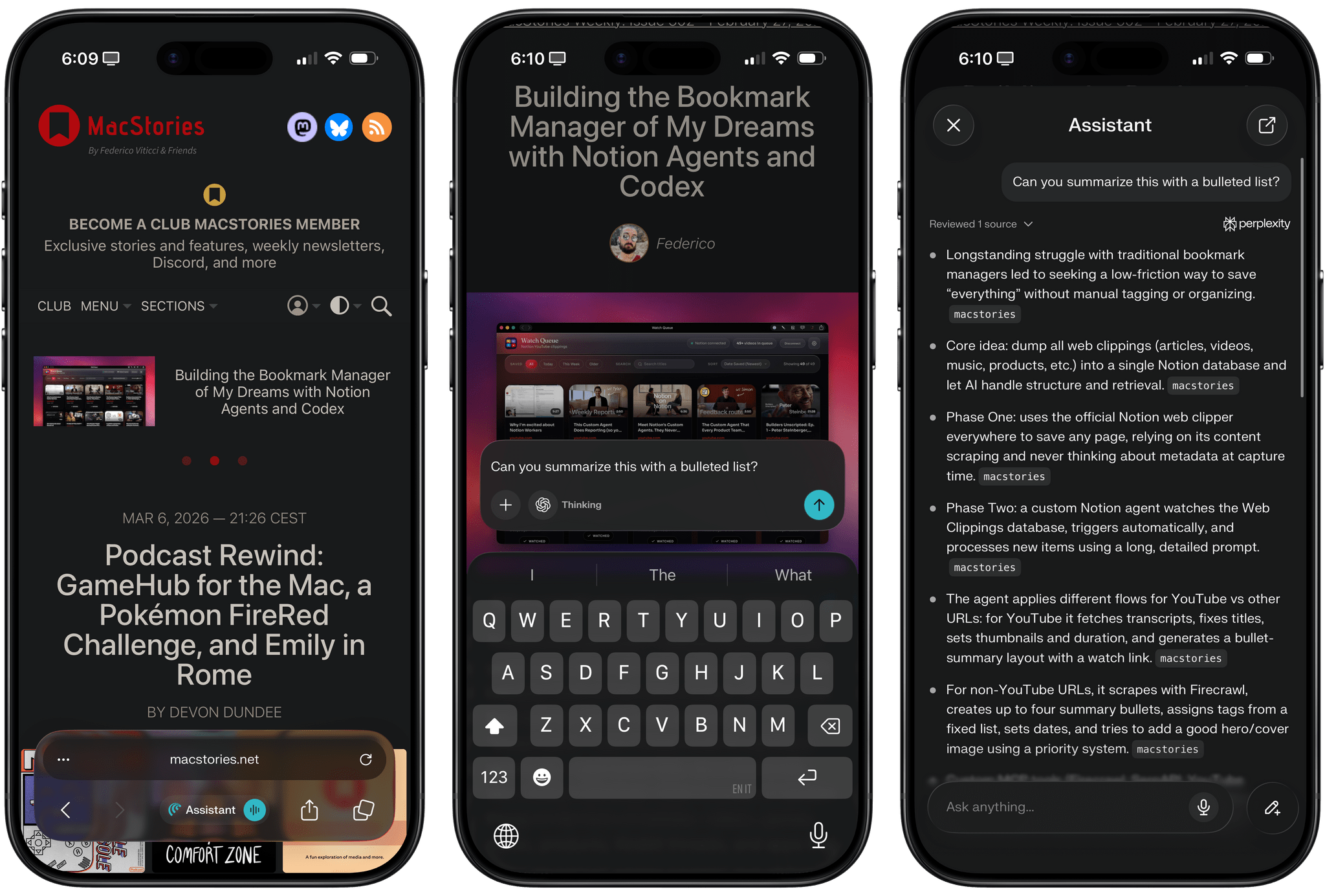
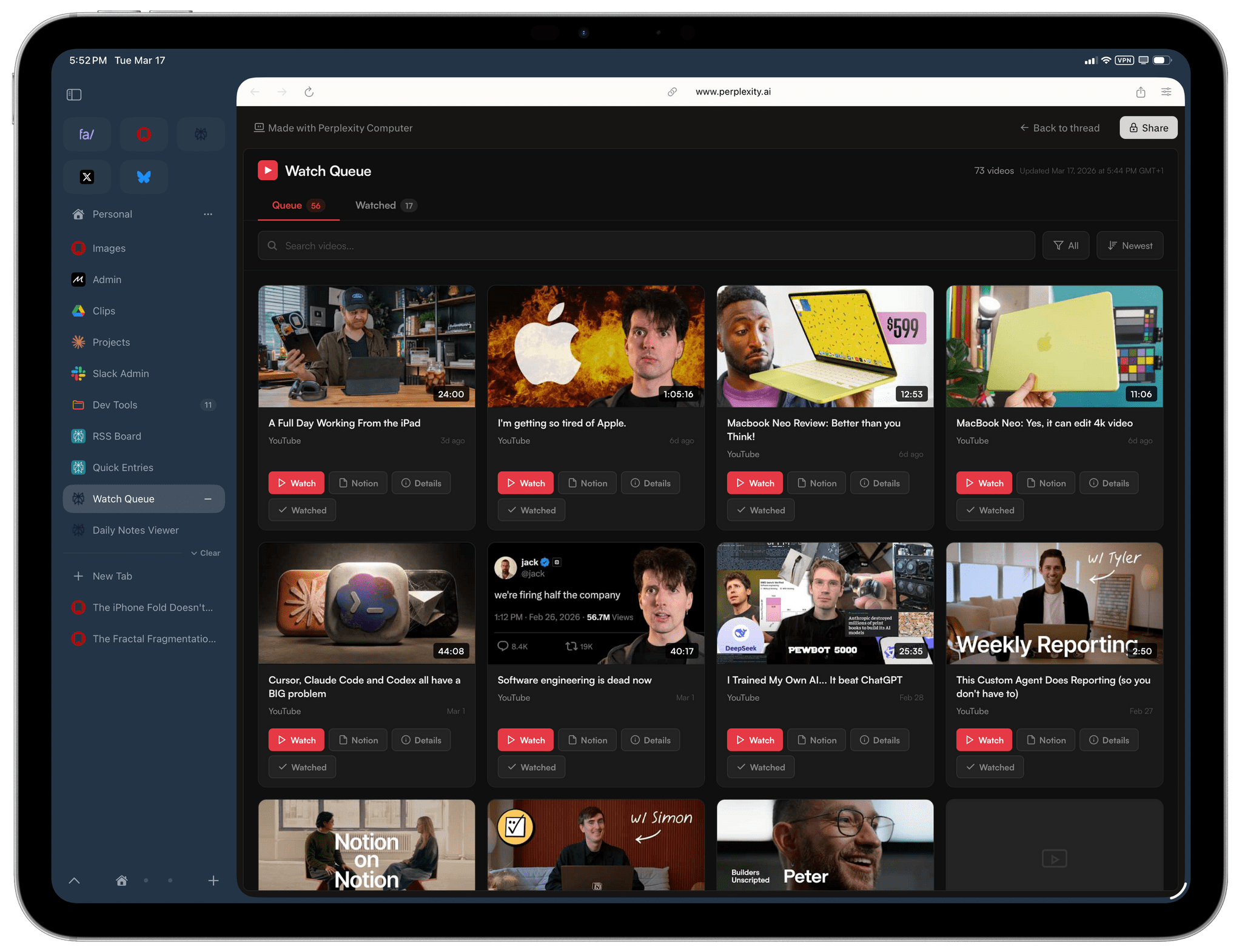
For the past three weeks, I’ve been testing Comet, Perplexity’s cross-platform agentic web browser, on my iPhone Air. The iOS version of Comet, launching today on the App Store and (sadly) lacking an iPad counterpart, follows the expansion of Comet from macOS to Windows and Android devices, and it carries the inherent limitations of Apple’s platform. Comet for iOS is based on Safari’s WebKit engine; you cannot install third-party browser extensions due to iOS sandboxing restrictions; you can make Comet your default iOS browser, but in-app web views in third-party apps will still open with Safari View Controller, not Comet. By and large, Comet on iOS is a skin of Safari, but for the first time since the debut of Arc Search on iPhone two years ago (R.I.P.), I’m actually excited about an alternative to Safari on iOS once again.

Read more


How to Enable Smoother 120Hz Scrolling in Safari

I came across this incredible tip by Matt Birchler a few weeks ago and forgot to link it on MacStories:

Today I learned something amazing: Safari supports higher than 60Hz refresh. It’s the only mainstream web browser that doesn’t, and I have never understood why, but apparently as of the end of 2025 in Safari version 26.3 (and maybe earlier) you can enable it. Here’s how to do it.

I won’t paste the steps here, so you’ll have to click through and visit Matt’s website (I keep recommending his work, and he’s doing some really interesting work with “micro apps” lately). I can’t believe this feature is disabled by default on iOS and iPadOS; I turned it on several days ago, and it made browsing with Safari significantly nicer.

Also new to me: I discovered this outstandingly weird website that lets you test your browser’s refresh and frame rates. Just trust me and click through that as well – what a great way to show people who “don’t see” refresh rates what they actually feel like in practice.

Permalink

Web Advocates Challenge Apple’s EU Browser Policies

The EU’s Digital Markets Act requires Apple to allow third parties to offer web browsers with their own browser engines. However, more than a year later, there are no browsers built with Chromium, Gecko, or any other engine in the EU.

At a recent EU workshop on Apple’s compliance with the DMA’s browser requirements, Apple representatives were asked some pointed questions by Open Web Advocacy (OWA), and others about its browser engine policies. OWA, a non-profit that advocates for the open web, raised multiple issues with Apple’s approach to browser engines in the EU that they believe are holding back third-party engines.

One issue is that versions of the same browser with different engines can’t be part of the same app bundle. According to OWA, that effectively means vendors like Google and Mozilla would need to release a new EU-only version of their browsers, starting the process of acquiring users from scratch, which I can’t imagine any browser company would sign up to do voluntarily.

Another issue OWA raised is that there is currently no way for web developers outside the EU who are not associated with the browser makers to obtain browsers with competing engines for testing purposes. That’s a problem that’s been solved with other apps by allowing test versions to be distributed outside the EU. However, as things stand today, OWA says that web developers couldn’t use EU-only browsers for testing even if there were any available.

Other issues were raised, too, but these two strike me as practical impediments to third-party browser engines that can and should be resolved. Apple’s responses to OWA’s challenges focused on privacy and security, which are legitimate factors to consider, but it’s disappointing that more than a year after the DMA took effect, the practical problems raised by OWA and others still haven’t been solved.

Permalink

The iPad’s “Sweet” Solution

In working with my iPad Pro over the past few months, I’ve realized something that might have seemed absurd just a few years ago: some of the best apps I’m using – the ones with truly desktop-class layouts and experiences – aren’t native iPad apps.

They’re web apps.

Before I continue and share some examples, let me clarify that this is not a story about the superiority of one way of building software over another. I’ll leave that argument to developers and technically inclined folks who know much more about programming and software stacks than I do.

Rather, the point I’m trying to make is that, due to a combination of cost-saving measures by tech companies, Apple’s App Store policies over the years, and the steady rise of a generation of young coders who are increasingly turning to the web to share their projects, some of the best, most efficient workflows I can access on iPadOS are available via web apps in a browser or a PWA.

Read more


Default Browser: A Mac Menu Bar Utility for Quickly Switching Browsers

Sindre Sorhus has released more apps than most indie developers I’ve covered, and many are among my favorite utilities. I suspect that a big part of Sorhus’ success is the tight focus of most of those apps, which are designed to eliminate specific points of friction for users.

Sorhus’ latest utility is called Default Browser. It’s a Mac menu bar app that, as the name suggests, lets you change your Mac’s default browser on demand. Just head to the menu bar, and with a couple of clicks, you can switch between any browsers you have installed.

Switching default browsers can be simplified even further by setting a hotkey to reveal the app’s menu and then hitting the number associated with the desired browser. Alternatively, holding down Option as you click on a browser opens it without making it the default. Another nice touch is that, among the multiple menu bar icon options in the app’s settings, there’s an option to use the icon of the currently active default browser, a great reminder of which is active.

Default Browser includes several handy settings.

Default Browser includes several handy settings.

Default Browser works with Shortcuts, too, with actions to get and set your default browser programmatically with actions. That makes it easy to assign browsers to a device like a Stream Deck or Logitech Creative Console for push-button convenience. As Sorhus suggests in the app’s documentation, combining Default Browser with an app like Shortery, which has shortcut triggers for Mac events like connecting to a Wi-Fi network or launching a particular app, opens up a wide array of possibilities as well.

Default Browser also offers a Focus filter, giving you the ability to associate a particular browser with a Focus mode. I don’t have Focus modes for contexts where using a different browser would be useful, but I can imagine it working well for separating web browsing at home from browsing at your workplace or school, for example.

I primarily use Safari, but I’ve been experimenting with Microsoft Edge more, and I’m testing Surf, a browser fused with an AI assistant. I expect we’ll see many more browsers like Surf that aim to combine traditional search and web browsing with the best of what AI can do to organize and provide insights into data. That’s why I purchased Default Browser. The app is available directly from Sorhus for $4, and it makes it easy to quickly switch between browsers whether you’re testing them like me, you’re a developer testing code in different browsers, or you simply prefer certain browsers for certain tasks.


Horse Browser Tries Its Hooves at a New Take on Tabs

In 2024, web browsers mostly all look the same. Their user interfaces always feature an address bar at the top of the window and horizontal tabs that allow you to navigate through multiple websites. So whenever a new browser tries to shake things up and innovate on this basic premise, it’s inevitable that it will elicit a certain amount of interest – sometimes to the point of fashioning its own fanbase. For example, with a novel approach to organizing, pinning, and managing tabs in a customizable sidebar, Arc Browser by The Browser Company has been a great showcase of what creating a brand new user experience for browsing the web can look like.

Last week, though, I stumbled upon a newcomer called Horse Browser by Pascal Pixel that immediately caught my attention. Horse is unlike anything I’ve ever seen in this space. The browser is based on a new approach that completely does away with the traditional address bar and horizontal tab layout. Instead of tabs, navigation in Horse Browser is structured in hierarchical trees called ‘Trails.’ The resulting UI is unique, appealing, and clever. But how does it hold up in everyday use?

Let’s find out.

Read more


Vivaldi for iOS Updated with Colorful Themes and Ability to Force Dark Mode

When I first reviewed Vivaldi for iOS back in October, I was disappointed by the small number of customization features that were available in the app at launch. This was especially remarkable since Vivaldi Browser is mostly known on the desktop for its emphasis on UI customization and advanced features. In the iOS version of the app, you couldn’t change the color of the tab bar, nor could you customize the new tab page with a background image.

Today, however, Vivaldi on iOS was updated to version 6.6, which brings the ability to customize the app’s user interface with colorful themes. You can now choose from a handful of pre-selected colors, use the native iOS color picker, and even opt to have the accent color of the UI dynamically change based on the site you’re currently viewing. Additionally, you can now also set a custom background image for the new tab page. Combined with the ability to move the tab bar to the bottom of the screen, these new features bring the iOS version much closer to what we’ve come to expect from Vivaldi, at least in terms of appearance settings.

Vivaldi 6.6 also comes with a new setting to force dark mode on web pages that do not natively support it. As a big fan of Noir, a Safari extension that does just that, I am super glad to see this feature being implemented in more third-party web browsers.

Vivaldi on iOS is still in its early days, and it’s missing many of the capabilities of its desktop counterpart when it comes to tab management, including tab grouping. But I still believe the app can establish its niche on the iPhone if it keeps steadliy gaining more of these quality-of-life and customization features.

If you feel like giving the updated Vivaldi a try, the app is available for free on the App Store today.