

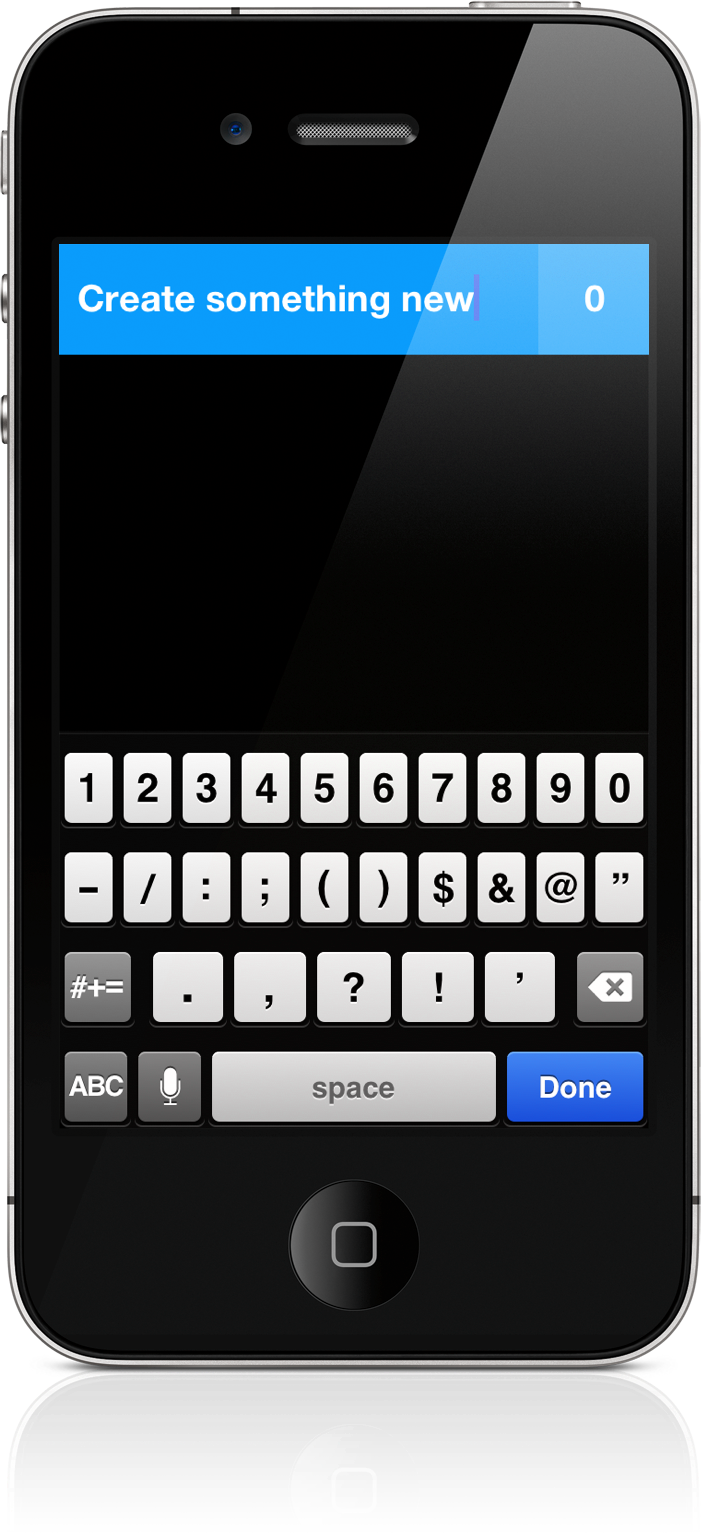
Some apps deliver a certain joy that simply comes from swiping and swooshing through the interface, poking at various elements, and pinching things onscreen. Clear is delightful — it will make you smile. It makes you reconsider the necessity of navigation bars and tool bars and tab bars. We’re used to switching views by tapping at back buttons or icons, but what happens when you take away these common navigational tools? You end up relying on your own honesty and the customer’s intuition. And an honest interface can bring about some terrific ideas.
Posts tagged with "app store"
Clear: A Delightful and Clever Todo App
Apple Warns Developers Against Using Services That Manipulate App Store Rankings
Apple has today posted a reminder to developers, warning them not to manipulate App Store chart rankings or face potential loss of their Apple Developer Program membership. The warning follows recent publicity surrounding services that have been offering the ability to artificially boost free app rankings in the top charts.
Adhering to Guidelines on Third-Party Marketing Services
Feb 6, 2012
Once you build a great app, you want everyone to know about it. However, when you promote your app, you should avoid using services that advertise or guarantee top placement in App Store charts. Even if you are not personally engaged in manipulating App Store chart rankings or user reviews, employing services that do so on your behalf may result in the loss of your Apple Developer Program membership. Get helpful tips and resources on marketing your apps the right way from the App Store Resource Center.
Yesterday, PocketGamer noted that one company was offering a service for $5000 where they would utilise bots to download an app repeatedly until it breaks into the top 25 charts. That report followed on from a TouchArcade post, where users warned others from using such fraudulent app promotion services which use automated scripts or bots.
[iClarified via MacRumors]
Apple’s Results and Developers→
Apple’s Results and Developers

David Smith looks at yesterday’s Q1 2012 numbers from an indie developer’s perspective:
If you add up the combined resolutions of all iOS devices sold in this quarter you get 40,747,941,888,000 pixels. It takes 17 viewings of entire Star Wars Saga on Blu Ray to see that many pixels. (805 minutes x 24 fps x 1080p).
On a more serious note:
Apple paid out $700M to developers during this quarter. That is equivalent to 125 $0.99 apps being sold every second.
Hardware brings in the real money for Apple. But I think it’s safe to say that, at this point, it’s the software ecosystem and the developers that are convincing people to switch to iOS. I’d like to know: how much of those $700 comes from games?
Phraseology for iPad: Write, Remix, and Markdown
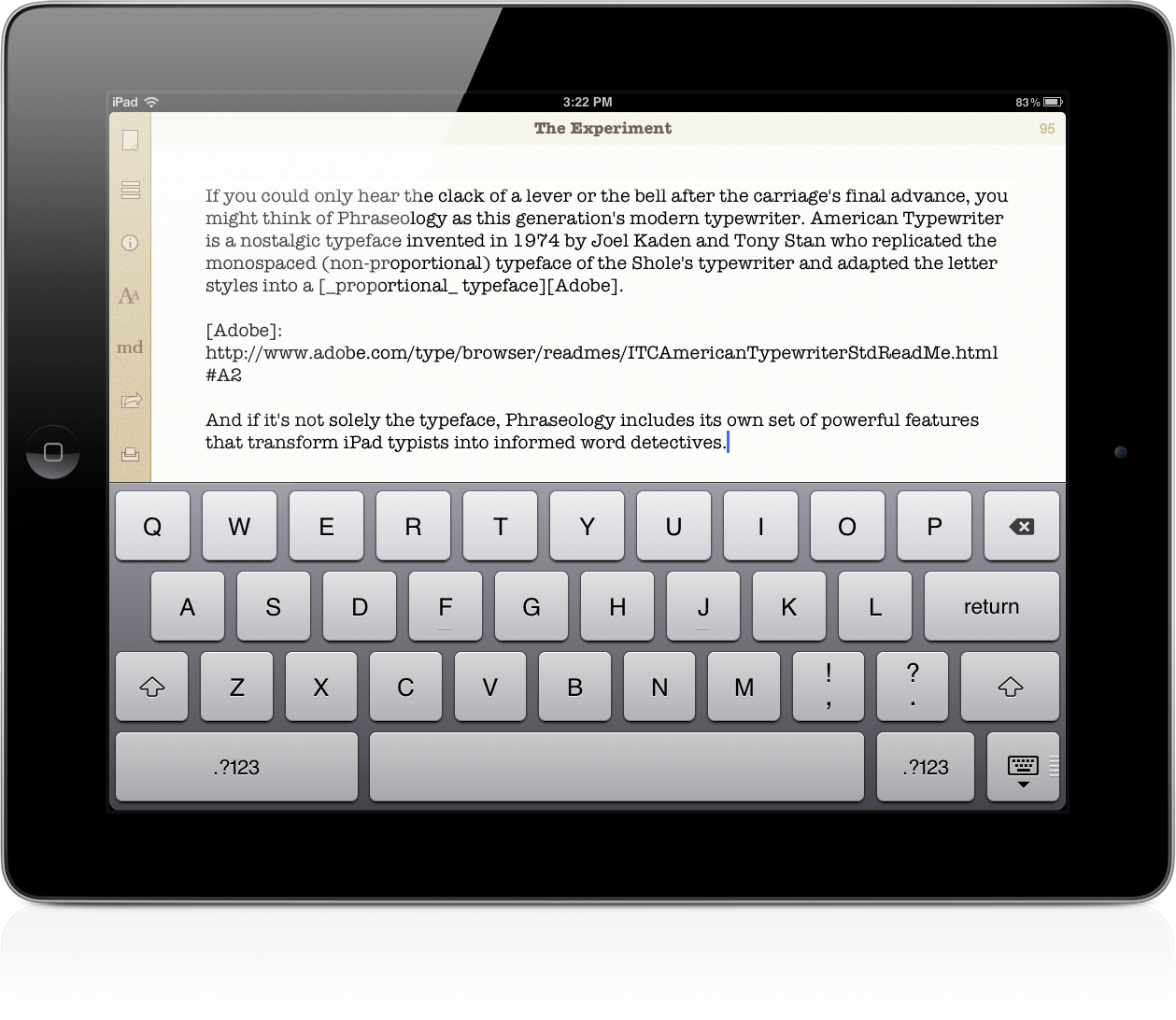
You could choose to write in Helvetica Neue, Marker Felt, or Georgia, but Phraseology has a personality all its own that’s best reflected in American Typewriter or Courier. Plenty of text editors on the iPad offer one or both of these font types, but there’s something about Agile Tortoise’s sandy colors and subtle paper-like textures that make Phraseology feel more tangible. It’s the modern equivalent of a typewriter explained through a text editor.
App Store Search Results Get “Quick Look” Previews
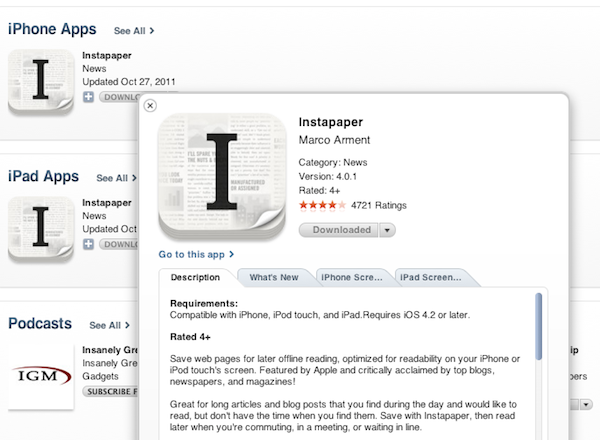
As first noticed by iSpazio [Google Translation], it appears Apple has introduced sometime earlier today a new “quick look” preview feature for App Store search results on iTunes. When searching for apps in the desktop application, in fact, users are now able to click on a small “i” button next to an app’s icon to get a modal preview with additional information about the app. The new preview window organizes Description, What’s New and Screenshots in multiple tabs, and separates iPhone screenshots from iPad screenshots when the app is universal, as with the example above.
You can try the new app preview system by starting a new search in iTunes (here’s a search for Instapaper).
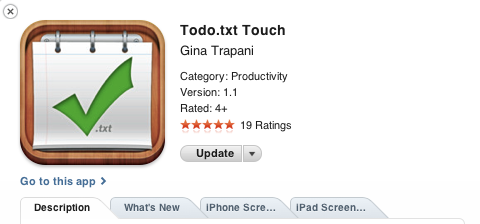
Personally, I believe this minor addition greatly improves usability and app discovery in iTunes. Not only it makes app descriptions more readable (it’s easier to scan information and changelog with tabs), it also allows users to browse top charts and categories without having to go back and forth between the main results and a single app page (often losing view options like “sort by release date” in the refresh process). Recently, Apple also introduced a minor update to the iPad App Store that made swiping through apps more intuitive.
World of Goo iOS Download Stats→
World of Goo iOS Download Stats
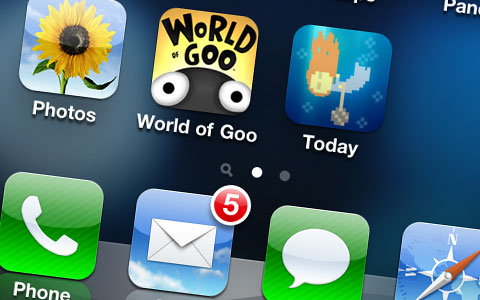
Developers 2D Boy released an iOS version of their popular puzzle game, World of Goo, on the iPad last year. In the first month, they reported over 125,000 sales through the App Store – an impressive number compared to the best 31 day period on WiiWare (68,000 sales) and Steam (97,000 sales). 2D Boy later ported WoG to the iPhone, and made the app universal. Today, the developers have announced one million downloads and published a post detailing the download stats for the app.
- 69% of downloads and 79% of revenue came from the Universal version.
-
29% of downloads and 17% of revenue came from the iPhone version.
-
2% of downloads and 4% of revenue came from the Mac App Store.
The universal version ($4.99) brought a larger chunk of revenue than the iPhone app ($2.99). You’d think iPhones would bring in more sales thanks to their bigger installed base, but more often than not I’m hearing people willing to pay two bucks to get an iPad version “just in case”. Most of the times, of course, it is because they do have an iPad and 2 bucks are well worth the universal download. The Mac, on the other hand, brought only 2% of downloads, but the app is sold at $9.99 there – plus it’s likely that Mac users have already played the old PC/console versions, or bought the iOS app.
Android numbers are noteworthy as well. They’re smaller than iOS when it comes to paid downloads (70,000 copies sold in a month), but impressive in the free demo with over 450,000 downloads. 2D Boy says during the same period last year they sold around 180,000 copies of WoG for iOS. My takeaway after reading this post and Gina Trapani’s Todo.txt sales numbers for iOS and Android – as well as talking to several Android users’ experiences with the Market – is that the App Store still generates much larger numbers of paid downloads (especially when tech coverage and Apple promotions are involved), but Android, too, is growing on that front. I wouldn’t expect Infinity Blade II kind of growth on Android, but 70,000 copies isn’t bad for an indie development studio.
Apple’s “Targeted Enhancements”
Marco Arment, writing about iOS’ Auto-Renewable subscriptions, which appear to be exclusive to apps that deliver “new content” during each renewal period:
Ultimately, I had to ship Instapaper 4.0 with non-renewing subscriptions, I was able to delete all of the clunky auto-renewing server code, nobody sees that terrible dialog in my app, and I need to ship an update soon that will annoy my best customers with manual-renewal notifications.
But this is a great example, like Newsstand Kit’s background downloads, of Apple adding a capability to iOS that’s potentially useful to thousands of developers, and then restricting it so that only a handful of players (usually big companies) can actually use it.
I hope that, in time, they unbundle some of these myopically targeted enhancements and make them potentially useful to all developers. But Apple’s record on this isn’t great so far.
Marco is right – auto-renewable subscriptions are easy to use (and understand) and more developers should get access to it. Imagine being able to subscribe to Instapaper through iTunes, or getting your Evernote Premium account billed automatically every year or month, instead of having to purchase it manually (as it happens now). But I could argue that, at the same time, new technologies like Newsstand Kit’s background downloads (described here) and auto-renewable subscriptions are more of a conceptual and technical issue for Apple rather than a “limitation” imposed to developers. Imagine if every app in the Store went free, and started billing users periodically for “usage”. That would create an unrealistic ecosystem of free apps with in-app subscriptions for all kinds of content. I’m not saying apps like Instapaper shouldn’t get access to auto-renewable subscriptions – it actually seems like a perfect fit to me – but I believe that instead of going on a case-by-case basis, Apple decided to roll out the feature for “publishers of new content” first. That’s easier to scale.
It gets murkier with the background downloads of Newsstand. Periodicals and newspapers get this neat implementation of automatic downloads of new issues. Would a third-party app like Instapaper benefit from it? Sure. Imagine being able to have your Instapaper queue delivered to you wirelessly, each morning, instead of having to download it manually (which takes seconds but it’s still a manual action). That’d be great. Or the aforementioned Evernote, which could, in theory, figure out a way to push changes from its remote database once per day without a user’s direct action (case in point: I add a lot of items to Evernote on my Mac overnight, I see all the changes automatically pushed to my iPad the next morning). Again, I believe some apps should get this functionality for increased usability and overall enjoyment of the user, but there are exceptions I’m fairly certain Apple considered. What if every developer of every app starts implementing background downloads for remote content? Even once per day, for every app, it can be a lot of data. And when you add data caps to the mix and start imagining games that can download new levels remotely on 3G…not good.
Obviously, if we follow this argument – that every developer should get access to the latest technologies used by Apple, or that at least some developers should be able to – we could say that Apple did figure out solutions in the past to avoid problems with, say, data caps and 3G downloads. Granular controls, like “Use Cellular Data” in the Store’s Settings, or the common limit of 20 MB for App Store downloads on 3G. But again, imagine a scenario where every developer gets to implement subscriptions or background downloads. Is the user supposed to go through a list of 100+ apps and switch every single one of them to “off” for background downloads? And if the list is a bad idea, and we argue again that only some apps should get these features – why, say, just Instapaper or Evernote? Why not Infinity Blade II?
Last, it is true Apple doesn’t have a great record for bringing iOS’ enhancements to third-party developers in a short period of time – but keep in mind that the iPhone launched without multitasking and background applications and eventually got one of the best implementations of multitasking out there and background tasks (for some apps) up to 10 minutes. The other side of the coin, obviously, is that third-party apps can’t run in the background all the time like Apple’s Music app - but the same question rises again: can you imagine every single developer doing that? (Speaking of enhancements in Apple’s apps: I expect Mail’s rich text controls to be opened up next to developers for integration. And did anyone mention Siri?)
In the past four (almost five now) years, Apple has taught us (and the industry) that iOS isn’t about big press releases and revolutions as much as it’s about incremental progress, iterative improvements and refinements. Apple rolls in its very own way, and looking back at the differences between iPhone OS 1 and iOS 5, it’s clear that a lot of work went into all the updates and fixes and changes that got us this.
Developers rightfully want access to cool new features as soon as they’re available (especially when they seem such a good fit) and users are always eager to see the latest software functionalities implemented in delightful new ways, but the App Store’s ecosystem is so variegate and unique that sometimes waiting is the best option.
Mac App Store: Year One
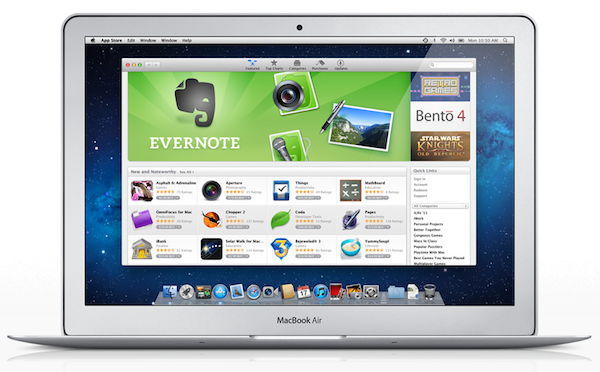
One year ago today, Apple’s Mac App Store officially opened for business. Bundled into Snow Leopard’s 10.6.6 software update, and later installed by default on OS X Lion, the Mac App Store is a native, built-in marketplace for third-party developers and Apple’s own software. Just as the iOS App Store has contributed to the solidification of a software ecosystem built around iPhones, iPods and iPads in the past three years, helping “indie” as well as bigger developers achieve a sustainable business model in selling smartphone and tablet apps, in the past 365 days the Mac App Store has quickly reshaped and fundamentally changed the OS X software landscape and users’ perception of “desktop apps”.
It’s not absurd to say many didn’t even know it was possible to “install apps” on a Mac before the launch of the Mac App Store. What the Mac App Store did – besides allowing long-time Mac users and developers to consolidate their software library in a single place and provide them with a better way to discover and showcase the latest indie hit – is it finally created a viable and consumer-friendly way to find and buy apps. Before the Mac App Store, the average Mac user could get work done easily with just Safari and Mail because he or she knew those were all the apps a Mac came with. Great apps, for sure, but just those apps. The Mac App Store, just like the iOS App Store, opened a whole new portal for users and a market for developers (and a way for Apple to break even on costs with a 30% cut) to know a completely new world made of utilities, productivity apps, games, news readers and more. The Mail aficionados of 2010 have likely jumped over to Sparrow, and those who swore by Preview perhaps have found something more attractive in Pixelmator 2.0.
With 100 million downloads under its belt and Apple’s latest major OS X revision, Lion, available digitally, there’s no denying the Mac App Store had a great run in 2011. Here’s a look back at these 365 days, and how the Mac App Store we know today (quickly) came to be. Read more
iPad Users Have Downloaded 3 Billion Apps in One Year
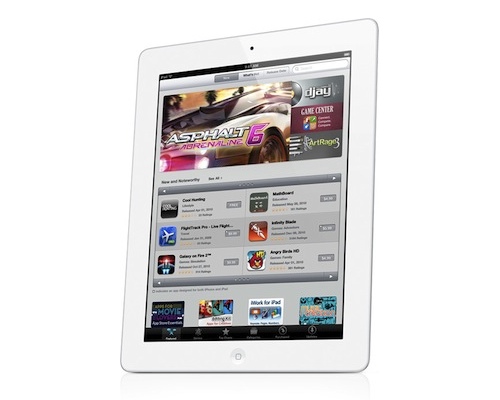
Thanks to a rich marketplace, consistently good apps that are featured in the App Store, and the constant attention blogs like ours bring to developers and consumers, the iPad has had its fair share of owners downloading tons of applications. Not only did iPad users download more than 3 billion apps from the App Store since the iPad’s launch in 2010, developers published 120,000 apps specifically for the iPad in the third quarter of 2011. ABI Research notes that iPad downloads are only 19% of all the cumulative downloads by Apple users. With lots of choice and a device that just works, users are eager to try out the latest innovations in touch-based software.
In comparison, Android users have only downloaded 440 million applications. It could be that there simply aren’t as many Android tablets in consumers’ hands as there are iPads, or it could because that developers simply aren’t making apps formatted for the tablet experience like they are on the iPad.
According to Lim Shiyang:
Discounting all those apps that were originally developed for Android smartphones, Android still trails greatly behind the iPad in terms of its tablet app offerings. Many Android tablets in the market are still using older versions of Android, which disadvantages users from enjoying the better effects of apps produced from more advanced software development kits.
As for Android’s phone ecosystem, ABI Research expects Android users to rack up 58 billion app downloads by 2016, compared to only 27 billion by iPhone users.
I wonder how many of these downloads will be because of Angry Birds?
[ABI Research via GigaOM]