

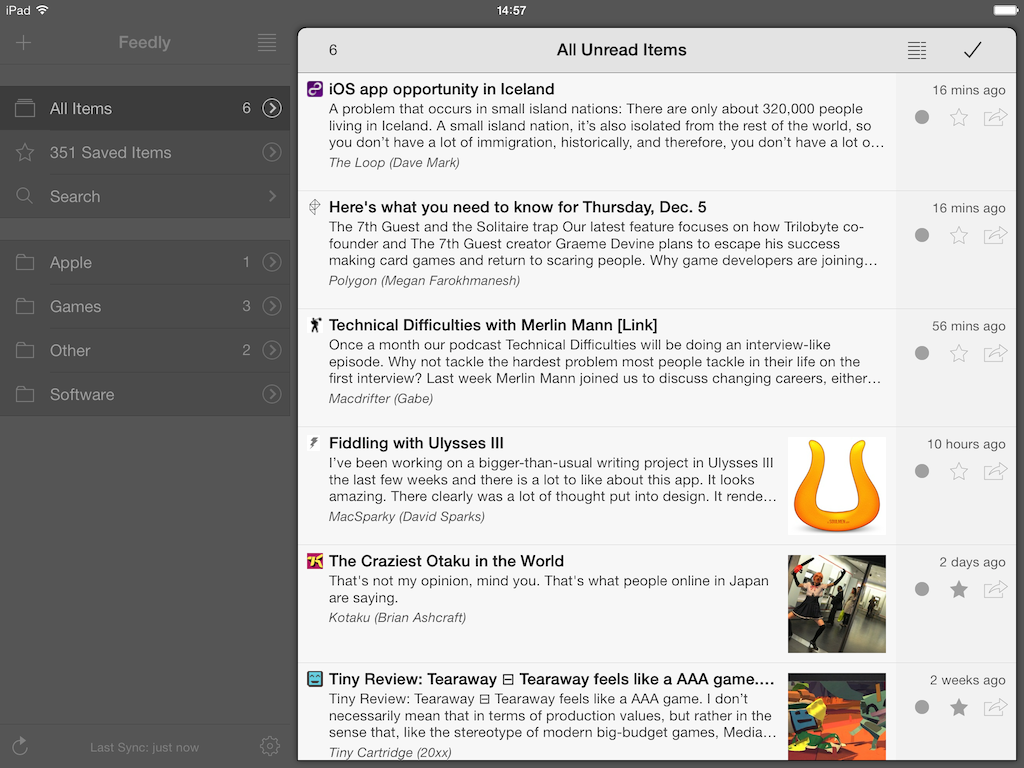
Mr. Reader, my favorite RSS reader for iPad and one of my must-have iPad apps, has been updated to version 3.0, which brings a (subtle) redesign for iOS 7, background downloads, Reading List support, and more. Mr. Reader 3.0 is a free update on the App Store. Read more
Posts tagged with "app store"
Mr. Reader 3.0 Updated for iOS 7 with Background Downloads, Reading List Support
Skitch for iOS Brings Back PDF Reading and Markup in Latest Update→
Skitch is great for marking up images and annotating documents, and it’s brought PDF reading and markup back from the dead. You’ll need to be an Evernote Premium subscriber to take advantage of PDF markup, but regular Skitch users can enjoy general enhancements and bug improvements. From iTunes:
Hey, here’s what’s new in this release
- PDF reading is back. Open a PDF in Skitch.
- Markup a PDF is back. Requires an Evernote Premium account.
- Web capture has been added back
- Improved crop mode
- Lots of bugs were crushed (no actual bugs were harmed)
Previously, Skitch added a crop function to their iOS app, and improved integration with Evernote for choosing a default notebook to save to.
Grab the latest update from the App Store.
On Relaxing App Store Rules→
Marco Tabini of Macworld uses the recent TextExpander touch debacle to the make the argument on why App Store rules should be relaxed.
On OS X, TextExpander can interact with just about any app. On iOS, Apple’s sandboxing makes this much harder, but in the past Smile’s developers have circumvented the problem by implementing a software development kit that other programmers can easily and quickly integrate into their own software.
Unfortunately, this leaves one problem unsolved: Third-party apps still need to synchronize their text-snippet database against the main TextExpander app, which is difficult to accomplish in an environment where programs are largely prevented from talking to one another—or even being aware of one another’s presence on the device.
Thus, Smile had to find another workaround, which involved relying on iOS’s built-in Reminders as an ersatz synchronization mechanism. After initially permitting that usage, Apple eventually rejected it as an improper application of a technology whose primary goal is, after all, to help you compile grocery lists.
Temporarily Capture Moments with Meteor for iPhone→
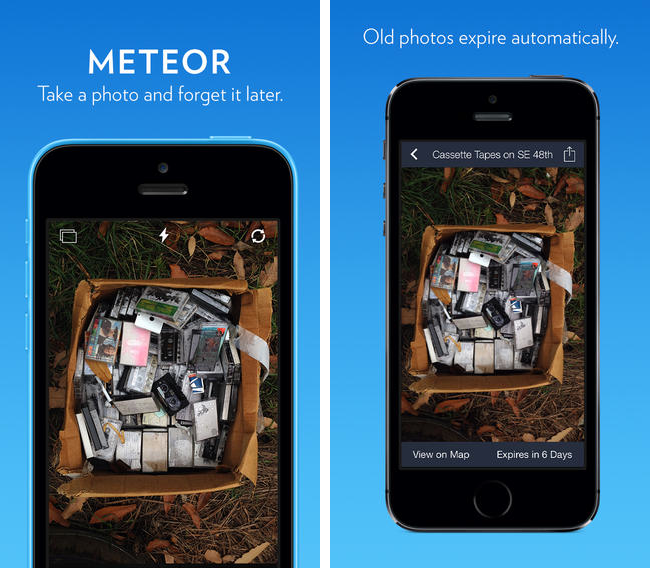
There are lots of pictures we take in the moment that we shoot off to social networks, private chats, and to others in emails, but they don’t necessarily need to stick around. Meteor advertises itself as a photographic memo pad that lets you take photos that only matter right now, deleting your photographs after a period of time unless they’re manually saved to the Camera Roll. For a buck during their launch sale, Meteor tries to unclutter your Camera Roll by separating memories from photographic reminders, in the moment goofiness, and can even perhaps save you from post “why did I take a picture of that” regret. It works with Instagram, Twitter, Facebook, iMessage, your email app, and your favorite photo app.
Counters: For Tallying Things→
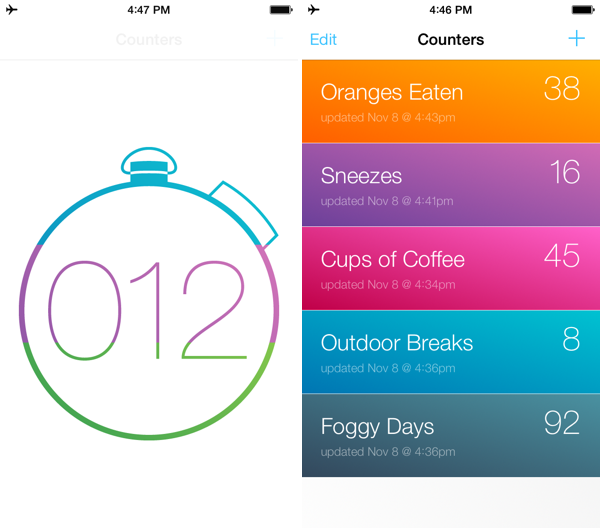
Keeping score? Counting how many of cups of coffee you drink? Need a quick way to count up for a science experiment? Keep track of multiple figures with Counters, a simple, focused app that keeps tabs on how many times you do… well, anything. It looks great and is a buck on the App Store.
Runtime: Track And Share Your Runs→
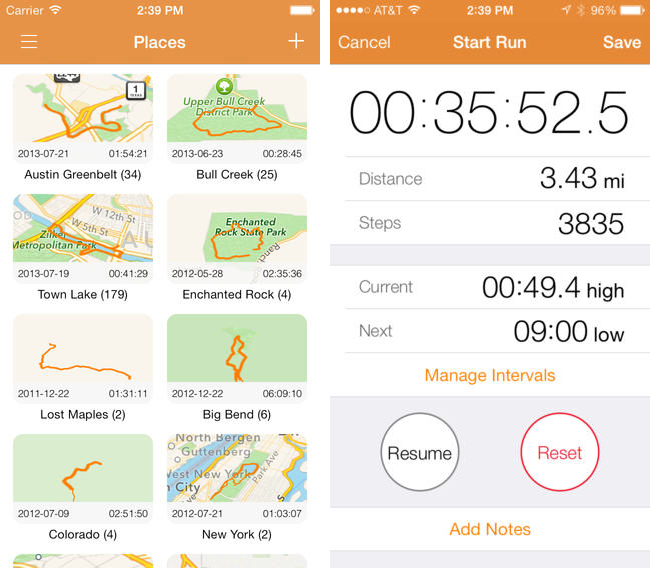
Runtime keeps track of not only where, but how you run, highlighting workout intervals and displaying your path on a shareable map. Runtime lets you add individualized notes to each workout, define custom interval timers (useful for mixing up intensity), and safely backs up your data to Dropbox. You can even use it as a basic pedometer and step counter, as a tool to track hikes, and as a way to measure your athletic progress. Because Runtime is so focused around places and routes, I’d love to see integration with an app like Day One so you can turn trips into memories. It’s simple, looks great on iOS 7, and is well done.
Runtime can be had for $2.99 from the App Store.
FlightTrack 5→
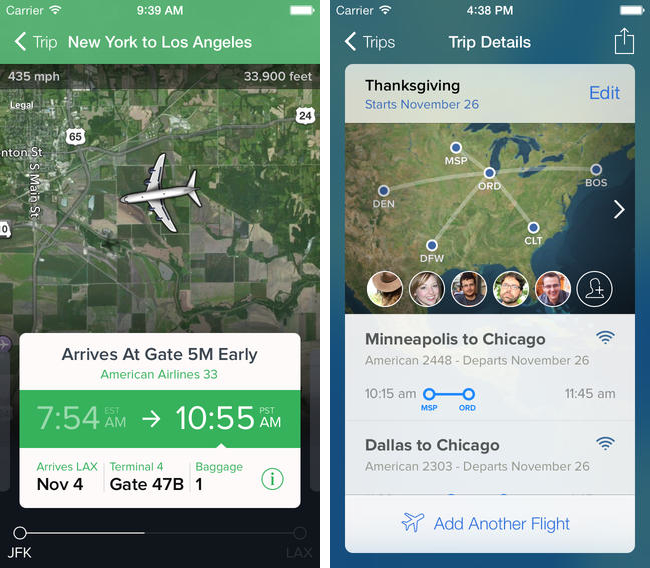
If you’re catching a flight this holiday season, Mobiata just announced FlightTrack 5, a completely redesigned must have flight tracking tool that always keeps you in the know about departures, delays, arrival times, and weather conditions.
Now, all FlightTrack users get push notifications with flight updates and can view terminal maps to help navigate to the gate. With FlightTrack, you can search flights by number or route in a single search field, create trips with multiple flights and travelers, and view the progression of an entire trip within a single workflow.
As always, you get real-time departure info, delays, and gate numbers at a glance. International coverage allows you to track flights worldwide. We even inform you of cancellations and help you find alternate flights when you’re in a pinch.
Nab it from the App Store for $2.99 for a limited time.
Oak: A Pokédex for Your iPhone→
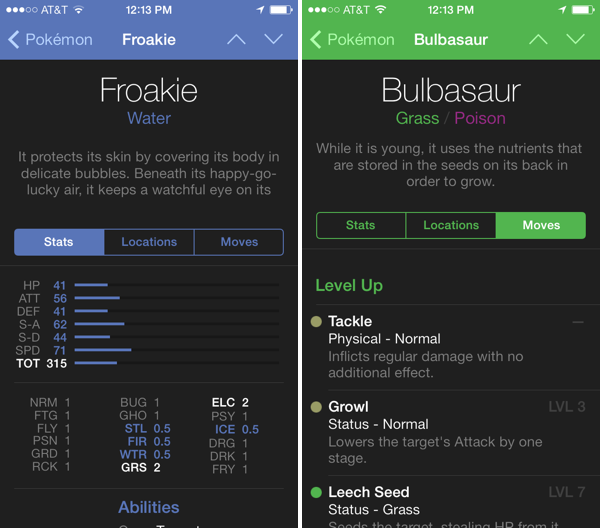
I’ve had Oak on my iPhone for a while, but now that it has Kalos region Pokémon for X & Y, I’ve been using it more and more as a companion for referencing abilities
The hardest decisions you’ll have to make in these games is deciding which of your Pokémon’s moves stay and which ones go. Not having played since I was a kid, I’m not familiar with a lot of the new moves and types that have been added since Red and Blue. Oak lets me search for Pokémon, find pertinent stats, and browse through their entire moveset. The app is free to try, with an in-app purchase unlocking the full directory of over 700 Pokémon for $4.99.
Download it from the App Store.
Hatch Brings Virtual Pets to the iPhone→
Suzanne LaBarre for Co.Design on Hatch, the latest app from Impending dream team Phill Ryu, David Lanham, and friends.
The average app is a money making proposition first, and artistic statement or utility second. That’s why the App Store is loaded with clunky Angry Birds clones and pandering zombie shooters. But Hatch, a tamagotchi app by the two-man, part-time team at Impending, is a rarely polished labor of love.
It’s worth $2 alone to see David’s creatures come to life. Download it from the App Store.