This Week's Sponsor:

SoundSource

New Year, New Audio Setup: SoundSource 6 from Rogue Amoeba


Posts tagged with "accessories"

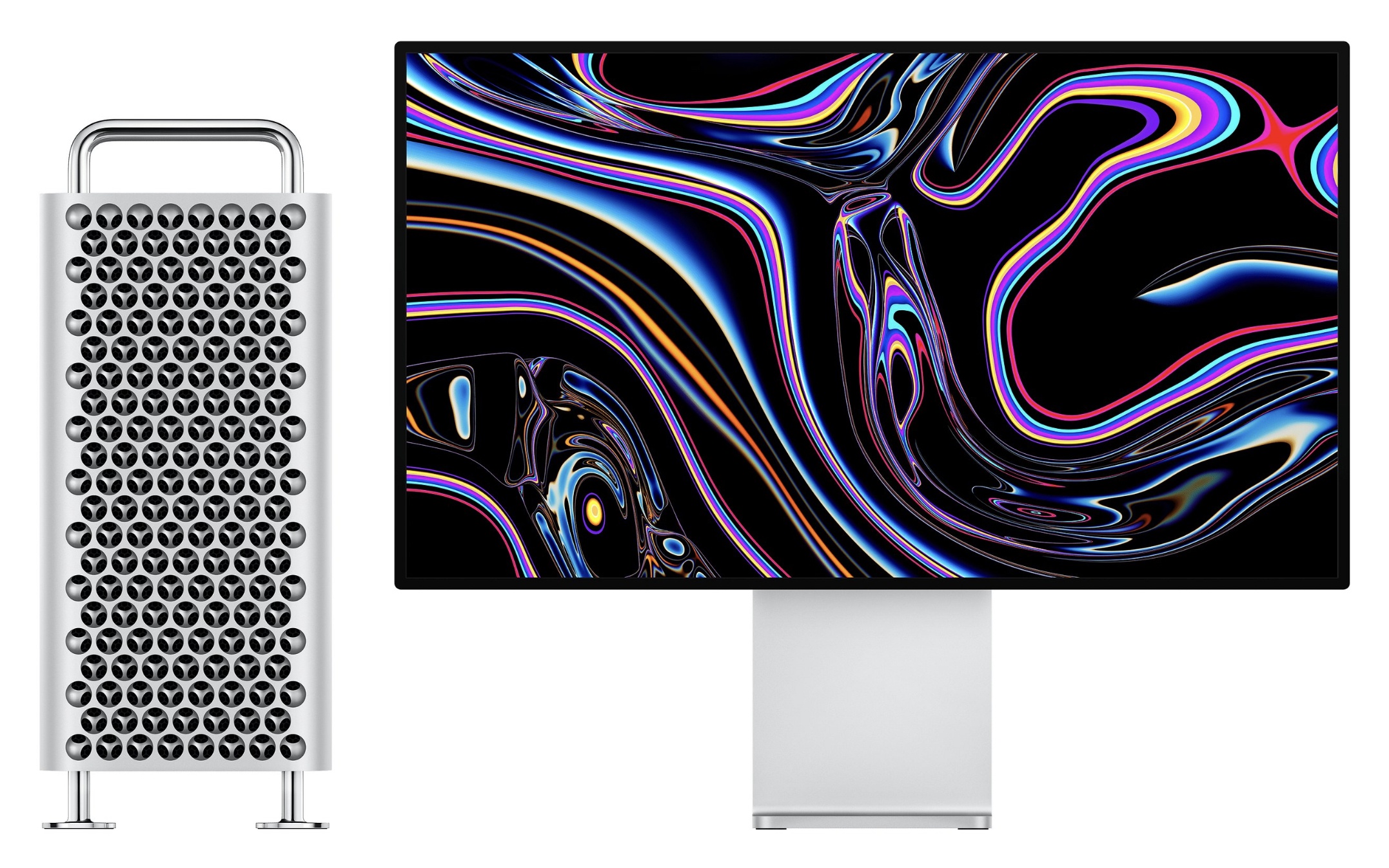
Mac Pro Accessory Roundup: Stand, Mount, Webcam, Lock Adapter, and More

After having been pre-announced by nearly 1,000 days, the new Mac Pro finally went up for sale yesterday on Apple.com, alongside the Pro Display XDR. Complementing these two devices, a variety of new accessories have also just launched, some from Apple and others from third-party companies.

The $4,999 Pro Display XDR doesn’t include a stand or mount of any sort out of the box, so buyers will want to either pick up the $999 Pro Stand or the $199 VESA Mount Adapter. The display also does not include a built-in webcam. However, Logitech is offering a new 4K Pro Magnetic Webcam for $199 that attaches magnetically to the top of the display as an add-on for professionals who need that functionality.

Another Apple-designed ‘accessory’ is the $2,000 Afterburner Card, a PCI Express card designed exclusively for the new Mac Pro to accelerate ProRes and ProRes RAW video codecs. Along the same lines of Mac Pro-exclusive hardware, Apple has added a variety of options for DDR4 ECC memory to its store, including 16GB for $400, 32GB for $800, 64GB for $1,200, 128GB for $2,800, and 256GB for $6,000.

After spending a small fortune on your Mac Pro, you might reasonably be concerned about the device being stolen. To the rescue is Belkin with a $49 Lock Adapter that enables you to secure your Mac Pro with a third-party lock. Also from Belkin is a $69 AUX Power Cable Kit which provides an assortment of common AUX cables for graphics cards.

Rounding out the accessory options are AMD’s $2,800 Radeon Pro Vega II MPX Module and $5,600 Vega II Duo, along with an MPX module, the Promise Pegasus R4i 32TB RAID ($2,299), and the Promise Pegasus J2i 8TB Internal Storage Enclosure ($399). The optional $400 wheels for the Mac Pro are not available for separate purchase at this time, and instead must be ordered as part of your configured model.

Two things are immediately obvious upon surveying these accessories: first, they’re clearly for users with very specific high-end needs, and second, Apple has poured significant investment into creating the new Mac Pro, Pro Display XDR, and fostering this new ecosystem of accessories. The target user base may be small, but Apple has nonetheless gone all-out with its most powerful computer.
Apple Releases Smart Battery Case for iPhone 11 and 11 Pro with Dedicated Camera Button

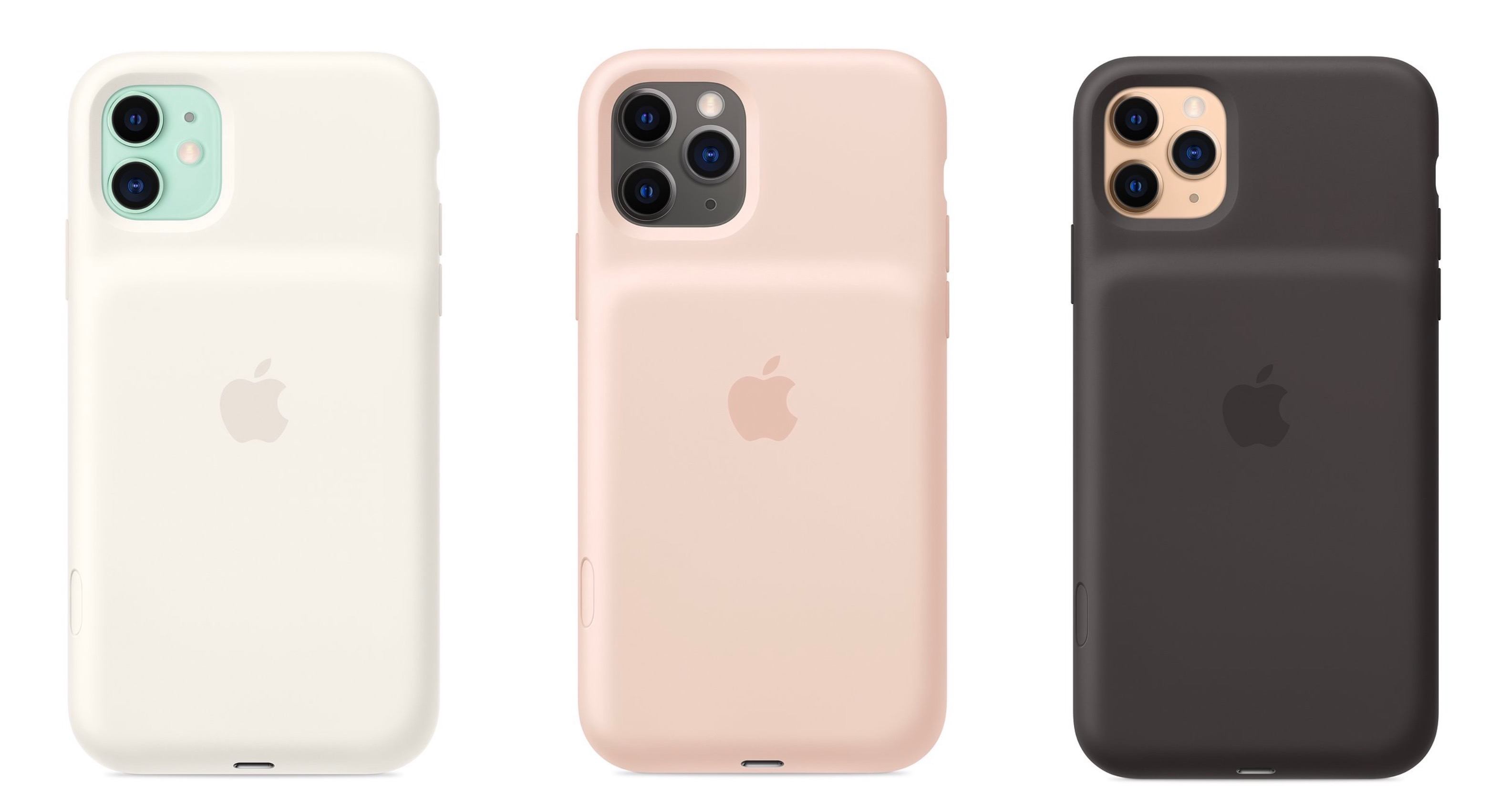
Today Apple has launched new versions of its Smart Battery Case for the latest iPhone models, the iPhone 11, 11 Pro, and 11 Pro Max, which are available to order now from the company’s website with November 25 delivery, which is the same date the case will be available in local stores.

Like previous editions of the Smart Battery Case, the case’s exterior is made of silicone. There are three color options for the 11 Pro and 11 Pro Max case: Pink Sand, White, and Black. The standard 11 case, however, is only available in Soft White and Black. All different versions of the Smart Battery Case are available at the same price: $129.

Links:

Each version of the Smart Battery Case offers a quoted 50% longer battery life, making the already-excellent battery life of this year’s iPhones even better. They also all come with a new feature not available with any other previous case: a dedicated button for launching the camera, which sits on the lower-right side of the case.

From the product listing:

The case features a dedicated camera button that launches the Camera app whether the iPhone is locked or unlocked. A quick press of the button takes a photo and a longer press captures QuickTake video. It works for selfies, too.

This is a very intriguing development, and one that’s particularly fitting for the iPhone 11 lineup due to its heavy emphasis on cameras. Now with the Smart Battery Case, you can shoot photos and videos for much longer than before without killing your battery, while also gaining more convenient access to the Camera app than is possible without the case.


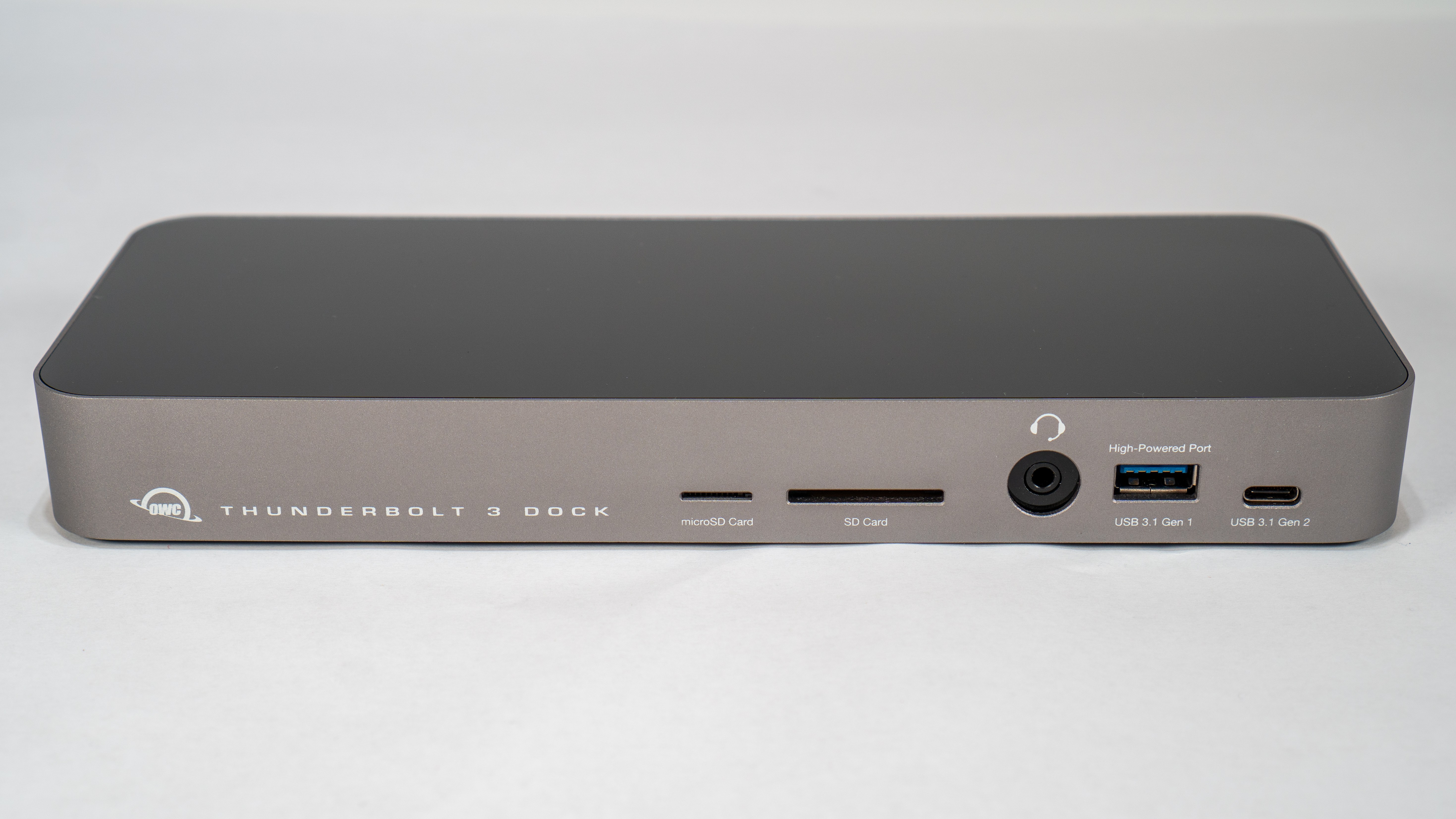
Swapping Dongles for a Dock: The OWC Thunderbolt 3 Dock

By limiting its laptops to Thunderbolt 3 and USB-C ports, Apple has been able to continue its relentless pursuit of thinness. That’s great when you’re on the go. However, if an Apple laptop is your primary computer, the number and lacking diversity of ports is problematic. When you’re back at home or work, connecting legacy USB-A devices, SD and microSD cards, and Ethernet and HDMI cables requires an array of often expensive dongles and cables that quickly fill up the available ports on your Mac.

When I commuted to downtown Chicago for work, I carried a 2016 MacBook Pro with me. At the end of the day when I returned home, I sat the laptop on my desk and plugged in a bunch of cables and dongles, which was a pain. Because I work from home now, I don’t use my MacBook Pro that way very often anymore, except in the summertime when that laptop becomes a testbed for the latest macOS beta. I’ve been trying to work on the macOS beta from a MacBook Pro as much as possible over the summer, and the experience has caused me to revisit the frustration of unplugging cables and dongles every time I want to leave my desk and work elsewhere.

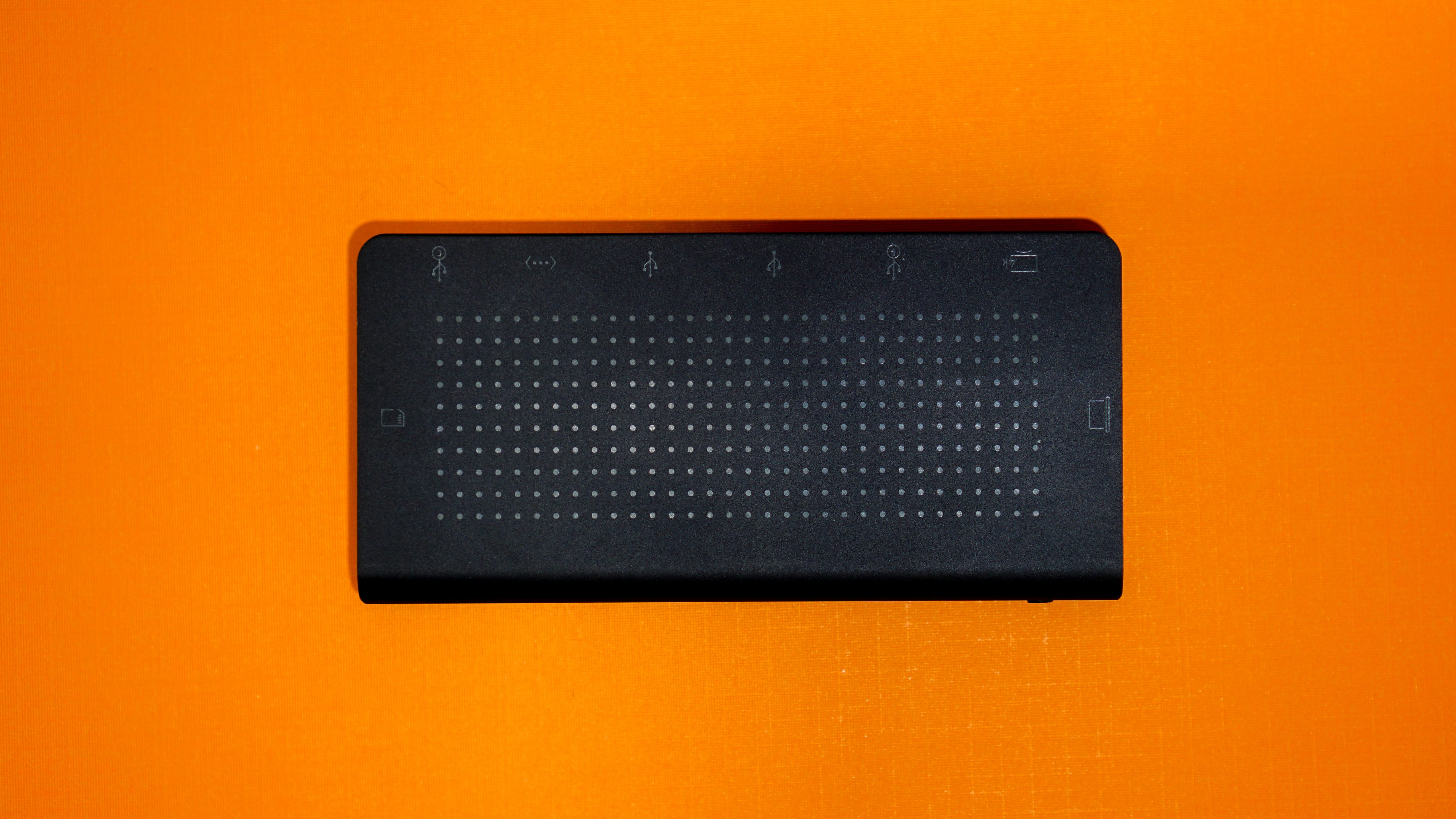
I had been thinking about ways to improve my summertime beta setup when Other World Computing offered to send me its OWC Thunderbolt 3 Dock to test. I took them up on the offer, and having used it for a while now, I love the convenience of being able to connect everything to my MacBook Pro with a single Thunderbolt 3 cable. It’s not an inexpensive solution, but compared to the cost of purchasing multiple over-priced dongles, it’s not as extravagant as it might seem at first.

Read more


Apple Debuts New USB-C Digital AV Multiport Adapter for iPad Pro and Modern Macs

Chance Miller of 9to5Mac details a fresh update to an Apple USB-C adapter:

Apple this week has quietly released a new version of its USB-C Digital AV Multiport Adapter. This $69 adapter includes a USB-C port, HDMI port, and USB-A port, with the new version making several notable improvements.

The new USB-C Digital AV Multiport Adapter adds support for HDMI 2.0, an upgrade from the original model’s HDMI 1.4b. This means you can now drive 4K 3840 x 2160 video at 60Hz

4K 60Hz throughput is supported on the iPad Pro, iMac Pro, and 2017 or later versions of the 15-inch MacBook Pro and Retina iMac. Miller also notes that the updated dongle now includes “support for HDR video in HDR10, as well as Dolby Vision.”

I’ve been interested in purchasing the prior version of this adapter for contexts where I’d like to watch a video but don’t have an Internet connection. Since the Apple TV doesn’t support offline downloads, but many apps on the iPad do, connecting my iPad Pro to a TV set via HDMI seems like the best solution. The added flexibility of including a USB-A port, and even a USB-C port to enable power charging, makes this an especially appealing dongle for me.

You can order the new USB-C Digital AV Multiport Adapter from Apple’s website for $69.

Permalink

StayGo USB-C Hub: First Impressions

The two devices that first got me interested in USB-C hubs were my iPad Pro and MacBook Pro. With the iPad, the attraction was a single device that could connect an external display, support Gigabit Ethernet networking, and read photos from an SD card with the promise of external storage support in iOS 13. For my 2016 13” MacBook Pro, I wanted a way to easily connect legacy USB-A devices, jump on my wired network, copy photos from SD cards, connect to an external 4K display, and leave other USB-C ports open for devices I only occasionally connect to my Mac.

One of the trickiest aspects of picking a hub is finding one with ports that fit your use cases the best. On top of that, not all connections are created equal. As Federico explained in his story on his iPad setups late last year, there are a variety of USB flavors that support different data speeds and power delivery amounts as well as HDMI ports that refresh 4K video at different rates.

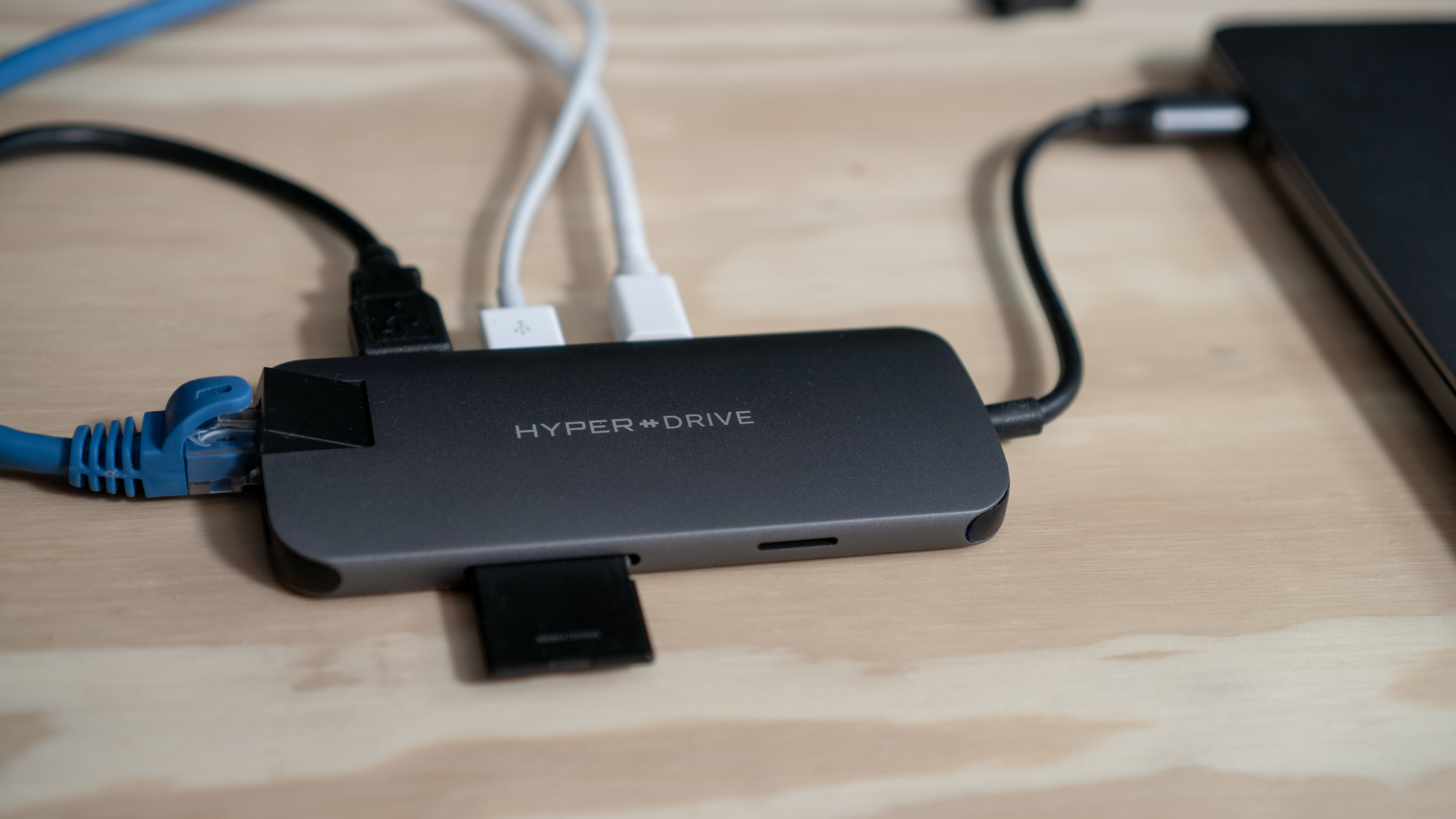
Since early this year, I’ve been using the HyperDrive Slim 8-in-1 USB-C Hub, which has:

  • 1 USB-C port with Power Delivery, but that isn’t Thunderbolt-compatible
  • 2 USB-A 3.1 ports with 5Gbps throughput
  • an Ethernet jack
  • Mini DisplayPort (4K at 30Hz)
  • HDMI (4K at 30Hz)
  • an SD card slot
  • a microSD card slot

I haven’t had a need for the Mini DisplayPort connection on the Slim 8-in-1 much, but the hub has handled my other needs well as I detailed in my review. However, one of the biggest problems with the HyperDrive hub is that it has a short built-in cable that can’t be removed. The trouble is that at about 16 centimeters long, the short cord causes the hub to dangle from the side of my MacBook Pro when it’s elevated on Twelve South’s Hi-Rise stand and my iPad Pro when it’s in the Viozon stand I use to write. Both setups look messy and put stress on the cable that I worry will cause it to fail eventually.

That’s why I was intrigued when Twelve South told me they were working on a way to solve the problem. The solution is the company’s new StayGo USB-C hub, which Twelve South sent me to try.

Read more


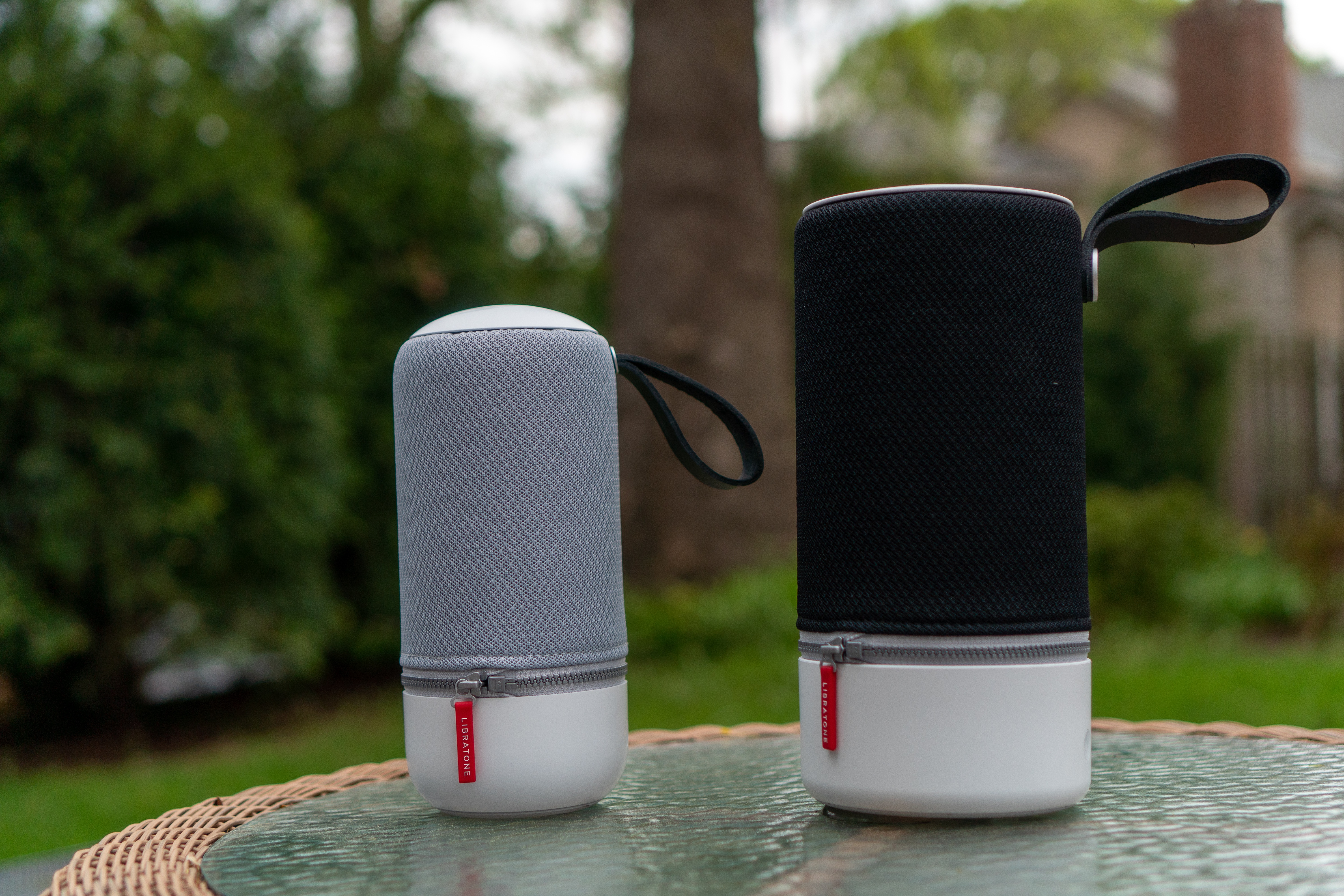
Libratone’s Zipp 2 and Zipp Mini 2 Portable Wireless Speakers: The MacStories Review

I love my two HomePods. One sits in my living room and the other in my studio. When I finish working for the day, I can ask Siri to move my music from the studio to the living room where I continue what I’m listening to as I make dinner and relax. Most of the time, both HomePods are also within earshot for issuing Siri commands to turn lights on and off, add items to my grocery list, and kick off shortcuts.

Here’s the thing though: it’s summertime. I’m spending time outdoors and going on road trips to visit family. Meanwhile, my HomePods remain tethered to the wall by power cords. They’ll be there waiting when I return, but when I’m on the go, my HomePods are useless, which prompted me to start looking at portable speakers that could reach beyond the walls of my home.

My research led me to Libratone’s Zipp 2 and Zipp Mini 2 wireless speakers, two of the only wireless solutions I’ve found that support Apple’s AirPlay 2 audio streaming technology. Libratone sent me one of each model for testing, and I’ve spent the past few months using them in different spots around my house, in my backyard, and at the beach. Both speakers deliver on the versatility I was looking for, extending the ways and places I can play music. However, neither of the Zipp speakers was quite as simple to use or reliable as the HomePod. The few issues I ran into are balanced out in no small measure by the versatility of the Zipp speakers though, which depending on your needs makes them a worthy replacement for or supplement to the HomePod.

Read more


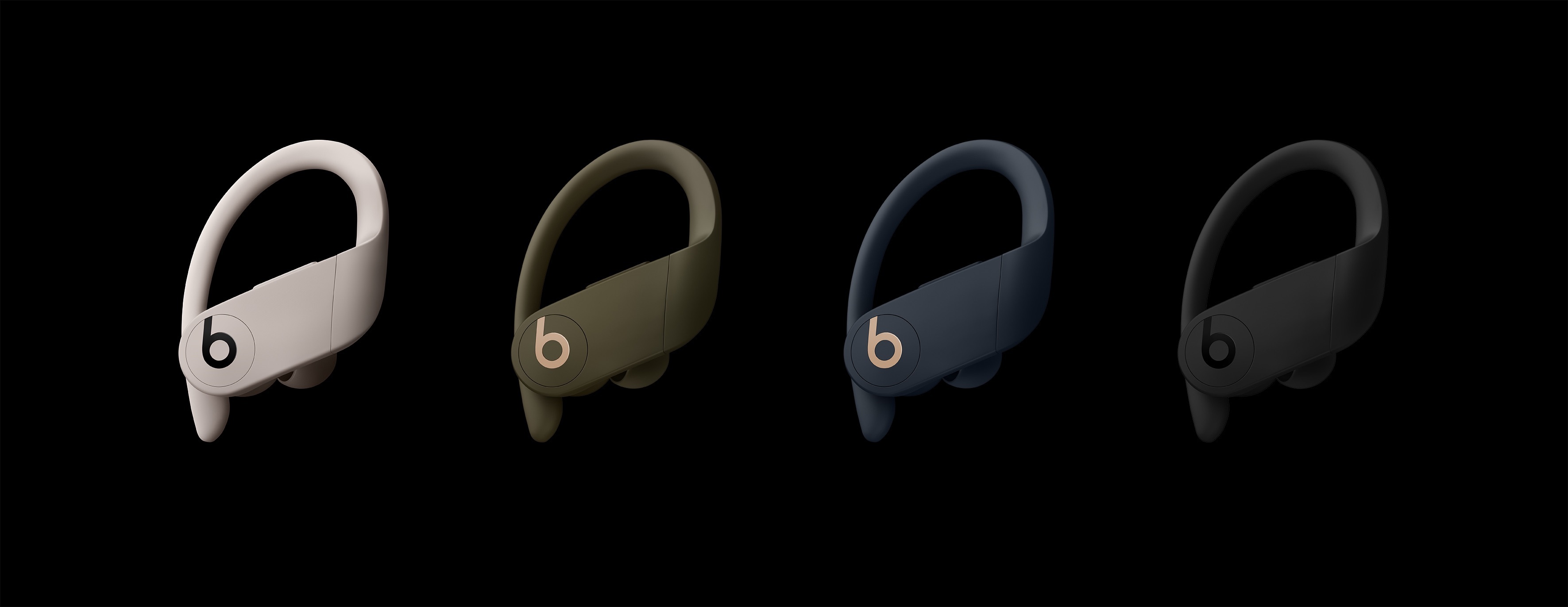
Beats Announces Powerbeats Pro Wireless Workout Headphones

Apple subsidiary Beats has announced the Powerbeats Pro, $250 H1-powered workout-oriented headphones that dispense with all wires. Apple purchased Beats in 2014 and has incorporated some of its technologies like the W1 chip into its Powerbeats and Beats Solo3 headphones, but until now, Beats didn’t offer headphones that competed directly with AirPods.

The Powerbeats Pros aren’t entirely a surprise. As Guilherme Rambo reported for 9to5Mac last week, iOS 12.2 includes hidden images of the Powerbeats Pro headphones. However, the new headphones’ official announcement provides additional details.

The Powerbeats Pros will be available starting in May in the US and 20 other countries and come in four different colors: black, ivory, navy, and moss. The water and sweat resistant Pros are a significant step up from the existing Powerbeats because they are truly wireless in the same way AirPods are wireless. Unlike the original Powerbeats, which will continue to be available and have a wire that connects one ear to the other and wraps around your head, the Pros are independent wireless headphones that benefit from the quick connectivity afforded by the H1 chip. The Powerbeats Pro also include physical controls and charge via a Lightning connector using an AirPods-like charging case instead of the micro USB connector used in the Powerbeats model. However, unlike the latest iteration of AirPods, Powerbeats Pro do not support wireless Qi charging.

Also, the H1 chip means that the Powerbeats Pro headphones can be controlled with ‘Hey Siri’ commands. There are four sizes of headphone tips to fit a range of ear sizes, and the earhook that wraps around your ear is adjustable. Beats says that the new headphones have up to 4 hours more battery life than AirPods for a total of 9 hours of playback time, which exceeds 24 hours when charged using the case.

The Verge got early access to the Powerbeats Pro and has a hands-on review of the headphones. The assessment by Chris Welch is generally positive, and although I haven’t had the opportunity to try the Powerbeats Pros yet myself, they look like a good option for anyone for whom AirPods don’t fit well and who works out regularly. That said, at $250, the Powerbeats Pros are pricey compared to competing third-party products, so it’s worth considering other available options before purchasing the Pros.


The HyperDrive Slim 8-in-1 USB-C Hub Balances Flexibility and Portability for Mac and iPad Pro Owners

My main Mac is a 2016 MacBook Pro, which isn’t ideal. The problem isn’t really the laptop itself, it’s that my needs have changed. You see, in 2016 I was commuting to downtown Chicago every day and I wanted a portable Mac for working in Xcode and other tasks on the go.

Now, I work from home and my MacBook Pro sits in clamshell mode most of the time. It’s handy to have the MacBook to take with me when I need it, but that’s far less frequent than it used to be. Instead, my Mac drives a 27” LG 4K display, is connected to Ethernet, speakers, a Luna Display dongle, my podcasting microphone, and various other peripherals I need from time to time.

The trouble with the setup is that I quickly ran out of USB-C ports even though my MacBook Pro has four. I’ve tried several different configurations to streamline my setup, but none were quite right. Now though, I’ve finally found a solution that comes closest to meeting my needs and has the added benefit of working well with my iPad Pro. With a couple of minor caveats, the HyperDrive Slim 8-in-1 USB-C Hub is the best solution I’ve tried.

Read more