

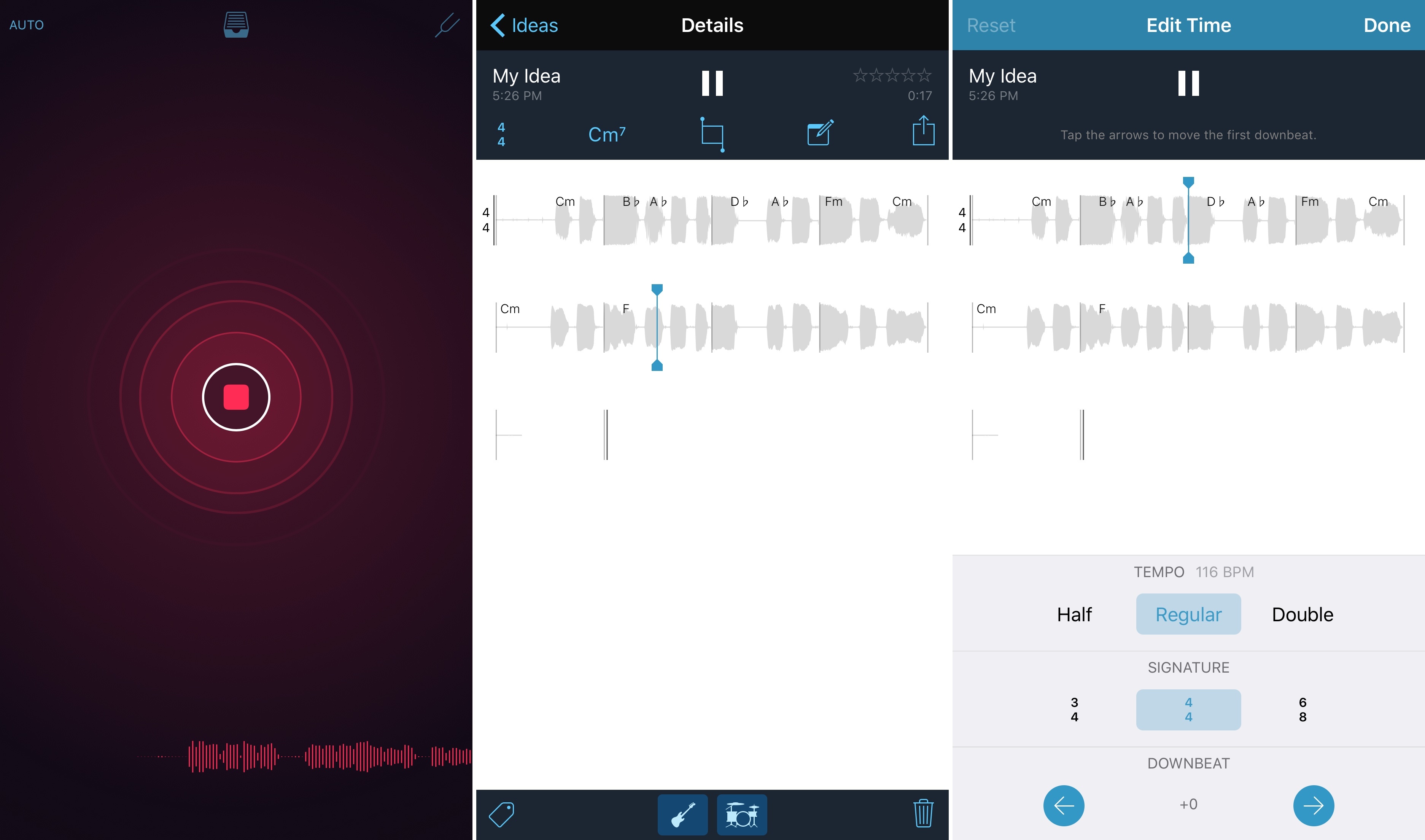
For a long time, musicians and songwriters have been using Apple’s Voice Memos and Notes apps to capture their moments of inspiration and save song ideas using audio clips and text annotations directly on the iPhone and iPad. The company took notice of the trend – exemplified in this interview with Taylor Swift and Ryan Adams last year – and released Music Memos, a brand new (and free) app aimed at enabling everyone to record their musical ideas, organize them, and develop them with intuitive tools directly on iOS devices.
Apple Releases New Music Memos App, Updates GarageBand with Live Loops, Drummer, iPad Pro Support, and More
Remote Buddy Display: Control Your Mac From Your Apple TV Using The Siri Remote
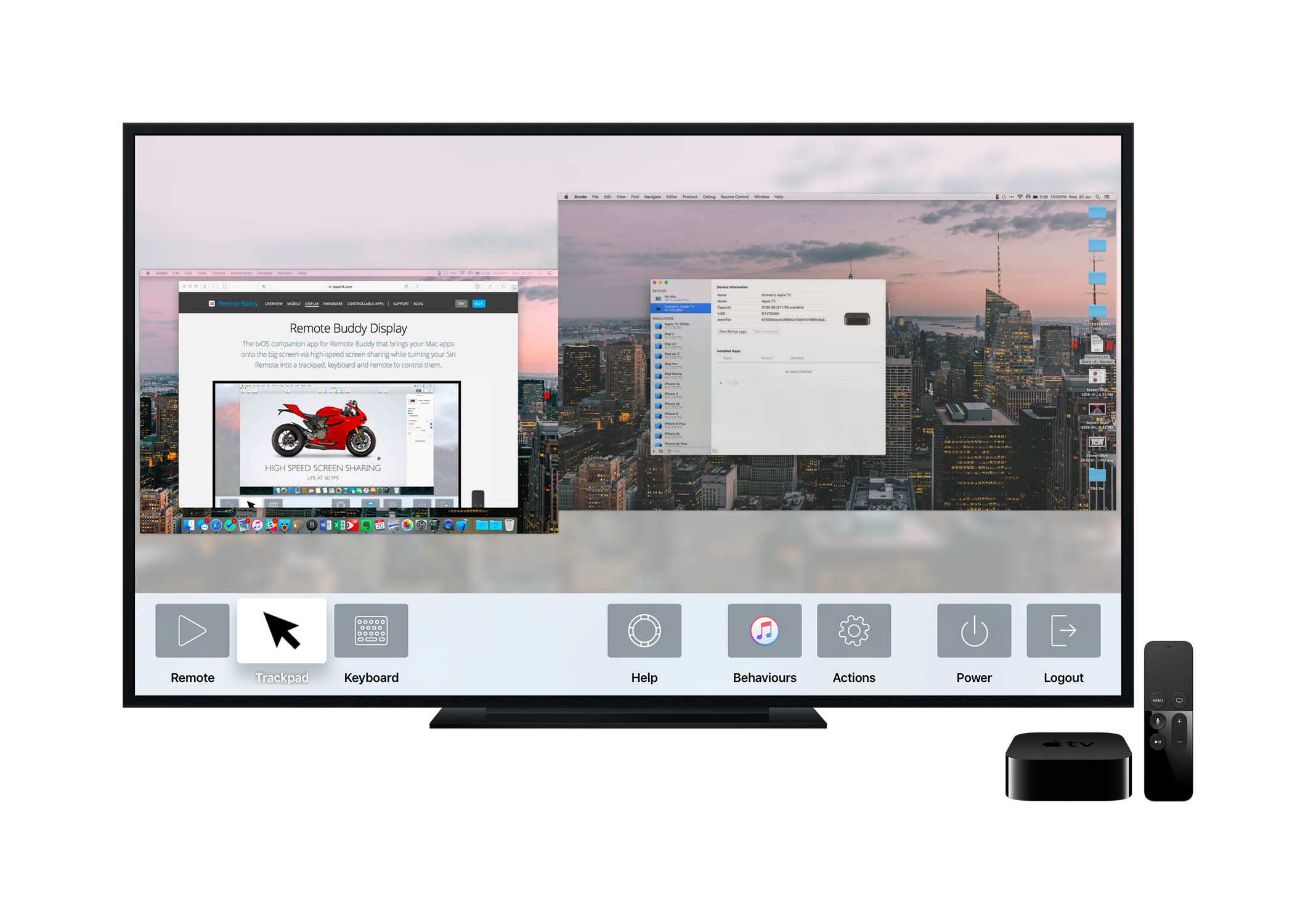
It’s still the very early days for tvOS and the App Store on the new Apple TV, but we’re starting to see some really neat apps for the new platform. Some of my early favorites (aside from the obvious content-delivery apps like Netflix and HBO Now) include Plex, VLC, GIFtv, and now Remote Buddy Display.
Remote Buddy Display is an app that enables you to wirelessly mirror your Mac onto your TV. What differentiates it from AirPlay Mirroring, built into OS X, is that you can also control your Mac, using just the Apple TV’s Siri Remote. Provided you have installed Remote Buddy onto your Mac, you can take control of your Mac via your Apple TV simply by launching the Remote Buddy Display app on your Apple TV.
#MacStoriesDeals: January 20th, 2016

We’ve collected the best #MacStoriesDeals for January 20, 2016, so be quick and get them! Today, a lot of productivity-related iOS and OS X apps went on sale in what appears to be an organized promotion across the App Store – similar to the ‘Get Productive’ sale launched around the same time last year.
For more deals, you can find us as @MacStoriesDeals on Twitter.
Italy, America, and the iPhone
Fascinating analysis by Matt Richman on why the iPhone is less popular in Italy than in the United States:
From September 1st to December 19th of last year, I studied abroad in Rome, Italy. The experience changed my life for the better. Starting as a complete beginner in a foreign country and leaving it 110 days later able to read, write, and speak basic Italian was one of the hardest and most rewarding things I’ve ever done. Anyone with the chance to study abroad should do it.
One of the first things I noticed in Rome was that the iPhone is less popular there than I unconsciously assumed it would be. Coming from the US, where iPhones are extremely prevalent in rich and cosmopolitan areas, I was shocked and confused to see so few of them in Rome.
And I didn’t see too many of them elsewhere in Italy, either. In Florence I saw iPhones in the hands of tourists but rarely in the hands of Florentines, and in Todi, a small town in central Italy, I didn’t see a single resident with an iPhone.
As someone who’s lived in Italy his whole life and writes about Apple for a living, the topic is close to me. I only partially agree with Matt’s points on retail and the iPhone as a status symbol.
While we don’t have chains with thousands of locations such as Walmart or Target in Italy, we do have chains with dozens of stores such as Unieuro and Media World – which often feature their own in-store mini Apple stores with iPhones, iPads, and Macs laid out on Apple Store-like wooden tables. And, it’s easy enough to find iPhones at any electronics or carrier shops inside malls, not to mention smaller independent stores in towns like Viterbo, my hometown. I wouldn’t say that Apple has a third-party retail penetration problem speaking from personal experience – if anything, I’d argue that Apple’s own stores should have a wider presence. It’s relatively easy to find an iPhone at a non-Apple location these days.
As for the status symbol discussion, Matt’s points about fashion and prioritizing other purchases seem likely to me, but I don’t have experience with other countries to compare what I see here. However, I don’t completely buy the argument that iPhones aren’t an important status symbol in Italy. Again, speaking from anecdotal experience, I know and I’ve met lots of people who buy the latest iPhone just because it’s an iPhone – it doesn’t matter which new features or improvements it offers. Having an iPhone is, for better or worse, a fashion statement (I also see that reflected in how many choose to customize their devices with branded cases or other blingy accessories).
I think Matt is absolutely spot-on about iPhone prices. In Italy, iPhones (and Apple devices in general) are expensive, and I wouldn’t be surprised to hear that, statistically, fewer Italian households can afford an iPhone (or multiple ones) compared to American ones. The recession hit Italy hard, and the iPhone is as close to a luxury smartphone as you can get – especially if you choose to buy any iPhone above 16 GB unlocked with no contract.
This last aspect ties into a point Matt didn’t cover: Samsung and Android smartphones (and, to a lesser extent, Windows smartphones). Based on what I’ve seen in Rome and traveling around Italy, Samsung has enjoyed great success with their Galaxy devices over the past few years. Samsung has been quite aggressive with ad campaigns and promotions (discounts) in partnership with the aforementioned chains. Galaxy smartphones aren’t cheap, but there’s usually a good chance you’ll find pretty good deals around; also, there’s a lot of choice in the Galaxy family, which you don’t get with only two new iPhone models released every year.
What I’ve also noticed, particularly in the last two years, is that decent Android smartphones have gotten really cheap here – I have many friends who moved from an iPhone to Huawei phones (another company that’s been running TV commercials aggressively) simply because they needed a new phone but didn’t have the money for a new iPhone and Huawei had a good enough option for much less. If you apply this to hundreds of other Android devices sold in malls and electronic chains, it would explain why, anecdotally, I’m seeing more types of smartphones in the streets of Italy compared to a few years ago.
Matt has raised some interesting points in his article. The more I think about it, though, the more curious I am about stats for used iPhone sales in Italy. Every time I had to sell an iPhone – either to close friends or by posting it online – it took me less than 48 hours.
Connected: Orange Light, Blue Light→
This week in the warm glow of Night Shift, the boys talk about Federico and Stephen’s recent forays into video editing on iOS and the Mac.
On this week’s Connected, I also shared my first impressions of the Sonos PLAY:1 and covered some apps for video editing on iOS. You can listen here.
Sponsored by:
- PDFpen, from Smile: The Swiss Army Knife for working with PDFs.
- Squarespace: Build it beautiful. Use code ‘WORLD’ for 10% off.
How Email to 2Do Has Improved My Daily Email Workflow
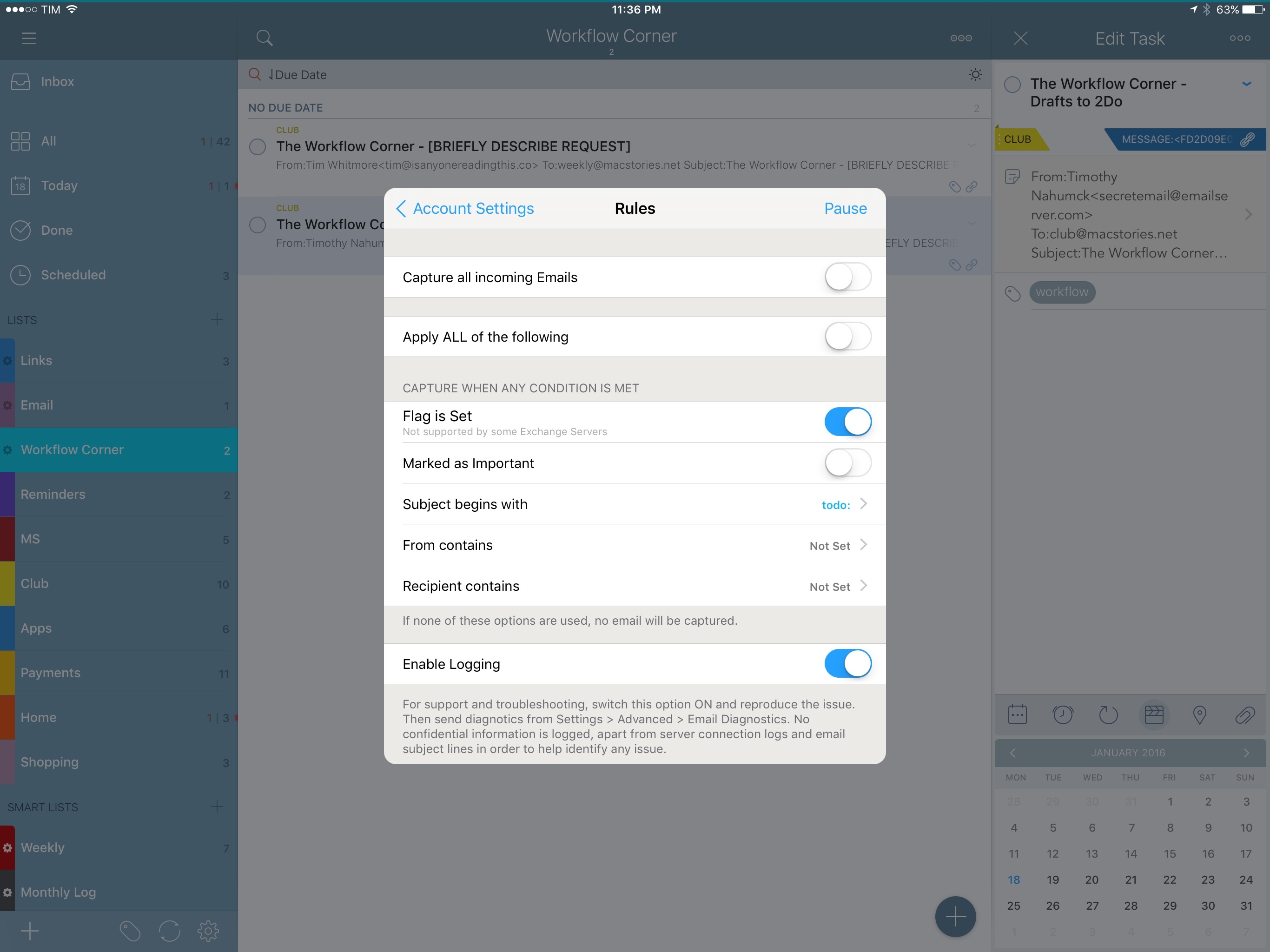
In my review of 2Do in December, I dedicated one of the last sections to Email to 2Do, the then beta plugin to capture incoming email messages as tasks in the app.
Here’s how I described Email to 2Do:
With Email to 2Do, Gilani has built an invisible email client into 2Do to directly access your email inbox and turn messages into tasks. Without having to rely on a web app that looks into the contents of your email to read text from messages, 2Do locally and securely connects to common email providers (including IMAP servers) without exposing information to third-parties – just like Apple Mail. Then, 2Do periodically checks for new messages that match a specific syntax, and, if it finds one, it turns it into a task in your inbox.
With this implementation, you don’t see any of the client part; you don’t configure mailboxes or even see individual messages into 2Do. You just configure your account (if you use Gmail, all it’s done over OAuth), choose how you want messages to trigger 2Do, and you’re set.
The gist of the idea hasn’t changed in the past two months: Email to 2Do is an email client built into 2Do that doesn’t display an email-like interface to the user. Its sole job is to connect to your email inbox and monitor new messages as they arrive. If they match rules assigned by you in the Settings, they will be saved as tasks in the inbox or another designated list.
For anyone who’s been trying dozens of task managers since the opening of the App Store in 20081, it’s easy to see how Email to 2Do is such a genius, deceptively simple idea. For years, developers have tried to come up with extensions and custom integrations to circumvent the lack of communication between email clients and todo apps – often with laudable results. 2Do’s Fahad Gilani has instead gone in a parallel direction: what would a task manager do if it was capable of reading emails natively? Instead of bringing task management to the email client, could email itself become a feature of the task manager?
With Email to 2Do now publicly available as part of the app’s 3.8 update, it’s time to revisit its functionality and elaborate on how it’s been working out for me so far, as well as how it could be extended in the future.
Igloo: An Intranet You’ll Actually Like [Sponsor]
We all struggle with productivity. We are constantly pressured to accomplish more, and to do it quicker. There is no one definitive way to accomplish that, and we have all devised our own little method to make things work.
At Igloo, they think your way is the best way, they just want to support you, and make your way better.
Work has evolved and your tools should too. Never email yourself a file again. Bring your company into the 21st century - send your IT guy to try Igloo Software for free.
Igloo is an intranet you’ll actually like.
Our thanks to Igloo for sponsoring MacStories this week.
iOS 9.3 and Education
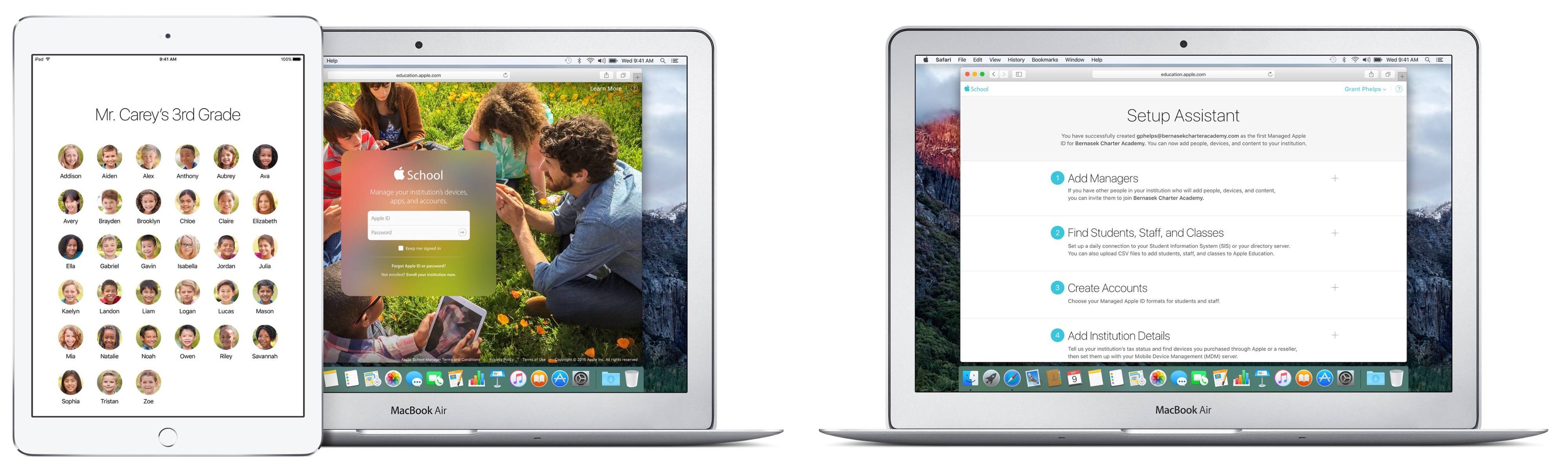
The off-cycle release of major new features in iOS 9.3 is quite a departure for Apple. The usual cycle until now has been for major releases to debut at WWDC in the summer and ship in September/October. For the education market, however, this schedule has been extremely difficult to deal with. School usually starts in August or September - in the northern hemisphere at least - and having a major platform upgrade happen right after school starts is hard to cope with.
That has all been turned on its head. On January 11th, Apple announced the developer beta release of iOS 9.3. Unusually for a developer beta, Apple also produced the kind of iOS preview webpages that are normally seen in the time between the WWDC announcement of a new major iOS version and its eventual release.
Facebook’s WhatsApp Is Now Free→
WhatsApp announced earlier today that it would be removing its annual subscription fee (US$0.99 per year, after the first year). From Re/code’s report of the announcement:
“It really doesn’t work that well,” Koum [WhatsApp founder] said Monday, speaking at the DLD conference in Munich. He noted that while a buck a year might not sound like much, access to credit cards is not ubiquitous. “We just don’t want people to think at some point their communication to the world will be cut off.”
Until now, WhatsApp has been free for the first year and 99 cents for additional years. It will stop charging subscription fees immediately but it will likely be a few weeks before the payments infrastructure is completely out of all versions of the app. And, in case you were wondering, you won’t be able to get back your buck if you have already paid for this year.
WhatsApp will stay ad-free, and instead the company will begin testing new tools that will enable WhatsApp users to communicate with businesses and organizations. The WhatsApp blog post about this announcement gives the example of being able to communicate with your bank about whether a recent transaction was fraudulent. Which, as Re/code’s report points out, is a familiar strategy:
It’s the same idea behind Facebook Messenger, the company’s other standalone messaging service. With Messenger, Facebook already offers users the chance to chat with businesses, and it’s building out other features, like payments or the ability to hail a ride through Uber.