Apple Music and Sonos Launch Collaborative Ad Campaign

Following the launch of Apple Music on Sonos earlier this week, the companies have launched an ad campaign to highlight the benefits of music in daily lives. Mikey Campbell, reporting for AppleInsider:

The marketing effort — dubbed “Music Makes it Home” — draws on statistics from a wide-ranging, multi-country Sonos study of 30,000 families that found positive correlations in listening to music and overall quality of life. As UK publication Marketing reports, the survey discovered music benefits sexual activity, relationship satisfaction, mood, happiness and other metrics.

To present the data in easily digestible TV spots and social media posts, the companies invited 30 families to take part in a social experiment that restricted each of the 109 participants from listening to music in the house for one week. After the prescribed deprivation period, music was reintroduced courtesy of Apple Music playing on a wireless Sonos system. Along with families in eight countries, celebrities St Vincent, Run the Jewels’ Killer Mike and The National’s Matt Berninger also took part in the study.

Interestingly, iPhones, Apple Watches, motion-activated cameras, and iBeacons were used to gather a variety of data during the experiment. Apple and Sonos have also launched a Tumblr blog with a collection of photos and descriptions of the families involved. A full breakdown of numbers and recorded stats is available here.

Permalink

HeartWatch 2 Review

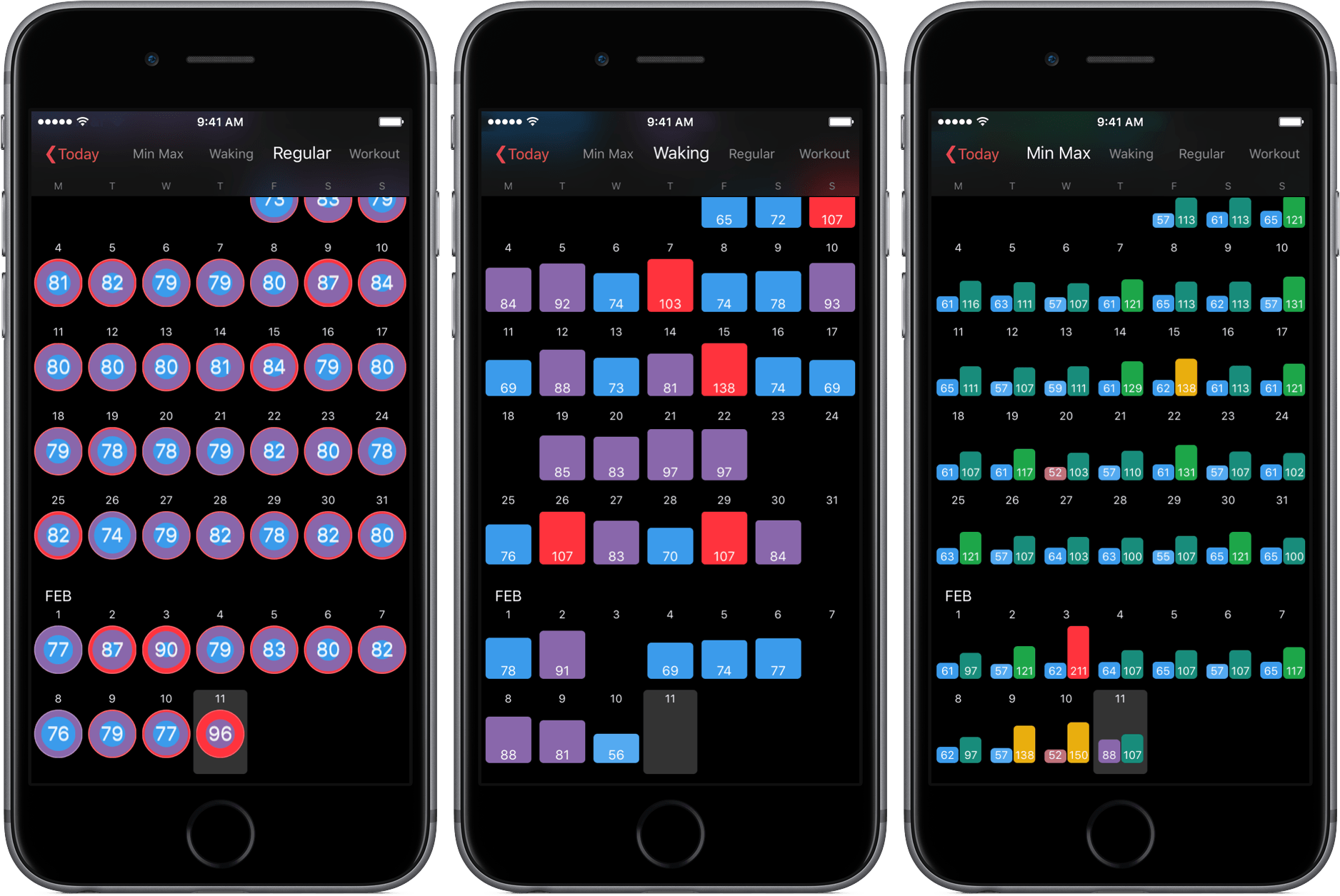
A couple of months ago, Federico linked to David Walsh’s Medium post detailing HeartWatch, a deeply functional heart monitoring app. HeartWatch, according to Walsh, is a better way to visualize heart rate data pulled from your Apple Watch.

Now in version 2.0, HeartWatch looks to be a more all-encompassing aggregator of your heart information. After spending some time with the newest version of the app, I can highly suggest HeartWatch – not only for its capabilities but also for its potential.

Read more


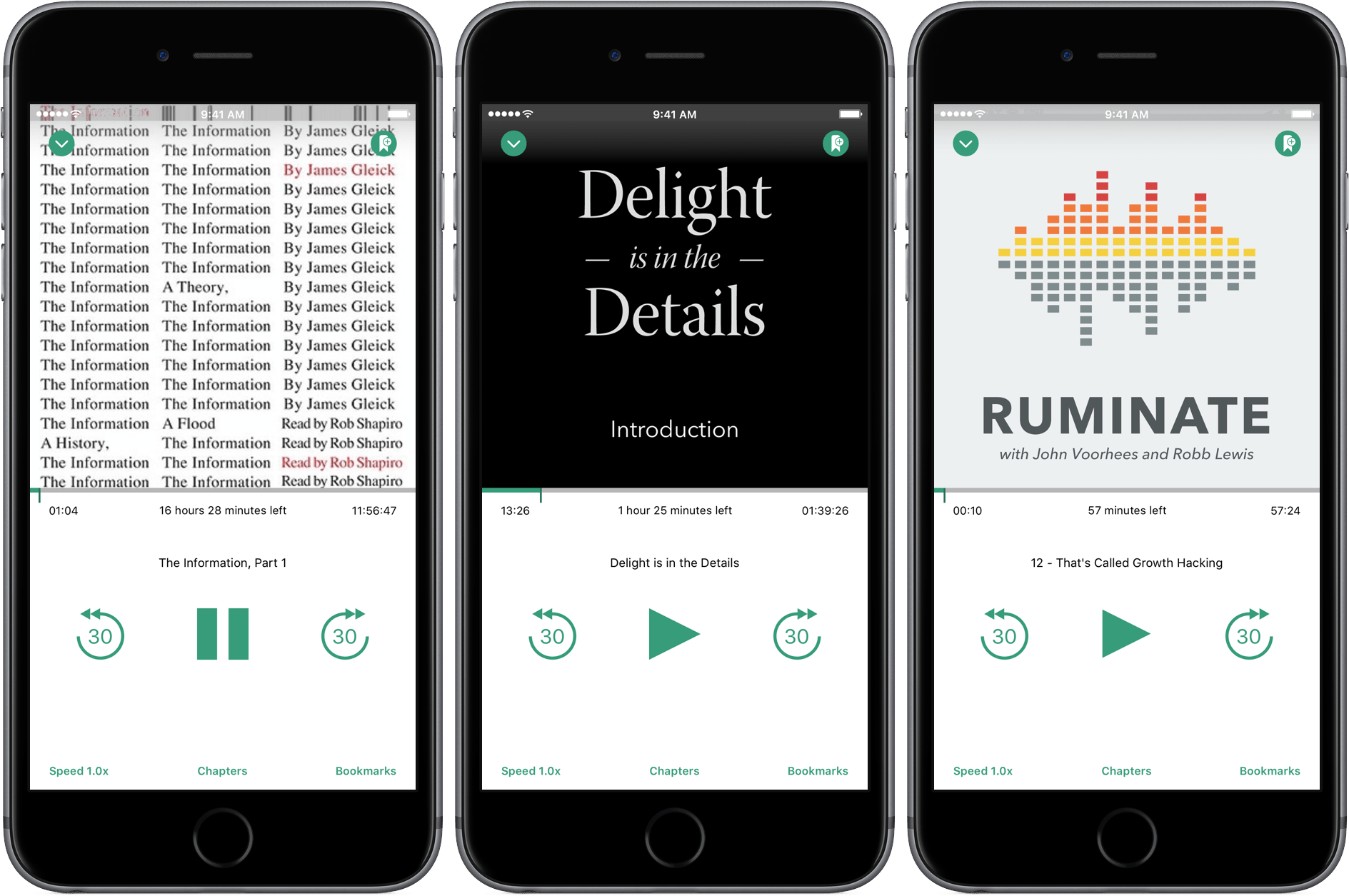
Bound is a Dropbox-Connected Audiobook Player

Audiobooks occupy a weird backwater on iOS. Long tucked away in Apple’s Music app behind a ‘More’ button, audiobooks were kicked out of Music with iOS 8.4 and now live alongside eBooks in iBooks. Audiobooks are also one of the most restrictive types of media you can purchase on iTunes. Once downloaded to a device, an audiobook cannot be re-downloaded. Download an audiobook to an iOS device that isn’t backed up and if your iPhone or iPad dies, your audiobook dies with it. iTunes audiobooks are, to borrow a Steve Jobs’ complaint about Blu-ray disks, “a big bag of hurt.”

iTunes is not, however, the only game in town. Services like Audible let you re-download books, and there are plenty DRM-free audiobooks available. But Audible is its own proprietary system and even DRM-free audiobooks cannot sync to iBooks on an iOS device without using a Mac and a cable. Pain points like these are what create opportunities for third party developers like Tim Bueno who has taken the pain out of getting DRM-free audiobooks onto your iPhone with a promising, although imperfect, Dropbox-connected audiobook player called Bound.

Read more


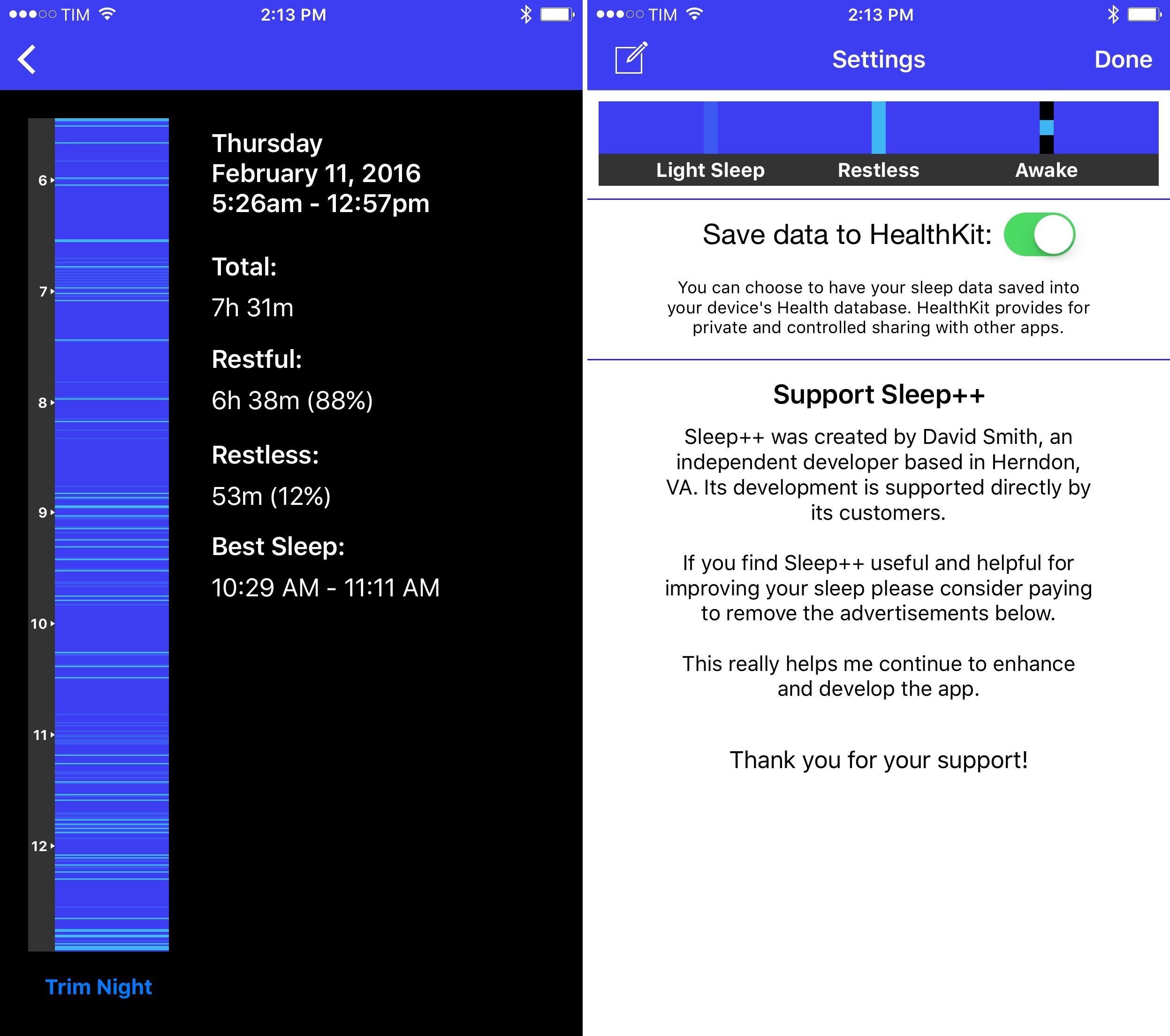
Sleep++ 2.0 Brings Improved Sleep Analysis to Apple Watch App

I’ve previously noted how, almost a year into the Apple Watch, I haven’t found myself depending on any particular Watch app. I mostly use my Apple Watch for basic features such as notifications and timers, and I like wearing it because it looks nice. All the productivity or utility apps I’ve tried are either too slow, too complex for a tiny screen, or they don’t launch at all because of watchOS performance issues.

Read more


Twitter’s Algorithmic Timeline Option

Following a BuzzFeed report from last week, Twitter has announced today a new option to view a summary of relevant tweets on top of the regular timeline. Unlike the traditional reverse chronological order of the timeline, tweets will be reordered algorithmically in this view, which Twitter describes as a way to not miss “the best tweets”.

You follow hundreds of people on Twitter — maybe thousands — and when you open Twitter, it can feel like you’ve missed some of their most important Tweets. Today, we’re excited to share a new timeline feature that helps you catch up on the best Tweets from people you follow.

Here’s how it works. You flip on the feature in your settings; then when you open Twitter after being away for a while, the Tweets you’re most likely to care about will appear at the top of your timeline – still recent and in reverse chronological order. The rest of the Tweets will be displayed right underneath, also in reverse chronological order, as always. At any point, just pull-to-refresh to see all new Tweets at the top in the live, up-to-the-second experience you already know and love.

For now, the feature will be opt-in, meaning you’ll have to visit the Settings of the Twitter app and, if available, you’ll be able to turn on the option. “In the coming weeks”, the feature will become opt-out (it’ll be on by default) but you’ll still be able to turn it off from the Settings.

Put it another way: for now, only die-hard Twitter users will check out the new timeline option (and complain about it). In the future, most Twitter users will end up with an algorithmic summary of tweets at the top of their timeline and they won’t bother to turn it off.

I’m not particularly opposed to the idea of an algorithmic addition to the standard Twitter timeline. In fact, Twitter has been testing one for several months now, and it’s one of my favorite touches in the app:

From Twitter’s description, it sounds like the new algorithmic option is an expansion of the ‘While you were away…’ recap. I’ve found plenty of value in these summaries: especially after I’ve been away for a few hours, they come in handy to see a collection of interesting tweets that don’t necessarily contain links (and that therefore can’t be monitored by Nuzzel).

I don’t want the traditional Twitter timeline to be supplanted by a completely algorithmic feed, but I’m also in favor of testing new tools to help people use Twitter more and more easily. As I wrote before, the majority of Twitter users don’t spend hours carefully scrolling their timeline to read every single tweet; a summary is an obvious idea to show them interesting content they may have not seen.

Right now, I don’t have access to the timeline option yet, but it should be rolling out soon. It’s too bad that this option won’t likely be exposed to third-party clients via the Twitter API, but, alas, I’m not surprised by that anymore.


Low Power Mode: Perfect for Vacations

I just returned from a two week vacation1 in which I used my iPhone 6s to take hundreds of photos and videos, find places to eat, and get public transit directions to and from various places in unfamiliar cities. It was also the first time I had no concerns about my iPhone battery running out of juice before I returned to my accommodation at night, and it is all thanks to Low Power Mode.

Read more


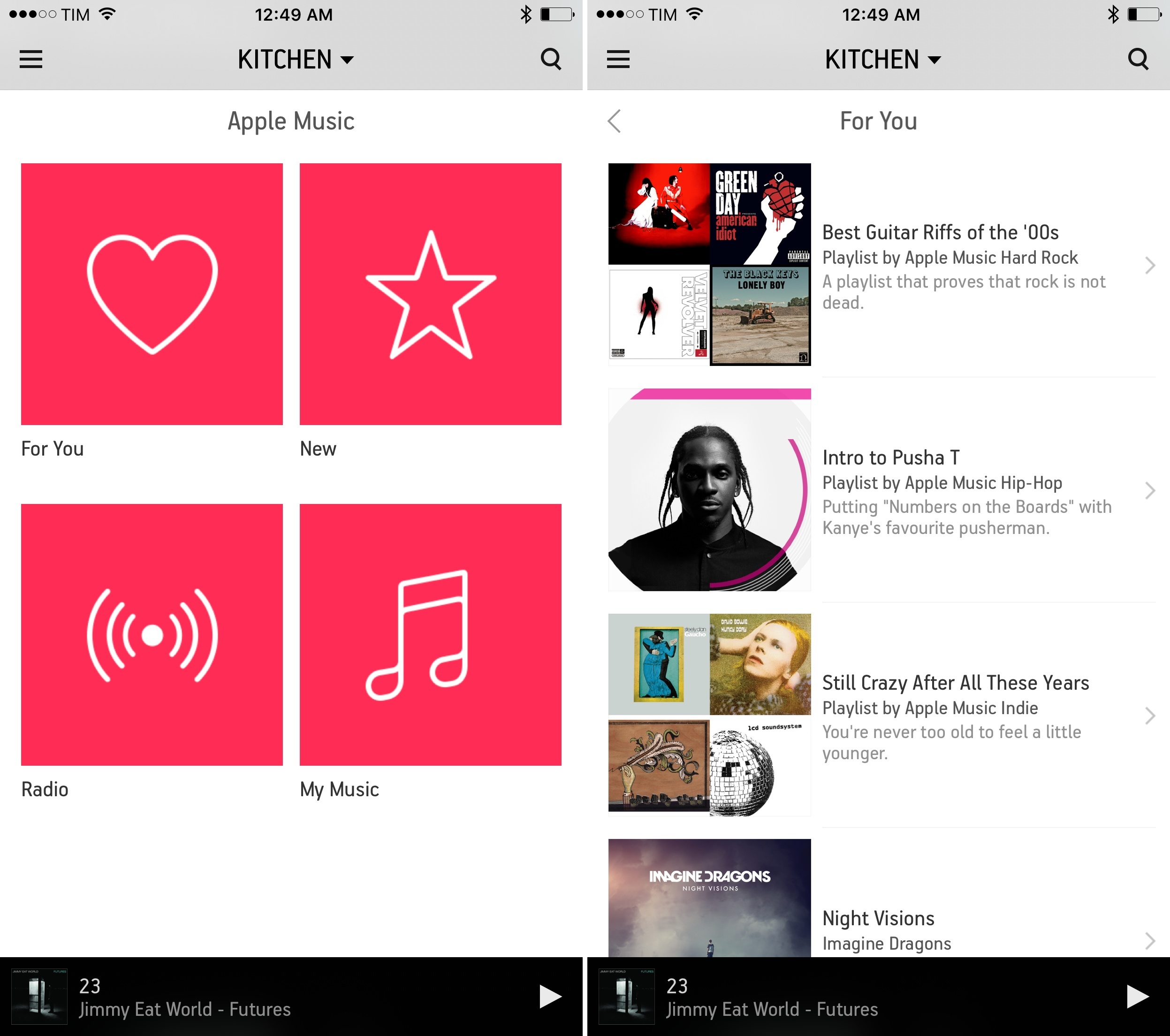
Apple Music Launching on Sonos Tomorrow – Some Beta Impressions

With a press release, Sonos announced today that Apple Music integration, first released as beta late last year, will be available publicly tomorrow, February 10:

Sonos announced today that Apple Music will be available on Sonos systems worldwide starting Wednesday, Feb. 10. Music fans worldwide will have access to Apple Music features like For You, New, Radio, and My Music, and will also be able to stream the entire Apple Music catalog through Sonos smart speakers tuned for great sound in every room of their homes.

Apple Music on Sonos was tested by hundreds of thousands of listeners through a successful beta program that started in early December. To stream Apple Music on Sonos, customers simply select “Add Music Services” from any Sonos controller app, scroll down to the Apple Music icon, and login.

“The feedback from Apple Music members on Sonos during the beta period has been great,” said Eddy Cue, Apple’s senior vice president of Internet Software and Services. “Sonos plus Apple Music provides an amazing listening experience at home – and we’re excited to offer it to all Sonos customers starting tomorrow.”

Read more


Connected: This Feels Like Therapy to Me

This week, Federico and Stephen discuss the culture surrounding app updates and answer some listener questions.

On this week’s Connected, we discussed a topic that’s been in the back of my mind for years: how do we approach apps that aren’t going to be updated often? What do we look for in an app when it comes to future feature additions? And how can developers understand their audience and plan updates on the increasingly competitive App Store? It’s a good one. You can listen here.

Sponsored by:

  • Ministry of Supply: Menswear made smarter. Use ‘connected’ for 15% off your first purchase.
  • Igloo: An intranet you’ll actually like, free for up to 10 people.
Permalink

TechTube for Apple TV

Like many others, I’ve developed a habit of binge-browsing YouTube videos and spending a few hours each week on YouTube channels that match my interests. Whether they’re Let’s Plays, music videos, educational stuff, documentaries, or interviews, the variety of content on YouTube provides a constant source of information and entertainment that I find superior to traditional television – or at least more engaging for me.

I haven’t been watching much YouTube on my new Apple TV, though, because I don’t like searching and browsing with the Siri Remote or Remote app; I’d rather use the YouTube app on my iPhone and beam videos to my Chromecast if I find something I want to watch on the big screen. Perhaps dictation will speed up the search process in tvOS 9.2.

TechTube, released earlier this week, is a new tvOS app that brings a curated stream of YouTube videos to the Apple TV with a minimal UI optimized for binge-watching. Once you open TechTube, you’re presented with a swipeable gallery of videos; swipe left, and the thumbnail preview starts playing without having to open the video in full screen; if you’re interested, swipe again, go to the next video, and so forth. Titles are displayed at the top of each preview and there are basic controls once you’ve opened a video in full screen, but that’s about it. There’s no complexity involved – you can’t subscribe to channels, search, or add videos to playlists. TechTube is a lean-back experience created to open the app a couple of times each day, see what’s new, and watch some videos from the selection of available picks.

And that’s the aspect of TechTube I like: I don’t have to find videos to watch. I can just open the app whenever I’m bored and relax for a bit with videos I wouldn’t normally seek out. The team behind TechTube wants to pick videos for “techies, nerds, gadget lovers, and thinkers” on a daily basis, and, so far, the app offers an interesting mix of typical tech content (roundups, gadgets, what’s new in software updates, hands-on, etc.) as well as educational videos and interviews. Scrolling through videos is fun; I don’t have to think about browsing my YouTube subscriptions; and the app is a good showcase of tvOS and simple interactions with the Siri Remote.

I wouldn’t mind having an iOS version of TechTube for those times when I want to sit down with my iPad and take my brain off work for a few minutes. TechTube is available for free on the tvOS App Store.