
Apple just posted a new video on the YouTube Beats 1 channel promoting its Apple Music streaming service. The video, called Taylor Mic Drop, features Taylor Swift who picks a ‘Getting Ready to Go Out’ playlist from Apple Music. When she sees The Middle by Jimmy Eat World, she plays it, dancing and lip syncing along to the music. The video is fun and does a nice job of highlighting what Apple Music calls Activity Playlists.
New Promo Video for Apple Music Starring Taylor Swift→
Reddit App Takedowns Expose Serious App Review Flaws

[Editor’s Note: The following is adapted from Ongoing Development, a column by John Voorhees published 2-3 times a month in MacStories Weekly, the email newsletter sent to Club MacStories members. This installment first appeared in MacStories Weekly #28 and is being published here at the request of Club members.
Ongoing Development focuses on issues facing app developers and others in creative fields that rely on the web to reach an audience. Previous installments have covered topics like app marketing strategies and making the time to tackle new projects.
You can access past issues of MacStories Weekly, including Ongoing Development, and enjoy other perks by becoming a Club MacStories member.]
Something has been bothering me since last week that I can’t shake - the Reddit debacle that unfolded last Monday night. That evening, Apple pulled several third party Reddit clients for violating App Review rule 18.2 which says that:
Apps that contain user generated content that is frequently pornographic (e.g. “Chat Roulette” Apps) will be rejected.
Sounds awful right? It turns out that what Apple didn’t like was that these apps had a NSFW switch in their settings that allowed you to block (or show) NSFW content. Narwhal’s developer who spoke to Gizmodo said:
Today, we received notice that our new update with a lot of great new features was rejected under the App Store rule 18.2: “Your app contains a mechanism to enable or disable Not Safe For Work (NSFW) content, including pornographic content. Apps with sexually explicit content are not appropriate for the App Store.” About 15 minutes afterwards, we received notice that the current version of our app has been removed from the app store.
You can argue with the policy choice Apple made and rightly point out that every browser violates Rule 18.2 if Reddit clients do, but it’s that last bit of the quote above that’s been bothering me. The part where Apple decided that a feature that was in some of these apps for over a year violated rule 18.2 and then immediately pulled them off the App Store. These weren’t new apps pushing boundaries, these were existing approved apps. The only thing that changed was Apple’s interpretation of its own rule.
Federico wasn’t joking when he tweeted that he feels like he’s writing an App Review story every week. This particular story came and went quickly, in part because the developers affected scrambled to update their apps and Apple expedited review. But the implications of the shoot first, ask questions later approach to App Review bear further examination because they has lasting negative effects on the developer community and, ultimately, Apple and its customers.
This sort of out-of-the-blue, unilateral action legitimately strikes fear into the hearts of developers. Consider these responses to Federico’s tweet from Bryan Irace and Matt Bischoff, both formerly of Tumblr:
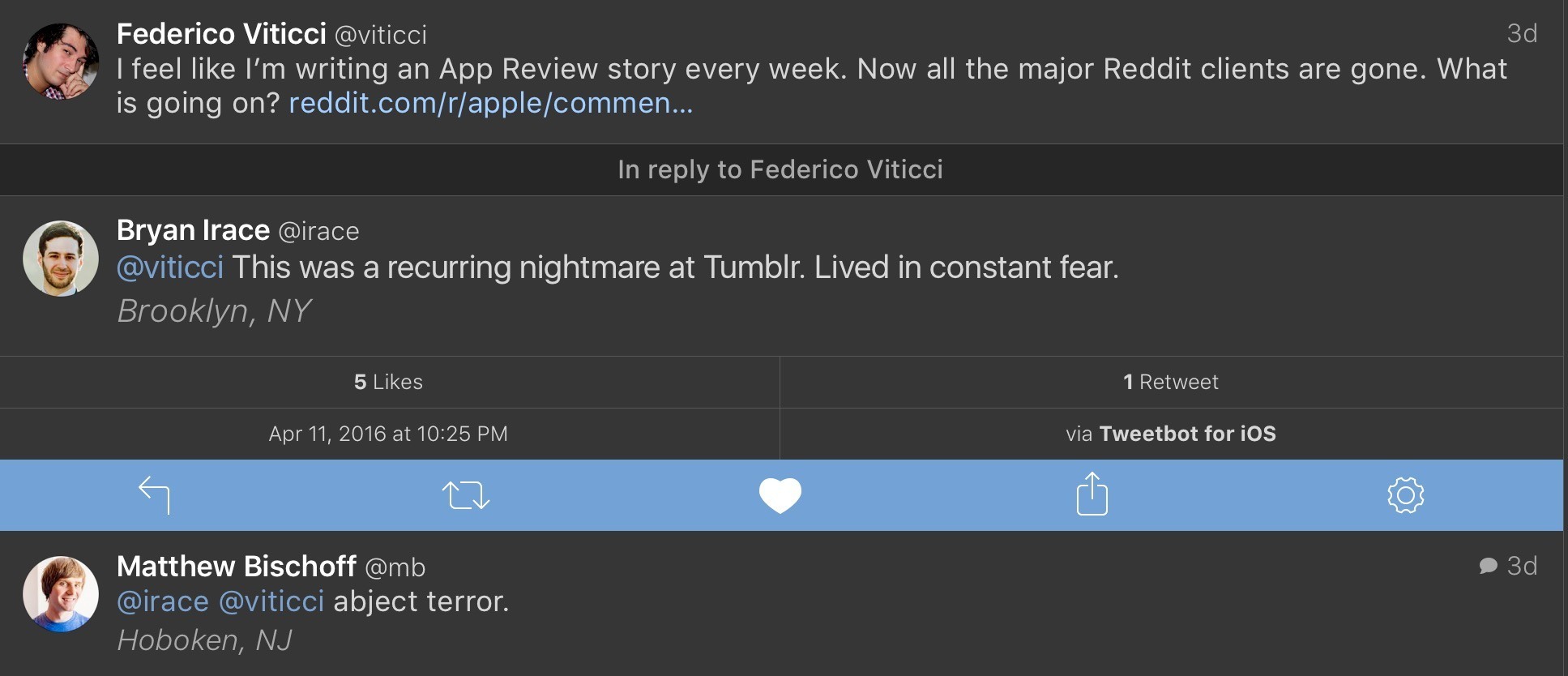
This is no exaggeration. I don’t know a developer who hasn’t had a run-in with App Review and wondered, ‘Maybe this is it. This is where my my app dies.’ That may sound a little dramatic, but read the results of Graham Spencer’s poll of developers - the feeling is real.
I can imagine that some at Apple may roll their eyes at this as an overreaction, or be a little offended at the implied lack of trust, but step into developers’ shoes. In the absence of meaningful communication by Apple of its intentions, it’s stories like the Reddit client take-downs that shape developers’ behavior. And as Federico noted, it’s not like this is an isolated story, it’s one of a long string of similar stories that make developers jumpy.
What bothers me the most about this incident is how Apple implemented its policy change. There was no imminent threat or emergency that made Reddit clients any more a threat than they were twelve months prior, but nonetheless Apple summarily pulled them and offered to reconsider the apps if the developers resubmitted. The developers worked through the night, resubmitted their apps and many were back on the App Store by the next morning. As a result, the story barely got traction and, while Apple may have avoided an onslaught of bad press, the damage was done. Developers took note.
So what to do? Probably the other reason this episode bothers me as much as it does is that it seems like the solution is obvious. I will grant that it’s easy for me to say that sitting here blissfully ignorant of many of the issues Apple faces, but just because it may be a hard problem to solve isn’t an excuse not to try. Apple needs to define when apps can and should be pulled from the App Store without advance warning and make that clear to developers. Those circumstances no doubt exist, such as where there is an immediate threat to customers or their data, but in circumstances like this, where a feature has been in apps for over a year, developers should be given advance notice of any policy change and a fair period of time to make adjustments before an app is pulled from the Store.
I also think that it’s time for Apple to appoint an internal advocacy group for third party developers. A group that takes developers’ calls, attends conferences, and is a voice for developers when policy choices like this are made.
The distrust caused by events like this is the sort of thing that is not easily fixed and will erode developer support for iOS in the long term if it’s not addressed. That’s not good for Apple or its customers. It’s hard enough to build a sustainable business on the App Store. Making app take-down stories a thing of the past would go a long way toward eliminating some of the negative sentiment we saw in the MacStories developer poll.
MLB’s At Bat iPad App Live Video Viewing Up 86% Thanks to Picture in Picture→
Sarah Perez, reporting for TechCrunch, on the effect iOS 9 multitasking had on MLB’s At Bat app since they added support for Split View and Picture in Picture two months ago:
During these first two weeks, MLB fans spent 20 percent more minutes per day, on average, watching live video on iPad compared with the 2015 season, when multitasking was not available. (MLB says that any form of multitasking behavior was counted here, not just spilt-screen viewing.)
In addition, fans who were using the new multitasking features and watching live video of MLB games in the At Bat application were spending 162 minutes per day on average consuming MLB.TV on iPad. That’s an increase of 86 percent from the 2015 season.
Picture in Picture fundamentally transforms the video experience of an iPad. Now imagine if two of the biggest video services around also realized this.
Knock to Unlock, but Also to Keep Your Mac Moving

The only downside to Apple’s fabulous Touch ID is that, once you have it, you miss it everywhere it doesn’t exist. I miss it the most on the Mac. Yes, I know about MacID. No, that isn’t what I want.
For me, the closest thing to achieving the convenience of Touch ID on the Mac is Knock a/k/a “Knock To Unlock.” It’s not all the way there yet for example, it can’t unlock 1Password on my Mac), but let me explain why it has such a place in my heart.
New Apple TV Live Tune-In Feature→
MacRumors is reporting that a new feature is beginning to show up on the latest generation Apple TV called Live Tune-In. The feature, described on an Apple TV splash screen, lets you use the Siri Remote to access live streamed media available in certain Apple TV apps. According to MacRumors:
To use Live Tune-In, Apple TV users can speak into the Siri Remote using commands like “Watch CBS,” or specifically ask to “Watch ESPN live.”
Little by little, the Siri Remote is becoming a more powerful tool for quickly navigating Apple TV apps in a way that is not unlike the evolution we have seen with Siri on iOS.
 MacStories Weekly: Issue 28
Screens 4 Refines Remote Management of Macs and PCs
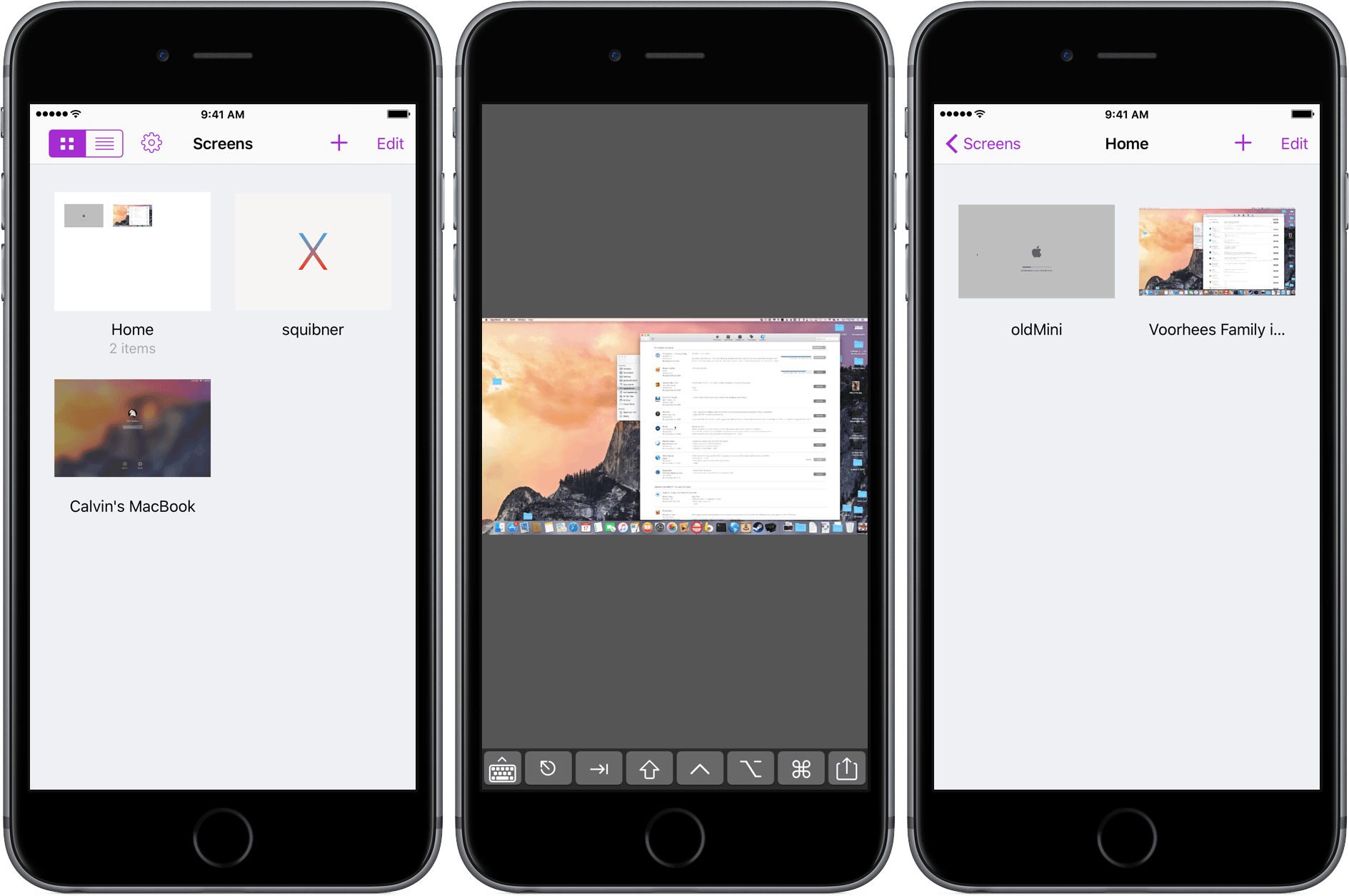
Screens for iOS is a great example of an iOS app that has been at the top of its category for years and stayed there by not standing still. Longtime readers of MacStories will know that Screens has been a favorite from the earliest days of the site when Federico declared that:
Screens by Edovia has become the best VNC app I’ve ever run on my iPhone and iPad.
That’s as true today as it was in 2010, but with today’s release of Screens 4, connecting remotely to Macs, Windows PCs, and Linux PCs from an iOS device has never been more convenient and fast.
Slack Making It Easier to Add Reminders to Messages→
Slack is a fun product to use (and company to observe) because they’re constantly challenging how things should get done in a team collaboration service. Their latest addition to the desktop client lets you easily attach reminders to messages with a contextual menu:
Today we welcome a new addition to reminders: Message reminders! #changeloghttps://t.co/DYD2uqGjXO pic.twitter.com/h80kqultuq
— Slack (@SlackHQ) April 14, 2016
Once this becomes available on iOS too, I think I’m going to use it a lot.
Imprint Brings Effortless Shopping to iOS
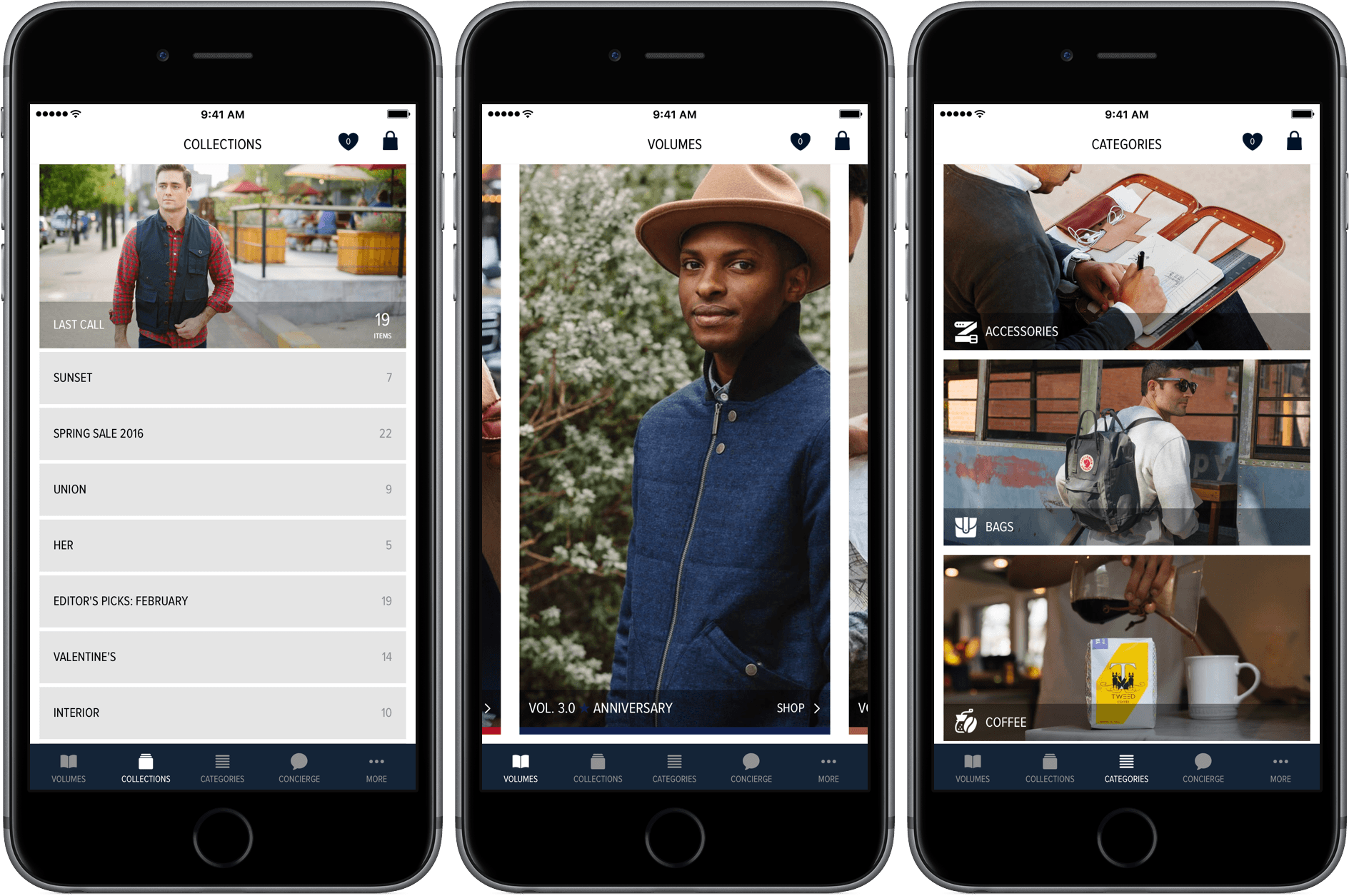
Imprint for iOS is designed to make shopping easy and enjoyable, which is a good thing because I can’t stand shopping, especially for clothes. I’d much rather order clothes online and have them show up on my doorstep than go to the mall. The trouble is, clothes shopping on the web is usually a mixed bag. Many sites do a poor job of describing and photographing what they sell, making it hard to know what you’re ordering, which leads to returns. Other sites have overly complex and tedious checkout processes, requiring what sometimes feels like page after page data entry that fails if you don’t enter information exactly as the site expects.
Need, which offers hand-picked collections of clothing, accessories, and other items like coffee and books, is different. I’ve been a customer of Need since Matt Alexander launched it in late 2013. Through a combination of excellent photography, quality writing, and attention to customer service, Need has provided a superior shopping experience on the web from the beginning.
Today, Need relaunched and rebranded its website as Imprint and released a companion iOS app by the same name. Imprint for iOS is a delight to use. Imprint’s browsing and shopping experience is faster, easier, and more fluid than other iOS shopping apps, exhibiting the same degree of care and attention to detail that has made me a happy customer of its predecessor, Need, from the beginning.