An App Store Subscription Success

Adrian Hon is the CEO of Six to Start, makers of the popular Zombies, Run! app for iPhone. They switched to a subscription model last year, and he has some words of advice for developers considering the option today:

So you need to do everything you can to reassure your users that you’re in this for the long haul. That means regular, consistent updates and bug fixes. You don’t need to release a new build every two weeks like Facebook, but you need to demonstrate commitment to _maintaining _a stable and reliable app — one that adopts useful new features (e.g. Healthkit, Apple Watch) in a reasonably timely manner.

This is the opposite of a big bang release once a year, laden with new features and new bugs. Frankly, it’s a much more sustainable, relaxed, and consdered mode of development. It means you can justify the time to achieve 99.9% crash-free sessions, as we’ve done.

With more subscription-based apps, faster review times are a necessity. Users expect continuous improvements to a service they’re subscribed to.

Permalink

Apps as Services

John Gruber, writing on the App Store changes Apple announced earlier today, makes a good point about app sustainability:

Developers have been asking for a way to do free trials and to sustain long-term ongoing development ever since the App Store opened in 2008. This is Apple’s answer. I think all serious productivity apps in the App Store should and will switch to subscription pricing.

You might argue that people don’t want to subscribe to a slew of different apps. But the truth is most people don’t want to pay for apps, period. Nothing will change that. But for those people willing to pay for high quality apps, subscriptions make sustainable-for-developer pricing more palatable, and more predictable.

The ideal scenario after Apple’s new subscription APIs: users will be able to try out different apps for free thanks to subscription trials, see which one suits their needs, and then subscribe, optionally choosing from different subscription levels. The best app wins. Developers don’t have to worry about new versions of apps to sell users on a major upgrade, and customers can keep using the app they like.

The problem, as I see it today, is that Apple is being (intentionally?) vague about which kinds of apps will be able to adopt this new pricing model. On their new Subscriptions webpage, Apple refers to “successful auto-renewable subscription apps” as the ones that offer content or “services”. They also mention that apps will soon be “eligible” for subscriptions – a wording that might suggest increased scrutiny on Apple’s part to see whether an app can implement a subscription or not.

Today’s changes have been reported as Apple’s answer to the requests of developers who have been asking for paid upgrade pricing, but, as far as I can see, nothing on Apple’s website indicates that any type of app – regardless of its functionality – will be able to switch to subscription pricing. As with most App Store changes, it’s probably best to take a wait-and-see approach here – there will be sessions at WWDC to clarify many of the aforementioned questions.

Subscription pricing is not for everyone or every app. I don’t see myself “subscribing” to an image cropping app that I might need once a year – and Apple is saying as much, too. But I also wouldn’t mind becoming a paid subscriber of the apps that I rely on to get work done on my iOS devices, even if they don’t offer a service in the traditional sense. Apps like Workflow, Ulysses, or Copied save me time every day. Their continued development is the service for me – I want them and need them to exist, no matter Apple’s classification of their “service”. I’m willing to pay a subscription to keep using the best tools for me, and I don’t think I’m alone.

I’m optimistic about subscription pricing for App Store apps. Not every app is a good fit for a subscription, but increasingly more of them are.1 Apple’s new subscription tools should help developers sell their software to their best customers on a regular basis, and I’m curious to see how the indie developer community will react. It’s great to see excitement around the App Store again.


  1. Case in point, Sketch

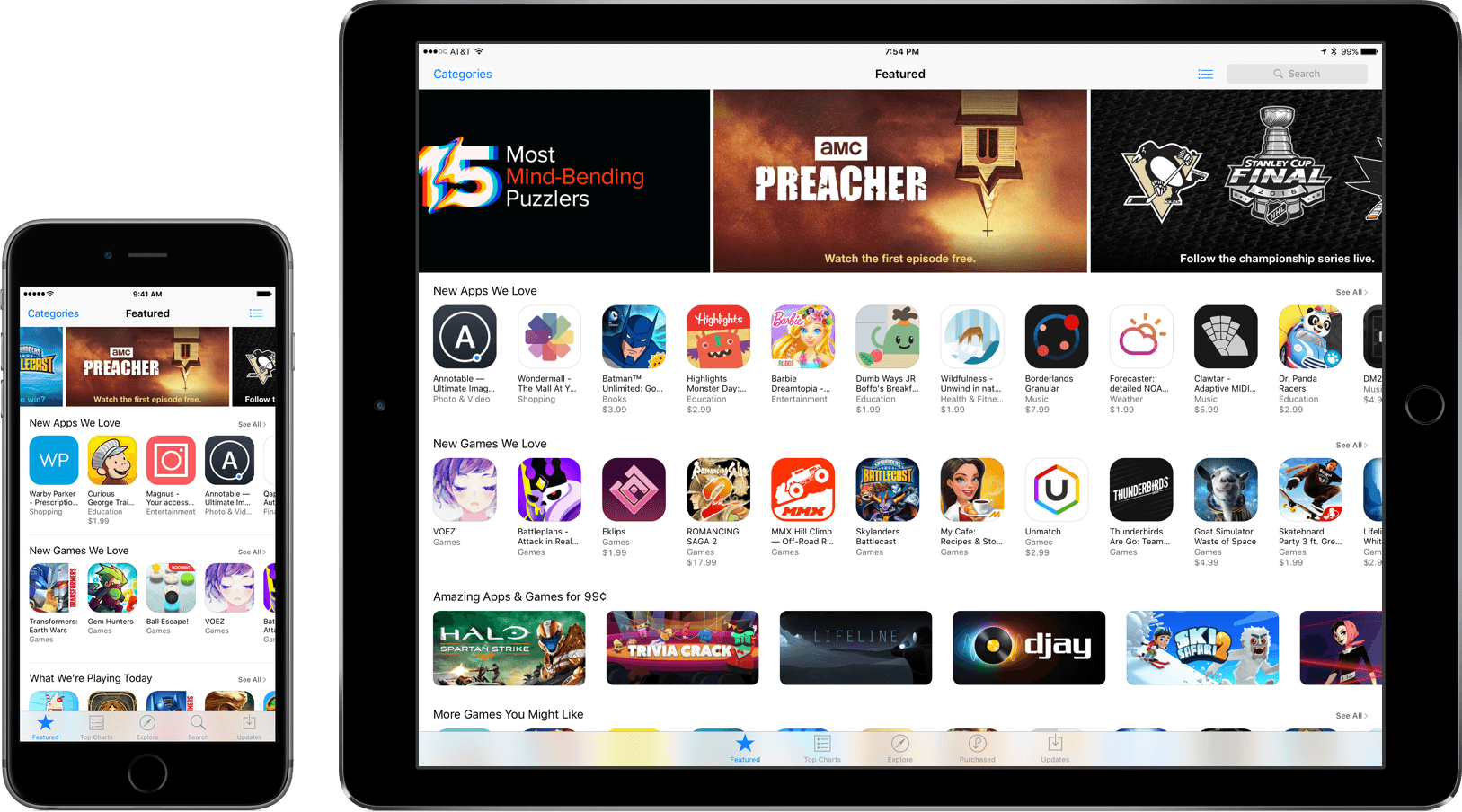
Major App Store Changes Announced

Phil Schiller, Apple’s Senior Vice President of Worldwide Marketing, sat down with The Loop and The Verge to announce sweeping changes to the App Store, including changes to App Review, business models, and app discovery.

We have already seen the effect of the changes to App Review. According to Schiller, as a result of changes to the review process, Apple is reviewing 50% of apps within 24 hours and 90% within 48 hours and reviewing over 100,000 apps per week in aggregate.

Apple is also opening up subscriptions to all app types. Participants in the program will be able to offer auto-renewable subscriptions to services and content using in-app purchases. Under the new subscription models Apple will split subscription revenue 70/30 with developers for the first year a customer is subscribed to an app. For customers that subscribe for more than a year, the split with Apple will increase to 85/15 in favor of the developer. Subscriptions will be available world-wide at over 200 price points. Developers will not be able to increase a subscription price without existing customers’ authorization, but will be able to charge new customers an increased price.

We wrote about app discovery just last week and made a laundry list of suggestions about how it could be improved. The app filtering that was first noticed on the Apple TV App Store last week will be rolled out to all the app stores so apps that are already installed on your iOS device will be hidden, ensuring that visitors to the App Store only see new apps. Apple is also adding access to the share sheet via 3D Touch so users can share apps with others from their Home screens.

In addition, as rumored by Bloomberg in April, Apple will soon begin accepting search ads from developers. At the time the possibility of search ads was raised by Bloomberg, many developers were unhappy. Schiller in his interview with The Loop, said that:

Our store is not for sale—that’s not how we handle things,” said Schiller. “We are only going to do this if we can, first and foremost, respect the user and be fair to developers, especially small developers.

Schiller elaborated that there will only be one ad per search that will be clearly marked and contain the same App Store content returned by unpaid search results. Apple also stated that it would not collect analytics about click rates or share any such data with developers. Search ads will be launched through a beta program later this summer.

As we concluded in our story on app discovery last week:

There is no silver bullet that will improve discovery overnight – it’s a problem that needs to be attacked on multiple fronts simultaneously.

That statement holds true not just for app discovery, but the whole of the App Store. There is much more that Apple can and should do to improve the App Store, but the initiatives announced today are a good start. With this sort of major change being announced shortly before WWDC, I can’t help but wonder what Apple has in store for the WWDC keynote.


Camera+ Updates with Slow Shutter, Deeper iOS Integration

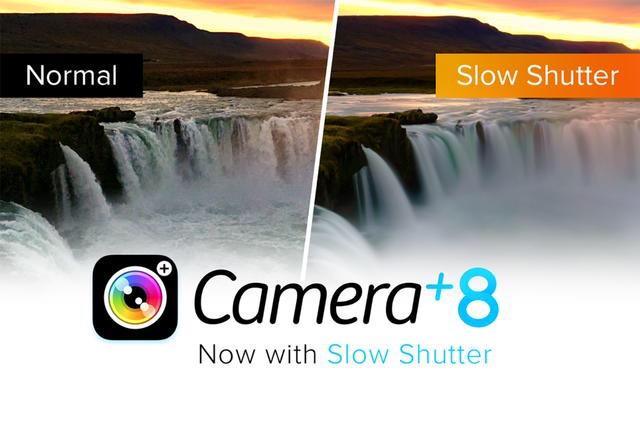
A mainstay in iPhone photography, Camera+ was left without an update for over half a year – until today. With version 8.0, developers tap tap tap bring together new camera features and deep iOS integration, including:

  • Slow shutter with “ultra-low” ISO, with shutter speeds up to 30 seconds in manual mode and customizable ISO range
  • Import options for the last photo taken or a whole “moment” from Photos
  • Importing from Notification Center Widget, which brings a way to quickly bring a photo to Camera+’s lightbox without the need for launching an app

  • An action extension in the iOS Share Sheet, for sending a photo to Camera+ from “most apps” to start the editing process

  • The What’s New section, an all-new, in-detail summary of everything involved in the latest releases of Camera+.

Merged with the functionality presented in the previous seven versions, Camera+ 8 is the next great chapter in the app’s story – and, by the way, one that is free for current owners.

Those looking to try out Camera+ for the first time can purchase it in the App Store for $2.99.


Google Research Releases Motion Stills

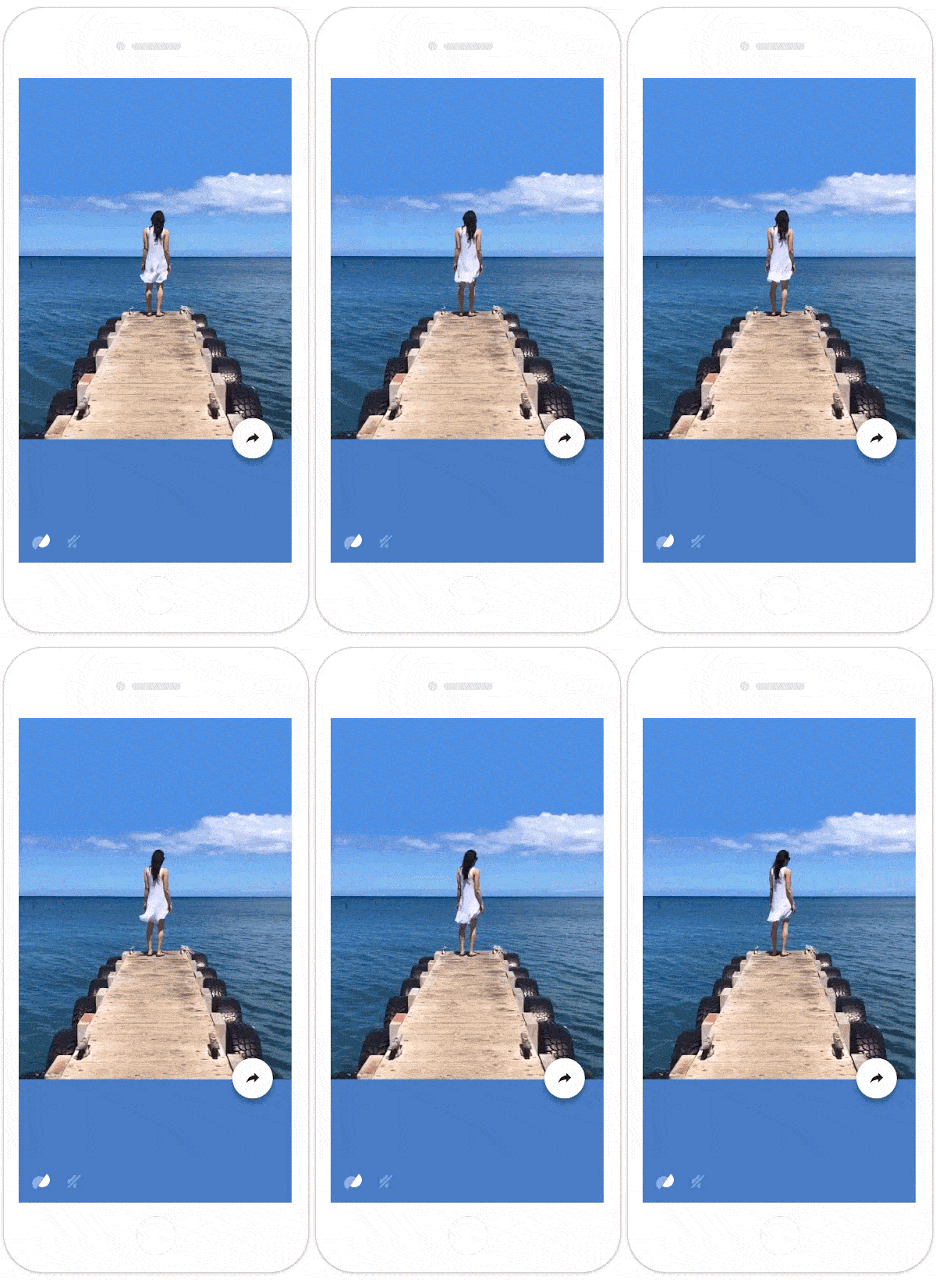
Yesterday, Google Research released Motion Stills, an app that turns Live Photos into movies or GIFs. There is heavy-duty computing going on behind the scenes to separate the foreground from the background, stabilize the video clip, and loop it, which is one of Google’s strengths. Here is a taste of Google’s explanation:

We pioneered this technology by stabilizing hundreds of millions of videos and creating GIF animations from photo bursts. Our algorithm uses linear programming to compute a virtual camera path that is optimized to recast videos and bursts as if they were filmed using stabilization equipment, yielding a still background or creating cinematic pans to remove shakiness.

There’s much more to what Google is doing to create Motion Stills clips, so I recommend reading Google’s entire post if you’re curious.

Image courtesy of Google.

Image courtesy of Google.

In my limited tests, creating clips was fast and easy, but I also had some trouble with Live Photos not properly displaying in Motion Stills. Occasionally, Motion Stills would seem empty or skip recent Live Photos, showing old ones instead. Hopefully Google will get those issues resolved in a future update because when it works properly, Motion Stills makes fantastic video clips.

Motion Stills is free on the App Store.

Permalink

Metapho 2.0 Add New Photo Metadata Editing Tools

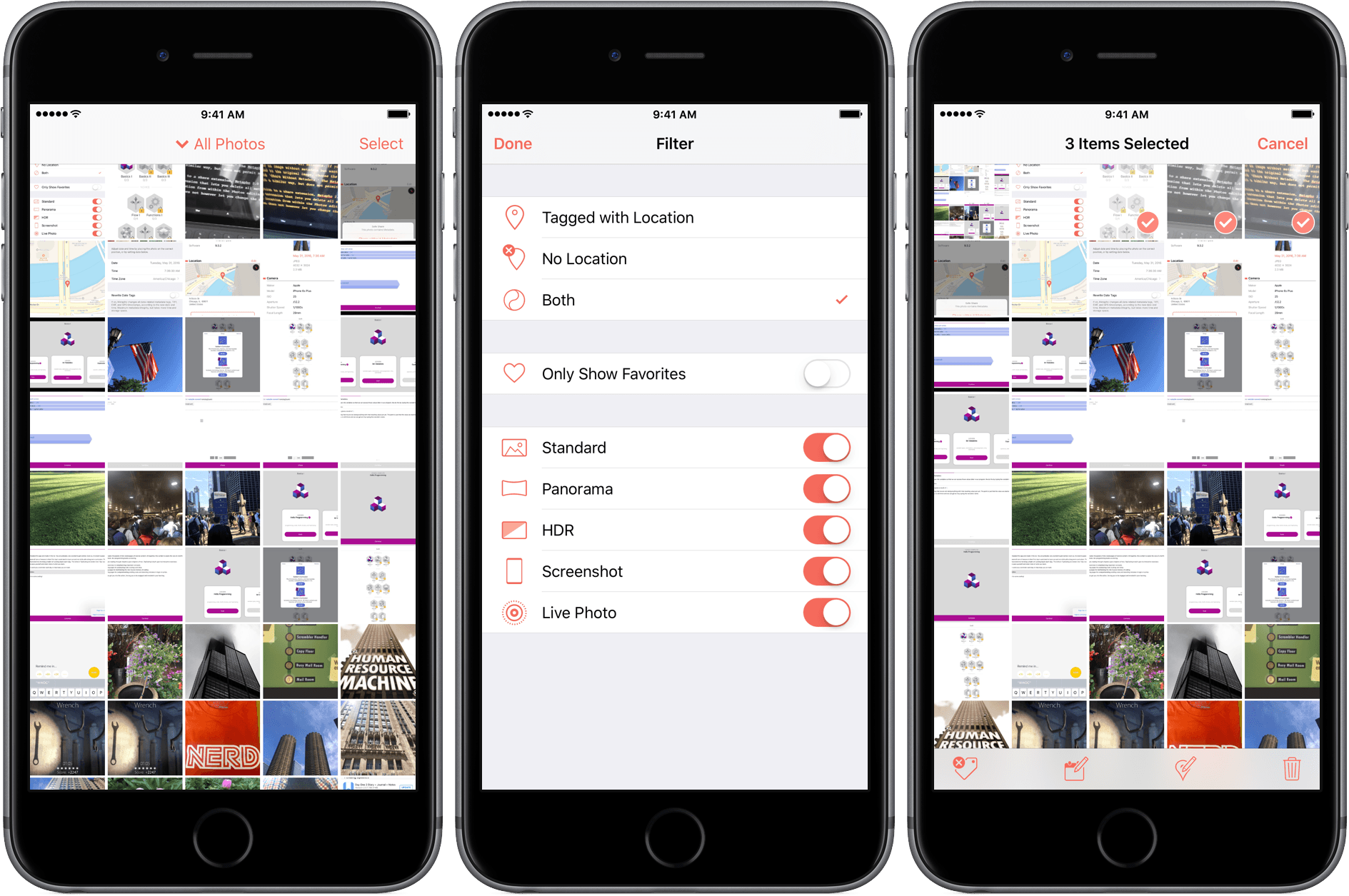
Metapho is an iOS photo utility for accessing, editing, and removing photo metadata. Whether you want to share a photo without the metadata associated with it for privacy reasons, make edits to that metadata, or add metadata such as a location to photos that have none, Metapho has you covered. With version 2.0, a free update to current customers, Metapho has added batch editing, date editing, a photo library filter, and file name display.

Read more


Avian: Global Tweets Mapped on the Apple TV

Most of my time on the new Apple TV (probably around 90%) revolves around watching video (a combination of Plex, Netflix, Stan, iTunes or ABC iView). The final 10% is games and novelty apps like the hilarious GIFtv. The latest novelty app to catch my eye is Avian – a Twitter client.

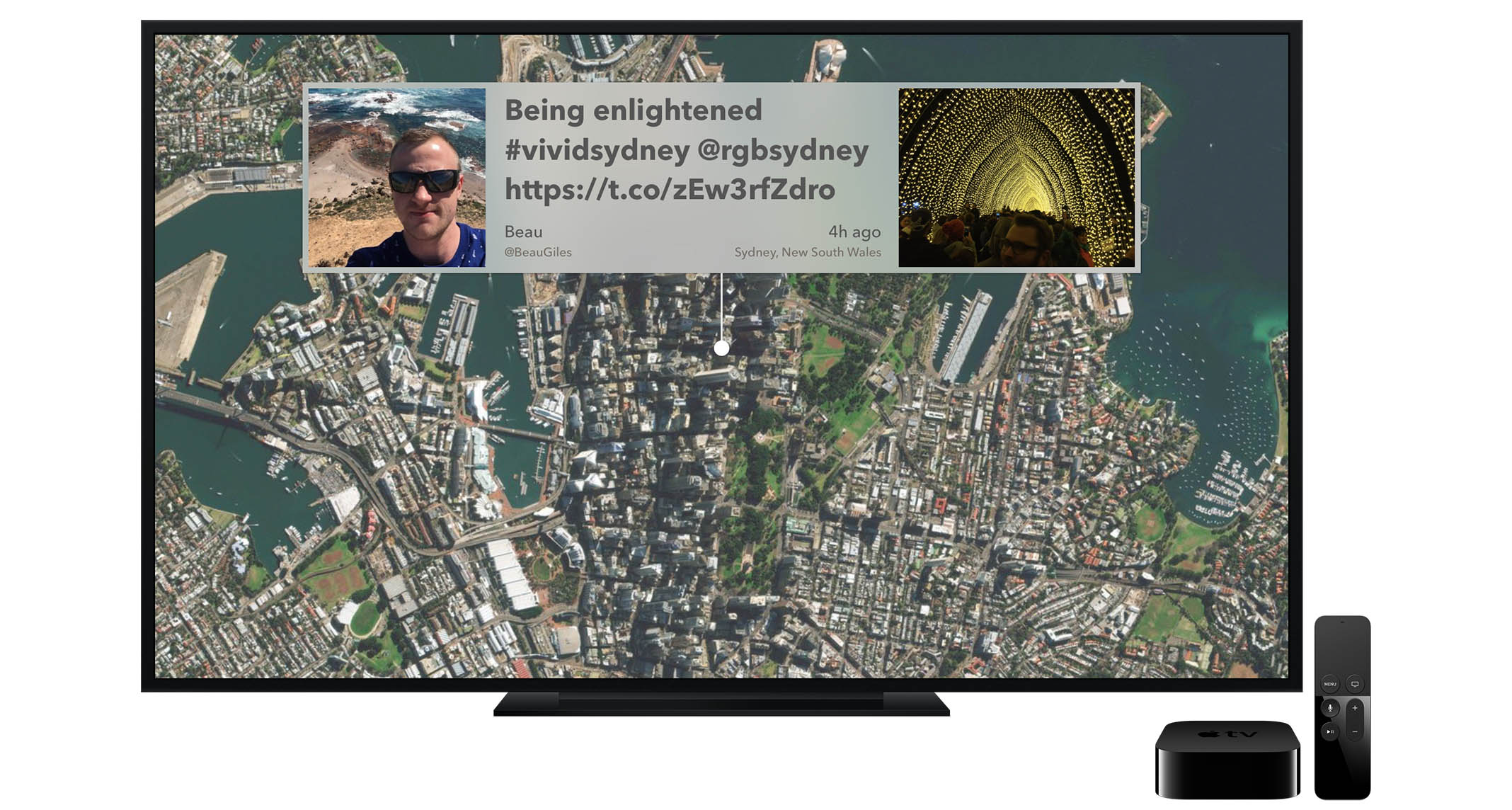
But Avian is not a Twitter client like Tweetbot – that would be impractical for the Apple TV. Instead, Avian displays one tweet at a time, and literally places it on a map of the earth. You might be reading a tweet from the heart of New York City, and then Avian will surface a tweet from a user in Brazil, China, or New Zealand. As you transition from tweet to tweet, Avian zooms in and out, and rotates the map to the location of the tweet.

Read more


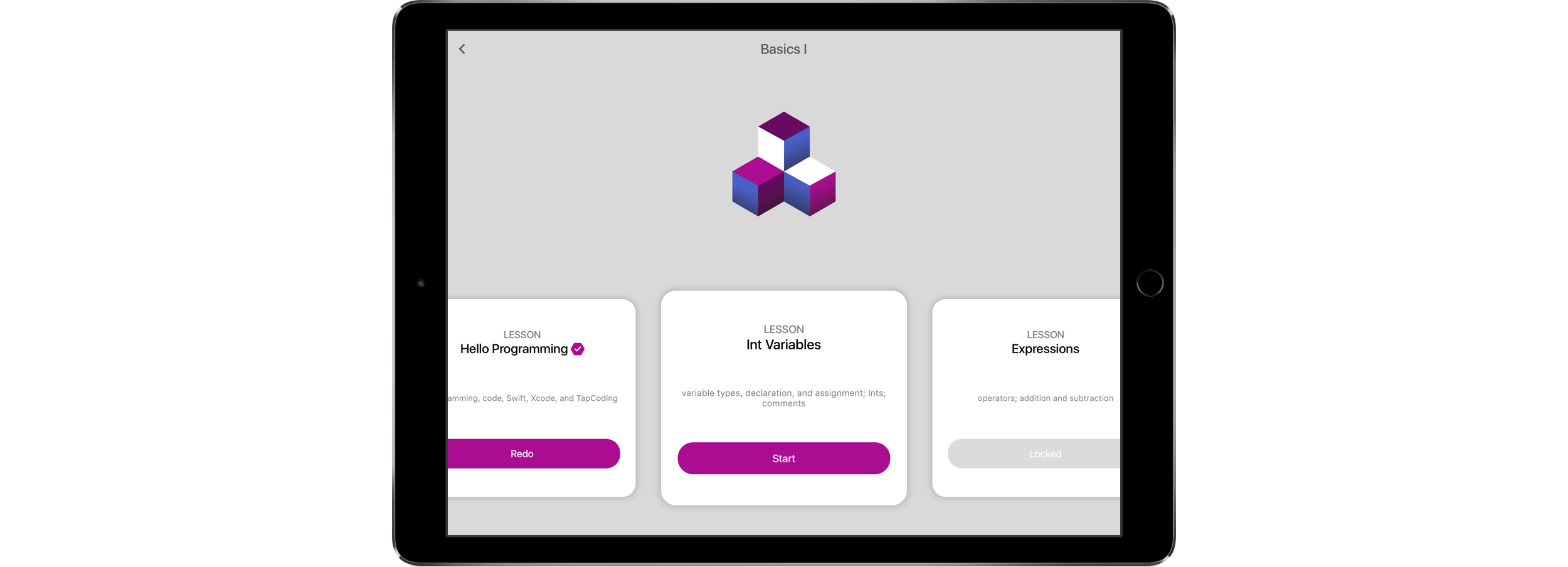
Learn Swift Interactively with TapCoding

TapCoding is an iOS app that teaches Swift programming. In the two years since Swift was announced, it has seen a lot of change, but with the language starting to stabilize and mature, now is a good time to dive in and learn Swift. TapCoding breaks Swift down into bite-sized mini-lessons with a curriculum that spans difficulty levels from first-time novice to intermediate.

Read more