Sal Soghoian Leaves Apple

Sad news for the Mac automation community: Sal Soghoian, Product Manager of Automation Technologies since 1997, has left Apple. Details from Soghoian himself:

Q. I hear you no longer work for Apple; is that true?

A. Correct. I joined Apple in January of 1997, almost twenty years ago, because of my profound belief that “the power of the computer should reside in the hands of the one using it.” That credo remains my truth to this day. Recently, I was informed that my position as Product Manager of Automation Technologies was eliminated for business reasons. Consequently, I am no longer employed by Apple Inc. But, I still believe my credo to be as true today as ever.

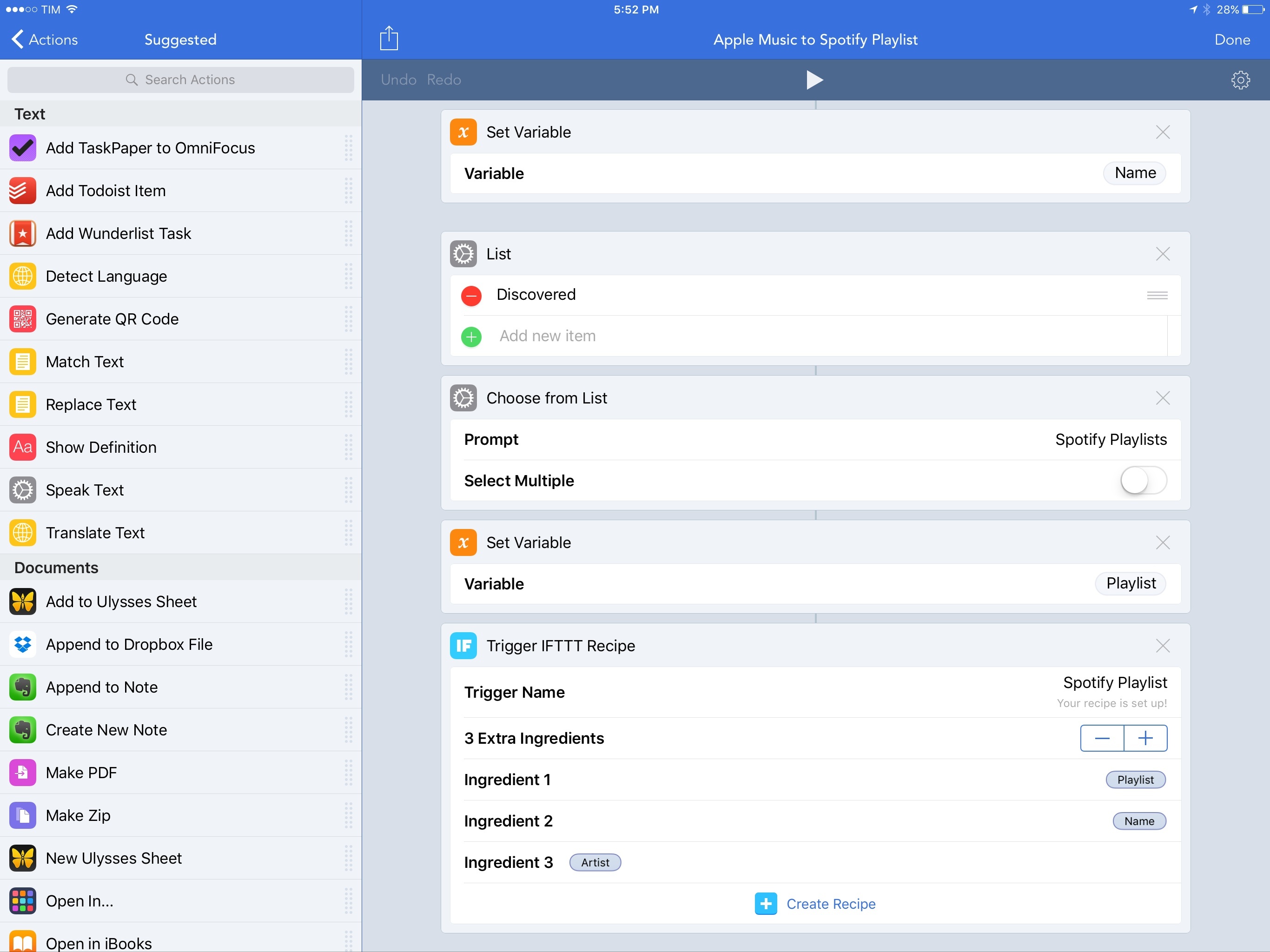
Soghoian’s work on AppleScript and other macOS automation, scripting, and accessibility technologies has always been inspiring – we wouldn’t have apps like Workflow today hadn’t Soghoian pushed the boundaries of user automation at Apple.

I don’t know what this means for automation on macOS going forward, but it doesn’t feel like a good sign to me. I love his determination, though:

Q. Are you still upbeat about the future of user automation?

A. Absolutely. The need for user automation is a constant. I’ve seen the benefits and power of individuals being able to automate critical and repetitive tasks. Solution apps are great, emojis are fun, but there’s nothing like really great automation tools. I have faith in this community, and that makes me optimistic about what we can do together.

More than ever before, I’m going to keep an eye on Soghoian’s website and future projects.

See also: the transcript of Soghoian’s WWDC 2016 session on using macOS dictation to perform specific actions (unfortunately, Apple’s session video URL doesn’t seem to be working anymore).

Permalink

Reddit Adds iPad Support

Reddit purchased third-party client Alien Blue in 2014. This past Spring, Reddit launched its first official client. Many of Alien Blue’s features found their way into the official client. However, one notable exception was iPad support. As a result, Alien Blue for iPad remained on the App Store and, in fact, is still there.

Reddit's iPad version (right) adds wide margins to the content.

Reddit’s iPad version (right) adds wide margins to the content.

Today, Reddit updated its official client to support the iPad. The UI of the iPad version is the same as the iPhone version, but with margins added to the left and right sides of the screen to avoid it looking like the content is stretched out. As a result there is a lot of white space if you use the app in landscape mode. I would have preferred to see a more creative use of the iPad’s added screen real estate, but the update is still better than using the scaled-up version of the iPhone app.


Todoist Launches Smart Schedule, an AI-Based Feature to Reschedule Overdue Tasks

When Todoist’s data scientist Oleg Shidlowsky and his team started looking at aggregate task data earlier this year, they discovered an interesting pattern: despite tools to assign due dates and good intentions, most people tend to accumulate incomplete tasks and defer them indefinitely.

The result is a task manager overflowing with rescheduled tasks that not only defeat the entire purpose of GTD (or any other system) – they’re never going to be taken care of because their snowball effect lacks an action plan. You’ve probably done this with your tasks and emails, too: you keep snoozing and deferring some of them because you feel like you don’t have the time or patience to deal with them now. But is there ever a good time?

Instead of reinventing the way due dates and scheduling options should be presented – something that, admittedly, Todoist already does quite well thanks to its natural language support – the company is launching Smart Schedule, a feature powered by AI that wants to help users catch up on their todo list and regain control of overdue tasks.

The goal is simple, yet promising: Todoist is betting on algorithms to understand what’s most important to us and where we can find the time to get everything done without overcommitting to unrealistic deadlines.

Read more


Google Introduces PhotoScan and Updates Google Photos

Earlier today, Google announced a new app called PhotoScan and updates to Google Photos. PhotoScan is a simple scanner app for capturing prints. On launch it opens to a camera view with the instruction to frame your photo within the rectangle on the screen. When you tap the shutter, instead of taking a picture of your print, PhotoScan displays a circle in the middle of the view finder with four other circles near the corners of your print. There is a little arrow that prompts you to move your phone to line up the middle circle with each of the four other circles one at a time. When you’re finished, PhotoScan processes the data it’s collected and presents you with your scanned print, which can be further adjusted in-app.

PhotoScan, which is a free download on the App Store, doesn’t require you to sign into a Google account, unless you want to save your scans to Google Photos. If you prefer, you can save your scans to Apple’s Photos.

Google made a video demoing how PhotoScan works:

I tried PhotoScan on a handful of family photos to see how it would fare. In my tests, I found that there are a couple of simple things you can do to greatly improve your scans. First, find a spot where the lighting is good, but indirect which will help avoid glare on glossy photos. Second, don’t use the flash. Here’s an example of a scan with and without the flash that I took in the same spot, from the same distance, and with the same lighting:

The scan with flash turned on (left) has a nasty white glare spot in the middle of the photo and did a poor job cropping the image.

The scan with flash turned on (left) has a nasty white glare spot in the middle of the photo and did a poor job cropping the image.

Not every photo taken with the flash on had this much glare, but most had a bright white spot in the middle of the photos. Here are three scans that came out much better that were taken under normal lighting conditions in my kitchen with the flash turned off:

Each of these photos was scanned with the flash turned off  and turned out reasonably well.

Each of these photos was scanned with the flash turned off and turned out reasonably well.

PhotoScan does have some bugs. It crashed a couple times while I was using it. The second crash happened after I scanned fourteen photos. I went to the preview page to save them and when I tapped ‘Save All,’ PhotoScan crashed. When I reopened the app, all of my scans were gone. I thought I had lost data, but it turns out they were saved to Photos before the app crashed, so what could have been a scary moment if I had scanned dozens of photos turned out fine.

Overall, PhotoScan did a good job detecting the corners of prints and properly cropping most of them. PhotoScan also did a good job capturing the colors and detail of each shot as long as the flash was disabled. None of the snapshots I scanned were in perfect focus, but the scans of each were noticeably fuzzier and the colors off a little in some. Despite the bugs and limitations though, PhotoScan is an app I’ll keep close by when I visit relatives over the holidays for when they pull out family albums of photos because it’s so convenient and easy to use.

Google also added three new features to Google Photos today. The first is an improved auto-enhance tool. Second, Google added twelve new filters, which it calls ‘Looks.’ The feature first edits the photo to enhance it and then applies a filter that complements your photo. How does Google Photos know how to adjust its filters complement your photos? Machine learning of course. The third feature is fine-grained light and color editing tools. The Verge reports that Google is also introducing three new automatically created videos to Google Photos, for newborns, formal occasions like weddings, and a ‘through the years’ a slideshow for annual events like holiday gatherings.


Connected, Episode 117: A Friend of Your Uncle of Your Cousin

This week, Stephen and Federico talk about Apple’s new book, the Touch Bar’s potential and Snapchat possibly paving the way for future Apple glasses.

On this week’s Connected, we also discussed rumors for upcoming iPad hardware refreshes and what Apple may be doing in AR. You can listen here.

Sponsored by:

  • Casper: Because everyone deserves a great night sleep. Get $50 off with the code ‘CONNECTED’
  • Mailroute: a secure, hosted email service for protection from viruses and spam. Get a free trial and 10% off, for the lifetime of your account.
Permalink

Apple’s App Store Cleanup Now Underway

Sarah Perez, writing for TechCrunch, on Apple’s previously announced App Store cleanup:

Earlier this year, Apple promised it would clean up its iOS App Store by removing outdated, abandoned apps, including those that no longer meet current guidelines or don’t function as intended. That great App Store purge now appears to be underway, according to new data from app intelligence firm Sensor Tower. The company found that app removals increased by 238 percent in October 2016, with mobile games seeing the most deletions.

And:

That seems to have changed in October, when 47,300 apps were removed from the App Store, Sensor Tower discovered.

And while it’s true that Apple does delete apps on a regular basis, this figure is around 3.4 times higher than the monthly average of 14,000 for the months of January through September. (See chart below).

I long wondered if Apple would provide alternative ways for developers to preserve their old games for posterity. The answer, sadly, is much simpler: if you don’t update your app, it’ll be removed. I’m afraid we’re going to lose some historic App Store titles because of this, but I also see why it’s good for the average customer and the right thing to do at this point.

Permalink

More from Jony Ive on Designed by Apple in California

Jony Ive was interviewed by design website Wallpaper about Designed by Apple in California, an Apple-published book of photography that documents twenty years of product design and manufacturing. Apple is known for its singular focus on the future and, during Steve Jobs’ tenure, its disdain for dwelling on the past. That has begun to change in recent years with things like its 40 Years in 40 Seconds video and its tribute to past laptops at the MacBook Pro event last month. Even so, Apple’s announcement of an expensive book about its own products caught some off guard. In response to Wallpaper, Ive addressed why Apple created Designed by Apple in California:

Sometimes if we are struggling with a particular issue then that gives us reason to go back and look at the way we have solved problems in the past. But because we’ve been so consumed by our current and future work we came to realise we didn’t have a catalogue of the physical products. So about eight years ago we felt an obligation to address this and build an objective archive.

Beyond chronicling the design of Apple’s past products, Ive explains that Apple wants to illuminate the connection between designing and making a product and provide a resource for design students:

One of the things we wanted to do was try and explain as clearly as we can – through photography – how you transform a raw material into a product that you recognise and hopefully use as a daily tool…. We feel that more than ever there has been a disconnect between designing and making and really, you can’t disconnect them. In the 90s, as manufacturing was outsourced, this chasm developed between where something was made and where it was designed. But designing and making are inseparable if you want the ultimate product to have integrity. Another key point is that the book is being sent to all the major design colleges in the world. We are keen to get it into the hands of young people who are studying design disciplines. It’s very important that it’s an educational resource as well.

Permalink

The In-Between Macs

The current MacBook Pro line is a little bit of a mess. Even after brushing aside the last-generation machines that are still for sale, the current offerings are confusing. Both 15-inch models come with the Touch Bar, but only two of the three 13-inch models offered do.

That $1,499 non-Touch-Bar-but-still-in-the-new-skinny-case 13-inch MacBook Pro is what I’m typing on right now. It’s a great little laptop. The screen is gorgeous, battery life is great and it’s more than fast enough for what I need when I’m not in front of my 5K iMac.

It’s a weird machine, though. I’m sure Apple left the Touch Bar — and two Thunderbolt 3 ports — out solely to hit the price point, which is already higher than the model it replaces.

My guess is that this MacBook Pro will either drop in price or be replaced in the future as the Touch Bar trickles down.

Until then, it’s in the ranks of some other modern-era Macs that were caught between other products or different eras of hardware design. Let’s look at some other examples.

Read more


Twitter Announces New Steps to Combat Abuse

Twitter announced steps it has taken to curb abuse on its service. The first is an extension of the mute feature. The ability to mute an account has been available for a long time, but Twitter is adding the ability to mute keywords, phrases, and conversations in notifications. The feature will begin rolling out world-wide to all users ‘in the coming days.’

With respect to reporting abuse, Twitter says:

Our hateful conduct policy prohibits specific conduct that targets people on the basis of race, ethnicity, national origin, sexual orientation, gender, gender identity, religious affiliation, age, disability, or disease. Today we’re giving you a more direct way to report this type of conduct for yourself, or for others, whenever you see it happening. This will improve our ability to process these reports, which helps reduce the burden on the person experiencing the abuse, and helps to strengthen a culture of collective support on Twitter.

Finally on enforcement, Twitter reports that it has retrained its support teams, is instituting refresher training, and has introduced new internal tools and systems for combating abuse.

Permalink