This Week's Sponsor:

BetterTouchTool

Now with a Powerful Launcher for Your Mac


How Apple’s Apps Will Use the Touch Bar

Good overview by Benjamin Mayo of all the Apple apps that will have Touch Bar integration on the new MacBook Pros. Apple certainly had the time to build extensive support for the new API while waiting for the new Pros to ship.

That’s a total of 23 Apple apps that live in the /Applications root folder with Touch Bar support as of the current macOS 10.12.1 build. The following apps have no Touch Bar integration as far as I could tell; App Store, Automator, Chess, Dashboard, Dictionary, DVD Player, Font Book, Image Capture, Photo Booth and Stickies. I expect all of Apple’s apps to flesh out their Touch Bar integrations in future macOS update.

See also: Steve Troughton-Smith’s utility to grab a screenshot of the currently active app in the Touch Bar.

Permalink


Why I’m Considering Bear as a Notes App Replacement

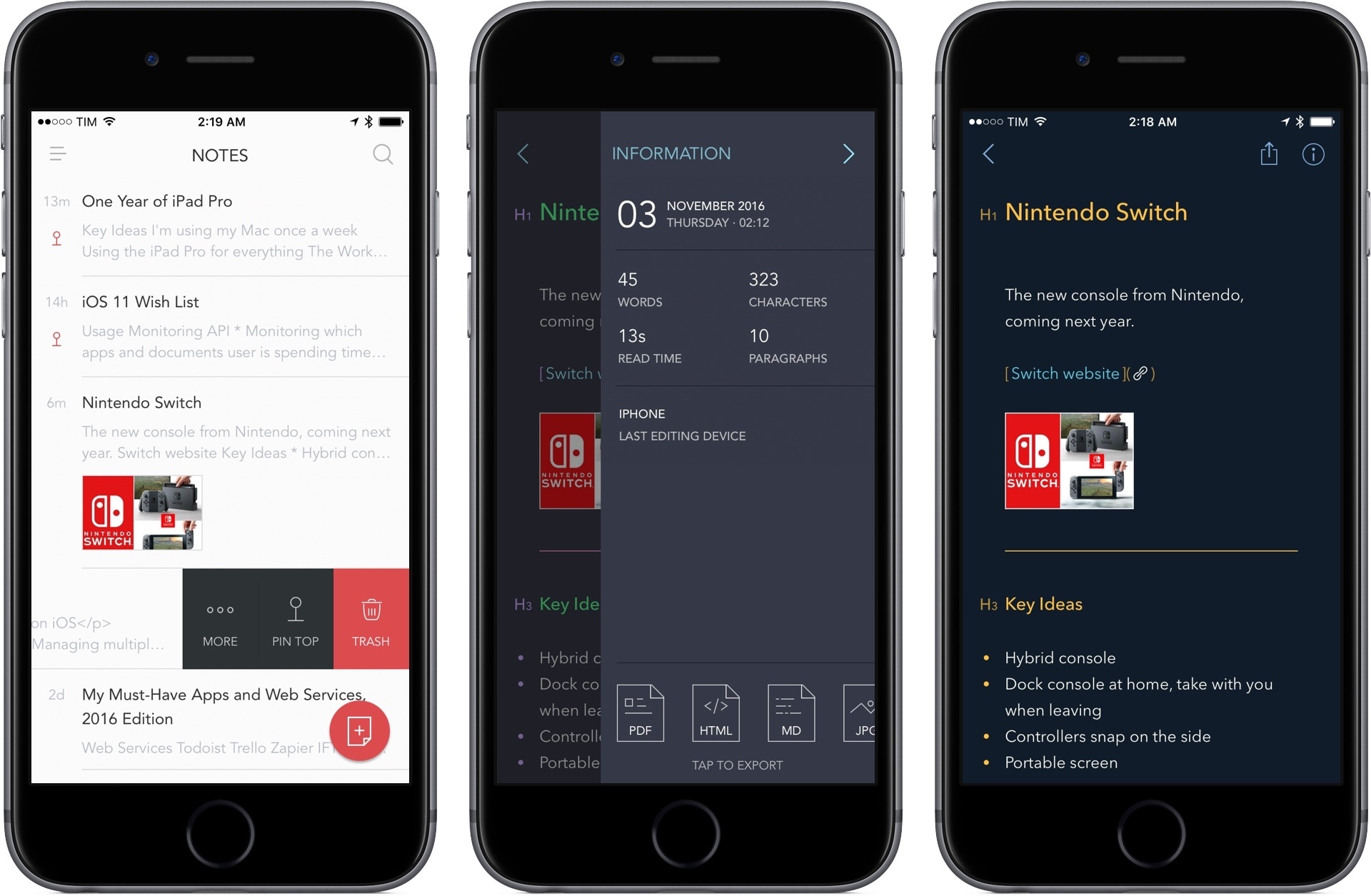
As I wrote in an issue of MacStories Weekly (exclusive to Club MacStories members), I recently moved my Club-related notes from the Apple Notes app to Trello. Because Club MacStories is a collaborative effort, it made sense to use Trello’s project management features to let the entire MacStories team see my notes. However, moving those notes to Trello considerably decreased my usage of Apple Notes, which left me wondering if it was time to consider an alternative app for my personal note-taking needs.

I praised Apple Notes numerous times since its relaunch on iOS 9. I believe Notes and Safari are Apple’s two best iOS apps, and I recommend Notes to anyone planning a switch from Evernote or OneNote. Notes is surprisingly advanced and fast; its iCloud sync is reliable; it even received support for collaboration in iOS 10. I’ve used Notes as my only note-taking app for over a year now.

After moving my most frequently accessed notes to Trello1, I looked at what was left in Notes, and I realized that I wanted to see if a different app could fill the gaps Apple didn’t address. For everything Notes gets right, there are several limitations that have required me to change how I work: Notes has no native Markdown support, no automation features, and its organization system based on folders could use a revamp. I accepted Notes’ shortcomings because I had no other choice; could a new app lure me away from it through the promise of features Apple would never ship?

My transition from Notes to Trello couldn’t have come at a better time. I’ve been keeping an eye on Bear, a new note-taking app developed by Italian studio Shiny Frog, for the entire summer. Bear piqued my interest right away: like Notes, it was based on CloudKit sync, but Bear also strived to augment the experience for “online writers” thanks to Markdown, automation features, themes, tags, cross-reference links, and more.

As Bear betas went out to testers, I told myself I wouldn’t need it because I was perfectly fine in Notes. But when I noticed that I was using Notes less frequently anyway, I took the plunge, moved my remaining personal notes to Bear, and put the app on my Home screen. This happened two weeks ago.

Read more


Connected, Episode 115: Out in the Real World

This week: Stephen’s new MacBook Pro, Federico’s new Amazon Echo Dot and the future of everything.

Myke was away on Connected this week, so Stephen and I talked about pro users and their Macs, plus what we’re doing with Alexa and the Amazon Echo. You can listen here.

Sponsored by:

  • Braintree: Code for easy online payments.
  • Mailroute: a secure, hosted email service for protection from viruses and spam. Get a free trial and 10% off, for the lifetime of your account.
Permalink

Twelve South Introduces Fermata Wireless Headphone Charging Stand

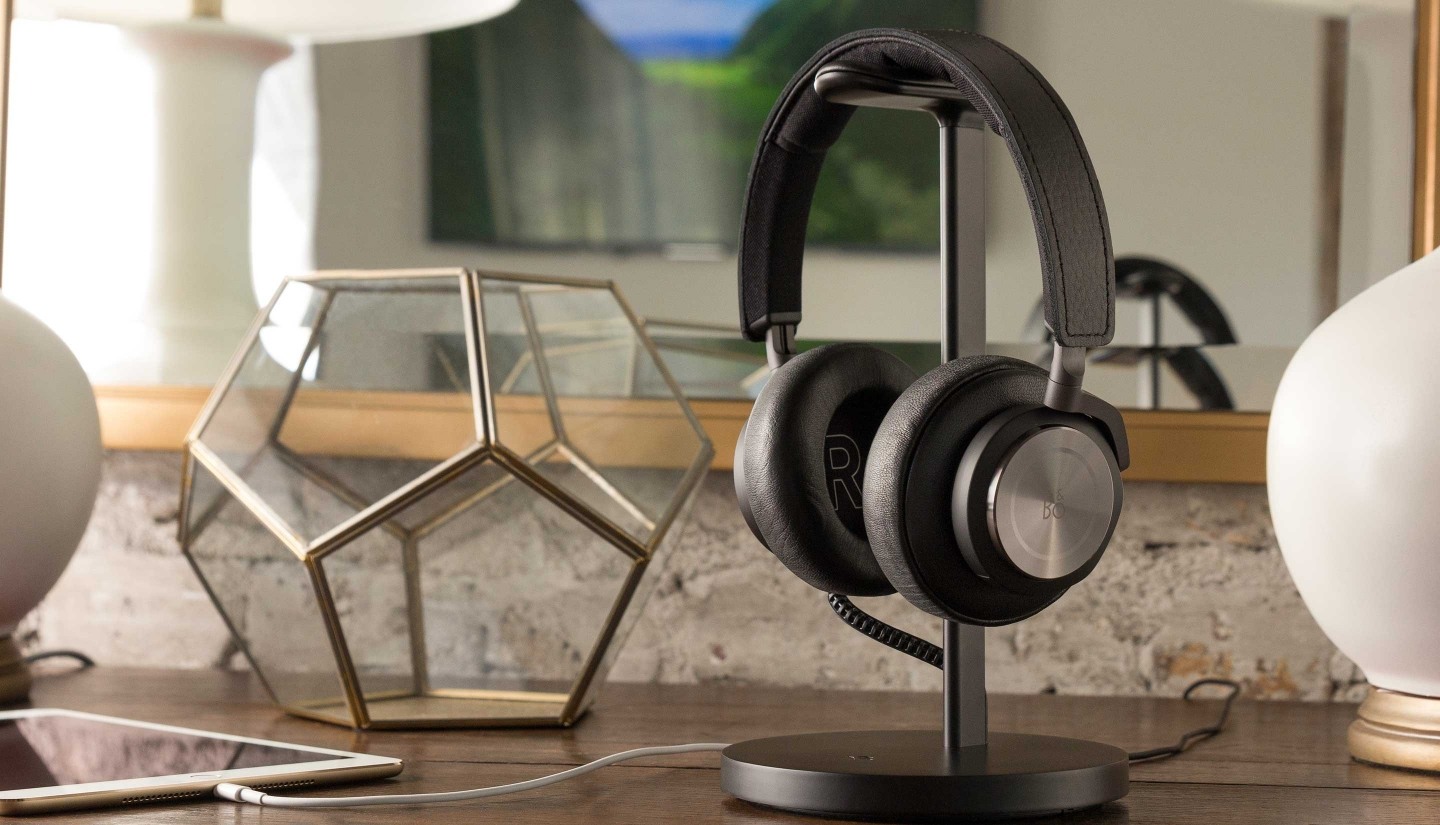
Mac and iOS accessory maker Twelve South debuted a headphone charging stand, which serves to display your high-end wireless headphones while they charge. The stand has a leather covered pedestal to hang your wireless headphones on and is available in black and silver. The Fermata can be plugged into a wall outlet, saving you from charging your headphones via a port on your Mac and charges via a micro-USB cable that is hidden in the post when not in use. The micro-USB connector is reversible, which should make it easy to plug in your headphones.

The Fermata is available for purchase from Twelve South’s website for $79.99 and ships internationally.

Permalink

New Apple Ad: Dive

Apple introduced a quirky iPhone 7 ad on YouTube today called Dive. The ad features an older gentleman lounging by a swimming pool at what looks like a resort. As La Virgen De La Macarena begins to play, he turns up the volume, props his iPhone 7 up in a puddle of water on a table, and heads to the diving platforms. He hands his sunglasses to a girl as he climbs to the highest platform, pauses to glance down at a young woman sunbathing by the pool, and executes a perfect dive that splashes his iPhone. The spot ends with the tag line ‘stereo speakers on iPhone 7’ followed by, ‘practically magic.’ The clothing and slightly washed out colors of the video, which highlights the iPhone 7’s stereo speakers and water resistance, give it a vaguely old-fashioned, eccentric feel.

Permalink

Automation Service IFTTT Announces New Functionality and Apps

A big limitation of IFTTT has been that Recipes could only execute one action. Today, IFTTT launched Applets, which can do everything that Recipes could, but more. According to the IFTTT blog:

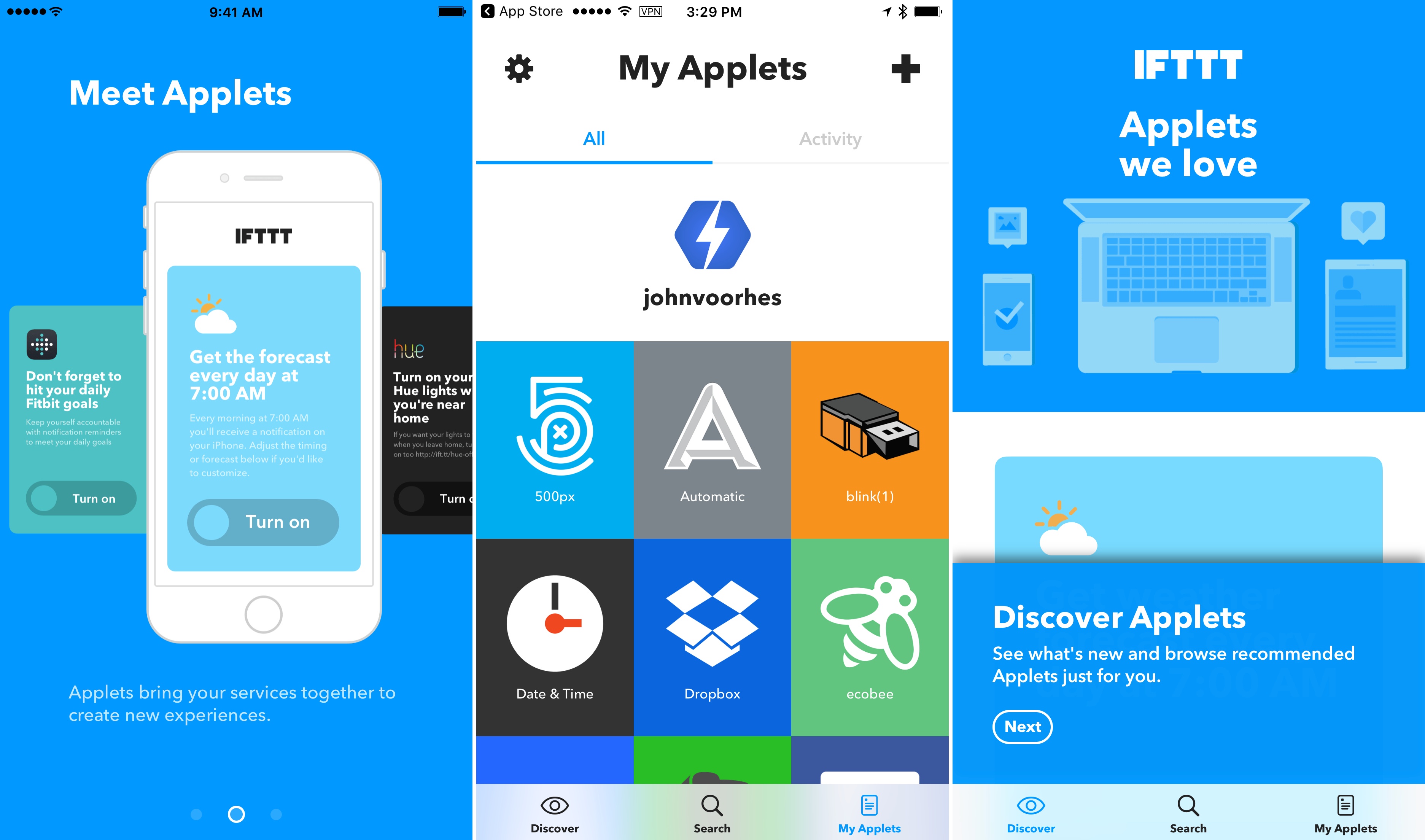
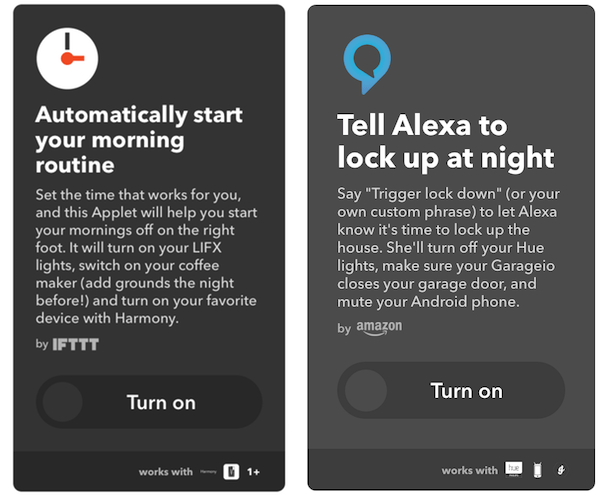
In the past, you used IFTTT by adding Recipes, which were “if this, then that” connections between two services. Today, Recipes have evolved into Applets. Applets can do everything that Recipes could — and much more. They bring your services together, creating new experiences that you can unlock with a single switch.

The introduction of Applets includes a redesign of IFTTT.com and the combination of IFTTT’s IF and DO apps into one app called IFTTT, which can be downloaded for free on the App Store.

Applets

Applets

IFTTT is also adding tools for its partners to build services that take advantage of Applets’ multiple action and filtering capabilities and opening its partner platform to anyone with an API, which should help IFTTT add to its library of Applets quickly. Multiple action support is a big deal for IFTTT that opens up a wide array of possibilities. It will be interesting to see what integrations are built.

Permalink

Uber Previews App Redesign that Adds Multiple Service Integrations

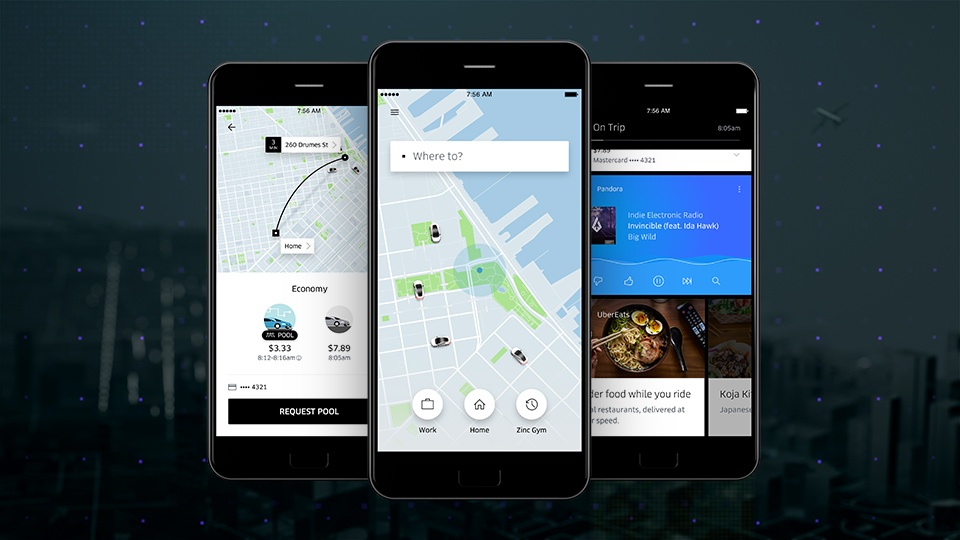
Over the next several weeks, Uber is rolling out a redesign of its ride-hailing app world-wide. The update integrates with your calendar and contacts allowing Uber to anticipate your destinations and locate your friends by allowing them to share their location through the app. According to Uber:

The new Uber app learns from your routines. So if you’re a frequent rider you’ll see “shortcuts” that predict where you could be headed. This means you can get moving with just one tap. Soon you’ll also be able to connect your calendar with Uber. Once you connect, your meetings and appointments will automatically appear as “shortcuts,” saving you the hassle of digging through another app to find the right address.

Uber has also redesigned how you pick your mode of transportation so you can price shop between uberX, uberPOOL, and UberBLACK. The app will integrate with several services too, so you can do things like check transit times and restaurant reviews, look up Foursquare tips for your destination, use exclusive Snapchat filters, order food from UberEATS, and play music in your car with Pandora.

Permalink