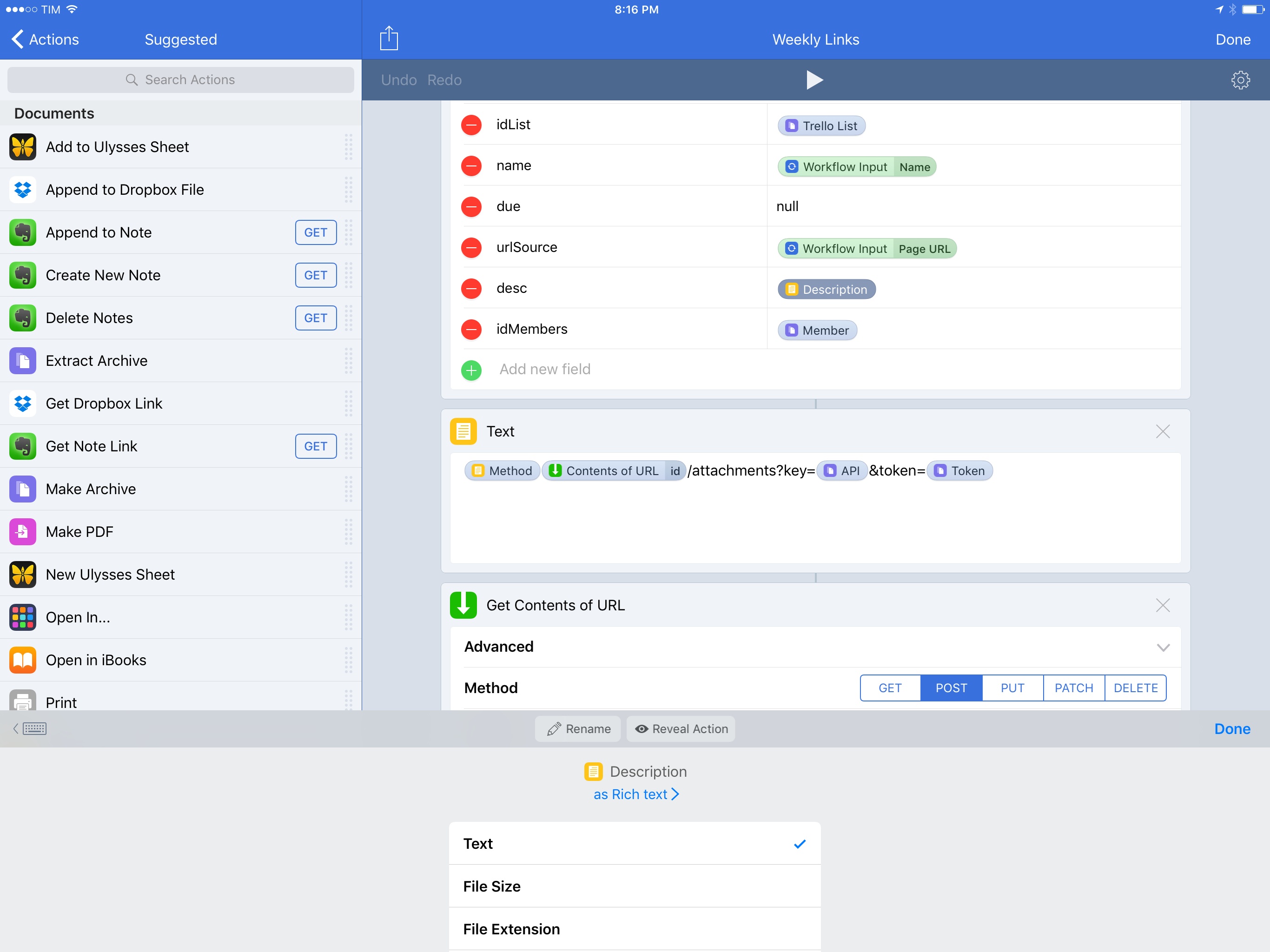
Workflow 1.7 Introduces Magic Variables for Easier, More Powerful Visual Automation

Magic Variables in Workflow 1.7.

Magic Variables in Workflow 1.7.

At its core, Workflow is a visual programming app that deals with variables. Data flows through actions and is altered by the user until it has to be stored in a variable – a local reference that can be recalled in subsequent steps.

Since the app’s original release, the Workflow team has done a commendable job at abstracting the complexity behind variable creation and management, but the feature itself is a vestige of traditional programming languages. The manually-saved variable is fundamentally ill-suited for Workflow’s visual approach predicated on direct manipulation of actions. Workflow revolutionized several automation concepts, yet it was always anchored in the common practice of declaring variables between actions.

For the past year, I’ve been lamenting the sluggishness involved with setting variables and extracting additional details from them. Anyone who’s ever created complex workflows has likely come across the same problem:

  • There’s a “master variable” that contains rich metadata (such as an iTunes song or an App Store app);
  • You want to extract details from the master variable – e.g. an app’s name, icon, or price;
  • Each of the variable’s sub-items has to be extracted by repeating a combination of ‘Get Variable-Get Details of Variable-Set Variable’ over and over.

Not only did this limitation make workflows slower to create – it also made variables difficult to explain and workflows harder to read for people who aren’t proficient in iOS automation.

As someone who writes about iOS workflows on a weekly basis, I’ve been thinking about this issue for a while. Every time I had to explain the inner workings and shortcomings of variables, I kept going back to the same idea: Workflow needed to get rid of its clunky variable management altogether.

Here’s what I proposed when Workflow 1.5 launched in May 2016:

“Instant Variables” to get details of a macro variable without doing the Get Variable-Get Details-Set Variable dance every time. You could save a lot of time if instead of fetching details of a variable multiple times you could use a single master variable and only specify where necessary which sub-details to use;

With today’s 1.7 update, the Workflow team isn’t introducing Instant Variables. Instead, they’ve rebuilt the engine behind variables on a new system called Magic Variables, which completely reimagines how you can create workflows and connect actions for even more powerful automations.

More than a mere tweak for power users, Magic Variables are the next step in Workflow’s goal to enable everyone to automate their iOS devices. By making workflows easier to create and read, Magic Variables are the app’s most important transformation to date, and the result far exceeds my expectations.
Read more


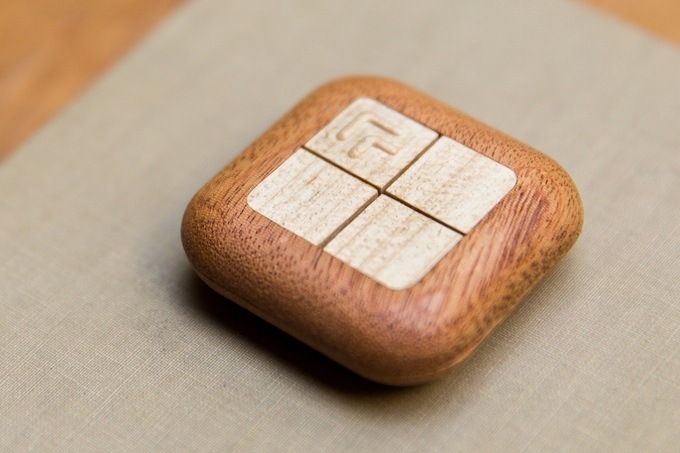
Turn Touch: A Smart, Flexible Remote Control

Samuel Clay, the founder of NewsBlur, is seeking funding on Kickstarter for an interesting new project: Turn Touch.

Turn Touch is a four button remote control carved out of solid wood. Get instant control of your devices and your home. With only four buttons, your Turn Touch connects you to apps, lights, speakers, and more.

While most smart devices found in the home today are designed to be controlled via a smartphone or a voice-controlled device like Amazon Echo, Turn Touch is a more tactile option. It’s designed to look less like a standard remote control and more like a piece of decor in the home.

Read more


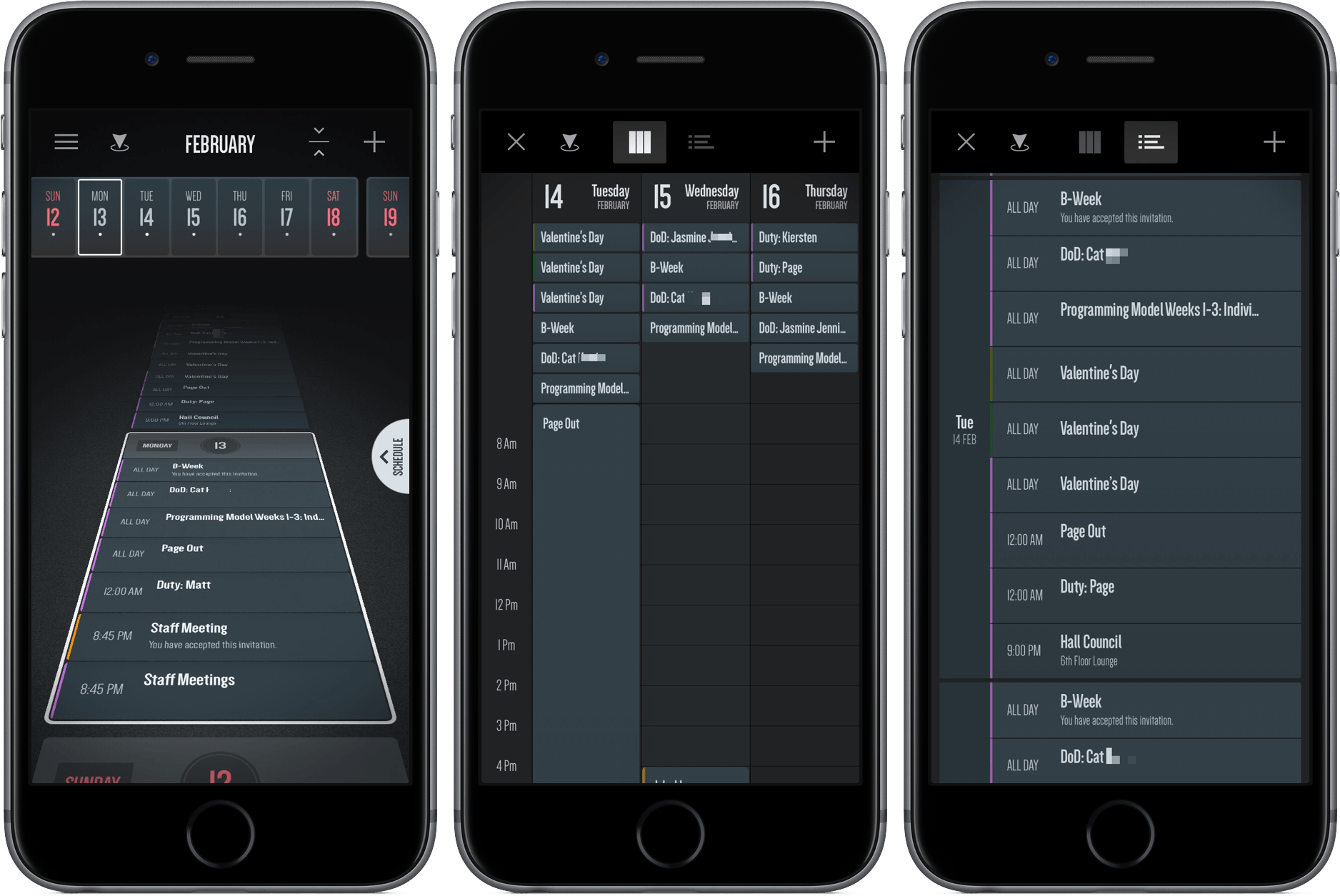
Vantage Review: A New Take on Calendars

In middle school, a friend and I would hang out on the weekend and live out our rock-n-roll dreams with Guitar Hero. As the notes would come down the line, we’d press sequences of red, green, yellow, and orange, jamming to songs in the iconic and aesthetically innovative game.

I haven’t thought much about Guitar Hero recently, but an app I downloaded a couple of weeks ago reminded me of it. However, it’s not a rhythm-based guitar game, or even tied to music at all.

It’s a calendar app called Vantage.

Read more


Flipboard 4.0 Presents Deeper Personalization Options

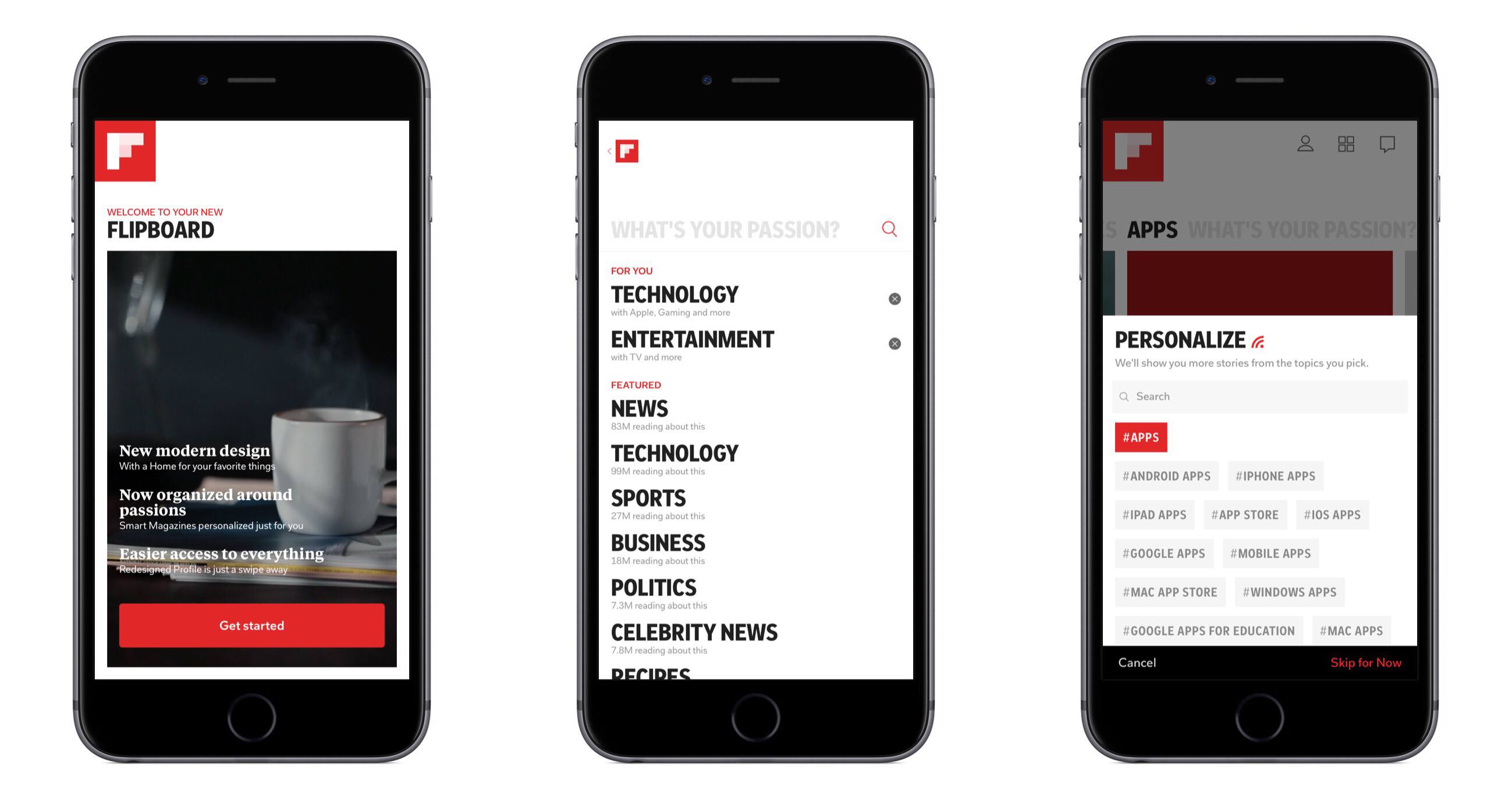
Flipboard 4.0 launched today, introducing a redesigned app that revolves around one core new feature: Smart Magazines. The magazine analogy isn’t altogether different from Flipboard’s previous interface, where certain topics or news sources made up a grouping of stories through which users could flip. The main difference here is found in the deeper level of personalization available with Smart Magazines.

Read more


Touch Bar Support is Available to Microsoft Office Beta Testers

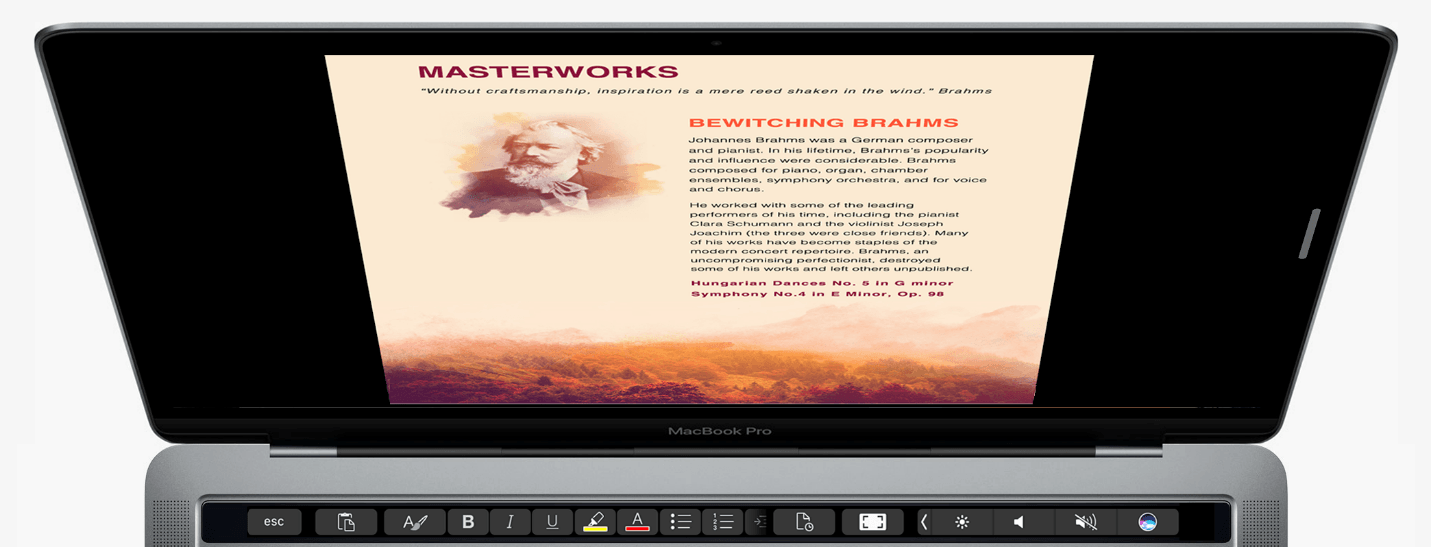
Touch Bar support for Microsoft Office was announced last fall at Apple’s MacBook Pro event and on Microsoft’s blog. Those features are beginning to appear in some of the apps in Microsoft’s Office suite through Office Insider, a public beta program that anyone can join. Touch Bar support is currently available in Word, Excel, and Powerpoint, and is expected to be added to Outlook and Skype later. Although the features are currently only available through the Office Insider program, they should be available to other users later this year. I updated to the latest Office beta and tried its new Touch Bar features.

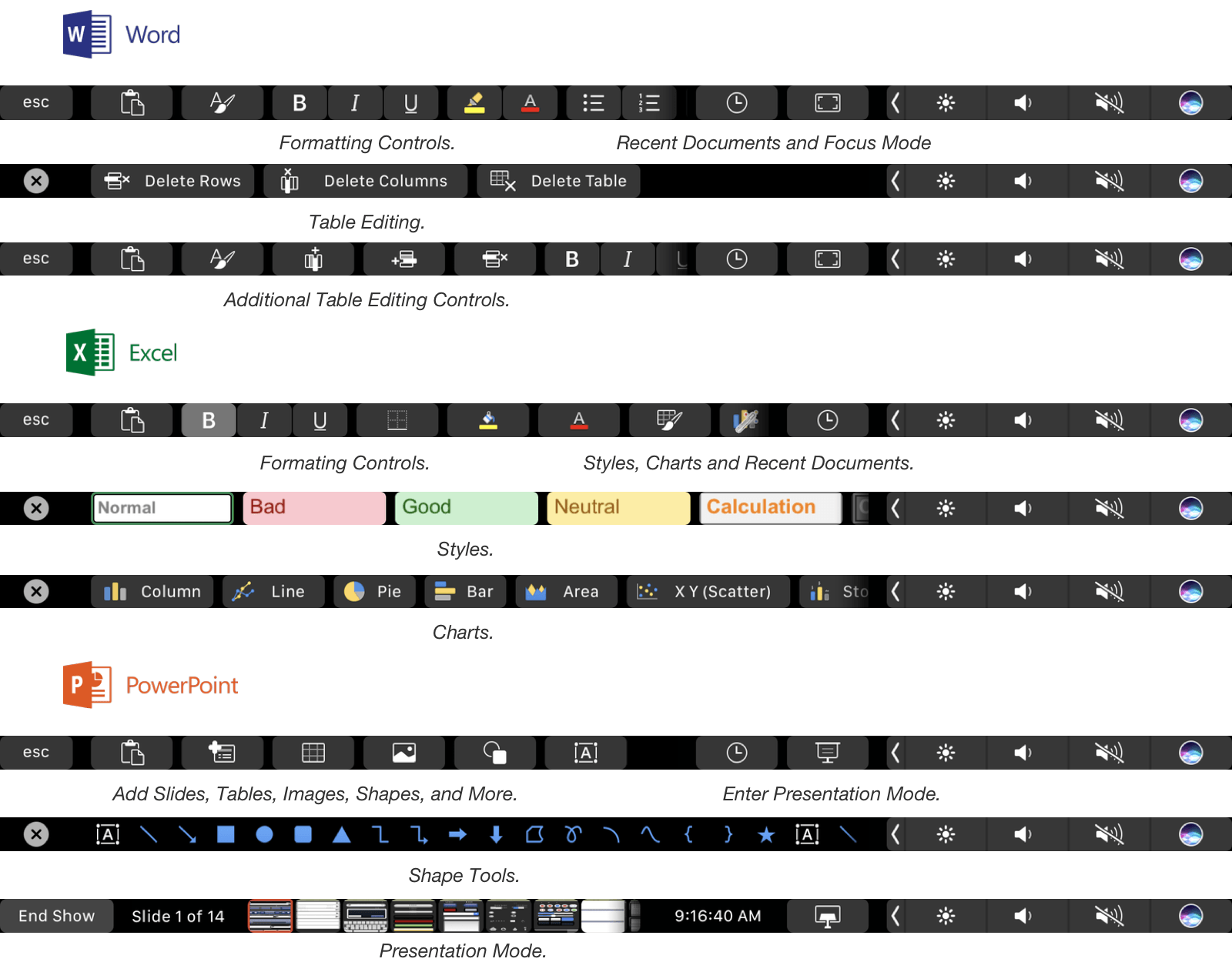
A selection of the Touch Bar functions included in Office.

A selection of the Touch Bar functions included in Office.

In Word, Touch Bar support includes formatting, style application, and table editing buttons. A ‘Focus Mode’ has also been added to Word that eliminates all menus, controls and status bars from the app, leaving nothing but the document you are drafting on a black background. Focus Mode highlights one of the best use cases for the Touch Bar. By moving commonly-used controls onto the Touch Bar you get the best of both worlds: an uncluttered minimal writing environment in an app historically known for just the opposite, but with commonly used formatting tools close at hand.

Excel includes formatting buttons similar to Word but adds styling options specific to spreadsheets and quick access to common chart types. The style buttons are particularly nice because the Touch Bar’s OLED display allows the buttons to provide a full-color preview of the formatting that they apply. Excel also shows equation search results in on the Touch Bar as you begin typing one into a cell.

PowerPoint users get a series of mini slide images in the Touch Bar in presentation mode that make it easy to jump to a specific part of a presentation. PowerPoint also includes buttons for adding slides, tables, and shapes. Word, Excel, and Powerpoint have a button that lets you access recent documents from the Touch Bar too.

The Touch Bar is a natural fit for the feature-rich apps in Microsoft’s Office Suite. It feels like there is even more that Microsoft can do with it in each app, but it’s still early in the testing phase, so I wouldn’t be surprised if more Touch Bar functions are added in the coming weeks. If you are interested in testing Office’s Touch Bar support, you can sign up for the Office Insider program here.


Stagehand Review: Living Platforms

One of my first memories of a portable platform game takes place in the summer of 1996 and it involves Super Mario Land 2 for the original Game Boy. I was 8, and until that point, my only console experience had been with a Super Nintendo my parents bought me for Christmas. I could play with it a few hours each week, which didn’t satiate my infinite curiosity for videogames. When I saw Super Mario Land 2 on a friend’s Game Boy, I was taken aback by two distinct aspects: the contagious fun of a platformer (my only SNES game was Stunt Race FX – don’t ask) and its ubiquitous availability – provided you had enough daylight and 4 AA batteries.

Later that year, I convinced my mom to buy me a Game Boy. A couple of years later, I got a Game Boy Color. For the past 20 years, portable consoles and Nintendo’s Mario games have shaped my taste in videogames and defined my moments of quiet downtime. From Super Mario Advance 1 and 3 (both remakes of games I had never played) to New Super Mario Bros and, to an extent, the recent Super Mario Run for iOS, all my favorite 2D platform games agreed on a basic idea: you control a surprisingly athletic plumber who runs and jumps from left to right.

Conversely, Stagehand, the latest creation by Big Bucket (makers of The Incident and Space Age), upends decades of platformer conventions by turning the genre on its head. You don’t maneuver a character with meticulously timed jumps across retro-styled stages filled with floating platforms and spikes; rather, you sloppily modify the stage itself with touch, dragging platforms to accomodate the hero’s run and making sure he doesn’t run headfirst into cliffs, fall into pits, or get eaten by the inexorable advance of the left side of the stage.

Stagehand is an endless runner combined with a dynamic platform game, only you don’t control the character – you facilitate his run by reshaping the stage around him.

Read more


YouTube Enables Live Streaming for Broader Base of Creators

Last summer YouTube announced its plans to put live streaming tools into the hands of its users. Today marks the first step toward making that happen, as mobile live streaming is now rolling out to all users with 10,000 or more followers. YouTube promises the feature will be available to all users soon, regardless of follower count.

Mobile live streaming has been built directly into the YouTube mobile app. All you have to do to start streaming is open YouTube, hit the capture button, and you’re live! Streamed videos will have all the same features as regular YouTube videos. They can be searched for, found via recommendations or playlists, and protected from unauthorized use.

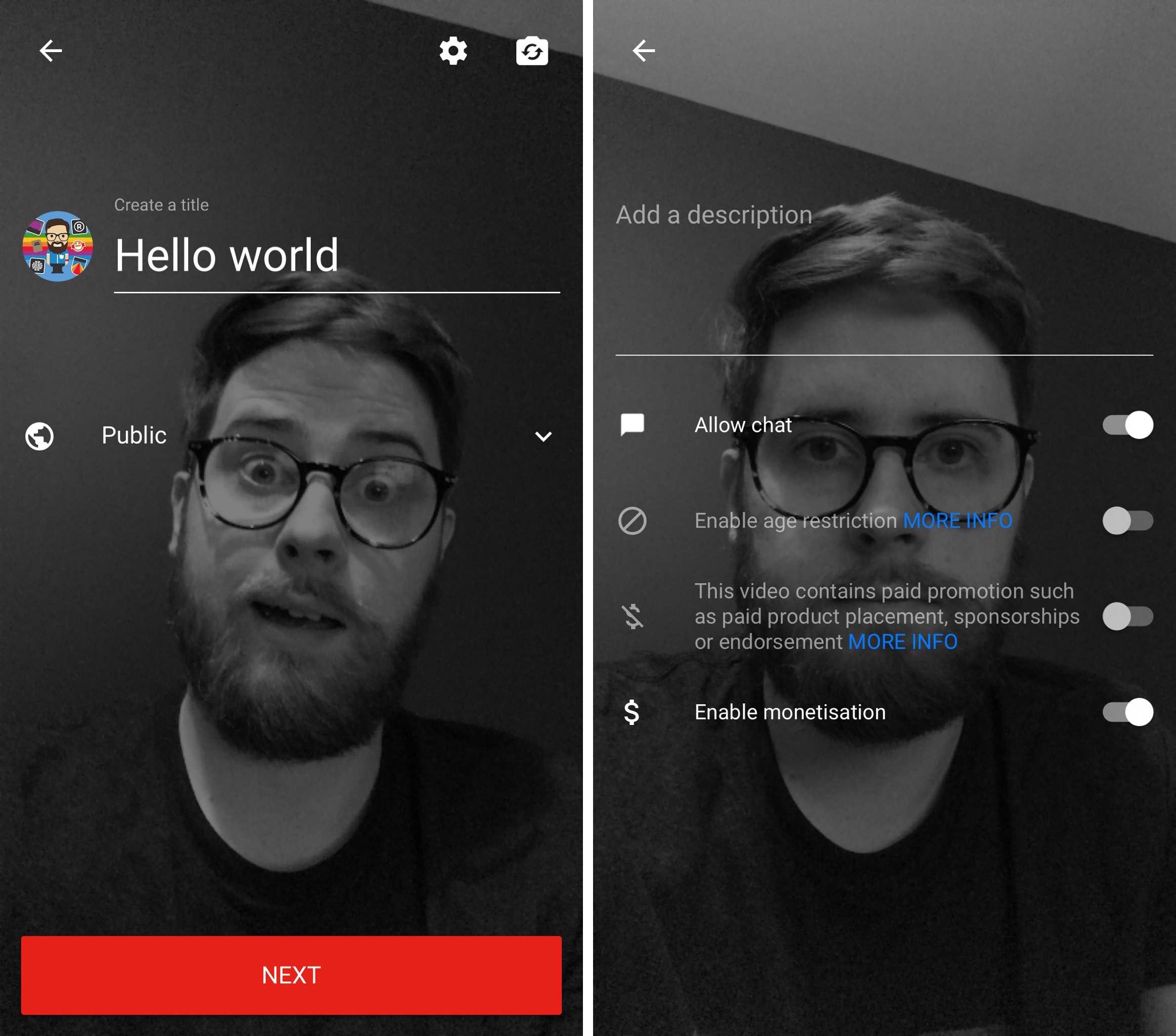
Options when beginning a live stream.

Options when beginning a live stream.

Paired with its live streaming rollout, YouTube is also launching its previously announced Super Chat tool. Super Chat is a live stream feature that enables special monetization opportunities for creators. In a way it’s a digital tip jar. When watching a live stream, users can pay a fee to have a message they write receive special highlighting that makes it more noticeable to the video’s creator. Any highlighted message not only stands out visually, but also remains on screen longer than a normal message. The examples shown by YouTube so far involve a $5.00 fee to receive a highlighted message, though that number may vary based on the creator’s choice.

Permalink

Connected, Episode 128: Better Pizza and Better Pasta

Myke has caused a chain-reaction of purchases, Stephen talks about the PowerPC transition and Federico tries some apps.

On this week’s Connected, Myke makes some great points about the iPad’s sales compared to the Mac, and I explain why I’ve been using Twitterrific and Apple News. You can listen here.

Sponsored by:

  • Hover: Simplified domain management. Use code CONNECTED to get 10% off your first purchase.
  • Pingdom: Start monitoring your websites and servers today. Use offer CONNECTED to get 20% off.
  • Incapsula: Secure and accelerate your website. Connected listeners get one month free.
Permalink

Attention to Detail on Apple Campus 2

Reuters’ Julia Love has published a look into the design process behind Apple’s Campus 2, based on interviews with a number of current and former workers on the massive architectural project.

Unsurprisingly, Love discovered that Apple’s attention to detail on the campus mirrors its attention to detail on consumer products.

Apple’s in-house construction team enforced many rules: No vents or pipes could be reflected in the glass. Guidelines for the special wood used frequently throughout the building ran to some 30 pages.

Tolerances, the distance materials may deviate from desired measurements, were a particular focus. On many projects, the standard is 1/8 of an inch at best; Apple often demanded far less, even for hidden surfaces.

Based on outside evidence, the completion of Campus 2 seems to be drawing near, so we can expect to hear more details about the project – and hopefully receive inside glimpses from Apple itself – over the next few months.

Permalink