iPad Diaries: Apple Pencil, Notability, and the Joy of Note-Taking

Please don't judge me by my terrible handwriting. I have other qualities.

Please don’t judge me by my terrible handwriting. I have other qualities.

iPad Diaries is a regular series about using the iPad as a primary computer. You can find more installments here and subscribe to the dedicated RSS feed.


Ever since I first got the 12.9-inch iPad Pro, I’ve wanted to use the Apple Pencil more. However, every time I tried to fit the Pencil into my workflow, I stumbled upon the realization that, no matter the excellence of the tool at hand, I’m no artist.

I spend most of my time typing with a keyboard (either a Bluetooth one or the iPad’s software one) and, while it’s fun to pretend I know what I’m doing in Linea or Paper, the sad reality is that I’m downright terrible at sketching or drawing. Moreover, unlike others, my background doesn’t involve a passionate appreciation of pen and paper. Therefore, I’m attracted by the Pencil’s concept and technology, but I don’t need it for my main line of work; plus, handwriting stopped being a daily habit after I graduated high school in 2007.

I was inspired by a story Ryan wrote, though, to reconsider if my work routine could still benefit from a different note-taking perspective. Testing fresh approaches and new ideas has always been the underlying theme of my switch to the iPad, after all. So when Ryan shared his thoughts on using the Pencil for non-artistic purposes, I took it as an opportunity to try out the Pencil as a complement to my writing needs rather than a futile diversion.

Read more


AIM Starts Cutting Off Access for Third-Party Apps

Adam Clark Estes:

In what feels like a death blow to everyone’s early-Aughts nostalgia, it looks like AOL will soon cut off third-party access to its famous Instant Messenger service. The service turns 20 years old this year, and at this point, it’s unclear if it will see its 21st birthday.

AOL shared news of this tragedy quietly. Adium users, at least, got a brief warning when they signed on Wednesday morning, explaining that their AIM access had less than a month to live. It reads like sad notice for an imminent memorial service.

Adium was one of the first apps I installed when I switched to the Mac in 2008. (Does anyone remember checking out the latest Adium skins and icons on MacThemes?)

End of an era, though AIM feels like a lifetime ago in the age of Facebook and iMessage.

Permalink

The Cases for (and Against) Apple Adopting USB-C on Future iPhones

Jason Snell, writing for Macworld on the possibility of Apple adopting USB-C on future iPhones:

But the Lightning paragraph–that’s the really puzzling one. At first parsing, it comes across as a flat-out statement that Apple is going to ditch Lightning for the USB-C connector currently found on the MacBook and MacBook Pro. But a second read highlights some of the details–power cord and other peripheral devices?–that make you wonder if this might be a misreading of a decision to replace the USB-A-based cords and power adapters that come in the iPhone box with USB-C models. (I’m also a bit baffled by how the Lightning connector is “original,” unless it means it’s like a Netflix Original.)

Still, the Wall Street Journal would appear to be a more visible and reputable source than an analyst or blog with some sources in Apple’s supply chain. It’s generally considered to be one of the places where Apple has itself tactically leaked information in the past. So let’s take a moment and consider this rumor seriously. What would drive Apple to kill the Lightning connector, and why would it keep it around?

I’ve been going back and forth on this since yesterday’s report on The Wall Street Journal. Like Jason, I see both positive aspects and downsides to replacing Lightning with USB-C on the iPhone, most of which I highlighted on Connected. Jason’s article perfectly encapsulates my thoughts and questions.

USB-C represents the dream of a single, small, reversible connector that works with every device, and it’s being adopted by the entire tech industry. USB-C isn’t as small as Lightning but it’s small enough. More importantly, it’d allow users to use one connector for everything; USB-A, while universal on desktop computers, never achieved ubiquity because it wasn’t suited for mobile devices. USB-C is.

Conversely, Lightning is under Apple’s control and Apple likes the idea of controlling their stack as much as possible (for many different reasons). A transition to USB-C would be costly for users in the short term, and it would be extremely perplexing the year after the iPhone 7 fully embraced Lightning.

Furthermore, unlike the transition from 30-pin to Lightning in 2012, Apple now has a richer, more lucrative ecosystem of accessories and devices based on Lightning, from AirPods and Apple Pencil to keyboards, mice, EarPods, game controllers, Siri remotes, and more. Moving away from Lightning means transitioning several product lines to a standard that Apple doesn’t own. It means additional inconsistency across the board.

Like I said, I’m not sure where I stand on this yet. These are discussions that Apple likely has already explored and settled internally. I’m leaning towards USB-C everywhere, but I’m afraid of transition costs and setting a precedent for future standards adopted by other companies (what if mini-USB-C comes out in two years?).

In the meantime, I know this: I’m upgrading to USB-C cables and accessories as much as I can (I just bought this charger and cable; the Nintendo Switch was a good excuse to start early) and I would love to have a USB-C port on the next iPad Pro. If there’s one place where Apple could start adopting peripherals typically used with PCs, that’d be the iPad.


YouTube TV Streaming Service Coming This Spring

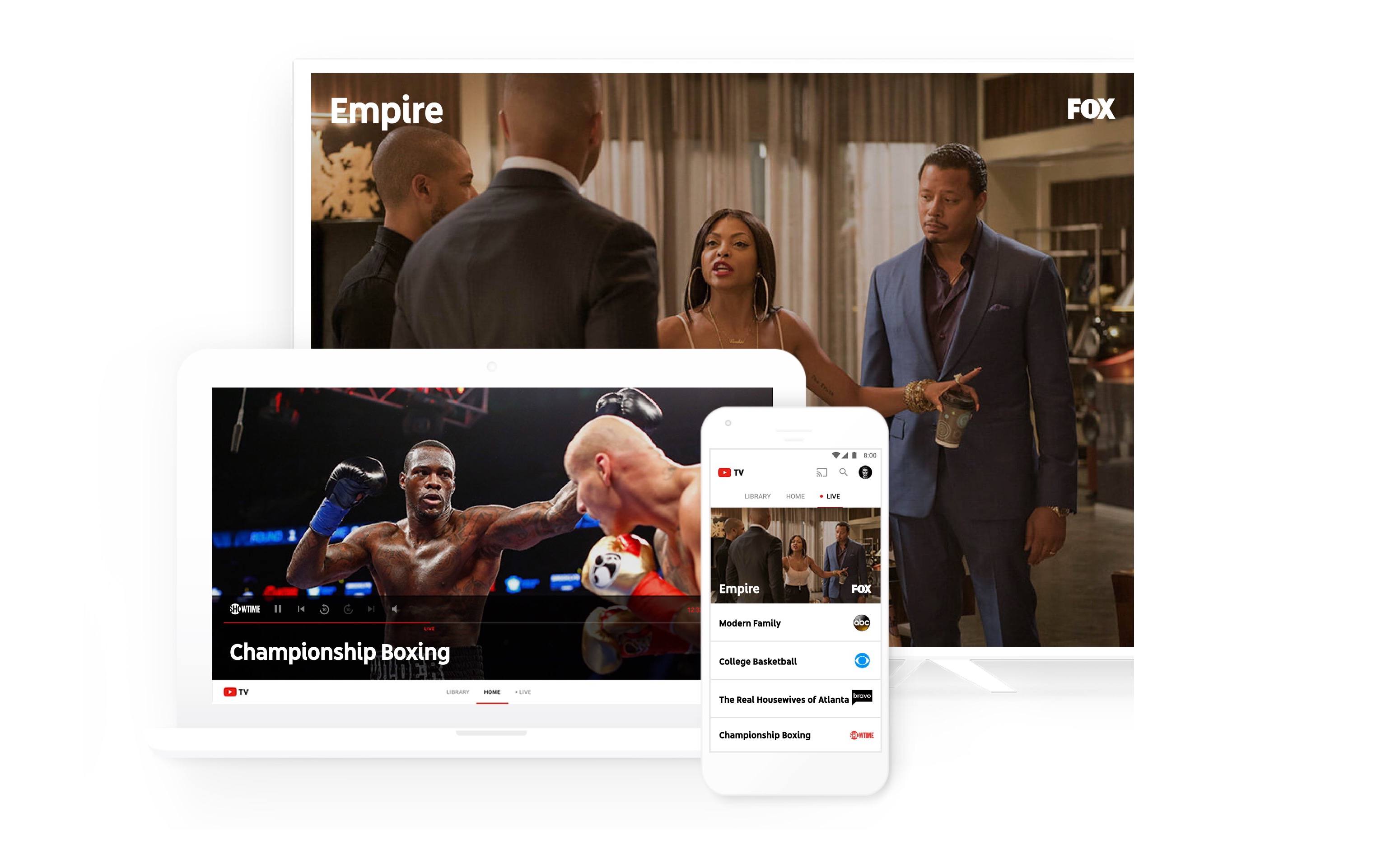
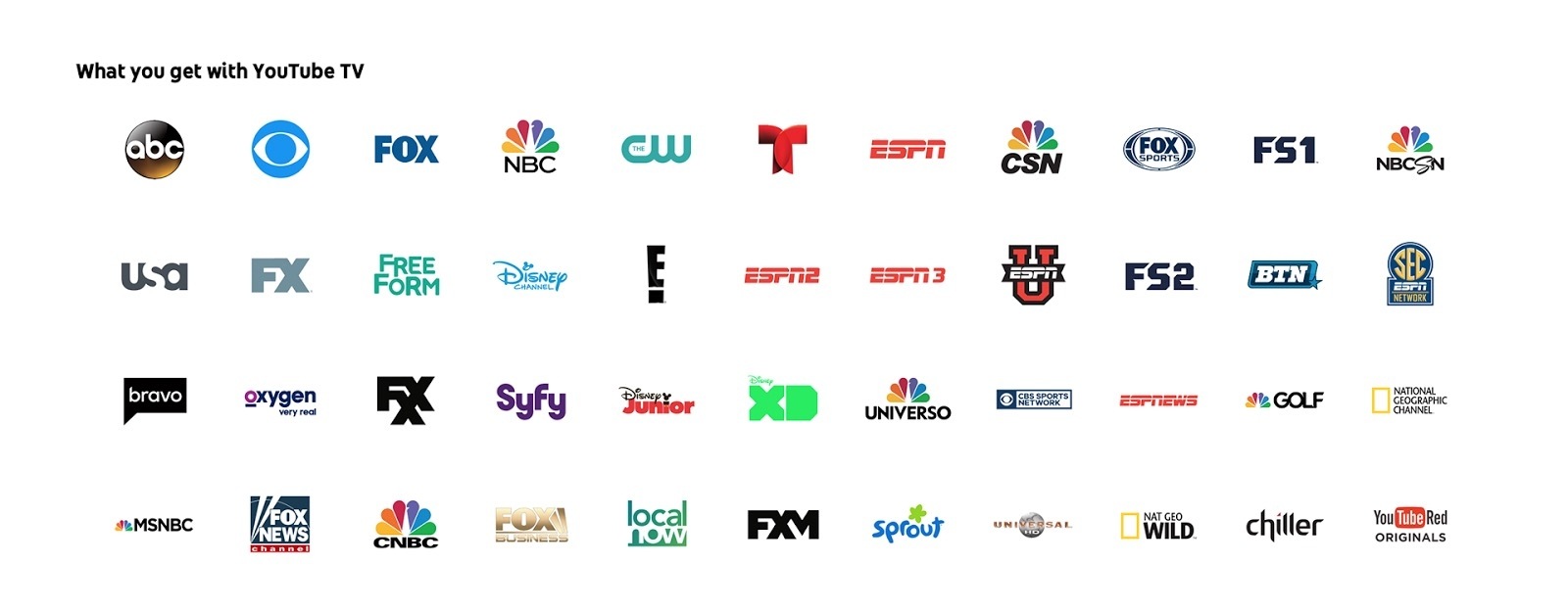
Yesterday YouTube announced a forthcoming TV offering called YouTube TV. The streaming service consists of a bundle of over 40 networks, including ABC, CBS, FOX, NBC, and ESPN. YouTube Red Originals are thrown in too. When it launches this spring, the service will cost $35/month with no contracts or other commitments.

Upon launch, YouTube TV will be available as a new app, separate from the standard YouTube app. Yesterday’s blog post mentions an iOS app, but there is no reference to an Apple TV app.

You can watch YouTube TV on any screen—mobile, tablet or computer—and you can easily stream to your TV with a Google Chromecast or Chromecast built-in TV. YouTube TV works on both Android and iOS.

While this could be a simple oversight, it appears that watching on the big screen will require a Chromecast device. We’ll have to wait until launch to see for sure. Similarly, it’s unknown at this point if the iOS app will support Picture in Picture or Split View on iPad. The lack of an Apple TV app or iPad-specific features would make the service much less appealing to someone who watches most video on those devices.

The full channel lineup for YouTube TV.

The full channel lineup for YouTube TV.

One of the biggest selling points for YouTube TV is that it includes a cloud DVR with unlimited storage. The freedom to record anything and never worry about storage space is nice. Especially since, unlike many traditional cable or satellite services today, I would expect YouTube’s DVR to work flawlessly regardless of whether you’re watching on a mobile device or your TV. One small string attached to the DVR is that content gets erased nine months after it’s been recorded.

YouTube TV is the latest in a series of TV streaming offerings that bundles together big-name networks in a package resembling a traditional cable bundle. Sling TV was the first major player to dip its toes into the market, followed by PlayStation Vue and DirecTV Now, and Hulu has announced they’ll have their own offering available soon. One advantage YouTube TV may have over its current competition is the experience gained from serving a billion hours of video content every day. YouTube should have no trouble scaling the service to reach large numbers of users for things like major sporting events.

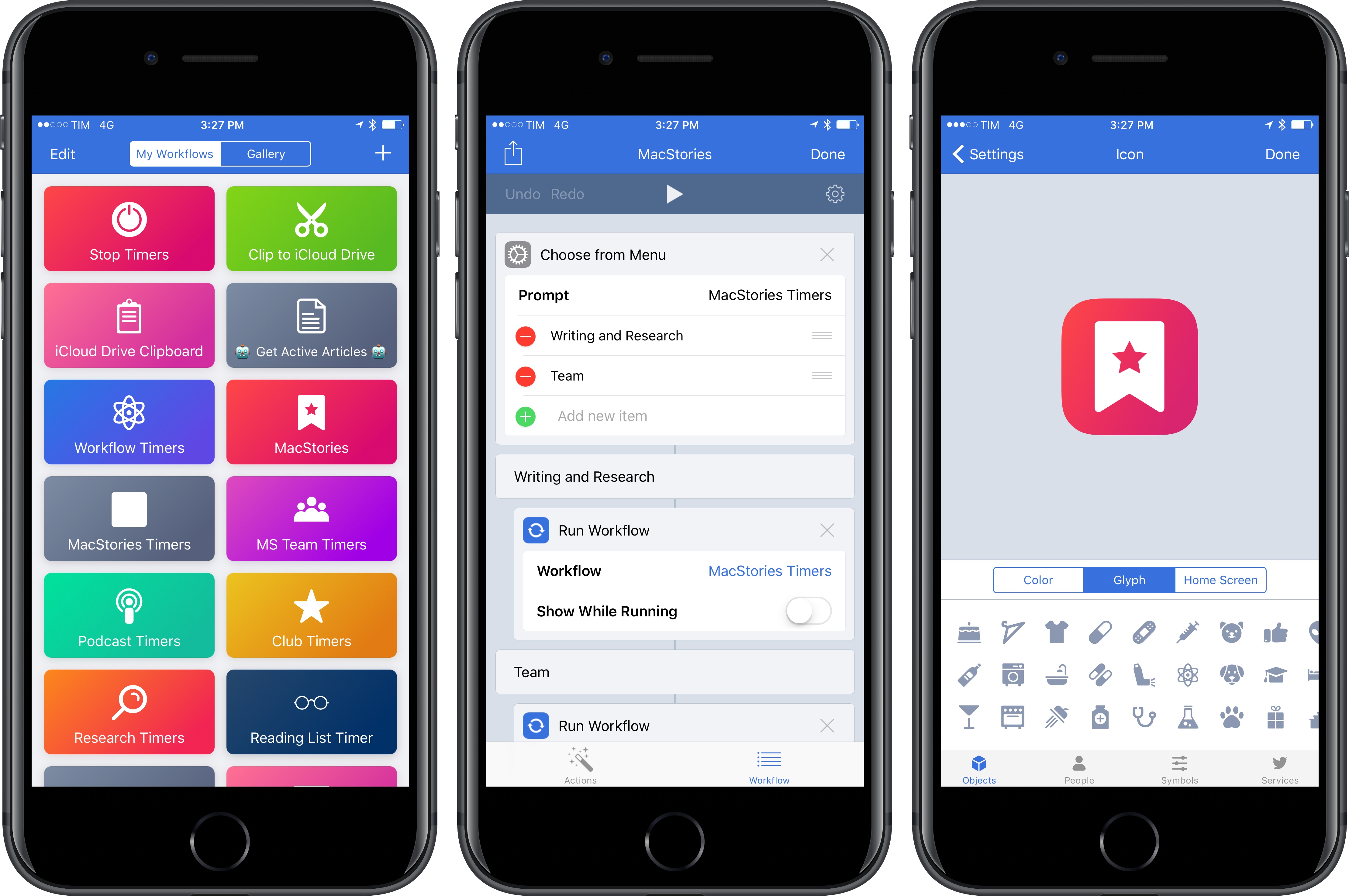
Recently I shared in a Club MacStories newsletter how I had cut the cord and ended my satellite service. Because of that, streaming services like YouTube TV are more appealing to me than ever. Though the potential lack of iPad features or an Apple TV app are concerning, YouTube’s credentials make its service more appealing in my mind than any of its competition. YouTube knows what it’s doing with streaming video, so I’m looking forward to checking this service out.


Twitter Announces More User Safety Initiatives

Continuing the company’s recent efforts geared at stopping abuse on its platform, Twitter today announced several changes in a blog post by Ed Ho.

One behind-the-scenes change is in how Twitter monitors potential abuse and proactively addresses it. The company has implemented algorithms meant to detect potentially abusive behavior and address it without the need for users to report the behavior. Ed Ho gives the examples of an account “repeatedly Tweeting without solicitation at non-followers or engaging in patterns of abusive behavior that is in violation of the Twitter Rules.” He admits that mistakes will likely be made as they begin this proactive monitoring, but states that the algorithms and tools will be continually worked on for improvement.

A change more visible to users involves additional tools found in the Twitter app. Ho writes:

We’re also introducing new filtering options for your notifications to give you more control over what you see from certain types of accounts, like those without a profile photo, unverified email addresses or phone numbers…We’re also expanding the mute feature to build on the work we did in November which lets you remove certain keywords, phrases, or entire conversations from your notifications. Now, you’ll be able to mute from your home timeline and you can decide how long this content is muted – one day, one week, one month, or indefinitely.

The final change announced today has to do with Twitter’s transparency in responding to reported harassment. Notifications will be used to confirm that a report of abuse has been received, and also to share if/when an action is taken in response to that report.

The user-facing features announced today will be rolling out soon to all users.

Permalink

Connected, Episode 131: The High School Reunion of Phones

This week, Stephen yells at the cloud, Myke gets new emojis and Federico speaks wisdom to the masses.

Another fun episode of Connected this week, with plenty of speculation about USB-C on future Apple devices and what other companies are doing with smartphones in 2017. You can listen here.

Sponsored by:

  • Mack Weldon: Smart underwear for smart guys. Get 20% off with the code CONNECTED.
  • Incapsula: Secure and accelerate your website. Connected listeners get one month free.
  • Blue Apron: A better way to cook. Get three meals free with your first purchase, and free shipping.
Permalink