

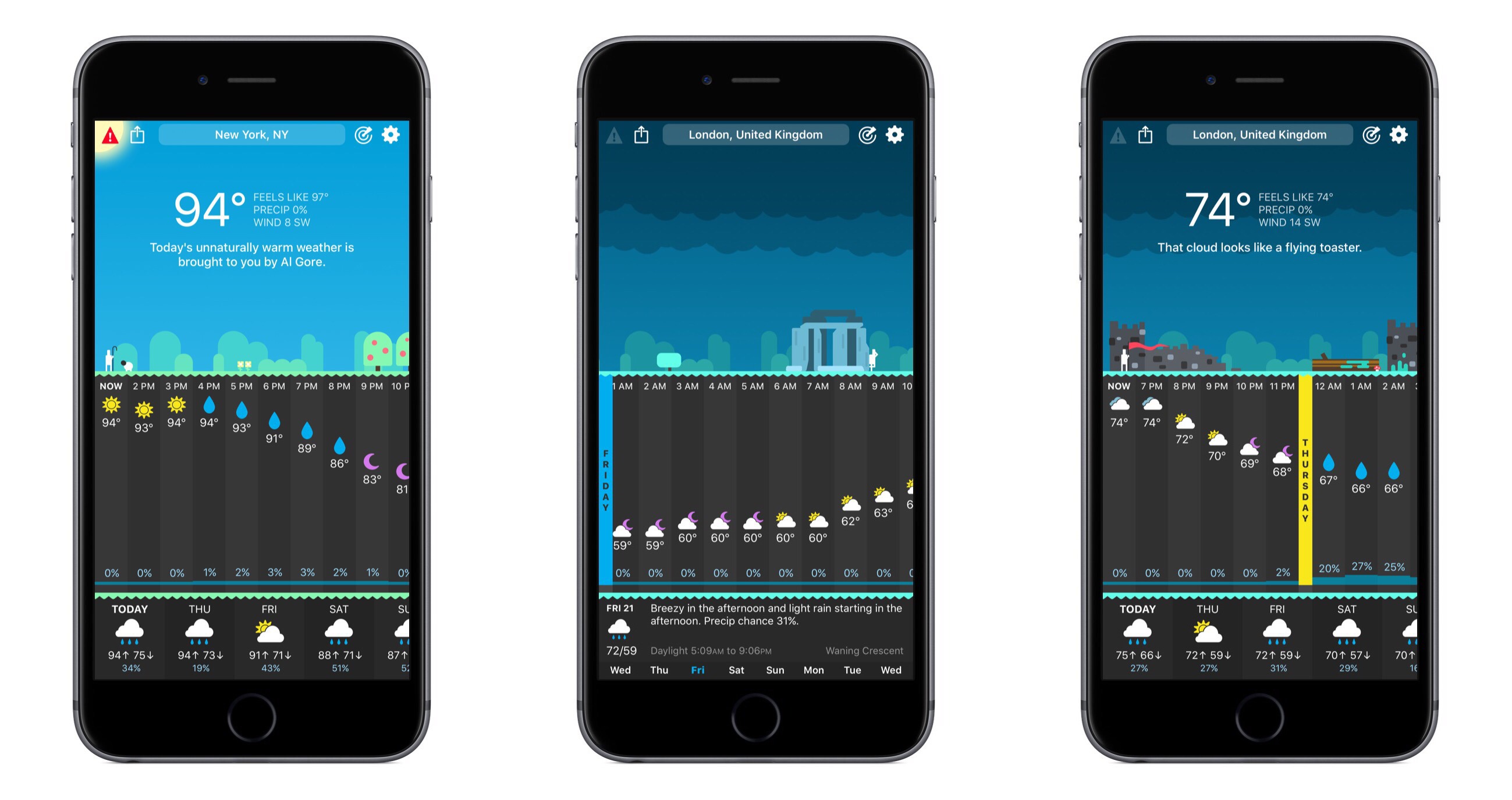
The snarkily clever weather app, CARROT Weather, was updated to version 4 today, and with that update comes a full redesign. The core piece of CARROT’s identity – its sarcastic A.I. – is still here, as are the beautiful graphics of past releases, but outside of that a lot has changed.
CARROT Weather 4.0: Simply Delightful
Google iOS App Adds Personalized Feed with News, Interests, and More
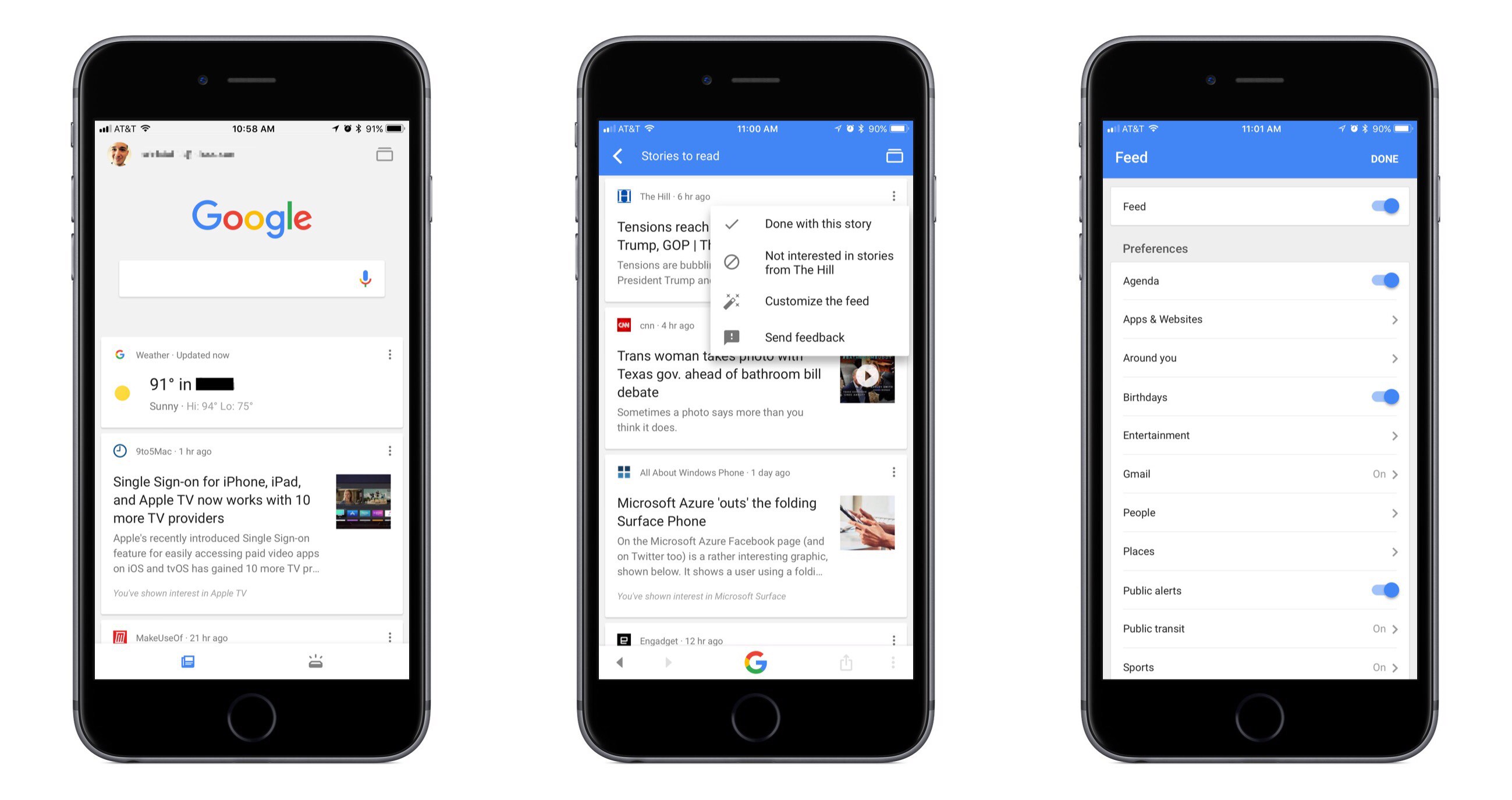
Google has long been the first place most of us go when searching for something specific, and now it wants to be our primary destination for personalized, proactive content as well. Launching today in the US, and internationally in the coming weeks, the Google app for iOS now includes a personalized feed filled with things like news stories, live sports highlights, and suggested videos, all of which are merged in the feed with other data we’ve come to expect from the Google app such as local weather, relevant travel info, and more.
While Google’s iOS app formerly served as a place to mainly perform searches and see a bit of personalized data, today’s update transforms the app experience entirely. The search option is still at the top of the screen, and that data you’re used to seeing is still around, but the additions included here change the app’s primary purpose. It becomes a place to go not only when you need to find something, but also just when you have a little time to kill and want to catch up on what’s going on in the outside world. If the feed becomes good enough at knowing what’s important to me, I can see myself regularly checking and scrolling through it the way I do with social apps like Twitter or Facebook.
Google promises that the feed will get better over time as its machine learning algorithms gain a more accurate understanding of a user’s interests. One way that users can help that process is through using the new ‘Follow’ button that will soon begin appearing next to Google search results. This button will allow you to selectively follow certain movies or TV shows, sports teams, musical artists, celebrities, and more. Another layer of customization is found in the ‘Customize the Feed’ menu accessible by tapping the three dots in the upper right corner of any content card. Here you can turn the feed off entirely if you’d like, but you can also customize exactly which categories of content will populate your feed.
If you’d like more in-depth information about today’s update, Google has a blog post walking through the changes.
iMazing Mini Simplifies iOS Device Backups
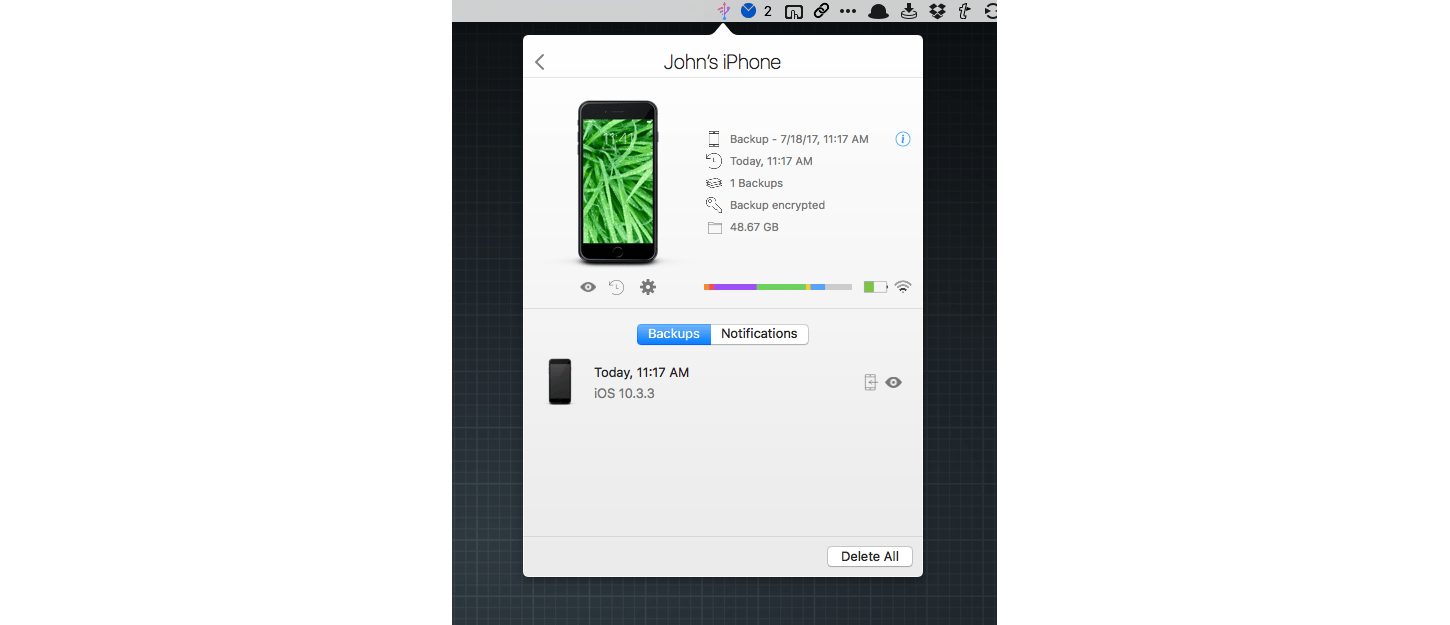
iMazing is a macOS utility for transferring files to and from iOS devices and backing them up. This week, DigiDNA, the maker of iMazing, introduced a menu bar app called iMazing Mini that offers the core backup features of the full iMazing app for free.
AppStories, Episode 14 – Pick 2: Ulysses and FullContact→
On this week’s episode of AppStories, we pick two apps and discuss how and why we use them for our work. For the first installment of Pick 2, Federico covers Ulysses and how he’s used it over the past year and for the iOS 11 review he is currently writing; John explains how he uses FullContact to keep in touch with developers and sponsors of MacStories and AppStories.
Sponsored by:
- Audible - Audible books inspire and entertain anywhere, anytime.
- Hello Weather - The exceptionally useful, no-nonsense weather app.

AppStories Episode 14 - Pick 2: Ulysses and FullContact
0:00
33:55
33:55






Tempo Creates a Beautiful Training Log for Runners With Health App Data

I love running with my Apple Watch, but I’m not a fan of most running apps; too many want to update me constantly about my progress while running. Other apps want me to share my runs on social networks. That’s not for me. I’d rather have an app parse the data collected after I’m home and can spend some time with it, which is precisely why I’ve enjoyed using Tempo.
Apple Launches Public Machine Learning Journal

Today Apple introduced a new section on its website dedicated to highlighting its work in the area of machine learning. This new Machine Learning Journal bears the form of a blog, with the following stated aim:
Here, you can read posts written by Apple engineers about their work using machine learning technologies to help build innovative products for millions of people around the world.
The first and only post currently available in the journal is titled “Improving the Realism of Synthetic Images” and is categorized ‘Vol. 1, Issue 1.’ It details how Apple’s photo recognition technology has been trained using synthetic images rather than real ones due to the massive extra cost and workload required to obtain and accurately label real images. The example given in the post centers around the human eye, walking step by step through Apple’s method for increasing the realism of synthetic depictions of a human eye to make them effective alternatives to real images.
Apple has historically been secretive when it comes to its machine learning research, a stance which many speculated had put the company at a disadvantage in the area of recruiting talent. It’s understandably hard to build a noteworthy reputation as a machine learning researcher if you’re unable to talk about any of your work. But near the end of last year Apple’s director of AI research, Russ Salakhutdinov, signaled that change would be coming to the company’s policies surrounding secrecy. The launch of a public journal featured on Apple’s website is very clear evidence of that change arriving.
Nintendo Switch Online App Released Ahead of Splatoon 2
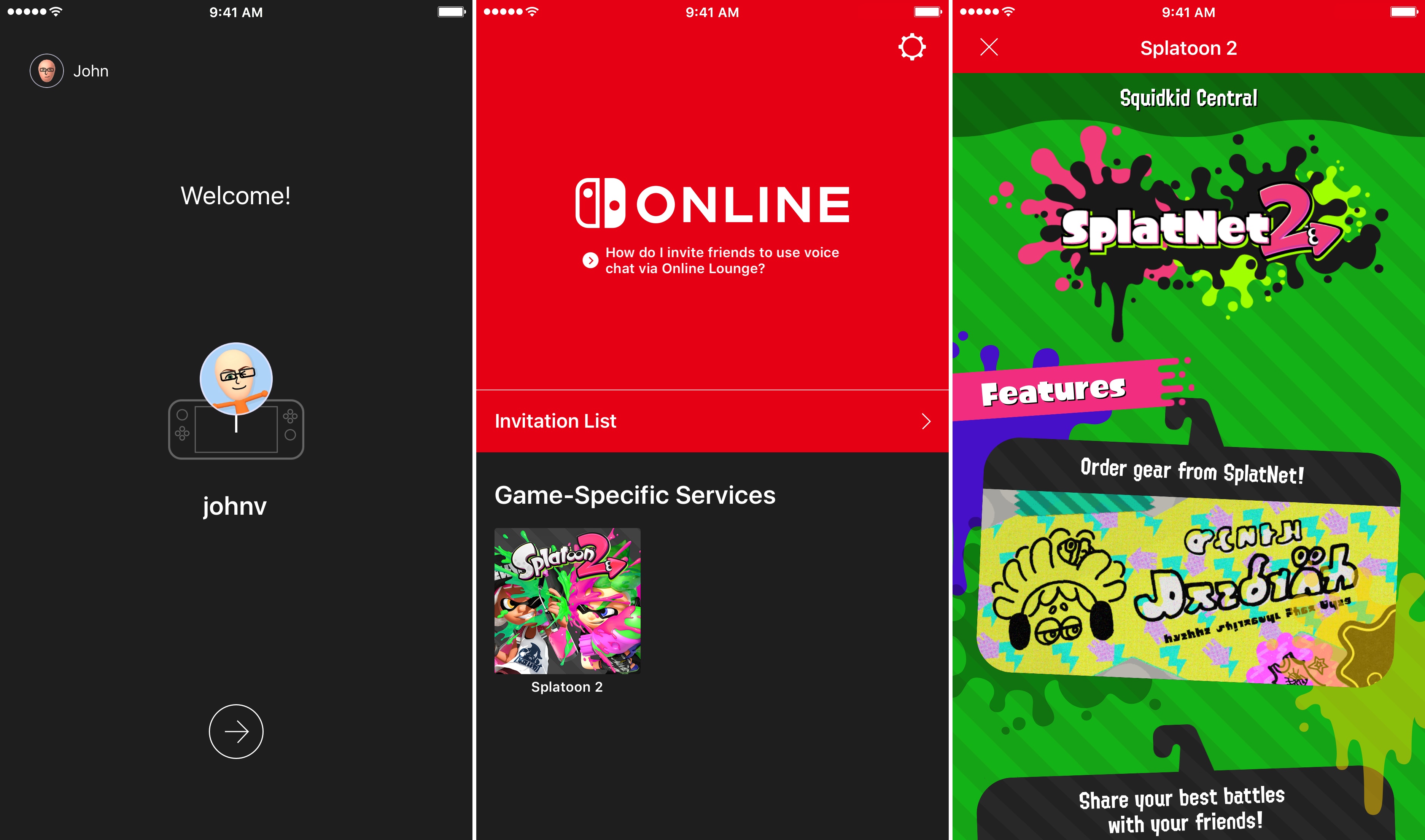
On Friday, July 21st, Nintendo will release Splatoon 2, one of its marquee titles for the Switch console, which will be the first game to take advantage of the Nintendo Switch Online app for iOS. The app is available to download now, but won’t be of much use until Splatoon 2 is released Friday. In the meantime, you can download the app, sign into your Nintendo account, and review instructions on how to invite friends to play. Invitations can be sent over social media like Facebook, WhatsApp, Twitter, and Line. The app will also allow players to chat with friends using a headset connected to their iOS device.
Nintendo Switch Online is a free download on the App Store. Nintendo’s online service is free while it is in beta, but will cost $19.99 per year or $3.99 per month when it launches in 2018.
Isabel Ge Mahe is Apple’s New Managing Director of Greater China

Apple has announced that it has named Isabel Ge Mahe Managing Director of Greater China, a newly-created position within the company. Ge Mahe most recently led Apple’s wireless technology engineering teams working on cellular, WiFi, Bluetooth, NFC, location, and motion technologies. She has also overseen the engineering teams developing Apple Pay, HomeKit, and CarPlay.
Apple CEO, Tim Cook, had this to say about the appointment:
“Apple is strongly committed to invest and grow in China, and we are thrilled that Isabel will be bringing her experience and leadership to our China team,” said Tim Cook, Apple’s CEO. “She has dedicated a great deal of her time in recent years to delivering innovation for the benefit of Apple customers in China, and we look forward to making even greater contributions under her leadership.”
Ge Mahe, who will start in her new position later this summer in Shanghai, added:
“I’m honored to have this opportunity to represent Apple in China and work more closely with our incredibly talented team,” said Isabel Ge Mahe. “Everyone at Apple is proud of the contributions we make to the communities where we do business, and I am looking forward to deepening our team’s connections with customers, government and businesses in China to advance innovation and sustainability.”
As Ge Mahe’s appointment underscores, China is an important market for Apple. The country accounted for 29% of Apple’s revenue in the March 2015 quarter according to Recode. Since then, however, revenues generated in China have slipped as the iPhone has lost market share to other mobile phone manufacturers.
Halide Review: Instantly Better Photography
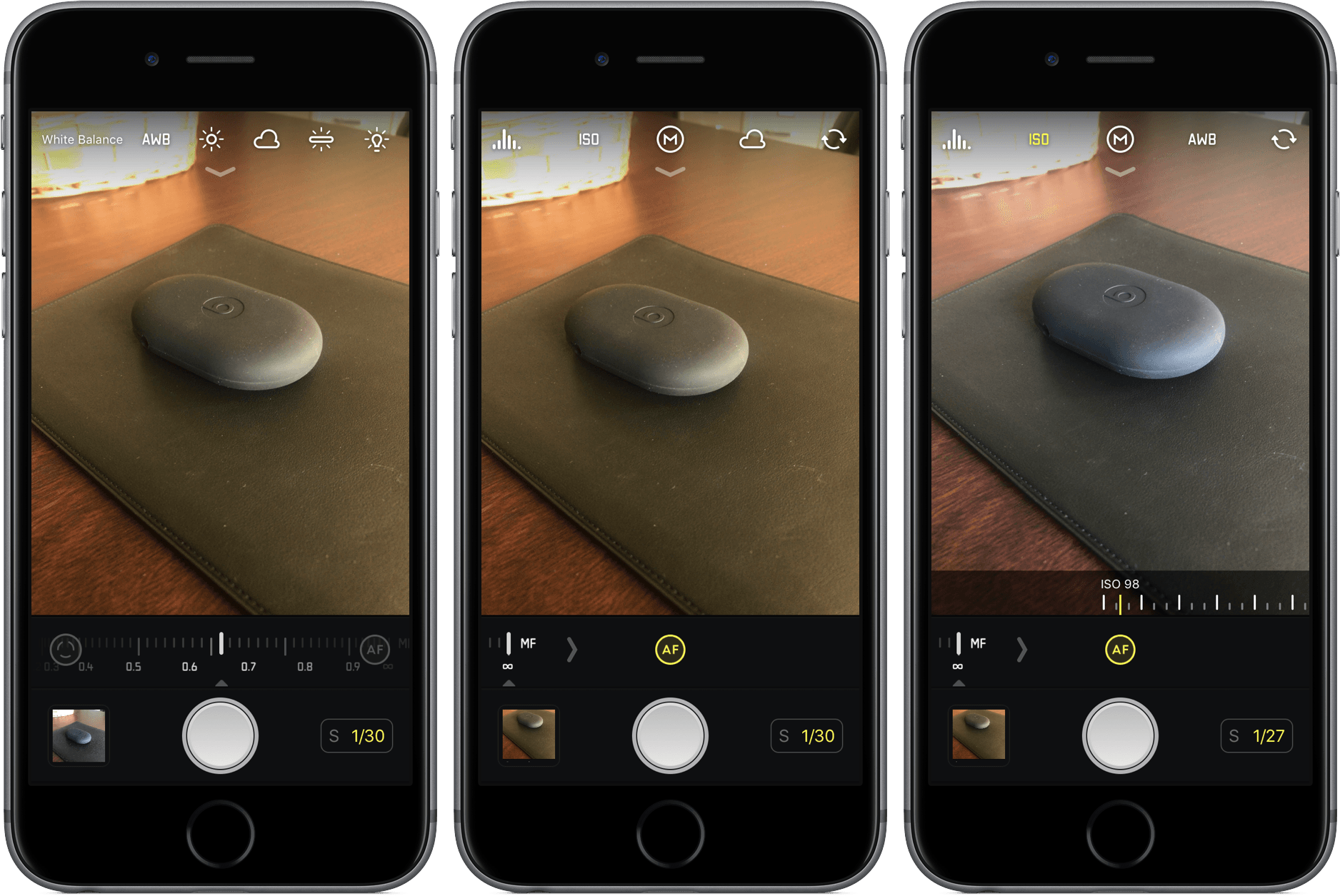
Photography isn’t my specialty, and more often than not, my lack of knowledge stops me from getting the shot I have set up in my mind. They say the best camera is the one you have with you at all times, but the stock iPhone 7 camera can only do so much with my limited skill set.
So when a tool comes along that makes taking great photos so much easier, it’s hard to pass it up. That’s Halide, which offers real-time, user-driven changes in your camera’s viewfinder to help you get the picture you want.
As you line up your shot in Halide, you’ll have the opportunity to make adjustments – focus, ISO, white balance, and exposure – that will change the way your picture will look. These aren’t pre-packaged filters, but rather manual options that can give your photo a unique look and feel. For different occasions, environments, and lighting, you’ll appreciate the control.
What I love so much about Halide is that I don’t have to have the deepest understanding of these tools to take advantage of them. Instead of focusing on numbers, I can see my changes as they are made. Halide offers the benefits of a complex photo app without the learning curve.
Much of how you edit in Halide is by sliding your finger, either arbitrarily up and down or along a scale, left to right. For white balance, you can select from presets, which drastically alter the mood of the photo without making it look unrealistic. Aside from focus, all of these options work on the front camera, too, so your selfies can be even more artistic.
Halide can capture your photos in either RAW or JPEG, but it’s up to you to select the latter in the “Quick Bar”, an extra set of buttons that appears by pulling down at the top of the screen. Also in the Quick Bar is an on/off switch for flash, a grid tool, and location management.
Conclusion
When I’m inexperienced in a certain field, I want apps to enable and teach me, not leave me confused and incapable. Halide undoubtedly accomplishes the former, putting the control back in my hands instead of in the camera.
And that’s what I can’t seem to shake about Halide – it’s empowering, a $4.99 investment into better photos without much work. For quick, simple shots, I’m probably still going to choose Camera for its convenience; for everything else, I’m choosing Halide.
If you’d like to give Halide a try, you can pick it up in the App Store for $4.99 (iPhone only).