 Monthly Log: December 2017
Pythonista 3.2 Syncs Scripts with iCloud, Supports Open-in-Place via iOS 11’s Files App→
For a long time, Apple’s App Store review guidelines prohibited apps from downloading executable code from the Internet. The company’s original stance resulted in IDEs that couldn’t sync scripts and programs across multiple devices – a serious limitation for the emergent movement of programmers embracing the iPad Pro as a portable workstation.
Fortunately, Apple started relaxing their rules earlier this year, allowing “apps designed to teach, develop, or test executable code” to download and run code. Pythonista, the popular Python IDE for iOS (and one of the best pro apps for iOS, period), has been updated this week with the ability to sync scripts with iCloud and edit external scripts in-place using Files’ document picker.
As someone who used Pythonista heavily for years and remembers previous rejections based on old App Store guidelines, this is fantastic news. I moved my existing script library to iCloud, which means all my code is now shared between the iPhone and iPad – no workarounds required. Pythonista now supports the iPhone X and drag and drop for importing scripts, but, even better, the app can open scripts and edit them in-place (saving changes back to the original location) just by opening them with the built-in Files picker. This feature makes it possible to, say, use Pythonista as an editor for script files stored in GitHub repositories and managed by Working Copy – all entirely on iOS, and natively integrated with Files.
Version 3.2 of Pythonista gets rid of the most annoying limitations imposed by the old Apple, another sign that the company’s approach to professional iOS software has changed over the years. While I don’t use Pythonista nearly as much as I did a few years ago (you can imagine why), I plan on playing around with Pythonista 3.2 over the next couple of weeks.
Apple Apologizes for Poor Communication About iPhone Throttling and Reduces Battery Replacement Price
In an open letter to customers, Apple has addressed how it handles the CPU performance of iPhones with older batteries.
We’ve been hearing feedback from our customers about the way we handle performance for iPhones with older batteries and how we have communicated that process. We know that some of you feel Apple has let you down. We apologize. There’s been a lot of misunderstanding about this issue, so we would like to clarify and let you know about some changes we’re making.
First and foremost, we have never — and would never — do anything to intentionally shorten the life of any Apple product, or degrade the user experience to drive customer upgrades. Our goal has always been to create products that our customers love, and making iPhones last as long as possible is an important part of that.
Since iOS 10.2.1 the CPU performance of iPhones with older batteries has been reduced by iOS to prevent device shutdowns. The CPU throttling was not communicated to customers, however, which led to accusations of planned obsolescence.
In response, Apple is taking two steps:
To address our customers’ concerns, to recognize their loyalty and to regain the trust of anyone who may have doubted Apple’s intentions, we’ve decided to take the following steps:
• Apple is reducing the price of an out-of-warranty iPhone battery replacement by $50 — from $79 to $29 — for anyone with an iPhone 6 or later whose battery needs to be replaced, starting in late January and available worldwide through December 2018. Details will be provided soon on apple.com.
• Early in 2018, we will issue an iOS software update with new features that give users more visibility into the health of their iPhone’s battery, so they can see for themselves if its condition is affecting performance.
In addition to the open letter to customers, Apple added a new support article called iPhone Battery and Performance, which explains how lithium-ion batteries chemically age and how this can lead to device shutdowns. The support article also lists some of the changes users can expect to experience if their iPhone’s CPU is slowed down.
It’s unfortunate that the kind of clear, reasonable explanation of why device CPUs are throttled wasn’t communicated to customers when it was first introduced in iOS 10.2.1. Battery chemistry and device shutdowns are not the easiest topics to explain to customers, but today’s letter shows Apple is capable of it and hopefully will be more likely to do so in the future.
Our Favorite Gear and Accessories of 2017
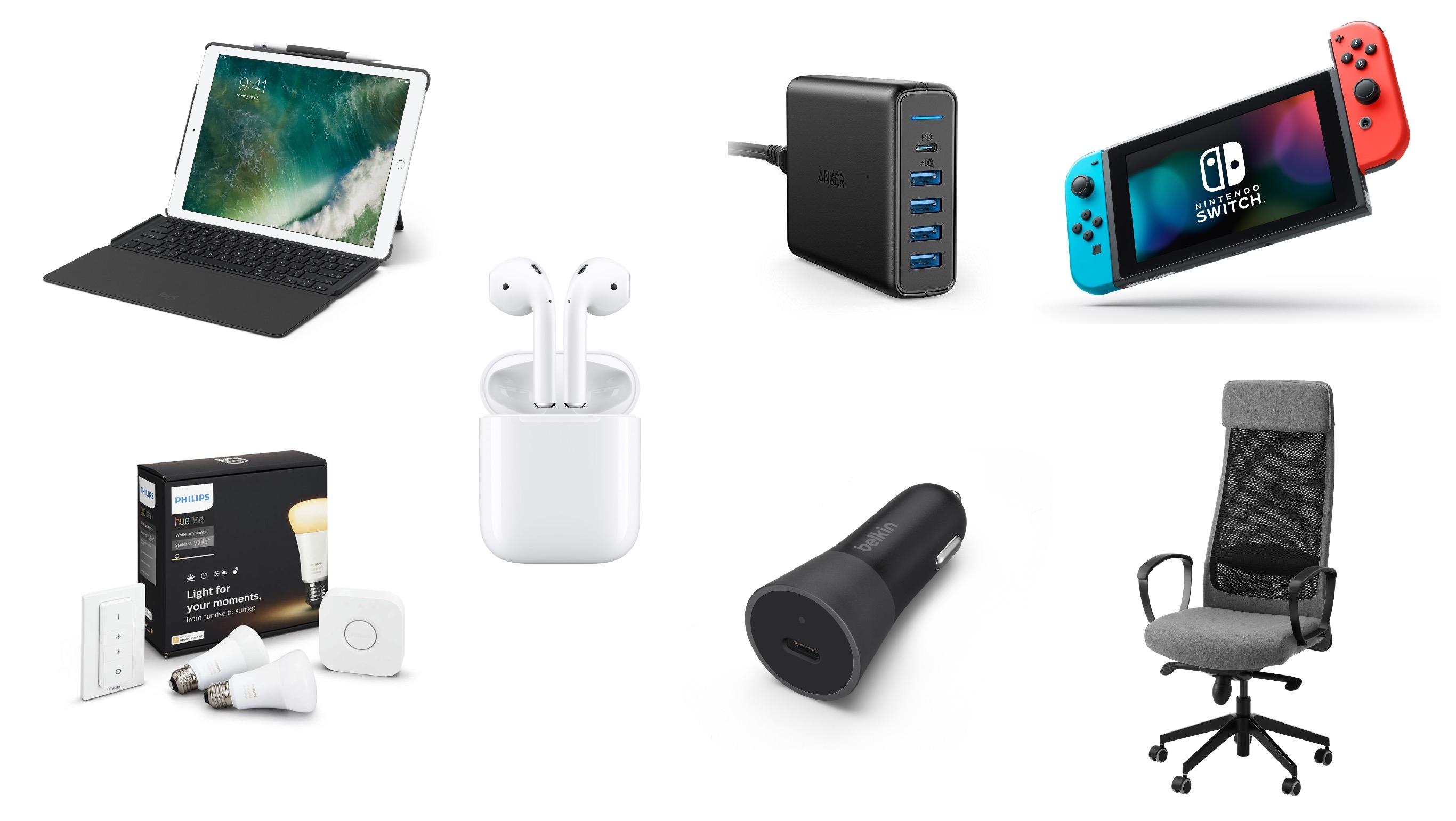
For each of us, iOS devices or Macs dominate our day-to-day computing, but they don’t tell the full story. Whether it’s a battery pack to keep a device charged, the latest game console for kicking back and relaxing, or a comfortable chair for sitting at a desk while writing, we use a wide variety of other products for work and play. So, with 2017 coming to a close, we compiled a list of our favorite gear and accessories that we used this past year.
iOS 11 X and iOS 11 Classic→
In his review of the iPhone X, John Gruber astutely points out that the device effectively runs a fork of iOS 11:
There were always two things and only two things on the front face of an iOS device — the touchscreen display and the home button. In fact, the iPhone X changes iOS in more fundamental ways than even the iPad did. In terms of the role between the display and the home button, the iPad really was — and remains today — “just a big iPhone”.
The iPhone X, however, creates a schism, akin to a reboot of the franchise.
Apple hasn’t called attention to this, but effectively there are two versions of iOS 11 — I’ll call them “iOS 11 X”, which runs only on iPhone X, and “iOS 11 Classic”, which runs on everything else.
The fundamental premise of iOS Classic is that a running app gets the entire display, and the home button is how you interact with the system to get out of the current app and into another. Before Touch ID, the home button was even labeled with a generic empty “app” icon, an iconographic touch of brilliance.
This is a great way to think about the evolution of iOS going forward. As I noted last month, the iPhone X will reshape the entire iOS ecosystem over the next few years. Consequently, it’ll also make it more challenging to review a new version of iOS, as we’ll have to account for deeply different variations of the same features.
My Favorite iOS Games of 2017
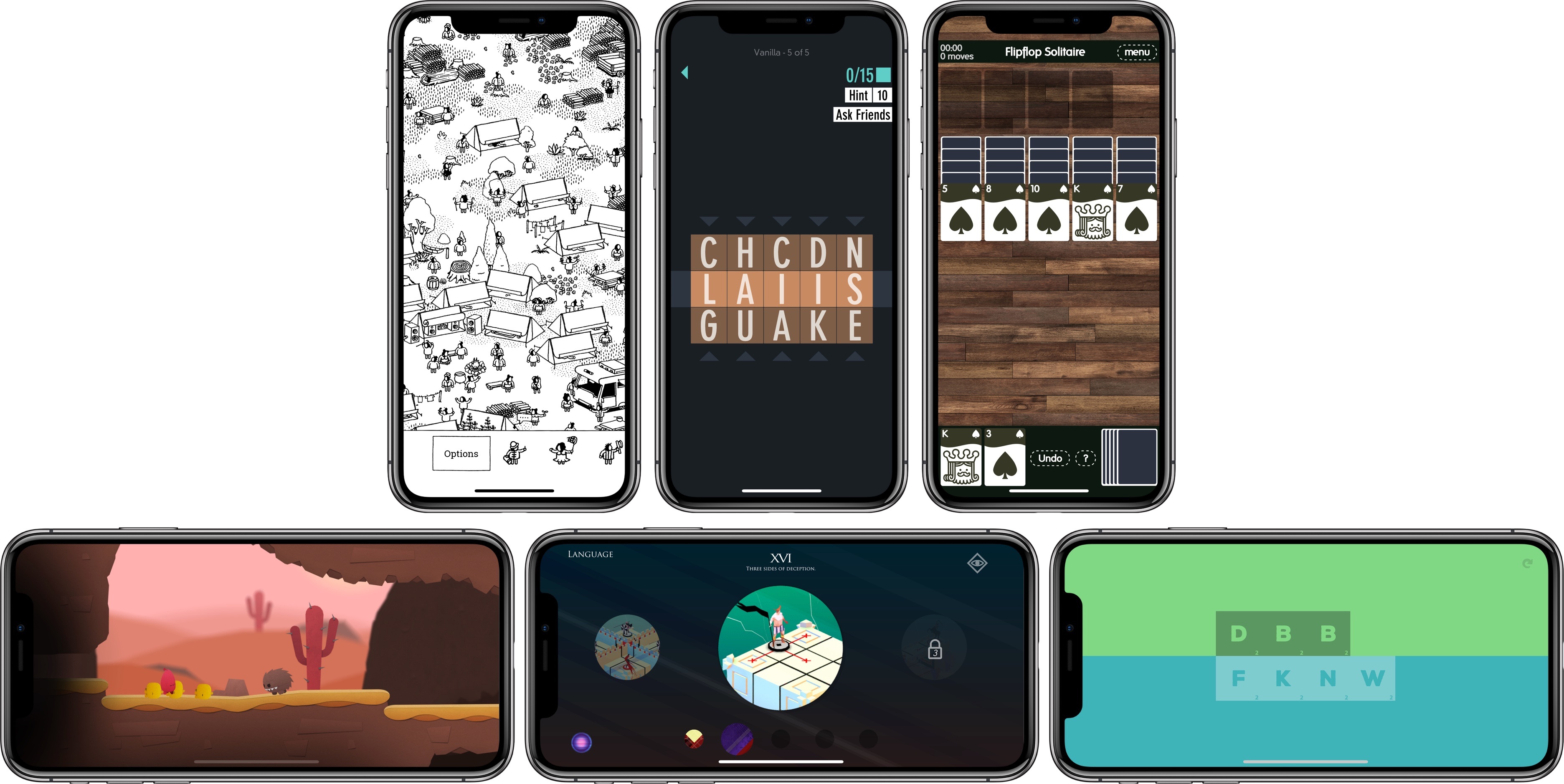
As 2017 draws to a close, we’ve seen what may prove to be a shift in iOS gaming. With the recent introduction of app pre-orders, iOS may attract more paid-up-front indie games and ports of console and PC titles than in the past. Pre-orders aren’t limited to games, but it’s no coincidence that the first batch of pre-orders released on the App Store were all successful indie titles.
It’s too early to tell if recent developments are the beginning of a trend towards a more diverse and interesting iOS game market or a one-off anomaly that will fizzle, but I hope it takes hold. The prospect of the App Store attracting new sorts of games could broaden the appeal of iOS as a gaming platform, which in turn, could change the dynamic of iOS gaming in 2018.
We’ll have to wait to see what 2018 has in store, but in the meantime, the end of the year is a good time to look back. It’s always hard to pick favorites. So many excellent games were released this year, and I didn’t have time to try them all, but here are my six favorites of the 37 that I covered in 2017 along with links to each of the reviews of them.
PortraitCam: Portrait Mode for Everyone [Sponsor]

PortraitCam by BrainFeverMedia takes iPhone portrait photography to the next level. The app, which was featured by Apple in the App Store’s ‘New Apps We Love,’ uses the latest Depth APIs and Face Detection to bring an incredible level of control over portraits.
The app automatically detects faces and captures depth data for compatible devices using Apple’s latest camera technologies. For two-lens devices like the iPhone X, PortraitCam uses the depth information captured by your iPhone. For other devices though, PortraitCam uses Face Detection to generate a depth map.
But what’s most impressive is what PortraitCam does with depth information. The app takes that data and uses it to let you dial in exactly the portrait you want, regardless of whether you’re shooting live or editing an existing photo. You can control the amount of background blur and shape of the bokeh. You can add simulated lenses too. It’s a simple, sensible workflow that works perfectly for portraiture.
BrainFeverMedia has a deep catalog of photography apps. That experience shows in PortraitCam, which draws on its past work with filters and effects to help you create beautiful portraits.
When you get together with friends and family this holiday season, download PortraitCam from the App Store and wow them with a special year-end portrait.
Thanks to PortraitCam for supporting MacStories this week.
Apple Updates and Expands App Store Review Guidelines to Address Pre-Orders, Loot Boxes, VPNs, and More
Just before the annual holiday shutdown of the App Store, Apple has revised its App Store Review Guidelines to address new App Store functionality like Pre-Orders and clarify or expand a handful of existing guidelines, including the creation of apps from templates and how ’loot boxes’ and VPNs should be handled. Below is a summary of the major changes to the Guidelines. To see all the changes, check out Rich Hong’s App Store Review Guidelines gist on GitHub.