Apple Releasing Schoolwork App for Teacher and Student Assignment Collaboration Today

At an education-focused event held in Chicago this past March, Apple previewed an app called Schoolwork for teachers and students, which the company released today.

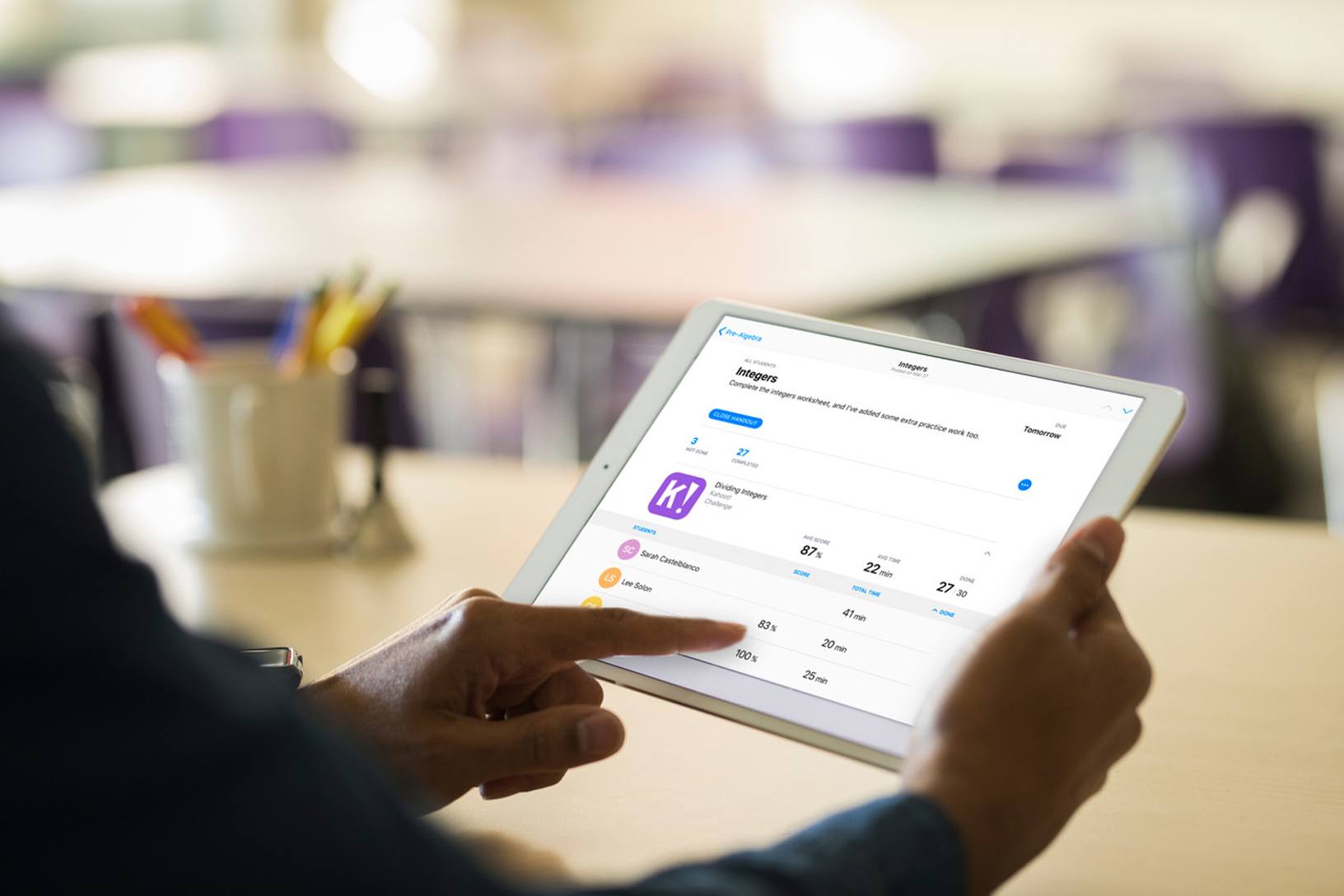
By integrating features for teachers and students, the app is meant to serve as a central location for coordinating assignments and collaborating. The free iPad app allows teachers to distribute announcements and assignments to students as well as materials like links, PDFs, and other documents. Teachers can also create assignments that take students to specific activities within apps that support Schoolwork. Class performance can be monitored too:

Schoolwork and the apps supporting it give teachers new insight into how their students are performing, helping them tailor their teaching to the needs and potential of each student. Teachers have a snapshot of class performance and can check on an individual student’s progress across activities — progress within apps or projects they’ve created.

Students can use the app to access assignments, track their progress, and access materials from their teachers.
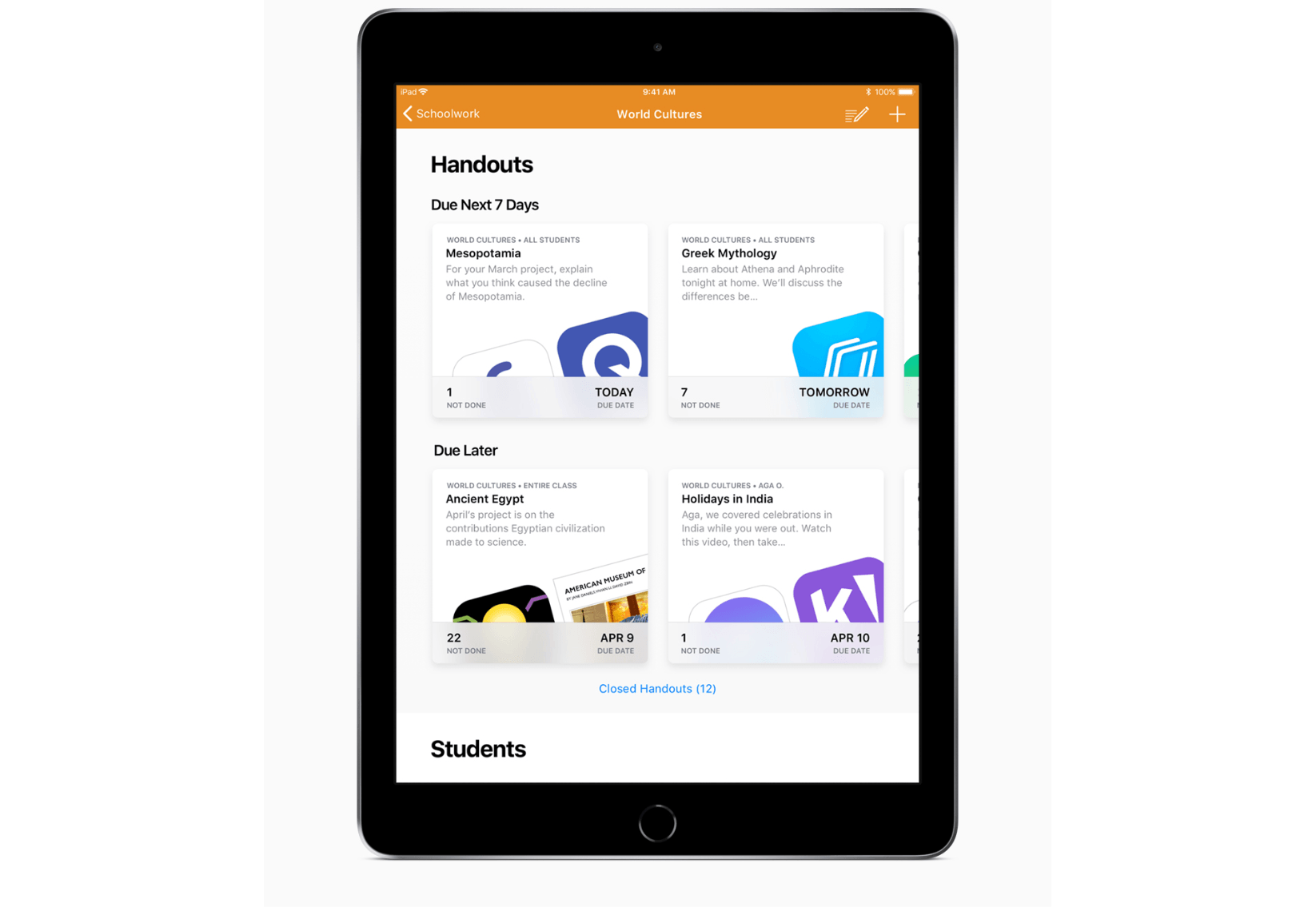
Schoolwork helps students track their assignments.

Schoolwork helps students track their assignments.

Schoolwork looks like an good way to streamline the process of distributing and tracking assignments between teachers and students. However, some of the most compelling features of Schoolwork require apps to support it. Apple says apps like Explain Everything, Tynker, GeoGebra and Kahoot! already support Schoolwork, and hopefully, others will follow suit.

Schoolwork should be available to teachers on the App Store soon. In the meantime, you can learn more about the app on Apple’s Education page.



AppStories, Episode 61 – Attention Revisited: iOS 12 Notifications, Do Not Disturb, and Screen Time

On this week’s episode of AppStories, we take a close look at the tools coming in iOS 12 to help monitor and control time spent on iOS devices and compare those to what they wished for in Episode 56.

Sponsored by:

AppStories+ Deeper into the world of apps

AppStories Episode 61 - Attention Revisited: iOS 12 Notifications, Do Not Disturb, and Screen Time

0:00
33:38

AppStories+ Deeper into the world of apps

Permalink

iOS 12 Beta: Our Favorite Tidbits and Hidden Features (So Far)

Apple released the first public beta of iOS 12 today, allowing non-developer testers to check out the new features and improvements in the next major version of iOS, set to be released sometime in the fall. While it’s always good practice to avoid installing a beta OS on your primary devices, the public beta seed typically ensures a minimum level of stability and functionality that isn’t always guaranteed with the first developer builds seeded at WWDC. If you’re interested in installing the public beta of iOS 12, you can find more details here.

We covered the big themes of iOS 12 and its most important functionalities in our original overview earlier this month. In this article, I want to focus on something different: showcasing my favorite small features and tidbits that I’ve come across in iOS 12 since installing the beta on both my iPhone X and iPad Pro a few weeks ago. While these features may change (or be removed altogether) between today and iOS 12’s final public release, they should give you an idea of the nice and hidden details you can expect from the latest iOS 12 beta. Let’s take a look.

Read more


Apple Opens iOS 12 Public Beta

Apple has released the first public beta of iOS 12. The first developer beta of iOS 12 was released at WWDC on June 4, 2018. iOS 12 includes new features such as Memojis, Siri Shortcuts, new notification, Do Not Disturb, and Screen Time features and settings for managing time spent on iOS devices, updates to Apple Books, Photos, Stocks, and Voice Memos apps, support for up to 32 simultaneous FaceTime users, ARKit 2.0, and more, which we cover in depth in our our iOS 12 overview.

You can sign up for the beta program here, but be sure to follow the instructions, which include backing up your iOS device, because it’s still early in the iOS 12 beta release cycle. There will be bugs and running a beta always runs the risk of data loss.

Permalink

Connected, Episode 198: The Prompt

To celebrate five years of podcasting together, Myke, Federico and Stephen do what they do best: talk about iOS betas, ponder photo management and screw up a round robin.

On this very special, Prompt-themed episode of Connected, we discuss the changes coming to Photos in iOS 12 and round up some excellent apps we’ve been using lately. You can listen here.

Sponsored by:

  • Linode: High performance SSD Linux servers for all of your infrastructure needs. Get a $20 credit with promo code ‘connected2018’
  • Freshbooks: Online invoicing made easy.
  • eero: Never think about WiFi again. Use code CONNECTED for free overnight shipping.
Permalink

The Numbers Behind Monument Valley 2’s First Year

Once an app has spent a while on the App Store, it’s difficult from a user perspective to know just how well or poorly the app has done. It’s unusual for developers to share detailed financial figures, though it does happen every now and then. One team that’s led the charge in this area is ustwo, creators of the Monument Valley series of games. For the first Monument Valley, ustwo shared comprehensive statistics for the game’s performance in its first and second years. Today, year one of Monument Valley 2 has received the same open treatment. Head of studio at ustwo games, Dan Gray, writes:

I’ve heard this kind of data has really helped some developers get a handle on what they might expect from a successful premium launch, and given that it’s bloody hard making premium mobile games nowadays, if there’s anything we can do to help other teams to succeed then we’re going to do it. Admittedly Monument Valley is a bit of a unicorn in this space with regards to how well it’s performed over the years (succeeding on a level we could never have expected or predicted), but we hope this latest set of data might help others to set a yard stick for something towards the top end of profitability.

Monument Valley 2 had a unique launch that almost no other apps could hope for, debuting on-stage during last year’s WWDC keynote. However, after the success of the first game, the sequel was certainly bound to get off to a great start no matter how it launched.

Permalink

FirstSeed Calendar: Manage Events and Reminders on iPhone, iPad, and Mac [Sponsor]

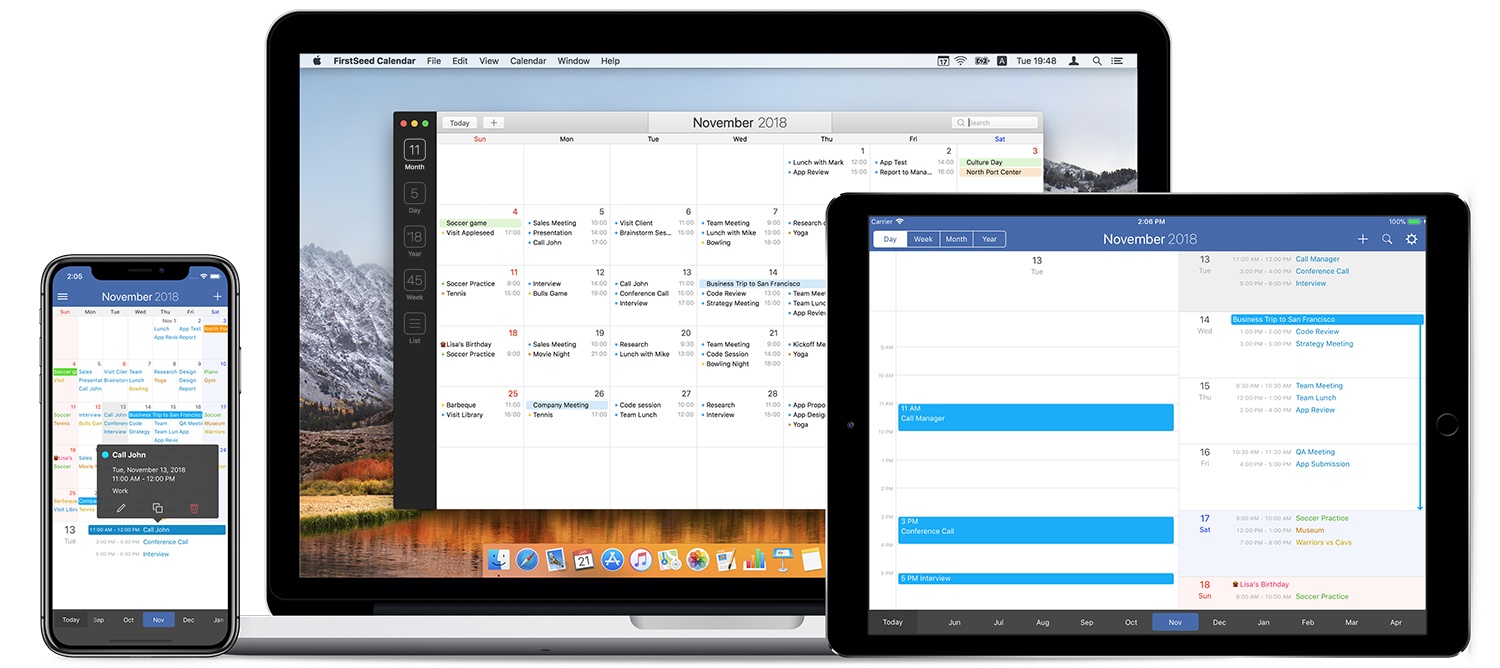
Whether you work on iOS, a Mac, or both, FirstSeed Calendar takes advantage of the unique features of each platform providing a seamless experience that anyone with a busy schedule will appreciate.

The app has a comprehensive month view that makes viewing, adding, editing, deleting, moving, and duplicating events a breeze and an innovative week view. Most calendar apps require scrolling to see a full day’s events in week view. FirstSeed provides a grid view of the core of your day and shows any other activities as a list view, making it possible to see everything at a glance. There’s a list view, day view, and reminder support too.

FirstSeed Calendar packed with clever features. There’s a clock interface for intuitive event editing, a dedicated button to quickly switch between views and a continuous month view that takes advantage of every pixel on your screen.

The app has natural language support for English and Japanese too. Just type events as you would typically describe them and FirstSeed populates your calendar like magic.

FirstSeed is designed with each platform’s hardware in mind. On iOS, the app’s emphasis on one-handed operation makes it the perfect choice for working on the go. The iOS versions of FirstSeed support keyboard shortcuts too. On the Mac, FirstSeed uses the MacBook Pro’s Touch Bar and includes a menu bar app for quick access to your schedule.

Managing your calendar doesn’t have to be hard. Take control of your schedule today with FirstSeed Calendar.

Learn more here, or go straight to the App Stores and download FirstSeed Calendar for the iPhone, iPad, and Mac today.

Our thanks to FirstSeed Calendar for sponsoring MacStories this week.


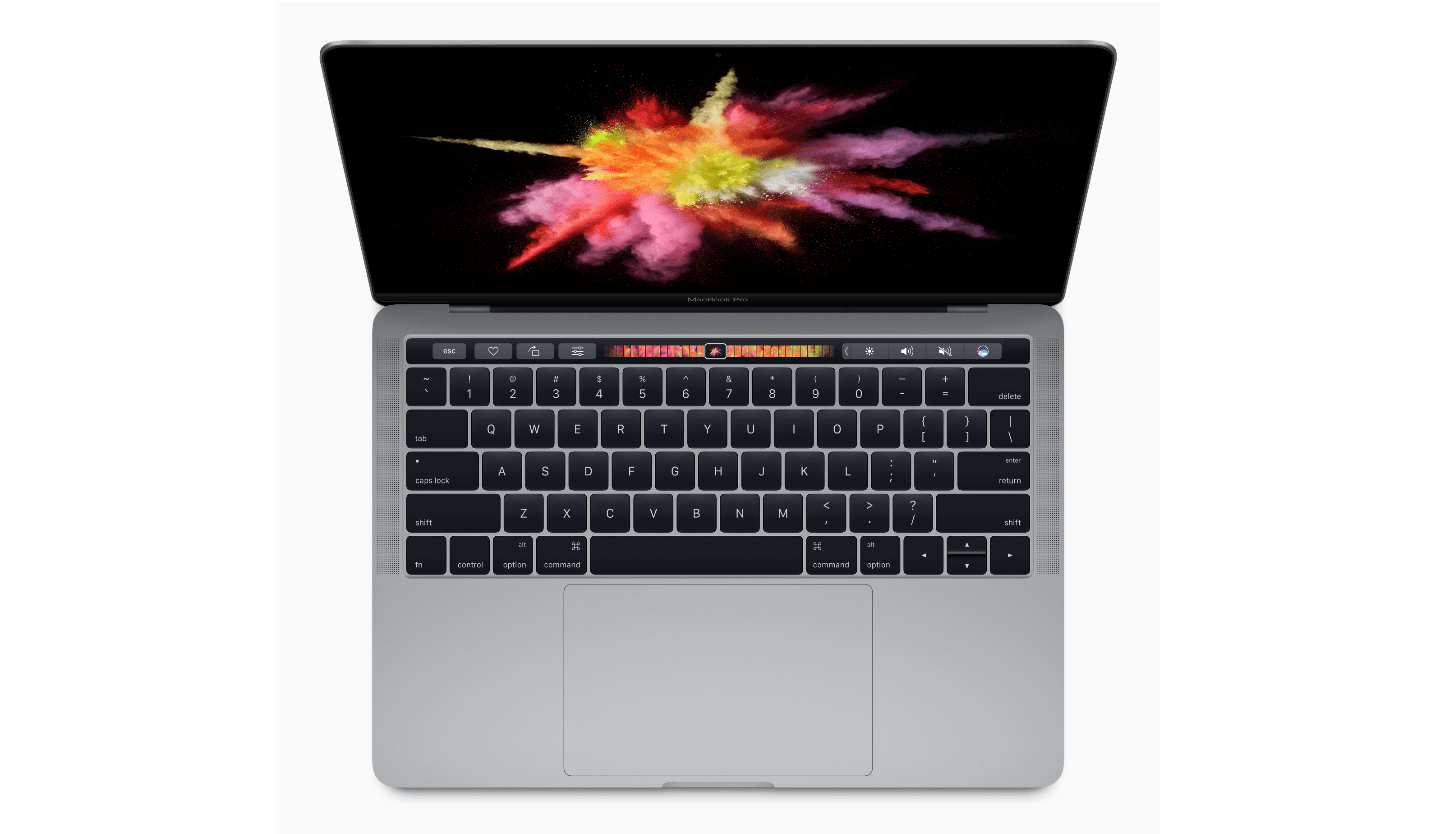
Apple Will Replace Faulty MacBook Keyboards Free of Charge

It wasn’t long after Apple changed the mechanisms of its MacBook keyboards that reports of sticky keys and other problems surfaced. Over time as anecdotal evidence mounted, it became apparent that the problem was widespread, but of course, only Apple knew exactly how common the issues were.

Now, in response to the keyboard problems, Apple has begun a keyboard service program to fix or replace keyboards with faulty butterfly switch mechanisms. From Apple’s support page about the program:

Apple has determined that a small percentage of the keyboards in certain MacBook and MacBook Pro models may exhibit one or more of the following behaviors:

  • Letters or characters repeat unexpectedly
  • Letters or characters do not appear
  • Key(s) feel “sticky” or do not respond in a consistent manner

The program covers MacBooks and MacBook Pro models from 2015 onward. Service is free of charge for four years after the first retail sale of the computer. To check if your model is covered, visit Apple’s support page for a complete list of eligible models.

My MacBook Pro’s keyboard hasn’t failed, but I know several people whose keyboard has, and I’ve had a few occasions where keys would become sticky for a short period. If my keyboard ever fails, I expect it will be at the most inopportune time, but at least that hassle and frustration won’t come with a big price tag too.