In addition to the early slate of iPhone reviews from the press, it’s become tradition in recent years for each iPhone to be graded as a camera by professional photographer Austin Mann. I especially enjoyed Mann’s review this year of the iPhone XS camera system. He writes:
Most of the time my expectations for camera upgrades on “S” years aren’t so high, but after shooting with the iPhone XS for a week, I can confidently say it’s a huge camera upgrade. There’s a lot of little improvements, but Smart HDR definitely takes the cake. This is a feature and technology that improves virtually everything you capture with your iPhone camera. I think you’ll be really thrilled when you experience the results yourself.
As I shared in last week’s issue of MacStories Weekly for Club MacStories, the iPhone XS and XR announcements caught me by surprise in that I expected there to be more change in the devices compared to last year’s iPhone X. I’ve ordered a XS Max, but the primary reason for my upgrade was the additional screen real estate compared to my X; bigger display aside, September’s keynote didn’t provide much of a compelling reason for me to purchase a new phone this year. However, Mann’s review and that of John Gruber have helped provide much-needed additional detail on the camera upgrades in the XS, which sound impressively significant.
One of the standout lines in Mann’s review for me comes near the beginning, where he says, “iPhone XS captures what your eyes see.” It’s hard to find higher praise than that.
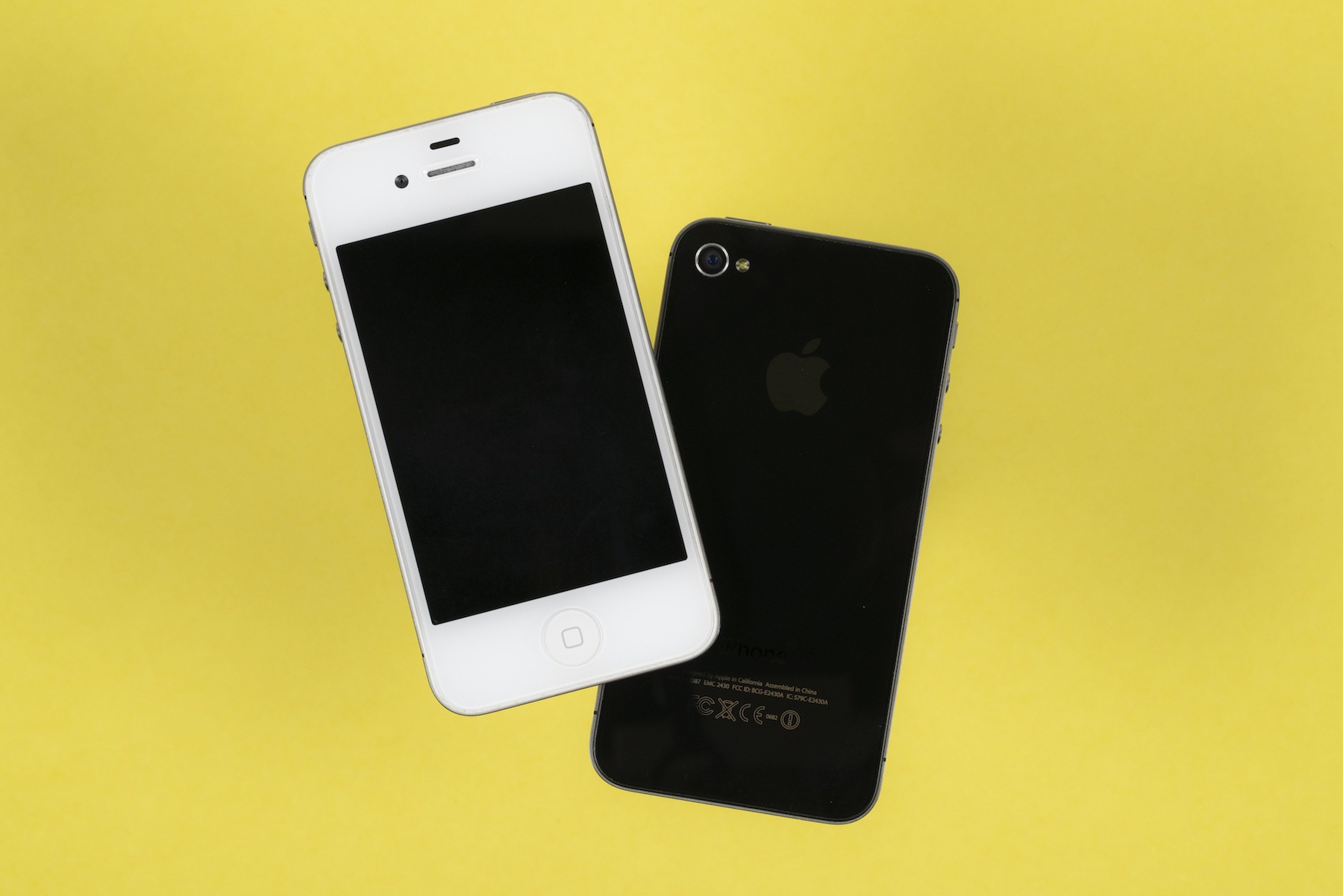
We are used to a fall release schedule when it comes to iPhones, but that hasn’t always been the case. The first four iPhones came out in the summer, usually after being announced at WWDC.
2011’s iPhone 4S changed that for good, and in some ways that phone draws parallels to the new iPhone XS. Both are the second generation of a radical new design, and both boast improved cameras, networking, and battery life. That’s not to mention how Siri is at the heart of the iOS version they both ship with.
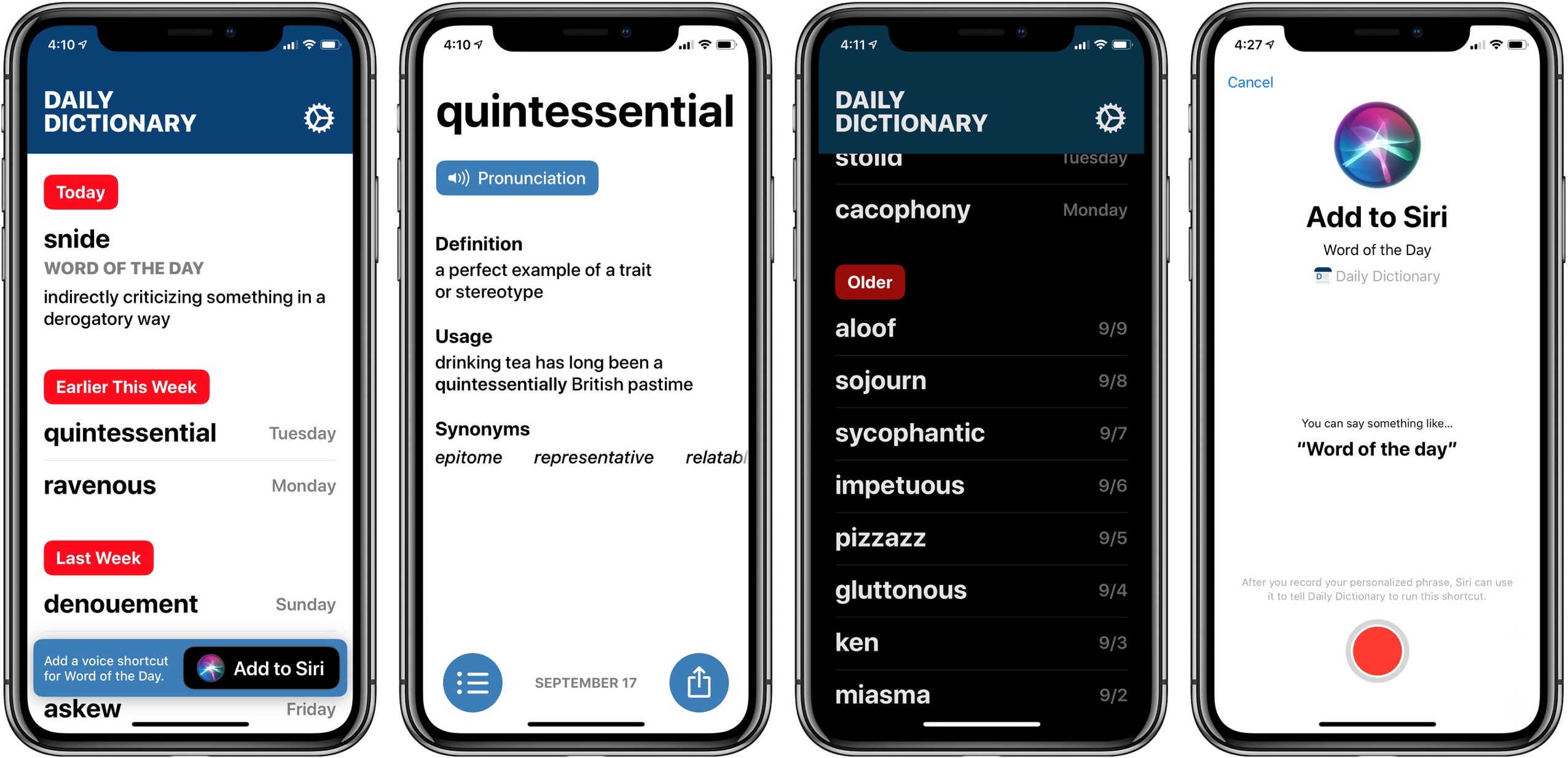
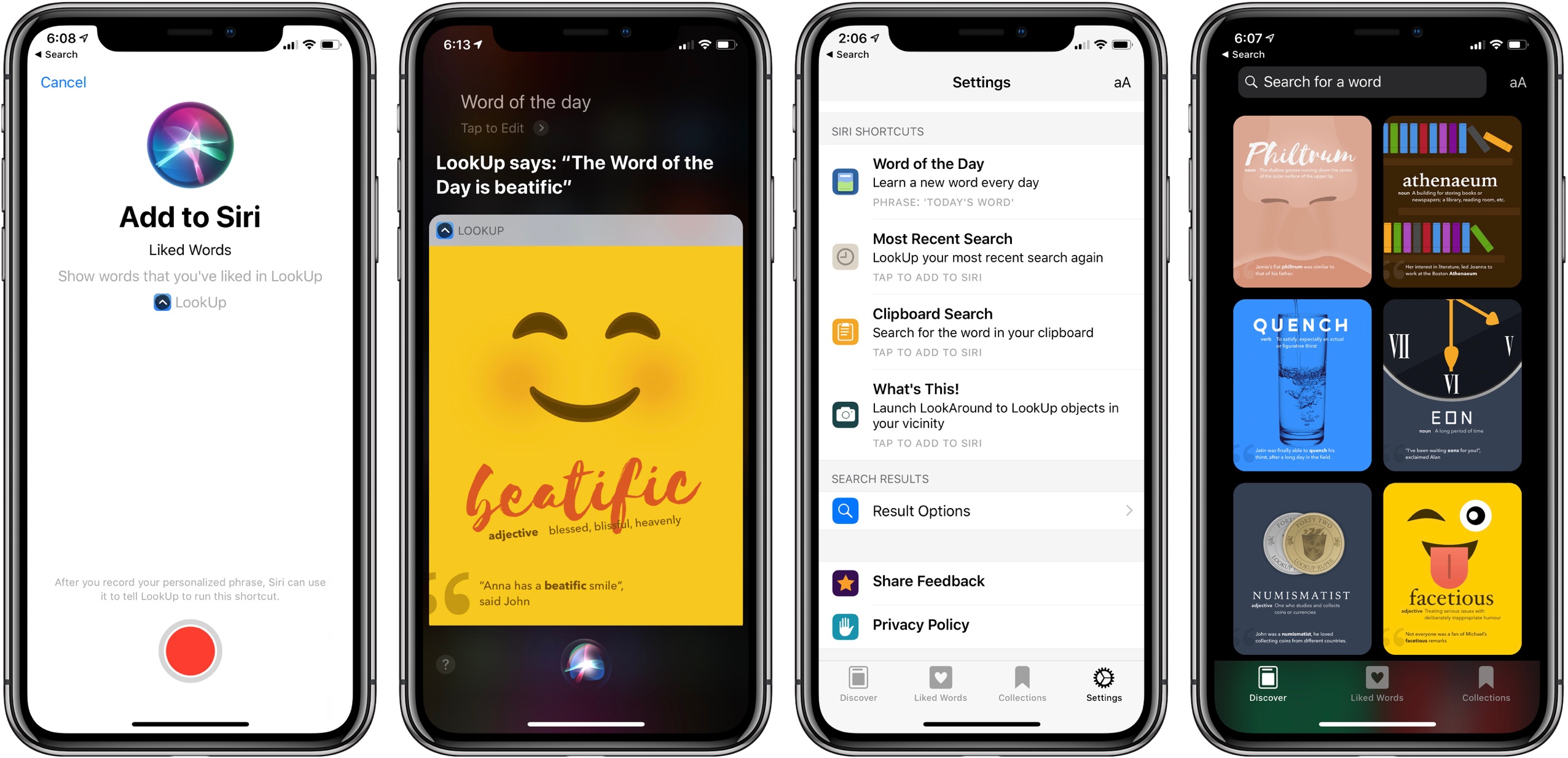
One word every day. Words that you have known but long forgotten. And some that are entirely new.
Daily Dictionary is written by real people, not machines. No technical jargon or esoteric science terms. Just words you can use to improve your writing and expand your speaking vocabulary.
Get a word of the day with a push notification, lock screen widget, or ask Siri using iOS 12 Siri Shortcuts.
I’ve been testing Daily Dictionary over the last month, and it’s a beautiful app with a design language that feels like a preview in some ways of where Apple could take iOS in the future. There’s lots of big text, buttons that are easy to press, and gestural navigation of the app which works great one-handed. These things are all perfect fits for increasingly larger iPhones.
Regarding the app’s functionality, all it really does is provide a different interesting word each day, including pronunciation, definition, example sentence, and list of synonyms. But it does offer that word through a variety of means, which I appreciate: Siri shortcuts, notifications, or the app’s widget can all feed you each day’s word.
In many ways Daily Dictionary reminds me of ‘sodes, the podcast client by Jared Sinclair that I wrote about earlier this year. It’s light on features compared to competing apps, but its interface is a delight to use. And sometimes, a simple app that puts a smile on your face is all you need.
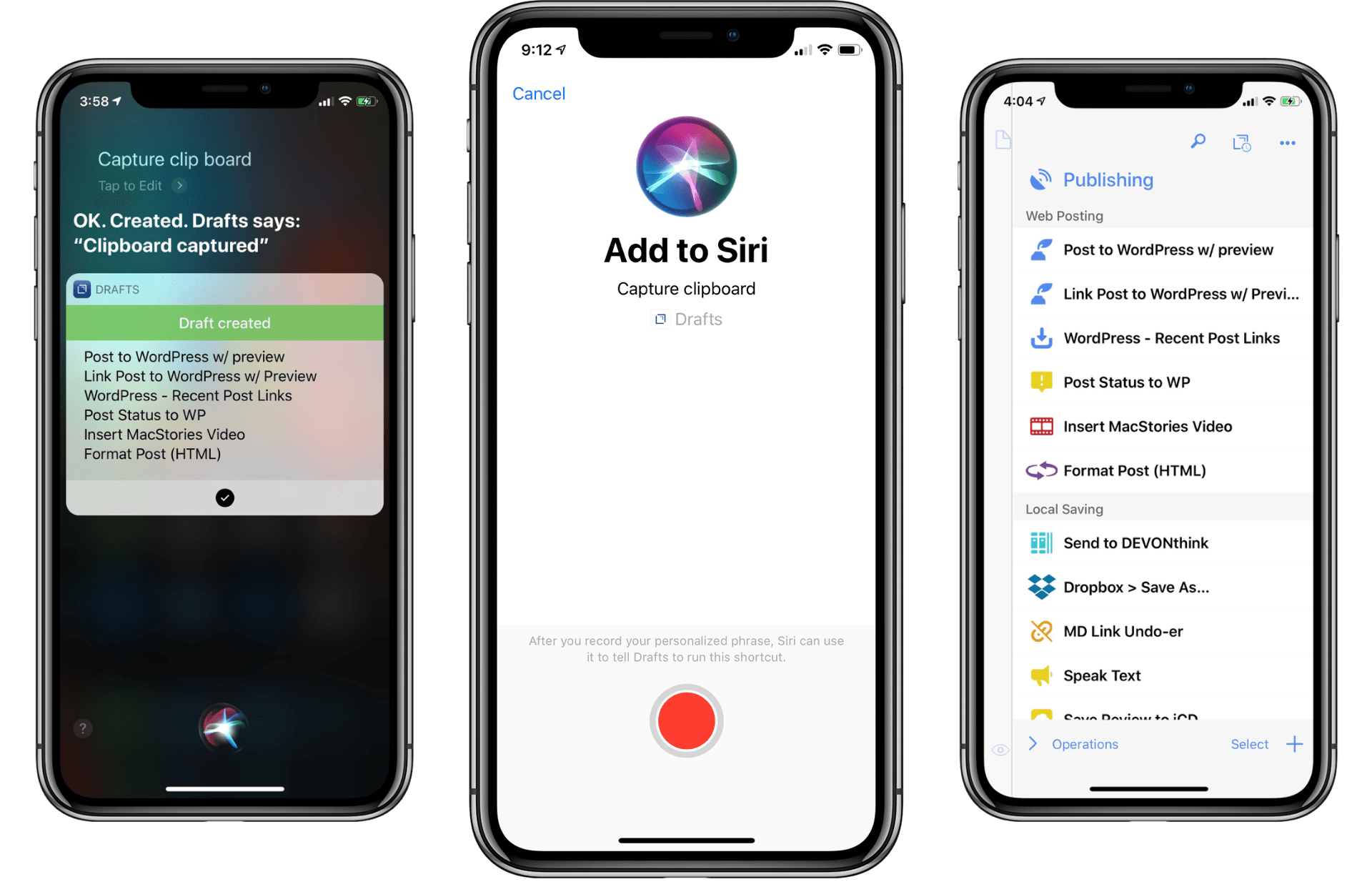
Drafts 5 was recently updated to version 5.4, which brings a host of new features. While there is support for iOS 12’s Siri shortcuts and all that they have to offer, there are also other important features that have improved the app’s capabilities significantly.
Apple describes the XS as sporting “dual 12MP wide-angle and telephoto cameras”. This will be obvious to most of you, but in case it’s not, they’re not just dual rear-facing lenses, they’re dual rear-facing cameras. The wide-angle and telephoto lenses each have their own sensors. As a user you don’t have to know this, and should never notice it. The iPhone XS telephoto camera is the same as in the iPhone X — same lens, same sensor.
But the iPhone XS wide-angle camera has a new lens, which I believe to be superior to last year’s, and an amazing new sensor which is remarkably better than last year’s. And last year’s was very good.
Anytime an iPhone review gets too technical about camera details and photography lexicon, I tend to gloss over it and move on. I’m not a camera expert and I usually don’t care about the nitty-gritty. But John Gruber’s analysis of the iPhone XS’ camera stack, A12 SoC, and seemingly unadvertised improved sensor is one of the most interesting camera-focused iPhone reviews I’ve read in years. I don’t want to spoil it – move past the photos at the beginning and keep reading.
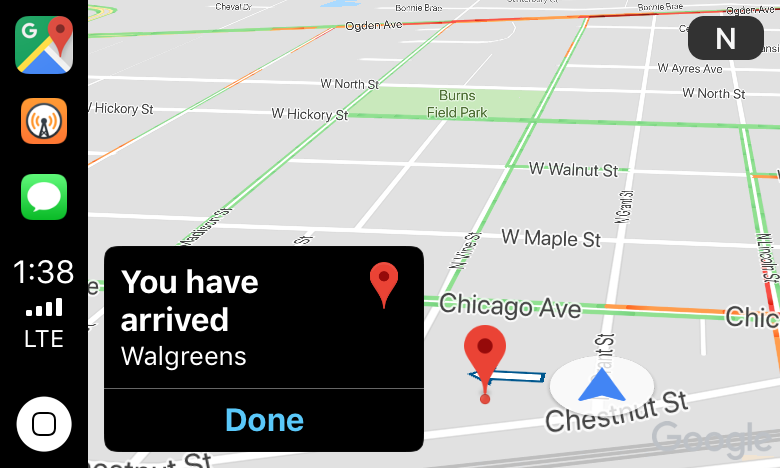
I just got home from a trip to my local drugstore using Google Maps’ new CarPlay integration. Once I had a destination selected and was on my way, the experience was fine, as long as I didn’t stray from the path. Overall though, from my very preliminary, single test drive, I wasn’t left wanting to switch away from Apple Maps.
We all know that it’s important to regularly learn new things, but often the busyness of life crowds out that learning and we settle into routines that make learning unnecessary. Fortunately, one of the things made possible by iOS 12 and the new Shortcuts app is that you can create your own custom “routines” of sorts with the help of Siri, and integrate daily learning into those routines.
In that vein, the excellent dictionary app LookUp was updated this week to version 5, which takes advantage of Siri shortcuts in iOS 12 to offer access to the word of the day via Siri. The update also brings a new Collections feature, additional shortcut options, and more.
watchOS had a bumpy first few years. Some poor decisions and perhaps a premature initial launch forced significant design changes to be in order right away. It wasn’t until last year’s watchOS 4 release that it finally felt like the waters had calmed. Apple seemed to have solidified the brunt of its focus around fitness and audio, while also debuting a healthy backdrop of first-party apps, new watch faces, and machine learning features. The Siri watch face was the big addition for both of those last two categories, and while its initial introduction was underwhelming, the ideas behind it were intriguing. The redesigned Workout and Music apps along with background audio during workouts were excellent additions to the Apple Watch’s core foundation. All things considered, Apple pushed a great update last year, and it only got better as the year progressed.
While it didn’t ship in time for watchOS 4’s launch in September, streaming from Apple Music was released late the next month in watchOS 4.1. The ability to stream music in the background during workouts freed runners and other athletes from being tied to their phones while they exercised. Paired with the redesigned Workout app – which put live statistics front and center while keeping Now Playing and workout controls just a swipe away – watchOS 4 established a truly better fitness experience for Apple’s smartwatch.
The audio story that Apple told last year felt much less complete. Despite receiving a significant amount of attention in Apple’s marketing efforts, the Apple Watch’s music improvements seemed almost strictly geared toward workouts. Background audio was limited to workout apps and withheld from the platform as a whole, the first-party Now Playing screen continued to monopolize possession of volume controls, and the Music app only gave manual access to preselected songs instead of the full music library on your iPhone1. Audio on the Apple Watch had received some strong improvements, but the scope of those positive consequences felt unnecessarily limited.
Thankfully, Apple seems to agree. This year’s watchOS 5 update, released today for all Apple Watches Series 1 and later, fills in the gaps of the watchOS audio feature set. Third-party audio apps can now run in the background, and full audio controls including volume adjustment via the Digital Crown have been made available to them. watchOS 5 also introduces the first-party Podcasts app, which supports automatic syncing of new episodes that you’re subscribed to and streaming of any show in the iTunes podcast directory.
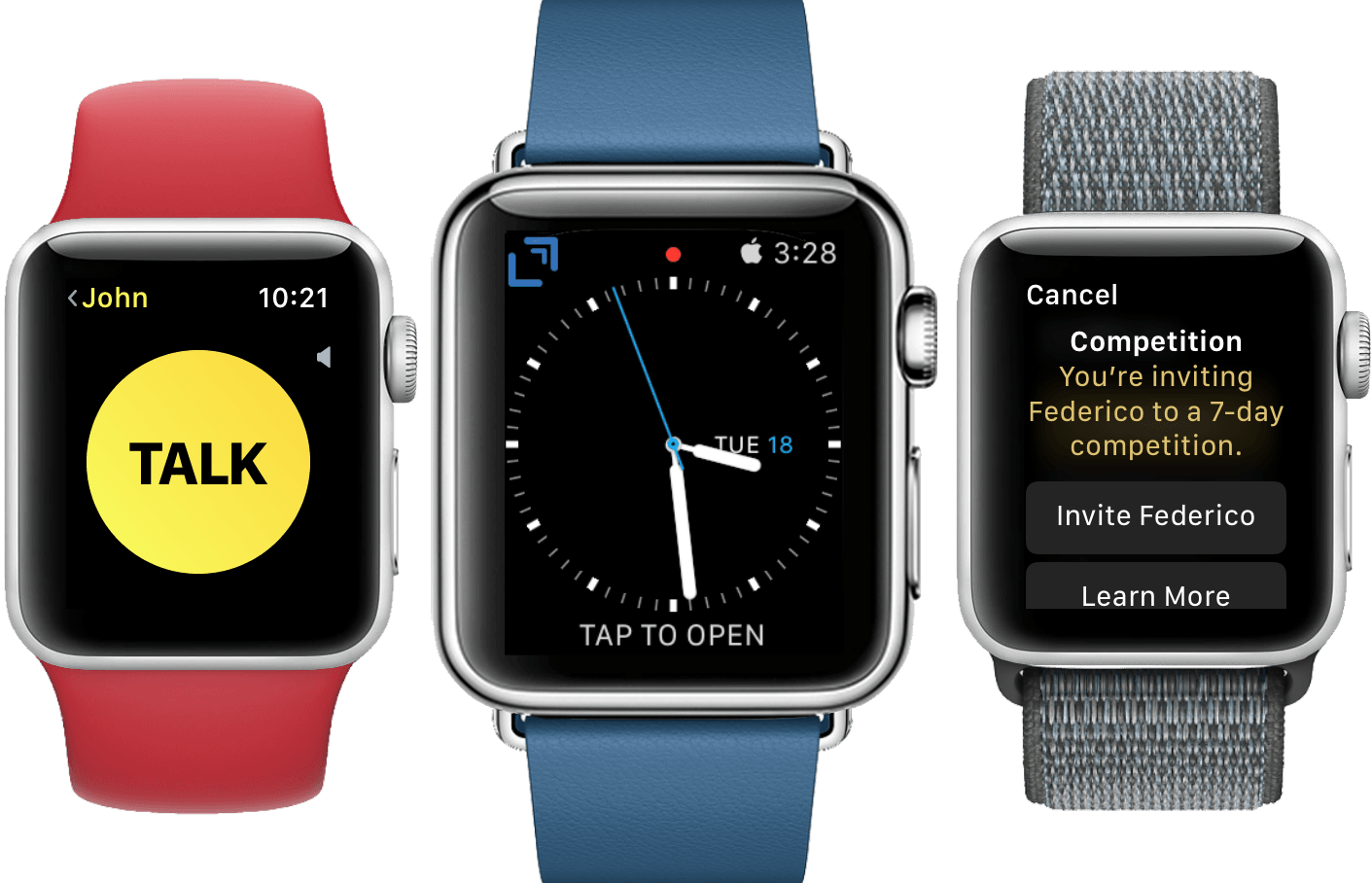
Beyond audio, watchOS 5 also builds on the solid fitness foundation with activity competitions, expanded Workout types, automatic workout detection, and advanced running statistics. Siri has continued to receive attention as well, introducing third-party integrations to the Siri watch face and a raise-to-speak feature which truncates the inveterate “Hey Siri” prefix for the first time on any platform. A new Walkie-Talkie app marks the first return to novelty Apple Watch communication methods since Digital Touch, but this time I think Apple might have tapped into a legitimate, albeit niche use case. Top things off with improved notifications, the introduction of web content, and NFC-powered student ID cards and we have a substantial watchOS update on our hands.
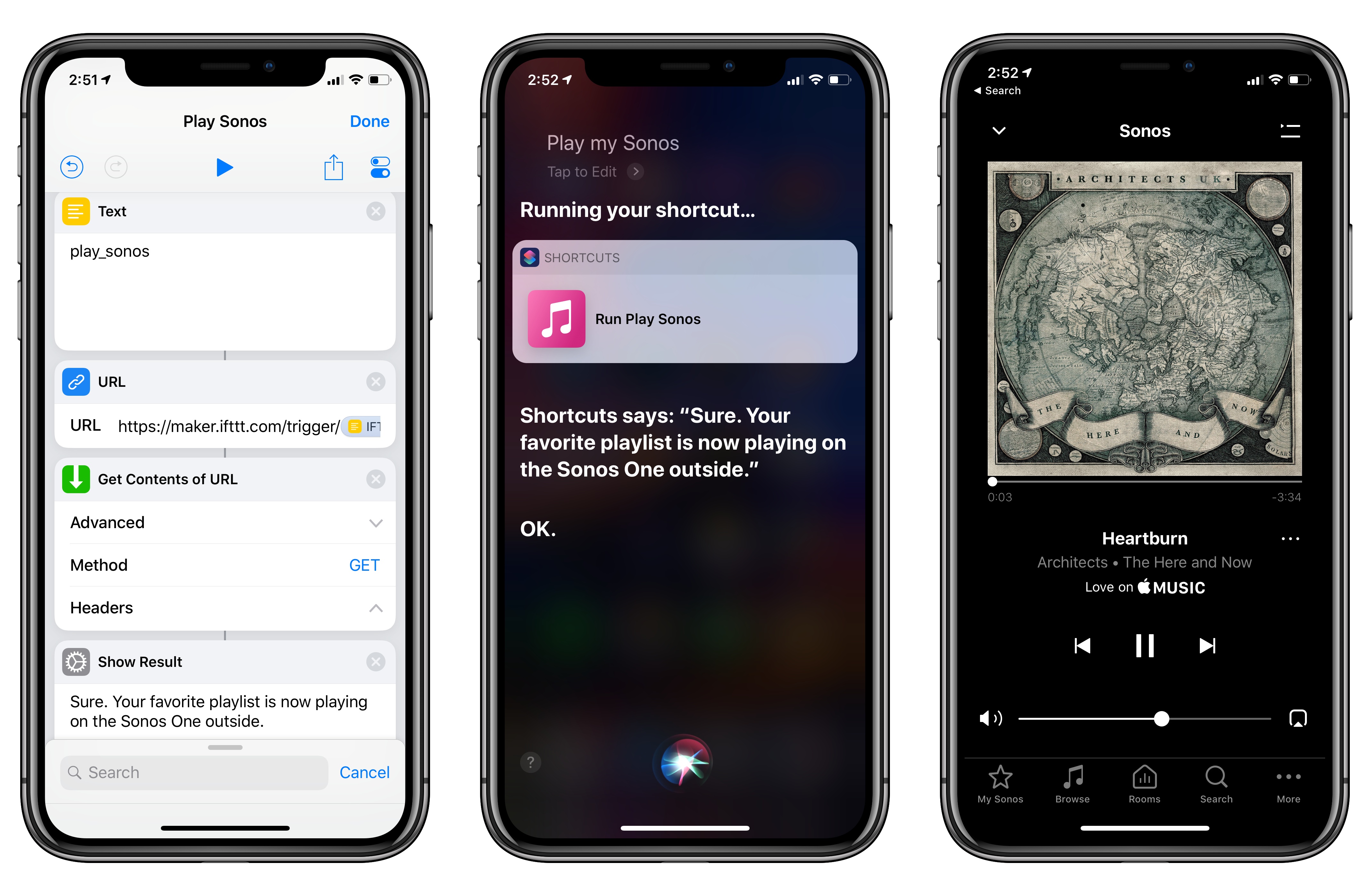
Among the actions that didn’t make the transition from Workflow to the new Shortcuts app for iOS 12, built-in support for triggering IFTTT applets (formerly known as “recipes”) is perhaps the most annoying one. With just a few taps, Workflow’s old ‘Trigger IFTTT Applet’ action allowed you to assemble workflows that combined the power of iOS integrations with IFTTT’s hundreds of supported services. The IFTTT action acted as a bridge between Workflow and services that didn’t offer native support for the app, such as Google Sheets, Spotify, and several smart home devices.
Fortunately, there’s still a way to integrate the just-released Shortcuts app with IFTTT. The method I’m going to describe below involves a bit more manual setup because it’s not as nicely integrated with Shortcuts as the old action might have been. In return however, you’ll unlock the ability to enable IFTTT triggers using Siri on your iOS devices, Apple Watch, and HomePod – something that was never possible with Workflow’s original IFTTT support. Let’s take a look.