Stephen Coyle on the Reduced Bluetooth Latency of AirPods Pro

Stephen Coyle has followed up on previous tests he conducted on Bluetooth latency of AirPods. This time, he tested the AirPods Pro using the iOS system keyboard, his rhythm game Tapt, and a shotgun microphone, to measure the delay between triggering a sound on an iPad Pro and playback through the Apple’s wireless earphones and other Bluetooth headphones.

As Coyle explains, latency affects certain use cases, such as user-triggered UI sounds like the keyboard, accessibility features like VoiceOver, and game sound effects, more than others. While delayed keyboard clicks may merely be annoying, delayed VoiceOver responses are a serious usability issue for people who depend on the feature.

What Coyle discovered was that the the latency of the AirPods Pro is substantially less than the original model of AirPods. As Coyle puts it:

If it’s possible for the trend line to continue in the same direction, the next generation or two of AirPods will be very exciting. Not being a VoiceOver user, I’m unsure how much AirPods Pro improve its user experience in real terms, but I think this general trend can only be for the good. Similarly, for mobile gaming and general user experience, this trend means that what is, in my opinion, the primary downside of Bluetooth earphones may be gradually disappearing.

I found Coyle’s comment on using AirPods Pro to make and edit music intriguing too:

Their status as the lowest latency Bluetooth earphones notwithstanding, the AirPods Pro make for a deeply unsettling experience when using them as monitors to play piano in Logic Pro; there’s still far too much delay to make for a comfortable experience (and I’m not alone in thinking similar). They are, however, just about usable when editing music or video, and shaving a few dozen more milliseconds off this each generation would fast make them a preferable option over wired earphones.

As someone who edits podcast audio regularly, I’ve never considered using AirPods Pro because I’ve assumed that the latency would be a roadblock. What Coyle’s test show is that it’s time to rethink old assumptions whether it’s the role of AirPods Pro in accessibility features like VoiceOver, audio production, or gaming. As Apple reduces the latency of its wireless earphones, the use cases for them will only expand further, which is exciting.
Permalink

2019 Winter Festival of Artisanal Software [Sponsor]

The 2019 Artisanal Software Festival is a fantastic collection of carefully-crafted apps for writing, research, thinking, and more at terrific prices. As in past years, software artisans from around the globe come together to offer fair discounts direct to you from the workshop door.

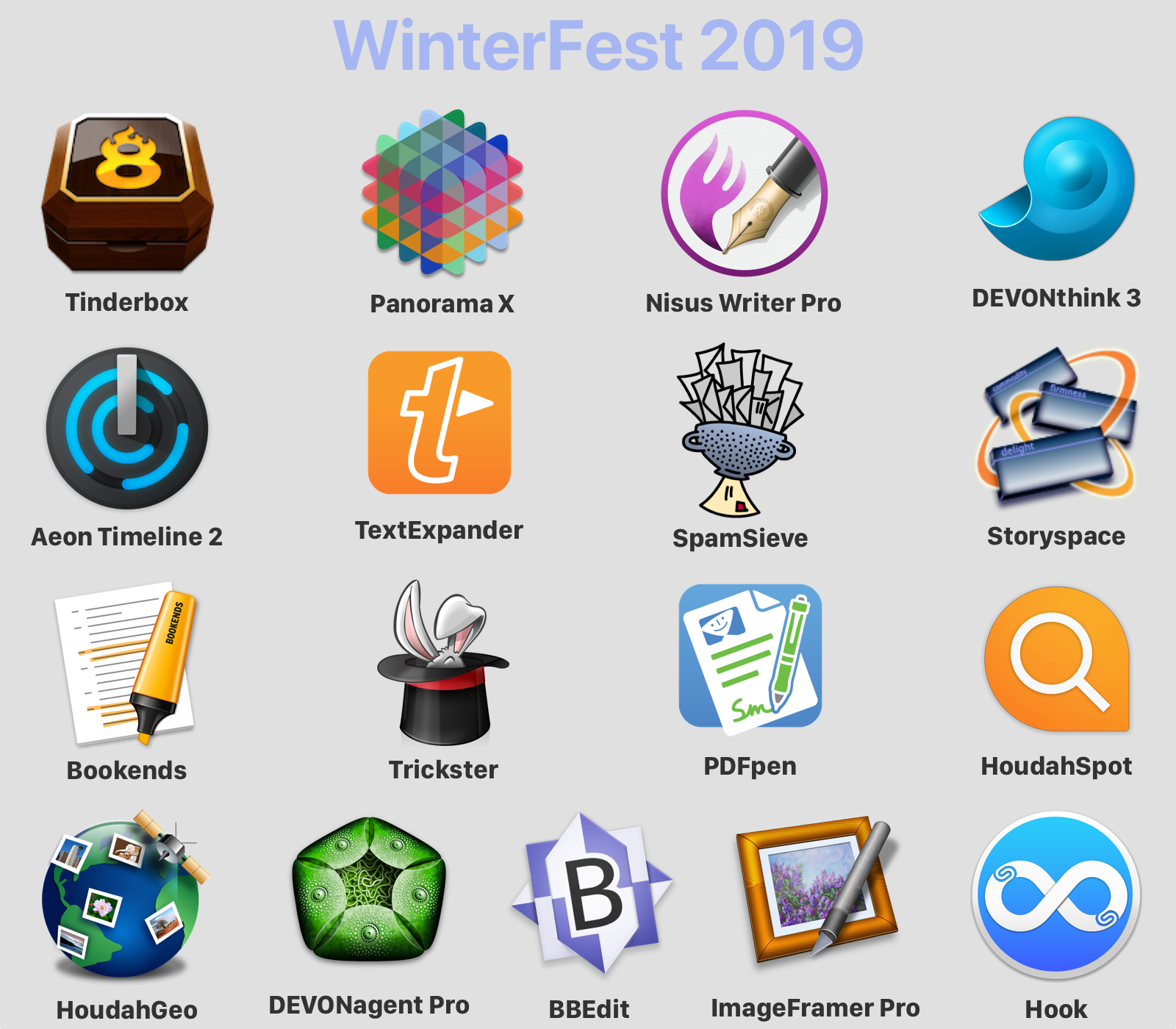
The 17 apps span a wide spectrum that will assist you with everyday knowledge work. There are apps to plan your next big project, conduct research, organize your research, edit images, manage email, write, and more:

  • Tinderbox – Visualize and organize ideas and plans.
  • Panorama X – Collect, organize, and understand your data.
  • Nisus Writer Pro – The powerful word processor for the Mac.
  • DEVONthink 3 - Your paperless Mac office.
  • Aeon Timeline 2 – The timeline tool for creative thinking.
  • TextExpander – Recall your best words. Instantly, repeatedly.
  • Spam Sieve – powerful email spam filtering
  • Storyspace – Serious hypertext narrative.
  • Bookends – The reference manager you’ve been looking for.
  • Trickster – Your recently used files, at your fingertips.
  • PDFpen – Powerful PDF editing.
  • HoudahSpot – Powerful file search for Mac.
  • HoudahGeo – Photo geotagging.
  • DEVONagent Pro – Your smart (re)search assistant.
  • BBEdit – Power tool for text.
  • ImageFramer Pro – Your art. Showcased.
  • Hook – Work smarter.

Tools with attitude: no gimmicks, no bundles, no gotchas – just saving of hundreds of dollars on these fine tools for a limited time. Visit the WinterFest website now for links to amazing deals each of these fantastic apps and to learn more.

Our thanks to the 2019 Artisanal Software Festival for sponsoring MacStories this week.


Satechi Debuts Cleverly-Designed USB-C Apple Watch Charger

Source: Satechi

Source: Satechi

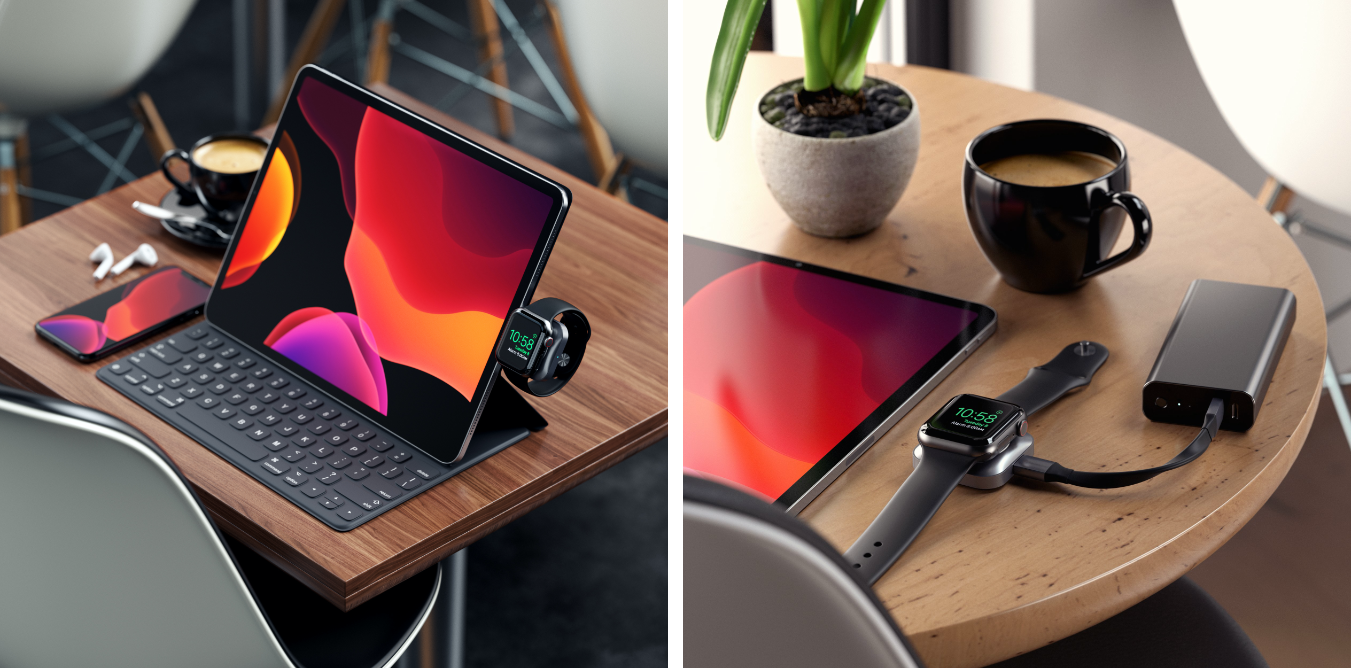
Satechi began selling a new MFi-certified Apple Watch charger today with a clever design that looks perfect for iPad Pro users.

The charger, which is made of space gray aluminum and retails for $44.99 in the US, has a USB-C connector that plugs directly into devices with USB-C ports. Attached to an iPad Pro while using a Smart Keyboard Folio, you can charge your Watch and conveniently see the time thanks to the Watch’s Nightstand Mode. Satechi includes a short USB-C male to female cable in the box for situations where you don’t want the charger connected directly to a device, such as a MacBook Pro where it would block other USB-C ports.

I haven’t had a chance to try it yet, but this charger looks like it would have been perfect when I was traveling last week, so I ordered one immediately. During that trip, I worked on my iPad Pro on and off throughout the day, and Satechi’s charger would have been an excellent way to charge my Watch and had a minimal impact on the iPad Pro’s large battery.

For a limited time you can use the coupon code GIFTSATECHI to get Satechi’s USB-C Magnetic Charging Dock for Apple Watch for 20% off.


Twitter Rolling Out Redesigned iPad Interface

Chance Miller, writing for 9to5Mac:

Twitter is rolling out an update to the official Twitter for iPad app that brings a much-needed interface redesign. With today’s update, Twitter for iPad now better takes advantage of the added screen real estate available on the iPad.

As first noted by _Applesfera_, Twitter for iPad now features a multi-column view that allows you to see quite a bit more information. Up until now, Twitter for iPad featured a single timeline of content, surrounded by white space on either side. This led to a lot of wasted space, particularly in landscape mode.

With this redesign, Twitter for iPad now looks and behaves more like the Twitter web app. The menu bar has moved from the bottom to the side of your timeline. On the other side of the timeline, you’ll now find trending topics and other dynamic content.

I’m intrigued by this redesign because, for the past several years, the Twitter app for iPad has offered one of the worst designs on the platform, with an oversized iPhone layout that took no advantage of the extra screen real estate provided by the iPad Pro.

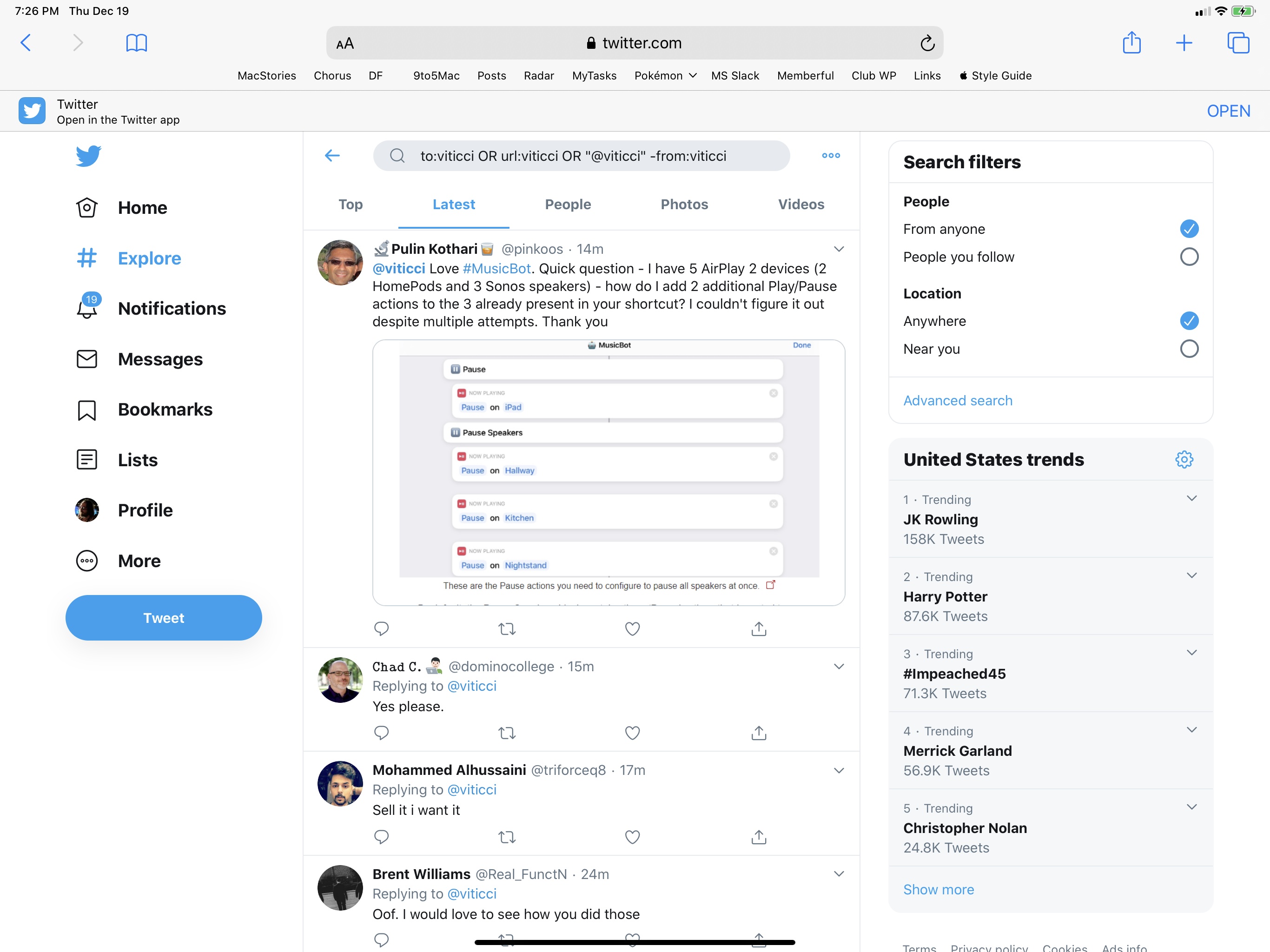
Looking at these early screenshots, I don’t love that Twitter is using the additional column for trends and search options – I’d rather have a customizable column (à la Tweetdeck) to display any kind of Twitter content. It would be great if the extra column could also show tweets from search results: for the past several months, I’ve been using a saved search to check out a complete timeline of my mentions; in theory, I should be be able to view my timeline and mentions at the same time by virtue of having two columns on iPad. Unfortunately, I think Twitter is just going to replicate the web app’s layout and use the additional column for search filters and trends (example) – tweets will always be displayed in the main timeline. If you compare the current Twitter web app running in Safari for iPadOS to the screenshots of the iPad app’s redesign, you’ll notice that they’re essentially using the same layout.

It looks like Twitter is A/B testing this redesign for now, and I don’t have it yet. I’m going to reserve judgement until I can actually play around with it, but if my interpretation is correct, this won’t bring true multi-column support to Twitter for iPad. Sadly, the original, groundbreaking, Loren Brichter-designed Twitter for iPad is still a distant memory.

Permalink

Connected, Episode 274: 2019 in Review: The Date of November Came in September

On this week’s episode of Connected:

2019 was a wild year, complete with the death of AirPower, the announcement of iPadOS, the release of the iPhone 11 and the return of the Mac Pro. This week, Stephen, Federico and Myke revisit the headlines that made this year so hectic.

You can listen below (and find the show notes here).

AppStories+ Deeper into the world of apps
0:00
01:52:11

Connected, Episode 274

AppStories+ Deeper into the world of apps

Sponsored by:

  • Squarespace: Make your next move. Enter offer code CONNECTED at checkout to get 10% off your first purchase.
  • Pingdom: Start monitoring your website performance and availability today, and get instant alerts when an outage occurs or a site transaction fails. Use offer code CONNECTED to get 30% off. Offer expires on June 30, 2020.
  • Hover: Make a name for yourself. Get 10% off any domain name.
  • StoryWorth: Record your family stories. Get $20 off your first purchase.
Permalink

AppStories, Episode 143 – The 2019 MacStories Selects Awards

This week, we reveal the 2019 MacStories Selects Awards.

Sponsored by:

  • Linode – High-performance SSD Linux servers for all of your infrastructure needs. Get a $20 credit.
  • Kensington The Professionals Choice. Find the right docking solutions for your organization today.
  • Re:Schedule – The app that helps you be more productive by organizing your collaboration with your schedule.

AppStories+ Deeper into the world of apps

AppStories Episode 143 - The 2019 MacStories Selects Awards

0:00
52:06

AppStories+ Deeper into the world of apps

Permalink

MacStories Selects 2019: Recognizing the Best Apps of the Year

John: The process of picking the MacStories Selects awards is simple. During the past year as we used and reviewed hundreds of apps, Federico, Ryan, and I kept a shared note in Apple Notes with a list of the apps that struck us as potential candidates for one of our 2019 awards. Not long ago, each of us revisited that list and refined it. Then, we convened in the MacStories Slack and hashed out the winners and runners up.

Today, we are pleased to announce the winners of the second annual MacStories Selects awards. As we explained when we introduced the inaugural Selects awards, we expected that we would expand and evolve them in 2019, which is precisely what we’ve done.

This year, the Selects Awards feature four new awards:

  • Best New Feature
  • Best Watch App
  • Best Mac App
  • Readers’ Choice Award

Best New Feature recognizes a new app feature that stands out for its impact. We also added an award for the Best New Watch app; in a year that saw Watch apps gain independence from the iPhone, this is an award that felt like an obvious and natural addition to Selects. With Apple’s renewed focus on Mac hardware and apps, we also wanted to recognize the 2019 Mac app that we feel represents the best that macOS has to offer.

Finally, for 2019 we are debuting a Readers’ Choice award selected by members of Club MacStories. All of our readers care about the apps they use, or they wouldn’t be reading MacStories in the first place. However, Club members’ interest and dedication to discovering and using the very best apps available rises to an entirely different level, so we felt it would be fitting to tap into their refined tastes with this special award.

When we looked back on our 2018 Selects picks, we couldn’t help but feel that something was missing. The awards were well-received by readers and developers alike, but they lacked a sense of permanence and concreteness found in other awards ceremonies. So, we’re very pleased and excited to announce that this year, we have commissioned custom, hand-made awards that we will be sending to each Selects award recipient later this week. From New Zealand to Texas and many points in between, each of the eight MacStories Selects awards will be in the hands of winners soon.

Congratulations from the entire MacStories team to the winners and runners up this year. Every one of these apps represents the best the App Stores have to offer. Thanks too to the developers of all the apps we use and love; your hard work doesn’t go unseen. 2019 has been a fantastic year for apps, and we can’t wait to see what you come up with in 2020. Also, thanks to the Club MacStories members who participated in the Readers’ Choice award voting. The Club is an important part of MacStories, so it was great to find a way to involve its members.

With that, let’s get on with the 2019 MacStories Selects awards.

Read more


Apple, Google, Amazon, and the Zigbee Alliance Announce Project Connected Home Over IP

In a press release today, Apple announced that it is part of a new working group with Google, Amazon, and the Zigbee Alliance called Project Connected Home over IP. According to Apple’s press release:

The goal of the Connected Home over IP project is to simplify development for manufacturers and increase compatibility for consumers. The project is built around a shared belief that smart home devices should be secure, reliable, and seamless to use. By building upon Internet Protocol (IP), the project aims to enable communication across smart home devices, mobile apps, and cloud services and to define a specific set of IP-based networking technologies for device certification.

Apple says smart home device makers IKEA, Legrand, NXP Semiconductors, Resideo, Samsung SmartThings, Schneider Electric, Signify (formerly Philips Lighting), Silicon Labs, Somfy, and Wulian will also contribute to the project. The group wants to make it easier for manufacturers of smart home devices to integrate with Amazon’s Alexa, Apple’s Siri, and Google’s Assistant and will take an open source approach to the development of the joint protocol.

This is fantastic news. To date, many smart home devices have adopted support for some, but not all, smart assistants. It has also become all too common for companies to announce support for certain assistants was coming to their products only to delay or abandon it altogether. With a unified approach across the three major companies with smart assistants, support will hopefully be more consistent in the future.