Linea Sketch Adopting Subscription Model in 2020

The Iconfactory has announced that Linea Sketch, its popular iPad sketching app, will be moving from paid up front to a subscription business model. This transition will take place in early 2020 with the release of Linea 3.0.

We tried hard to avoid a subscription, but the costs to maintain the app are much higher than the income from new sales. This is obviously not a sustainable situation! We have two options:

  1. Let the app die a slow, painful, and unsupported death
  2. Find a source of recurring revenue

They mention that the recent 2.7 update to Linea took over 200 hours of work, and most of that time was simply spent adapting the app to work well with iOS 13’s new system dark mode. The cost of simply maintaining the app to function well with system updates is high, and The Iconfactory wants to do much more than just maintain the app. For example, they preview the roster of changes coming to Linea 3.0, which will include a universal app across iPad and iPhone, and the following:

  • Time-lapse to capture your creation as it evolves
  • Templates with adjustable intensity
  • Custom backgrounds with adjustable paper color and texture
  • App themes and beautiful new app icons for your home screen
  • QuickToggle: two-handed drawing is all we’re going to say :-)

Linea’s subscription will cost $.99/month or $9.99/year, and include both the iPad and iPhone versions of Linea, since the two will become a universal app. On a related note, the Mac companion app Linea Link is now available as a free download.

Many users hate seeing the apps they use switch to subscriptions, but sometimes developers truly don’t have much of a choice. As was mentioned above, development costs for Linea are currently much higher than sales revenue, which is clearly an unsustainable situation. Either The Iconfactory finds a sustainable option for Linea, or the app will eventually disappear. And because of Apple’s unwillingness to allow upgrade pricing on the App Store, subscriptions are one of the only viable options.


Permalink

AppStories, Episode 142 – Our 2020 App Wishes

This week, we share our 2020 wishes for Apple’s system apps on iOS and the Mac.

Sponsored by:

  • Luna Display – Turn any Mac or iPad into a wireless second display.
  • Linode – High-performance SSD Linux servers for all of your infrastructure needs. Get a $20 credit.
  • Kensington – The Professionals Choice. Find the right docking solutions for your organization today.

AppStories+ Deeper into the world of apps

AppStories Episode 142 - Our 2020 App Wishes

0:00
48:21

AppStories+ Deeper into the world of apps

Permalink

Mac Power Users, Episode 513 – Catalyst Apps on the Mac, with John Voorhees

It was a pleasure to spend time with David Sparks and Stephen Hackett talking about Catalyst apps on the Mac for episode 513 of Mac Power Users. I’ve spent a lot of time thinking about and covering Catalyst for the past 18 months since Apple gave developers a sneak peek at it during WWDC in 2018, so it was a lot of fun to join Sparks and Hackett to take stock of where Catalyst stands today and where it’s heading. Of course, we also covered a long list of our favorite Catalyst apps.

To listen, you can subscribe in your favorite podcast player or head over to Relay FM.

Permalink

Prizmo 5: The Pro Scanner with Powerful Editing Tools for the iPhone and iPad [Sponsor]

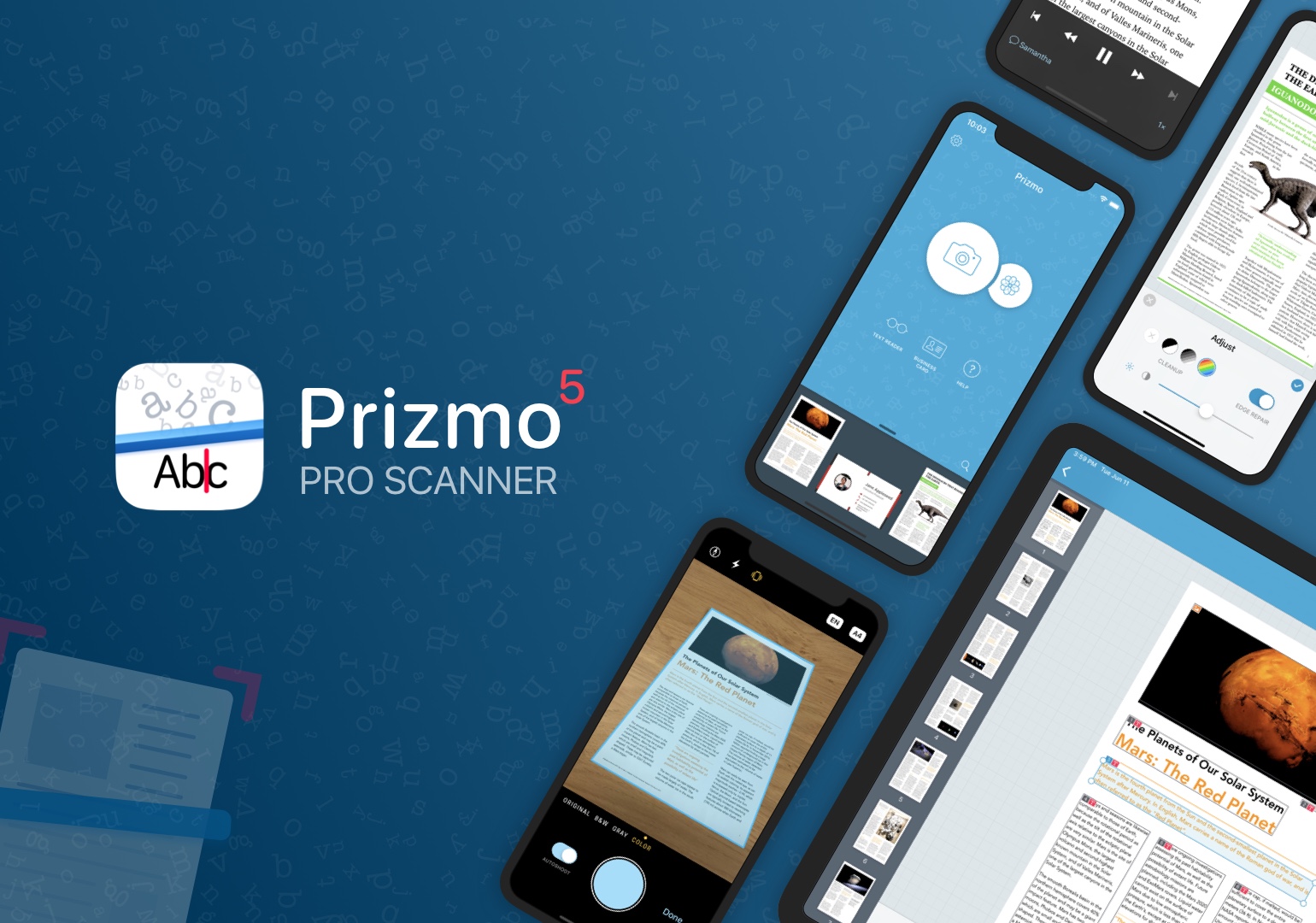
Prizmo 5 is the premier solution for fast, streamlined scanning and powerful, accurate OCR on the iPhone and iPad. The app’s hallmark is the efficiency of its capture workflow, which is driven by an elegant and intuitive UI coupled with the latest iOS and iPadOS features.

Creaceed, the maker of Prizmo 5, has been refining the capture process for years, and with the latest update, they introduced auto-shoot, which detects pages as they are come into view of your iPhone or iPad’s camera and captures them automatically. Once scanned, the images, which use highly-efficient compression formats, can be quickly cleaned up with Prizmo’s suite of built-in tools to rotate, crop, and flatten a scan and adjust its brightness, color, and edges.

Prizmo offers both cloud-based and on-device OCR, turning the text of scanned documents into editable text that can be exported as a text-searchable PDF or even an editable Microsoft Word file. The app also supports business card scanning and processing, so you’ll never lose track of those new contacts you meet again.

Of course, Prizmo supports all the latest iOS and iPadOS technologies, too, including Shortcuts, iCloud, and iPad multitasking, plus exhaustive VoiceOver support with spoken guidance while scanning. There’s even a text reader that can read your scan aloud and batch editing support.

Prizmo 5 is free to download and try and is available through Apple’s Volume Purchasing Program for schools and enterprises. Best of all, for this week only, Prizmo 5’s Premium Pack is 20% off, making now a great time to get started with building a paper-free workflow.

Our thanks to Prizmo 5 for sponsoring MacStories this week.


Connected, Episode 272: If the Issue Persists, Contact Apple

On last week’s episode of Connected:

Apple is handing out awards, and Myke is dealing with the fallout of his TV purchase. Stephen is aware that musicians exist and Federico wants all the 2020 rumors to be true.

You can listen below (and find the show notes here).

AppStories+ Deeper into the world of apps
0:00
01:30:58

Connected, Episode 272

AppStories+ Deeper into the world of apps

Sponsored by:

  • PDFpen, from Smile : The ultimate tool for editing PDFs on the Mac.
  • Pingdom: Start monitoring your website performance and availability today, and get instant alerts when an outage occurs or a site transaction fails. Use offer code CONNECTED to get 30% off. Offer expires on June 30, 2020.
  • eero: Get your WiFi fixed as soon as tomorrow! Free overnight shipping.
Permalink

Procreate 5 Review: A Rebuilt Graphics Engine Drives Fantastic Animation, Color, and Brush Tools in an Art App Perfectly Tailored to the iPad

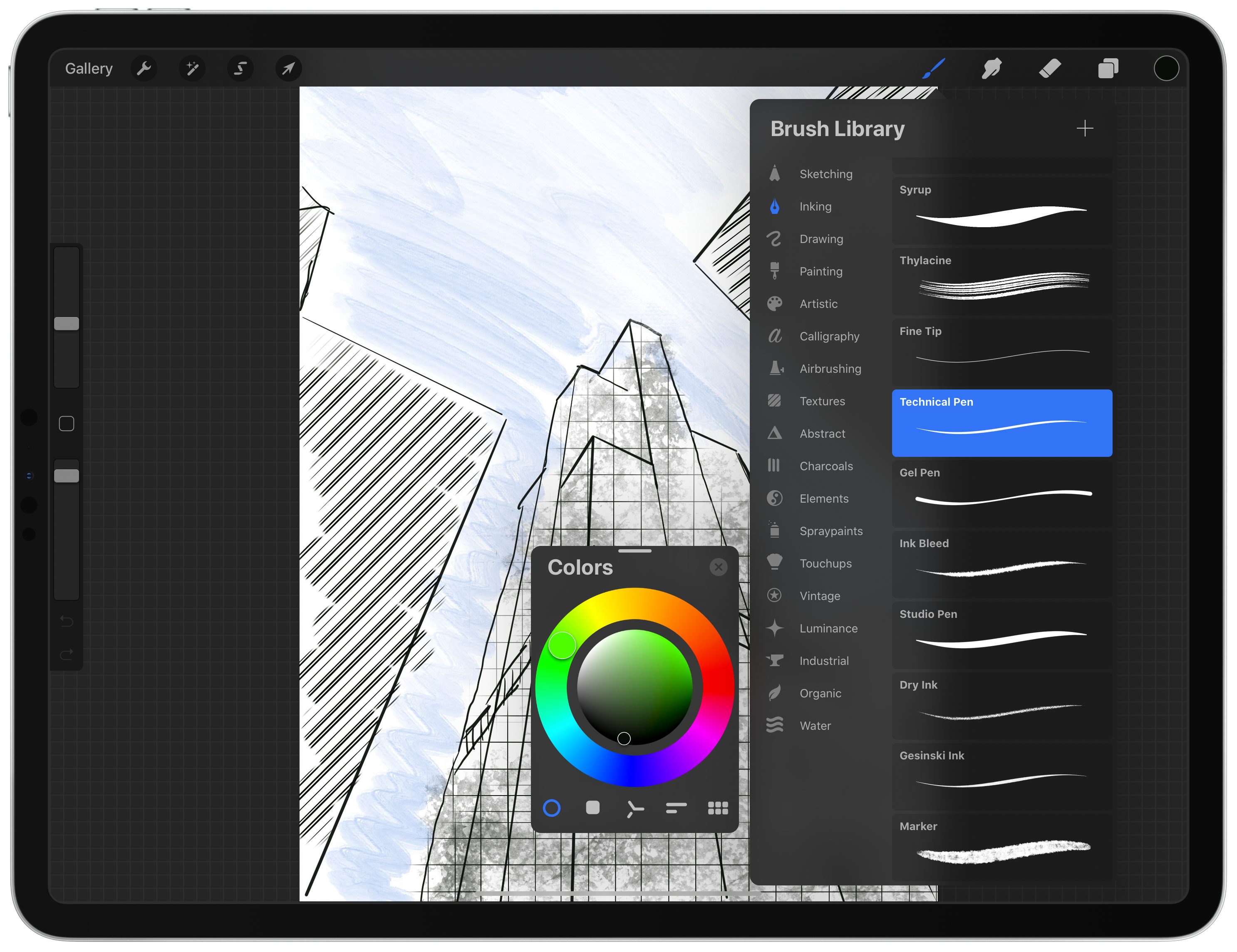
Procreate 5 for iPadOS is out with an impressive roster of new features. The update by Savage Interactive includes a new graphics engine, an updated color picker and color management tools, an incredibly deep and flexible brush studio, and a fun new animation assistant that brings your creations to life. Remarkably, these robust new features don’t clutter the app’s UI or add undue complexity. Instead, Procreate 5 delivers its added flexibility and power gracefully and in a manner that I expect both veterans of the app and newcomers alike will appreciate.

Procreate has been around since the earliest days of the App Store and has been used to create fantastic art. Over the years, we’ve covered stories of artists using the app to create everything from the Stranger Things poster art and a photorealistic portrait of Morgan Freeman featuring 285,000 brush strokes to a recent Apple ad. Procreate’s capabilities are impressive, but also a little intimidating.

I don’t consider myself much more than a doodler at best, which made me question whether the app was for me and whether I should tackle reviewing it at all. Here’s the thing, though: you don’t have to be a professional artist to enjoy drawing. Art is for everyone, and the key to Procreate’s success over its long history is that it too is for everyone. The app’s UI is a model of simplicity and progressive disclosure that stays out of the way, revealing its powerful tools only if and when you need them. Combined with a reasonable $10 price tag, Procreate is a fantastic choice for dabblers or pros alike, and with version 5 out today, Procreate is more powerful than it has ever been, but just as easy to use.

Read more


Hands-On with Clips 2.1: Memoji and Animoji Support, Plus New Sticker Face Tracking and More

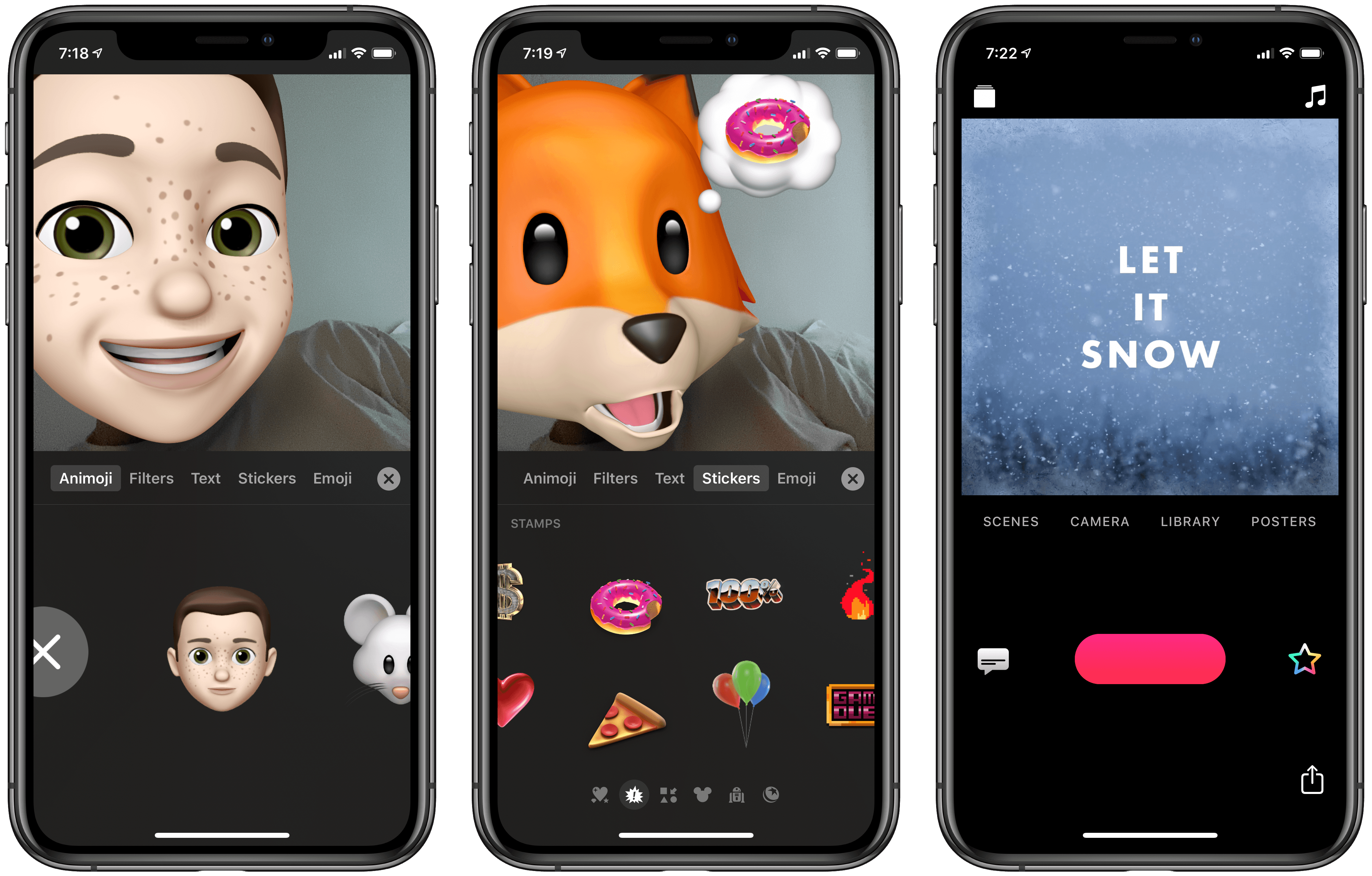
Apple has released the first big update in over a year for its Clips video creation tool. Following the trend begun in iOS 12, which added Animoji support to FaceTime, now all Animoji and Memoji characters can also be used inside Clips. Though I would have expected such an update a year ago, it’s nevertheless good to see. Besides Animoji and Memoji, Clips 2.1 only adds a couple other small new features, like a fresh batch of Mickey and Minnie stickers, a ‘Let It Snow’ winter poster, and support for right-to-left languages. After spending some time with the update, there are a couple nice implementation details related to Animoji that deserve highlighting.

Read more


Club MacStories Makes a Terrific Holiday Gift 

As you shop for holiday gifts for friends and family, we wanted to remind everyone that Club MacStories memberships can be given as gifts year-round. The Club extends what we publish at MacStories, which makes it the perfect gift for someone who wants more of the kind of app, automation, and other coverage you find on the site.

Club MacStories offers exclusive content every week including:

  • MacStories Weekly, a newsletter that is sent on Fridays and packed full of our favorite apps, themed collections, tips, Shortcuts automations, answers to reader questions, featured Home screens, interviews, and much more.
  • The MacStories Unplugged podcast, a monthly show featuring a discussion of what’s going on behind the scenes at MacStories, articles we’re working on, the gear we’ve been testing, and more.
  • The Monthly Log, a monthly newsletter that includes long-form and behind-the-scenes stories.
  • Access to giveaways, discounts, and other treats like eBook versions of Federico’s annual iOS review and other long-form stories.
  • The full archive of over 250 issues of MacStories Weekly and the Monthly Log.

All told, that’s around 60 newsletters and lots of other perks over the course of a year.

Now is also a great time to join the Club because we have a lot planned for 2020, including a special issue coming in January that will be packed with goodies for members.

So, if you have a MacStories reader on your holiday shopping list this season, consider a Club MacStories membership that they can enjoy all year long. Monthly ($5/month) and annual ($50/year) memberships can be given using the following links:

Also, thanks to all our loyal Club members who have joined since the Club’s debut in 2015. You’re an essential part of what we do here at MacStories, and we hope you’ve enjoyed the Club as much as we enjoy creating its special content for you every week.

Happy Holidays!

- The MacStories Team