John: The process of picking the MacStories Selects awards is simple. During the past year as we used and reviewed hundreds of apps, Federico, Ryan, and I kept a shared note in Apple Notes with a list of the apps that struck us as potential candidates for one of our 2019 awards. Not long ago, each of us revisited that list and refined it. Then, we convened in the MacStories Slack and hashed out the winners and runners up.
Today, we are pleased to announce the winners of the second annual MacStories Selects awards. As we explained when we introduced the inaugural Selects awards, we expected that we would expand and evolve them in 2019, which is precisely what we’ve done.
This year, the Selects Awards feature four new awards:
Best New Feature
Best Watch App
Best Mac App
Readers’ Choice Award
Best New Feature recognizes a new app feature that stands out for its impact. We also added an award for the Best New Watch app; in a year that saw Watch apps gain independence from the iPhone, this is an award that felt like an obvious and natural addition to Selects. With Apple’s renewed focus on Mac hardware and apps, we also wanted to recognize the 2019 Mac app that we feel represents the best that macOS has to offer.
Finally, for 2019 we are debuting a Readers’ Choice award selected by members of Club MacStories. All of our readers care about the apps they use, or they wouldn’t be reading MacStories in the first place. However, Club members’ interest and dedication to discovering and using the very best apps available rises to an entirely different level, so we felt it would be fitting to tap into their refined tastes with this special award.
When we looked back on our 2018 Selects picks, we couldn’t help but feel that something was missing. The awards were well-received by readers and developers alike, but they lacked a sense of permanence and concreteness found in other awards ceremonies. So, we’re very pleased and excited to announce that this year, we have commissioned custom, hand-made awards that we will be sending to each Selects award recipient later this week. From New Zealand to Texas and many points in between, each of the eight MacStories Selects awards will be in the hands of winners soon.
Congratulations from the entire MacStories team to the winners and runners up this year. Every one of these apps represents the best the App Stores have to offer. Thanks too to the developers of all the apps we use and love; your hard work doesn’t go unseen. 2019 has been a fantastic year for apps, and we can’t wait to see what you come up with in 2020. Also, thanks to the Club MacStories members who participated in the Readers’ Choice award voting. The Club is an important part of MacStories, so it was great to find a way to involve its members.
With that, let’s get on with the 2019 MacStories Selects awards.
In a press release today, Apple announced that it is part of a new working group with Google, Amazon, and the Zigbee Alliance called Project Connected Home over IP. According to Apple’s press release:
The goal of the Connected Home over IP project is to simplify development for manufacturers and increase compatibility for consumers. The project is built around a shared belief that smart home devices should be secure, reliable, and seamless to use. By building upon Internet Protocol (IP), the project aims to enable communication across smart home devices, mobile apps, and cloud services and to define a specific set of IP-based networking technologies for device certification.
Apple says smart home device makers IKEA, Legrand, NXP Semiconductors, Resideo, Samsung SmartThings, Schneider Electric, Signify (formerly Philips Lighting), Silicon Labs, Somfy, and Wulian will also contribute to the project. The group wants to make it easier for manufacturers of smart home devices to integrate with Amazon’s Alexa, Apple’s Siri, and Google’s Assistant and will take an open source approach to the development of the joint protocol.
This is fantastic news. To date, many smart home devices have adopted support for some, but not all, smart assistants. It has also become all too common for companies to announce support for certain assistants was coming to their products only to delay or abandon it altogether. With a unified approach across the three major companies with smart assistants, support will hopefully be more consistent in the future.
For the past several months, I’ve been working on a shortcut designed to be the ultimate assistant for Apple Music. Called MusicBot, the shortcut encompasses dozens of different features and aims to be an all-in-one assistant that helps you listen to music more quickly, generate intelligent mixes based on your tastes, rediscover music from your library, control playback on AirPlay 2 speakers, and much more. I poured hundreds of hours of work into MusicBot, which has gained a permanent spot on my Home screen. Best of all, MusicBot is available to everyone for free.
I’m a happy Apple Music subscriber, and I love the direction Apple has taken with the service: fewer exclusive deals, more human curation, artist spotlights, and playlists updated daily. However, I believe the Music app for iPhone and iPad leaves much to be desired in terms of navigation and fast access to your favorite music. While Music gets the job done as a gateway to a streaming catalog, I find its interactions somewhat slow when it comes to playing my favorite playlists on shuffle or getting to albums I frequently listen to. Some of Music’s most interesting mixes are only available by asking Siri; additionally, getting to certain sections of the app or tweaking specific settings often takes far too many taps for my taste.
I created MusicBot for two reasons: I wanted to speed up common interactions with the Music app by using custom actions in the Shortcuts app; and I also wanted to build a series of “utilities” for Apple Music that could be bundled in a single, all-in-one shortcut instead of dozens of smaller, standalone ones.
The result is, by far, the most complex shortcut I’ve ever ever created (MusicBot spans 750+ actions in the Shortcuts app), but that’s not the point. MusicBot matters to me because, as I’ve shared before, music plays an essential role in my life, and MusicBot lets me enjoy my music more. This is why I spent so much time working on MusicBot, and why I wanted to share it publicly with everyone for free: I genuinely believe MusicBot offers useful enhancements for the Apple Music experience on iOS and iPadOS, providing tools that can help you rediscover lost gems in your library or find your next music obsession.
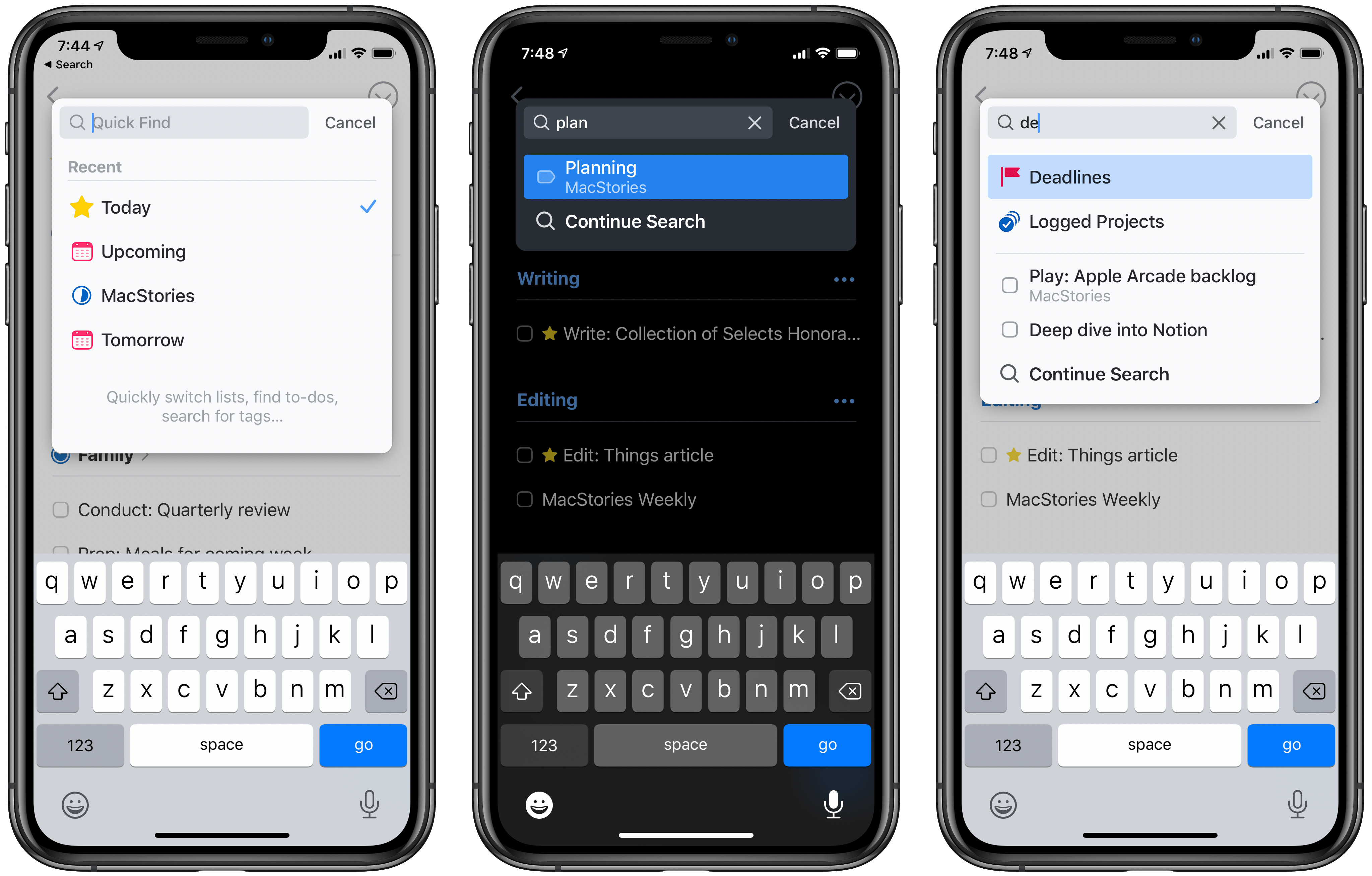
Today the popular task manager Things was updated with several small, but noteworthy enhancements to its Quick Find feature across iPhone and iPad versions, with the Mac update arriving shortly. There’s a convenient new way to access Quick Find, recent lists are now displayed automatically, headings can be searched, and there are a variety of new lists that Things recognizes as search parameters.
One of my favorite details in Things is the ability to pull down from the top of a list to open Quick Find; the matching animation is lovely, and it’s accompanied by a perfect touch of haptic feedback on iPhone. Sometimes though, getting back to the top of a long list can take too long, so now you can simply tap a list’s name, which perpetually sits at the top-center of the UI, and Quick Find will immediately open. Also, the Quick Find window now always displays the four most recent lists you’ve visited; whether you searched for those lists or just accessed them from the sidebar menu, you’ll always see your last-visited lists in the search box.
The other big improvement to Quick Find is the new search parameters it now accepts. There are changes here in two areas: headings and special lists. Headings are an organizational tool you can use to sort your Things projects into divided sections; essentially, they’re a lightweight additional option for organization. Previously, none of your created headings could be searched in Quick Find, but that issue has now been remedied. Any and every heading you create in a project can be surfaced in Quick Find.
Things now offers a handful of special lists that aren’t accessible from the sidebar, but only through Quick Find. These include the following:
Tomorrow: Like Today, but for tomorrow’s tasks.
Deadlines: All tasks with deadlines.
Repeating: All repeating tasks.
Logged Projects: Completed projects, including completion date for each.
All Projects: Every current project.
Searching for any of these lists will grant easy access to them. I only wish Things provided the option to add one or more of these to the sidebar; hopefully a customizable sidebar is in the cards for Things in 2020.
Historically, iPhone and iPad apps haven’t been as feature-rich as Mac apps when it comes to search functionality. Where Mac apps often enable very granular search options, and power user features like saved searches, search on the iPhone and iPad is typically a bare-minimum approach. For that reason, it’s exciting to see the team behind Things devote a whole update to making search better, not only on the Mac, but across all platforms. Just as it did last year with keyboard shortcuts on the iPad, Things sets a strong example of pushing an oft-neglected iOS feature forward to be on par with its Mac equivalent.
Things is available on the App Store for iPhone, iPad, and Mac.
PowerPhotos is the perfect Mac utility to help you manage multiple photo libraries. As technology marches forward, digital cameras produce larger and larger image files, which makes it easy to create huge, unmanageable Photos libraries of tens of thousands of images that quickly fill valuable storage space on your Mac.
PowerPhotos allows you to create and manage multiple libraries, so you can break up your massive library into multiple manageable libraries. You can store photo libraries on external or networked drives and copy photos while maintaining and preserving albums, edits, and related metadata like keywords, titles, dates, locations, and descriptions. PowerPhotos also makes it easy to track down duplicate images and can even merge libraries together.
One of the app’s most powerful features is the ability to search across multiple libraries simultaneously. It’s a great feature that allows you to search as though all you photos were in one library. PowerPhotos can help with migrating multiple iPhoto or Aperture libraries to Photos too.
The holiday season is a great time to rethink the way your photos are organized, especially because for a limited time Fat Cat Software is offering a special discount on PowerPhotos just for MacStories readers. Use the coupon code MACSTORIES19 at checkout for 20% off. This is a limited-time deal, so don’t delay, download the free trial of PowerPhotos today and then take advantage of this special 20% discount to make wrangling the thousands of photos on your Mac a breeze.
Our thanks to PowerPhotos for sponsoring MacStories this week.
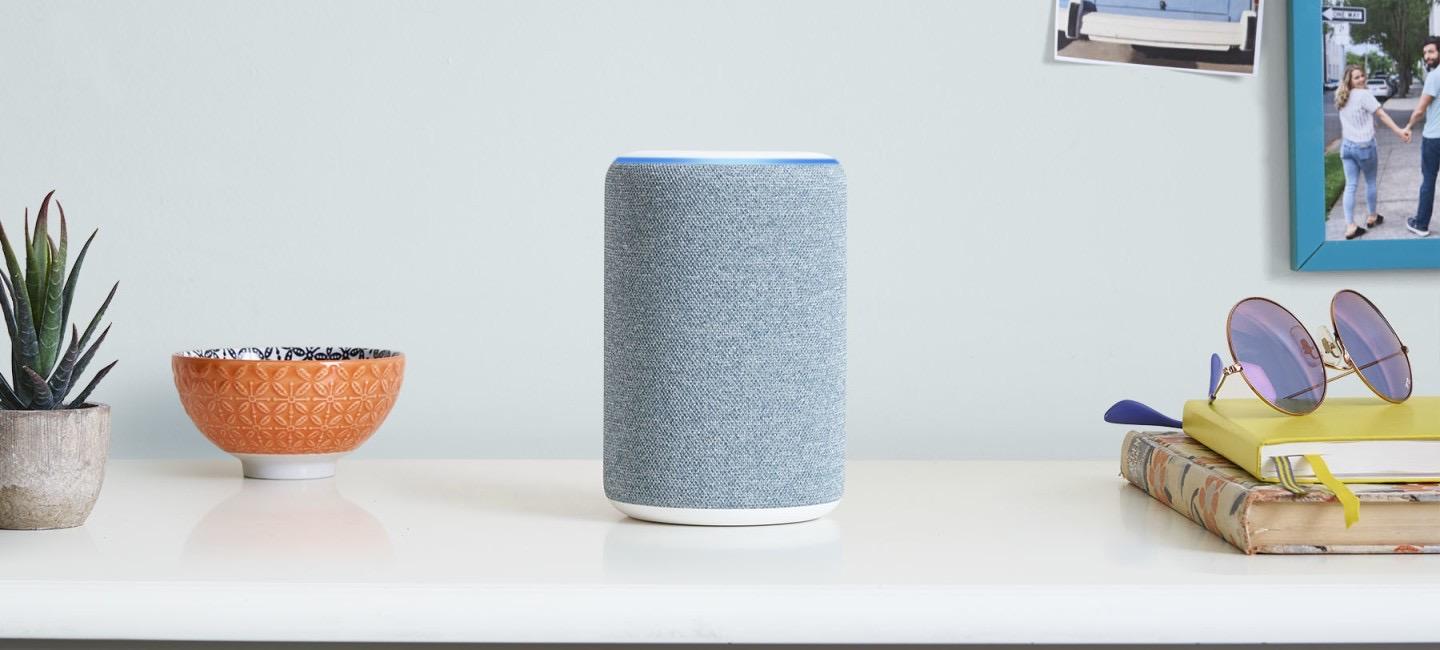
Beginning today, Alexa customers in the U.S. will be able to listen to more than 800,000 podcasts available through Apple Podcasts on their Alexa-enabled device.
Whether you’re listening at home or on the go, you don’t need to worry about losing your spot. Link your account in the Alexa app using your Apple ID, and you can seamlessly pick up where you left off listening on the Apple Podcasts App or your Alexa device. Pause the subscribed episode you’re listening to in the Apple Podcasts app on your commute, and continue listening with your Alexa device at home by asking Alexa to resume the podcast.
When you first start using Apple Podcasts on an Alexa device, you’ll need to specify “on Apple Podcasts” in your command; for example, “Alexa, play The Daily from yesterday on Apple Podcasts.” However, you can remove that requirement by setting Apple as your default podcast provider.
If you’d like to make Apple Podcasts your preferred podcast provider with Alexa, you can set Apple Podcasts as your default podcast provider in the Alexa app. To do so, open the Alexa app, go to Settings, select Music & Podcasts, and link/manage new services. Then, each time you request a podcast, we’ll prioritize playing it from Apple Podcasts if it’s available.
This announcement marks a major expansion of Apple Podcasts and the latest evidence of Apple’s multi-platform services strategy. Just last year, Apple Music arrived on Alexa devices, and earlier this fall the Apple TV app debuted on Amazon Fire TV. Those two moves were in some ways less surprising than this one though, since they both involved granting access to Apple’s paid services, Music and TV+. Apple Podcasts, on the other hand, is entirely free, at least at the moment. Rumors have indicated Apple may be funding some exclusive new podcast content, but it’s unknown whether that will be part of a forthcoming paid subscription service, or simply an added perk of using Apple Podcasts.
Spotify this past year has made significant moves in the podcasting space, and it’s likely that their efforts, which have developed real momentum in the market, are propelling Apple to invest more heavily in its own podcast ecosystem – great news for users.
On the brink of the new year, Federico and Ryan share their hopes for the iPad in 2020, then review Ryan’s USB drive challenge and answer some #AskAdapt questions.
You can listen below (and find the show notes here), and don’t forget to send us questions using #AskAdapt and by tagging our Twitter account.