
 MacStories Weekly: Issue 232
MacStories Unwind: The Evolution of iPadOS, Widgets, ADA Interviews, and a New Use for ARKit






Sponsored by OffScreen – Leave Your Phone, and Focus on Real Life
This week on MacStories Unwind:
MacStories
- Widgets and the App Library: A First Look at Bringing Personality and Customization to Your Home Screens
- Two Weeks with iPadOS 14: Redefining the Modern iPad Experience
- Apple Opens First Public Betas for iOS, iPadOS, and tvOS 14
- Epic Games Releases iPhone App That Captures Facial Expressions to Unreal Engine
- Apple Updates Coding Resources for Students, Teachers, and Families
- Omni’s Revised 2020 Roadmap
- 2020 Apple Design Award Winners: The AppStories Interviews
- Majd Taby, Darkroom
- Sam Rosenthal, Where Cards Fall
- Jenova Chen, Sky: Children of the Light
Club MacStories
- MacStories Weekly
- MacStories and Privacy
- Book Track
- A collection of quick and easy iOS video editing apps
- First Impressions: HyperDrive Gen 2 12-port USB-C Hub
- Straw Poll results
AppStories
Unwind Picks
- John’s Pick:
- Hanna available on Amazon Prime Video
Widgets and the App Library: A First Look at Bringing Personality and Customization to Your Home Screens
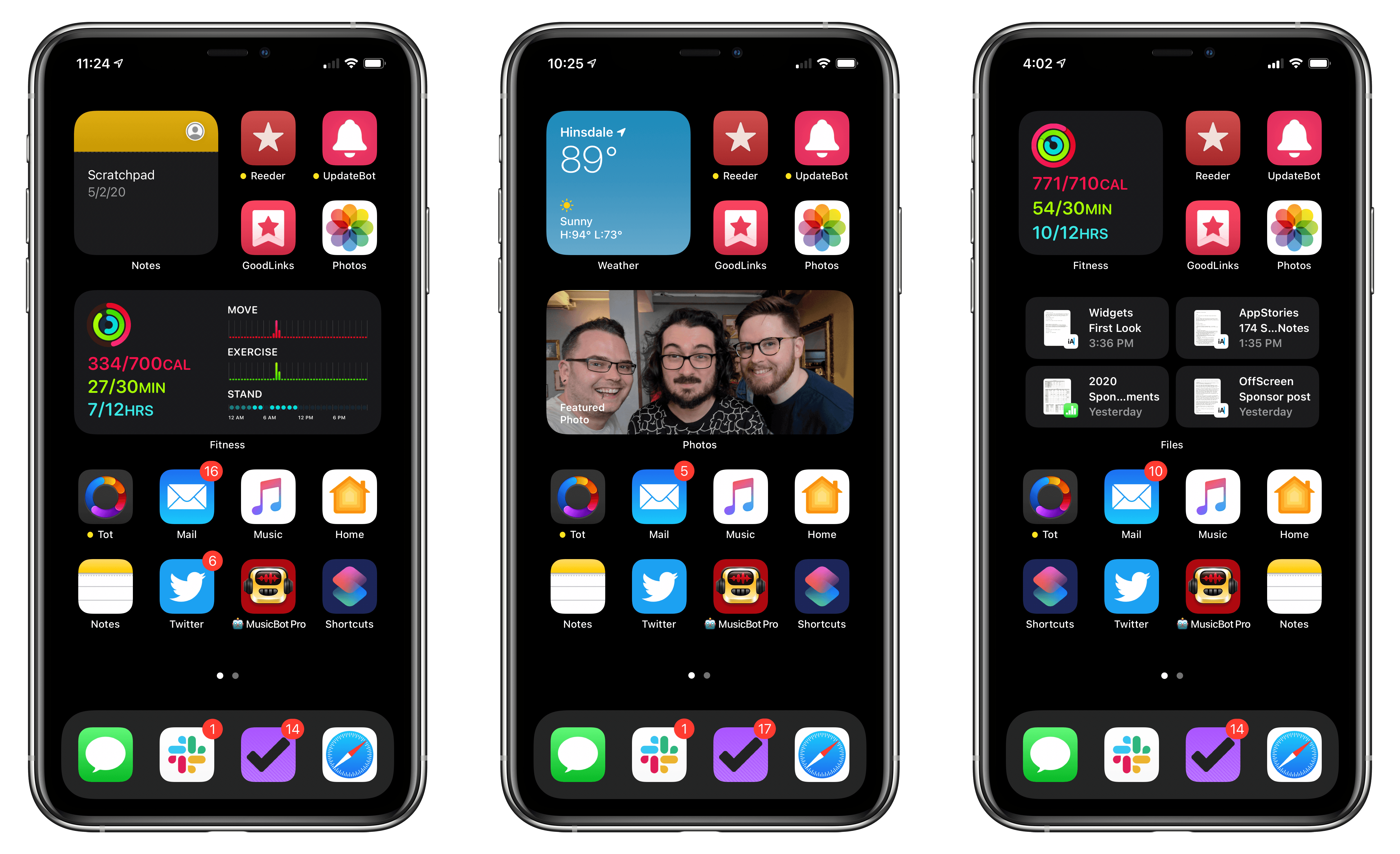
No single feature of the iOS 14 betas has had as immediate an impact on my daily iPhone use as Home screen widgets. Together with the App Library, the features can radically change the way apps are organized and accessed by everyone. Users don’t have to use widgets or the App Library, but they’ve been designed to feel familiar and inviting, echoing the iPhone’s grid layout, folders, and search systems. The result is a deft balancing act that gently introduces the iPhone Home screen’s most significant makeover since it was launched, which I think will be a big hit with users and developers alike.
Widgets’ impact is less pronounced on the iPad, where their placement is less flexible, and there is no App Library. Widgets can’t do quite as much in iOS and iPadOS 14 betas as they can under iOS 13 either. Those are fairly significant caveats depending on how you currently use widgets and should be kept in mind, but it’s also worth remembering that this is the first public beta release. There are still many weeks before iOS and iPadOS 14 will be released, and users’ feedback could influence what the final implementation of widgets looks like.
Despite the current limitations, widgets have profoundly changed the way I use my iPhone and have the potential to do the same on the iPad. The impact surprised me because, after two and half weeks on the developer betas, the only widgets I’ve tried so far are based on Apple’s system apps. As a result, I wanted to share my first impressions and thoughts on widgets, the App Library, and how I’m using both on the iPhone and iPad. I also thought it would be fun to show off some of the ideas being explored by third-party developers, which I’m excited to try soon.
Two Weeks with iPadOS 14: Redefining the Modern iPad Experience
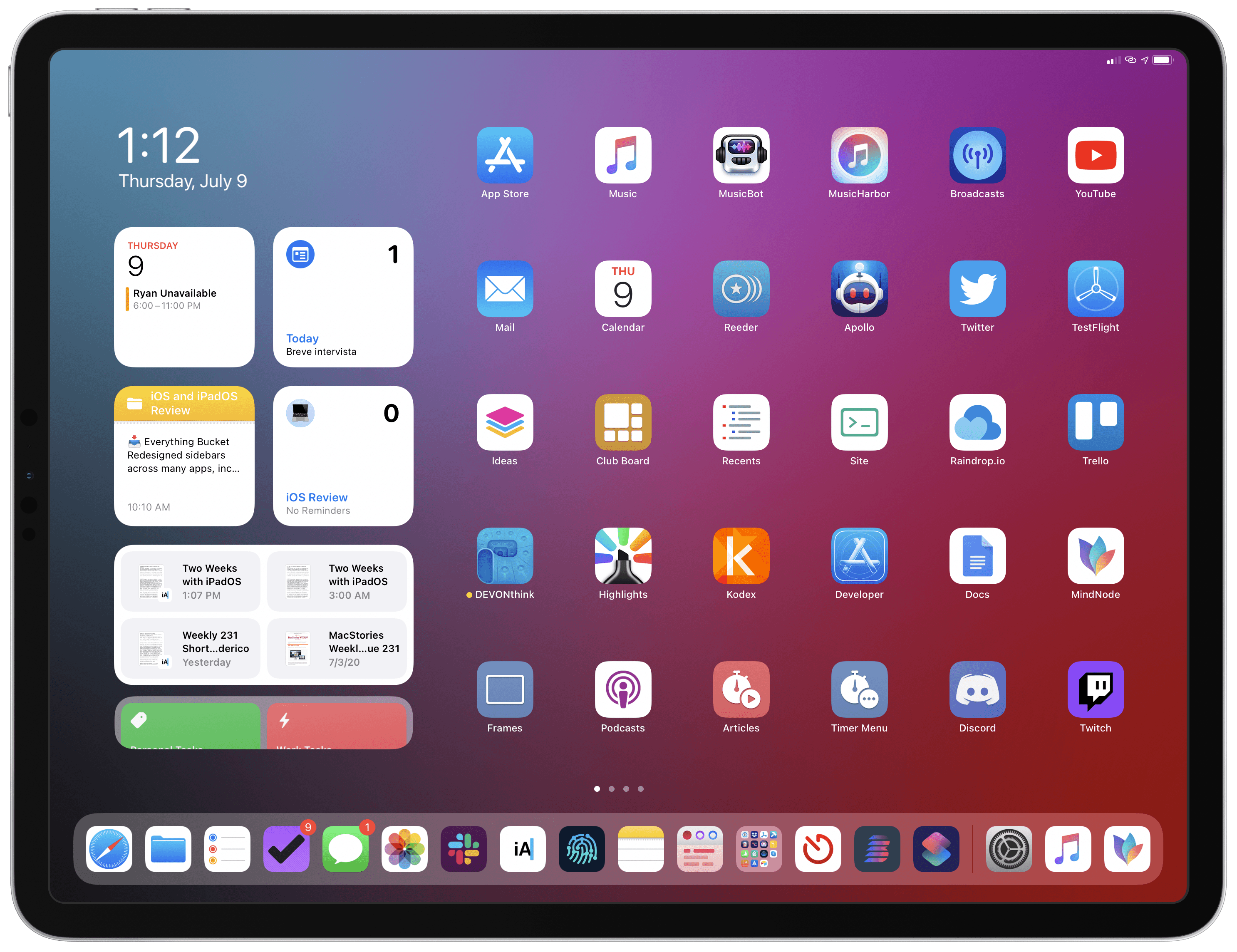
For the past two weeks, I’ve been using the developer beta of iPadOS 14 on my 2018 12.9” iPad Pro – my main computer and production machine. Although I feel like it’s too early for me to offer a definitive assessment of iPadOS 14, I figured it’d be interesting to share some initial thoughts on the evolution of the iPad platform now that iPadOS 14 is available as a public beta as well. These are just some of the key takeaways and “core themes” I’ve been mulling over since WWDC; I plan to dig deeper into every aspect of iPadOS 14 in my annual iOS and iPadOS review in the fall.
Apple Opens First Public Betas for iOS, iPadOS, and tvOS 14
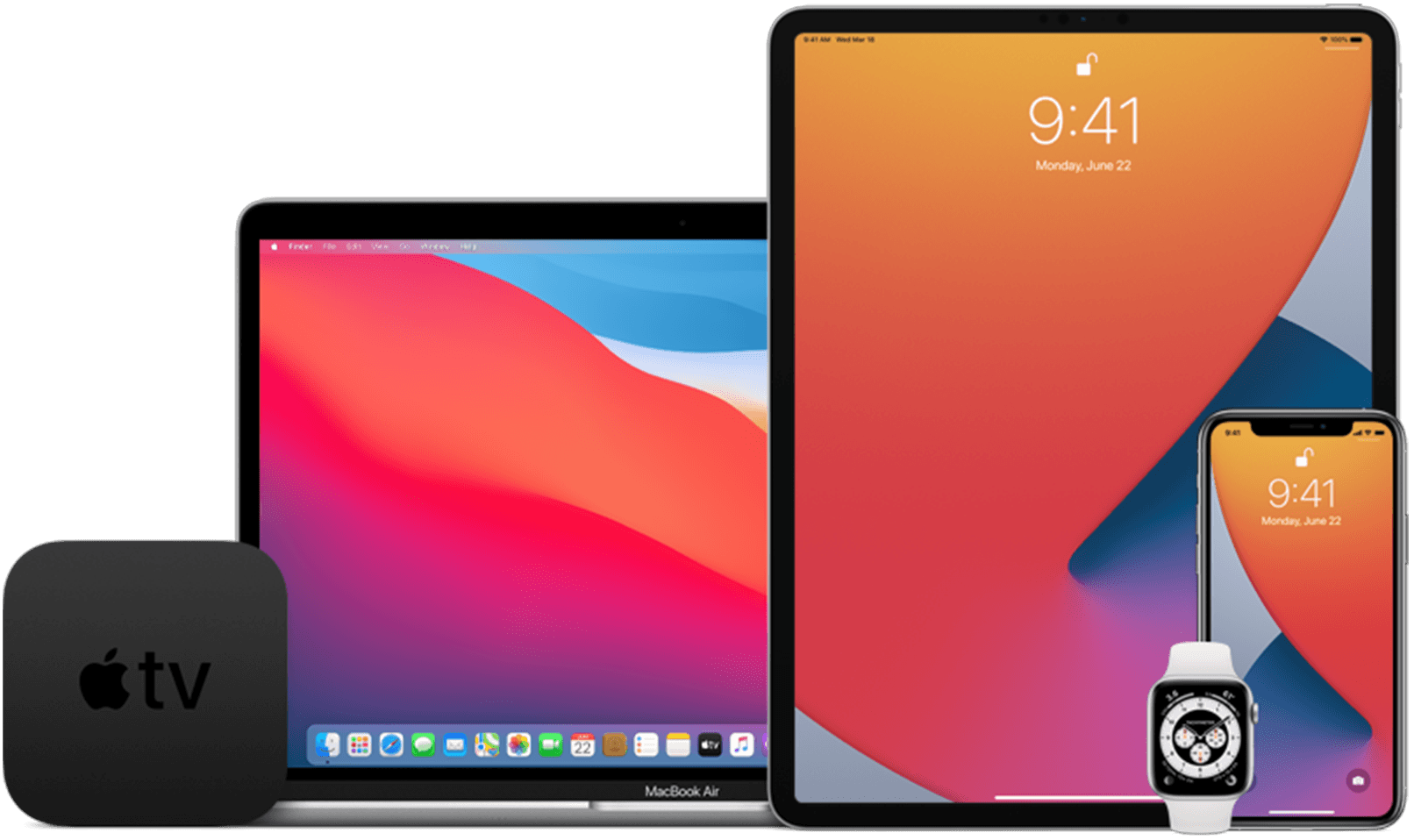
Apple has opened its public beta program for iOS 14, iPadOS 14, and tvOS 14 on the Apple Beta Software Program website.
Developers, who can access betas of Apple’s OS releases before the general public, received the first developer betas on June 22nd, the first day of WWDC and a second version earlier this week. If past practice is a guide, the public beta released today should be identical to the second developer beta released on Tuesday.
If you would like to sign up but haven’t, visit beta.apple.com and log in using your Apple ID. It should go without saying that you should only install betas on your devices after you’ve taken appropriate steps to protect your data and are willing to endure potentially buggy software.
For more on what’s in the betas check out our full overviews of iOS 14 and iPadOS 14 and tvOS 14, which are terrific overviews that we published during WWDC.
Stay tuned for more over the summer too. The MacStories team is working on special preview stories that cover a wide range of features in the public betas as we approach the publication of our annual OS reviews this fall. Federico and I will also be doing some special interview episodes of AppStories this summer to dig deeper into what the new OSes will mean to MacStories readers and the apps they love.
Update: An earlier version of this story stated that the macOS Big Sur and watchOS 7 public betas have been released too, which was incorrect. We expect macOS Big Sur and watchOS 7 to be released soon, but they are not yet available.
Epic Games Releases iPhone App That Captures Facial Expressions to Unreal Engine→
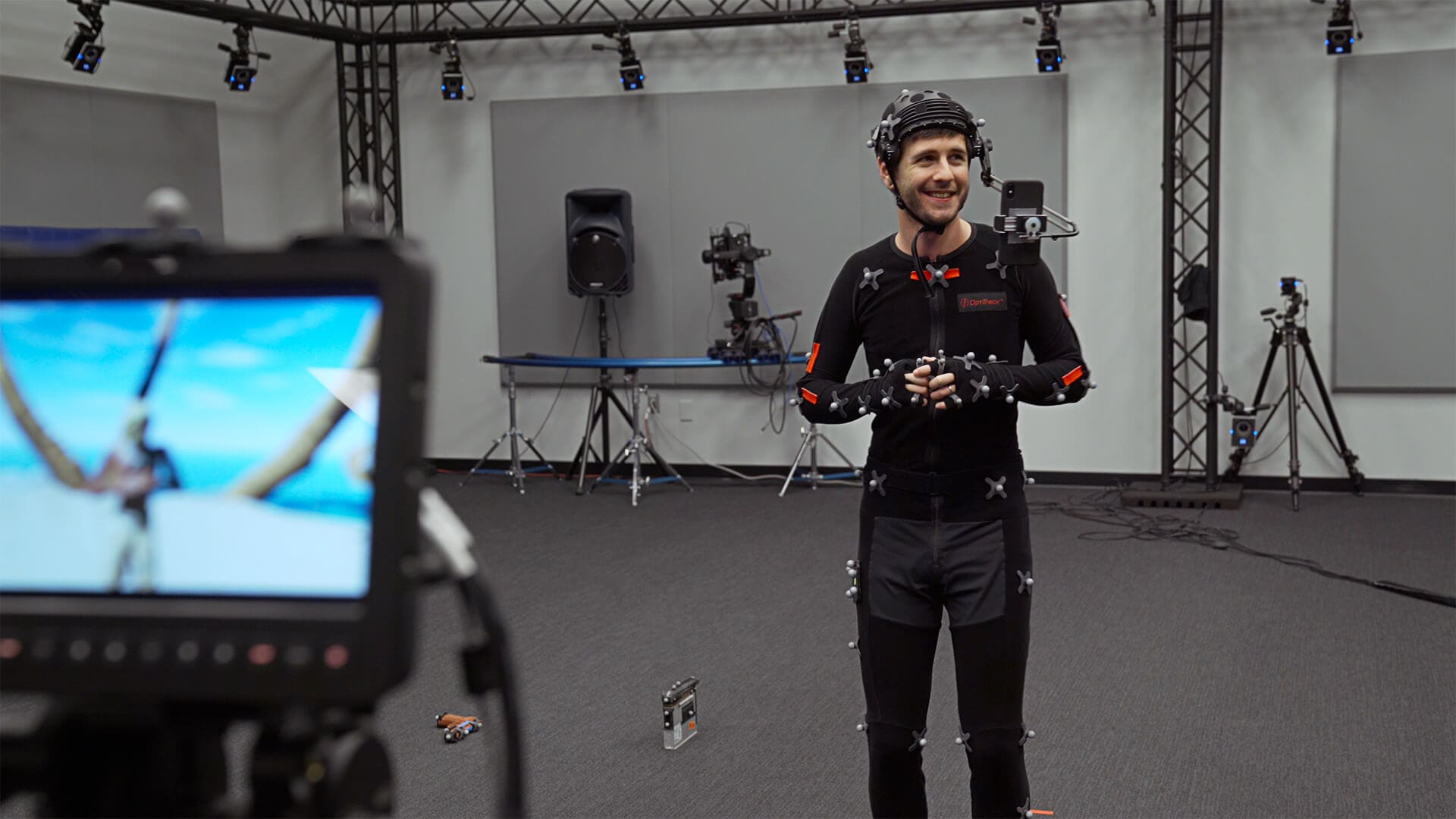
Epic Games has released a new iPhone app for videogame developers that captures facial expressions, piping them into the company’s Unreal Engine in real-time. As explained on the Unreal Engine blog:
Live Link Face streams high-quality facial animation in real-time from your iPhone directly onto characters in Unreal Engine. The app’s tracking leverages Apple’s ARKit and the iPhone’s TrueDepth front-facing camera to interactively track a performer’s face, transmitting this data directly to Unreal Engine via Live Link over a network.
What I find most interesting about Live Link Face is that Epic says it scales from solo developers working at home to sophisticated stage productions involving actors in motion capture suits and multiple iPhones. If so, that will make the app a terrific example of the sort of democratization of complex tools that technologies like ARKit and hardware like the iPhone’s TrueDepth camera make possible when integrated into existing workflows.
Apple Updates Coding Resources for Students, Teachers, and Families→

Apple has updated its lineup of coding resources for kids and educators across the board and introduced all-new resources for parents and children interested in learning to program from home.
Apple first introduced its Everyone to Code program in 2016. That program was joined by Develop in Swift in 2019. Between the two programs, Apple has developed resources for students of all ages and their teachers. With today’s announcement, Apple has updated its existing materials and is expanding them with new offerings. As Susan Prescott, Apple’s vice president of Markets, Apps, and Services describes it in an Apple press release:
“Apple has worked alongside educators for 40 years, and we’re especially proud to see how Develop in Swift and Everyone Can Code have been instrumental in helping teachers and students make an impact in their communities. We’ve seen community college students build food security apps for their campus and watched middle school educators host virtual coding clubs over summer break. As part of our commitment to help expand access to computer science education, we are thrilled to be adding a new professional learning course to help more educators, regardless of their experience, have the opportunity to learn coding and teach the next generation of developers and designers.”
The new course that Prescott mentions is a free online course that educators can take to prepare themselves to teach Apple’s Develop in Swift curriculum.
Apple has also updated its set of four free Develop in Swift books that are available from the Apple Books app. The company also introduced a new Everyone Can Code book and teacher guide called Everyone Can Code: Adventures, which is also available in Apple Books.
Also introduced today is a new coding guide that parents and their kids can use at home:
To support parents with kids learning to code at home, Apple is adding a new guide to its set of remote learning resources. “A Quick Start to Code” is now available and features 10 coding challenges designed for learners ages 10 and up, on iPad or Mac. Additional resources are available on Apple’s new Learning from Home website, launched this spring, where educators and parents can access on-demand videos and virtual conferences on remote learning, and schedule free one-on-one virtual coaching sessions, all hosted by educators at Apple. New videos are being added all the time as part of the Apple Education Learning Series — including videos about using Apple’s industry-leading accessibility features.
As someone who struggled to find good resources for my kids to learn to code when they were younger, I’m pleased to see that Apple has continued to expand and support its educational programs. These programs, along with Swift Playgrounds, are rich resources for kids, teachers, and their parents and a terrific way to help kids get started with coding.
Omni’s Revised 2020 Roadmap→
In January, Ken Case of The Omni Group shared the company’s plans for 2020, which included the release of OmniPlan 4, the expansion features for OmniFocus for the Web, simplified app license management on the web, along with OmniFocus collaboration and improved in-app workflows. Omni Automation has shipped as part of all of the company’s products and OmniPlan and simplified licensing will launch soon. However, the combination of the global pandemic and announcements of WWDC has caused Omni to adjust its remaining plans, though its goals remain the same.
Our roadmap itself isn’t changing dramatically. We’re going to continue working on OmniFocus collaboration, and we’re going to continue improving the flow of using our apps. But the latest news from Apple has inspired us to take this work even further.
Omni has historically been at the forefront of adopting new Apple technologies. The company was an early adopter of the Cocoa frameworks and was among the first to develop a pro-level app for the iPad. With that in mind, Case announced that Omni would reevaluate its apps, considering how they can take advantage of Apple’s new frameworks:
as we redesign our apps, we’re going to leverage the latest technologies. We’re not going to completely restart our development from scratch—but we are taking a step back to think about how we would design and build our apps if we were starting again now, building on the latest technologies and taking into account everything we’ve learned from our customers – you! – about how you use our apps.
As Case notes, this is a very big undertaking. Users may need to wait a little longer for the next big update to some of their favorite apps, but taking the time to make the transition now will hopefully mean Omni’s apps will remain relevant for years to come.
2020 Apple Design Award Winners: The AppStories Interviews→

Federico and I had the pleasure of interviewing three of the 2020 Apple Design Award winners for AppStories. The awards, which were announced by Apple last Monday, recognize “outstanding app design, innovation, ingenuity, and technical achievement.”
For today’s special episode, we spoke with Majd Taby of Bergen Co., the creator of photo and video editing app Darkroom, Sam Rosenthal of The Game Band, the studio behind Where Cards Fall, which was a launch title on Apple Arcade, and Jenova Chen, of thatgamecompany and the creative director of Sky: Children of the Light, an innovative social adventure game. All three interviews are terrific conversations that reveal common threads of thoughtful design, innovative approaches that feature the latest Apple technology, and a deep understanding of their users.
Thank you to Majd Taby, Sam Rosenthal, and Jenova Chen for taking the time for the interviews, Apple for helping arrange them, and as always, thank you for listening to AppStories. We hope you enjoy the episode.

AppStories Episode 174 - Conversations with 2020 Apple Design Award Winners
0:00
01:10:32
01:10:32