
 MacStories Weekly: Issue 378
MacStories Unwind: It’s Easy to Break Your YAML







This week, John has news from the animal kingdom and tries a new beverage while Federico struggles with text editors (again). Plus John has a surprise videogame hardware pick.
Sponsored By:
- Kolide – It ensures that if a device isn’t secure it can’t access your apps. It’s Device Trust for Okta. Watch the demo today!
Links and Show Notes
MacStories Unplugged

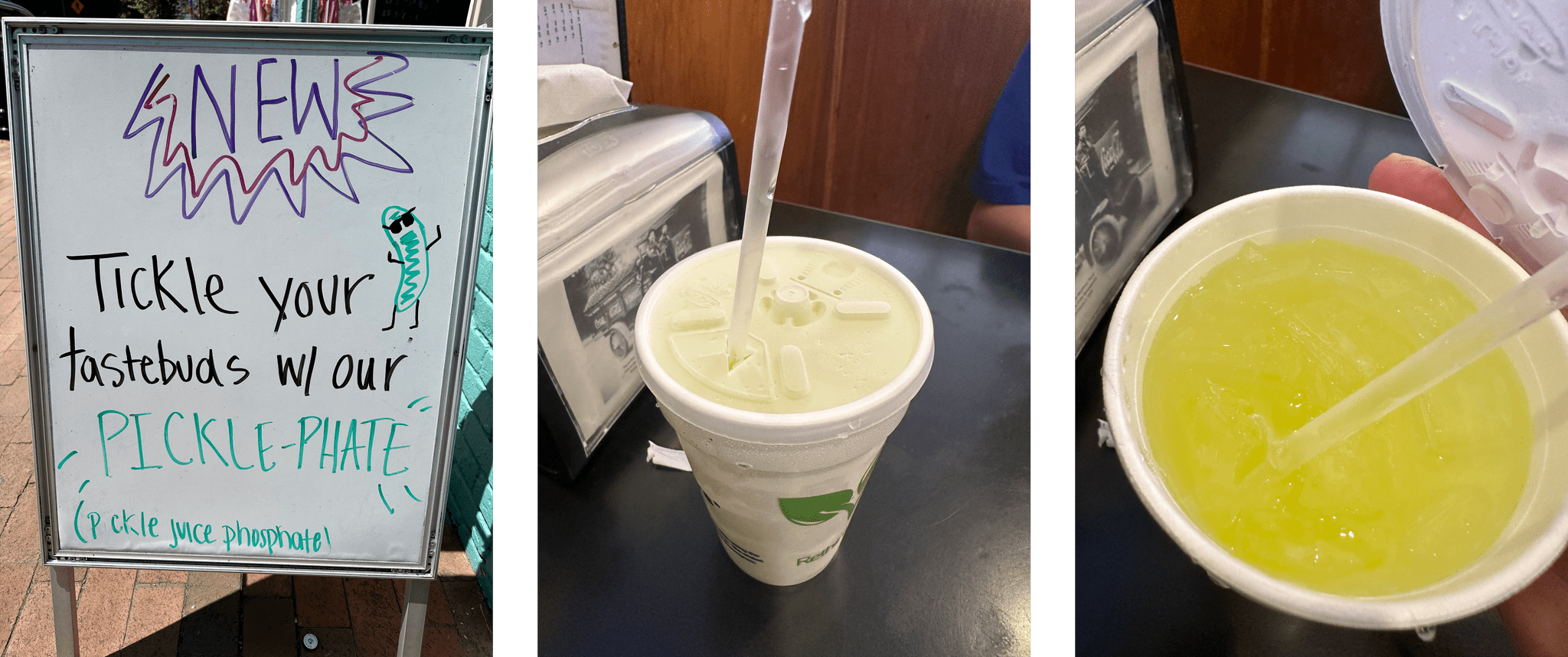
- Pickle Juice Phosphate
- Phosphate Sodas
- Pickle juice as a beverage
- The purported health benefits of pickle juice
- You Can Now Buy Pickle Juice Soda
- John: Imagine this but without any sugar, just salty carbonated pickle juice with a lot of garlic and dill
- Obsidian versus Notes
- Obsidian 1.4: The Properties feature is currently Mac-only and available as part of the Catalyst supporter beta
John’s Surprise Pick
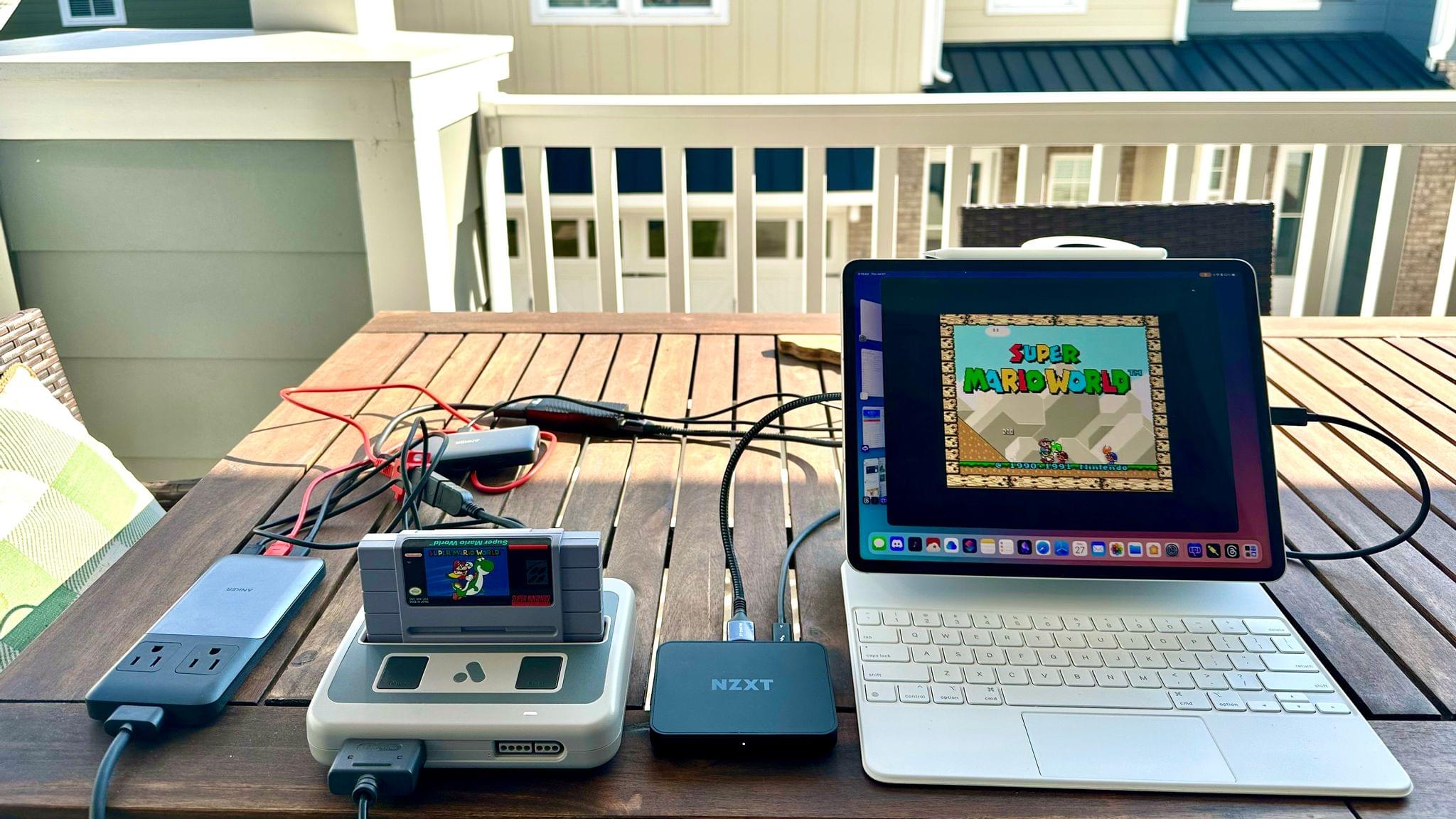
- Components of the setup:
- The Analogue Super NT
- NZXT Signal 4K30 Full HD USB Capture Card
- Upscaling hardware
- Alternative Display
- Federico’s iOS and iPadOS 17 Preview covering the NZXT and iPadOS 17’s video capture compatibility
Follow us on Mastodon
Follow us on Instagram
MacStories Unwind+

We deliver MacStories Unwind+ to Club MacStories subscribers ad-free and early with high bitrate audio every week.
To learn more about the benefits of a Club MacStories subscription, visit our Plans page.
AppStories, Episode 344 – macOS Sonoma and iOS and iPadOS 17 Public Betas→
This week on AppStories, we talk about Safari, videoconferencing, Messages, and gaming on macOS Sonoma, plus stickers and widgets on iOS and iPadOS 17.
Sponsored by:
- Concepts - Sketch, Note, Draw.
- Notion – Do your most efficient work with Notion Projects. Try it free today.
- HelloFresh – Use code appstories50 for 50% off plus free shipping.
](https://cdn.macstories.net/banneras-1629219199428.png)
On AppStories+, Federico and I share our wishes for the next version of the iPad Pro.
We deliver AppStories+ to subscribers with bonus content, ad-free, and at a high bitrate early every week.
To learn more about the benefits included with an AppStories+ subscription, visit our Plans page, or read the AppStories+ FAQ.
Four Brand-New Deals for Club MacStories+ and Club Premier Members
One of the perks of a Club MacStories+ or Club Premier membership is discounts on a long list of great apps and services. Today, we’re pleased to add four new Mac apps to the growing catalog of deals available to members:
Lasso – 30% off
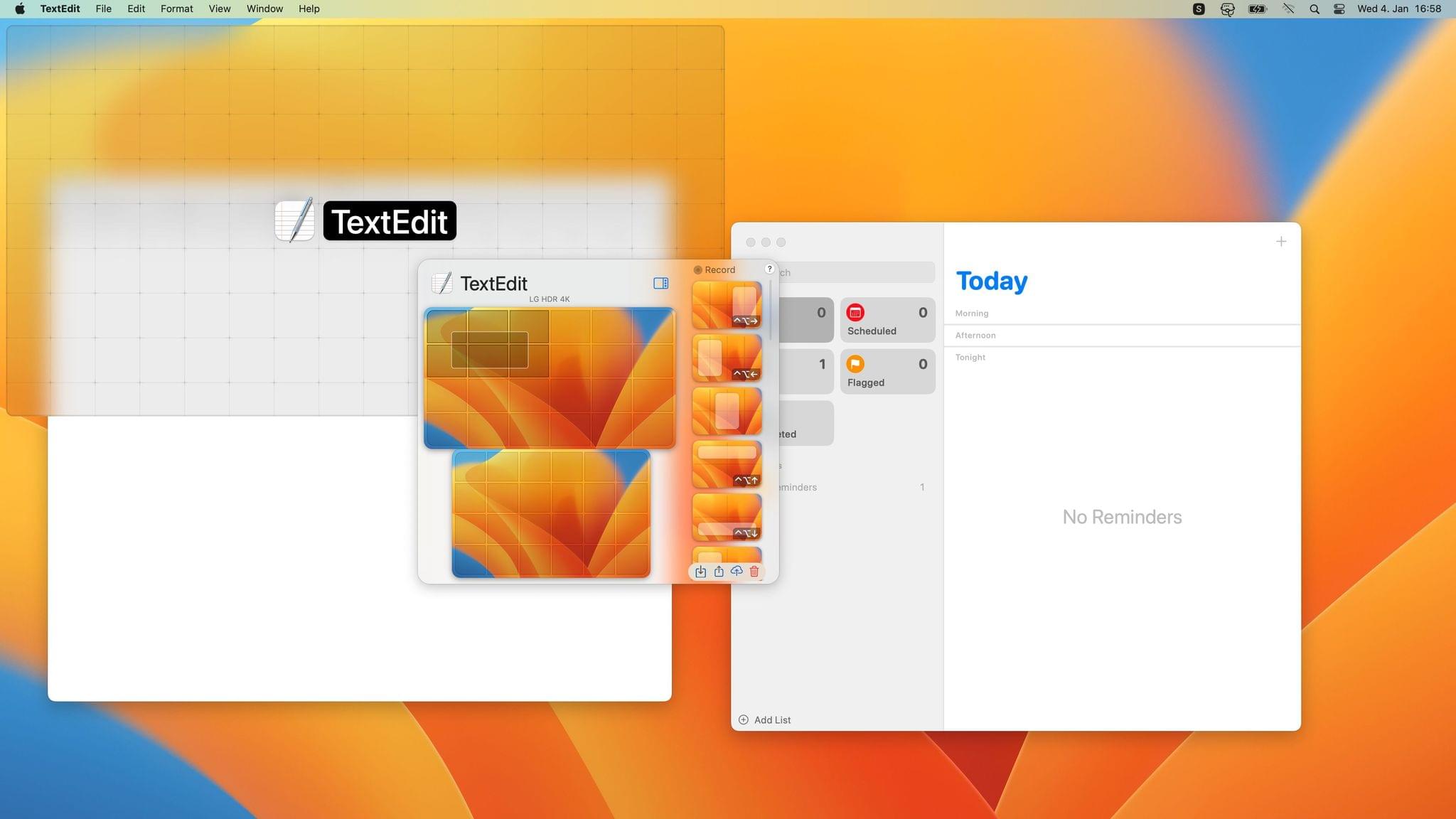
Lasso is a Mac window manager that lets you move and resize windows using only your mouse. The app uses a simple grid system and keyboard shortcuts, plus it supports custom layouts, multiple displays, layout exporting and importing, and more.
Mission Control Plus – 20% off
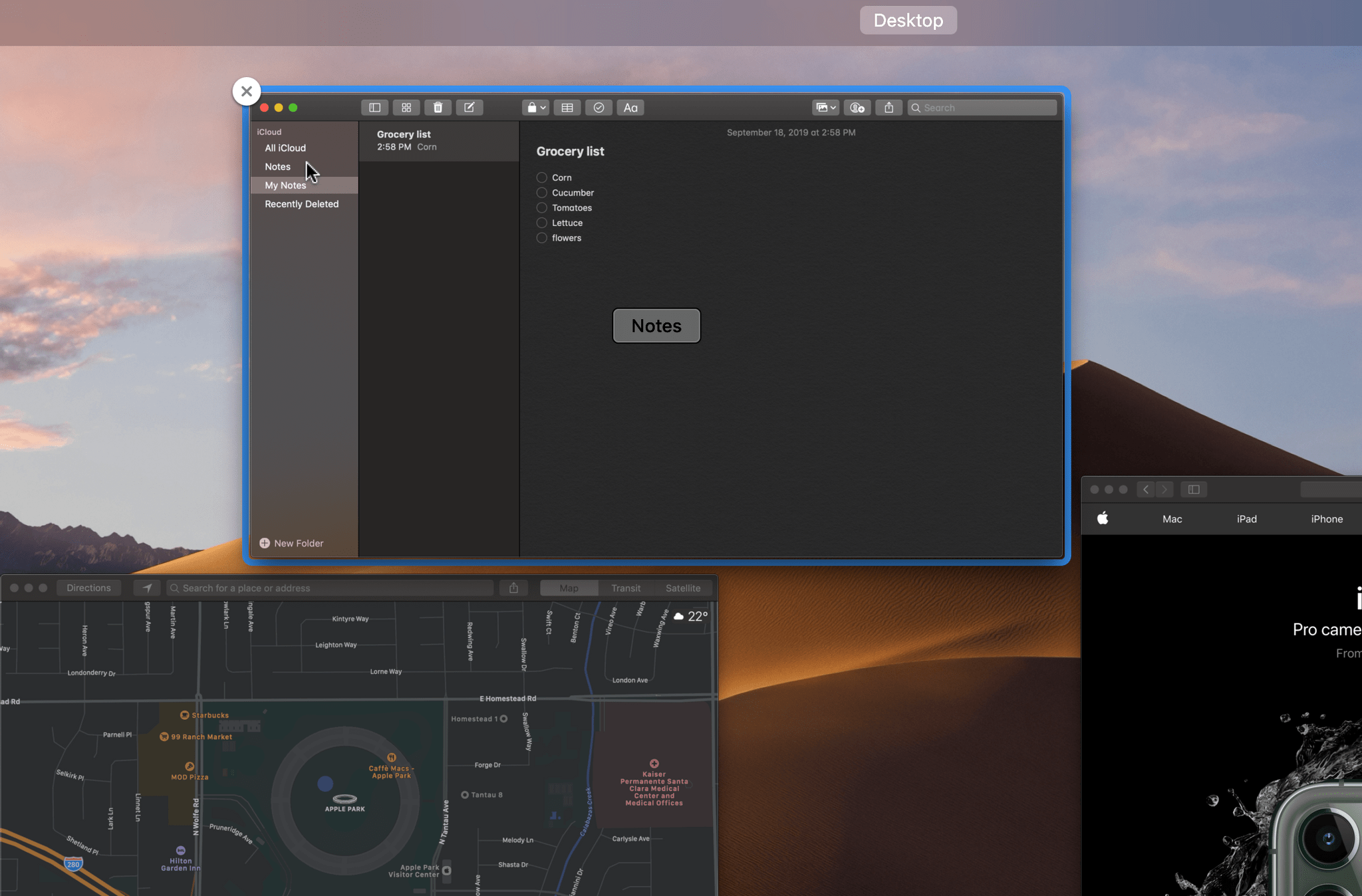
Mission Control Plus is a Mac app that puts the ‘control’ back in Mission Control by letting you manage your windows in Mission Control, adding keyboard navigation, shortcuts, and more.
Batteries – 20% off
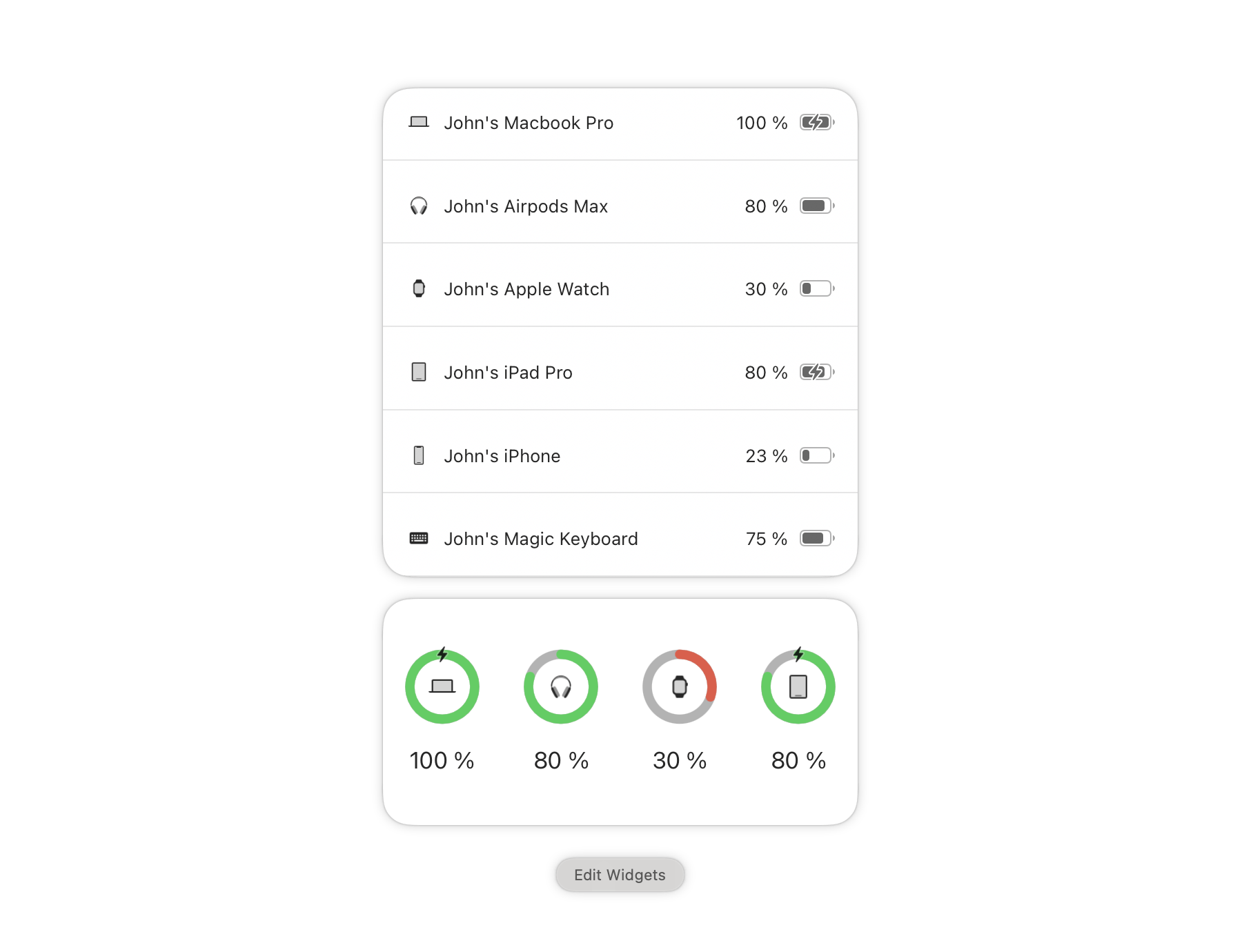
Batteries for Mac allows you to track all your devices’ batteries from your Mac and will notify you when your iPhone, iPad, AirPods, Beats headphones, and Bluetooth peripherals need recharging.
Sleeve 2 – 25% off
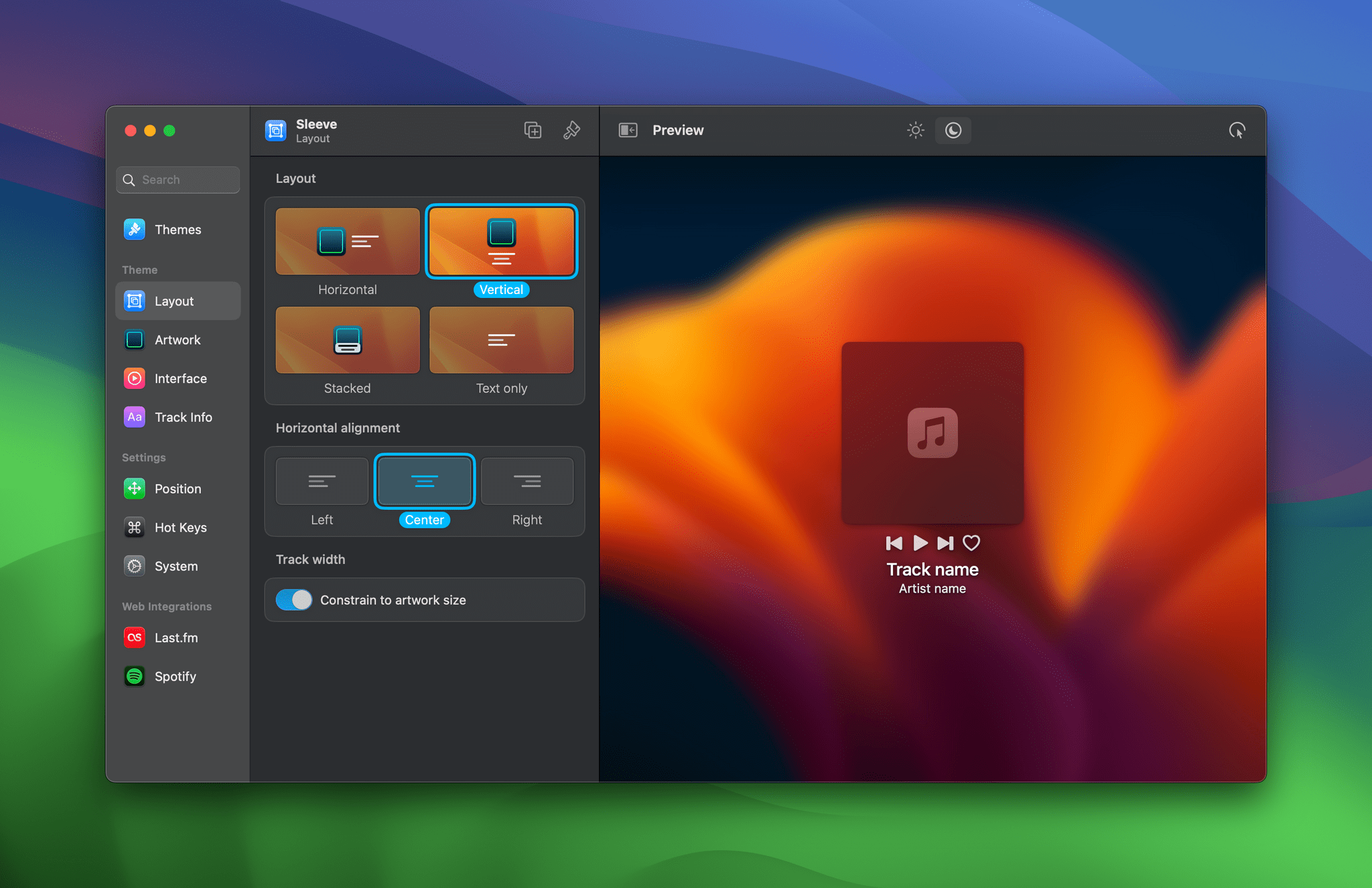
Sleeve 2 is the ultimate music accessory for your Mac. Sleeve sits on the desktop, displaying and controlling the music you’re currently playing using Apple Music, Spotify, and Doppler. The app is highly customizable, supports themes, and integrates with Last.fm.
In addition to the discounts above, Club MacStories+ and Club Premier members enjoy discounts on top apps like CleanShot X, Keyboard Maestro, Lingon X, Clean Email, MarsEdit and other Red Sweater apps, TextSniper, Screens, Audio Hijack and other Rogue Amoeba apps, Ulysses, and Sensei. Whether or not you’re a Club member, you can browse our complete catalog of deals on our Club Discounts page.
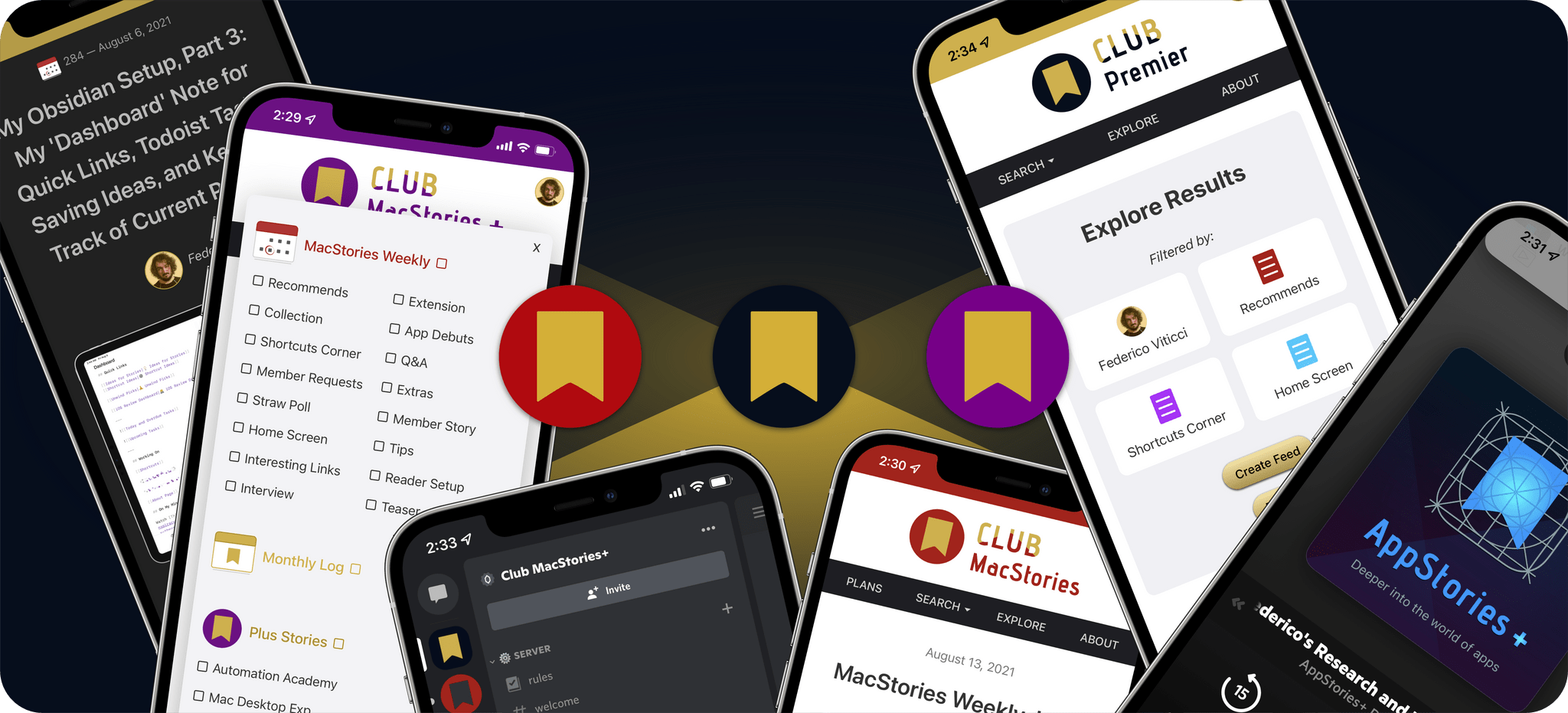
But discounts are just part of what sets a Club MacStories+ and Club Premier membership apart from a standard Club MacStories membership.
Club MacStories+ adds to Club MacStories, with bonus content, a powerful web app to read Club articles on the web with advanced search and filtering, advanced RSS features, exclusive discounts, our Discord community, and ad-free, early access to MacStories Unwind, our fun weekly podcast that explores culture, media, and more.
Club Premier is the ultimate plan that includes all of Club MacStories, Club MacStories+, and the extended, ad-free AppStories+ podcast in a single package. It is the best value and the easiest way to access everything we do. It’s the MacStories all-access pass.
To learn more about each tier, visit plus.club.
Apple Announces visionOS App Evaluation Process, Labs, and Developer Kits

As previously announced at WWDC, Apple today rolled out more details on three programs it has created for helping developers build apps for Vision Pro.
Developers will be able to submit their visionOS, iPadOS, and iOS apps for Vision Pro compatibility evaluations. Apple has included a checklist of steps developers should follow before submitting their apps. Once an app is ready, it can be submitted and will be tested on Vision Pro hardware, after which Apple says:
We’ll send you the evaluation results, along with any relevant screen captures or crash logs.
The second option is to apply to attend a lab in Cupertino, London, Munich, Shanghai, Singapore, or Tokyo. The labs are self-directed testing sites with Apple employees on hand to help with setup and troubleshooting.
Finally, developers can apply to borrow Vision Pro developer kit from Apple. The hardware loans also come with the following:
- Help setting up the device and onboarding.
- Check-ins with Apple experts for UI design and development guidance, and help refining your app.
- Two additional code-level support requests, so you can troubleshoot any issues with your code.
All three programs are open now, so if you’re working on an app for Apple Vision Pro, you can start submitting compatibility evaluation requests and apply for a lab or developer kit today.
The Dirty Secret of OS Updates [Sponsor]

Getting OS updates installed on end user devices should be easy. After all, it’s one of the simplest yet most impactful ways that every employee can practice good security.
On top of that, every MDM solution promises that it will automate the process and install updates with no user interaction needed.
Yet in the real world, it doesn’t play out like that. Users don’t install updates and IT admins won’t force installs via forced restart.
Let’s talk about the second problem first. Sure, you could simply schedule updates for all your users, and have them restart during non-work hours. But this inevitably leads to disruptions and lost work. This, in turn, leads to users (especially executives) who simply demand to be left out of your update policy. The bottom line is: any forced restarts without user approval will lead to data loss events, and that makes them so unpopular that they are functionally unusable.
There is another class of tools that claim to get users to install updates themselves, through “nudges.” These reminders pop up with increasing frequency until users relent or the timer runs out. This is an improvement, since it involves users in the process, but users still tend to delay updating as long as possible (which for some tools can be indefinitely).
At Kolide, OS updates are the single most common issue customers want us to solve. They come to us because we have a unique (and uniquely effective) approach to device compliance.
With Kolide, when a user’s device–be it Mac, Windows, Linux, or mobile–is out of compliance, we reach out to them with instructions on how to fix it.
The user chooses when to restart, but if they don’t fix the problem by a predetermined deadline, they’re unable to authenticate with Okta. (At present, Kolide is exclusive to Okta customers, but we plan to integrate with more SSO providers soon.)
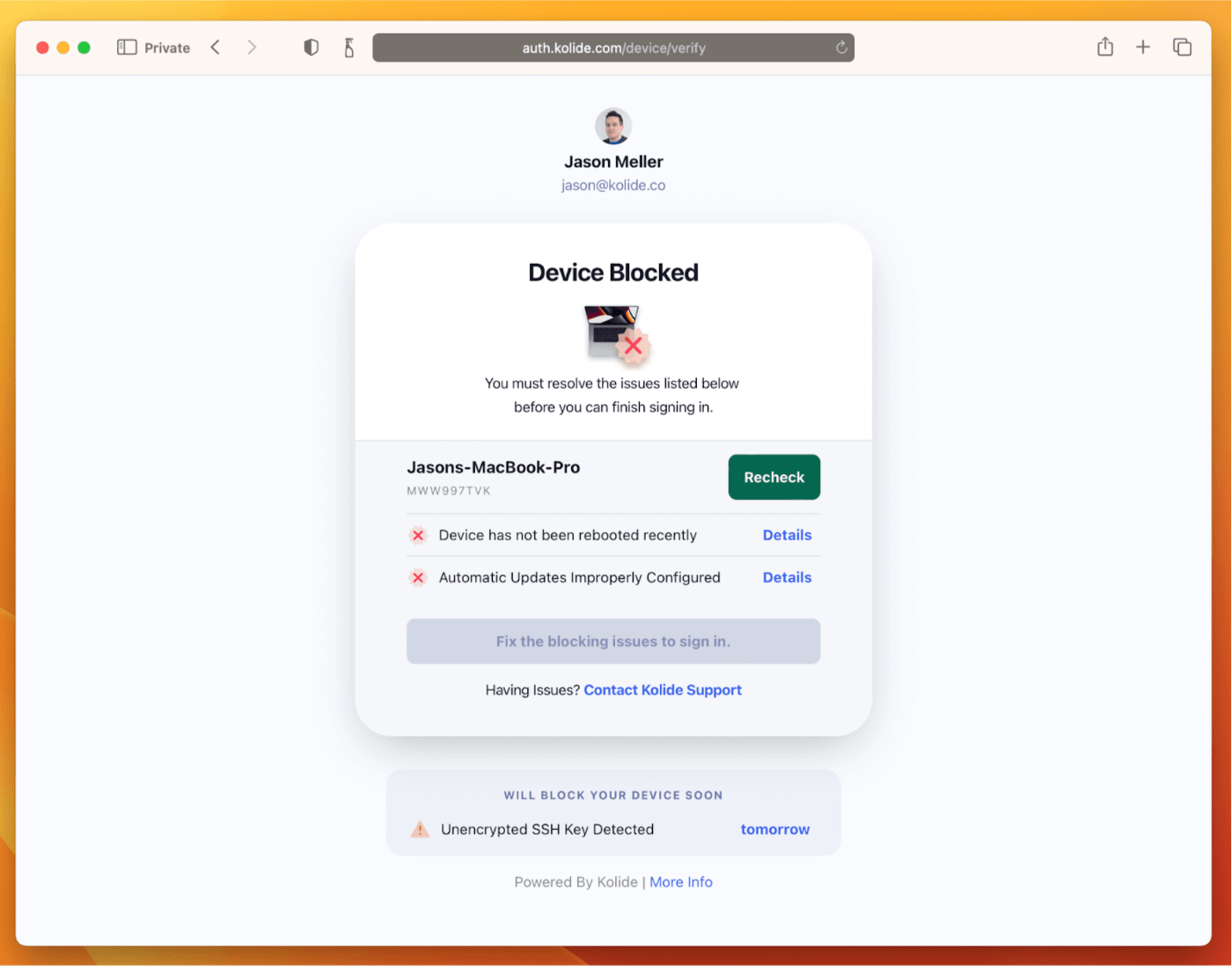
If your fleet is littered with devices that stubbornly refuse to update, then consider these two principles:
- You can’t have a successful patch management policy without involving users.
- You can’t get users to install patches unless you give them both clear instructions and real consequences.
Installing OS updates is a top priority for both security and IT, and when you make it part of conditional access, you can finally get it done without massive lists of exemptions or massive piles of support tickets.
To learn more about how Kolide enforces device compliance for companies with Okta, click here to watch an on-demand demo.
Our thank to Kolide for sponsoring MacStories this week.
MacStories Weekly: Issue 377
MacStories Unwind: What If a Donut Was a Line?
This week on MacStories Unwind, I endure smokey summer days with the help of an app, Federico discovers churros, and we check in on our favorite media of the first half of 2023.
Churros
- Ticci’s Spanish churros from Xurreria Trebol
Our Mid-Year Media Picks
Federico’s Picks:
- Music
- the record by boygenius
- (So Much For) Stardust by Fall Out Boy
- TV Shows
- Videogames
John’s Picks:
- Music
- First Two Pages of Frankenstein by The National
- the record by boygenius
- Movies
- TV Shows
- Videogames
MacStories Unwind+
We deliver MacStories Unwind+ to Club MacStories subscribers ad-free and early with high bitrate audio every week.
To learn more about the benefits of a Club MacStories subscription, visit our Plans page.
Game On: Pokémon Sleep, Stardew Valley+, Dead Cells, Netflix Gaming, Unity’s PolySpatial Beta, and Epic Games’ Battle with Apple
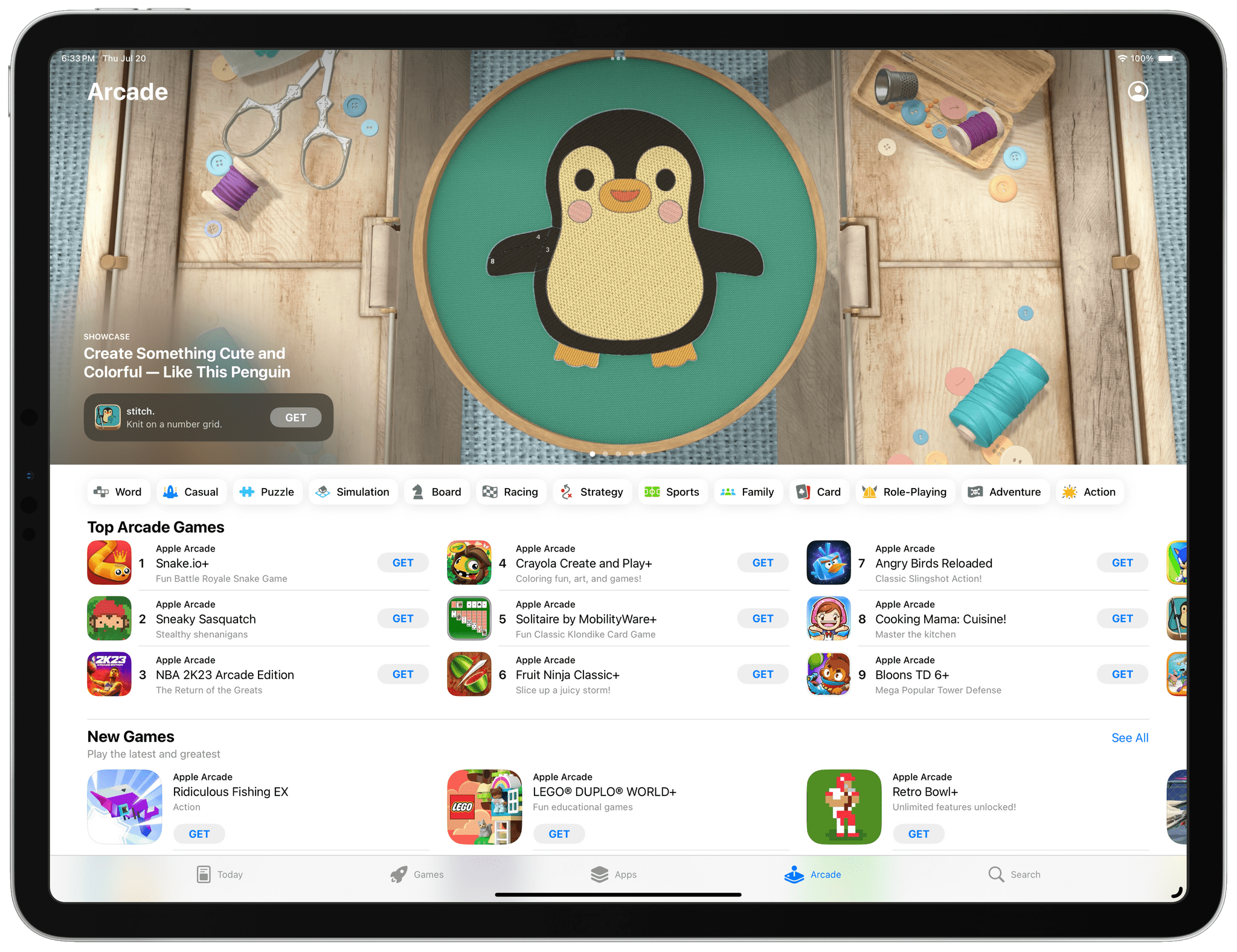
The videogame industry is huge, surpassing movies and music by wide margins. Apple has seen a lot of success with mobile games, but it’s history with desktop gaming leaves a lot to be desired. However, one thing is clear. Apple wants to expand its presence in the videogame industry and sees Apple silicon as the key to its success.
While the jury’s still out whether the company’s ambitions will succeed, beginning today, we’ll be publishing periodic roundups highlighting the biggest news in gaming on Apple’s platforms. From the iPhone and iPad to the Mac and Vision Pro, we’ll cover the big name games coming to Apple devices, along with notable industry and developer news.
.](https://cdn.macstories.net/screenshot-2023-07-17-at-3-18-42-pm-png-1689789571490.jpeg)
What the Golf? running on visionOS. Source: Unity.
This week, Unity announced a beta program for PolySpatial, a tool for visionOS developers that integrates with other Unity tools to help developers bring their Unity-based games to Apple Vision Pro. I wrote about the company’s announcement, which also revealed that Triband’s What the Golf? is being adapted for visionOS, earlier this week where you’ll find links to Unity’s blog post about PolySpatial and its beta program.
This week, I also covered a story by Lewis Gordon on The Ringer that takes an in-depth look at Netflix Games’ history and ambitions. It’s a fascinating look at a the video streaming company’s efforts to place a lot of small bets on mobile platforms like the iPhone and iPad, as well as console and PC gaming, in an effort to stay relevant to its subscribers.
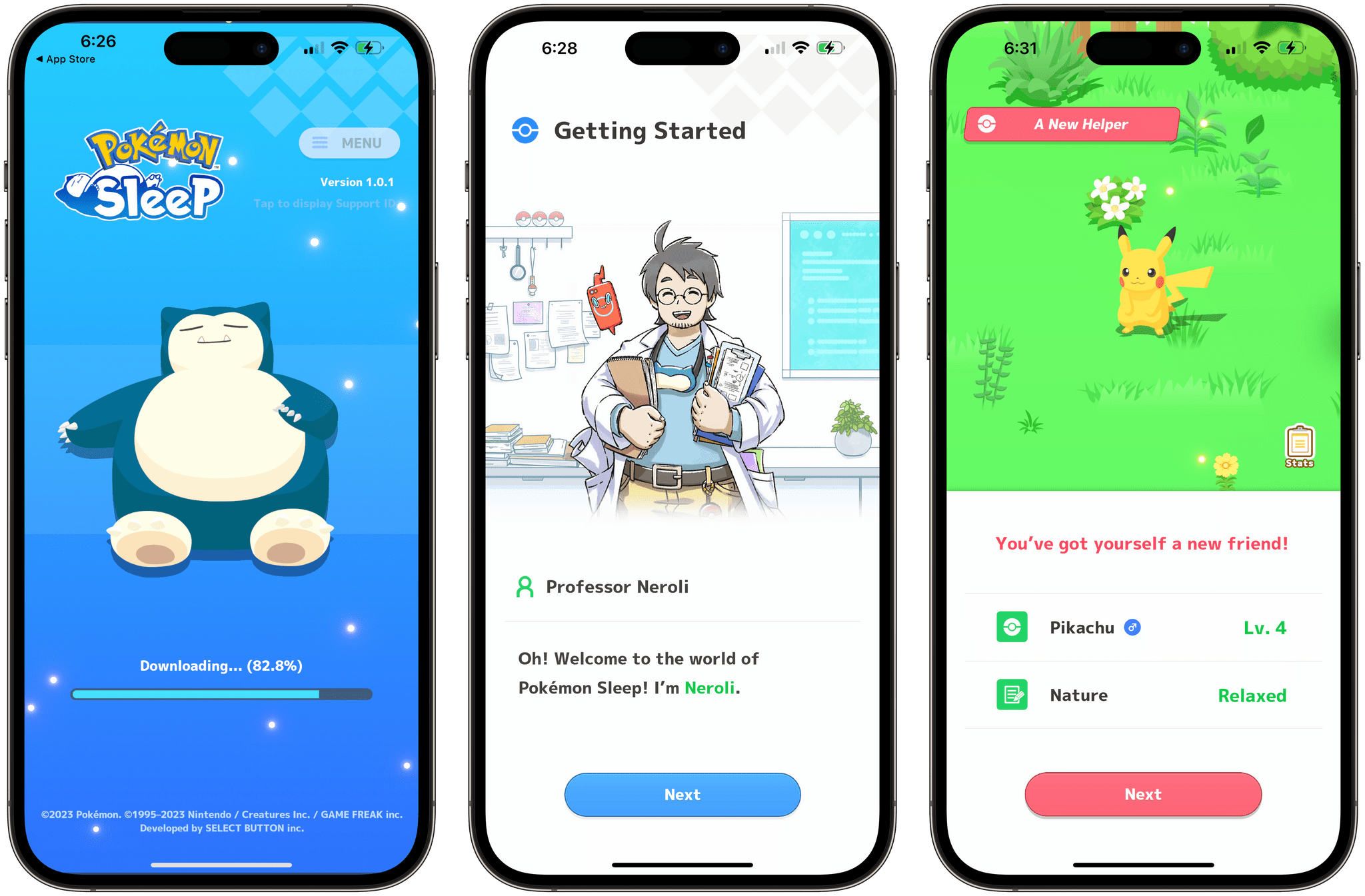
There was big game news this week too. Pokémon Sleep, a gamified sleep tracking app from The Pokémon Company that’s been in development since at least 2019 debuted on iOS and Android. According to Ash Parish at The Verge:
Sleep works by having you place your phone on your pillow after doing any of the fifty ‘leven million Pokémon-themed activities you can do nowadays. (Back in my day, all we could do was catch ‘em all — all 151 of them — and we liked it!) The app purports to track your sleeping habits via your phone, and when you wake up in the morning, the app will tell you how well you slept and compare your sleeping style to that of other ‘mon.
If you think Pikachu might help you get a good night’s sleep, you can download the game from the App Store here.